
Local SEO automation software is the fastest way for multi-location brands and agencies to keep hundreds of listings, reviews, and location pages accurate without burning out an entire marketing team. In fact, as competition for local search results grows tighter every quarter, teams that rely on manual spreadsheets simply cannot keep pace with franchises that automate. Therefore, this guide breaks down exactly what local SEO automation software does, how it works under the hood, which features actually move rankings, and how to calculate real ROI before you sign a contract.
Specifically, you will learn how automation compares to manual local SEO, which teams benefit most, a step-by-step rollout plan you can copy, and the pitfalls that quietly sabotage multi-location campaigns. By the end, you will have everything you need to shortlist vendors with confidence, no additional research required.

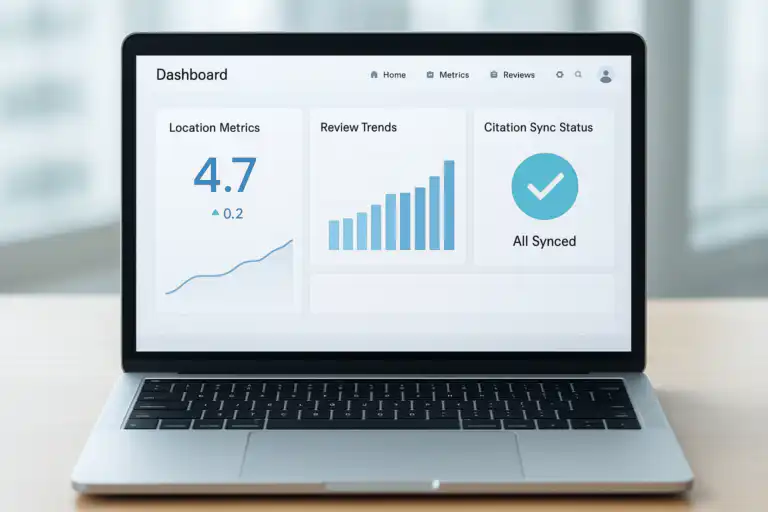
Clean dashboard view of performance, automation status, and tasks.
What Is Local SEO Automation Software?
Local SEO automation software is a platform that automates repetitive local search tasks, such as listing sync, review response, and on-page updates, so brands improve rankings with far less manual effort. In other words, it replaces hundreds of hours of copy-paste work with scheduled, rule-based workflows.
To put it simply, these platforms centralize your location data in one place, then push accurate information everywhere it needs to live, your website, Google Business Profile, citation networks, and review sites. Consequently, marketers spend less time fixing errors and more time on strategy, creative, and customer experience.
For additional background on the discipline this software supports, see Wikipedia’s Local SEO overview, which explains the ranking factors that automation helps you control at scale.
How Does Local SEO Automation Software Actually Work?
In practice, the platform connects to your CMS (content management system, the tool you use to publish website pages), your Google Business Profile, and your citation sources. From there, it pushes updates and pulls insights on a recurring schedule. Moreover, it triggers alerts or tasks automatically whenever it detects a data mismatch, a new review, or a ranking opportunity.
For example, the software can standardize NAP data (Name, Address, Phone, the core identity fields search engines match across the web), publish holiday hours, append UTM tracking parameters, and roll out fresh location copy without a single manual edit. Additionally, it can monitor incoming reviews, draft on-brand responses, and escalate anything that looks sensitive straight to a human.
Core Integrations That Power Automation
Typically, the strongest platforms integrate directly with Google Business Profile, your website’s CMS, analytics tools, call-tracking systems, and major review networks. As a result, every change is logged centrally, which means you can prove impact with clear before-and-after reporting instead of guesswork.
From Manual Spreadsheets to Automated Workflows
In contrast to manual spreadsheets, an automation engine records every change it makes and timestamps it. Therefore, when a location’s ranking dips, you can trace exactly what changed and when, something nearly impossible with disconnected spreadsheets across dozens of locations. Ultimately, this reduces errors, speeds up execution, and increases consistent coverage across every single location you manage.

Illustrated pipeline showing how data flows between systems and tasks.
Must-Have Features in Local SEO Automation Tools
To begin with, choose a platform that automates the 80 percent of tasks your team repeats most often. Additionally, insist on transparent change logs, role-based permissions, and rollback controls so nothing breaks silently across hundreds of locations.
Core capabilities to prioritize
- Citation and NAP sync: push standardized name, address, and phone data everywhere at once.
- Google Business Profile management: schedule posts, services, products, and Q&A updates in bulk.
- Review monitoring and replies: detect sentiment trends and draft on-brand responses automatically.
- On-page location updates: update hours, menus, offers, and schema markup across every page.
- Issue alerts and health scoring: surface missing photos, duplicate listings, or policy conflicts quickly.
- Rank and traffic tracking: measure visibility by ZIP code, city, and device. For a deeper walkthrough, see our Local Search AI Visibility: The Complete 2025 Guide.
Automated Listings, Citations, and NAP Sync
First, verify every source of truth, including your CMS and Google Business Profile. Next, map which fields the platform controls and which your team edits manually. Additionally, schedule weekly syncs and monthly audits to prevent data drift before it damages rankings.
Review Monitoring and Response Automation
However, never publish AI-generated replies without human quality assurance. Instead, use approved templates, brand voice rules, and clear approval chains. Moreover, route volatile or negative reviews to senior staff and track resolution time as a core performance metric. According to FTC guidance on customer reviews, transparency in how you solicit and respond to reviews protects both compliance and trust.
Google Business Profile Management at Scale
Furthermore, bulk-editing hundreds of Google Business Profile listings by hand invites errors. Therefore, lean on automation to schedule posts, refresh service menus, and resolve suggested edits automatically. For official field definitions, consult Google’s Business Profile help center, which clarifies which attributes your automation platform should be syncing.
Rank Tracking and Local Visibility Reporting
In summary, the best local SEO automation tools report visibility by neighborhood, not just by city. Consequently, you can prove which locations are gaining ground and which ones need a dedicated push, rather than relying on a single blended average that hides underperformance.
Local SEO Automation Software vs. Manual Local SEO
Naturally, you might wonder whether automation is worth the switch if your spreadsheets still “work.” However, manual local SEO breaks down predictably once you cross roughly 10–15 locations, because every hour-change, menu update, or promotional post has to be re-entered location by location.
In contrast, automated local SEO platforms apply one update everywhere instantly, log the change, and flag anything that fails to sync. As a result, teams that switch typically report fewer duplicate listings, faster review response times, and far more consistent NAP data across citation networks, three of the biggest ranking blockers for multi-location brands.
That said, automation is not a silver bullet. Instead, think of it as the infrastructure layer underneath a strategy your team still designs, reviews, and refines.
Evaluating Local SEO Automation Software Pricing and ROI
To make a sound decision, compare license tiers, location limits, and overage fees before you commit to any contract. Additionally, estimate labor hours saved on listings, reviews, and content updates so you can quantify value in dollars, not just convenience.
As a rule of thumb, aim for a 3x return within 90 days from combined labor savings and incremental organic traffic. For deeper forecasting models and rollout patterns, see the Automated SEO Platform 2026 Guide and Playbook, and compare it against our breakdown of what to look for in SEO automation software before signing a contract.

Visualizing multi-location coverage, ratings, and proximity effects.
Step-by-Step: Implementing Local SEO Automation Software Across Multiple Locations
To accelerate deployment, break the rollout into small sprints and lock your governance model early. Additionally, document ownership for every entity and data field before you flip any automation switches live.
- Audit your data sources: First, inventory every NAP field living across your CMS, Google Business Profile, and existing citation profiles so nothing gets missed.
- Define canonical values: Next, standardize business names, categories, operating hours, and destination URLs for each individual location before syncing anything.
- Connect integrations: Then, authenticate Google Business Profile, analytics, call tracking, and review networks so the platform can read and write data reliably.
- Build workflows: After that, create automated triggers for new location launches, business hour changes, and promotional offer rollouts across your footprint.
- Set alerts and QA gates: Subsequently, route edge cases and sensitive reviews to human reviewers, and log every automated change for auditing.
- Roll out in waves: Finally, test with five to ten locations first, measure the results carefully, then scale the workflow to every remaining site.
As the core idea, small controlled releases reduce risk while you validate results before committing your entire location footprint to one workflow. For a practical walkthrough of proactive monitoring, review our guide on tools that help streamline SEO processes, which covers real-time issue alerting in more depth.
Pros and Cons of Automation for Local Search
To make tradeoffs explicit, compare strengths and risks before committing to any platform. Additionally, align these points with your team’s size, budget, and risk tolerance.
“Ultimately, automate the repeatable, elevate the strategic, and measure the outcome, not the activity.”
Which Teams Benefit Most From Local SEO Automation Software?
To be specific, franchises, multi-location brands, and businesses with large service areas benefit the most from automation. Additionally, lean in-house teams and agencies lean on these platforms to manage seasonal changes at scale without hiring additional headcount.
- For instance, restaurant groups update menus and hours across dozens of directories simultaneously.
- Additionally, healthcare groups standardize practitioner profiles and location schema across every clinic.
- Likewise, home services companies adjust service areas, offers, and tracking numbers quickly during peak season.
In essence, any organization managing repeated local changes across multiple sites should seriously consider an automation-first approach. If you manage marketing for several clients, our guide to SEO automation tools for marketing agencies breaks down agency-specific workflows in more detail.
Content, Schema, and E-E-A-T in Automated Local Search
To rank reliably, pair automation with high-quality, human-reviewed content. Additionally, enrich every location page with LocalBusiness schema markup and unique proof points such as photos, reviews, and staff details.
For example, rotate seasonal offers, add location-specific FAQs, and publish before-and-after images to keep pages fresh. Moreover, cite credible sources and clearly state policies or guarantees to build trust signals that automation alone cannot manufacture.
In short, automation sets the pace, while genuine expertise and local authenticity win the click. If you want a broader framework for blending automation with content strategy, see how to simplify your website’s SEO with automation.
Why Choose Local SEO Automation Software Now?
Because of rising competition and shrinking margins, local SEO automation software protects accuracy and speed while your team focuses on strategy and creative work. Consequently, your locations stay correct, your reviews get timely replies, and your analytics reveal compounding gains month over month.
Best Practices and Pitfalls to Avoid
To reduce risk, maintain a single source of truth and restrict write-access by role across your entire organization. Additionally, schedule quarterly audits for categories, attributes, and services inside your Google Business Profile.
- Therefore, keep human approval on every review reply and sensitive post.
- Moreover, use a staging environment for content templates before global rollouts.
- In addition, tag links with UTMs so your reporting remains accurate and attributable.
- Finally, archive change logs and snapshots for compliance and easy rollback.
For a full checklist of criteria to vet before purchasing, read our breakdown of the top SEO automation software tools and strategies, which you can reference while building your governance model.
Frequently Asked Questions About Local SEO Automation Software
What is local SEO automation software?
In short, local SEO automation software is a platform that automates listings, reviews, and location page updates to improve local search visibility at scale, without requiring manual edits for every single location.
How much does local SEO automation software cost?
Typically, pricing scales per location, with most platforms charging monthly fees that range from a few dollars to over twenty dollars per location, depending on automation depth and integration count.
How does it integrate with my existing marketing stack?
Typically, it connects via APIs to your CMS, Google Business Profile, analytics, and review networks, then schedules workflows and alerts automatically based on the rules your team configures.
Will automation replace my marketing team?
However, it will not replace your team; instead, it augments them by removing repetitive drudgery and surfacing higher-value strategic tasks that only humans can execute well.
Which features matter most for franchises specifically?
For franchises, prioritize bulk NAP sync, centralized brand-voice review templates, and granular role permissions so individual franchisees cannot overwrite corporate standards accidentally.
How long does it take to see ROI?
Generally, teams see measurable labor savings within the first 30 days and ranking improvements within 60 to 90 days, assuming data was accurate before automation began.
Key Takeaways
- Therefore, prioritize platforms with deep integrations, transparent logs, and role-based controls.
- Additionally, map workflows to the 80/20 tasks your team repeats weekly.
- Moreover, pilot with a small set of locations before any global rollout.
- Finally, pair automation with unique content and strong governance for lasting results.
Conclusion: Choose the Right Local SEO Automation Software
To conclude, the right local SEO automation software centralizes updates, enforces accuracy, and accelerates learning across every location you manage. Additionally, it frees your team to create standout experiences that win customers and genuine, earned reviews.
As your next step, shortlist two or three vendors, run a 30-day pilot, and measure labor savings, ranking lifts, and revenue impact together. Finally, explore more advanced resources on RankAuthority.com to deepen your automation strategy and governance model over time.