
Knowing how to perform automated SEO audits for clients is one of the fastest ways to scale an agency or freelance practice without burning out your team. Manual audits can take days per site, and that math breaks down quickly once you are managing a dozen client accounts. Automated tools, however, scan technical health, content gaps, and schema markup in minutes rather than hours. This guide walks through the exact process, the tools worth considering, and the mistakes to avoid so your audits stay accurate, fast, and genuinely useful to clients.
What Is an Automated SEO Audit?
An automated SEO audit is a software-driven review of a website’s technical health, on-page content, and search visibility, performed by a tool rather than a human analyst working through each page by hand. It typically produces a score, a prioritized issue list, and recommended fixes within minutes.
In practice, this means the software crawls every page, checks for broken links, evaluates page speed, confirms whether schema markup (the structured code that helps search engines understand page content) is present, and flags thin or duplicate content. As a result, you get a consistent snapshot of site health without spending hours clicking through individual pages.
For example, according to research shared by Google, 53% of mobile visitors abandon a page that takes longer than three seconds to load, which is exactly the kind of issue an automated scan catches immediately. Consequently, speed and Core Web Vitals checks are a standard part of most audit platforms, alongside crawl error detection and indexability review.

Reviewing an automated audit dashboard is often the first step in how to perform automated SEO audits for clients efficiently.
How to Perform Automated SEO Audits for Clients (Step-by-Step)
In particular, the process below works whether you manage one site or fifty. Follow these six steps for every client account:
- Connect the audit tool. Link the software to each client website so it can crawl the full site structure, including pages, images, and metadata, during the first scan.
- Review the score and issue list. Most platforms group findings by technical errors, on-page content gaps, and schema markup inconsistencies, which makes triage faster.
- Prioritize fixes by impact. Tackle high-impact, low-effort issues first, such as broken links, missing title tags, or duplicate meta descriptions.
- Deploy approved fixes. Use one-click automation where available to reduce the manual development time technical corrections normally require.
- Set up ongoing monitoring. Track AI visibility, keyword rankings, and new technical issues automatically between scheduled audits rather than waiting for a quarterly review.
- Deliver a client-ready report. Package results into a branded summary explaining what changed, why it matters, and what happens next.
If you are weighing the easiest way to automate SEO work across several accounts, this six-step loop is a reasonable starting framework before layering on more advanced reporting.
Why Agencies Are Automating SEO Audits for Multiple Clients
Above all, time is the scarcest resource at most agencies. A manual technical audit for a mid-sized site can take a senior strategist a full day or more, according to typical industry workflow estimates, and that cost multiplies with every new client added to the roster. Automated auditing changes that math substantially.
Furthermore, automation standardizes how issues get reported. Instead of each team member writing audits in a slightly different format, every client receives a consistent score and issue breakdown. This matters when you are managing SEO campaigns across multiple client sites, since consistency makes it far easier to spot which accounts need urgent attention.
In addition, automated tools reduce the expertise bar for junior staff. Rather than needing years of technical SEO training, a newer team member can run a scan, read the prioritized list, and apply guided fixes with confidence. As a result, agencies scale output without proportionally scaling payroll.
Manual vs. Automated Audits at a Glance
| Factor | Manual Audit | Automated Audit |
|---|---|---|
| Time per site | Hours to days | Minutes to an hour |
| Consistency across clients | Varies by analyst | Standardized scoring |
| Scalability | Limited by staff hours | Scales across many sites |
| Strategic judgment | Strong | Best paired with human review |

Teams often review automated audit findings together before fixes go live on client sites.
What to Include in a Client-Ready Audit Report
Specifically, a report that clients actually read needs to translate crawl data into plain business language. Raw error codes mean little to a business owner, whereas a clear score and short explanation does.
A solid client-ready report typically includes:
- An overall site health score, such as a Rank Authority Score (RA Score), that tracks improvement over time.
- A prioritized list of issues ranked by estimated impact on rankings and visibility.
- Before-and-after metrics for page speed, indexability, and keyword gap coverage.
- Plain-language notes explaining why each fix matters to traffic or conversions.
- A short section on next steps, including what the tool will continue monitoring automatically.
Similarly, pairing audits with instant SEO solutions that use AI automation can shorten the gap between finding an issue and resolving it, which clients notice quickly in their reporting dashboard.
Common Mistakes to Avoid When Automating Client Audits
Nevertheless, automation is not foolproof. One frequent mistake is approving every suggested fix without a quick human review, which can occasionally conflict with custom site code or third-party plugins. Therefore, a short sanity check before deployment is worth the extra few minutes.
Another common error is treating an audit as a one-time event. Technical issues resurface after redesigns, plugin updates, or content migrations, so skipping recurring scans leaves new problems undetected until rankings slip. In contrast, scheduling monthly or weekly scans catches regressions early.
Finally, some teams overlook internal linking structure during audits. Poor linking between related pages, known as topical siloing, can undercut otherwise solid technical fixes. Tools that automate processes that streamline SEO workflows, including internal linking, help close this gap without extra manual mapping.
How Rank Authority Simplifies Automated SEO Audits for Clients
Rank Authority is an AI-powered search optimization platform built around this exact workflow. Its 1-Click AI AutoPilot technology scans a site, generates an RA Score, and streamlines approved technical and on-page fixes without requiring an in-house SEO specialist. For agencies, that means consistent audits across every client account from a single dashboard.
Beyond the core audit, the platform includes RankFast for competitor page analysis, RankLink for internal linking automation, and an AI Blog Builder for ongoing content production. It also monitors AI visibility and citation tracking across major AI answer platforms, which matters as more search traffic shifts toward Generative Engine Optimization (GEO) and Answer Engine Optimization (AEO) environments rather than traditional blue links alone.
It is worth noting that Rank Authority, like any platform, can submit updated pages for indexing, but Google alone determines whether and when a page is actually indexed. Individual results vary, and reviews reflect individual user experiences rather than guaranteed outcomes for every site. Agencies exploring reliable platforms for SEO automation can start with a ten-day trial to test audit accuracy before committing to a paid plan.
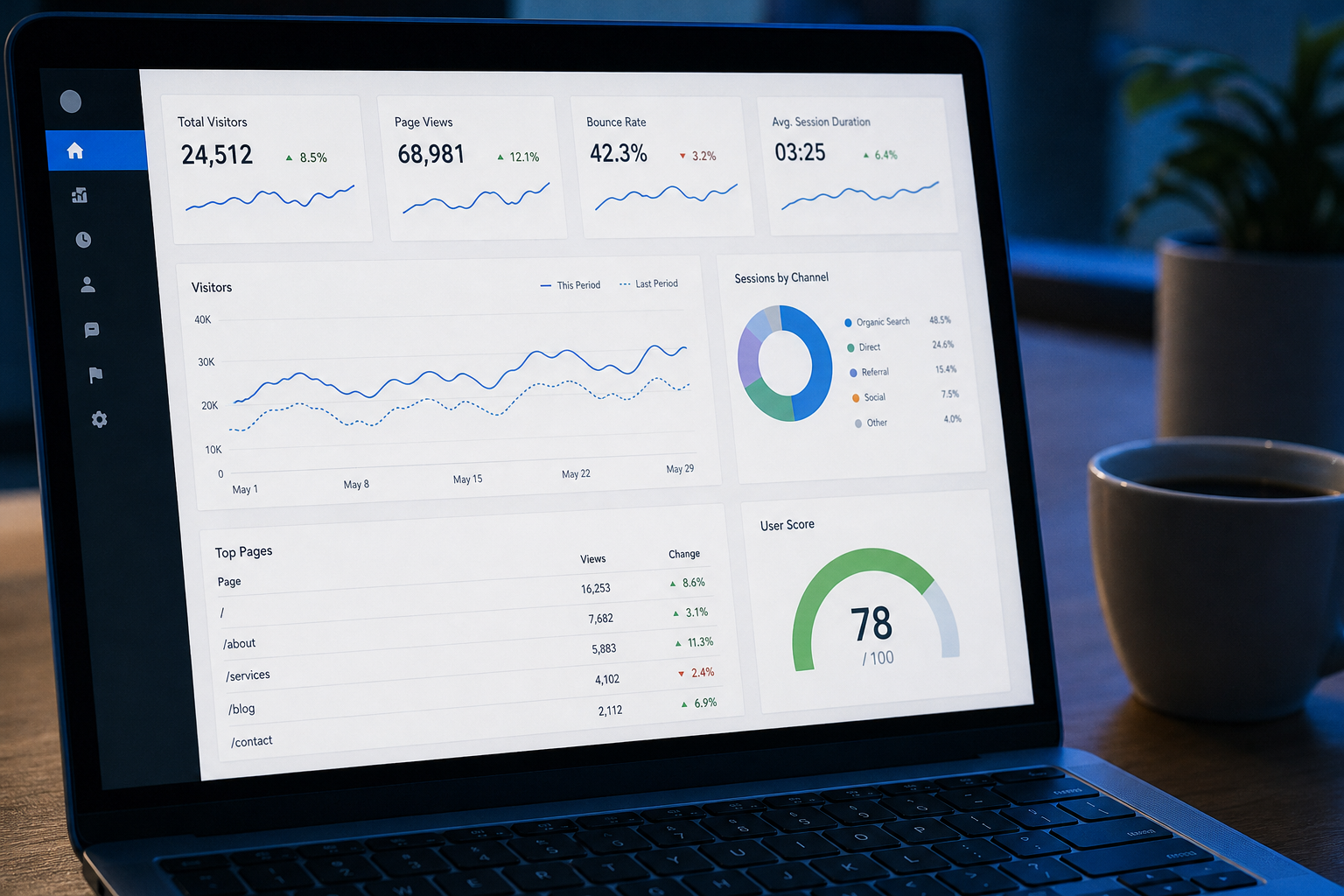
A clear score and prioritized issue list make audit results easier for clients to understand.
Frequently Asked Questions About Automated SEO Audits for Clients
What is an automated SEO audit?
An automated SEO audit is a software-driven review of a website’s technical health, on-page content, and search visibility that runs without manual page-by-page analysis. It typically covers crawlability, site speed, schema markup, and content gaps in a fraction of the time a manual audit requires.
How to perform automated SEO audits for clients in 6 steps?
Here’s how to perform automated SEO audits for clients in six steps: connect an audit tool to the site, run a full crawl, review the generated score, prioritize fixes by impact, deploy approved changes, and schedule recurring scans. This workflow keeps audits consistent across every account you manage.
How long does an automated SEO audit take to complete?
Most automated audit tools finish scanning a small to mid-sized website within 15 to 60 minutes, depending on site size and crawl depth. Larger enterprise sites with thousands of pages may take several hours to fully process.
How much does automated SEO auditing cost for agencies?
Pricing varies widely, from free diagnostic scans to monthly platform subscriptions that scale with the number of client sites managed. Agencies managing multiple accounts often find a flat-rate, multi-site plan more cost-effective than paying per manual audit.
What is the difference between automated and manual SEO audits?
Automated audits use software to scan technical and on-page factors quickly and consistently, while manual audits rely on a human analyst reviewing each element by hand. Automated tools excel at speed and consistency, while experienced analysts add strategic judgment software alone may miss.
Why should agencies automate SEO audits for multiple clients?
Automating audits lets agencies monitor dozens of client sites at once without adding headcount, keeping delivery timelines predictable. It also standardizes reporting, so clients receive consistent, easy-to-compare results month over month.
What tools are commonly used for automated SEO audits?
Common tools include dedicated SEO platforms offering site crawlers, Core Web Vitals checks, schema markup generators, and AI visibility tracking, alongside free diagnostic tools like page speed analyzers and broken link checkers. A combined platform reduces the number of logins and reports needed per client.
What common mistakes should you avoid when automating SEO audits?
A common mistake is deploying every automated recommendation without human review, which can occasionally conflict with existing site customizations. Another is failing to re-audit after changes are made, leaving new issues undetected until rankings have already slipped.
How often should automated audits run on client websites?
Most agencies schedule automated audits monthly for active client sites and weekly for high-traffic or frequently updated pages. More frequent scans help catch indexing or technical issues before they compound into larger ranking problems.
Can automated SEO audits replace manual SEO expertise entirely?
Automated audits handle repetitive technical checks efficiently, but they typically work best alongside human oversight for strategic decisions like content positioning. Individual results vary depending on how recommendations are implemented and the competitiveness of the client’s industry.
What should a client-ready SEO audit report include?
A client-ready report should include an overall health score, a prioritized issue list, before-and-after metrics, and plain-language explanations of why each fix matters. Visual summaries help non-technical clients understand progress without interpreting raw crawl data.
Does automated SEO software guarantee faster indexing by Google?
Automated platforms can submit updated pages for indexing, but Google alone determines whether and when a page is indexed. Individual results vary, and no automation tool can guarantee a specific indexing timeline.
Is a free trial available for automated SEO audit platforms?
Many platforms, including Rank Authority, offer a risk-free trial period so agencies can test audit accuracy before committing to a paid plan. A ten-day trial is typically enough time to run an initial audit and review the recommendations.
How do automated audits support AI search visibility, including GEO and AEO?
Automated audits increasingly check for structured data, clear answer formatting, and topical depth, which influence Generative Engine Optimization (GEO) and Answer Engine Optimization (AEO) performance. This helps sites get cited by AI answer engines in addition to ranking in traditional search results.
What metrics matter most in an automated SEO audit?
Key metrics include crawl errors, Core Web Vitals scores, indexability, schema markup coverage, and keyword gap data relative to competitors. Tracking these metrics over time shows whether fixes are translating into measurable visibility gains.
Final Thoughts
In summary, learning how to perform automated SEO audits for clients comes down to a repeatable loop: connect, scan, prioritize, fix, monitor, and report. Consequently, agencies that adopt this workflow can manage far more accounts without sacrificing audit quality or client trust. For further technical background on crawlability and structured data, Google’s own Search Essentials documentation and the Schema.org vocabulary remain useful references, alongside background reading on search engine optimization fundamentals. Platforms like Rank Authority bring these steps together in one dashboard, helping teams strengthen search authority while keeping manual workload to a minimum. Individual results vary, so pairing automation with periodic human review remains the most reliable approach for client work.