
Learning how to use automated Rank Authority score reporting is the fastest way to understand whether your website is gaining ground in search — both traditional Google results and the newer world of AI answers. Instead of guessing which fixes matter, you get a single number, the Rank Authority Score (RA Score), that reflects your site’s health across SEO, Generative Engine Optimization (GEO), and Answer Engine Optimization (AEO). In the next few minutes, you’ll see exactly what the report measures, how to read it correctly, and the steps to turn those insights into real visibility gains. Individual results vary, but the process itself is straightforward.

Checking an automated score report can replace hours of manual auditing with a single glance.
What Is Automated Rank Authority Score Reporting?
Automated Rank Authority score reporting is a dashboard feature that continuously scans your website, scores its optimization health from 0 to 100, and explains in plain language what to fix next. Because the scanning and scoring happen on their own, you never need to run a manual audit or decode raw technical data by hand.
Specifically, the RA Score pulls signals from technical SEO — things like site speed, crawlability, and broken links — along with content quality, structured data such as schema.org markup, and newer factors like AI citation readiness. You can review a full breakdown of how the score is calculated on the Rank Authority Score page. As a result, small business owners and marketers without an in-house SEO team can still track performance with confidence.
How to Use Automated Rank Authority Score Reporting in 5 Steps
Once your site is connected, using the report well comes down to a repeatable routine. Below is the five-step process most accounts follow.
- Connect your site and run the baseline scan. Add your domain to the dashboard and let the automated crawler generate a starting RA Score across technical SEO, content, and structured data categories.
- Review the score breakdown by category. Open the detailed report and look at each category individually instead of only reading the overall number, since one weak area often hides behind an average total score.
- Prioritize fixes by impact and effort. Sort recommended changes by how much they will likely raise the score, then tackle the highest-impact, lowest-effort items first. See which automated SEO tasks are handled for you.
- Deploy approved fixes with 1-Click AI AutoPilot. Approve the suggested changes and let the automation apply technical and on-page fixes, which removes the need to edit code or configure plugins manually.
- Track score trends and AI visibility over time. Return to the dashboard on a set schedule to compare score history, monitor citation tracking across AI answer engines, and catch any new issues early.
Understanding the Metrics Inside Your RA Score Report
Each category inside the report maps to a specific part of search performance. The table below summarizes what each one covers.
| Category | What It Measures |
|---|---|
| Technical SEO | Crawlability, page speed, broken links, mobile usability |
| Content Quality | Relevance, depth, and topical coverage of published pages |
| Schema & AEO Readiness | Structured data and direct-answer formatting for featured snippets |
| GEO Citation Signals | Whether content is structured for AI answer engines to cite as a source |
Why Automated Score Reports Matter for AI Search Visibility
Search behavior is shifting quickly. In particular, industry research from BrightEdge has long found that organic search can drive more than half of all trackable website traffic, which is exactly why ranking signals still deserve close attention even as AI answer tools grow. However, AI-powered platforms now summarize answers directly, so content also needs to be structured for citation, not just ranked on a results page.
This is where AI visibility monitoring inside automated reporting becomes useful. Rather than checking rankings alone, the dashboard tracks whether your pages are being referenced in AI-generated answers. Consequently, small businesses and startups can compete for visibility without hiring a specialist team, a point covered in more depth on the guide to Rank Authority for startups. For broader context on how structured data supports this kind of visibility, Google’s own structured data documentation is a useful reference.
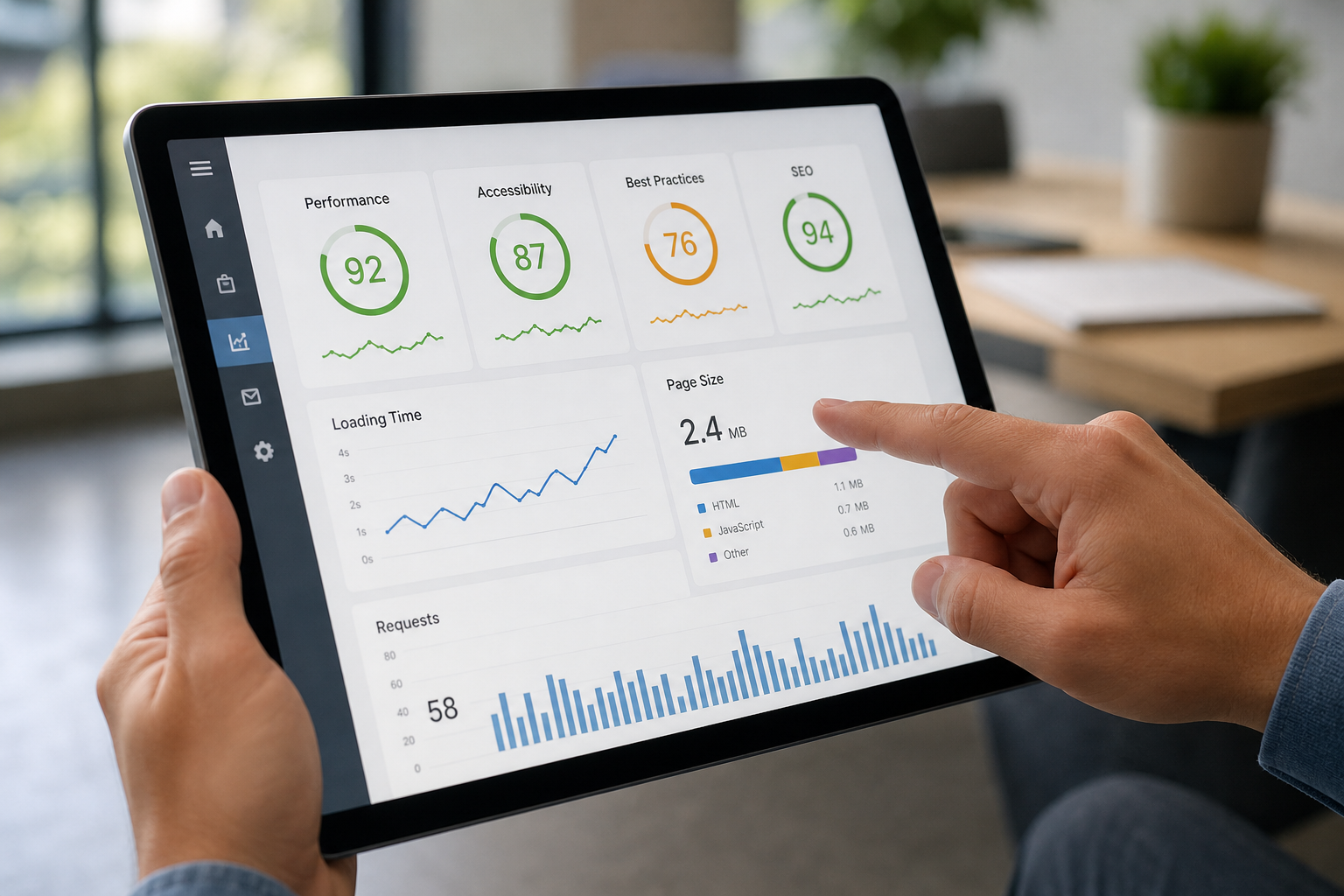
Breaking a score report into categories makes it easier to decide what to fix first.
Common Mistakes When Reviewing Your Rank Authority Score
Even with automation handling the technical work, a few habits can undercut your results. Above all, avoid these recurring mistakes:
- Focusing only on the total score instead of the category breakdown.
- Approving fixes but never re-scanning to confirm the change actually helped.
- Treating a high score as a guaranteed ranking outcome rather than a health indicator.
- Ignoring GEO and AEO categories because they feel less familiar than traditional SEO metrics.
Best Practices for Turning Score Reports Into Action
Therefore, treat the report as a recurring habit rather than a one-time check. First, schedule a short weekly or monthly review so score drift gets caught early. Second, pair the score data with competitor analysis so you know whether a flat score reflects your site or a shift in the competitive landscape; this is covered further in the piece on using AI tools for SEO testing.
Finally, confirm that indexing status is reflected correctly. Rank Authority can submit updated pages for indexing automatically, which is detailed in the guide on automated indexing and submissions, but Google alone determines whether and when any page is actually indexed. You can also view the live platform at rankauthority.com to see current dashboard features firsthand. For background on how ranking factors are generally evaluated across the industry, Wikipedia’s overview of search engine optimization offers useful context.

Teams that review automated Rank Authority score reporting together tend to act on fixes faster.
Individual results vary. Reviews reflect individual user experiences and are not guaranteed results for all users.
Frequently Asked Questions
How do I use automated Rank Authority score reporting to track my site’s progress?
To use automated Rank Authority score reporting, connect your site, review your baseline RA Score, then check the dashboard weekly or monthly to see how approved fixes move your score. The report updates on its own, so you simply log in and compare trends.
What does the Rank Authority Score (RA Score) actually measure?
The RA Score is a composite number from 0 to 100 reflecting technical SEO health, content quality, structured data, and AI citation readiness across GEO and AEO. A higher score generally means fewer unresolved optimization issues.
How often is my RA Score updated?
Rank Authority rescans monitored sites on a recurring schedule and after major approved changes. As a result, the score reflects recent activity rather than a single outdated snapshot.
Why did my RA Score drop after a site change?
A sudden drop usually means a recent update introduced a new issue, such as a broken link, missing schema, or slower load time. Checking the category breakdown right after the change typically reveals the cause.
How is RA Score different from a standard SEO score?
Standard SEO scores typically focus only on traditional factors like keywords and backlinks. In contrast, the RA Score also accounts for GEO and AEO signals, such as structured answer formatting that influences whether AI answer engines cite your content.
Can automated score reporting help with GEO and AEO, not just SEO?
Yes. Automated score reporting evaluates whether pages are structured for AI citation and direct-answer formatting, which are core GEO and AEO requirements, in addition to traditional ranking factors.
How much does Rank Authority cost to access score reporting?
Rank Authority offers a seven-day trial period so you can review automated score reporting before committing to a paid plan. Specific plan pricing and features are listed on the Rank Authority website.
How long does it take to see a meaningful score improvement?
Timelines vary by site size, existing issues, and how quickly fixes are approved. Some accounts see measurable category improvements within a few weeks, though individual results vary.
What is the most common mistake when reading an RA Score report?
The most common mistake is focusing only on the overall number instead of the category breakdown. A single low-scoring category often explains more about priority fixes than the total score alone.
Does a higher RA Score guarantee higher rankings?
No. A higher score reflects stronger optimization signals, but rankings also depend on competition and factors outside any platform’s control. Individual results vary, and no ranking outcome is guaranteed.
Can agencies use automated score reporting for multiple client sites?
Yes. Agencies commonly use automated score reporting to monitor several client properties from one dashboard and prioritize which client needs attention first.
Does Rank Authority’s automated indexing affect my RA Score?
Submitting pages for indexing can support crawlability signals reflected in the report, but Rank Authority can only submit changes for indexing; Google alone decides whether and when a page is actually indexed.
Final Thoughts
In summary, learning how to use automated Rank Authority score reporting comes down to a simple rhythm: connect your site, read the category breakdown rather than just the headline number, approve high-impact fixes, and revisit the dashboard regularly to confirm progress. Because the scanning, scoring, and much of the fixing is automated, you don’t need deep technical expertise to keep improving your SEO, GEO, and AEO signals. Individual results vary, but following this process consistently gives you a clear, measurable way to track visibility across both traditional search and AI answer engines.