
AI-powered internal link automation is the use of machine learning to find related pages on your site and add contextual links between them. If you manage more than a few dozen pages, it saves hours and closes gaps you would miss by hand.
Quick answer: Automation scans your content, matches pages by topic, and suggests or inserts links with relevant anchor text. You still set the rules and review the results.

A site owner reviews suggested links before approving them.
What Is AI-Powered Internal Link Automation?
It is software that reads your pages, groups them by topic, and links them together. Instead of searching your archive by hand, you get a ranked list of link opportunities.
Internal links are hyperlinks from one page on your site to another. According to Google Search Central, links help Google find pages and understand context. Meanwhile, they also help visitors move through your content.
Why Internal Links Matter for Search and AI Answers
Search engines follow links to discover content. Therefore, a page with no internal links is hard to find, even when it is well written.
Links also show how topics connect. As a result, a clear structure helps crawlers understand your expertise. This supports both traditional SEO and Generative Engine Optimization (GEO), which is the practice of making content easier for AI answer platforms to understand and cite. However, no tactic guarantees a citation.
How Automated Internal Linking Works
Most tools follow the same basic flow. First, they crawl your site. Next, they compare page topics and keywords. Finally, they propose links with anchor text.
- Crawl: collect every URL, title, and heading.
- Match: score how closely pages relate.
- Suggest: pick the source sentence and anchor text.
- Deploy: insert approved links through your CMS.
For a deeper look at the mechanics, see this complete guide to internal link suggestion engines.
Manual vs. Automated Internal Linking
| Factor | Manual | Automated |
|---|---|---|
| Speed | Slow on large sites | Fast across the whole site |
| Orphan pages | Easy to miss | Flagged automatically |
| Consistency | Varies by editor | Rule-based |
| Judgment | Strong | Needs human review |
If you are comparing options, this overview of software that automates internal linking is a useful starting point.
Building Topical Silos With Automation
A topical silo is a group of related pages linked around one subject. A pillar page covers the broad topic, and supporting pages cover details.
RankLink, part of the Rank Authority platform, automates topical siloing and internal linking. Rank Authority is an AI-powered search optimization platform that combines SEO, GEO, and Answer Engine Optimization (AEO) in one dashboard. You can learn more at rankauthority.com.
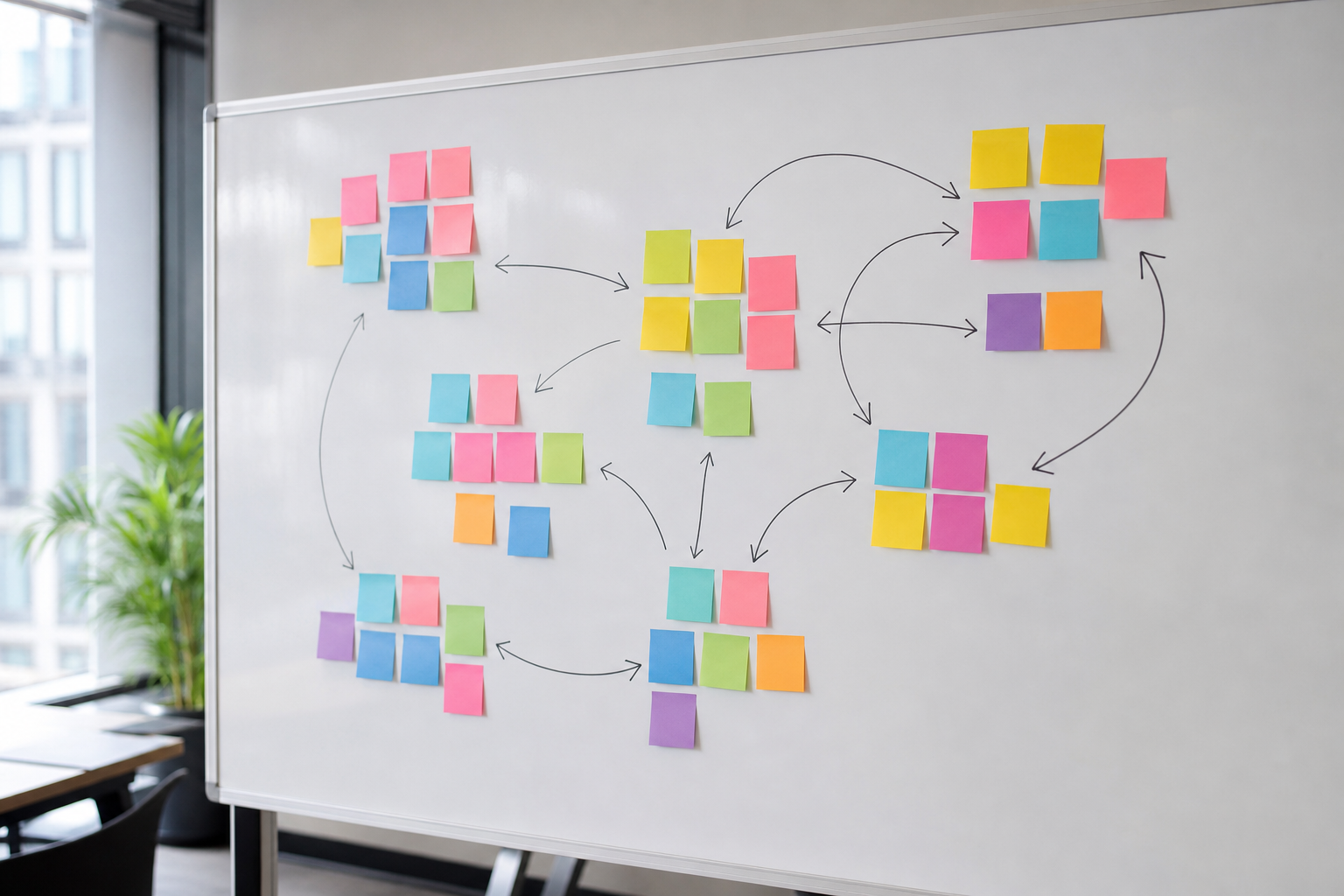
Planning topic clusters before automating links keeps suggestions relevant.
How to Set Up Automated Internal Linking: Step by Step
- Audit your current links. List orphan pages, thin link profiles, and your priority pages.
- Group pages by topic. Choose one pillar page per cluster.
- Set linking rules. Limit links per page, vary anchor text, and exclude sensitive pages.
- Review suggestions. Approve only links that help readers.
- Deploy and monitor. Publish, submit changes for indexing, and track results.
Rank Authority can submit changes for indexing. However, Google alone determines whether and when a page is indexed.
Common Mistakes to Avoid
- Using the same exact anchor text everywhere.
- Linking unrelated pages just to add links.
- Skipping human review.
- Ignoring orphan pages.
- Stuffing too many links into one paragraph.
Linking also supports other optimization work. For example, automating on-page SEO for e-commerce pairs well with a strong link structure. Likewise, automated tools for backlinks cover the external side.
Frequently Asked Questions
What is AI-powered internal link automation?
AI-powered internal link automation uses machine learning to find related pages on your site and insert contextual links between them. It replaces manual link hunting with scalable, rule-based suggestions.
Why do internal links matter for SEO?
Internal links help search engines discover pages and understand how topics relate. They also guide visitors to the next useful page.
How is automated linking different from manual linking?
Manual linking relies on memory and spreadsheets. Automation scans your whole site, so it catches orphan pages and missed opportunities faster.
Can automation hurt my site?
It can if it over-links or uses repetitive anchor text. Choose a tool with relevance controls and review settings.
What is an orphan page?
An orphan page has no internal links pointing to it. Crawlers and visitors struggle to find it.
What is a topical silo?
A topical silo groups related pages around one subject and links them together. It signals subject depth to search engines.
How many internal links should a page have?
There is no fixed number. Add links only where they help the reader, and keep them relevant to the surrounding text.
What anchor text should I use?
Use short, descriptive text that tells readers what the linked page covers. Vary the wording naturally and avoid generic phrases like “click here.”
Does internal linking help AI search visibility?
Clear internal links help crawlers understand your content structure, which supports Generative Engine Optimization (GEO). No tactic guarantees citations from AI platforms.
How long until I see results?
It varies. Search engines must recrawl and reprocess your pages, and Google alone decides whether and when a page is indexed. Individual results vary.
Which platforms can I use it on?
Rank Authority supports WordPress, GoDaddy, Shopify, Wix, GoHighLevel, and Webflow integrations.
What is RankLink?
RankLink is the Rank Authority feature for topical siloing and internal linking automation.
Conclusion
AI-powered internal link automation helps you connect related pages, fix orphan content, and build clear topical structure at scale. Set your rules, review suggestions, and monitor the results. To see how it fits into a wider SEO, GEO, and AEO workflow, you can try the platform with its seven-day trial at Rank Authority. For more on the related topic of links from other sites, read about AI-driven backlink analysis.
Individual results vary. Reviews reflect individual user experiences and are not guaranteed results for all users.