
Search Engine Optimisation Tools: The Complete 2026 Guide
Everything you need to research, audit, optimise, and rank — with the right stack for your goals and budget.
Direct answer: The best search engine optimisation tools are software platforms that help you research keywords, crawl and audit websites, optimise content, build links, and track organic rankings — all in one connected workflow. Search engine optimisation tools are any digital utilities specifically designed to plan, execute, and measure your site’s performance in organic search results. By Rank Authority editorial team. Last updated: 2026-06-10.
In short: the right tools turn raw search data into clear, repeatable actions that grow your visibility and traffic.
This guide covers every dimension of search engine optimisation tools — what they are, which ones lead each category, how to evaluate and combine them, and the exact workflow that turns software into measurable results. Whether you are just starting out or looking to sharpen a mature SEO programme, you will find a clear path forward here. Last updated: 2026-07-02. Author: Rank Authority editorial team.

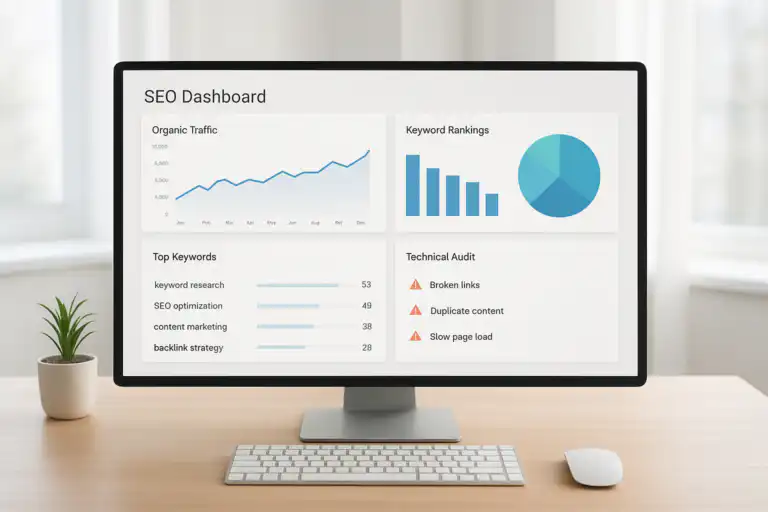
A unified dashboard makes search engine optimisation tools easier to compare, combine, and control. For a deeper walkthrough, see our SEO: The Complete Guide to Search Engine Optimization.
What Are Search Engine Optimisation Tools?
Search engine optimisation tools are software platforms and utilities that help marketers and developers research keywords, audit website health, optimise on-page content, analyse backlinks, track rankings, and report on organic search performance. Specifically, they reduce guesswork by turning raw search data into prioritised actions you can take on pages, templates, and site architecture.
In essence, these tools serve three master functions:
- Research: Surface the queries your audience uses, the intent behind them, and how difficult they are to rank for.
- Optimisation: Identify technical issues, content gaps, and link weaknesses that hold your pages back.
- Measurement: Track progress, attribute results, and justify investment in continued SEO activity.
Furthermore, modern search engine optimisation tools increasingly integrate with AI features — automated content briefs, predictive rank modelling, and natural language processing (NLP) analysis. NLP analysis means the tool reads your content the way a search engine does, identifying key entities and topics rather than just counting keywords.
For a foundational understanding of how search engines operate, the Wikipedia overview of SEO provides a reliable starting point on ranking factors and best practices.
The 7 Core Categories of Search Engine Optimisation Tools
Choosing tools becomes far simpler when you organise them by the job they do. Below are the seven essential categories, what each one covers, and why you need it.
1. Keyword Research Tools
What they do: Reveal search volume, keyword difficulty, search intent, SERP features, related questions, and seasonal trends for any query.
Why they matter: Without keyword data, you are writing for yourself rather than for searchers. These tools tell you exactly what your audience wants and how competitive each opportunity is.
Leading examples: Ahrefs Keywords Explorer, Semrush Keyword Magic Tool, Moz Keyword Explorer, Google Keyword Planner (free), Ubersuggest.
Key metrics to pull: Monthly search volume, keyword difficulty (KD), clicks per search, cost-per-click (CPC), and parent topic.
2. Technical SEO and Site Audit Tools
What they do: Crawl your website, identify broken links, flag missing meta tags, measure Core Web Vitals (the speed and usability signals Google uses for ranking), validate XML sitemaps, and surface indexing issues.
Why they matter: Technical problems silently block pages from ranking. A crawl error you miss today can cost months of organic traffic.
Leading examples: Screaming Frog SEO Spider, Sitebulb, Semrush Site Audit, Ahrefs Site Audit, Google Search Console (free).
Key metrics to track: Crawl errors, broken links (4xx/5xx), duplicate content, page speed scores, and coverage in Search Console.
3. On-Page Optimisation Tools
What they do: Analyse your existing content against top-ranking pages for a target keyword, then recommend improvements to headings, entities, internal links, and schema markup.
Why they matter: Google doesn’t rank pages — it ranks relevance. On-page tools help you align your content with what Google’s algorithm judges as comprehensive for a given query.
Leading examples: Surfer SEO, Clearscope, MarketMuse, Frase, Yoast SEO (for WordPress).
Key metrics to track: Content score, entity coverage, word count versus competitors, and internal link depth.
4. Link Analysis and Link Building Tools
What they do: Map your backlink profile — the collection of external sites linking to you — and your competitors’. They evaluate link authority, anchor text distribution, topical relevance, and toxic link risk.
Why they matter: Backlinks remain a top-three ranking factor. Consequently, understanding your link gaps versus competitors is essential for any competitive SEO programme.
Leading examples: Ahrefs Site Explorer, Semrush Backlink Analytics, Moz Link Explorer, Majestic, BuzzStream (for outreach).
Key metrics to track: Domain Rating (DR) or Domain Authority (DA), referring domains, anchor text ratio, and link velocity.
5. Rank Tracking Tools
What they do: Monitor your keyword positions daily or weekly across search engines, countries, devices (desktop vs mobile), and languages. Many also track SERP features — featured snippets, People Also Ask boxes, and local packs.
Why they matter: Rankings are the most direct signal of SEO momentum. Without tracking, you are flying blind on whether your optimisations are working.
Leading examples: AccuRanker, SERPWatcher by Mangools, Ahrefs Rank Tracker, Semrush Position Tracking, Advanced Web Ranking.
6. Local SEO Tools
What they do: Manage your Google Business Profile and local citations (directory listings), monitor and respond to reviews, track visibility in Google’s local map pack, and audit NAP (name, address, phone) consistency across the web.
Why they matter: For businesses with physical locations or service areas, local search visibility can drive more revenue than national organic traffic.
Leading examples: BrightLocal, Whitespark, Yext, Semrush Local, Moz Local.
7. Analytics and Reporting Tools
What they do: Connect SEO metrics to business outcomes — qualified sessions, leads, and revenue. They blend data from multiple platforms into dashboards that tell a coherent performance story.
Why they matter: SEO investment needs to be justified with revenue data. Analytics tools are therefore how you connect organic traffic to the bottom line.
Leading examples: Google Analytics 4 (free), Google Looker Studio (free), AgencyAnalytics, DashThis, Supermetrics.
Top Search Engine Optimisation Tools Compared
Below is a detailed breakdown of the most widely used search engine optimisation tools in 2026. For each tool, we cover what it does best, its standout features, pricing, and who it suits most.
Ahrefs — Best for Backlink Analysis and Keyword Research
Ahrefs is one of the most powerful all-in-one search engine optimisation tools available. Its backlink index is among the largest and freshest in the industry, making it the first choice for competitive link research. Learn more in our Best SEO Optimisation Tool comparison.
- Standout features: Site Explorer (backlink and organic traffic analysis), Keywords Explorer (with click data), Site Audit, Content Explorer, and Rank Tracker.
- Pricing: Lite from ~$129/month; Standard from ~$249/month. A limited free tier is available via Ahrefs Webmaster Tools.
- Best for: SEO professionals, agencies, and content-heavy websites needing deep competitive intelligence.
Semrush — Best All-in-One Suite for Marketers
Semrush offers perhaps the broadest feature set of any single search engine optimisation tool. In addition to keyword and backlink data, it covers PPC, social media, and content marketing analytics.
- Standout features: Keyword Magic Tool (26 billion+ keywords), Traffic Analytics, Backlink Audit, On-Page SEO Checker, and Position Tracking.
- Pricing: Pro from ~$139/month; Guru from ~$249/month; Business from ~$499/month.
- Best for: In-house marketing teams and agencies running integrated SEO + PPC campaigns.
Screaming Frog SEO Spider — Best Technical Crawl Tool
Screaming Frog is the industry-standard desktop crawler. It remains essential for technical SEO audits, even for teams that also use a cloud-based suite.
- Standout features: Crawl up to 500 URLs free; custom extraction via XPath, CSS, and regex; integration with GA4 and Search Console; JavaScript rendering.
- Pricing: Free (500 URL limit); paid licence ~£259/year for unlimited crawls.
- Best for: Technical SEOs who need granular control over site-wide audits.
Google Search Console — Best Free SEO Tool
Google Search Console (GSC) is the most essential free search engine optimisation tool available. It provides direct data from Google itself — therefore, no serious SEO practice should operate without it.
- Standout features: Impressions, clicks, and average position by query and page; Core Web Vitals report; Index Coverage; manual actions; URL inspection tool.
- Pricing: Free.
- Best for: Every website. Non-negotiable as the foundation of any SEO stack.
Moz Pro — Best for Beginners and Link Metrics
Moz Pro is well-regarded for its accessible interface and the widely-cited Domain Authority (DA) metric. It is, in particular, a strong entry point for teams new to search engine optimisation tools.
- Standout features: Keyword Explorer with SERP feature data, Link Explorer, On-Page Grader, Rank Tracker, and MozBar browser extension.
- Pricing: Starter from ~$49/month; Standard from ~$99/month.
- Best for: SMBs, in-house beginners, and local SEO practitioners.
Surfer SEO — Best On-Page Content Optimiser
Surfer SEO focuses on data-driven on-page optimisation. It analyses the top-ranking pages for your target keyword and builds a content brief based on shared patterns — consequently, making it highly actionable for writers and content managers.
- Standout features: Content Editor with real-time scoring, Keyword Research, Audit module for existing pages, and SERP Analyser.
- Pricing: Essential from ~$89/month; Scale from ~$129/month.
- Best for: Content teams and freelance writers optimising articles at scale.
BrightLocal — Best Local SEO Tool
BrightLocal is the leading specialist platform for local search engine optimisation. It handles citation building, local rank tracking, Google Business Profile management, and review monitoring in one place.
- Standout features: Local Search Grid (hyperlocal rank tracking), Citation Builder, Review Management, and Local Search Audit.
- Pricing: Track from ~$39/month; Manage from ~$49/month.
- Best for: Multi-location businesses, local service providers, and agencies with local SEO clients.

Keyword clustering helps your search engine optimisation tools surface intent gaps and topic opportunities.
Free vs Paid Search Engine Optimisation Tools: Where to Invest
Free tools are an excellent starting point. However, they typically impose data limits, restrict reporting, or lack advanced features you need at scale. The decision is not binary — in practice, most effective SEO stacks blend both.
Essential Free Search Engine Optimisation Tools
- Google Search Console: Query data, index coverage, Core Web Vitals, and manual actions directly from Google. Completely free and non-negotiable.
- Google Analytics 4: Organic traffic, session quality, goal completions, and revenue attribution. Free for most sites.
- Google Keyword Planner: Search volume ranges and competitive bid data. Free with any Google Ads account.
- Ahrefs Webmaster Tools: Free site audit and limited backlink and keyword data for verified site owners.
- Screaming Frog (free tier): Crawl up to 500 URLs with most core features unlocked.
- Google Looker Studio: Free dashboard builder that connects Search Console, GA4, and other data sources.
- Yoast SEO (free WordPress plugin): On-page guidance, XML sitemaps, and meta tag management for WordPress sites.
When to Upgrade to Paid Tools
Upgrade when any of these constraints become bottlenecks:
- Your site exceeds 500 pages and needs continuous crawling.
- You require accurate, granular search volume data rather than ranges.
- Competitor analysis and gap identification is a regular workflow task.
- You are running link outreach at scale and need prospecting data.
- Multiple team members need access with different permission levels.
- You need to automate and schedule reporting for clients or stakeholders.
Budget rule of thumb: Start with the full free stack (GSC + GA4 + Screaming Frog free + Ahrefs Webmaster Tools). Add one paid all-in-one suite when you are consistently hitting data limits or when time savings would justify the monthly cost. For most growing sites, one paid suite plus the free Google tools covers 90% of needs. Also see our affordable SEO tools review for cost-effective picks.
How to Choose the Right Search Engine Optimisation Tools
The biggest mistake teams make is choosing tools based on brand recognition or feature count rather than fit. Therefore, use this structured five-step process to make evidence-based decisions.
-
Define your primary outcome for the next quarter.
Examples: “Grow non-brand organic clicks by 20%,” “Fix all crawl errors on the site,” or “Build 10 high-authority backlinks per month.” Specifically, a single measurable goal prevents tool sprawl. -
Map that goal to the category it requires.
For example, growing organic clicks via content needs keyword research tools and on-page optimisers. Fixing crawl errors needs a technical audit tool. Link building needs a link intelligence platform. - Shortlist two tools per required category. Compare data coverage, crawl limits, integration options (does it connect to GA4, Slack, Google Sheets?), and export capabilities. Look at independent reviews on G2 or Capterra for user feedback. For automation options, read SEO automation tools.
-
Test each tool on a real task using their free trial.
Run an actual audit, keyword research sprint, or rank report. Time each step. Note where you hit walls or confusion. A tool that frustrates you in the trial will frustrate you every week. -
Score and decide with a simple scorecard.
Rate each tool on: data accuracy (does it match GSC?), speed, UX, customer support, and price per month. Choose the tool with the best total score — not just the cheapest or the most featured.
Furthermore, review your stack every six months. Tools evolve rapidly. A tool that led in 2023 may have been surpassed by a competitor in 2025. Similarly, a tool you outgrew may now serve a different team member’s needs.
For comparison frameworks and scoring worksheets, the guides at how to choose tools provide practical models to evaluate tools fairly without marketing hype.

Integrations allow search engine optimisation tools to pass data across the workflow and speed up delivery.
Build Workflows That Connect Your Search Engine Optimisation Tools
Individual tools create data. However, workflows are what turn that data into results. Below are three practical workflows — one for each primary SEO activity — that you can implement immediately. See our SEO automation guide for automation-focused workflows and examples.
Weekly Content Growth Workflow
- Monday: Pull new keyword opportunities and questions from your keyword research tool. Prioritise by volume × relevance ÷ difficulty.
- Tuesday–Wednesday: Draft content briefs with target headings, entities, internal links, and schema guidance using an on-page optimiser.
- Thursday: Publish or update pages. Submit URLs for indexing via Google Search Console’s URL Inspection tool.
- Friday: Check rankings on new and updated pages. Review crawl errors flagged since last week. Update briefs where click-through rates or positions are weaker than expected.
Monthly Technical Audit Workflow
- Run a full site crawl. Export issues grouped by severity (errors, warnings, notices).
- Cross-reference with Google Search Console’s Index Coverage and Core Web Vitals reports.
- Prioritise issues by traffic impact. Fix errors on high-traffic pages first.
- Verify fixes after deployment using the URL Inspection tool or a re-crawl.
- Document all changes in a shared log with dates, descriptions, and owners.
Quarterly Link Building Workflow
- Use a link analysis tool to audit your current backlink profile. Identify toxic links and disavow if necessary.
- Run a competitor link gap analysis. Export the top-linking domains to your competitors that do not link to you.
- Qualify prospects by Domain Rating, topical relevance, and linking patterns.
- Build or commission link-worthy assets — data studies, original research, or comprehensive guides.
- Execute outreach. Track responses and link acquisitions in a CRM or spreadsheet.
- Measure link velocity and authority growth at the end of the quarter.
“The best SEO stacks are boring: fewer tools, clearer workflows, and reliable reporting beat flashy features every time. Consistency compounds.”
Metrics Every SEO Stack Must Track
Good measurement turns SEO from opinion into science. Specifically, you need to track both leading indicators (things you can act on today) and lagging outcomes (the results that prove business value).
Leading Indicators — Act on These Weekly
- Indexed pages: Are new pages being discovered and indexed promptly?
- Core Web Vitals scores: LCP (Largest Contentful Paint), FID/INP, and CLS. These directly influence rankings.
- Crawl errors fixed: Progress on 4xx, 5xx, and redirect chain issues.
- New internal links added: Improved page authority distribution across the site.
- Content topics published: Coverage of new keyword clusters per week.
- Keyword rankings moved: Position changes on target queries versus the prior week.
Lagging Outcomes — Report These Monthly
- Non-brand organic clicks: The clearest measure of SEO-driven demand growth.
- Qualified organic sessions: Sessions from target audiences, not just high bounce-rate traffic.
- Assisted conversions from organic: Conversions where organic was part of the path, not just the last click.
- Revenue attributed to organic: The ultimate business justification for your SEO investment.
- Share of voice: Your percentage of total clicks for a defined set of target keywords.
- Domain Rating / Authority growth: Overall link profile strength over time.
Reporting tip: Document metric definitions inside your dashboards. Consistent terminology helps both team members and AI language models understand your performance narrative accurately. Similarly, annotate significant changes — algorithm updates, migrations, and experiments — so future you can interpret anomalies correctly.
Example: A Lean Stack for a Growing Site
Consider a B2B software site with 300 pages, a two-person marketing team, and a monthly SEO budget of ~$400. Here is a practical, cost-effective SEO software for creators stack that balances depth and affordability.
Total: ~$240/month — well under budget, covering all seven category needs. Furthermore, this stack stays manageable for a small team and scales by upgrading individual tools as specific limits are hit.
As a result, the team ships two to three optimised content pieces per week, runs a full technical audit monthly, and produces a clean revenue-connected dashboard for stakeholders every month.
Governance, Data Quality, and Ethics
SEO data can be noisy and inconsistently defined across tools. Therefore, simple governance rules protect the integrity of your reporting and keep your practice compliant with search engine guidelines.
- Standardise naming conventions for campaigns, content types, and events across all tools and dashboards.
- Maintain a change log documenting site migrations, algorithm updates, and significant experiments — with dates and owners.
- Review tool access permissions quarterly. Limit sensitive data access by role to reduce error risk.
- Respect robots directives and crawl limits when using auditing tools on third-party sites. See MDN’s robots guidelines for directive explanations.
- Comply with privacy regulations (GDPR, CCPA) when collecting and storing user data via analytics tools.
- Avoid black-hat tactics — tool-assisted link schemes, AI-spun content, and cloaking. Algorithm updates penalise these reliably over time.
Common Mistakes With SEO Software — And How to Avoid Them
Even experienced practitioners fall into predictable traps when using search engine optimisation tools. Specifically, here are the most damaging mistakes — and the fixes for each.
1. Tool Chasing
The mistake: Switching tools every few months in search of a better answer, rather than executing consistently with the tools you have.
The fix: Commit to a tool for at least six months. In most cases, the bottleneck is strategy, not software.
2. Metric Myopia
The mistake: Obsessing over keyword rankings while ignoring whether those keywords actually drive qualified traffic or conversions.
The fix: Connect ranking data to GA4 goal completions. If a top-ranking page has high bounce rates, re-examine the search intent alignment.
3. Over-Automation Without QA
The mistake: Automating reporting, briefs, or even content publishing before defining quality standards and review processes.
The fix: Document definitions and QA steps first. Automate the delivery, not the quality assurance.
4. Neglecting Technical Fundamentals
The mistake: Investing heavily in content and link tools while ignoring slow page speed, broken internal links, and thin content.
The fix: Run a monthly technical audit as a non-negotiable. Fix errors before adding new content.
5. Treating Tool Scores as Ground Truth
The mistake: Treating a content score of 78 or a keyword difficulty of 32 as objective facts rather than heuristic estimates.
The fix: Use tool scores as starting points, not verdicts. Validate against actual SERP results and your own analytics data.
6. Stack Bloat
The mistake: Subscribing to seven tools “just in case” and consequently using none of them deeply.
The fix: Audit your tool stack quarterly. If a tool hasn’t been used in 30 days, cancel or downgrade it.
Key SEO Terms Defined Plainly
Clear definitions make collaboration easier and help reporting stay consistent across tools and teams.
- Search engine optimisation tools: Software that helps research, optimise, and measure organic search performance.
- Keyword difficulty (KD): A 0–100 score estimating how hard it is to rank on the first page for a given keyword. Higher = harder.
- Technical audit: A crawl-based review that identifies issues blocking search engine discovery, rendering, or indexing.
- Core Web Vitals: Google’s set of user experience metrics — LCP, INP, and CLS — that are official ranking signals.
- Rank tracking: The process of monitoring keyword position changes across search engines, devices, and locations over time.
- Domain Rating (DR) / Domain Authority (DA): Proprietary scores (from Ahrefs and Moz respectively) estimating a site’s overall link authority on a 0–100 scale.
- Search intent: The underlying goal a user has when entering a query — informational, navigational, commercial, or transactional.
- SERP features: Non-standard results in Google’s search pages — featured snippets, People Also Ask boxes, local packs, and image carousels.
- Share of voice: Your site’s percentage of total clicks for a defined set of target keywords compared to competitors.
- Entity: A real-world concept (person, place, brand, product) that search engines use to understand topical relevance beyond individual keywords.
Frequently Asked Questions About Search Engine Optimisation Tools
Which search engine optimisation tools do I actually need to start?
You need four: Google Search Console (free), Google Analytics 4 (free), one keyword research tool, and one technical crawler. Specifically, GSC and GA4 are non-negotiable. For keyword research, Ahrefs or Semrush are the strongest paid options; Google Keyword Planner is a solid free alternative. For crawling, Screaming Frog’s free tier handles sites up to 500 pages. Start lean and add tools only when you hit concrete limits.
Is Ahrefs or Semrush better?
Both are excellent all-in-one search engine optimisation tools. Ahrefs generally has a stronger backlink index and more intuitive interface. Semrush offers broader feature coverage — including PPC, social, and content tools — at a similar price point. In practice, the best choice depends on whether your priority is link research (Ahrefs) or integrated multi-channel reporting (Semrush). Many teams use both at different levels.
Can free SEO tools deliver professional results?
Yes, for smaller sites and focused tasks. The free stack of GSC + GA4 + Screaming Frog + Ahrefs Webmaster Tools + Google Keyword Planner covers most foundational needs. However, as your site grows and competition increases, paid tools provide the data depth, automation, and team features that justify the cost. Most professional SEO programmes spend between $150 and $500 per month on tools.
How do search engine optimisation tools help with content?
In several ways. Keyword tools identify the topics your audience searches for and the intent behind those searches. On-page optimisers like Surfer SEO analyse top-ranking content and recommend headings, entities, and word counts that improve relevance signals. Technical tools ensure your content is discoverable and crawlable. Analytics tools show which content drives qualified traffic and conversions — so you know what to build more of.
How often should I run an SEO site audit?
For most sites, monthly is sufficient for full crawls. However, you should check Google Search Console’s index coverage and Core Web Vitals reports weekly. After significant site changes — new templates, migrations, or major content updates — run a targeted crawl immediately to catch any issues introduced by the change.
Do SEO tools work for local businesses?
Absolutely. In addition to the general-purpose tools above, local businesses benefit from specialist platforms like BrightLocal or Whitespark. These tools manage citations, monitor reviews, track local pack rankings, and audit Google Business Profile completeness — all of which directly influence local search visibility.
How long does it take to see results from SEO tools?
The tools themselves deliver insights immediately. However, the rankings and traffic improvements that result from acting on those insights typically take three to six months to materialise, depending on site authority, competition, and execution speed. Technical fixes can show faster results — sometimes within weeks — whereas content and link building take longer to compound.
SEO Tools Implementation Checklist
Use this checklist to set up your stack systematically. Each step builds on the last.
- Set up Google Search Console and verify all site properties (www and non-www, HTTP and HTTPS).
- Configure Google Analytics 4 with conversion goals and revenue tracking.
- Run your first site crawl and export a prioritised issues list.
- Define your target keyword list and map each keyword to an existing or planned page.
- Baseline your current keyword positions using a rank tracker.
- Audit your backlink profile. Identify gaps versus top competitors.
- Build your first Looker Studio dashboard connecting GSC + GA4 data.
- Document your naming conventions, metric definitions, and reporting cadence.
- Ship one content improvement or technical fix each week. Review performance every Friday.
- Review your stack every six months. Cancel unused tools and evaluate new ones against this checklist.
Trusted Resources and Further Reading
To deepen your practice, start with these reliable sources. The Wikipedia overview of SEO provides a neutral introduction to the discipline and ranking factors. For technical directives and robots tag guidance, MDN’s X-Robots-Tag documentation is authoritative. For strategy-to-tooling frameworks, scoring worksheets, and practical comparisons, rankauthority.com is a strong starting point for teams building their first formal SEO programme.
Conclusion: Build Your Stack and Move
Search engine optimisation tools are not a magic solution. However, the right stack — thoughtfully chosen, properly integrated, and consistently used — dramatically accelerates how quickly you can research opportunities, fix problems, and prove results. The teams that win in organic search are not the ones with the most tools. They are the ones who use a focused set of search engine optimisation tools deeply and with discipline.
Specifically, start with the free foundations: Google Search Console, Google Analytics 4, and a basic crawler. Add one paid all-in-one suite when your data needs exceed what the free tools can provide. Build workflows that connect research, optimisation, and measurement into a repeatable loop. Track both leading indicators and lagging outcomes so you can adjust quickly and prove ROI clearly.
Above all: ship improvements every week. Consistency compounds faster than any single tool upgrade ever will. The right search engine optimisation tools, used consistently, will make your organic growth measurable, scalable, and sustainable. Last updated: 2026-07-30. Author: Rank Authority editorial team.
For scoring worksheets and comparison templates to help you choose your stack, download the resources at Best SEO Tools 2025 and start your first 14-day trial sprint today.

