
A robots txt file is a plain-text configuration file placed at the root of your website that tells search engine crawlers exactly which pages to access and which to skip. It is the very first file Googlebot reads when it visits your domain — making it one of the most powerful, and most misunderstood, tools in technical SEO.
Get it right, and you guide crawlers efficiently to your most valuable content. Get it wrong, and you risk blocking entire sections of your site — or wasting crawl budget on pages that contribute nothing to your rankings.
What Is a Robots TXT File? A Clear Definition
A robots txt file — formally called the Robots Exclusion Protocol — is a plain-text document stored at https://yourdomain.com/robots.txt that communicates crawling instructions to search engine bots. In short, robots txt is a set of rules that tells web crawlers which parts of your site they are allowed or forbidden to visit.
The protocol was established in 1994 and has been an internet standard ever since. However, it is important to understand one key limitation: robots txt is an advisory protocol, not an enforcement mechanism. Well-behaved crawlers — including Googlebot and Bingbot — follow its instructions. Malicious bots may ignore it entirely.
Furthermore, robots txt controls crawling, not indexing. A page blocked by robots txt can still appear in Google’s search results if external sites link to it — Google simply won’t be able to read its content. This distinction matters enormously, and we’ll return to it in the mistakes section below.
A properly structured robots txt file uses clean, readable directives that search engines process before crawling any page.
Why the Robots TXT File Matters for SEO
The robots txt file matters for three core reasons: crawl budget management, content privacy, and duplicate content prevention. Each of these has a direct effect on how well your site performs in search.
Crawl Budget Management
Googlebot allocates a limited crawl budget to each website — that is, a ceiling on how many pages it will crawl in a given time window. For small sites, this rarely matters. However, for large e-commerce stores, news sites, or platforms with thousands of URLs, wasted crawl budget on low-value pages means your most important content gets crawled less frequently.
Specifically, pages to block include faceted navigation URLs, internal search result pages, session ID parameters, and printer-friendly URL variants. By excluding these, you concentrate crawling on pages that genuinely drive traffic and revenue.
Duplicate Content Prevention
Similarly, URL parameters — such as those generated by sorting, filtering, or tracking tags — often create multiple URLs serving nearly identical content. Without robots txt rules or canonical tags to manage them, these duplicates dilute your site’s authority and confuse search engines about which version to rank.
Protecting Non-Public Sections
Additionally, robots txt helps keep admin panels, staging environments, and back-end functionality out of search indexes. While it should never be treated as a security tool — the file is publicly readable — it does prevent well-behaved crawlers from indexing areas that were never intended for public search visibility.
Robots TXT Syntax: Every Directive Explained
Before writing a single rule, you need to understand the building blocks of robots txt syntax. Each robots txt file is composed of one or more record blocks — a group of lines that define rules for a specific crawler or set of crawlers.
Core Directives
Wildcards and Pattern Matching
In addition to basic paths, Google and Bing support two wildcard characters in robots txt rules:
*— matches any sequence of characters. For example,Disallow: /*?blocks all URLs containing a query string parameter.$— matches the end of a URL. Therefore,Disallow: /*.pdf$blocks all PDF files site-wide without affecting other URLs.
These patterns are especially useful for e-commerce sites and blogs where parameter-heavy URLs proliferate. Consequently, mastering wildcards is one of the most efficient ways to keep your robots txt file concise and maintainable.
Rule Precedence: How Conflicts Are Resolved
When both Allow and Disallow rules match the same URL, Google uses the more specific rule — that is, the rule with the longer matching path. In cases of equal specificity, Allow takes precedence over Disallow. As a result, you can confidently use broad Disallow rules and carve out exceptions with Allow without worrying about conflicts.
How to Create a Robots TXT File: Step-by-Step
Creating a robots txt file requires nothing more than a plain-text editor and a clear understanding of your site structure. Follow these steps carefully to build one that is both technically valid and strategically effective.
-
Step 1 — Open a plain-text editor
Use Notepad (Windows), TextEdit in plain-text mode (Mac), or a code editor such as VS Code. Never use a word processor like Microsoft Word — it adds hidden formatting characters that will break the file and make it unreadable by crawlers.
-
Step 2 — Map out your site structure first
Before writing a single rule, list every major directory on your site. Identify which sections are low-value or private — such as admin panels, checkout pages, or staging areas — and which must remain fully crawlable. This planning step prevents accidental blocks and is frequently skipped, causing major SEO damage.
-
Step 3 — Declare your User-agent
Every record block begins with a
User-agent:line. Use*to target all crawlers at once, or specify individual bots such asGooglebot,Bingbot, orGPTBotfor AI-specific crawling rules. -
Step 4 — Add Disallow and Allow rules
Use
Disallow: /path/to block a directory andAllow: /path/pageto carve out exceptions within a blocked section. A blankDisallow:value means all content is fully permitted. Conversely, a blankAllow:has no effect and should be omitted. -
Step 5 — Add your Sitemap reference
At the bottom of the file, include a
Sitemap:directive pointing to your XML sitemap. While not technically mandatory, it is strongly recommended. It helps crawlers discover your full content structure independently of internal linking. -
Step 6 — Save as robots.txt and upload to root
Save the file with the exact name
robots.txt— all lowercase, no variations. Upload it via FTP, SFTP, or your CMS file manager to the root directory of your site. Placing it in a subfolder renders it inactive site-wide. -
Step 7 — Test your file before relying on it
Always verify your robots txt rules using Google Search Console’s URL Inspection tool or a dedicated robots txt tester. Enter specific URLs to confirm they are correctly allowed or blocked before your file goes live.
Robots TXT Examples for Real Websites
Theory is useful, but practical examples make the difference. Below are four complete robots txt configurations for different site types — each ready to adapt and use directly.
Example 1: Standard WordPress Blog
# Standard WordPress robots.txt
User-agent: *
Disallow: /wp-admin/
Disallow: /wp-login.php
Disallow: /cart/
Disallow: /checkout/
Disallow: /account/
Disallow: /?s=
Disallow: /tag/
Allow: /wp-admin/admin-ajax.php

# Googlebot — specific overrides
User-agent: Googlebot
Disallow: /staging/
Allow: /

# Block AI training crawlers
User-agent: GPTBot
Disallow: /

# Sitemap
Sitemap: https://yourdomain.com/sitemap.xml
Example 2: E-Commerce Store
# E-commerce robots.txt
User-agent: *
Disallow: /checkout/
Disallow: /cart/
Disallow: /my-account/
Disallow: /order-received/
Disallow: /*?sort=
Disallow: /*?filter=
Disallow: /*?page=
Disallow: /search/
Allow: /search/best-sellers/

Sitemap: https://yourdomain.com/sitemap_index.xml
Example 3: Fully Open Site (Minimal Restrictions)
# Fully open — allows all crawlers everywhere
User-agent: *
Disallow:

Sitemap: https://yourdomain.com/sitemap.xml
Example 4: Staging Environment (Block Everything)
# Staging site — no crawling permitted
User-agent: *
Disallow: /
Note that the staging example — blocking the entire site — is only appropriate for development or pre-launch environments. Above all, never accidentally deploy this configuration to your live domain.
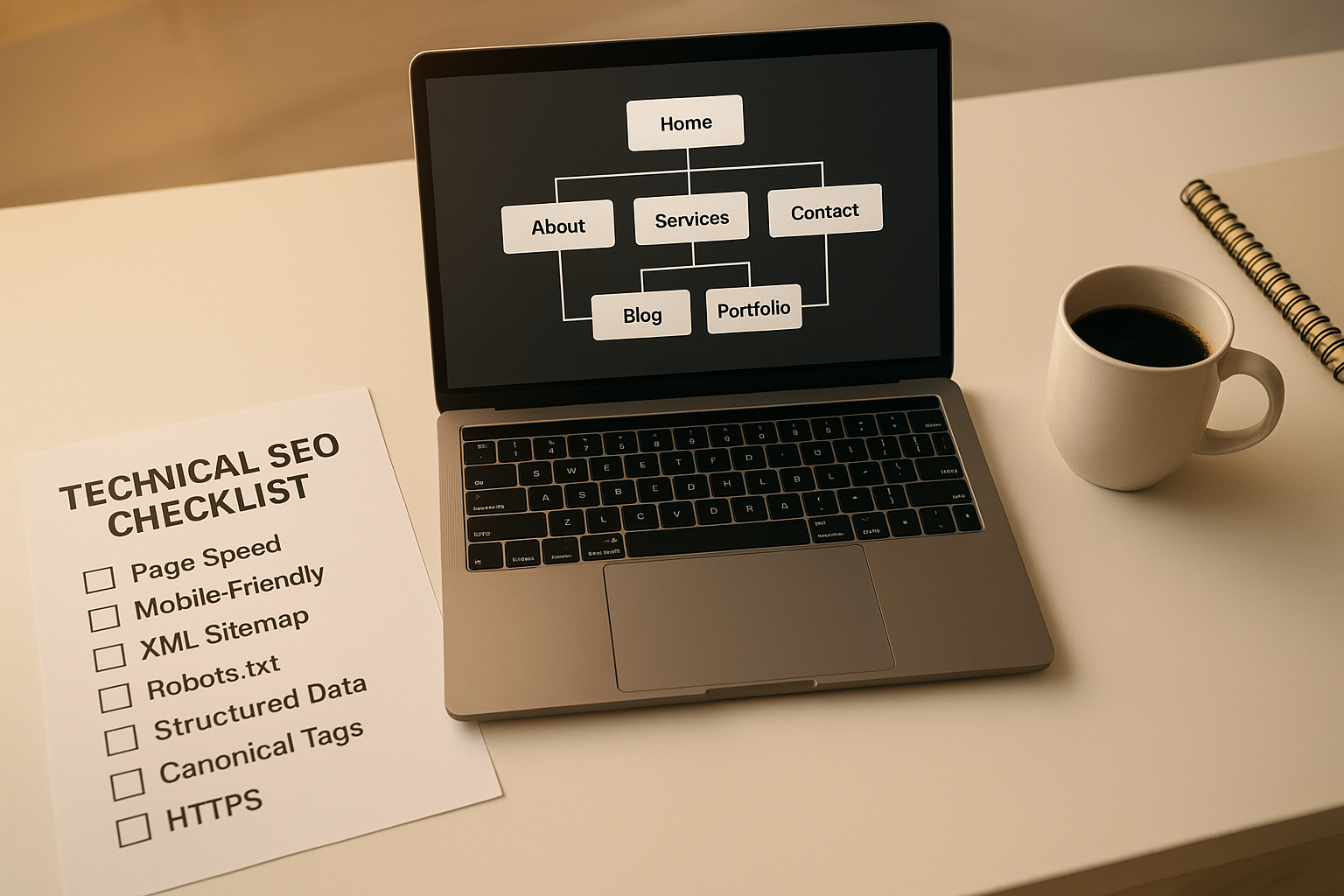
Planning your site structure before writing robots txt rules helps ensure no valuable pages are accidentally blocked.
Common Robots TXT Mistakes That Destroy Rankings
Even experienced developers make critical errors when managing robots txt files. In fact, some of the worst SEO disasters in history have been caused by a single misplaced line. Here are the most damaging mistakes and how to avoid them.
❌ Mistake 1: Blocking your entire live site
A single Disallow: / under User-agent: * blocks every crawler from every page. This is alarmingly common following CMS migrations, platform launches, or staging-to-live deployments where the staging robots txt is accidentally copied across.
❌ Mistake 2: Using robots txt as a security tool
Robots txt is a public, openly readable file. Consequently, listing sensitive admin paths in it effectively advertises those paths to anyone — including malicious actors — who chooses to look. For actual security, use server-level authentication and firewall rules.
❌ Mistake 3: Blocking CSS, JavaScript, and image files
Google renders your pages before assessing them — much like a real browser does. Therefore, blocking /wp-content/ or key JavaScript and CSS directories prevents proper rendering, causing Google to misunderstand your page layout and potentially lower your rankings as a result.
❌ Mistake 4: Assuming robots txt removes pages from search results
Blocking a URL in robots txt only prevents crawling — it does not guarantee removal from search results. Google may still index a URL it cannot crawl if other sites link to it. For guaranteed de-indexing, use a noindex meta tag or Google Search Console’s URL removal tool instead.
❌ Mistake 5: Using incorrect syntax or formatting
Robots txt is case-sensitive and whitespace-sensitive. Specifically, Disallow: /Admin/ and Disallow: /admin/ are treated as different paths. Furthermore, each directive must be on its own line, and there must be no blank lines within a single record block — only between separate blocks.
❌ Mistake 6: Blocking pages that should be indexed — or failing to block ones that shouldn’t
Both over-blocking and under-blocking damage SEO. Over-blocking hides valuable content from search engines. Under-blocking wastes crawl budget and may lead to duplicate content being indexed. The solution is a deliberate, documented robots txt strategy reviewed alongside every significant site update.
Robots TXT for WordPress, Shopify, and Other Platforms
The process of creating and editing a robots txt file differs slightly depending on your platform. Here is how to handle it on the three most common CMS and e-commerce platforms.
WordPress
WordPress generates a virtual robots txt file automatically if no physical one exists. However, relying on the default is rarely optimal. Plugins like Yoast SEO or Rank Math allow you to edit the robots txt file directly from your dashboard under Tools > File Editor, giving you full control without needing FTP access.
For WordPress specifically, a well-optimised robots txt should block /wp-admin/ (with an Allow for admin-ajax.php), tag archives, author pages that generate thin content, and URL parameters produced by analytics or plugin functionality.
Shopify
Shopify automatically generates and manages its own robots txt file. However, as of 2021, Shopify allows merchants to customise it through the theme’s robots.txt.liquid template file. This means you can add custom rules — for instance, blocking duplicate collection pages created by sorting parameters — while retaining Shopify’s default protections.
Wix and Squarespace
Wix provides a robots txt editor within the SEO settings panel. Squarespace, in contrast, generates its robots txt automatically with limited customisation options. For both platforms, the most practical approach is to use their built-in SEO tools first and supplement with page-level noindex tags where direct robots txt editing is restricted.
How to Test Your Robots TXT File
After you create your robots txt rules, always test them rigorously before depending on them in production. There are several reliable methods.
Method 1: Check the Live File in Your Browser
Navigate directly to https://yourdomain.com/robots.txt in any browser. If you see a 404 error, the file is not in the correct location. If you see a blank page or HTML, the file may be corrupt or misnamed.
Method 2: Google Search Console
Google Search Console includes a URL Inspection tool that shows whether a given URL is blocked by robots txt. Furthermore, the Coverage report highlights URLs that have been excluded due to crawl blocking — making it an invaluable tool for identifying unintended restrictions.
Method 3: Dedicated Robots TXT Testers
Third-party tools such as Screaming Frog, SEMrush’s Site Audit, and Ahrefs all include robots txt checking features. These tools simulate how different crawlers interpret your directives and highlight errors or warnings in the file’s syntax. Similarly, free online robots txt validators can quickly confirm whether your file is properly structured.

Visualising crawl paths helps clarify which sections of your site benefit most from robots txt filtering.
Robots TXT and Crawl Budget Optimisation
For large or growing websites, crawl budget — the number of pages Googlebot will crawl within a given timeframe — has a measurable impact on how quickly new and updated content gets discovered and ranked. By strategically blocking low-value URLs, you redirect crawling resources toward your highest-quality content.
Specifically, URLs that consume crawl budget without returning SEO value include:
- Faceted navigation pages (e.g.,
/products?colour=red&size=large) - Internal search result pages
- Session ID parameters (e.g.,
?sessionid=abc123) - Printer-friendly URL variants
- Pagination beyond a reasonable depth
- Duplicate pages created by UTM tracking parameters
This principle connects directly to broader content strategy. Resources like the guide on the impact of content length on SEO rankings at Rank Authority illustrate how the depth and quality of your crawlable pages affects search visibility — making it even more important that crawlers consistently reach your best work.
For a deeper walkthrough, see our Checking Domain Authority: The Complete Guide (2025).
Robots TXT vs. Noindex: Which Should You Use?
One of the most frequently misunderstood topics in technical SEO is the difference between robots txt blocking and the noindex directive. They serve different purposes and should never be confused.
In summary: use robots txt when you want to save crawl budget and keep private pages out of Googlebot’s queue. Use noindex when you want to guarantee a page never appears in search results. For the strongest results, use both together on pages that must never be found.
Frequently Asked Questions About Robots TXT
What is a robots txt file, exactly?
A robots txt file is a plain-text document placed at the root of your website — accessible at https://yourdomain.com/robots.txt — that provides instructions to search engine crawlers about which pages or directories they are permitted or forbidden to visit. It follows the Robots Exclusion Protocol, established in 1994, and is the first file any compliant crawler reads when it arrives at your domain.
Does every website need a robots txt file?
Technically, no — a website without a robots txt file will be crawled in full by default. However, every website benefits from having one. Even a minimal file that simply declares your sitemap location provides value. For any site with back-end pages, admin areas, or duplicate URLs, a well-crafted robots txt file is essential.
Where must my robots txt file be placed?
Your robots txt file must be placed at the root domain level — for example, https://yourdomain.com/robots.txt. It cannot be placed in a subdirectory and apply site-wide. Subdomains require their own separate robots txt files.
Can robots txt block pages from Google’s search results?
Robots txt prevents crawlers from accessing a page’s content but does not guarantee its removal from search results. Google may still index a URL it cannot crawl if other pages link to it. For guaranteed exclusion, add a noindex meta tag to the page or use Google Search Console’s URL removal tool.
What is the difference between Disallow and Allow?
Disallow tells crawlers not to access a specific path or file. Allow explicitly permits access to a path that might otherwise be blocked by a broader Disallow rule. When both rules match the same URL, Google applies the more specific rule. In cases of equal specificity, Allow takes precedence over Disallow.
Do all search engine bots obey robots txt?
Major search engine crawlers — including Googlebot, Bingbot, and Yandex — honour robots txt instructions. However, malicious bots and scrapers often ignore them entirely. Additionally, some AI training crawlers, such as GPTBot, may or may not respect robots txt depending on their configuration. For AI crawlers specifically, you can add dedicated User-agent blocks to restrict access.
How often should I update my robots txt file?
Review and update your robots txt file whenever your site structure changes — for example, when adding new sections, launching campaigns, migrating platforms, or installing new plugins that generate additional URLs. Regular audits, similar to the practice of updating content for SEO, ensure crawlers are always directed efficiently to your most valuable pages.
Can I have multiple robots txt files for different subdomains?
Yes. Each subdomain requires its own robots txt file. For example, blog.yourdomain.com/robots.txt is entirely separate from yourdomain.com/robots.txt. Rules defined in one file have no effect on the other.
Conclusion: Master Robots TXT to Protect and Accelerate Your SEO
The robots txt file is one of the smallest files on your website — and one of the most consequential. It controls what crawlers see, how efficiently they explore your domain, and ultimately which of your pages have any opportunity to rank. A properly configured robots txt file is invisible to ordinary visitors but profoundly influential in search.
In summary: understand the syntax, map your site structure before writing a single rule, test every change rigorously, avoid the six common mistakes outlined above, and treat your robots txt as a living document that evolves with your site. The investment of a few careful minutes today protects years of SEO work — and gives every page you publish the best possible chance of being discovered, crawled, and ranked.

