
Quick Answer
Internal linking SEO is the strategic practice of hyperlinking pages within your own domain to distribute link equity, accelerate crawl discovery, strengthen topical authority signals, and reduce click depth to important content. A well-engineered internal link network is one of the highest-ROI on-page SEO investments available — yet it is consistently underused by most site owners.
Table of Contents
- What Is Internal Linking SEO?
- Why Internal Links Matter for Search Rankings
- How Google Processes Internal Links
- Link Equity: What It Is and How to Engineer It
- Site Architecture and Topical Authority
- Step-by-Step Internal Linking Strategy
- Anchor Text: The Complete Guide
- Content Clusters and Pillar Pages
- Crawl Budget and Internal Links
- Common Internal Linking Mistakes to Avoid
- Tools for Auditing Internal Links
- Measuring the Impact of Your Strategy
- Frequently Asked Questions
What Is Internal Linking SEO?
Internal linking SEO is the deliberate practice of creating hyperlinks between pages that share the same root domain. Unlike external links — which point to other websites — internal links keep visitors within your content ecosystem while simultaneously telling search engines how your pages relate to one another, which content is most important, and how authority should flow across your site.
The word strategic is critical here. Random links sprinkled across a site deliver far less value than a deliberate link architecture built around your content goals. When you treat internal linking as a system — with clear hierarchies, intentional anchor text, and regular maintenance — it becomes one of the most cost-effective ranking levers you control entirely.
Internal links serve three interdependent purposes simultaneously:
- Crawl pathways: They give search engine bots routes to discover and re-visit every page on your site.
- Authority distribution: They channel ranking power from strong pages to pages that need a ranking boost.
- User navigation: They guide real visitors toward content that deepens their engagement and satisfies their intent.
According to Google’s original PageRank model, links act as votes of confidence — and internal links give you direct, unconditional control over where those votes are cast within your own site.

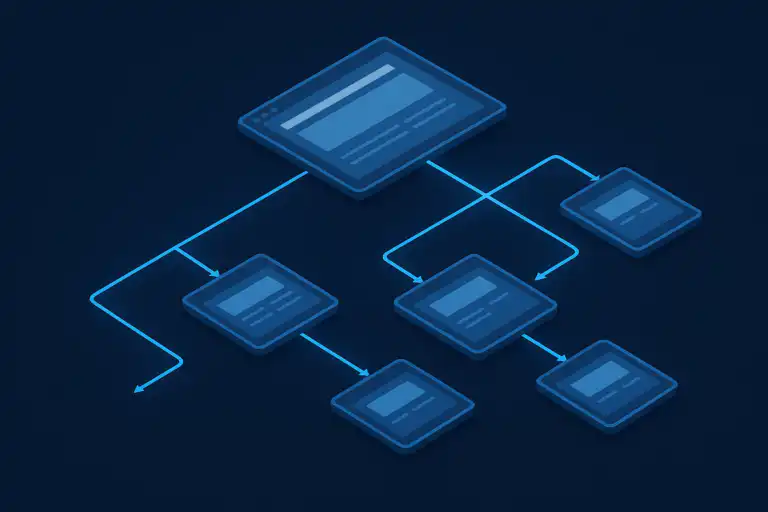
A visual representation of how internal linking SEO connects pages within a site hierarchy to distribute authority and improve crawlability.
Why Internal Links Matter for Search Rankings
Internal linking is one of the few SEO factors you have complete control over. You cannot dictate who links to you from the outside — but you can precisely engineer how authority and context flow inside your own site. That degree of control makes internal linking uniquely valuable.
Here is why it has such a direct impact on where your pages rank:
Crawlability
Crawlers discover pages by following links. Pages with no inbound internal links — orphaned pages — risk never being indexed at all, regardless of their quality.
Link Equity Flow
Authority earned through backlinks concentrates on specific pages. Internal links let you redistribute that power to priority pages that need ranking support.
Topical Relevance
Linking semantically related pages together sends strong signals about your site’s thematic depth — a key factor in how Google evaluates Expertise, Experience, Authoritativeness, and Trustworthiness (E-E-A-T).
Click Depth Reduction
Pages deep in your site structure receive less crawl attention. Strategic internal linking shortens the path from the homepage to important pages, increasing their perceived importance.
User Experience
Well-placed contextual links reduce bounce rates and increase pages per session — engagement signals that correlate with stronger organic performance.
Keyword Disambiguation
Descriptive anchor text clarifies which page should rank for which query, helping Google understand your content map and reducing keyword cannibalisation risk.
How Google Actually Processes Internal Links
Understanding what happens on Google’s side when it encounters your internal links helps you make smarter linking decisions. The process unfolds in three distinct phases:
Phase 1: Discovery and Crawling
When Googlebot visits a page, it extracts all links from that page’s HTML and adds them to a crawl queue. It then works through that queue — visiting each URL, rendering the page where possible, and extracting further links. The more internal links a page has pointing to it from other crawled pages, the more frequently Googlebot tends to re-crawl it. Highly linked pages get re-indexed faster, which means your content updates appear in search results more quickly.
Phase 2: PageRank Calculation
Once pages are crawled, Google’s PageRank algorithm calculates a score for each page based on the quantity and quality of links pointing to it — internal and external combined. Each internal link passes a fraction of the linking page’s PageRank to the destination. Critically, PageRank is divided among all outgoing links on a page. This means a page with ten outgoing links passes less authority per link than one with only three. This dilution effect is one reason that focused, intentional internal linking outperforms scattered over-linking.
Google’s Own Words
“Internal links help Google understand which content on your site you think is important.” — Google Search Central Documentation
Phase 3: Context and Relevance Interpretation
Google doesn’t just follow links — it reads the surrounding content. The text immediately before and after an internal link (the “link context” or “surrounding anchor context”) helps Google confirm the relevance relationship between the linking page and the destination page. This is why placing internal links within topically relevant paragraphs produces better results than adding them in unrelated sections or generic lists at the bottom of a page.
Link Equity: What It Is and How to Engineer It
Link equity — also known as PageRank, link juice, or link value — is the ranking authority passed from one page to another through a hyperlink. Think of it as a budget of trust and authority that accumulates on pages that attract backlinks and then flows downstream through internal links to connected pages.
Link equity engineering is one of the most powerful advanced applications of internal linking SEO. Here is how to approach it deliberately:
Identify Your Authority Hubs for Internal Linking SEO
Run a backlink audit in a tool like Ahrefs or Semrush and sort your pages by number of referring domains. The pages with the most backlinks are your authority hubs — they hold the most accumulated equity. Any internal link from one of these pages to a lower-authority page passes meaningful ranking power. Treat links from these pages as premium placements. See our internal linking strategy guide for audit checklists and prioritisation steps.
Avoid Equity Leakage
Every outgoing link on a page — including navigation, footer, sidebar, and body links — consumes a share of that page’s equity budget. Over-linking from high-authority pages to low-priority pages (thin content, tag pages, admin pages) leaks equity away from where it matters. Audit your highest-authority pages and ask: are all outgoing links pointing to pages I actually want to rank?
Create Equity Chains
A page at the bottom of a deep site hierarchy can receive equity through a chain of links: Homepage → Category Page → Sub-Category → Article. Each hop transfers a diminished fraction of equity. The closer a priority page sits to your most authoritative pages (in terms of link steps), the more equity it receives. Shortening link chains for your most important content is a concrete way to strengthen its rankings.
Pro Tip: The Power Page Method
Find your top-performing pages by organic traffic in Google Search Console. These pages often attract the most backlinks and hold the most equity. Add deliberate internal links from these pages to your priority targets — pages you want to rank higher but that currently underperform. Even one well-placed contextual link from a high-traffic page can measurably lift a struggling page’s rankings within weeks.
Site Architecture and Topical Authority
Your internal link structure is the physical expression of your site’s architecture. A well-designed architecture signals to Google that your site has genuine depth and expertise in a topic area — which is the foundation of topical authority. Sites with strong topical authority don’t just rank for one or two keywords; they dominate entire subject areas.
The Flat vs. Deep Architecture Debate
A flat architecture means most pages are reachable from the homepage in three clicks or fewer. A deep architecture means some pages require five, six, or more clicks. For SEO, flatter is almost always better — pages closer to the homepage tend to receive more crawl attention and more equity. The goal is not to eliminate hierarchy, but to ensure your most valuable content is never more than three clicks from the homepage.
The Silo Structure
A silo structure organises your content into topic-specific groups — or silos — where pages within each silo link primarily to other pages within the same topic area. This containment of topical links strengthens the relevance signals for every page within the silo. For example, a fitness site might have separate silos for Nutrition, Strength Training, and Recovery — with pages in each silo linking mostly to related pages in that same silo rather than cross-linking randomly.
Silo Structure: A Practical Example
- Pillar Page: “Complete Guide to On-Page SEO” (broad, authoritative)
- Cluster Page A: “Internal Linking SEO: Strategy Guide” → links to Pillar + other cluster pages
- Cluster Page B: “How to Write SEO Title Tags” → links to Pillar + other cluster pages
- Cluster Page C: “Meta Description Best Practices” → links to Pillar + other cluster pages
- Cross-links: Cluster pages link to each other where contextually relevant, reinforcing the entire silo
Step-by-Step Internal Linking Strategy
Follow this sequential process to build or rebuild a high-performance internal link structure from scratch — or to audit and improve an existing one.
-
Step 1
Audit Your Existing Content Structure
Export a full list of your site’s pages using Screaming Frog or a similar crawl tool. Identify how many internal links each page receives (inlinks), how many pages each page links to (outlinks), and the click depth of each page from the homepage. This baseline data reveals your current authority distribution and exposes structural problems before you begin making changes.
-
Step 2
Define Your Pillar Pages and Priority Targets
Identify the pages you most want to rank — your “money pages.” These could be product pages, service pages, or cornerstone content that drives leads or revenue. Separately, identify your pillar content pages — the broad, comprehensive guides that cover major topic areas. These two groups form the backbone of your internal link strategy: pillar pages receive links from cluster content, and money pages receive links from your highest-authority pages.
- Step 3 Map Content Clusters Around Each Pillar Group your existing content into topic clusters. Each cluster should have one broad pillar page and multiple supporting cluster pages that address specific subtopics. Cluster pages should link to the pillar page. The pillar page should link to every cluster page. Cluster pages should link to each other where genuinely relevant. Build this map in a spreadsheet with columns for: Page URL, Cluster, Pillar Page, Pages It Links To, Pages That Link To It. For a practical framework refer to the SEO strategy guide for cluster mapping examples and templates.
-
Step 4 Find and Fix Orphaned Pages Orphaned pages — those with zero inbound internal links — cannot receive crawl traffic or link equity through your internal structure. Your crawl audit from Step 1 will expose these. For each orphaned page, ask: does this content deserve to rank? If yes, add at least two or three contextual internal links from relevant pages. If the content is outdated or thin, consider consolidating it with a related page or redirecting it entirely. NOTE: this guide currently has no inbound internal links; add contextual links from closely related articles (see embedder notes) to improve discovery and crawl frequency.
-
Step 5
Add Contextual Links to New and Updated Content
Every time you publish new content, immediately add internal links to it from at least two or three existing, topically related pages. Do not wait for Google to find new content organically — route it into your link structure on publication day. Similarly, whenever you update existing content, look for opportunities to add new internal links to other pages you want to strengthen.
-
Step 6
Conduct Quarterly Link Audits
Internal links break when pages are deleted, URLs change, or site restructures occur. A single broken internal link is a minor issue. Hundreds of them — common on large sites — represent a serious drain on crawl efficiency and user experience. Schedule crawl audits every three months using Screaming Frog, Sitebulb, or Ahrefs Site Audit. Prioritise fixing broken links on your highest-authority pages first.

Planning your content clusters and page hierarchy before building internal links leads to a far more effective and scalable SEO strategy.
Anchor Text: The Complete Guide for Internal Links
Anchor text is the clickable, visible text of a hyperlink. For internal links, it is one of the most direct signals you send to search engines about the topic of the destination page. Getting anchor text right can meaningfully strengthen keyword associations; getting it wrong can cause confusion, dilute relevance, or trigger keyword cannibalisation.
The Five Types of Internal Link Anchor Text
Anchor Text Best Practices for Internal Links
- Vary your anchor text across links to the same page. If fifteen pages all link to your services page with the identical anchor text, it looks unnatural. Use the primary keyword, synonyms, and partial-match variations across different linking pages.
- Never use the same anchor text to link to different pages. Using “SEO guide” to link to two separate pages on the same site creates keyword cannibalisation — Google cannot determine which page you want to rank for that term.
- Match the anchor text to the destination page’s primary keyword. If you’re linking to a page targeting “local SEO tactics,” your anchor text should contain those words or a close variant — not a generic description.
- Ensure the anchor makes sense in context. Forced anchor text that reads awkwardly disrupts the reading experience. If you can’t naturally include descriptive anchor text in a sentence, the link placement may be wrong — not the anchor.
Content Clusters, Pillar Pages, and Corner Content
The content cluster model is the strategic framework that makes internal linking SEO most effective at scale. It is the architecture that transforms a collection of individual articles into a coherent topical authority machine.
What Are Pillar Pages?
Pillar page is a long-form, comprehensive piece of content that covers a broad topic at a high level. It serves as the authority hub for a topic cluster.
What Are Cluster Pages?
Cluster pages are narrower, deeper-dive articles that cover a specific subtopic related to the pillar. Each cluster page should: (1) link back to the pillar page with keyword-rich anchor text, (2) link to other relevant cluster pages within the same topic group, and (3) receive a link from the pillar page. This interconnected web of links creates strong topical signals that Google interprets as genuine subject matter expertise.
Cornerstone Content
Some SEO practitioners distinguish between pillar pages and cornerstone content — the small number of critically important pages that represent the absolute best, most comprehensive content on your site. These pages should receive the most internal links of any content page, have the shortest click depth from the homepage, and use the most specific and relevant anchor text. Yoast SEO’s plugin even includes a “cornerstone content” toggle for this purpose.
Crawl Budget and Internal Links
Crawl budget refers to the number of pages Googlebot will crawl on your site within a given timeframe. For large sites — those with thousands or tens of thousands of pages — crawl budget management is a critical SEO concern. For smaller sites (under a few hundred pages), it is less pressing but still worth understanding.
Internal links directly affect how your crawl budget is allocated:
- Pages with many internal links pointing to them get crawled more frequently. If a page receives links from twenty other pages, Googlebot encounters links to it on every crawl of those twenty pages — and therefore re-crawls and re-indexes it often. Updates to highly-linked pages appear in search results faster.
- Pages with no internal links may never be crawled. Orphaned pages — even if included in your sitemap — receive minimal crawl attention because bots rarely encounter a link leading to them during normal crawl behaviour.
- Linking to low-value pages wastes crawl budget. If your internal link structure frequently routes Googlebot toward paginated archives, faceted navigation URLs, thank-you pages, or other low-value URLs, you consume crawl budget that could have gone to your high-quality content. Use
noindexornofollowstrategically on links to these pages.
Crawl Budget Note
Google’s Gary Illyes has confirmed that crawl budget is primarily a concern for sites with more than a million pages or sites that frequently update content at scale. For most small-to-medium sites, the greater priority is ensuring all important pages have internal links pointing to them — not obsessing over crawl budget ratios.
Common Internal Linking Mistakes to Avoid
Even experienced SEOs make consistent internal linking errors. Here are the most damaging mistakes — and how to correct each one:
- Using the same anchor text for two different destination pages. This is the primary cause of keyword cannibalisation — Google cannot determine which page should rank for the queried term. Use a distinct, primary anchor text for each destination page.
- Only linking from new content to old content. The most powerful links flow from established, high-authority pages to newer ones. Regularly audit old content and add links to your most recent or underperforming pages.
- Ignoring deep pages. Important pages buried four or five clicks from the homepage receive substantially less crawl frequency and authority. Flatten your architecture by adding direct internal links from higher-level pages to deep content.
- Broken internal links. A broken link wastes crawl budget, degrades user experience, and severs the authority channel to the destination page. Audit with Screaming Frog quarterly and fix redirects or remove dead links promptly.
- Over-relying on navigation menus. Sitewide navigation links carry far less contextual weight than in-body links. Don’t assume a page appearing in your top nav is “well linked” — it almost never substitutes for contextual links.
- Linking to the same page excessively from one page. Multiple links to the same destination from a single page provide diminishing returns. Google typically counts only the first link to a URL on a given page for anchor text signal purposes.
- Pointing internal links to redirected URLs. If a page has been moved and the old URL redirects to a new one, any internal link still pointing to the old URL loses a small amount of equity through the redirect hop. Update internal links to point directly to the live canonical URL.
- Linking to noindexed pages. Sending internal links — and therefore equity — to pages tagged with
noindexwastes that authority. Review your internal link targets and confirm they are all indexable pages you want to rank. For a deeper walkthrough, see our Internal Link Suggestion Engine: The Complete Guide.

A clear, deliberate internal link architecture dramatically outperforms a disorganised link structure in both SEO performance and user experience.
Tools for Auditing and Managing Internal Links
The right toolset makes internal linking strategy scalable and systematic. Here are the most effective options at each price point:
Screaming Frog SEO Spider (Free up to 500 URLs)
The industry-standard crawl tool for internal link audits. Use it to find orphaned pages, identify broken links, see inlink and outlink counts for every page, and analyse anchor text distribution. The paid version (£149/year) removes the URL cap and adds advanced features including PageRank simulation. Essential for any serious internal link audit. For more on practical internal linking tactics, read our Internal Linking SEO guide with examples and templates.
Ahrefs Site Audit
Ahrefs’ Site Audit crawls your site and surfaces internal linking issues including orphaned pages, pages with few inlinks, redirect chains, broken links, and anchor text distribution reports. Its “Internal Link Opportunities” feature automatically identifies pages where you could add contextual links based on topical similarity — a major time-saver for large sites.
Semrush Site Audit
Semrush’s audit includes an internal linking report with click depth maps, broken internal link detection, and a dedicated internal link issues list sorted by severity. The “Internal Link Distribution” widget shows how equity flows through your site, making it useful for equity engineering decisions.
Google Search Console (Free)
Under Links → Internal links, Google Search Console shows which of your pages have the most internal links pointing to them. This is Google’s own view of your link structure — cross-reference it with your strategic priorities. If your most-linked page is a low-priority category archive rather than your key commercial page, that’s a signal to rebalance your internal link distribution.
Sitebulb
Sitebulb is a desktop crawl tool with particularly strong internal link visualisation. Its “Site Crawl Tree” and link flow diagrams make it easy to see architecture problems visually — especially useful when presenting internal link recommendations to clients or teams unfamiliar with data tables.
Measuring the Impact of Your Internal Link Strategy
Strategy without measurement is guesswork. After implementing internal linking changes, track these key metrics to validate impact and identify where further optimisation is needed:
Crawl Coverage (Google Search Console)
Monitor indexed page counts in the Coverage report. Improved internal linking — especially fixing orphaned pages — should increase the number of pages Google has successfully indexed over subsequent weeks.
Organic Impressions and Clicks to Target Pages
Track pages you’ve strengthened with additional internal links. Increasing impressions confirm Google is discovering and ranking those pages more broadly; increasing clicks confirm the rankings are translating to traffic.
Average Position for Target Keywords
In the Search Console Performance report, filter by the pages you’ve strengthened and compare average position before and after your internal linking changes. A dropping average position (lower number = higher rank) is direct evidence your strategy is working.
Pages per Session (Analytics)
A rising pages-per-session metric indicates your internal links are successfully guiding users to additional content. It also suggests lower bounce rates on individual pages — a positive engagement signal.
Internal Link Distribution (Google Search Console → Links)
Regularly review which pages have the most internal links according to Google. Compare this list to your priority pages. If there is a mismatch — low-priority pages have more internal links than your most important commercial pages — that is an actionable signal to rebalance your link structure.
Time on Page and Scroll Depth
If contextual internal links are placed at relevant points within content, users are more likely to click through before reaching the bottom of the page. Monitoring time on page and scroll depth helps you understand whether internal links are being placed at the right content depth to intercept interest at its peak.
Frequently Asked Questions About Internal Linking SEO
Further Resources
To go deeper on the advanced topics covered in this guide, the team at RankAuthority’s internal linking best practices guide covers advanced tactics including silo structure implementation, crawl budget optimisation, and link equity modelling in actionable detail.
For a step-by-step framework especially suited to auditing and improving an existing site, the RankAuthority internal links and SEO guide provides a practical walkthrough that pairs directly with the strategy outlined above.
Key Takeaways
Internal linking SEO is not a one-time task — it is an ongoing system that compounds in value the more consistently you apply it. The core principles are straightforward: map your architecture deliberately, use descriptive anchor text, channel authority from your strongest pages to your most important targets, fix orphaned and broken links regularly, and measure results against clear metrics. For step-by-step implementation see the internal linking strategy walkthrough.
The sites that dominate competitive search results are rarely those with the most backlinks alone — they are the ones with the tightest, most intentional internal link networks. Every page on your site should have a clear reason to exist, a clear place in your topic hierarchy, and at least two or three strong contextual links pointing to it.
Start with your crawl audit. Find the orphaned pages. Identify your authority hubs. Add deliberate, contextual links. Then measure, iterate, and repeat. The results will follow.

