
Technical SEO Guide: Automated Technical SEO for WordPress ensures your site’s infrastructure stays search-ready.
“Fix it once, automatically — and let your WordPress site climb while you focus on what matters.”
Automated technical SEO fixes for WordPress sites is the practice of using plugins, scripts, and integrated tools to detect, flag, and resolve technical SEO problems — such as broken links, missing canonical tags, slow load times, and crawl errors — with minimal or no manual effort per issue. For WordPress site owners managing dozens or hundreds of pages, this approach transforms what was once a time-consuming audit process into a continuous, background health system that keeps your site competitive in search rankings around the clock.
Quick Answer — By RankAuthority editorial team. Last updated: 2026-07-02.
Automated technical SEO fixes for WordPress sites use plugins and monitoring tools to continuously identify and correct issues like broken links, slow speeds, missing meta data, and indexing errors. They save significant time, reduce human error, and ensure your site stays technically sound as it grows — without requiring a manual audit after every change. Author: RankAuthority SEO Team. Last updated: 2026-08-14. Last updated: 2026-07-30. Author: RankAuthority Editorial Team.

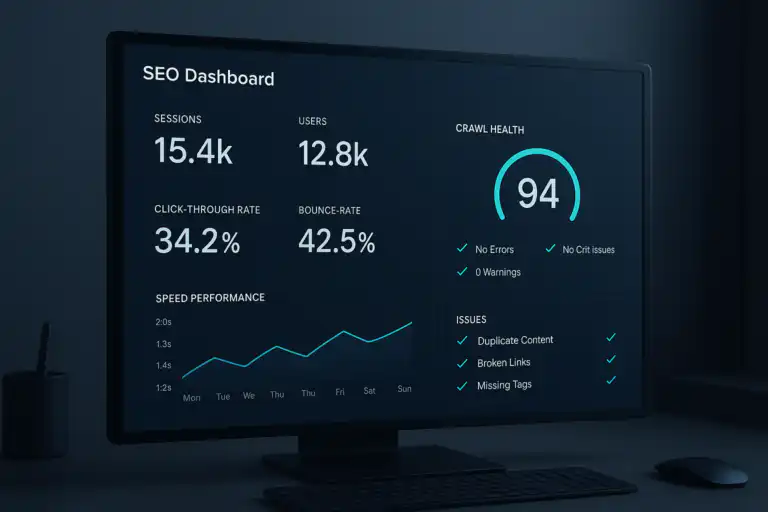
A modern SEO dashboard showing the kind of real-time health monitoring that automated technical SEO fixes for WordPress sites make possible. See examples of automation tools that integrate dashboards and alerts.
What Are Automated Technical SEO Fixes for WordPress Sites?
Automated technical SEO fixes for WordPress sites are tools, plugins, and configured workflows that continuously monitor your site’s technical health and apply corrections — or alert you to problems — without requiring you to manually inspect every page. Unlike a one-time audit, automation creates an ongoing feedback loop between your site’s performance and its optimization status.
According to Wikipedia’s overview of search engine optimization, Automated Technical SEO encompasses the infrastructure elements of a website that affect how search engines crawl, index, and rank it. Automating fixes in this layer means your site’s foundation stays solid even as content evolves and traffic patterns shift.
For a broader strategic context, the team at RankAuthority’s 2026 Automated SEO Audit Playbook outlines exactly how automation integrates with content and UX strategy — a must-read if you’re planning a comprehensive approach.
Core Technical Issues for Automated Technical SEO on WordPress
Before diving into solutions, it helps to understand the most common technical problems that WordPress sites accumulate over time:
01 — Broken Internal & External Links
Dead links signal poor site maintenance to both users and crawlers. As pages are deleted, URLs change, or external resources disappear, link rot accumulates silently.
02 — Missing or Duplicate Meta Tags
Pages without unique title tags and meta descriptions lose click-through potential and may confuse search engines about content relevance.
03 — Slow Page Load & Core Web Vitals Failures
Unoptimized images, render-blocking scripts, and absent caching layers drag down LCP, CLS, and INP scores — all direct ranking factors.
04 — Missing Canonical Tags & Indexing Errors
WordPress generates multiple URL variants for the same content — tag pages, category archives, paginated URLs — creating duplicate content risks without canonical controls.
05 — Missing XML Sitemaps & Robots.txt Issues
An outdated or absent sitemap leaves search engines guessing which pages matter most. Misconfigured robots.txt files can accidentally block crawlers from indexing key content.
Which Plugins Best Automate Technical SEO Fixes on WordPress?
The WordPress plugin ecosystem offers powerful, purpose-built tools that handle the heavy lifting of automated SEO fixes. Here’s how to build a complete automation stack:

Configuring the right plugin stack is the foundation of any effective WordPress SEO automation strategy, and the easiest way to automate SEO often starts with a single plugin choice.
Rank Math or Yoast SEO — Meta & Schema Automation
Both Rank Math and Yoast SEO automatically generate canonical tags, XML sitemaps, Open Graph data, and structured schema markup for every post and page you publish. Once configured, these run silently in the background. Rank Math’s automation rules allow you to apply bulk meta templates across post types — eliminating the need to manually write descriptions for every page. See our Automated SEO playbook for configuration specifics.
WP Rocket or LiteSpeed Cache — Performance Automation
Page caching, CSS and JavaScript minification, lazy image loading, and database optimization can all be automated through WP Rocket or LiteSpeed Cache. These plugins directly improve Core Web Vitals scores — particularly Largest Contentful Paint — which are confirmed Google ranking signals; see our WordPress SEO auto-publish guide for automation practices that scale.
Broken Link Checker — Link Health Monitoring
This plugin continuously crawls your site for broken internal and external links, sending alerts and allowing direct fixes from the dashboard. For sites with large content libraries, this kind of passive monitoring catches link rot before it damages user experience or crawl efficiency — see automating SEO best practices for recommended monitoring schedules.
Smush or ShortPixel — Image Optimization Automation
Unoptimized images are among the top causes of slow WordPress sites. These plugins automatically compress and convert images to next-gen formats (WebP) upon upload, and can bulk-process existing media libraries. The result is faster load times with zero per-image manual effort.
Building a Complete Automation Workflow
Individual plugins are powerful, but the real leverage comes from combining them into a structured workflow. Here’s a recommended automation stack architecture:
WordPress SEO Auto Publish guide
Layer 1 — On-Page Meta Automation
Rank Math or Yoast SEO → auto-generates titles, descriptions, canonicals, sitemaps, schema For a deeper walkthrough, see our WordPress SEO Auto Publish guide.
Layer 2 — Performance Optimization
WP Rocket → caching, minification, lazy load, Core Web Vitals improvement. Learn about WordPress SEO auto-publish.
Layer 3 — Image Compression
ShortPixel → auto-compress on upload, WebP conversion, bulk optimization
Layer 4 — Link Health Monitoring
Broken Link Checker → continuous crawl, email alerts, dashboard repair
Layer 5 — External Audit Integration
Google Search Console + Screaming Frog (scheduled) → crawl error detection, index coverage, structured data validation. See the auto-publish guide for publishing workflows that reduce crawl noise.
Frequently Asked Questions
Can automated SEO tools fully replace manual technical SEO audits?
No. Automated tools handle repetitive, rule-based fixes efficiently, but complex issues like content quality, strategic internal linking, and structured data customization still benefit from human review and expertise. Think of automation as your first line of defense, not your only one.
How often should WordPress sites run automated technical SEO checks?
Most WordPress sites benefit from weekly automated crawls for broken links and meta issues, monthly performance audits, and real-time monitoring for uptime and Core Web Vitals through integrated tools like Google Search Console.
Does site speed affect technical SEO rankings on WordPress?
Yes. Google uses Core Web Vitals — including Largest Contentful Paint, Cumulative Layout Shift, and Interaction to Next Paint — as ranking signals. Automated caching, image compression, and script deferral plugins directly improve these scores and your search visibility.
Which plugins are best for automating technical SEO on WordPress?
The most effective plugins include Rank Math or Yoast SEO for meta and schema automation, WP Rocket for performance, ShortPixel for image optimization, and Broken Link Checker for link health monitoring. Together, they cover the full spectrum of automated technical fixes.

Visualizing your site’s technical SEO as an interconnected system helps illustrate why automated monitoring catches issues that manual checks miss.
What Automation Cannot Do — And Why Human Oversight Still Matters
Automation is a multiplier, not a replacement. There are categories of technical SEO work that still require human judgment:
- Strategic internal linking — Automated tools can flag orphan pages, but deciding which pages deserve link equity requires understanding your content strategy and business goals.
- Structured data customization — Schema plugins apply templates, but nuanced markup for products, events, or local businesses often needs manual configuration to be fully accurate.
- Crawl budget prioritization — Deciding which sections of a large site should be crawled more frequently involves architectural decisions that go beyond plugin settings.
- Penalty recovery — If your site has been hit by a manual action or algorithmic filter, recovery requires a strategic human-led response, not just automated fixes.
This is why a hybrid approach — best practices for automating SEO, human expertise for strategic decisions — delivers the strongest long-term results. If you’re just getting started with WordPress SEO fundamentals, RankAuthority’s 6 SEO Tips and Best Practices for WordPress is an excellent foundation to build on before layering in automation.
Setting Up Your First Automated SEO Monitoring Schedule
Getting started with automation doesn’t require a developer or a large budget. Here’s a practical schedule for WordPress site owners at any level:
Uptime monitoring (via UptimeRobot or Jetpack) and real-time Core Web Vitals tracking via Google Search Console integration.
Broken link scan via Broken Link Checker, sitemap resubmission check, and new content meta review via Rank Math’s SEO score dashboard.
Full site crawl via Screaming Frog or Sitebulb, image optimization audit, database cleanup, and Google Search Console coverage report review.
Strategic review of structured data, internal link architecture, crawl budget allocation, and plugin stack updates.
Conclusion: Make Automated Technical SEO Fixes Your WordPress Site’s Backbone
The competitive landscape of search has made technical excellence a baseline requirement, not a differentiator. WordPress SEO auto publish solutions give you the infrastructure to maintain that baseline continuously — catching broken links before they compound, keeping Core Web Vitals in the green, and ensuring every new page you publish starts life with proper meta data, canonical tags, and schema markup already in place.
The sites that rank consistently aren’t necessarily the ones with the biggest content budgets — they’re the ones whose technical foundations never slip. Automation is how you build that reliability at scale, without burning out your team on repetitive checks.
Start with one layer — a solid SEO plugin and a caching solution — then expand your stack as your site grows. The compounding effect of clean technical health, maintained automatically over months and years, is one of the most durable advantages you can build in organic search. If you want a quick path, read What’s the easiest way to automate SEO? for simple starter steps.
Ready to Go Deeper?
Explore RankAuthority’s full technical SEO resource library to build a complete, automated optimization system for your WordPress site. Author: RankAuthority. Last updated: 2026-07-02.

