
To check Google rankings the right way, you need more than a quick search typed into your browser. Because Google personalizes almost every result you see, a plain search tells you very little about where your site truly stands. In the sections below, you will learn every reliable method to check Google rankings, how to interpret what the data actually means, and exactly what to do the moment your position slips.
Rank Authority SEO Guide
How to Check Google Rankings: The Complete Guide to Finding, Tracking & Improving Your Position
Learn the exact methods professionals use to check Google rankings, interpret keyword position data, diagnose a sudden drop, and turn every insight into measurable traffic growth.
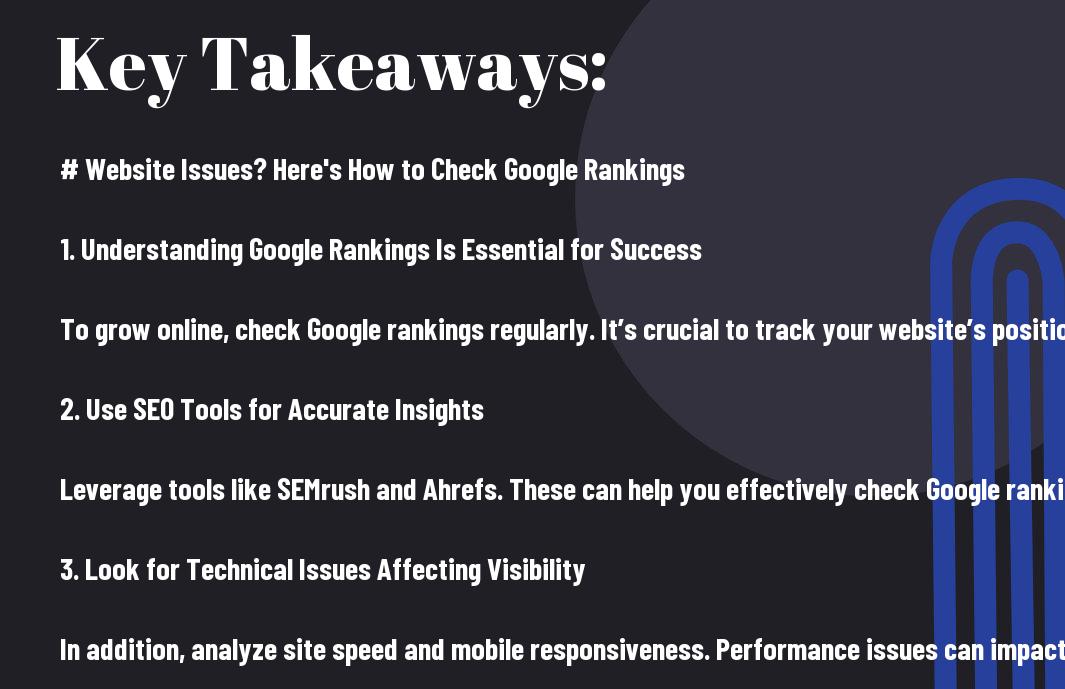
Key Takeaways
- Checking Google rankings accurately requires a dedicated tool, manual searches are skewed by personalization and location bias.
- Five reliable ways exist to check your Google ranking: manual search, Google Search Console, third-party rank trackers, browser extensions, and AI platforms like Rank Authority.
- Over 200 ranking factors influence position; content quality, backlinks, on-page SEO, and Core Web Vitals carry the most weight.
- Sudden ranking drops usually trace back to algorithm updates, technical errors, lost backlinks, manual actions, negative SEO, or a stronger competitor page.
- Weekly monitoring, with daily checks during active campaigns, catches problems early and proves the ROI of your SEO work.
- Rank Authority combines rank checking with automated diagnosis and one-click fixes, closing the gap between data and action.

What Does It Mean to Check Google Rankings?
When you check Google rankings, you are measuring the exact position your page holds inside Google’s search engine results page for one specific keyword. For example, a search for “best running shoes” might place your page at position 4 on page one, or position 32 buried on page four. That single number is your ranking, and it never sits still for long.
Because rankings move daily, sometimes hourly, due to algorithm testing, fresh competitor content, and changes to your own pages, checking your Google rankings is never a one-time chore. Instead, it is an ongoing habit that feeds every other SEO decision you make, from which page to update first to how much budget you commit to link building.
Furthermore, your ranking position reveals the overall health of your SEO strategy. A climbing ranking shows your content, backlinks, and technical foundation are working together. A falling ranking, in contrast, is an early warning sign, one that lets you fix the underlying problem before it becomes a serious revenue loss.
Why Your Google Ranking Position Matters More Than Ever
Research consistently shows the relationship between position and traffic is exponential, not linear. The #1 organic result typically captures between 27% and 32% of all clicks for a given keyword, while position #2 drops to roughly 15%. By position #10, click-through rates fall below 2.5%, and anything past page one earns less than 1% of total clicks for most competitive searches.
As a result, moving from position #5 to position #2 for a keyword with 10,000 monthly searches can add thousands of extra visitors every month, without spending a cent on ads. That is the real financial payoff of learning how to check Google rankings and acting on what you find.
5 Reliable Ways to Check Your Google Ranking (Pros, Cons & Accuracy)
There are five practical ways to check where your website ranks on Google. Each one has strengths and blind spots, so understanding all five helps you pick the right tool for the right job.
Method 1: Manual Google Search (Fast, But Unreliable)
The most intuitive approach is to open a browser and type your keyword into Google. If your page shows up on page one, you can eyeball your position. However, this method is deeply flawed.
Google personalizes every result based on your browsing history, location, device, and logged-in account. Consequently, the ranking you see on your own laptop is almost certainly different from what a customer in another city sees. In most cases, you will see your own site ranked higher than it truly is.
If you must search manually, open an incognito window, sign out of Google, and append &pws=0 to the search URL to disable personalization. Even so, this does not control for location bias, so treat the result as a rough estimate only.
Method 2: Google Search Console, The Free Official Source
Google Search Console (GSC) is a free platform from Google that provides verified, unbiased data about how your site actually performs in search. According to Google’s own Search Console documentation, it is the closest thing to an official ranking report available to anyone.
To check Google rankings using Search Console:
- Log in at search.google.com/search-console
- Select your verified property
- Click Performance → Search Results in the sidebar
- Enable Total Clicks, Impressions, CTR, and Average Position
- Open the Queries tab to see every keyword your site ranks for and its average position
- Open the Pages tab to see which URLs rank for how many queries
- Filter by date range to compare performance over time
Limitation: GSC shows average position over a date range, not a real-time ranking. It also cannot show competitor positions, and very low-traffic keywords sometimes fail to appear at all.
Method 3: Third-Party Rank Tracking Tools
Dedicated rank trackers give you precise, daily keyword positions for your site and your competitors, eliminating the personalization problem entirely. Specifically, the strongest options include:
- SEMrush, position tracking, keyword gap analysis, and competitor comparisons
- Ahrefs, historical rank data, SERP feature tracking, and keyword difficulty scores
- Moz Pro, local ranking support and Domain Authority correlation
- SERPWatcher by Mangools, affordable, beginner-friendly, with a Dominance Index score
- AccuRanker, built for agencies needing high-volume, fast rank refreshes
For a full breakdown of how these platforms compare on price and features, see our guide to the best Google SEO tools to rank higher faster.
Method 4: Browser Extensions and Quick SERP Checkers
Lightweight browser add-ons such as keyword-overlay extensions or SERP preview plugins let you glance at estimated positions while you browse, without opening a full dashboard. These tools are convenient for quick spot-checks; however, they typically lack historical trend data, location targeting, and competitor tracking, so treat them as a supplement, not a replacement, for a dedicated rank tracker.
Method 5: AI-Powered Tools Like Rank Authority
Traditional rank checking tells you where you stand. AI-powered platforms like Rank Authority go further, combining rank checking with automated SEO diagnosis and one-click optimization. Rather than showing a bare number, the system analyzes why your ranking sits where it does and surfaces the exact fixes needed.
With a single click, you can review your keyword position tracking data, flag technical issues, discover untapped keyword opportunities, and deploy fixes, all without the manual complexity of a traditional SEO workflow.
How to Check Your Website’s Google Ranking: A 7-Step Process
Follow this repeatable process to build a reliable system for checking and tracking your Google rankings from the ground up.
Define Your Target Keywords
Before you can check Google rankings, decide which keywords matter. List head terms (e.g., “running shoes”), mid-tail terms (e.g., “best running shoes for beginners”), and long-tail terms (e.g., “best cushioned running shoes for flat feet 2025”). Tracking all three tiers gives you a full picture of your visibility.
Verify Google Search Console Is Set Up
Log into Google Search Console and confirm your site is verified. If it isn’t set up yet, add your property using DNS verification, an HTML file, or your Analytics link. This step is non-negotiable since GSC provides data no other tool can replicate.
Enter Your Keywords Into a Rank Tracking Tool
Set up a project in your chosen tracker, or in Rank Authority’s dashboard. Enter your domain and keyword list, then set the target location to match where your customers search, rankings in Chicago can differ sharply from Miami or London.
Record Your Baseline Rankings
Document your current position for every keyword. This baseline becomes your benchmark, so every future change you make gets measured against it. Without a baseline, you cannot prove your efforts are working.
Analyze the SERP Features for Your Keywords
Before strategizing, look at what page one actually shows. Are there featured snippets, local packs, shopping results, or People Also Ask boxes? These features can push organic results down, meaning position #3 might only get the visibility of position #6.
Set Up Automated Monitoring and Alerts
Configure your tracker to send alerts when a keyword moves significantly. In Search Console, enable email alerts for manual actions and coverage issues. With Rank Authority, alerts and AI recommendations update automatically, so you stay informed without checking manually every day. For more detail on building out a full measurement routine, see our guide on how to track your SEO performance effectively.
Review and Act on the Data Weekly
Schedule a weekly review of your ranking data. Look for trends, which keywords are rising, falling, or stalled, and map those changes against actions you’ve taken, such as publishing content, building links, or improving page speed.
Understanding What Your Google Rankings Are Actually Telling You
A ranking number alone is just a data point. To extract real value, you need context. Here’s how to interpret what you find each time you check Google rankings:
Positions 1–3
Premium territory capturing most organic clicks. Defend these spots with ongoing content updates and link building.
Positions 4–10
Valuable, with upside. Stronger titles, schema markup, and content depth can push these into the top three.
Positions 11–20
“Page 2” territory earning almost no traffic. These are your highest-priority improvement targets.
Positions 21–100+
Low priority unless search volume is high. Decide whether the page is worth rebuilding or should be deprioritized.
Reading Ranking Trends vs. One-Off Snapshots
A single snapshot is far less valuable than a trend over time. Rankings naturally fluctuate by one to three positions day to day as Google tests different result arrangements. What actually matters is a sustained movement over two to four weeks. For instance, a keyword climbing from position 14 to position 9 over a month is a clear positive signal. Conversely, a keyword that was stable at position 4 and has drifted to position 8 over three weeks signals a problem worth investigating.
The 200+ Factors Google Uses to Determine Rankings
Google’s algorithm weighs over 200 signals when deciding ranking order. You cannot control every one, but understanding the highest-impact factors helps you prioritize effort whenever you check Google rankings and find pages that need work.
Content Quality and Relevance
Content remains the most controllable ranking factor. Google’s Helpful Content system specifically rewards pages demonstrating Experience, Expertise, Authoritativeness, and Trustworthiness (E-E-A-T), a framework for judging how credible and useful a page is. High-ranking content typically:
- Thoroughly answers the user’s question with depth and specificity
- Is written by, or attributed to, subject matter experts
- Includes original research, data, or unique examples
- Is updated regularly to stay current
- Covers related subtopics that build topical authority
- Matches search intent, whether informational, navigational, or transactional
Backlink Profile and Domain Authority
Backlinks from authoritative, relevant sites remain one of the strongest signals. Not all links are equal, a single editorial link from a major publication can outweigh hundreds of directory links. When reviewing rankings, check:
- The Domain Rating of pages linking to you
- Whether linking domains are topically relevant
- Anchor text distribution across your profile
- The ratio of dofollow to nofollow links
- Your link acquisition velocity compared to competitors
On-Page SEO Signals
- Title tag: contains the primary keyword, stays under 60 characters, and earns clicks
- Meta description: 150–160 characters, includes the keyword, previews value
- H1 tag: unique, keyword-inclusive, matches intent
- Header hierarchy: logical H2/H3 structure with related terms
- Keyword placement: appears in the first 100 words and flows naturally throughout
- Internal linking: relevant links pass authority and clarify site structure
- Image alt text: descriptive, keyword-relevant where appropriate
- URL structure: short, descriptive, hyphenated
Technical SEO and Core Web Vitals
Technical issues are often invisible but can devastate rankings. According to Google’s web.dev documentation, Core Web Vitals measure real-world user experience and are confirmed ranking signals:
- Largest Contentful Paint (LCP): main content should load under 2.5 seconds
- Interaction to Next Paint (INP): response time should stay under 200ms
- Cumulative Layout Shift (CLS): visual stability should stay under 0.1
- Mobile-friendliness: Google evaluates your mobile experience first
- HTTPS: secure sites get a ranking boost; unsecured sites get flagged
- Crawlability: broken links, bad robots.txt rules, or missing sitemaps block indexing
User Experience and Behavioral Signals
- Click-through rate: a higher CTR signals relevance to Google
- Dwell time: longer visits after a click signal quality
- Pogo-sticking: users bouncing straight back to search is a negative signal
- Page navigation: visitors exploring multiple pages signals strong site relevance
How to Check Google Rankings After a Sudden Drop
When you check Google rankings and discover a sudden decline, a systematic diagnosis prevents panic and leads to targeted fixes. Work through these eight steps in order.
Step 1: Confirm the Drop Is Real
Check multiple tools first. A single-day fluctuation of two to five positions is normal. However, a drop that persists for more than two weeks across several data sources is a genuine issue worth investigating. Cross-reference Google Search Console with your third-party tracker to confirm the decline isn’t tool-specific.
Step 2: Check for Google Algorithm Updates
Cross-reference the date of your drop with Google’s known update history. Google releases core updates, spam updates, and helpful content updates throughout the year. If your drop lines up with an update, examine which content types it targeted and whether your site matches that pattern.
Step 3: Run a Technical SEO Audit
Use the Coverage report in Search Console to check for indexing errors. Common technical causes of ranking drops include:
- Pages accidentally set to noindex
- Broken internal links (404 errors)
- Redirect chains longer than two hops
- Duplicate content from pagination or URL parameters
- Missing or error-filled XML sitemaps
- Core Web Vitals failures after a theme or plugin update
- Canonical tags pointing to the wrong URL
Step 4: Look for Manual Actions and Penalties
Open the Manual Actions report inside Google Search Console. Unlike algorithmic drops, a manual action means a human reviewer at Google flagged your site for violating guidelines, often tied to spammy links, thin content, or cloaking. If a manual action appears, you must fix the underlying issue and file a reconsideration request before rankings can recover.
Step 5: Analyze Competitor Changes
Sometimes rankings drop not because you did anything wrong, but because a competitor improved. Compare the current top ten results against who ranked before your drop. If a more comprehensive page displaced yours, the fix is content improvement, not a technical patch.
Step 6: Review Your Backlink Profile for Losses
Open Ahrefs or SEMrush and sort backlinks by “Lost,” filtering by the date your rankings dropped. If significant referring domains disappeared, because a linking site went offline, removed the link, or redesigned the page, this can directly cause ranking losses for pages that relied on that link equity.
Step 7: Rule Out Negative SEO
In rare cases, competitors build large volumes of spammy, low-quality links pointing at your site to trigger a spam filter. Check your backlink profile for sudden spikes of foreign-language or irrelevant domains. If you spot a pattern, use Google’s Disavow Tool to neutralize the links before they continue to cause harm.
Step 8: Check for Site Migration or URL Changes
If your drop coincided with a domain change, HTTPS migration, CMS switch, or URL restructuring, missing or incorrect 301 redirects are the most likely culprit. Audit your redirect map to confirm every old URL correctly forwards its authority to the matching new page.
How to Improve Your Google Rankings After Checking Them
Checking rankings only pays off if it informs action. Below are the highest-leverage strategies for moving positions up once you know exactly where you stand. For a complete step-by-step framework, see our guide to 9 steps to boost your Google ranking.
Optimize Existing Content Before Creating New Pages
The fastest wins usually come from improving pages already on page two or the bottom of page one. For pages sitting at positions 8–20, try these steps:
- Expand thin sections with more depth, examples, and data
- Add subsections answering related “People Also Ask” questions
- Refresh outdated statistics with current figures
- Improve the meta title to be more compelling and specific
- Add schema markup to qualify for rich results
- Strengthen internal linking into the underperforming page
Build Authority Through Strategic Link Acquisition
Not all link building is equal. Focus on approaches that generate genuinely editorial links:
- Digital PR: original research or data studies that journalists want to cite
- Guest posting: expert articles for reputable publications with a contextual link
- Broken link building: find broken links on relevant sites and offer a replacement. For a deeper walkthrough, see our Checking Broken Links on a Website: Complete Guide.
- Unlinked brand mentions: find mentions without a link and request one
- Competitor backlink analysis: find who links to your top competitors and pitch better content
Improve Page Speed and Core Web Vitals
- Use PageSpeed Insights and the Core Web Vitals report in GSC to find failing pages
- Compress images and use WebP format where possible
- Enable browser caching and minify CSS/JavaScript
- Use a CDN to reduce server response time globally
- Eliminate render-blocking resources that delay page display
Target Featured Snippets and SERP Features
Featured snippets, often called “Position 0”, appear above all organic results and generate strong click-through rates. To capture one, identify keywords where a snippet already exists, give a direct answer within the first 40–60 words of a section, use numbered lists or tables where appropriate, and phrase the exact question as an H2 or H3. FAQPage and HowTo schema markup can also unlock rich results that visually dominate the page.

Local Google Rankings: Special Considerations
If your business serves a specific geographic area, local Google rankings are a separate, and critically important, set of positions to monitor. Local results appear in two distinct formats.
The Local Pack (Map Pack)
The Local Pack shows three businesses on a map at the top of local results. Its ranking factors differ from organic signals and include:
- Google Business Profile completeness: name, address, phone, hours, categories, photos, and description
- Review quantity and quality: more genuine 5-star reviews improve visibility
- Proximity: how close the business is to the searcher at the time of the search
- Citation consistency: your NAP (Name, Address, Phone) must match exactly across directories
- Local backlinks: links from locally-relevant sites, newspapers, and business associations
Local Organic Rankings
Below the Local Pack, organic results for locally-targeted searches follow standard SEO rules, but with extra weight on geographic relevance. Dedicated location pages, locally-relevant content, and consistent citations all help. When you check Google rankings for local keywords, always use a tracker that supports location-specific checking down to the city or ZIP code.
How Often Should You Check Google Rankings?
The right frequency depends on your site’s size, keyword competitiveness, and how actively you’re implementing changes. Here are the recommended cadences.
Weekly
Best for most businesses. Catches drops early and measures content changes without daily noise.
Daily
Recommended during active link campaigns, major site updates, or right after an algorithm update.
Monthly
Suitable for established sites with stable rankings in low-competition niches.
The universal rule: check Google rankings more frequently whenever you make major site changes, publish new content targeting competitive keywords, or suspect an algorithm update has hit your niche. Rank Authority’s automated alerts remove the guesswork, you’re notified the moment something significant happens.
Common Mistakes to Avoid When Checking Google Rankings
Even experienced marketers make these errors. Avoid them so your data stays accurate and your strategy stays sound.
- Relying solely on manual searches: personalization makes results unreliable
- Tracking too few keywords: ignoring long-tail terms misses traffic that often converts best
- Ignoring SERP features: position #2 means little behind a snippet, a local pack, and three ads
- Not segmenting by device: mobile and desktop rankings often differ by 5–10+ positions
- Confusing impressions with rankings: a keyword with impressions in GSC may rank at position 40
- Not tracking competitor rankings: a stable ranking while rivals rise still means you’re losing ground
- Changing too much, too fast: SEO changes take two to eight weeks to show results
- Ignoring volatility after updates: wait for a Google rollout to finish before drawing conclusions
Free vs. Paid Tools to Check Google Rankings
Choosing between free and paid options depends on how deep you need your ranking data to go. The table below compares the trade-offs at a glance.
| Feature | Free Tools (GSC, extensions) | Paid Tools & AI Platforms |
|---|---|---|
| Real-time daily data | Limited, averages over a date range | Yes, typically updated daily |
| Competitor tracking | Not available | Yes |
| Location-specific tracking | No | Yes, down to city or ZIP code |
| Automated diagnosis & fixes | No | Yes, with AI platforms like Rank Authority |
| Cost | $0 | Free tier available; paid plans scale with features |
In short, free tools are a strong starting point, but paid or AI-driven platforms become essential once you need competitor insight, location precision, or automated optimization at scale.
Using Rank Authority to Check and Improve Google Rankings
Rank Authority is built for businesses and marketers who want comprehensive rank tracking and SEO optimization without the steep learning curve of enterprise tools. Here’s what sets it apart:
- One-Click AI Analysis: enter your domain and get an immediate view of rankings, technical issues, and opportunities
- Automated Issue Detection: the AI flags ranking-suppressing problems like slow speed, missing meta tags, broken links, and thin content, then prioritizes by impact
- Instant Optimization Deployment: unlike tools that only report problems, Rank Authority can implement fixes directly
- Continuous Monitoring: automated alerts keep you informed of significant movements without logging in daily
- Keyword Opportunity Discovery: the AI surfaces “low-hanging fruit” keywords sitting at positions 11–20
For businesses without an in-house SEO team, Rank Authority functions as an always-on specialist, continuously checking your Google rankings, diagnosing problems, and implementing improvements while you focus on running the business.
Frequently Asked Questions About Checking Google Rankings
How do I check Google rankings for free?
The best free method to check Google rankings is Google Search Console, which provides official position data directly from Google at no cost. Simply verify your site, open the Performance report, and view average positions for every keyword your site appears for. Rank Authority also offers free access to start rank checking and automated SEO analysis.
Why does my Google ranking change every day?
Daily fluctuations are completely normal. Google continuously tests different arrangements, competitors update content, and the algorithm makes micro-adjustments hundreds of times a year. Small shifts of one to three positions should not cause concern; only investigate a sustained drop of five or more positions held for two-plus weeks.
Why did my Google ranking suddenly drop?
A sudden drop is usually caused by one of a handful of factors: a Google algorithm update, a technical error such as an accidental noindex tag, a manual action, lost backlinks, negative SEO, or a competitor publishing stronger content. Use the eight-step diagnosis process above whenever you check Google rankings and find an unexpected decline.
How long does it take to rank on page 1 of Google?
For new sites targeting competitive keywords, reaching page one typically takes 6–18 months of consistent SEO work. For established sites optimizing existing content, meaningful improvements can appear in 4–12 weeks. Pages already on page two (positions 11–20) often reach page one within 30–90 days with targeted content and link improvements.
Does my Google ranking look the same to everyone?
No. Google personalizes results based on location, search history, device type, and logged-in account, and rankings also differ between mobile and desktop. This is exactly why manual searches are unreliable, you need a neutral, location-configurable rank tracking tool to see what a typical user in your target market sees.
Can I check Google rankings on mobile versus desktop separately?
Yes, and you should. Most rank trackers, including Google Search Console, let you filter data by device type. Because Google uses mobile-first indexing, your mobile ranking often matters more than your desktop ranking, even though the two can differ by several positions for the same keyword.
What is a good Google ranking position?
Positions 1–3 are excellent and capture most organic clicks. Positions 4–10 are good and worth maintaining. Anything below position 10 generates minimal traffic for most keywords. For your top commercial keywords, positions 1–3 should be the goal, with page one as an acceptable interim target.
Can I check Google rankings for a competitor’s website?
Yes. Third-party tools like SEMrush, Ahrefs, and Moz can show which keywords any website ranks for and at what position. This competitive intelligence is invaluable, identifying keywords where a competitor sits in the top three but you don’t reveals high-priority targets for your own content strategy.
How many keywords should I track?
Track at minimum your top 5–10 primary head terms, plus a target keyword for every major page or post. For a complete view, also track branded keywords and 20–30 long-tail variations of your core topics. Most growing businesses benefit from tracking 50–200 keywords across the whole site.
Summary: Your Action Plan for Checking and Improving Google Rankings
Checking your Google rankings is not a vanity exercise, it is the foundation of every informed SEO decision you will make. Here is the condensed action plan:
- Set up Google Search Console immediately if you haven’t, it’s free, official, and indispensable
- Define your target keywords across head, mid-tail, and long-tail terms
- Choose a rank tracking tool that supports location-specific, daily updates
- Record your baseline rankings before making any changes
- Analyze SERP features to understand the true competitive landscape
- Monitor weekly at minimum, daily during active campaigns or after an algorithm update
- Act on what you find: optimize underperforming pages, fix technical issues, build links, and target SERP features
- Use Rank Authority to automate diagnosis, monitoring, and optimization so your site keeps improving even when you’re not watching
Ultimately, your Google rankings are the most direct measurement of your website’s competitive position. Businesses that consistently outrank their competitors aren’t doing anything mysterious, they check Google rankings regularly, understand what the data means, and act on it systematically. Start today, track consistently, and let the data drive every optimization decision you make.
Sign Up for Free!
One-click, fully automated SEO.
Check Google rankings, boost traffic, and fix issues instantly.
- ✓ No Coding
- ✓ paid plans: $0
- ✓ One-Click Setup