Using H3 tags for product names is one of the most practical and high-impact on-page SEO decisions you can make for an e-commerce or product-driven website. This comprehensive guide covers exactly what H3 tags are, why they matter for product pages specifically, how to implement them correctly, real-world examples, common mistakes, and what the latest SEO thinking says about heading hierarchy — so you leave with everything you need to act today.

What Are H3 Tags — and Where Do They Fit in Heading Hierarchy?
HTML heading tags run from H1 through H6, forming a structured outline of your page. Think of them exactly like a document outline: H1 is the page title (one per page), H2 tags are major sections, H3 tags are subsections beneath each H2, and H4–H6 drill down further as needed.
On a product page or category listing, this hierarchy usually looks like this:
- H1: The category name or page title (e.g., “Men’s Running Shoes”)
- H2: A major sub-grouping or featured section (e.g., “Top-Rated Models”, “New Arrivals”)
- H3: Individual product names beneath each grouping (e.g., “Nike Air Zoom Pegasus 40”)
- H4+: Specific features, specs, or variants within each product (e.g., “Colour Options”, “Available Widths”)
Understanding this hierarchy is not optional — it is the foundation of correct H3 tag usage for product names. Placing product names in H3 tags only makes sense when there is a logical H1 and H2 structure above them. Skip the hierarchy and you undermine both accessibility and SEO.
Why Use H3 Tags Specifically for Product Names?
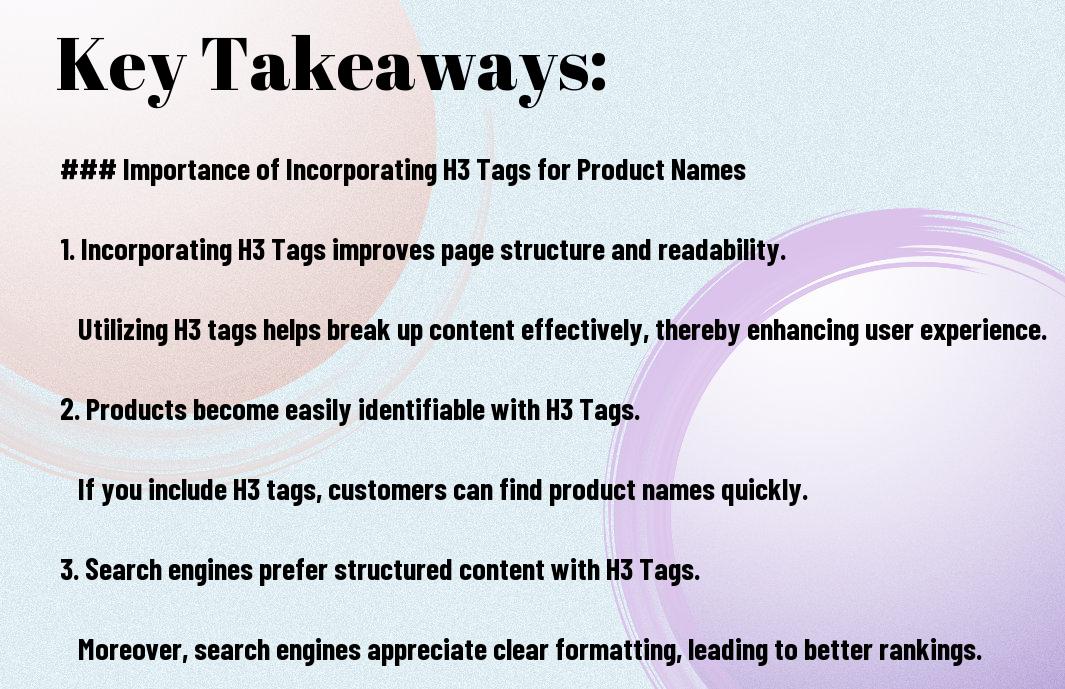
Not every element on a page deserves a heading. So why do product names warrant H3 tags rather than plain bold text or styled paragraphs? There are four core reasons:
1. Search Engine Crawlability and Keyword Signals
Search engines assign slightly more semantic weight to content inside heading tags than to body copy. When a product name appears in an H3 tag, you are explicitly signalling to Google and Bing: “this is a named entity, a distinct item on this page.” This is especially useful for long-tail product name searches. If someone types “Nike Air Zoom Pegasus 40 review” and your page has that exact phrase in an H3 tag surrounded by relevant content, you are better positioned to match that query than a competitor using plain text.
2. Scannable Structure for Real Users
Research on web reading behaviour consistently shows that users scan before they read. When product names stand out visually as H3 headings, shoppers can immediately identify the products they are interested in and skip directly to relevant descriptions, pricing, and features. This reduces bounce rate, increases time on page, and improves conversion rates — all of which are indirect SEO signals.
3. Accessibility and Screen Reader Compatibility
Screen readers used by visually impaired visitors navigate pages by jumping between headings. When product names are H3 tags, screen reader users can tab through each product efficiently without listening to the entire page. This is both a legal compliance consideration (WCAG 2.1) and a best-practice usability requirement — and Google’s algorithms do factor in accessibility signals.
4. Structured Data Compatibility
When combined with Product schema markup, product names in H3 tags reinforce the machine-readable data you are already passing to search engines. Consistent naming between your visible headings and your schema properties creates a stronger relevance signal and can improve eligibility for rich results in Google Search.

H3 Tags for Product Names vs. Bold Text: What’s the Actual Difference?
A common mistake is styling a paragraph or a <strong> element to look like a heading rather than using the actual semantic tag. Here is why that distinction matters:
| Feature | H3 Tag | Bold / Styled Text |
|---|---|---|
| SEO semantic weight | ✅ Yes — signals heading to crawlers | ❌ No structural signal |
| Screen reader navigation | ✅ Navigable by heading | ❌ Read inline with body text |
| Featured snippet eligibility | ✅ More likely to anchor a snippet | ❌ Less likely |
| Document outline clarity | ✅ Creates scannable structure | ❌ Blends into body copy |
| Visual scannability | ✅ Clear break between products | ⚠️ Depends entirely on styling |
The bottom line: visual appearance is not the same as semantic meaning. You can make a paragraph look like a heading with CSS, but it will never carry the same SEO or accessibility value as a true H3 element.
How to Implement H3 Tags for Product Names: Step-by-Step
Implementation varies depending on your platform, but the underlying logic is the same everywhere. Here is a complete process:
Step 1 — Audit Your Existing Heading Structure
Before adding H3 tags, verify that your page already has a single, descriptive H1 and that H2 tags are used for major sections. Use a browser extension like Detailed SEO Extension or SEOquake to visualise your heading hierarchy instantly. If your page has no H1 or uses multiple H1s, fix those issues first.
Step 2 — Identify Which Product Names Need H3 Tags
Not every page needs H3 product name tags. Prioritise:
- Category listing pages with multiple products listed per section
- Comparison articles reviewing multiple products side by side
- “Best of” roundup posts where each H3 introduces a new product
- Landing pages showcasing a product range beneath a branded H2
Individual product detail pages typically need only one H1 (the product name itself), with H2/H3 used for sections like specifications, reviews, and FAQs.
Step 3 — Write the Product Name Heading Correctly
The H3 heading for a product name should be:
- The exact product name as used in your inventory and schema
- Concise — avoid stuffing extra keywords into the heading itself
- Consistent with how the product is named everywhere else (schema, meta tags, internal links)
- Unique per product — never reuse the same heading text for different products
Step 4 — Implement in Your CMS or Code
Here is how to add H3 tags in the most common platforms:
- WordPress (Block Editor / Gutenberg): Add a Heading block and select “H3” from the dropdown. In Classic Editor, highlight the product name and choose “Heading 3” from the format menu.
-
Shopify: In the product description editor, select the product name text and choose “Heading 3” from the rich text toolbar. For theme customisation, edit the relevant Liquid template and wrap the product name variable in
<h3>{{ product.title }}</h3>. -
WooCommerce: Category page templates use
woocommerce_shop_loop_item_titlehook. Override the default H2 tag in your child theme’s template to use H3 when product names appear beneath an H2 section heading. -
Raw HTML: Wrap each product name directly:
<h3>Product Name Here</h3>
Step 5 — Validate Your Heading Structure
After implementation, re-check the page with a heading structure tool. Look for: no skipped levels (e.g., H1 → H3 with no H2), no orphaned H3s without a parent H2, and no duplicate heading text across different products.
Real-World Examples of H3 Tags for Product Names Done Right
Seeing concrete examples makes implementation far clearer. Here are three real-world scenarios with annotated code snippets:
Example 1 — Category Listing Page (E-commerce)
A sportswear retailer’s “Men’s Running Shoes” page:
<h1>Men's Running Shoes</h1>

<h2>Top-Rated Models</h2>

  <h3>Nike Air Zoom Pegasus 40</h3>
  <p>A versatile daily trainer with responsive cushioning...</p>

  <h3>Adidas Ultraboost 23</h3>
  <p>Engineered for long-distance comfort with Boost midsole...</p>

<h2>Budget-Friendly Options</h2>

  <h3>Asics Gel-Contend 8</h3>
  <p>Reliable everyday performance at an accessible price...</p>
Example 2 — “Best Of” Roundup Blog Post
An affiliate review post for “Best Coffee Grinders 2025”:
<h1>Best Coffee Grinders 2025: Expert Tested and Reviewed</h1>

<h2>Best Overall</h2>
  <h3>Baratza Encore ESP</h3>
  <p>Consistent grind quality, 40 settings, easy to use...</p>

<h2>Best for Espresso</h2>
  <h3>Eureka Mignon Specialita</h3>
  <p>Ultra-precise stepless adjustment for espresso dialling...</p>
Example 3 — Single Product Page with Feature Sections
On a dedicated product detail page, the product name should be the H1, with H2/H3 used for sections:
<h1>Sony WH-1000XM5 Noise Cancelling Headphones</h1>

<h2>Key Features</h2>
  <h3>Industry-Leading Active Noise Cancellation</h3>
  <p>Eight microphones and two processors eliminate background noise...</p>

  <h3>30-Hour Battery Life</h3>
  <p>Full-day listening with quick charge providing 3 hours in 3 minutes...</p>

<h2>Specifications</h2>
  <h3>Audio Specs</h3>
  ...
Note how in Example 3, the product name is the H1 — not an H3. H3 tags for product names are most appropriate in multi-product contexts. On individual product pages, product-feature subheadings rightly occupy the H3 level.
SEO Benefits of Using H3 Tags for Product Names
Beyond basic structure, correctly using H3 tags for product names creates measurable SEO advantages:
Improved Crawl Efficiency
Googlebot processes heading tags as priority signals when building a page’s internal map. A well-structured heading hierarchy means crawlers spend less time interpreting your page’s layout and more time indexing content. This is especially valuable on large category pages with dozens of products, where crawl budget matters.
Enhanced Long-Tail Keyword Matching
Consumers often search for exact product names, especially branded or model-specific terms. An H3 tag containing “Dyson V15 Detect Absolute” creates a direct, strongly-weighted match for anyone searching that exact phrase. Plain paragraph text with the same words will rank lower for this query because it carries less structural emphasis.
Featured Snippet and Sitelink Eligibility
Google’s featured snippet algorithm frequently extracts heading-and-paragraph pairs from well-structured pages. A product name in an H3 followed by a clear description paragraph is an ideal candidate for a featured snippet. Additionally, Google’s sitelinks (the indented links shown beneath brand results) are influenced by heading structure — products marked with headings are more likely to appear as navigational sitelinks.
Better Internal Linking Anchor Opportunities
If you assign an id attribute to your H3 product headings (e.g., <h3 id="nike-pegasus-40">), you create deep-link anchor targets. This allows you to link directly to individual products from other pages, FAQs, or comparison tables — which strengthens both UX and internal link equity distribution.
Best Practices for H3 Tags on Product Pages
Keep Product Names Consistent Across All Channels
Consistency between your H3 tag content, your product schema markup, your meta title, your image alt text, and your URL slug creates a semantic consistency signal that reinforces relevance. Varying names — “Nike Pegasus 40” in the H3 but “Pegasus 40 Nike” in schema — creates conflicting signals that weaken your ranking position.
Do Not Keyword-Stuff H3 Tags
The product name is the heading. Do not add descriptors or marketing copy to the H3 itself. Wrong: “Nike Air Zoom Pegasus 40 — Best Running Shoe 2025 Buy Now”. Right: “Nike Air Zoom Pegasus 40”. Put the descriptive content in the paragraph beneath the heading where it belongs.
Maintain Logical Hierarchy — Never Skip Levels
Going directly from H1 to H3 with no H2 in between is a structural error. It creates an incomplete document outline that confuses both crawlers and screen reader users. Always ensure each H3 belongs logically under a parent H2.
Use H3 Tags Proportionately — Avoid Over-Heading
Using too many heading levels or heading-tagging single-word items dilutes the importance signals you are sending. As a rule of thumb: if a product doesn’t have at least a short descriptive paragraph of unique content beneath it, it may not warrant its own H3. Very thin listings are better consolidated or expanded.
Pair H3 Product Names with Descriptive Paragraphs
The SEO value of an H3 is amplified when followed by body copy that contains semantically related terms: the product category, relevant use-cases, key features, and natural long-tail keyword phrases. An H3 floating above a one-sentence description is a missed opportunity compared to an H3 followed by two strong paragraphs of targeted content.

Common Mistakes When Using H3 Tags for Product Names
Mistake 1 — Using H3 Tags Without a Proper H1/H2 Structure
Many product pages are built around visual design rather than semantic structure. The result is a page where product names are styled divs or bold text, with a heading hierarchy that either doesn’t exist or is randomly assigned. Fix this at the template level so every new product automatically inherits the correct heading level.
Mistake 2 — Making Every Product an H2 Instead of H3
This is especially common on WooCommerce and Shopify themes, which default to H2 for product names in loop templates. If product names are H2s, there is no logical room for section grouping above them — every product appears as a major section of the page, which misrepresents the page structure to search engines and users alike.
Mistake 3 — Inconsistent Product Naming Between H3 and Schema
When your visible H3 heading says “Nike Pegasus” but your JSON-LD schema says “Nike Air Zoom Pegasus 40” and your internal link anchor text says “Pegasus running shoe,” you are diluting the entity recognition signal. All three should use the canonical product name identically.
Mistake 4 — Applying H3 Tags to UI Elements, Not Content
Headings should mark content sections, not UI labels. Tagging “Filters”, “Sort By”, or “Related Products” as H3s adds noise to your heading structure without adding any content hierarchy value. Reserve heading tags for meaningful content sections only.
Mistake 5 — Ignoring Mobile Rendering
H3 tags need to be visually distinguishable on mobile as well as desktop. If your H3 styling is too subtle — similar in weight or size to body text — users won’t gain the scannability benefit. Check your product pages on mobile specifically and ensure H3 product names are clearly differentiated visually.
H3 Tags, Product Schema, and Structured Data — How They Work Together
H3 tags and Product schema are complementary, not interchangeable. H3 tags create visible, semantic structure for users and crawlers. Product schema (using schema.org/Product) provides machine-readable metadata about price, availability, ratings, and brand.
The strongest product pages use both: the H3 tag creates a visible, crawlable anchor for each product, while the accompanying JSON-LD schema feeds Google the structured data it needs to display price drops, availability, and review stars in rich results. Using one without the other is a missed opportunity.
A simplified Product schema block paired with an H3 product heading looks like this:
<h3 id="baratza-encore-esp">Baratza Encore ESP</h3>
<p>Consistent grind quality across 40 settings, built for home baristas...</p>

<script type="application/ld+json">
{
  "@context": "https://schema.org",
  "@type": "Product",
  "name": "Baratza Encore ESP",
  "description": "Consistent grind quality across 40 settings...",
  "offers": {
    "@type": "Offer",
    "price": "169.00",
    "priceCurrency": "USD",
    "availability": "https://schema.org/InStock"
  }
}
</script>
Note the alignment between the H3 heading text and the schema "name" property. This consistency is intentional and important.
Tools to Audit and Optimise Your H3 Tag Usage
Heading Structure Validators
- Detailed SEO Extension (Chrome): Visualises your full heading hierarchy in a sidebar panel — ideal for quick audits without leaving the browser
- WebAIM WAVE: Checks accessibility of heading structure alongside other WCAG compliance issues
- Screaming Frog SEO Spider: Crawls your entire site and reports missing H1s, multiple H1s, empty headings, and heading hierarchy violations at scale
SEO Analysis and Rank Tracking Platforms
- SEMrush Site Audit: Flags heading-related on-page issues including missing, duplicate, or over-length headings across your entire domain
- Ahrefs Site Audit: Identifies heading structure errors and correlates them with ranking performance data
- Moz Pro: On-page grader highlights heading usage as part of its overall on-page optimisation score
CMS and Platform-Specific Tools
- Yoast SEO (WordPress): Analyses heading usage in its readability check and highlights where subheadings are missing or overused
- Rank Authority’s One-Click SEO: Automatically audits and optimises heading structures across your pages with AI-driven recommendations, removing manual effort from the process
Frequently Asked Questions About H3 Tags for Product Names
Should every product on a page have an H3 tag?
Not necessarily. H3 tags are most valuable when each product has meaningful descriptive content beneath it. If you have a dense grid of 50 product thumbnails with minimal text, the better solution is to improve the individual product pages and use schema markup. Reserve H3 tags for products that have genuine paragraph-level content supporting them.
Does Google officially use H3 tags as a ranking factor?
Google has confirmed that heading tags help it understand page structure and the topics covered. While H3 tags are not a direct ranking factor in isolation, the structural clarity and keyword signalling they provide contribute to how well a page matches search queries. Correct heading hierarchy is part of strong technical on-page SEO, which is a confirmed ranking influence.
Can I use H3 tags for product names on my homepage?
Yes, if your homepage features product sections beneath H2 section headings, H3 tags for those product names are appropriate and beneficial. However, ensure the H1 on your homepage is reserved for your brand name or primary value proposition — not a product name.
What is the difference between using H2 vs H3 for product names?
Use H2 for product names when they are the primary content items on the page with no higher-level section grouping above them — for example, a single-product showcase page or a very short listing. Use H3 for product names when they appear as items within a named category or section (marked with H2). The key is logical hierarchy: the heading level should reflect the product’s position in the page’s content outline, not an arbitrary choice.
How many H3 tags is too many on a single page?
There is no hard limit set by Google. However, practical SEO wisdom suggests that a page with dozens of H3 tags and minimal supporting content for each will suffer from thin content issues rather than benefiting from heading structure. Quality over quantity applies: fewer, well-supported H3 product headings outperform many H3s with sparse content beneath them.
Do H3 tags for product names help with voice search?
Yes. Voice search queries are often conversational and product-specific (e.g., “What are the best running shoes under £100?”). Pages with clearly structured H3 product headings and concise supporting paragraphs are better candidates for voice search featured snippet extraction than pages with unstructured body text.
Summary: H3 Tags for Product Names — The Complete Checklist
Use this checklist every time you build or audit a product page:
- ✔ One H1 per page — descriptive category name or page title
- ✔ H2 tags for major product sections or category groupings
- ✔ H3 tags for individual product names beneath relevant H2 sections
- ✔ Product names in H3 match schema markup name property exactly
- ✔ Each H3 product heading followed by at least one descriptive paragraph
- ✔ No heading levels skipped in the hierarchy
- ✔ No keyword stuffing within H3 product name headings
- ✔ Heading structure verified in a crawler or browser extension tool
- ✔ H3 headings visually distinct on both desktop and mobile
- ✔ Anchor IDs added to H3 tags for internal deep-linking where appropriate
Final Thoughts
Using H3 tags for product names is one of those on-page SEO techniques that costs nothing, takes minutes to implement, and delivers compounding returns over time. It improves how search engines understand and index your products, enhances the experience of every visitor who lands on your page, and creates a structural foundation that amplifies every other SEO effort — from schema markup to internal linking to featured snippet optimisation.
The most important thing is to treat your heading structure as a meaningful document outline — not a visual styling choice. When product names live in the right heading level, everything else on the page works better. Get the structure right first, then layer in the supporting content, schema, and keyword targeting. The results will follow.