

SEO Guide · Rank Authority
How to Check Google Rankings: The Complete Guide to Finding, Tracking & Improving Your Website’s Position
Whether you’re a business owner, marketer, or SEO beginner, knowing how to check Google rankings for your website is the single most important habit you can build. Your position in Google’s search results directly controls how much organic traffic — and ultimately, how much revenue — your site generates. This exhaustive guide covers every method, tool, and strategy you need to check Google rankings accurately, interpret what you find, and act on the data to move up.
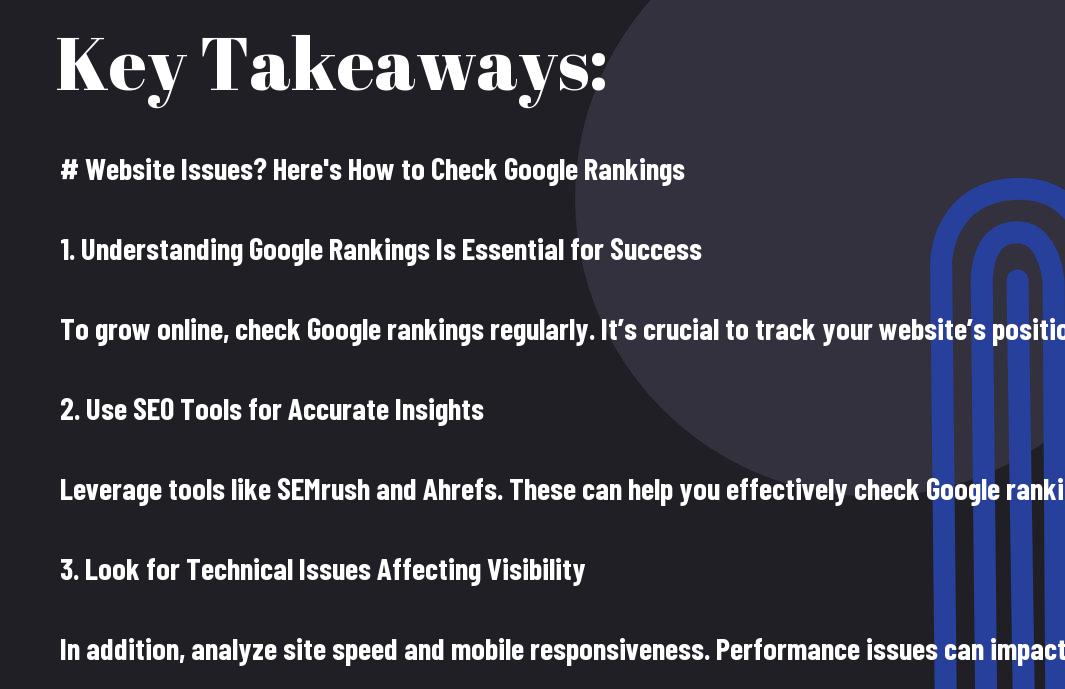
⚡ Key Takeaways
- Check Google rankings at least weekly — positions shift constantly due to algorithm updates, competitor activity, and content changes.
- There are four distinct methods to check rankings: manual search, Google Search Console, third-party rank trackers, and AI-powered tools like Rank Authority.
- Personalization and location bias make manual searches unreliable — always use a dedicated rank-checking tool for accurate data.
- Rankings are influenced by over 200 factors; the most impactful are content quality, backlink authority, Core Web Vitals, and on-page SEO.
- Consistent monitoring reveals trends, exposes ranking drops early, and allows you to measure the ROI of your SEO efforts.
- Rank Authority’s one-click AI technology simplifies the entire process — from checking rankings to diagnosing issues and taking action.

What Does It Mean to Check Google Rankings?
When you check Google rankings, you are finding out which position your web pages hold in Google’s search engine results pages (SERPs) for specific keywords. For example, if someone searches “best running shoes,” your page might appear at position 4 on page 1, or at position 32 on page 4. That position number is your ranking.
Rankings are dynamic. They fluctuate daily — sometimes hourly — based on Google’s algorithm updates, changes to your own site, and what your competitors are publishing. This is precisely why checking your Google rankings isn’t a one-time task; it’s an ongoing process that fuels every other SEO decision you make.
Understanding your ranking position also tells you a great deal about the health of your entire SEO strategy. A rising ranking signals that your content, backlinks, and technical SEO are working together effectively. A falling ranking is an early warning that something needs attention — before the traffic loss becomes a revenue problem.
Why Google Rankings Matter More Than Ever
The relationship between ranking position and traffic is not linear — it is exponential. Research consistently shows that the #1 result on Google captures between 27% and 32% of all clicks for a given keyword. Position #2 drops to roughly 15%. By position #10, click-through rates fall below 2.5%. Anything beyond page 1 receives less than 1% of traffic for most competitive searches.
This means moving from position #5 to position #2 for a keyword with 10,000 monthly searches can translate to thousands of additional visitors per month — without spending a single dollar on advertising. That’s the power of monitoring and improving your Google rankings.
4 Proven Methods to Check Google Rankings for Your Website
There are four primary ways to check where your website ranks on Google. Each has its strengths and limitations. Understanding all four ensures you’re using the right tool for the right purpose.
Method 1: Manual Google Search (and Why It’s Unreliable)
The most intuitive method is to open a browser and type your target keyword into Google. If your page appears on the first page, you can see your ranking position. Simple — but deeply flawed.
Google personalizes every search result based on your browsing history, location, device type, and logged-in account. This means the ranking you see when searching on your own computer is almost certainly different from what an average user in another city sees. You will nearly always see your own site ranked higher than it truly is for unpersonalized searches.
Workaround: If you must use manual search, open an incognito/private browser window, sign out of Google, and append &pws=0 to the search URL to disable personalization. Still, this won’t control for location bias, so treat results as approximate only.
Method 2: Google Search Console — The Free Official Tool
Google Search Console (GSC) is a free platform provided directly by Google that gives you verified, unbiased data about how your site performs in search. It is the closest thing to an official ranking report you can get.
How to check Google rankings using Google Search Console:
- Log in at search.google.com/search-console
- Select your verified property (your website)
- Click Performance → Search Results in the left sidebar
- Enable all four metrics: Total Clicks, Impressions, CTR, and Average Position
- Scroll down to the Queries tab to see every keyword your site ranks for, along with its average position
- Click the Pages tab to see which URLs are ranking and for how many queries
- Filter by date range to compare performance over time
Limitation: GSC shows average positions over a date range, not real-time rankings. It also aggregates data, so very low-traffic keywords may not appear. It cannot show competitor rankings.
Method 3: Third-Party Rank Tracking Tools
Dedicated rank tracking platforms give you precise, daily keyword position data for your site and your competitors. They eliminate the personalization problem and let you track rankings across different locations, devices, and search engines simultaneously.
Top third-party tools for checking Google rankings:
- SEMrush — Position tracking, keyword gap analysis, competitor ranking comparison, and site audit features
- Ahrefs — Rank tracker with historical data, SERP feature tracking, and keyword difficulty analysis
- Moz Pro — Rank tracking with local ranking support and Domain Authority correlation data
- SERPWatcher by Mangools — Affordable and beginner-friendly with a Dominance Index score
- AccuRanker — Built for agencies needing fast, high-volume rank updates
What to look for in a third-party tool: daily rank updates, location-specific tracking (critical for local businesses), SERP feature visibility (featured snippets, local packs, image results), historical data export, and competitor tracking.
Method 4: AI-Powered Tools Like Rank Authority
Traditional rank-checking tells you where you stand. AI-powered platforms like Rank Authority go further — they combine rank checking with automated SEO diagnosis and one-click optimization. Instead of simply showing you a number, Rank Authority’s technology analyzes why your rankings are where they are and surfaces the exact changes needed to improve them.
With a single click, you can evaluate your site’s SEO status, identify technical issues, discover keyword opportunities, and deploy fixes — making it the most efficient method available for businesses that want results without the manual complexity of traditional SEO workflows.
How to Check Your Website Rank on Google: Step-by-Step
Follow this process to establish a reliable, repeatable system for checking and tracking your Google rankings from scratch.
Define Your Target Keywords
Before you can check Google rankings, you need to know which keywords to track. List the primary keywords each page on your site targets. Include head terms (e.g., “running shoes”), mid-tail terms (e.g., “best running shoes for beginners”), and long-tail terms (e.g., “best cushioned running shoes for flat feet 2025”). Tracking all three tiers gives you a complete picture of your visibility.
Verify Google Search Console is Set Up
Go to Google Search Console and confirm your website is verified. If you haven’t set it up yet, add your property by following Google’s verification steps (DNS record, HTML file, or Google Analytics link). This is a non-negotiable first step — GSC provides data no other tool can replicate.
Enter Your Keywords Into a Rank Tracking Tool
Set up a project in your chosen rank tracker (SEMrush, Ahrefs, Moz, etc.) or in Rank Authority’s dashboard. Enter your domain and keyword list. Set the target location to match where your customers are searching — local rankings in Chicago can differ dramatically from rankings in Miami or London.
Record Your Baseline Rankings
Document your current position for each keyword. This baseline is your starting benchmark. Every improvement you make to your SEO strategy will be measured against this starting point. Without a baseline, you have no way to know if your efforts are working.
Analyze the SERP Features for Your Keywords
Before strategizing, look at what the first page of results actually shows for each keyword. Are there featured snippets, local packs, shopping results, image carousels, or People Also Ask boxes? SERP features can push organic results down significantly, meaning a position #3 ranking might only get position #6 in terms of actual screen real estate.
Set Up Automated Monitoring and Alerts
Configure your rank tracking tool to send automated alerts when a keyword moves significantly — either up or down. In Google Search Console, set up email alerts for manual actions and coverage issues. With Rank Authority, ranking alerts and AI-driven recommendations update automatically, so you’re always informed without manual checking.
Review and Act on Data Weekly
Set a standing calendar appointment once per week to review your ranking data. Look for trends — which keywords are rising, which are falling, and which have stalled. Map ranking changes against actions you’ve taken (publishing new content, building links, improving page speed) to understand what’s driving results.
Understanding What Your Google Rankings Are Actually Telling You
A ranking number alone is just a data point. To extract real value, you need to understand what it means in context. Here’s how to interpret the data you collect when you check Google rankings:
Positions 1–3
Premium territory. These positions capture the vast majority of organic clicks. Your goal should be to hold and defend these spots through ongoing content updates and link building.
Positions 4–10
Highly valuable but with significant CTR upside. Content improvements, stronger meta titles, and schema markup can push these into the top 3 with relatively modest effort.
Positions 11–20
“Page 2” territory — receiving almost no traffic. These are your highest-priority improvement targets. A focused push on content depth, backlinks, and user experience signals can break these into page 1.
Positions 21–100+
Low priority unless search volume is high. Evaluate whether these keywords are worth investing in, or whether content on these pages needs complete restructuring to compete.
Reading Ranking Trends vs. Snapshots
A single snapshot of your ranking is far less valuable than a trend over time. Rankings naturally fluctuate by 1–3 positions day to day due to Google’s algorithm testing. What you’re looking for are sustained movements over 2–4 weeks. A keyword that moves from position 14 to position 9 over a month is a clear positive signal your optimizations are working. A keyword that was stable at position 4 and has now drifted to position 8 over three weeks signals a problem that needs investigation.
The 200+ Factors Google Uses to Determine Rankings (The Most Important Ones)
Google’s ranking algorithm uses over 200 signals. You cannot control all of them, but understanding the highest-impact factors allows you to prioritize your efforts effectively when you check Google rankings and find pages that need improvement.
Content Quality and Relevance
Content remains the single most controllable ranking factor. Google’s Helpful Content system specifically rewards pages that demonstrate Experience, Expertise, Authoritativeness, and Trustworthiness (E-E-A-T). High-ranking content typically:
- Thoroughly answers the user’s question with depth and specificity
- Is written by or attributed to subject matter experts
- Includes original research, data, examples, or unique perspectives
- Is updated regularly to reflect current information
- Covers related subtopics that establish topical authority
- Matches the search intent (informational, navigational, transactional, or commercial)
Backlink Profile and Domain Authority
Backlinks from authoritative, relevant websites remain one of the strongest ranking signals. Not all links are equal — a single editorial link from a major industry publication can outweigh hundreds of links from low-quality directories. When analyzing your rankings, always check:
- The Domain Rating or Domain Authority of pages linking to you
- Whether linking domains are topically relevant to your niche
- The anchor text distribution of your backlink profile
- The ratio of dofollow to nofollow links
- How your backlink velocity (rate of new link acquisition) compares to competitors
On-Page SEO Signals
- Title tag: Contains the primary keyword, is under 60 characters, and is compelling enough to earn clicks
- Meta description: 150–160 characters, includes keyword, and previews the page’s value
- H1 tag: Unique, keyword-inclusive, matches user intent
- Header hierarchy: Logical H2/H3 structure with semantically related terms
- Keyword placement: Target keyword appears in the first 100 words, naturally distributed throughout
- Internal linking: Relevant internal links pass authority and help search engines understand site structure
- Image alt text: Descriptive, keyword-relevant alt attributes on all images
- URL structure: Short, descriptive, keyword-containing URLs with hyphens between words
Technical SEO and Core Web Vitals
Technical issues are often invisible to the naked eye but can devastate rankings. Google’s Core Web Vitals are now confirmed ranking signals and measure real-world user experience:
- Largest Contentful Paint (LCP): How fast the main content loads — should be under 2.5 seconds
- Interaction to Next Paint (INP): How quickly the page responds to user interactions — should be under 200ms
- Cumulative Layout Shift (CLS): How stable the visual layout is — should be under 0.1
- Mobile-friendliness: Google uses mobile-first indexing — your mobile experience is what gets evaluated
- HTTPS: Secure sites are a ranking signal; unsecured sites are penalized in search and flagged to users
- Crawlability: Broken links, incorrect robots.txt rules, or missing sitemaps prevent Google from indexing pages
User Experience and Behavioral Signals
- Click-through rate (CTR): A higher CTR signals to Google that your result is more relevant than competitors’
- Dwell time: The longer users stay on your page after clicking from search results, the stronger the quality signal
- Bounce rate in context: A user returning to search results immediately after visiting your page (pogo-sticking) is a negative signal
- Page navigation: Users exploring multiple pages on your site signals strong relevance and authority
How to Diagnose Why Your Google Rankings Are Dropping
When you check Google rankings and see a decline, a systematic diagnosis prevents panic and leads to targeted fixes. Here is the exact process to follow:
Step 1: Confirm the Drop is Real
Check multiple tools. A single-day fluctuation of 2–5 positions is normal. A drop that persists for more than two weeks across multiple data sources is a genuine issue. Cross-reference Google Search Console data with your third-party rank tracker to confirm the decline is not tool-specific.
Step 2: Check for Google Algorithm Updates
Cross-reference the date of your ranking drop with Google’s algorithm update history. Google releases core updates, spam updates, and helpful content updates throughout the year. If your drop coincides with an update, examine which types of content or sites the update targeted and assess whether your site matches those patterns.
Step 3: Run a Technical SEO Audit
Use Google Search Console’s Coverage report to check for indexing errors. Common technical issues that cause ranking drops:
- Pages accidentally set to noindex
- Broken internal links (404 errors)
- Redirect chains longer than 2 hops
- Duplicate content from pagination or URL parameter issues
- XML sitemap not submitted or containing errors
- Core Web Vitals failures introduced by a site or theme update
- Canonical tags pointing to wrong URLs
Step 4: Analyze Competitor Changes
Sometimes your rankings drop not because you did anything wrong, but because a competitor improved. Check the current top 10 results for your target keywords and compare them to who was ranking before your drop. If a new, more comprehensive page has displaced yours, your response is content improvement — not a technical fix.
Step 5: Review Your Backlink Profile for Losses
Open Ahrefs or SEMrush and sort your backlinks by “Lost” with a date filter matching when your rankings dropped. If significant referring domains were lost — due to a linking site going offline, removing the link, or changing the page — this can directly cause ranking drops for pages that relied on that link equity.
How to Improve Your Google Rankings After Checking Them
Checking rankings is only valuable if it informs action. Here are the highest-leverage strategies for moving your rankings up after you’ve identified where you stand.
Optimize Existing Content Before Creating New Pages
The fastest ranking wins often come from improving pages already on page 2 or the bottom of page 1, not from creating brand-new content. For pages ranking positions 8–20, take these steps:
- Expand thin sections with more depth, examples, and data
- Add new subsections that answer related questions found in “People Also Ask” boxes
- Update any outdated statistics or examples with current information
- Improve the meta title to be more compelling and keyword-specific
- Add structured data (schema markup) to qualify for rich results
- Improve internal linking by pointing more relevant pages to the underperforming URL
Build Authority Through Strategic Link Acquisition
Not all link-building is equal. Focus on approaches that generate genuinely editorial links:
- Digital PR: Create original research, surveys, or data studies that journalists cite
- Guest posting: Write expert articles for reputable industry publications with a contextual link back
- Broken link building: Find broken links on relevant sites and offer your content as a replacement
- Unlinked brand mentions: Use tools to find mentions of your brand that don’t include a link, then request one
- Competitor backlink analysis: Identify who links to your top competitors and pitch your superior content
Improve Page Speed and Core Web Vitals
- Use Google PageSpeed Insights and Core Web Vitals report in GSC to identify failing pages
- Compress and properly size all images — use WebP format where possible
- Enable browser caching and minify CSS/JavaScript files
- Use a Content Delivery Network (CDN) to reduce server response time globally
- Eliminate render-blocking resources that delay page display
Target Featured Snippets and SERP Features
Featured snippets (“Position 0”) appear above all organic results and generate substantial click-through rates. To capture them: identify keywords where a snippet already exists, structure your content with a clear, direct answer in the first 40–60 words of a section, use numbered lists or tables where appropriate, and include the exact question as an H2 or H3 heading. Schema markup — particularly FAQPage and HowTo schema — can also unlock rich results that visually dominate the SERP.

Local Google Rankings: Special Considerations
If your business serves customers in a specific geographic area, local Google rankings are a separate — and critically important — set of positions to monitor. Local search results appear in two distinct formats:
The Local Pack (Map Pack)
The Local Pack shows 3 businesses on a map at the top of local search results. Ranking factors for the Local Pack are distinct from organic rankings and include:
- Google Business Profile completeness: Business name, address, phone, hours, categories, photos, and description
- Review quantity and quality: More 5-star reviews from real customers improve Local Pack visibility
- Proximity: How close the business is to the searcher’s location at time of search
- Citation consistency: Your NAP (Name, Address, Phone) must match exactly across all directories
- Local backlinks: Links from locally-relevant sites, newspapers, and business associations
Local Organic Rankings
Below the Local Pack, organic results for locally-targeted searches follow standard SEO ranking rules — but with an emphasis on geographic relevance. Dedicated location pages, locally-relevant content, and consistent local citations all contribute. When you check Google rankings for local keywords, always use a rank tracker that supports location-specific rank checking at the city or ZIP code level for accurate data.
How Often Should You Check Google Rankings?
The right monitoring frequency depends on your site’s size, the competitiveness of your keywords, and how actively you’re implementing SEO changes. Here are the recommended cadences:
Weekly
Best for most businesses. Catches drops early, lets you measure the impact of content changes, and provides enough data to identify trends without noise from daily fluctuations.
Daily
Recommended during active link-building campaigns, after major site updates, or following a Google algorithm update. Daily visibility ensures rapid response to significant fluctuations.
Monthly
Suitable for very established sites with stable, high-ranking content in low-competition niches. Monthly reviews still catch major changes but reduce time spent in the weeds.
The universal rule: Check Google rankings more frequently whenever you make significant changes to your site, publish new content targeting competitive keywords, or suspect a Google algorithm update has affected your niche. Rank Authority’s automated alerts remove the burden of deciding when to check — you’re notified the moment something significant happens.
Common Mistakes to Avoid When Checking Google Rankings
Even experienced SEOs make these errors. Avoid them to ensure your ranking data is accurate and your strategy is sound.
- Relying solely on manual searches: Personalization makes these results unreliable. Always use a verified tool.
- Tracking too few keywords: Only tracking your head term misses the long-tail traffic that often converts at higher rates.
- Ignoring SERP features: A position #2 ranking means little if there’s a featured snippet, local pack, and three ad blocks above you.
- Not segmenting by device: Mobile and desktop rankings frequently differ by 5–10+ positions for the same keyword.
- Confusing impressions with rankings: A keyword generating impressions in GSC may be ranking at position 40 — far from traffic-generating territory.
- Not tracking competitor rankings: Your rankings exist in context. A stable ranking while competitors rise means you are losing ground relatively.
- Making changes too frequently: SEO changes take 2–8 weeks to reflect in rankings. Constantly tweaking prevents you from knowing what actually worked.
- Ignoring ranking volatility after updates: Rankings can temporarily swing wildly during a Google algorithm rollout. Wait for the rollout to complete before drawing conclusions.
Using Rank Authority to Check and Improve Google Rankings
Rank Authority is built for businesses and marketers who want the power of comprehensive rank tracking and SEO optimization without the steep learning curve of traditional enterprise tools. Here’s what makes it different:
- One-Click AI Analysis: Enter your domain and get an immediate, comprehensive view of your rankings, technical issues, and optimization opportunities — no manual configuration required.
- Automated Issue Detection: The AI identifies ranking-suppressing problems such as slow page speed, missing meta tags, broken links, and thin content, then prioritizes them by impact.
- Instant Optimization Deployment: Unlike tools that only tell you what’s wrong, Rank Authority’s one-click technology can implement fixes directly, dramatically compressing the time between diagnosis and improvement.
- Continuous Monitoring: Set it and never miss a ranking change. Automated alerts keep you informed of significant movements without requiring you to log in daily.
- Keyword Opportunity Discovery: The AI surfaces keywords your site is close to ranking for — the “low-hanging fruit” positions 11–20 where targeted effort delivers the fastest results.
For businesses without an in-house SEO team, Rank Authority effectively functions as an always-on SEO specialist — continuously checking your Google rankings, diagnosing problems, and implementing improvements while you focus on running your business.
Frequently Asked Questions About Checking Google Rankings
How do I check Google rankings for free?
The best free method to check Google rankings is Google Search Console, which provides official position data directly from Google at no cost. Simply verify your site, navigate to the Performance report, and view average positions for every keyword your site appears for. Rank Authority also offers free access to get started with rank checking and automated SEO analysis.
Why does my Google ranking change every day?
Daily ranking fluctuations are completely normal. Google continuously tests different result arrangements, competitors update their content, and Google’s algorithm makes micro-adjustments hundreds of times per year. Small fluctuations of 1–3 positions should not trigger concern. Only investigate when you observe a sustained drop of 5 or more positions held for 2+ weeks.
How long does it take to rank on page 1 of Google?
For new websites targeting competitive keywords, reaching page 1 of Google typically takes 6–18 months of consistent SEO work. For established sites optimizing existing content or targeting lower-competition keywords, meaningful ranking improvements can appear in 4–12 weeks. Pages already ranking on page 2 (positions 11–20) can often reach page 1 within 30–90 days with targeted content and link improvements.
Does my ranking look the same to everyone?
No. Google personalizes results based on location, search history, device type, and logged-in account. Your ranking also differs between mobile and desktop searches. This is why manual searches are unreliable for checking Google rankings — you need a neutral, location-configurable rank tracking tool to see what a typical user in your target market actually sees.
What is a good Google ranking position?
Positions 1–3 are considered excellent and receive the overwhelming majority of organic clicks. Positions 4–10 are good and worth maintaining. Anything below position 10 (page 2 and beyond) generates minimal traffic for most keywords. For your most important commercial keywords, position 1–3 should always be the goal, with page 1 as an acceptable interim target.
Can I check Google rankings for a competitor’s website?
Yes. Third-party tools like SEMrush, Ahrefs, and Moz can show you which keywords any website ranks for and at what positions. This is an invaluable competitive intelligence practice — identifying keywords where a competitor ranks in the top 3 but you don’t reveals high-priority targets for your own content strategy.
How many keywords should I track?
Track at minimum your top 5–10 primary keywords (head terms with the highest search volume for your business), plus your target keyword for each major page or blog post on your site. For a comprehensive view, also track branded keywords (searches including your company name) and 20–30 long-tail variations of your core topics. Most growing businesses benefit from tracking 50–200 keywords across their site.
Summary: Your Action Plan for Checking and Improving Google Rankings
Checking your Google rankings is not a vanity exercise — it is the foundation of every informed SEO decision you’ll make. Here’s the condensed action plan to take everything you’ve learned and put it to work:
- Set up Google Search Console immediately if you haven’t — it’s free, official, and indispensable.
- Define your target keywords across all three tiers: head, mid-tail, and long-tail.
- Choose a rank tracking tool that supports location-specific tracking and daily updates.
- Record your baseline rankings before making any changes so you can measure improvement.
- Analyze SERP features for your keywords to understand the true competitive landscape.
- Monitor weekly at minimum — daily if you’re actively running a campaign or following an algorithm update.
- Act on what you find: Optimize underperforming pages, fix technical issues, build links strategically, and target SERP features.
- Use Rank Authority to automate diagnosis, monitoring, and optimization — so your site keeps improving even when you’re not watching.
Your Google rankings are the most direct measurement of your website’s competitive position. The businesses that consistently outrank their competitors aren’t doing anything mysterious — they check their Google rankings regularly, they understand what the data means, and they act on it systematically. Start today, track consistently, and let the data drive every optimization decision you make.
Sign Up for Free!
One-Click Fully Automated SEO.
Boost Rankings, and Increase Traffic.
Instantly Optimize Your Site.
- ✓ No Coding
- ✓ No Credit Card Required
- ✓ One Click Setup

