
Automated AI SEO for WordPress websites is the use of AI-driven software to find, fix, and monitor search problems on your site without hand-editing every page. If you run a small business, you likely have no time for audits, schema code, and constant content updates. Automation handles much of that work, and you stay in control of what goes live.
Quick answer: Automated AI SEO connects to your WordPress site, scans for technical and content gaps, deploys approved fixes, and tracks visibility in both Google and AI answer tools. It saves time, but it does not guarantee rankings.
What Is Automated AI SEO for WordPress Websites?
It is software that performs routine search optimization tasks for you. Those tasks include site audits, on-page fixes, schema markup, internal linking, and content publishing. In addition, newer platforms track how often AI assistants cite your brand.
WordPress is a good fit because it is flexible and widely supported. As a result, automation tools can often deploy changes directly. For background on the platform itself, see the WordPress overview on Wikipedia.

A site owner checks an automated AI SEO report for a WordPress website.
How WordPress SEO Automation Works
Most platforms follow the same loop. First, they scan your site. Next, they rank issues by impact. Then they apply fixes you approve and measure the outcome.
Rank Authority is an AI-powered search optimization platform built around this loop. Its 1-Click AI AutoPilot scans your site, identifies technical and content gaps, and streamlines approved fixes. It also reports a Rank Authority Score (RA Score) so you can track progress over time.
Technical and On-Page Fixes
For example, these cover titles, meta descriptions, headings, broken links, and page speed issues. Consequently, fixing them removes friction for crawlers. Additionally, Google’s Search Central documentation explains the basics of how crawling and indexing work.
Automated Schema Markup
Schema markup is structured code that labels what a page is about. For example, it can mark up a FAQ, an article, or a local business. The shared vocabulary lives at Schema.org. Automation generates and deploys this code, so you avoid hand-written JSON.
Why GEO and AEO Matter Beyond Traditional SEO
Search is no longer only ten blue links. People now ask AI assistants and get a single synthesized answer. Therefore, your content must be easy for machines to quote.
- Traditional SEO automation: improves rankings through technical and on-page fixes.
- Answer Engine Optimization (AEO): structures direct answers and schema for featured snippets and AI answers.
- Generative Engine Optimization (GEO): builds content designed to earn citations in AI-generated responses.
Together, these approaches improve your AI Visibility, meaning how often and how accurately AI tools mention your business. For a deeper look at the broader approach, read these smart SEO solutions for AI-powered search.
Steps to Set Up Automated SEO on WordPress
You can get started in about half an hour. Follow this sequence.
- Run a free site scan to see technical gaps, missing schema, and your starting score.
- Connect your WordPress site through a supported integration.
- Review the suggested fixes and approve the ones you want applied.
- Publish content built for both search engines and answer engines.
- Monitor AI visibility and citations, then repeat audits regularly.
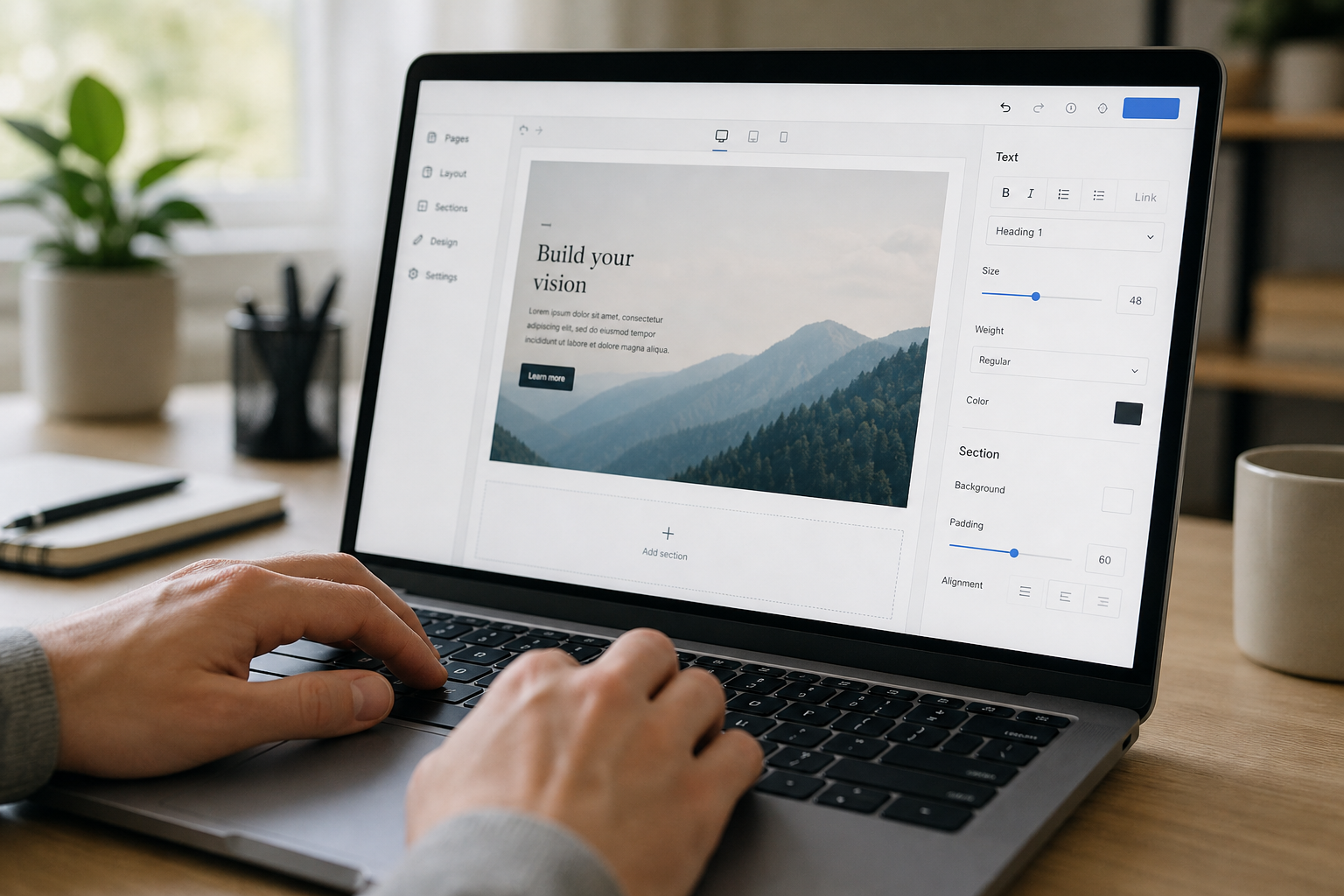
Reviewing and approving fixes keeps you in control of every change.
Automating Content, Links, and Competitor Work
Technical fixes are only half the job. Content and internal links drive topical authority, which is how strongly a site is seen as an expert on a subject.
- AI Blog Builder: publishes SEO- and AEO-optimized posts. Our guide to AI-assisted blog publishing for WordPress covers the workflow.
- RankLink: automates topical silos and internal linking.
- RankFast: analyzes competitor pages, then rewrites and rebuilds yours to compete.
If rewriting is your bottleneck, see this guide to automated AI SEO content rewriting. Always review AI drafts for accuracy before publishing.
What to Expect: Indexing and Results
Be realistic. Rank Authority can submit changes for indexing, but Google alone determines whether and when a page is indexed. Visibility gains also depend on your competition, content quality, and crawl frequency.
Individual results vary. Reviews reflect individual user experiences and are not guaranteed results for all users.
How to Choose a WordPress SEO Automation Tool
Judge any tool on a few clear criteria. Does it let you approve changes? Does it cover GEO and AEO, not only classic SEO? Can it track AI citations?
Rank Authority serves small business owners, marketers, entrepreneurs, and agencies worldwide. It supports WordPress, Shopify, Wix, Webflow, GoDaddy, and GoHighLevel, and it offers a seven-day trial plus free tools such as a Site Audit Checker and Schema Markup Generator. You can explore the platform at rankauthority.com. To weigh automation more broadly, read about automating your SEO and the AI-based SEO content tools guide.
Frequently Asked Questions
What is automated AI SEO for WordPress websites?
It is the use of AI-driven software to audit, fix, and monitor a WordPress site’s search performance. It covers technical fixes, schema, content, and AI visibility with far less manual work.
Is automated SEO safe for my WordPress site?
It can be, when changes are reviewed and approved before deployment. Choose a tool that lets you control what gets published.
How is GEO different from traditional SEO?
Traditional SEO aims to rank pages in search results. Generative Engine Optimization (GEO) aims to get your content cited inside AI-generated answers.
What is Answer Engine Optimization (AEO)?
AEO structures content so search engines and AI assistants can extract direct answers. It relies on clear question headings, concise answers, and schema markup.
Do I still need an SEO plugin if I automate?
Not always, but check for overlap. Two tools writing the same meta tags or schema can create conflicts, so use one source of truth for each element.
What does schema markup do for WordPress SEO?
Schema markup is structured code that tells machines what a page contains. It helps search engines understand your content and can support rich results.
Can automation guarantee rankings?
No. No tool can guarantee rankings or citations. Individual results vary.
Can automation get my pages indexed?
Rank Authority can submit changes for indexing, but Google alone decides whether and when a page is indexed.
How long does it take to see results?
Timelines vary by site, competition, and crawl frequency. Many sites need weeks to months before changes show in reports.
What are the most common mistakes?
Common mistakes include publishing unreviewed content, running overlapping plugins, and ignoring accuracy. Automation should speed up good work, not replace quality control.
How much does automated SEO cost?
Pricing varies by provider and plan. Compare plans against the hours of manual work they replace, and use any free trial to test fit.
Which platforms does Rank Authority work with?
Rank Authority supports WordPress, GoDaddy, Shopify, Wix, GoHighLevel, and Webflow for automated deployment.
Conclusion
Automated AI SEO for WordPress websites replaces repetitive audits, schema work, and content upkeep with a controlled, repeatable workflow. Combine traditional SEO automation with GEO and AEO, approve each change, and monitor AI visibility over time. Start with a free site scan at Rank Authority to see where your site stands today.