

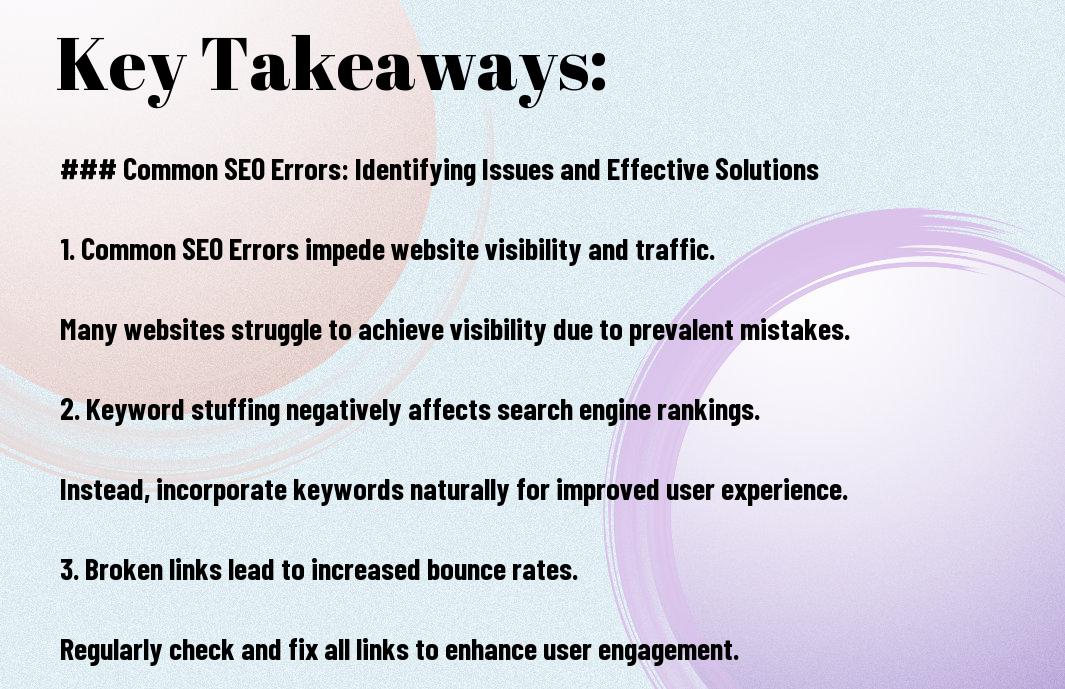
Common SEO errors are the silent killers of search rankings. They prevent your pages from being found, cost you qualified traffic, and hand opportunities directly to competitors. A common SEO error is any technical, on-page, or off-page mistake that reduces a website’s ability to rank in search engines — and fixing them is the fastest route to better visibility.
The top three organic search results capture over 54% of all clicks. However, even well-intentioned websites routinely commit errors that drag their rankings down. In this guide, you will find a comprehensive breakdown of every major SEO mistake — from broken links to content decay — along with specific, actionable fixes for each one. At Rank Authority, we use AI-driven analysis to pinpoint these errors fast and resolve them systematically.
What Are Common SEO Errors — and Why Do They Matter?
Before diving into specifics, it helps to understand why these errors carry so much weight. Search engines like Google and Bing rely on hundreds of signals to rank pages. Consequently, even a handful of fixable mistakes can hold your entire site back. Furthermore, as Google’s algorithms grow more sophisticated, errors that once went unnoticed now carry real penalties.
In addition, user behavior metrics — such as bounce rate, time on page, and click-through rate — feed directly into ranking signals. Therefore, an error that frustrates visitors also damages your SEO. Specifically, the most damaging common SEO errors fall into four main categories:
- On-page errors — problems with titles, meta descriptions, content quality, and keyword usage
- Technical errors — site speed issues, mobile unfriendliness, crawl blocks, and broken links For a deeper walkthrough, see our Checking Broken Links on a Website: Complete Guide.
- Off-page errors — weak or toxic backlink profiles and missed local SEO opportunities
- Content errors — duplicate content, keyword cannibalization, outdated material, and thin pages
Above all, identifying these errors is the first step. Fixing them is where the real ranking gains happen. Let’s work through each category in detail.
On-Page Common SEO Errors and How to Fix Them
On-page SEO errors are mistakes made directly within your content and HTML. They are, however, among the easiest to fix — and the payoff is immediate. Even seasoned marketers overlook these details, so a systematic audit is always worthwhile.
1. Poorly Optimized Title Tags and Meta Descriptions
Title tags and meta descriptions are your content’s first impression in search results. Specifically, a poorly written title tag reduces click-through rates before a user ever reaches your page. Similarly, a missing or auto-generated meta description wastes a prime opportunity to earn the click.
Title tag best practices:
- Keep title tags between 50–60 characters so they display fully in search results
- Include your target keyword naturally — ideally near the beginning
- Choose title case or sentence case and stay consistent site-wide
- Each page must have a unique title tag — never duplicate them
Meta description best practices:
- Aim for approximately 150 characters — concise but compelling
- Treat it as a mini sales pitch: highlight the key benefit your page delivers
- Align the description with the user’s search intent for that page
- If left blank, Google may auto-generate one that misrepresents your content
For example, instead of “Best Running Shoes for Marathon Training – Top Picks for Serious Runners,” try “Top Marathon Running Shoes: Expert Picks for 2025.” It’s sharper, shorter, and more clickable.
2. Keyword Stuffing and Poor Keyword Usage
Keyword stuffing — forcing your target phrase into every sentence — was an SEO tactic in the early 2000s. Today, however, Google’s Natural Language Processing and Helpful Content updates penalise it harshly. In contrast, using keywords too sparingly means your page won’t rank for terms you’re actually targeting.
The solution is intentional keyword placement. Specifically, your target keyword should appear in the:
- Page title and H1 heading
- First 100 words of body content
- At least one H2 or H3 subheading
- Conclusion paragraph
- Naturally throughout the body — aim for 0.5%–3% keyword density
Furthermore, support your primary keyword with semantic variants. For example, alongside “common SEO errors,” you might naturally use “SEO mistakes,” “SEO pitfalls,” “search engine optimisation issues,” and “on-page SEO problems.” This tells Google your page has real depth on the topic.
3. Missing or Weak Alt Text on Images
Image alt text — the descriptive text assigned to an image in HTML — serves two essential purposes. First, it gives search engines the context they need to index your images and potentially rank them in Google Images. Second, it makes your site accessible to visually impaired users who rely on screen readers.
Consequently, skipping alt text means missing out on image search traffic and failing accessibility standards. When writing alt text:
- Be descriptive and specific — for example, “female plumber in blue shirt repairing kitchen sink faucet” beats “woman faucet”
- Include a relevant long-tail keyword where it fits naturally
- Avoid generic phrases like “image1.jpg” or keyword-stuffed strings
- Write for a human first, a search engine second
4. Unoptimised URL Slugs
A URL slug is the part of a web address that identifies a specific page — for instance, the “/common-seo-errors” portion of a URL. However, many sites leave slugs as auto-generated strings of numbers or vague phrases. This is a missed ranking opportunity.
Compare these two URLs:
- www.example.com/article-12345 — unhelpful to users and search engines
- www.example.com/common-seo-errors — clear, keyword-rich, and trustworthy
To craft effective URL slugs:
- Keep them short and descriptive — remove filler words like “and,” “the,” and “of”
- Include your target keyword where it fits naturally
- Use hyphens to separate words — never underscores or spaces
- Make it human-readable — someone should understand the page topic just from the URL
5. Generic Anchor Text
Anchor text is the clickable, hyperlinked text in your content. Using generic phrases like “click here” or “read more” is one of the most overlooked common SEO errors. Specifically, descriptive anchor text gives search engines crucial context about the destination page — context that “click here” entirely fails to provide.
Effective anchor text should:
- Be specific — describe what the linked page is about
- Include relevant keywords naturally — avoid forced or repetitive usage
- Reflect user intent — match what a reader expects to find after clicking
- Stay concise — informative but not so long it loses focus
For example, instead of “SEO advice,” use “comprehensive guide to fixing common SEO errors.” This informs the reader and supplies search engines with valuable context simultaneously.
Content-Level Common SEO Errors
Content errors are among the most damaging — and the most fixable — common SEO errors. They include structural problems like duplicate content and keyword cannibalization, as well as ongoing maintenance failures like content decay.
6. Duplicate Content
Duplicate content occurs when the same or near-identical content appears on multiple pages of your site — or is republished from another website. As a result, search engines struggle to determine which version to rank, often splitting your ranking signals and weakening every version.
Google’s algorithm may favour whichever page was published first, most recently updated, or best meets E-E-A-T (Experience, Expertise, Authoritativeness, Trustworthiness) guidelines. Therefore, the other duplicate pages are left to languish.
How to resolve duplicate content:
- Implement canonical tags to tell search engines which version of a page is the authoritative one
- Consolidate overlapping pages into a single, comprehensive resource
- For e-commerce sites, write original product descriptions — never rely solely on manufacturer copy
- Add unique value to each page: customer reviews, FAQs, use-case examples, or expert commentary
7. Keyword Cannibalization
Keyword cannibalization happens when multiple pages on your website compete for the same keyword or search intent. Instead of strengthening your rankings, this internal competition confuses search engines and dilutes your site’s authority.
For example, if you have five blog posts all targeting “common SEO errors,” Google may struggle to identify which page to surface. Consequently, none of them rank as well as a single, authoritative page would.
How to fix keyword cannibalization:
- Conduct a content audit to identify pages targeting identical or overlapping keywords
- Consolidate competing pages into one comprehensive resource and redirect the others
- Ensure each page targets a distinct keyword and serves a unique user intent
- Use Google Search Console to check which pages are already ranking for your target terms
8. Content Decay — The Silent Rankings Killer
Content decay refers to the gradual decline in rankings and organic traffic that occurs when pages aren’t updated regularly. Over time, pages that once performed strongly slip down the search results as competitors publish fresher, more relevant content.
According to research by Ahrefs and Backlinko, the average top-ranking Google page was last updated within the past two years. Furthermore, an “Ultimate Guide” filled with outdated statistics doesn’t just rank poorly — it also undermines your credibility with readers who expect current information.
How to combat content decay:
- Schedule content audits every 6–12 months — use Google Analytics or SEMrush to identify pages losing traffic
- Update and expand — replace old statistics, add new insights, refresh screenshots, and improve formatting
- Incorporate new keywords that have gained search volume since the original publish date
- Merge similar outdated posts into one authoritative resource and redirect old URLs
- Remove or noindex obsolete pages — old event recaps or product announcements that add no value should be pruned
Pro tip: Set a quarterly calendar reminder to revisit your top-performing content. Sometimes a refreshed headline, a new statistic, or a sharpened introduction is enough to signal freshness to Google and recover lost traffic. Re-promote updated articles as “Refreshed for 2025” across your social channels and email list.
9. Thin Content and Low-Value Pages
Thin content — pages with little substance, shallow information, or minimal word count — is a direct violation of Google’s quality guidelines. Search engines assess whether a page genuinely helps users. If it doesn’t, it won’t rank.
Similarly, low-value pages such as outdated event announcements, duplicate category pages, or stub articles clutter your site and dilute your domain authority. In addition, they can trigger broad site-wide quality penalties in aggressive algorithm updates.
Solutions include:
- Expanding thin pages with expert commentary, supporting data, examples, and actionable advice
- Noindexing pages that can’t be improved but serve navigational purposes
- Deleting or consolidating genuinely obsolete content
- Ensuring every published page delivers measurable value to the reader

Technical Common SEO Errors
Technical SEO errors affect the underlying code and structure of your website. As a result, even excellent content can go unranked if these errors prevent search engines from crawling and indexing your pages correctly.
10. Slow Page Speed
Page speed is a confirmed Google ranking factor. More importantly, it directly affects user experience. Studies show that 53% of mobile visitors abandon a page that takes longer than three seconds to load. Therefore, slow loading times translate directly into lost traffic and lower rankings.
Key ways to improve page speed:
- Compress and properly format images — use WebP format where possible
- Enable browser caching so returning visitors load your pages faster
- Minify CSS, JavaScript, and HTML files to reduce file sizes
- Use a Content Delivery Network (CDN) to serve assets from locations closer to users
- Upgrade hosting if your server response time consistently exceeds 200ms
- Monitor Core Web Vitals in Google Search Console regularly
11. Poor Mobile Optimisation
Google uses mobile-first indexing, meaning it primarily evaluates your mobile site — not your desktop version — when determining rankings. Consequently, a site that looks great on a desktop but breaks on a smartphone will rank poorly across the board.
Mobile optimisation checklist:
- Implement responsive design so your layout adapts automatically to any screen size
- Test your site with Google’s Mobile-Friendly Test tool regularly
- Ensure font sizes are readable without zooming — minimum 16px for body text
- Space out buttons and tap targets so they’re easy to tap on small screens
- Optimise interactive elements and ensure all content displays correctly in portrait mode
12. Broken Links
Broken links — hyperlinks that point to pages returning a 404 error — frustrate users and waste what SEOs call “crawl budget,” the limited number of pages a search engine will crawl on your site in a given period. As a result, important pages may go unindexed.
Furthermore, broken internal links prevent link equity (the ranking power passed between pages through links) from flowing to your key pages. Use tools like Screaming Frog, Ahrefs, or Google Search Console to identify and fix broken links on a quarterly basis.
13. Missing or Misconfigured XML Sitemaps and Robots.txt
An XML sitemap acts as a roadmap for search engine crawlers — it lists every important page on your site and tells Google to index them. If your sitemap is missing, outdated, or contains noindexed pages, crawlers may miss key content entirely.
Similarly, a misconfigured robots.txt file can accidentally block search engines from crawling your entire site or critical sections. This is one of the most catastrophic — and surprisingly common — technical SEO errors.
Best practices:
- Submit an updated XML sitemap through Google Search Console
- Exclude noindexed pages, 404 pages, and redirected URLs from your sitemap
- Audit your robots.txt file to ensure critical directories aren’t accidentally blocked
14. Crawl Errors and Redirect Chains
Crawl errors occur when search engine bots try to access pages that don’t exist or are improperly redirected. Redirect chains — where a URL redirects to a second URL, which redirects to a third — dilute link equity and slow down page load times. In addition, they can confuse crawlers and lead to indexation problems.
The fix is straightforward: audit redirects regularly and ensure every 301 redirect points directly to the final destination URL without intermediate hops. Use Screaming Frog or Ahrefs to map your entire redirect structure.

Internal and External Linking Errors
Linking errors — both internal and external — are among the most overlooked common SEO errors. Strategic linking helps search engines crawl your site, understand content relationships, and assign ranking authority where it matters most.
15. Neglecting Internal Links
Internal links connect one page of your site to another. When used strategically, they distribute link equity — the ranking power passed from one page to another — across your site. They also guide visitors to related content, reducing bounce rates and increasing time on site.
In contrast, a site with poor internal linking leaves important pages “orphaned” — isolated from the rest of the site’s link structure and therefore harder for search engines to discover and index.
Internal linking best practices:
- Link every new page from at least two other relevant pages on your site
- Prioritise high-authority pages as link sources when targeting key ranking pages
- Regularly audit older posts and add links to newer, relevant content
- Use descriptive anchor text — never “click here” or “read more”
16. Ignoring External Links to Authoritative Sources
Linking out to credible, authoritative external sources — such as Moz, Google Search Central, or peer-reviewed research — signals to search engines that your content is well-researched and trustworthy. However, many site owners avoid outbound links out of fear of sending users away.
In reality, strategic outbound linking builds your E-E-A-T signals and improves perceived content quality. The key is to link to sources that genuinely support your claims — not competitors, but complementary authorities in your field.
Off-Page Common SEO Errors
Off-page SEO errors relate to factors outside your website that nonetheless affect your rankings. These include backlink quality, local SEO gaps, and social signals.
17. Prioritising Backlink Quantity Over Quality
Contrary to popular belief, a large volume of backlinks doesn’t guarantee strong rankings. In fact, links from low-authority, spammy, or irrelevant sites can actively harm your rankings through Google’s spam detection systems.
Instead, focus on earning high-quality backlinks from authoritative, topically relevant sources. Specifically:
- Publish original research, data studies, or comprehensive guides that others naturally want to cite
- Pursue digital PR — get your insights featured in industry publications and news outlets
- Build relationships with complementary businesses for guest posting opportunities
- Audit your existing backlink profile in Ahrefs or SEMrush and disavow toxic links
18. Overlooking Local SEO
For small businesses and location-based services, local SEO is one of the highest-ROI strategies available. Yet it remains one of the most common SEO errors — simply because many business owners don’t know where to start.
When users search “near me” or include a city name in their query, local SEO determines whether your business appears. Therefore, ignoring it means giving those customers to your competitors by default.
Essential local SEO steps:
- Claim and optimise your Google Business Profile — ensure your name, address, phone number, and hours are accurate and consistent
- Add location-specific keywords to titles, meta descriptions, and body content — for example, “Austin coffee shop near 6th Street” instead of just “coffee shop”
- Build consistent citations across Yelp, Apple Maps, and relevant industry directories
- Actively generate reviews on Google — positive reviews send strong trust signals to both users and search algorithms
- Reference local landmarks and neighbourhoods in your content to reinforce geographic relevance
19. Underutilising Social Media for SEO Signals
While social media links are generally nofollow and don’t pass direct link equity, social engagement still matters for SEO. Specifically, highly shared content attracts organic backlinks, drives branded search volume, and signals to Google that your content is valuable.
Furthermore, a strong social presence can amplify your reach when you refresh and republish updated content. Re-promoting articles as “Updated for 2025” on LinkedIn, Twitter/X, or Facebook can generate renewed engagement and new backlinks from readers who missed the original.
The Impact of Zero-Click Searches on SEO Strategy
Recent data shows that nearly 59% of searches result in zero clicks — users find the answer directly in rich results, featured snippets, or AI-generated summaries without visiting any website. As a result, common SEO errors that reduce your visibility in these enhanced results are more costly than ever.
To compete in a zero-click environment:
- Structure content with clear, direct answers early in each section — Google pulls snippet content from well-formatted, concise responses
- Use FAQ sections with question-and-answer formatting that aligns with common search queries
- Implement structured data (schema markup) to signal your content’s format and intent to search engines
- Optimise for “People Also Ask” by addressing related questions thoroughly within your content
How to Analyse and Monitor Your SEO Performance
Identifying common SEO errors is only half the battle. Consequently, ongoing monitoring is essential to catch new issues before they compound. The right tools make this process systematic rather than guesswork.
Essential SEO Analysis Tools
- Google Search Console — monitors indexing status, crawl errors, Core Web Vitals, and keyword performance
- Google Analytics — tracks organic traffic, bounce rates, user behaviour, and conversion data
- Ahrefs — backlink analysis, keyword tracking, content gap identification, and site audits
- SEMrush — comprehensive site audits, competitor analysis, and keyword research
- Screaming Frog SEO Spider — crawls your site to identify broken links, redirect chains, missing meta tags, and duplicate content
- Moz Pro — domain authority tracking, on-page optimisation scoring, and SERP analysis For a deeper walkthrough, see our Conducting a Competitive Analysis: Step-by-Step Guide.
Key Metrics to Track Monthly
- Organic traffic — overall and by individual page
- Keyword rankings — monitor target keywords and track movement over time
- Bounce rate — high bounce rates may indicate mismatched search intent or poor content quality
- Core Web Vitals — Largest Contentful Paint (LCP), First Input Delay (FID), and Cumulative Layout Shift (CLS)
- Click-through rate (CTR) — low CTR suggests title tags or meta descriptions need improvement
- Backlink profile — new links, lost links, and toxic link signals
- Crawl errors — 404s, redirect chains, and blocked resources flagged in Search Console
A Complete Action Plan for Fixing Common SEO Errors
Knowing what errors exist is useful. Having a structured plan to fix them is far more powerful. Therefore, use the following framework to systematically address every category of common SEO error.
Step 1 — Run a Full Technical Audit
Use Screaming Frog or Ahrefs to crawl your entire site. Identify broken links, redirect chains, missing meta tags, duplicate page titles, slow-loading pages, and crawl blocks. Fix critical issues first — anything that prevents search engines from accessing or indexing your content.
Step 2 — Audit On-Page Elements
Review every page’s title tag, meta description, H1, URL slug, and alt text. Ensure each is unique, keyword-relevant, and properly formatted. Fix generic anchor text across your internal links. Confirm that your target keyword appears in the introduction, at least one subheading, and the conclusion of each key page.
Step 3 — Conduct a Content Audit
Use Google Analytics to identify pages with declining traffic. Flag outdated content for refreshing, thin pages for expansion, and duplicate content for consolidation. Redirect redundant URLs to your canonical versions. Remove or noindex pages with no redemptive value.
Step 4 — Strengthen Your Link Profile
Audit your backlink profile in Ahrefs or SEMrush. Disavow toxic links. Identify internal linking gaps and add links to orphaned pages. Build a content calendar focused on producing link-worthy assets — original research, in-depth guides, and data visualisations.
Step 5 — Optimise for Local and Mobile
Verify your Google Business Profile. Audit mobile performance using Google’s Mobile-Friendly Test. Check Core Web Vitals scores in Google Search Console and prioritise improvements to LCP and CLS scores, which most directly impact ranking.
Step 6 — Monitor, Iterate, and Improve
SEO is not a one-time project. Schedule monthly metric reviews in Google Analytics and Search Console. Conduct a comprehensive site audit every quarter. Stay current with Google algorithm updates through sources like Google Search Central and the Ahrefs blog — and adjust your strategy accordingly.
Frequently Asked Questions About Common SEO Errors
What are the most common SEO errors businesses make?
The most common SEO errors include neglecting keyword research, missing or poorly written title tags and meta descriptions, slow page speed, lack of mobile optimisation, duplicate content, broken links, and weak or toxic backlink profiles. In addition, many businesses underestimate the impact of outdated content, poor internal linking, and unoptimised URL slugs. Addressing these errors systematically is the fastest route to meaningful ranking improvements.
How do I identify common SEO errors on my website?
Start with a free crawl using Screaming Frog or Google Search Console. These tools flag broken links, crawl errors, missing meta tags, and indexation issues. Furthermore, use Google Analytics to identify pages with declining organic traffic — these are strong candidates for content decay. For a deeper backlink audit, Ahrefs and SEMrush offer comprehensive reporting. Combine technical audits with content reviews every 6–12 months for the most complete picture.
How does page speed affect SEO rankings?
Page speed is a direct Google ranking factor, particularly for mobile search. Specifically, research shows that 53% of mobile users abandon pages that take longer than three seconds to load. Consequently, slow-loading pages produce higher bounce rates, lower time on page, and weaker engagement signals — all of which negatively impact rankings. Improving page speed through image compression, browser caching, and CDN usage has an immediate positive effect on both user experience and search performance.
What is keyword cannibalization and how do I fix it?
Keyword cannibalization occurs when multiple pages on your website target the same keyword, causing them to compete against each other in search results. As a result, neither page ranks as well as a single authoritative page would. To fix it, identify competing pages using Google Search Console, consolidate them into one comprehensive resource, and set up 301 redirects from the merged pages to the canonical version.
What is content decay and why does it hurt SEO?
Content decay is the gradual decline in search traffic and rankings that occurs as content becomes outdated. Search engines prioritise fresh, relevant content — and competitors regularly publish updated material that outperforms stale pages. The fix is a scheduled content refresh process: audit your site every 6–12 months, update statistics and examples, expand thin sections, and re-promote refreshed pages to signal renewed relevance to Google.
Does social media impact SEO performance?
Social media does not directly pass link equity to your pages. However, it plays an indirect but meaningful role in SEO. Specifically, highly shared content earns more organic backlinks, increases branded search volume, and drives traffic signals that search engines notice. Furthermore, social channels are powerful platforms for re-promoting updated content and expanding your content’s reach to new audiences who may link to it.
Conclusion: Eliminate Common SEO Errors and Take Back Your Rankings
Addressing common SEO errors is not optional for any website serious about organic growth. Throughout this guide, we have covered every major category — from on-page issues like poor title tags and keyword stuffing, to technical problems like slow page speed and broken links, to content failures like keyword cannibalization and content decay. Each error has a clear, actionable fix. Furthermore, correcting them compounds over time: every improvement you make strengthens your site’s overall authority and ranking potential.
The most important step is to start. Run a technical audit this week. Review your top-performing pages for signs of content decay. Fix broken links and generic anchor text. Optimise your title tags and meta descriptions. Moreover, make these audits a recurring habit rather than a one-time project.
At Rank Authority, we leverage AI-driven analysis to identify and resolve common SEO errors faster and more comprehensively than manual audits allow. Whether you are starting from scratch or refining an existing strategy, our team provides the insights and implementation support you need to climb the rankings and stay there. The path to better search visibility starts with eliminating the errors that are holding your site back — and it starts today.

