
A website SEO health checker gives you a fast, evidence-based way to see what is blocking your rankings, why it is happening, and which fix will move the needle first. Instead of guessing, you get a prioritized list built from real crawl data, Core Web Vitals scores, and content signals. This guide goes deeper than a typical tool page. It provides exact steps, checks, comparisons, and clear answers you can use to pick the right checker and apply fixes.
Why this guide beats a typical product page
- You get a complete step-by-step audit process, not just a feature list.
- In addition, you get a full checklist, a comparison table, and troubleshooting tips.
- Above all, you get honest guidance on when a free scan is enough — and when it isn’t.

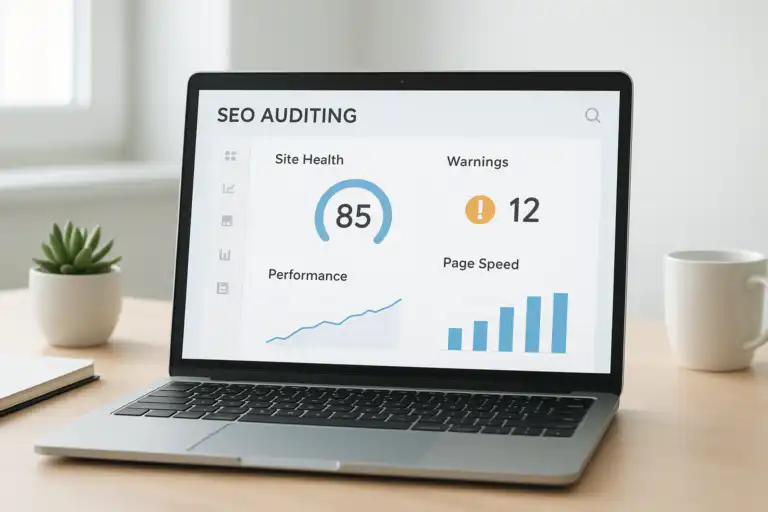
A visual dashboard helps you understand website SEO health checker results at a glance.
What Is a Website SEO Health Checker? (And Why It Matters More Than Ever)
Direct answer: a website SEO health checker is a tool that scans your site for technical errors, on-page gaps, and performance issues that limit organic visibility. In short, it turns dense, technical SEO signals into a simple, ranked fix list you can actually act on.
To clarify, “SEO health” describes how ready a site is to be crawled, indexed, and served quickly by search engines. Additionally, this covers performance, metadata, internal links, structured data, and mobile usability all at once. For reference, search engine optimization covers these fundamentals in more depth if you want the background theory.
Unlike a generic enterprise crawler built for agencies managing hundreds of client accounts, a well-designed website SEO health checker should feel usable on day one — no onboarding call required, no confusing jargon, and no dashboard buried three menus deep. Consequently, the goal is speed and clarity: you run a scan, review priorities, and implement fixes that measurably improve traffic within days, not months.
How a Website SEO Health Checker Works, Step by Step
Direct answer: the tool crawls your pages like a search bot, measures speed, validates metadata, and evaluates indexability. Consequently, it compiles every issue found and rolls them into an overall health score.
To begin with, a crawler maps your URLs and collects status codes, canonical tags, robots directives, and sitemap entries. For a deeper look at how robots rules actually control this process, Google’s robots.txt documentation is a useful reference. Next, a speed engine benchmarks Core Web Vitals and flags render-blocking assets that slow down page loads. Then, content checks look for missing titles, duplicate H1s, thin pages, and broken internal links. Finally, the report ranks problems by impact, difficulty, and potential traffic gains, so you always know what to fix first.
In practice, fix what helps the most users with the least engineering friction first, then iterate every week for compounding wins.
Step-by-Step: Run Your First Website SEO Health Check
To get momentum immediately, follow this quick process and track wins from day one. Unlike a bloated enterprise workflow, each of these steps takes minutes, not hours.
- To begin with, crawl your domain and subdomains with your chosen website SEO health checker so every URL, redirect, and asset gets mapped in one pass.
- Next, review the overall health score and open the “Critical” issues list to see what is actively costing you traffic right now.
- Then, fix indexation blockers first: noindex mistakes, restrictive robots.txt rules, and 404 or 500 error chains that stop crawling entirely.
- After that, optimize speed by compressing images, deferring non-critical JavaScript, and enabling modern protocols such as HTTP/2 for faster delivery.
- Additionally, repair broken internal links and add descriptive, keyword-relevant anchor text pointing to your key pages.
- In addition, rewrite missing or duplicate titles and meta descriptions across your primary page templates to eliminate confusion for search engines.
- Finally, re-crawl the site and confirm the fixes actually reduced errors and improved your Web Vitals scores across the board.
For convenience, you can kick off a fast snapshot using Rank Authority’s free SEO analysis, then schedule deeper crawls as your content library grows. For a deeper walkthrough of this exact process, see our Website Backlinks Analysis: A Complete SEO Guide, or learn how to audit your website’s SEO health quickly with our condensed tutorial.

This workflow shows the correct order of tasks in a solid SEO health audit.
The Complete Website SEO Audit Checklist: What Every Checker Should Cover
To prioritize well, focus on checks that change outcomes, not just checks that pad a score. Specifically, a genuinely useful checker covers seven areas:
- First, indexability: robots rules, noindex tags, canonical logic, and sitemap coverage.
- Second, crawl efficiency: internal link depth, redirect chains, and orphaned URLs that waste crawl budget.
- Third, Core Web Vitals: LCP, INP, and CLS benchmarks from both field and lab data. For deeper technical detail, see Google’s Core Web Vitals documentation.
- Fourth, metadata: titles, meta descriptions, H1 usage, and schema validity, referencing vocabularies such as Schema.org’s structured data vocabulary.
- Fifth, content quality: thin templates, duplicate near-content, and search intent alignment.
- Sixth, links: broken links, 404 patterns, and risky external redirects.
- Finally, security and UX: HTTPS coverage, mixed content warnings, mobile layout shifts, and basic accessibility.
Direct answer for quick copy: the most important checks a website SEO health checker performs cover indexability, speed, metadata, internal links, and content quality — in that order of urgency.
If you want a more granular breakdown of each item above, our companion piece on how to audit your site’s health quickly walks through real examples for each category.
Manual SEO Audits vs. Automated Health Checkers: Which Wins?
For clarity, this comparison frames exactly when to automate and when to analyze by hand.
| Approach | Strengths | Limitations | Best use |
|---|---|---|---|
| Manual audit | Deep context, nuanced recommendations | Slower, limited coverage, subjective | Complex sites, strategy, edge cases |
| Website SEO health checker | Fast, repeatable, complete coverage | Less nuance, needs human review | Regular monitoring, quick triage |
In short, use automation for breadth and speed. Meanwhile, reserve manual work for the deep strategic calls a tool cannot make on its own.
How Often Should You Run an SEO Health Check?
To stay proactive, run scans weekly for active content sites and monthly for small catalogs. Additionally, run an immediate check after launches, migrations, or CMS updates, because these events are the most common cause of sudden ranking drops. Because of this cadence, you catch regressions early and protect existing revenue rather than discovering the damage weeks later.
For real-time coverage, consider enabling alerts so you respond the day an issue appears rather than waiting for the next scheduled crawl. For instance, Rank Authority explains exactly how automated notices work in its guide on real-time SEO issue alerts.
Choosing the Best Website SEO Health Checker for Your Team
To decide well, match the tool to your stack, your team’s skill level, and your actual goals. Therefore, look for flexible crawling, accurate Web Vitals data, simple reporting, and integrations with the tools you already use.
- First, check crawl scale: does it handle a handful of pages, or millions of URLs across an enterprise site?
- Next, validate data trust: look for verified status codes and consistent canonical logic rather than approximations.
- Additionally, require clear prioritization: impact, effort, and business value tags, not just a raw list of errors.
- Moreover, confirm collaboration features: assignments, comments, and sprint-ready exports for your dev team.
- Finally, ensure integrations: analytics platforms, server logs, and data warehouse syncs where relevant.
Notably, many enterprise-grade crawlers gate their full feature set behind a paid subscription and cap free scans at a small number of URLs, which forces smaller teams to commit before they can prove value. In contrast, a leaner website SEO health checker should let you see real, prioritized results from a free scan first — no credit card, no seat limits, and no confusing multi-tier navigation to click through before reaching your actual issues. If you want to compare tools side by side, our site audit checker is a good place to start.
Pros and Cons of Automated SEO Health Checks
To balance trade-offs fairly, consider these quick lists.
- Pros: speed, complete coverage, repeatability, early warnings, and measurable progress over time.
- Cons: limited context on strategy, occasional false positives, and dependence on good initial configuration.
Overall, automation wins for ongoing monitoring, while expert review still wins for high-level strategy decisions.

This contrast view highlights why both automation and human insight matter for a healthy site.
Common Issues a Website SEO Health Checker Uncovers
To save time, address these frequent blockers first, since they typically move the needle fastest.
- Incorrect noindex rules or blocked resources that quietly stop crawling and indexing.
- Long server response times that hurt LCP (largest contentful paint) and drain conversions.
- JavaScript rendering problems that hide important content from search bots.
- Duplicate titles, duplicated H1s, and thin near-identical product variants.
- Broken internal links and messy redirect chains that waste limited crawl budget.
- Missing or invalid structured data that reduces eligibility for rich results.
As a result, fixing these problems often produces a visible traffic lift within just a few recrawl cycles. For a more detailed troubleshooting sequence, see our extended audit tutorial.
The Optimization Playbook: Turning Fixes Into Compounding Growth
To compound gains over time, invest in fixes that strengthen both user experience and SEO simultaneously.
- Therefore, compress and properly size images for a faster largest contentful paint.
- Additionally, defer non-critical scripts and preload above-the-fold assets so pages feel instant. Modern connections benefit further from protocols covered in MDN’s HTTP/2 overview.
- Moreover, consolidate duplicate templates and add unique, genuinely helpful content in their place.
- In addition, enforce canonical rules and remove redundant URL parameters that split ranking signals.
- Finally, build topic-driven internal links to surface your best, most relevant pages to both users and crawlers.
In short, speed plus clarity plus internal relevance creates durable ranking power that keeps compounding long after the initial audit.
FAQ: Your Website SEO Health Checker Questions Answered
What is a website SEO health checker?
A website SEO health checker is a tool that scans your pages for technical errors, on-page gaps, and performance issues, then ranks them by impact so you know exactly what to fix first.
How does an SEO audit checker differ from analytics tools?
To put it simply, analytics measures outcomes, such as traffic and conversions, while a checker finds the underlying causes behind those outcomes. Consequently, you fix the causes to change future results, rather than only observing what already happened.
How often should I run a website SEO health checker?
Typically, you should run it weekly for active sites and monthly for smaller ones. Additionally, enable alerts so you can act the same day an issue surfaces instead of waiting for the next scan.
Is a free website SEO health checker enough, or do I need a paid plan?
Usually, you can begin with a free crawl, validate the quick wins it surfaces, and then upgrade only once you need larger crawl limits, deeper monitoring, or team collaboration features.
What’s the difference between a website SEO health checker and a full site audit tool?
In practice, the terms overlap heavily. However, “health checker” tends to emphasize a quick, prioritized snapshot, while “site audit” sometimes implies deeper, ongoing crawl monitoring at scale. Either way, both should deliver clear, actionable priorities rather than raw data dumps.
Can a website SEO health checker fix issues automatically, or just report them?
Most checkers report and prioritize issues rather than fixing them automatically, since fixes usually require code, content, or server changes. That said, some issues, such as sitemap regeneration or canonical tag suggestions, can be resolved with minimal manual effort once flagged.
Key Takeaways
- In short, a website SEO health checker finds and prioritizes the issues holding back your rankings.
- Additionally, weekly scans and real-time alerts prevent costly, silent regressions.
- Moreover, speed, indexability, metadata, and internal links deliver the biggest ranking gains.
- Finally, combine automation with expert judgment for the best long-term results.
Get Started With Your Website SEO Health Checker Today
To move today, start with a quick scan and a short fix sprint. Then, schedule recurring crawls and turn on notifications so nothing slips through unnoticed. For example, you can try a snapshot on Rank Authority’s free SEO analysis and add alerts as described in the real-time SEO issue alerts resource.
Ultimately, consistent use of a website SEO health checker builds a faster, clearer, and more discoverable site. Therefore, run your audit now, fix the highest-impact items first, and watch organic growth compound over the coming weeks.
Glossary: Simple Definitions You Can Reuse
- Website SEO health checker: a tool that scans a site for technical and on-page issues, then prioritizes fixes by impact.
- Indexability: the ability for search engines to crawl and store your pages in their index.
- Core Web Vitals: user-centric speed metrics (LCP, INP, CLS) reflecting loading, interactivity, and visual stability.
- Crawl budget: the number of URLs search bots will fetch from your site within a given period.
Quick Troubleshooting Tips
- Firstly, verify robots.txt and meta robots directives if traffic suddenly drops.
- Secondly, check server errors and redirect chains right after any deployment.
- Thirdly, compare field versus lab Web Vitals data before prioritizing changes.
- Finally, re-crawl to confirm every fix closed the entire issue class, not just one affected URL.
In conclusion, a website SEO health checker is the fastest, most reliable path from scattered technical guesswork to a clear, prioritized action plan. By running scans consistently, fixing indexability and speed issues first, and pairing automation with occasional expert review, you turn a one-time audit into a repeatable growth system — one that keeps your rankings, traffic, and site health moving in the right direction week after week.

