
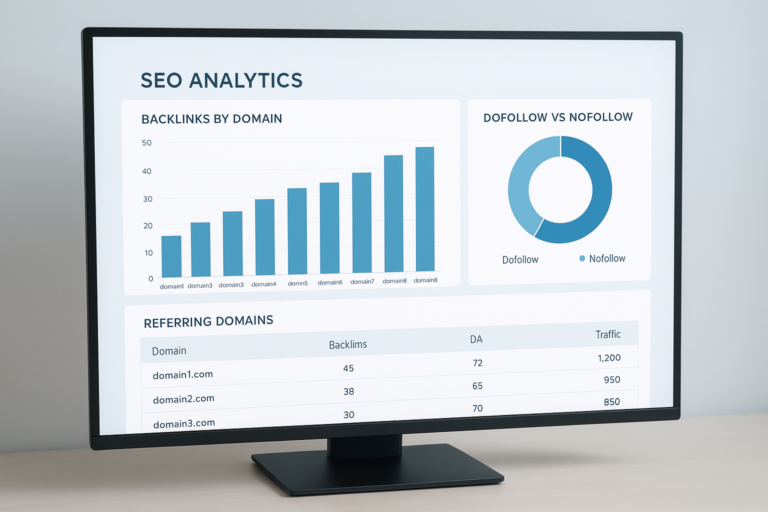
A total backlink checker is the single tool every serious SEO strategy depends on because it scans the entire web and compiles every inbound link pointing to your domain into one complete, searchable report. Without this visibility, you are essentially flying blind — unaware of which sites vouch for your authority, which links might be quietly dragging your rankings down, and where your next big opportunity is hiding. Therefore, understanding your full backlink landscape, down to the last referring domain, is one of the most actionable steps you can take toward higher search visibility. Below, you’ll find a far more complete breakdown of what a total backlink checker actually reveals, how to run a professional-grade audit, which tools lead the market, and how to turn raw link data into a repeatable growth strategy.
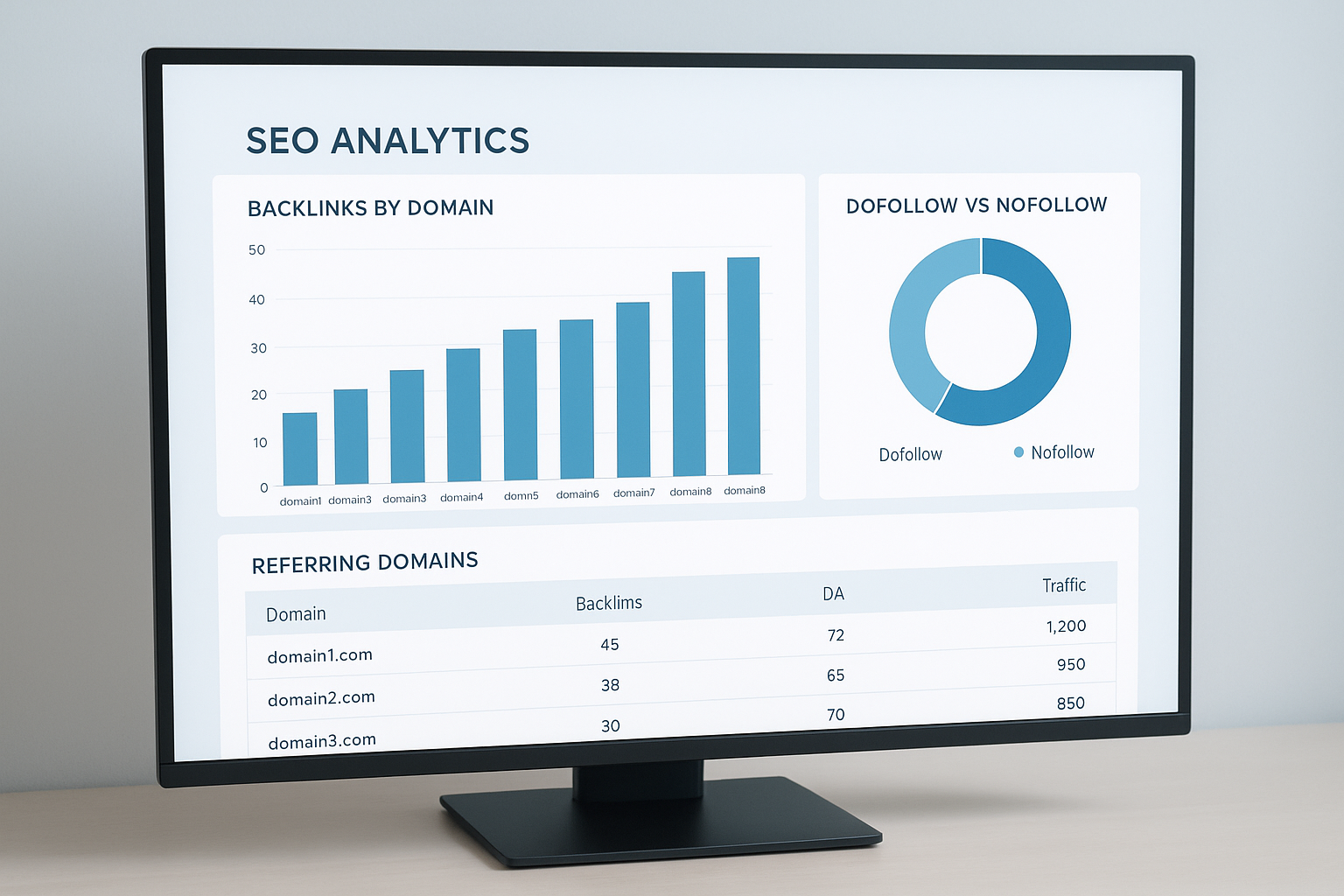
A total backlink checker dashboard gives you instant visibility into every link pointing at your site, including authority scores and link type breakdowns. Learn more about outbound linking strategies.
What Is a Total Backlink Checker and Why Does It Matter?
A total backlink checker is an SEO tool that crawls billions of indexed web pages and surfaces every external link pointing to a specific URL or domain. These tools report critical metrics such as domain authority (DA), domain rating (DR), anchor text, spam score, and whether each link is dofollow or nofollow. According to Wikipedia’s definition of backlinks, inbound links remain one of the most influential ranking factors in modern search algorithms.
Because Google treats backlinks as votes of confidence, the quality and quantity of sites linking to you directly affects your position in search results. Consequently, knowing exactly who is linking to you — and why — is foundational to any serious SEO effort. A tool that only shows a sample of your links leaves dangerous blind spots; a true total backlink checker closes that gap entirely.
The Direct Answer: What Does a Backlink Checker Actually Tell You?
A backlink checker tells you the total number of inbound links and referring domains, the authority of those linking sites, the anchor text used, and any spam or toxicity signals. In particular, this information lets you prioritize link-building outreach, identify harmful links to disavow, and benchmark your profile against competitors — all from a single report instead of guesswork.
Why a Complete Link Profile Beats a Partial Snapshot
Many free tools only show a slice of your link profile, which can lead to flawed decisions. For example, if a checker only indexes a small fraction of the web, you might miss a cluster of toxic links from a negative SEO attack, or overlook a high-authority domain that’s already linking to you and ready for further outreach. As a result, relying on a partial dataset is similar to reading half a book and assuming you understand the ending.
In contrast, a genuinely comprehensive link profile report gives you the full count of referring domains, historical link growth, and lost links over time. Above all, it lets you compare your real position against competitors with confidence, rather than estimating from incomplete data. This is precisely where a true total backlink checker earns its keep — it aggregates crawl data at scale so nothing important slips through the cracks.
Essential Metrics Every Total Backlink Checker Report Should Include
Not all backlink reports are created equal. However, the best tools consistently surface a core set of metrics that help you make confident decisions quickly.
Essential Backlink Metrics at a Glance
- Total Backlinks: The raw count of all inbound links across all pages.
- Referring Domains: The number of unique websites linking to you.
- Domain Authority / Domain Rating: A predictive score of how well a site ranks.
- Anchor Text Distribution: The breakdown of words used in link text.
- Dofollow vs. Nofollow Ratio: How much link equity is actually being passed.
- Spam Score: A risk indicator for potentially toxic links.
- Link Velocity: The rate at which new links are being acquired over time.
- Linking Page Authority: The strength of the exact page linking to you, not just the domain.
- Link Placement: Whether a link sits in the main content, a sidebar, or a footer — context matters.
In practice, referring domain count often matters more than raw backlink count. For example, 500 links from 500 different domains is far more powerful than 500 links from a single site. Additionally, a healthy dofollow ratio signals that real sites are endorsing your content with genuine link equity, rather than simply mentioning your brand in passing.
Free vs. Paid Backlink Checkers: Which One Do You Actually Need?
This is one of the first questions most site owners ask, and the honest answer depends on your goals. A free backlink checker tool is perfectly suited for quick, on-demand snapshots — checking a new client’s domain, verifying a single guest post went live, or getting a rough sense of a competitor’s authority. Specifically, free tiers are ideal when you need speed over depth.
However, free tools typically sample a smaller crawl index and update less frequently than paid platforms. As a result, if you are managing penalty recovery, running competitive outreach at scale, or tracking link velocity across dozens of pages, a paid total backlink checker with a larger, continuously refreshed index becomes worth the investment. In short: start free, upgrade when the stakes — or the site — get bigger.
How to Run a Complete Backlink Audit Step by Step
Running a thorough audit requires more than simply entering your URL. Instead, follow a structured process to extract maximum value from your data.
Step 1 — Enter Your Domain. Open your backlink tool and input your root domain. Most platforms allow you to choose between analyzing the exact URL, the subdomain, or the entire domain. For a full audit, always select the entire domain and run the Backlink Profile Checker to capture all referring domains.
Step 2 — Review Total Referring Domains. Sort by referring domains first, not total links. Because a single site can link to you hundreds of times, unique domains give a more honest picture of your authority footprint.
Step 3 — Analyze Anchor Text Distribution. Look for over-optimization. If more than 30% of your anchors use the same exact-match keyword, that pattern can trigger algorithmic filters. A natural profile includes branded, naked URL, generic, and keyword-rich variations. For a broader perspective, review our SEO Backlinks Analysis.
Step 4 — Identify and Flag Toxic Links. Filter by spam score to isolate high-risk links. Flag any link from a domain with no real content, links from foreign-language link farms, or links with suspiciously keyword-heavy anchors that have no contextual relevance.
Step 5 — Disavow or Remove Harmful Links. First, reach out to the linking webmaster and request removal. If that fails, compile the toxic URLs into a disavow file and submit it through Google Search Console. This signals to Google that you do not endorse those links.
Step 6 — Benchmark Against Competitors. Finally, run the same audit on two or three direct competitors using a backlink rank checker so you can compare referring domain counts side by side and spot the exact gap you need to close.

Reviewing anchor text distribution during a backlink audit helps you spot over-optimization risks before they affect your rankings.
Comparing the Top Backlink Checker Tools
Several leading platforms offer backlink analysis, and each has distinct strengths. Choosing the right one depends on your budget, crawl frequency needs, and whether you want integrated SEO workflows.
For quick, on-demand checks, RankAuthority provides a straightforward way to pull link data without navigating a complex dashboard. Meanwhile, enterprise teams typically prefer Ahrefs or SEMrush for their deeper crawl indexes and historical data, while Google Search Console remains useful as a free, first-party cross-check on any total backlink checker’s findings.
How Many Backlinks Do You Actually Need to Rank Higher?
There is no universal number, and anyone who promises one is oversimplifying. Instead, the right benchmark depends entirely on how competitive your target keyword is. For low-competition, long-tail terms, a handful of relevant, high-quality referring domains can be enough to rank on page one. In contrast, highly competitive commercial keywords often require dozens — sometimes hundreds — of authoritative referring domains before you can realistically compete.
Therefore, the smarter question is not “how many backlinks do I need?” but “how many more quality referring domains do I need than the pages currently ranking?” Run a URL backlink checker against the top three ranking pages for your target keyword, average their referring domain counts, and use that figure as your realistic target. Above all, remember that diminishing returns set in quickly — ten links from relevant, authoritative domains will almost always outperform a hundred links from unrelated, low-quality sites.
Good Backlinks vs. Toxic Backlinks: How to Tell Them Apart
Not every link that points to your site helps you. A good backlink typically comes from a topically relevant, established domain, sits within real editorial content, and uses natural anchor text. In addition, it is usually a dofollow link — meaning it passes link equity — though a nofollow link from a reputable publisher can still send valuable referral traffic. According to the MDN documentation on the rel=”nofollow” link attribute, this value tells search engines not to transfer ranking credit through that specific link, though it can still carry discovery value.
A toxic backlink, by contrast, usually comes from a low-quality or unrelated domain, carries a high spam score, and uses over-optimized, keyword-stuffed anchor text. Google’s own link spam policies explicitly warn against manipulative link schemes, so links matching that pattern should be treated with suspicion. For a clear, side-by-side view of which links fall into each category, run your domain through an inbound links checker and sort by spam score alongside domain authority to separate the helpful links from the harmful ones quickly.
Common Mistakes When Auditing Backlinks
Even experienced SEOs make avoidable errors during backlink audits. Being aware of these pitfalls helps you get cleaner, more actionable data.
Focusing only on quantity. A site with 10,000 backlinks from low-DA spam domains will consistently underperform a site with 500 links from authoritative, relevant sources. Therefore, always prioritize quality over sheer volume.
Ignoring nofollow links entirely. Although nofollow links do not pass direct link equity, they still drive referral traffic and contribute to a natural-looking link profile. Google has also updated its guidelines to treat nofollow as a hint rather than a hard directive in some cases.
Disavowing too aggressively. Disavowing links that are actually neutral or mildly positive can strip away equity you genuinely need. As a result, only disavow links with clear, documented toxicity signals — not simply any link from a site you do not recognize.
Skipping competitor benchmarking. Your backlink profile only makes sense in context. Additionally, analyzing two or three direct competitors reveals the link-building gap you need to close and highlights high-authority domains that link to them but not yet to you.
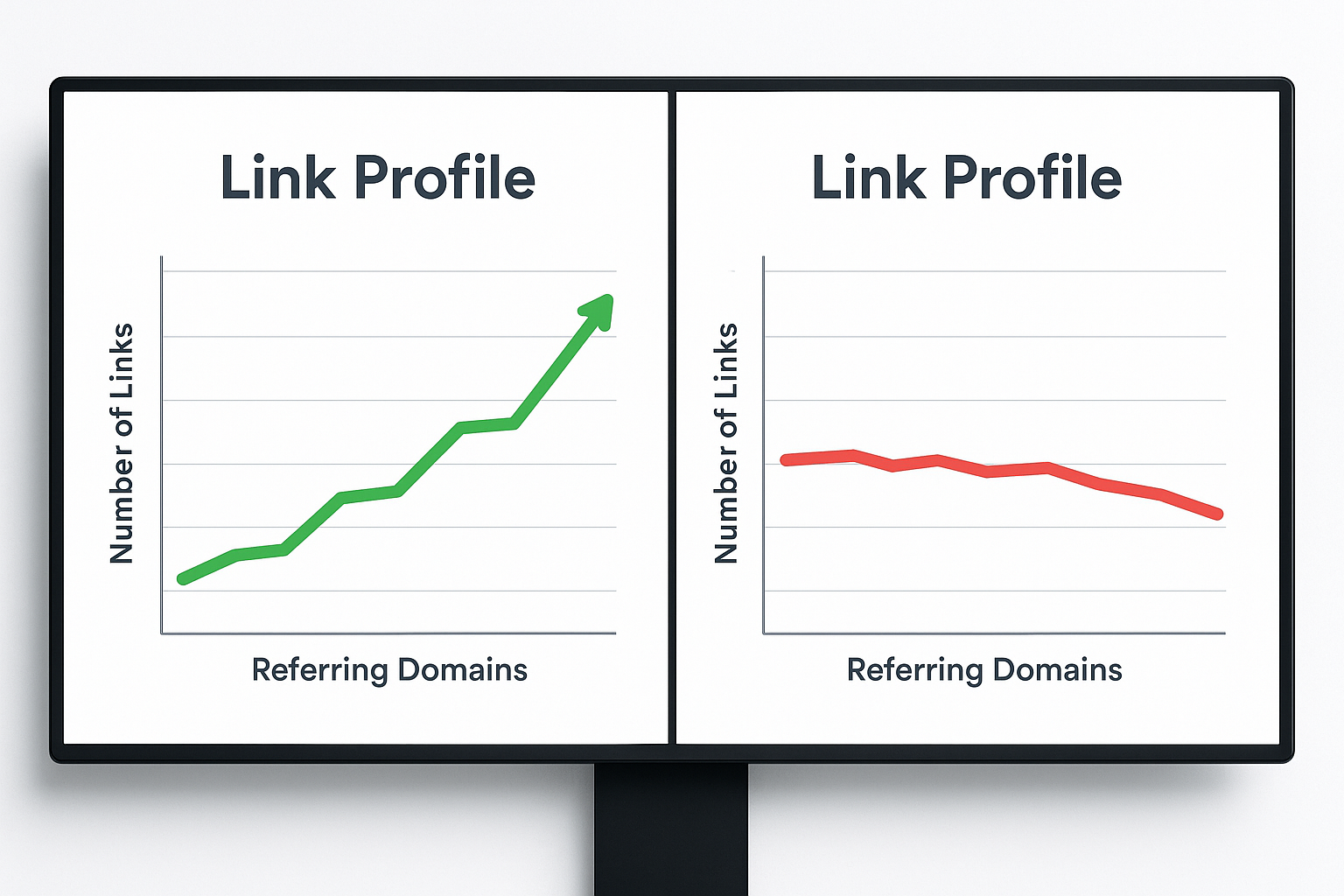
Comparing your link profile growth curve against a competitor’s quickly reveals whether your backlink strategy is gaining or losing ground.
Turning Backlink Data Into a Link-Building Strategy
Raw backlink data is only valuable when it drives action. After completing your audit, use the insights to build a prioritized outreach list. For example, filter competitor backlinks by high DA and low spam score, then identify which of those sites publish content relevant to your niche.
Next, look for broken link opportunities — pages on authoritative sites that link to dead URLs in your topic area. By offering your content as a replacement, you provide genuine value while earning a high-quality link. This technique consistently outperforms cold outreach because it solves a real problem for the webmaster. Run a broken links test to locate dead targets and replacement opportunities.
Finally, monitor your link velocity over time. A sudden spike in new links can look unnatural to Google, especially if those links come from unrelated domains. Instead, aim for steady, consistent link acquisition that mirrors organic content growth. Tools like RankAuthority can help you track these trends without requiring a full enterprise subscription.
Key Takeaway
Using a total backlink checker on a regular schedule — and acting on what you find — is one of the highest-ROI activities in SEO. Audit monthly, disavow carefully, benchmark against competitors, and build links from relevant, authoritative sources to steadily compound your domain authority over time.
Frequently Asked Questions About Total Backlink Checkers
What is a total backlink checker?
A total backlink checker is an SEO tool that compiles every inbound link pointing to your domain from across the web. It provides metrics like domain authority, anchor text, spam score, and link type so you can evaluate your complete link profile health. For a deeper walkthrough, see our Site Health Score Checker: The Complete Guide.
How does a backlink checker find links?
These tools use proprietary web crawlers that continuously index billions of pages and record which URLs link to which destinations. The data is then stored in a searchable database and updated on a rolling schedule — often daily for premium tools.
Why is checking your total backlinks important for SEO?
Backlinks remain one of Google’s strongest ranking signals. Regular audits help you catch toxic links early, identify new link-building opportunities, and benchmark your authority against competitors — all of which directly influence your search visibility.
What metrics should I look for in a backlink report?
Prioritize referring domain count, domain authority or domain rating, anchor text distribution, dofollow vs. nofollow ratio, and spam score. Together, these metrics reveal both the strength and the risk level of your link profile.
How often should I run a backlink audit?
Monthly audits are sufficient for most sites. However, if you are actively building links or recovering from a Google penalty, weekly checks are advisable so you can respond quickly to new toxic links appearing in your profile.
How often is total backlink checker data updated?
Update frequency varies by provider. Premium tools typically refresh their crawl index every one to three days, while free tools may update weekly or less often. If timing is critical, confirm the refresh schedule before relying on the data for decisions.
What is a toxic backlink and how do I identify one?
A toxic backlink originates from a spammy, irrelevant, or low-quality domain that could harm your rankings. Key warning signs include a high spam score, unnatural keyword-stuffed anchor text, links from link farms, and linking domains with no real organic content.
Can I check a competitor’s backlinks with these tools?
Yes — most backlink checkers let you enter any domain. Analyzing competitor backlinks reveals high-authority sites in your niche that you could target for your own outreach campaigns, giving you a data-driven link-building roadmap.
What is the difference between dofollow and nofollow backlinks?
Dofollow links pass link equity (PageRank) and directly influence rankings. Nofollow links carry a rel=”nofollow” attribute that historically prevented equity transfer, though Google now treats them as hints. Both contribute to a natural-looking link profile.
What is the difference between Domain Rating and Domain Authority?
Domain Rating (DR) and Domain Authority (DA) are both third-party scores, built by different providers, that predict how well a site’s backlink profile will help it rank. They use different calculation methods and scales, so a domain’s DR and DA score will rarely match exactly — treat each as directional, not absolute.
Are free backlink checkers accurate enough?
Free tools are useful for quick snapshots but typically show only a fraction of your total links due to smaller crawl indexes. For competitive niches or penalty recovery, a paid tool with a larger, more frequently updated index is strongly recommended.
How do I remove or disavow harmful backlinks?
Start by contacting the linking webmaster to request removal. If that is unsuccessful, compile the harmful URLs or domains into a disavow file and submit it through Google Search Console. This instructs Google to ignore those links when evaluating your site.
What is referring domain count and why does it matter?
Referring domain count is the number of unique websites linking to you. Because Google values diversity, 100 links from 100 different domains carries significantly more weight than 100 links from a single domain.
Does anchor text diversity affect my rankings?
Yes. A natural anchor text profile blends branded, generic, URL-based, and keyword-rich anchors. Over-relying on exact-match keyword anchors can trigger algorithmic filters, so maintaining diversity is essential for sustainable ranking performance.
How many backlinks do I need to rank higher than competitors?
There’s no fixed number — it depends on keyword competitiveness. Run a total backlink checker against the top three ranking pages for your target term, average their referring domain counts, and treat that figure as your realistic benchmark rather than an arbitrary target.
In summary, a reliable total backlink checker is not a luxury — it’s the foundation of every informed SEO decision you make, from disavowing toxic links to planning your next outreach campaign. By auditing your full link profile regularly, prioritizing referring domain quality over raw volume, and benchmarking against real competitors, you turn scattered link data into a repeatable growth engine. Above all, consistency beats intensity: a steady monthly habit of checking your total backlinks will compound into stronger authority and higher rankings far more reliably than a one-time deep dive.

