

The location of my IP address is one of the most-searched privacy questions on the internet, and thankfully the answer takes under a minute to uncover. Your IP address quietly reveals your approximate city, region, country, and internet service provider (ISP) to nearly every site and app you connect to. Understanding what that data shows — and what it does not — puts you back in control.
Whether you are troubleshooting a flaky connection, auditing your own digital privacy, or optimizing a website for local search, knowing how IP geolocation works matters more than most people realize. Learn more about Personalized SEO tools that help align location signals with content. Below, we cover exactly what your IP location reveals, how to check it in seconds, why it shapes what you see online, and how to protect it when you’d rather stay off the map.
What Is the Location of My IP Address, Exactly?
IP geolocation is the process of mapping an IP address — a unique numerical label assigned to every device on the internet — to a real-world geographic area. That data comes from commercial and open-source databases that track which ISPs control which IP ranges, and roughly where those ISPs operate.
In practice, a typical lookup returns your approximate city, state or region, country, postal code, time zone, and ISP name. It does not, however, reveal your exact street address or personal identity from a public lookup alone. That distinction trips up a lot of people, so we’ll unpack it fully later in this guide.
According to MaxMind, one of the leading IP geolocation database providers, country-level accuracy typically reaches 95–99%, while city-level accuracy ranges from roughly 50–80% depending on the region and network type. In other words, the bigger the geographic zoom-out, the more reliable the data becomes.
IP geolocation maps your address to an approximate spot on the globe — useful for privacy checks, SEO audits, and network diagnostics.
How to Find Your IP Address Location in Under 60 Seconds
Checking the location tied to your IP address is genuinely fast. Follow these five steps to get an accurate reading right now.
- Open a browser and visit an IP lookup tool. Navigate to a trusted service such as WhatIsMyIP.com, IPinfo.io, or iplocation.net to begin the check.
- View your detected public IP address. The tool automatically displays your current public IP; note whether it appears in IPv4 format (e.g., 203.0.113.5) or the longer IPv6 format.
- Read the full geolocation details. Review the city, region, country, postal code, time zone, and ISP information shown next to your IP address for a complete picture.
- Cross-check with a second tool for accuracy. Paste the same IP into a second lookup service, since differences between results usually reflect variations in the underlying databases.
- Test a privacy tool if you want to change it. Enable a reputable VPN, then re-run the lookup to confirm the new, masked location is displaying correctly before you browse.
Furthermore, most modern browsers also support the Geolocation API documented by MDN, which lets a website request your precise GPS-based location. Unlike IP geolocation, this method requires your explicit permission and is a completely separate system.
Why Your IP Location Matters for Privacy and Security
Every website you visit can see your public IP, and by extension, your approximate location. Consequently, this single data point quietly powers a surprising number of decisions made about you online — often without you noticing.
What Someone Can Actually Do With Your IP Location
- Targeted advertising: Advertisers use your regional location to serve localized ads, sometimes adjusting prices based on your apparent city or country.
- Content and pricing restrictions: Streaming platforms and retailers may block content or change prices depending on the country tied to your IP.
- Fraud and risk scoring: Banks and e-commerce sites flag logins from unfamiliar IP locations as potentially risky, sometimes triggering extra verification steps.
- DDoS or harassment risk: In rare cases, a known IP can be targeted directly with traffic floods, although this typically requires additional technical effort.
For this reason, privacy advocates such as the Electronic Frontier Foundation encourage users to understand exactly what their IP reveals before assuming they are anonymous online. Awareness, in short, is the first layer of protection.
Why Your IP Location Matters for SEO and Local Search
Search engines like Google use IP geolocation to personalize results. For example, when someone searches “coffee shop near me,” Google reads their IP location to surface relevant local results. This means your IP location — and your server’s IP location — directly shape which search results appear for you and for your visitors, and can influence your good SEO score.
For businesses, this creates both an opportunity and a challenge. Specifically, if your website is hosted on a server in a different country from your target audience, search engines may treat your site as less locally relevant. As a result, choosing a hosting provider with servers close to your customers can strengthen local SEO signals considerably and clarify your SEO score meaning.
Similarly, digital marketers running geo-targeted ad campaigns rely on accurate IP geolocation to ensure ads appear only in specific regions. Consequently, inaccurate location data can waste ad spend or miss key audiences entirely — a costly, avoidable mistake that can harm your SEO scores.
IP Location and Multi-Location Business Visibility
For businesses operating across multiple cities, IP-based geolocation signals become even more critical to manage carefully. If you run several locations, you need each one sending accurate geographic signals to search engines. Tools like GEO content optimization for multi-location businesses help align your content strategy with the geographic data search engines already read from your IP infrastructure.
In addition, franchise businesses face unique challenges when locations share overlapping IP ranges or ISP coverage areas. Dedicated GEO citation optimization for franchises addresses exactly these geolocation conflicts, keeping each location ranking independently instead of cannibalizing itself.
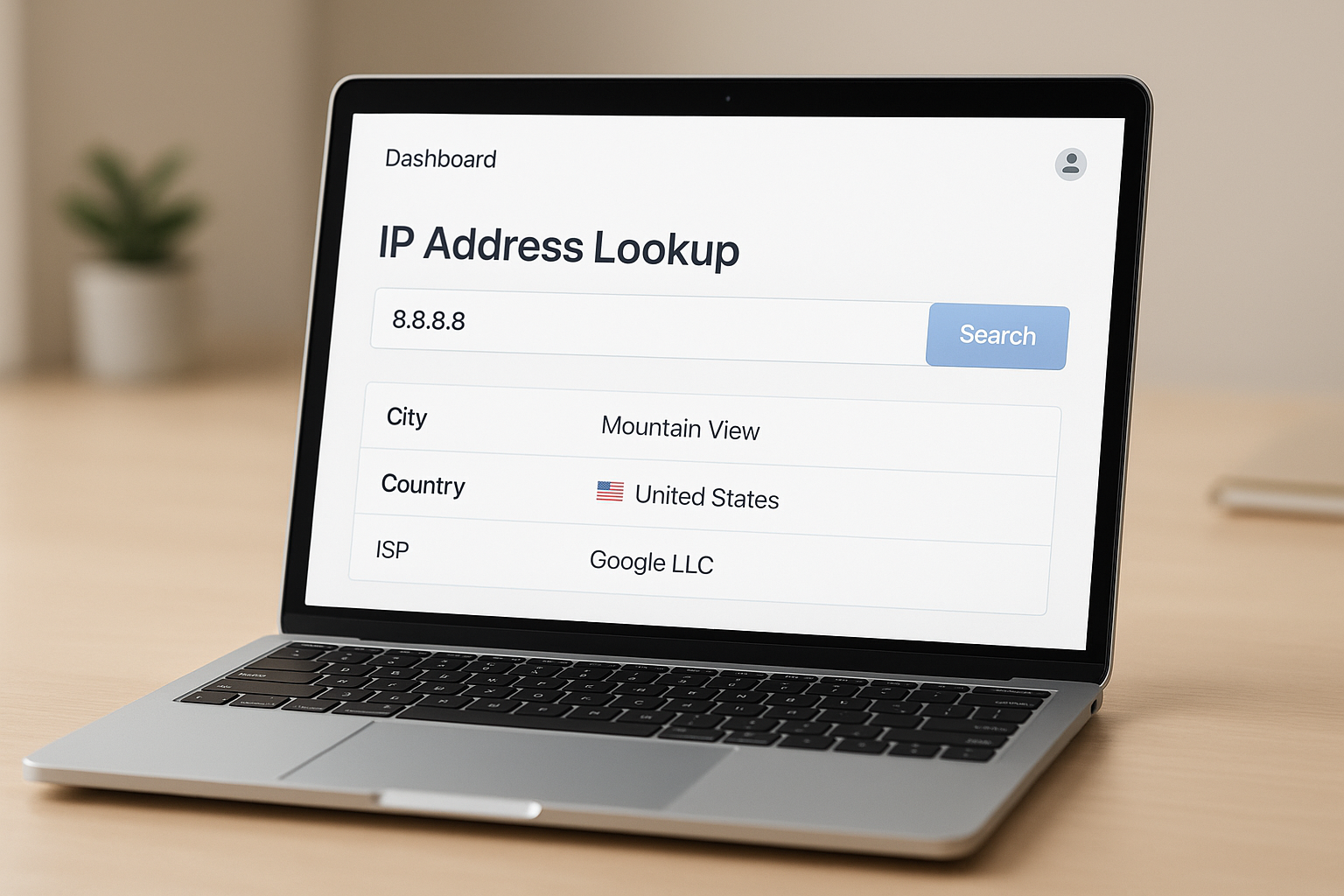
Modern IP lookup dashboards return city, ISP, and region data instantly — valuable for privacy checks and SEO audits alike.
IPv4 vs. IPv6: Does the Format Affect Your Location Data?
There are two address formats in use today. IPv4 uses a 32-bit format (e.g., 192.0.2.1), while IPv6 uses a 128-bit hexadecimal format. IPv6 was introduced specifically to solve the exhaustion of available IPv4 addresses as global internet usage exploded.
Both formats support geolocation. However, IPv6 geolocation databases are generally less mature than their IPv4 counterparts, so city-level accuracy for IPv6 addresses can run lower. Therefore, if precision genuinely matters for your use case, checking results across multiple databases is well worth the extra minute.
IP Location vs. GPS Location: What’s the Real Difference?
People often confuse the two, but they are fundamentally different systems. IP-based location relies on ISP infrastructure records and can land anywhere from a few blocks to an entire city away from your true position. GPS location, by contrast, uses satellite signals to pinpoint your device within a few meters.
In practice, apps that request GPS permission — such as maps or ride-share services — get far more precise data than any site relying purely on your IP. That’s precisely why a public IP lookup will never expose your exact street address, no matter how detailed the database claims to be.
Static vs. Dynamic IP Addresses and Your Location
Most home internet users have a dynamic IP address, meaning it changes periodically whenever your router reconnects to the network. As a result, your apparent location can shift slightly over time as your ISP reassigns addresses from its pool.
Businesses, on the other hand, often pay for a static IP that remains fixed. This is particularly useful for hosting servers, running remote access systems, or maintaining consistent geolocation signals for SEO purposes described earlier in this guide.
How to Hide or Protect the Location of My IP Address
Your IP location is visible to every website you visit. Fortunately, several tools can mask or change your apparent position with varying trade-offs between speed, security, and convenience.
- VPN (Virtual Private Network): Routes your traffic through a remote server, replacing your real IP with the VPN server’s IP. This remains the most popular privacy method for everyday users.
- Proxy servers: Act as intermediaries between your device and the internet. They tend to be faster but typically less secure than a full VPN connection.
- Tor Browser: Bounces your connection through multiple encrypted nodes, making geolocation extremely difficult to pin down. However, it noticeably reduces browsing speed.
- Private DNS and browser settings: Disabling location-sharing permissions in your browser prevents apps from requesting your precise GPS position, adding another layer of control.
Notably, privacy and SEO sometimes intersect here. For instance, SEO professionals frequently use VPNs to simulate searches from different regions, helping them check keyword ranking in target markets without traveling there physically. You can also use an AI visibility checker to evaluate how your content appears across different search environments and locations.
Checking Your Site’s Authority Alongside IP Signals
Beyond location signals, search engines weigh dozens of ranking factors, and domain authority with backlink profiles rank among the most important. Tools like a free DA checker and a backlink checker let you audit these signals quickly alongside your geolocation strategy, or use automated analytics for continuous monitoring.
Platforms like rankauthority.com combine these technical signals into one optimization workflow using personalized SEO tools, helping businesses improve visibility across traditional and AI-powered search through automated GEO and AEO solutions.
Common Reasons Your IP Location Shows the Wrong City
It’s surprisingly common for the location of your IP address to display a city that isn’t where you actually are. Several factors typically explain this mismatch.
- ISP routing: Your ISP may route traffic through a regional data center in a different city, and that data center’s location is what geolocation databases record.
- Mobile networks: Mobile carriers often assign IPs from centralized pools, causing your location to appear as a major hub city rather than your actual spot.
- Outdated databases: Geolocation databases update periodically. If your ISP recently reassigned IP blocks, the database may not yet reflect the change.
- VPN or proxy use: If a VPN or proxy is active, the displayed location matches the server, not your true physical position.
As a result, businesses should never rely solely on IP geolocation for critical decisions. Instead, combine it with other location signals such as GPS data, user-declared location, and structured local business data for a fuller, more reliable picture.
Frequently Asked Questions About the Location of My IP Address
How do I find the location of my IP address?
Visit a free IP lookup tool such as WhatIsMyIP.com or iplocation.net. These services detect your public IP and return the associated city, region, country, and ISP within seconds.
What information does an IP address location reveal?
An IP address location can reveal your approximate city, region, country, postal code, time zone, and ISP. It does not expose your exact street address or personal identity.
Is IP geolocation always accurate?
IP geolocation is generally accurate at the country level (95–99%) but less precise at the city level, where accuracy ranges from roughly 50–80%. VPNs, proxies, and mobile networks can reduce accuracy further.
Can websites see the location of my IP address?
Yes. Any website you visit can detect your public IP and use geolocation databases to estimate your location. This is commonly used for content personalization, fraud detection, and regional compliance.
What is the difference between IPv4 and IPv6 addresses?
IPv4 addresses are 32-bit labels written as four decimal numbers (e.g., 192.168.1.1), while IPv6 addresses use a 128-bit hexadecimal format. IPv6 was introduced to solve the exhaustion of available IPv4 addresses globally.
How can I hide the location of my IP address?
You can hide your IP location by using a VPN, a proxy server, or the Tor browser. A VPN is the most common and user-friendly option, routing your traffic through a server in a different location.
Does a VPN completely hide the location of my IP address?
A VPN replaces your visible IP with the server’s IP, which effectively masks your apparent location from most websites. However, other tracking methods such as browser fingerprinting or GPS permissions can still reveal clues about your true position.
Does my IP address change?
Most home users have a dynamic IP address that changes when their router reconnects to the internet. Businesses often pay for a static IP address that remains fixed over time.
Why does my IP location show the wrong city?
Your IP location may show the wrong city because geolocation databases map IPs to your ISP’s regional data center, not your physical address. VPN use and mobile networks can also shift the displayed location.
How does IP address location affect SEO and local search rankings?
Search engines use IP geolocation to deliver localized results to users. Your server’s IP location and your users’ IP locations both influence which local search results are displayed, making geolocation a key factor in local SEO strategy.
What tools can I use for a free IP address location lookup?
Popular free tools include WhatIsMyIP.com, IPinfo.io, iplocation.net, and MaxMind’s GeoLite2 database. These tools provide instant geolocation data including city, country, and ISP details.
Can law enforcement track my exact location from an IP address?
Law enforcement can request subscriber records from ISPs using a legal warrant, which can link an IP address to a specific account holder’s registered address. Public IP lookup tools cannot reveal this level of detail on their own.
Can someone find my home address from my IP address?
A typical user cannot pinpoint your exact home address from your IP alone, since public geolocation data resolves only to a city or ISP region. Precise address-level identification generally requires ISP cooperation under a legal process, not a simple online lookup.
Is checking the location of my IP address legal?
Yes, checking IP geolocation is completely legal and widely used for fraud prevention, content localization, and analytics. Public IP lookups only use data that is inherently visible to any server you connect to.
What is a private IP address vs. a public IP address?
A private IP address is assigned within a local network, such as your home Wi-Fi, and isn’t visible on the public internet. A public IP address is assigned by your ISP and is visible to external websites and services.
Conclusion
Understanding the location of my IP address is more than idle curiosity — it’s a practical skill for managing privacy, troubleshooting networks, and strengthening local SEO. In summary, your IP reveals your approximate city, region, country, and ISP to every site you visit, with country-level accuracy reaching up to 99%. However, city-level precision varies, and factors like VPNs, mobile networks, and ISP routing can shift the displayed location noticeably. Therefore, always cross-check results with more than one tool, and combine IP signals with other geographic data for the most reliable outcome. For businesses looking to turn these geolocation signals into a genuine competitive advantage in AI-powered search, platforms like rankauthority.com offer the automated GEO and AEO tools needed to stay ahead. Last updated: 2026-07-30. Author: Rank Authority.

