

To lookup website traffic is to examine the volume, sources, and behavior of visitors arriving at any given website — including your own or a competitor’s. Whether you’re a small business owner, a digital marketer, or an agency managing multiple clients, understanding traffic data is one of the most powerful moves you can make. In short, it tells you what’s working, what isn’t, and where your biggest growth opportunities lie.
According to Statista, over 5.4 billion people use the internet globally, and competition for their attention is fierce. Therefore, knowing how to read and act on traffic data is no longer optional — it’s essential.
What Is Website Traffic and Why Does It Matter?
Website traffic refers to the number of users visiting a site within a given period, measured in sessions, pageviews, or unique visitors. However, raw numbers alone don’t tell the full story. Traffic quality — meaning how engaged visitors are and whether they convert — matters just as much as volume.
For example, a site with 10,000 monthly visitors and a 2% conversion rate outperforms one with 50,000 visitors and a 0.1% conversion rate. Consequently, the goal of any traffic analysis is to understand not just quantity, but relevance and intent.
Traffic data also reveals which channels drive the most value — organic search, paid ads, social media, referrals, or direct visits. Furthermore, tracking these channels over time helps you allocate your marketing budget more effectively.
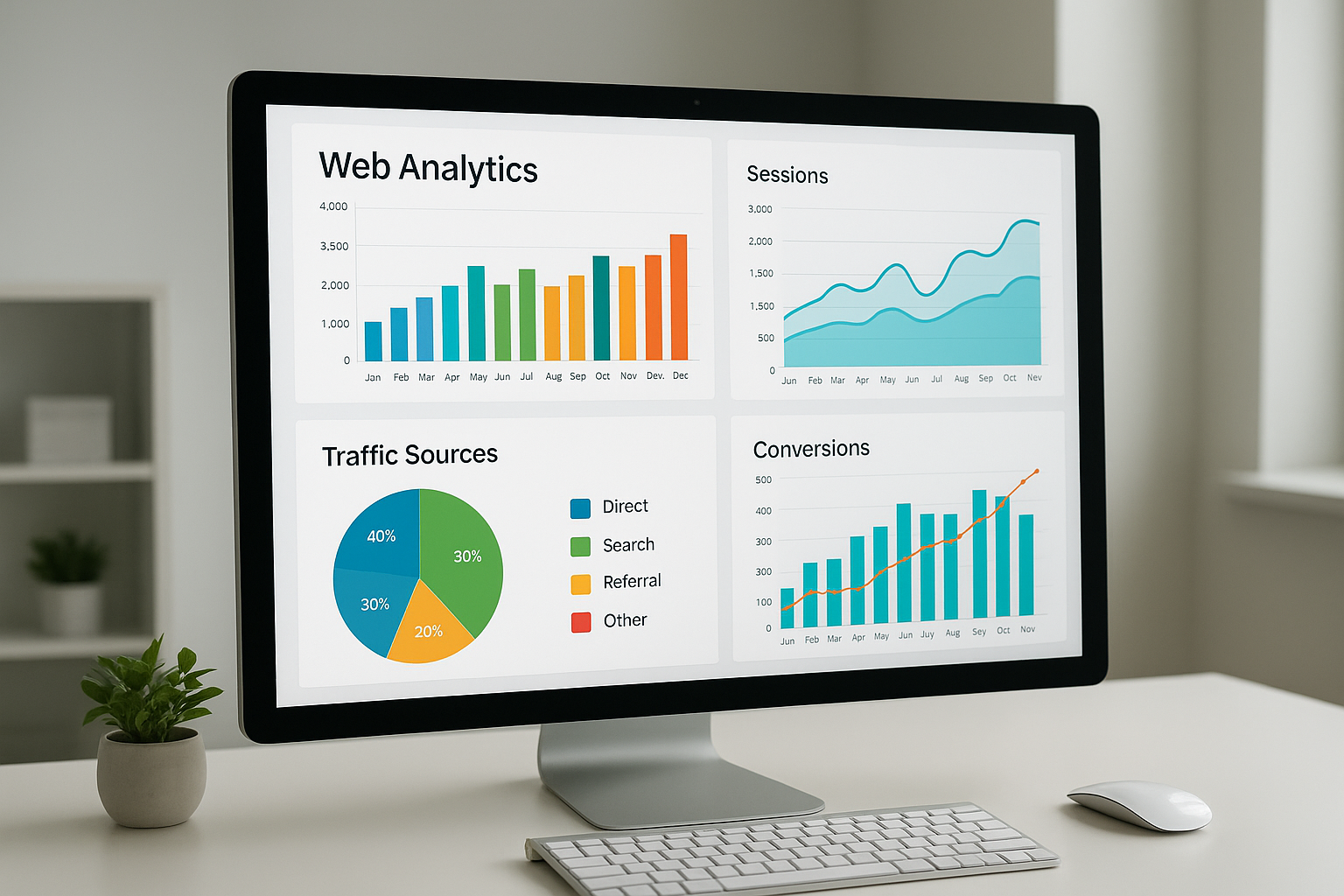
A well-organized analytics dashboard makes it easy to lookup website traffic and spot trends at a glance.
Best Free Tools to Check Website Traffic
Several excellent tools are available at no cost. Each serves a slightly different purpose, so using a combination gives you the most complete picture.
Google Analytics
Google Analytics is the gold standard for measuring your own site’s traffic. It tracks sessions, bounce rates, user demographics, device types, and much more. Moreover, it’s free and integrates seamlessly with Google Ads and Search Console.
The platform recently transitioned to GA4 (Google Analytics 4), which uses an event-based model instead of the older session-based approach. As a result, it provides deeper behavioral insights across devices and platforms.
Google Search Console
Google Search Console focuses specifically on organic search performance. It shows which queries bring users to your site, your average position in search results, and click-through rates. In addition, it flags technical issues that may be hurting your visibility.
SimilarWeb (Free Tier)
SimilarWeb is particularly useful when you want to look up traffic for a competitor’s site. Its free version provides estimated monthly visits, top traffic sources, and audience geography. However, free data is limited to a few months of history and capped metrics.
Paid Tools for Deeper Traffic Analysis
When you need more granular data or want to conduct serious competitive research, paid platforms offer significantly more depth.
Ahrefs is widely respected for its backlink data and organic traffic estimates. Specifically, its Site Explorer tool breaks down estimated organic traffic by keyword, country, and page. Many SEO professionals consider it the most reliable third-party traffic estimator available.
SEMrush combines traffic analytics with keyword research, position tracking, and site auditing. Therefore, it functions as an all-in-one SEO suite rather than a single-purpose traffic checker.
Both platforms offer trial periods, so you can test them before committing. Additionally, using either alongside your own website SEO health checker creates a powerful feedback loop for continuous improvement.
How to Lookup Website Traffic Step by Step
Follow this process to get accurate, actionable traffic insights in under 15 minutes.
- Choose your traffic lookup tool. Select Google Analytics or Search Console for your own site. For competitor research, use SimilarWeb, Ahrefs, or SEMrush.
- Enter the target domain. Type the root domain (e.g., example.com) into the tool’s search bar. Most platforms do not require the full URL path.
- Review core traffic metrics. Examine total visits, unique visitors, traffic sources, top-performing pages, and bounce rate to understand overall performance.
- Compare with competitors or industry benchmarks. Use comparison features in SEMrush or SimilarWeb to see how your site stacks up against similar domains in your niche.
- Identify gaps and take action. Spot channels or keywords where rivals outperform you, then build a plan around content creation, link building, and technical fixes to close those gaps.

Competitor traffic research reveals keyword gaps and channel opportunities you may be missing.
Key Metrics to Focus On When Analyzing Visitor Data
Not all traffic metrics carry equal weight. Instead, focus on the ones that align most closely with your business goals.
- Total Sessions: The overall volume of visits in a given period.
- Unique Visitors: The number of individual people who visited, regardless of how many times.
- Bounce Rate: The percentage of visitors who leave after viewing only one page. A high bounce rate may signal a poor user experience or irrelevant traffic.
- Average Session Duration: How long visitors spend on your site. Longer durations generally indicate more engaged audiences.
- Traffic Sources: Organic, direct, referral, social, and paid channels each tell a different story about your acquisition strategy.
- Top Pages: Knowing which pages attract the most visitors helps you double down on what’s working.
Why Your Traffic Numbers May Look Different Across Tools
A common frustration is that different tools report different traffic numbers for the same site. This happens because each platform uses distinct methodologies. Google Analytics tracks actual on-site behavior via a JavaScript tag, while third-party tools like SimilarWeb rely on panel data, ISP data, and machine learning models to estimate traffic.
As a result, third-party estimates can vary by 20–40% from actual figures, especially for smaller sites. Consequently, treat external tools as directional guides rather than precise measurements. For your own site, always trust your first-party analytics data above all else.
If you’ve noticed a sudden drop in your own numbers, it’s worth reviewing the key reasons your website traffic may have slowed — from algorithm updates to technical errors that silently drain your visibility.
How AI Search Is Changing the Traffic Landscape
Traditional traffic analysis focuses on clicks from organic and paid search results. However, the rise of AI-powered search engines and answer engines is reshaping how traffic is generated and measured. AI Overviews, featured snippets, and conversational AI responses increasingly answer user queries without requiring a click — a phenomenon sometimes called “zero-click search.”
Therefore, understanding your website’s AI traffic performance is becoming just as important as monitoring traditional organic visits. Sites optimized for AI search environments often see stronger brand visibility even when raw click counts decline.
Platforms like rankauthority.com are specifically built to help businesses adapt to this shift. By automating Generative Engine Optimization (GEO) and Answer Engine Optimization (AEO), the platform ensures your content remains discoverable across both traditional and AI-powered search environments — without requiring deep technical expertise.
Turning Traffic Insights Into Growth Actions
Data without action is just noise. Once you’ve completed your traffic lookup, the real work begins. Specifically, prioritize the following actions based on what your data reveals.
If organic traffic is low, focus on keyword targeting and content gaps. If bounce rates are high, investigate page speed, mobile experience, and content relevance. If referral traffic is minimal, consider a link-building or partnership strategy.
Additionally, fixing broken links can quietly restore lost traffic. A broken link checker helps you identify and repair dead links that frustrate visitors and signal poor site health to search engines.
Furthermore, running a comprehensive site performance test alongside your traffic analysis ensures you’re not leaving ranking potential on the table due to technical issues.
Quick Answer: To lookup website traffic, use Google Analytics for your own site or tools like SimilarWeb and Ahrefs for competitors. Review metrics such as total visits, traffic sources, bounce rate, and top pages. Then use those insights to inform your SEO and content strategy.
Frequently Asked Questions About Lookup Website Traffic
What does it mean to lookup website traffic?
To lookup website traffic means to check how many visitors a website receives, where they come from, and how they behave on the site. This data helps owners and marketers understand performance and identify growth opportunities.
Can I lookup website traffic for free?
Yes, several free tools let you check visitor data, including Google Analytics, Google Search Console, and SimilarWeb’s free tier. These tools provide estimates of visitor counts, traffic sources, and engagement metrics.
How accurate are third-party traffic lookup tools?
Third-party tools like SimilarWeb and Ahrefs provide estimates based on panel data and algorithms, so they may vary from actual numbers. For your own site, Google Analytics gives the most accurate data.
How do I check a competitor’s website traffic?
You can check a competitor’s traffic using tools like SimilarWeb, SEMrush, or Ahrefs by simply entering their domain. These platforms estimate organic, paid, referral, and social traffic volumes.
What metrics should I look at when analyzing website traffic?
Key metrics include total visits, unique visitors, bounce rate, session duration, traffic sources, and top pages. Together, these metrics paint a clear picture of site health and audience engagement.
Why has my website traffic suddenly dropped?
Traffic drops can result from algorithm updates, technical errors, lost backlinks, or seasonal trends. Running an SEO health check and reviewing Google Search Console can help identify the root cause quickly.
How often should I lookup my website traffic data?
Checking traffic weekly is a good baseline for most websites. High-traffic or e-commerce sites benefit from daily monitoring, while smaller blogs may find monthly reviews sufficient.
What is a good amount of monthly website traffic?
There is no universal benchmark, as traffic goals depend on your industry, business model, and conversion rates. However, consistent growth month over month is generally a strong positive indicator.
Does website traffic affect SEO rankings?
Traffic itself is not a direct Google ranking factor, but engagement signals like bounce rate and dwell time can influence rankings indirectly. High-quality traffic that engages with your content signals relevance to search engines.
How can I increase my website traffic after looking it up?
After analyzing your traffic data, focus on improving underperforming pages, targeting new keywords, building backlinks, and fixing technical SEO issues. Platforms like rankauthority.com offer automated tools to accelerate these improvements.
What is the difference between sessions and pageviews in traffic data?
A session is a single visit to your site that can include multiple pageviews. Pageviews count every time any page is loaded, while sessions group all activity from one visitor in a continuous window.
Can I lookup website traffic without installing any code?
Yes, third-party tools like SimilarWeb and Ahrefs estimate traffic without requiring you to install anything on a site. However, these are estimates and are most useful for researching competitors or unfamiliar domains.
Conclusion: Make Traffic Data Work for You
The ability to lookup website traffic effectively is one of the most valuable skills in modern digital marketing. By combining first-party tools like Google Analytics with third-party platforms like Ahrefs or SimilarWeb, you gain a 360-degree view of your site’s performance and your competitors’ strategies.
Furthermore, as AI search continues to evolve, staying on top of both traditional and AI-driven traffic signals will separate growing brands from stagnant ones. The data is available — the key is knowing how to find it, read it, and act on it consistently.
For businesses looking to accelerate this process, rankauthority.com provides automated GEO and AEO tools that continuously work to strengthen your search authority — so your traffic grows even as the search landscape shifts beneath your feet.

