
Every dead link on your website is costing you rankings, traffic, and trust — right now, silently, in the background.
This guide shows you exactly how broken link testing works, why it matters for SEO, and how to fix every broken link you find — for good.
Broken link testing is the systematic process of scanning a website to find hyperlinks that no longer lead to a live, accessible page. When you run a broken link test, you are checking every URL on your site and recording the HTTP status code it returns. A healthy link returns 200 OK. A broken link returns a 4xx or 5xx error — most commonly a 404 Not Found — signalling that the destination has moved, been deleted, or become temporarily unavailable. For any website serious about search visibility, broken link testing is not optional. It is foundational maintenance.
⚡ Quick Answer
Broken link testing is the practice of crawling a website to detect hyperlinks that return HTTP error responses such as 404, 410, or 503. It matters for SEO because dead links waste crawl budget, disrupt the flow of link equity, and create poor user experiences — all of which suppress search rankings. Fix them using 301 redirects for moved pages, updated destination URLs, or by removing the link entirely if no replacement exists.
What Is Broken Link Testing?
Broken link testing is the process of using a crawler, audit tool, or script to follow every hyperlink on your website and record the HTTP response each URL returns. Specifically, a link is considered broken when it returns a status code in the 4xx range (client-side errors, such as 404 Not Found or 410 Gone) or the 5xx range (server-side errors, such as 503 Service Unavailable). In contrast, a healthy link returns a clean 200 OK response, confirming the destination is live and accessible.
There are two broad categories of broken links. Internal broken links point to pages within your own domain that no longer exist or have been moved without a redirect. External broken links point to pages on third-party websites that have since been removed, restructured, or taken offline. Both types are harmful. However, internal broken links are more immediately damaging because they directly interrupt your site’s crawlability and disrupt the flow of PageRank between your own pages.
What HTTP Status Codes Count as Broken?
Not every error response means the same thing. Understanding the differences helps you prioritise fixes correctly. Here is a breakdown of the most common error codes you will encounter during broken link testing:
| Status Code | Meaning | SEO Impact | Fix Priority |
|---|---|---|---|
| 404 Not Found | Page does not exist at this URL | Wastes crawl budget, kills link equity | High |
| 410 Gone | Page deliberately removed | Signals removal to bots; faster de-indexing | High |
| 503 Service Unavailable | Server temporarily down | May be temporary; monitor closely | Medium |
| 301 Redirect Chain | Multiple hops before reaching destination | Dilutes link equity at each hop | Medium |
| 302 Temporary Redirect | Page redirecting but marked temporary | Equity not fully passed; upgrade to 301 | Low–Medium |
Furthermore, according to Wikipedia’s overview of link rot, the average lifespan of a web page before it disappears or moves is surprisingly short. As a result, broken link testing must be an ongoing process — not a one-time task.
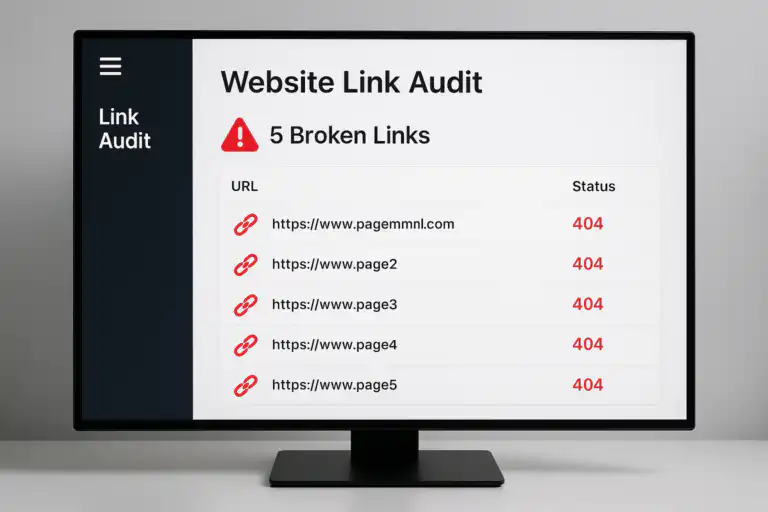
A broken link testing audit report highlights dead URLs and 404 errors that need immediate attention.
Why Broken Link Testing Matters for SEO Rankings
Search engines like Google deploy bots that crawl your site on a regular schedule. These bots follow hyperlinks to discover, revisit, and index pages. When a bot hits a broken link, it wastes a portion of your crawl budget — the finite number of pages a crawler will visit per session — on a dead end. For large websites, this means important pages can go unindexed simply because the crawler exhausted its budget before reaching them.
In addition to crawl budget issues, broken links interrupt the flow of link equity (also called PageRank or link juice). Every internal link you build is a deliberate signal telling search engines which pages are most important. When those links resolve to 404 errors, the equity they were meant to pass simply evaporates. Consequently, multiply that across dozens of broken links and the ranking impact becomes measurable.
User Experience: The Third SEO Pillar
Beyond technical signals, user experience is the third pillar that broken links destroy. Visitors who land on a 404 page typically bounce immediately. High bounce rates and low dwell time are behavioural signals that can indirectly inform search engine quality assessments. Moreover, a site littered with dead links signals neglect — damaging trust with both human visitors and algorithmic evaluators alike.
🔗
Lost Link Equity
PageRank stops flowing at every broken internal link, weakening your page authority and rankings.
🤖
Wasted Crawl Budget
Bots waste crawl allocation on dead URLs, leaving live, valuable pages undiscovered and unindexed.
👤
Poor User Experience
Dead ends frustrate visitors and drive up bounce rates, hurting engagement and quality signals.
The Best Broken Link Testing Tools (Free and Paid)
Choosing the right tool for broken link testing depends on your site’s size, your technical skill level, and how frequently you need to audit. In practice, most SEO professionals use a combination of at least two tools — one for proactive crawling and one for monitoring real-world bot activity. Below is a comprehensive comparison of the best options available today.
1. Screaming Frog SEO Spider
Screaming Frog SEO Spider
Free up to 500 URLs / Paid £199/yr
The industry standard for desktop-based crawling. Screaming Frog crawls up to 500 URLs on its free tier and unlimited URLs on the paid plan. It categorises broken links by status code, source page, and anchor text — making it straightforward to prioritise fixes. Furthermore, it identifies redirect chains, timeout errors, and blocked URLs in the same audit.
- Best for: Technical SEOs, in-house teams, agencies
- Strengths: Extremely detailed data, exportable CSV reports, JavaScript rendering support
- Limitations: Desktop-only; requires manual scheduling
2. Google Search Console
Google Search Console
Free
Google Search Console’s Pages and Coverage reports surface 404 errors that Googlebot has actually encountered. This makes it the most authoritative source for broken link data — because it reflects real crawl activity, not simulated scans. It is completely free. However, it only shows errors Google has already discovered, so it is reactive rather than proactive.
- Best for: Validating real-world Googlebot encounters
- Strengths: Official Google data; free; integrates with Analytics
- Limitations: Cannot proactively scan the full site; lags in reporting
3. Ahrefs Site Audit
Ahrefs Site Audit
From $129/mo
Ahrefs provides a cloud-based crawler that checks both internal and external links, flags broken backlinks pointing to your site, and schedules automatic recurring audits. Specifically, its “Best by Links” report filtered to 404 pages is invaluable for broken link building prospecting. Visual reporting makes it accessible for non-technical users, while deep data satisfies specialists.
- Best for: Agencies, content marketers, link builders
- Strengths: Automated scheduling; backlink broken link detection; competitor analysis
- Limitations: Higher cost; overkill for small sites
4. Semrush Site Audit
Semrush Site Audit
From $139.95/mo
Semrush’s Site Audit tool provides comprehensive broken link detection alongside over 140 other technical SEO checks in a single crawl. It scores your site health, categorises broken links by type, and tracks improvements over time. As a result, it is especially useful for teams that want a single platform covering SEO, content, and link health together.
- Best for: Full-service SEO teams and marketing managers
- Strengths: All-in-one platform; health score tracking; scheduled audits
- Limitations: Expensive for broken link testing alone
5. W3C Link Checker
W3C Link Checker
Free
The official World Wide Web Consortium link checker is a free, browser-based tool that scans individual pages for broken links. It is ideal for developers and QA teams who need to validate a specific page before publishing. However, it does not crawl entire websites automatically, so it works best as a supplementary spot-check tool.
- Best for: Developers, QA teams, pre-launch validation
- Strengths: Free; no install needed; standards-compliant reporting
- Limitations: Page-by-page only; not suitable for full-site audits
6. Dead Link Checker and Other Free Online Tools
Dead Link Checker / Free Online Tools
For small sites or quick spot-checks, free browser-based tools like Dead Link Checker offer no-install scanning with no subscription required. They are less thorough than paid crawlers but perfectly sufficient for blogs, portfolios, or sites under a few hundred pages. Similarly, many WordPress users rely on dedicated broken link checker plugins for automated in-dashboard detection.
- Best for: Small blogs, portfolios, WordPress sites
- Strengths: Free; zero setup; accessible for beginners
- Limitations: Limited depth; may miss JavaScript-rendered links
Running a regular broken link audit helps keep your site’s link health and crawlability in peak condition.
How to Fix Broken Links: A Step-by-Step Process
Once your broken link testing audit is complete, you will have a prioritised list of dead URLs and the pages that contain them. Specifically, follow this workflow to resolve them efficiently and permanently.
- Prioritise by page importance. Start with broken links on your highest-traffic pages, your homepage, and pages with the most inbound backlinks. Use Google Analytics alongside Ahrefs or Semrush to identify these quickly. Fixing a broken link on a page that receives 10,000 visits per month delivers far more value than fixing one on a page with 10 visits.
- Determine the correct fix for each broken link. There are three scenarios to evaluate. First, the destination page was moved — implement a 301 redirect. Second, the destination page was permanently deleted and a relevant replacement exists — update the link to point to that page. Third, the content no longer exists anywhere and no suitable replacement is available — remove the link entirely to avoid confusing users and bots.
-
Implement 301 redirects for moved pages. A 301 redirect (a permanent redirect) tells both users and search engines that a page has moved. It passes approximately 90–99% of the original page’s link equity to the new destination. Configure redirects in your
.htaccessfile for Apache servers, yournginx.conffor Nginx, or through a redirect manager plugin if you use WordPress (such as Redirection or Yoast SEO Premium). - Update or remove broken external links. For outbound links pointing to dead third-party pages, first check the Wayback Machine for archived versions of the resource. If a suitable archived or live replacement exists, update the link. Otherwise, link to an equivalent authoritative source. If no replacement exists, remove the link entirely — a missing link is always better than a broken one.
- Verify all fixes and re-crawl. After implementing changes, re-run your broken link testing tool to confirm every flagged error has been resolved. Similarly, submit your updated XML sitemap to Google Search Console to prompt a fresh crawl. Monitor the Pages report over the following two to four weeks to confirm errors have cleared from Google’s index.
💡 Pro Tip: Fix Redirect Chains Too
While auditing broken links, also flag any redirect chains — sequences of two or more consecutive redirects (A → B → C). Each hop dilutes the link equity passed through the chain. Therefore, update all internal links pointing to the original URL to point directly to the final destination, eliminating intermediate hops entirely.
How to Perform Broken Link Testing on a WordPress Site
WordPress powers over 43% of the web, so it deserves its own dedicated guidance. Fortunately, performing broken link testing on a WordPress site is more accessible than on custom-built platforms — thanks to a strong ecosystem of purpose-built plugins and integrations.
Using the Broken Link Checker Plugin
The Broken Link Checker plugin by WPMU DEV is the most widely used WordPress-native solution. Once installed, it runs continuously in the background, monitoring all internal and external links across your posts, pages, comments, and custom fields. When it detects a broken link, it flags it in a dedicated dashboard panel and optionally sends an email alert.
However, it is worth noting that this plugin can consume server resources on large sites. As a result, some hosting providers recommend running it in short scheduled bursts rather than continuously, or using the remote monitoring version (WPMU DEV Broken Link Checker) that offloads the scanning to external servers.
Combining Plugins With External Tools
For more thorough coverage, combine the WordPress plugin with an external crawler like Screaming Frog. The plugin catches broken links as your content changes in real time. The external crawler performs a complete structural audit on a scheduled basis. Together, these two approaches provide comprehensive, layered broken link testing coverage.
How Often Should You Run Broken Link Tests?
The right frequency depends on how actively your site — and the external sites you link to — are changing. In general, larger and more dynamic sites require more frequent testing. Here is a practical framework based on site size and type:
- Small blogs and portfolios (under 100 pages): Quarterly broken link testing is sufficient. Monthly is better if you regularly add external links.
- Mid-size content sites (100–1,000 pages): Monthly audits keep link health stable, especially if you publish new content frequently.
- Large e-commerce or news sites (1,000+ pages): Weekly or automated continuous monitoring is recommended. Product pages and news articles are especially prone to link rot.
- After major site migrations or redesigns: Always run a full broken link test immediately after any structural change. Migration audits should be treated as a mandatory pre-launch and post-launch step.
- After bulk content deletion or URL restructuring: Run a targeted audit immediately, focusing on the affected URL patterns and all pages that link to them.
Broken link testing pairs naturally with broader content maintenance tasks. If you are already updating content for SEO, auditing your links at the same time is an efficient way to address both freshness and technical health in a single workflow.
Broken Link Building: Turning Problems Into Opportunities
There is an advanced SEO strategy called broken link building that transforms the problem into an opportunity. Rather than only fixing your own broken links, you identify broken links on other authoritative websites in your niche, then reach out to the site owner to suggest your own relevant content as a replacement. The logic is compelling: the site owner has a problem (a broken outbound link that damages their UX and SEO), and you have a solution (a live, relevant page they can link to instead).
How to Execute Broken Link Building Step by Step
- Find dead pages with inbound links. In Ahrefs, use the “Best by Links” report filtered to 404 pages within your niche. Alternatively, run Screaming Frog on competitor sites to surface their broken outbound links.
- Evaluate link opportunity value. Specifically, check how many referring domains point to the dead URL. The more external sites linking to that broken page, the more valuable fixing it becomes for your backlink profile.
- Create or identify replacement content. Use the Wayback Machine to see what content previously existed at the dead URL. Then either create a superior version of that content or identify an existing page on your site that closely matches the original intent.
- Reach out to linking site owners. Send a concise, friendly email explaining that you noticed their link is broken and offering your page as a replacement. Keep the pitch helpful rather than salesy — you are solving their problem, not asking a favour.
- Track and follow up. Log every outreach in a spreadsheet. Follow up once after seven to ten days if you receive no response. Beyond two attempts, move on to the next opportunity.
This approach generates high-quality, editorially earned backlinks — exactly the kind that move the needle in competitive search landscapes. Consequently, broken link building is one of the most efficient white-hat link acquisition strategies available.
Broken link building transforms dead links on competitor sites into live opportunities for earning quality backlinks to your own pages.
Broken Link Testing and Your Broader Technical SEO Strategy
Broken link testing does not exist in isolation — it is one integral component of a healthy technical SEO foundation. In particular, link health interacts directly with content quality, site architecture, and Core Web Vitals. Research consistently shows that comprehensive, well-structured pages earn more inbound links and retain them longer. Therefore, understanding the impact of content length on SEO rankings can help you decide which pages deserve the most thorough link auditing and maintenance attention.
Connecting Broken Links to Site Architecture
Every internal link in your site architecture serves two purposes: it guides users to relevant content, and it passes authority between pages. When broken links interrupt this architecture, entire clusters of pages can become effectively orphaned — difficult for both users and crawlers to find. As a result, a thorough broken link audit should always include a check for orphaned pages alongside dead links.
The most effective SEO practitioners treat broken link testing as a recurring operational task rather than a one-time cleanup project. By integrating it into your monthly or quarterly content audit schedule, you ensure that your site’s link graph remains clean, your crawl budget is allocated efficiently, and every internal link you have carefully built continues to deliver its intended ranking benefit.
Frequently Asked Questions About Broken Link Testing
How often should I perform broken link testing on my website?
For most websites, monthly broken link testing is a solid baseline. High-traffic or frequently updated sites should test weekly. E-commerce stores with large product catalogues benefit most from automated daily monitoring. Additionally, always run a full audit immediately after any site migration, URL restructuring, or major content deletion.
Does fixing broken links improve SEO?
Yes, fixing broken links improves SEO in several measurable ways. Specifically, it preserves link equity by ensuring PageRank flows to its intended destination, reduces crawl budget waste by eliminating dead ends for bots, and improves user experience signals such as bounce rate and session duration. Eliminating 404 errors ensures all important pages are properly indexed and that link authority flows efficiently through your site architecture.
What is the difference between an internal and external broken link?
An internal broken link points to a non-existent page within your own website. An external broken link points to a page on a third-party domain that has been removed or restructured. Internal broken links are more immediately damaging because they directly disrupt your site’s crawlability and disrupt the flow of link equity between your own pages. External broken links primarily affect user experience and content credibility, though they also signal a lack of editorial care.
Can broken links cause a Google penalty?
Google does not issue manual penalties specifically for having broken links. However, excessive 404 errors can indirectly suppress rankings by wasting crawl budget, reducing link equity flow, and degrading user experience metrics. Think of broken links as a slow leak rather than a sudden penalty — the damage accumulates gradually and compounds over time.
What is the fastest free tool for broken link testing?
For small to mid-size sites, Screaming Frog’s free tier (up to 500 URLs) is the fastest and most reliable option for a complete site crawl. For individual pages, the W3C Link Checker provides instant results with no account required. Google Search Console is the best free option for monitoring real-world crawl errors that Googlebot has actually encountered.
How do I check broken links on a single page?
To check broken links on a single page quickly, use the W3C Link Checker, paste the page URL, and it will return a full list of broken, redirected, and valid links within seconds. Browser extensions such as Check My Links (Chrome) provide an even faster option — simply visit the page, run the extension, and broken links are highlighted in red instantly. This approach works well for pre-publication QA checks before a new page goes live.
Conclusion
Broken link testing is one of the highest-ROI technical SEO activities available to any site owner. It costs relatively little time, requires no advanced coding skills, and directly protects the organic ranking potential you have worked hard to build. Start with a free crawl using Screaming Frog or Google Search Console, prioritise fixes by page importance, and schedule recurring audits to stay permanently ahead of link rot. Furthermore, consider broken link building as a proactive strategy — transforming the problem into a genuine opportunity for earning quality backlinks. A site with clean, healthy, well-maintained links is a site that search engines and users can trust. For more in-depth SEO guidance, explore the resources available at Rank Authority.



