
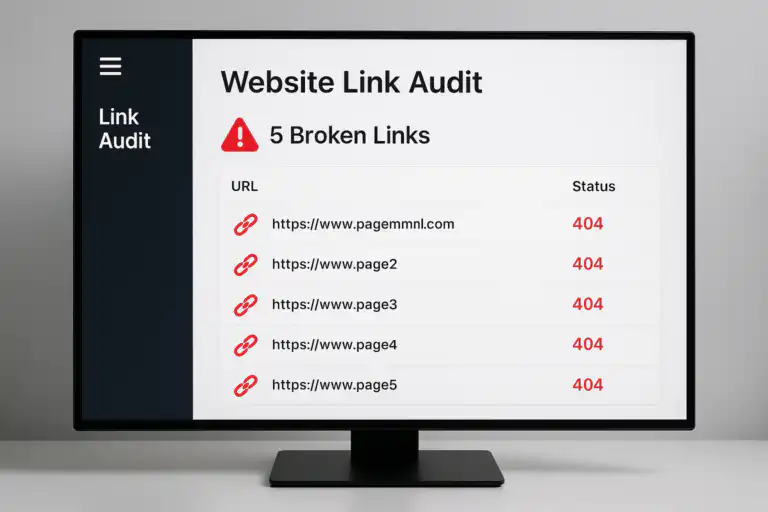
Every broken link on your website is a silent ranking killer. This guide explains exactly how to find them, fix them, and keep them gone.
Broken link testing is the process of systematically scanning a website to identify hyperlinks that no longer resolve to a live page — returning errors such as 404 (Not Found), 410 (Gone), or 503 (Service Unavailable). These dead links silently damage your site’s credibility, bleed link equity, and frustrate visitors who hit a dead end instead of the content they expected. For any site serious about organic visibility, running regular broken link tests is not optional — it is foundational maintenance.
Quick Answer
Broken link testing is the practice of crawling a website to detect hyperlinks that return error responses. It matters for SEO because dead links waste crawl budget, break the flow of link equity, and create poor user experiences — all of which can suppress search rankings. Fix them with 301 redirects or by updating the link destination.
What Is Broken Link Testing?
At its core, broken link testing involves using a crawler, audit tool, or script to follow every hyperlink on your website and record the HTTP status code that each URL returns. A healthy link returns a 200 OK status. A broken link returns something in the 4xx or 5xx range, signalling that the destination no longer exists or is temporarily unavailable.
Broken links fall into two broad categories: internal broken links, which point to missing pages within your own domain, and external broken links, which point to pages on third-party websites that have since been removed or restructured. Both are problematic, but internal broken links are more immediately damaging because they directly interrupt your site’s crawlability and disrupt the flow of PageRank between your own pages.
According to Wikipedia’s overview of link rot, the average lifespan of a web page before it disappears or moves is surprisingly short — making routine broken link testing an ongoing necessity rather than a one-time task.

A broken link testing audit report highlights dead URLs and 404 errors that need immediate attention.
Why Broken Links Hurt Your SEO Rankings
Search engines like Google send bots to crawl your website on a regular schedule. These bots follow links to discover and index pages. When a bot encounters a broken link, it wastes a portion of your crawl budget — the limited number of pages a crawler will visit per session — on a dead end. For large websites, this can mean important pages go unindexed simply because the crawler ran out of budget before reaching them.
Beyond crawl budget, broken links interrupt the flow of link equity (sometimes called PageRank or link juice). Every internal link you build is a deliberate signal telling Google which pages are important. When those links resolve to 404 errors, the equity they were meant to pass simply evaporates. Multiply that across dozens of broken links and the ranking impact becomes measurable.
User experience is the third pillar. Visitors who land on a 404 page typically bounce immediately. High bounce rates and low dwell time are behavioural signals that can indirectly inform search engine quality assessments. In short, broken links damage trust — with both humans and algorithms.
🔗
Lost Link Equity
PageRank stops flowing at every broken internal link, weakening page authority.
🤖
Wasted Crawl Budget
Bots waste crawl allocation on dead URLs, leaving live pages undiscovered.
👤
Poor User Experience
Dead ends frustrate visitors and drive up bounce rates, hurting quality signals.
The Best Tools for Broken Link Testing
Choosing the right tool depends on your site’s size, your technical comfort level, and how frequently you need to run audits. Here are the most reliable options available today:

Running a regular broken link audit helps keep your site’s link health in peak condition.
How to Fix Broken Links: A Step-by-Step Process
Once your broken link testing audit is complete, you will have a list of broken URLs and the pages that contain them. Here is how to work through that list efficiently:
- Prioritise by page importance. Start with broken links on your highest-traffic pages, your homepage, and pages with the most inbound backlinks. Use Google Analytics or Ahrefs to identify these quickly.
- Determine the correct fix for each broken link. There are three scenarios: the destination page was moved (implement a 301 redirect), the destination page was deleted permanently (update the link to point to a relevant live page), or the content no longer exists and no suitable replacement exists (remove the link entirely).
- Implement 301 redirects for moved pages. A 301 redirect tells both users and search engines that a page has permanently moved. It passes the majority of the original page’s link equity to the new destination. Configure these in your .htaccess file, Nginx config, or through a redirect plugin if you are on WordPress.
- Update or remove broken external links. For outbound links pointing to dead third-party pages, either find an updated version of the resource (check the Wayback Machine for archived versions), link to an equivalent authoritative source, or remove the link if no suitable replacement exists.
- Verify fixes and re-crawl. After implementing changes, run your broken link testing tool again to confirm all flagged errors have been resolved. Submit updated sitemaps to Google Search Console to prompt a fresh crawl.
How Often Should You Run Broken Link Tests?
Frequency depends on how actively your site and the sites you link to are changing. A general framework:
- Small blogs and portfolios (under 100 pages): Quarterly audits are sufficient.
- Mid-size content sites (100–1,000 pages): Monthly audits keep link health stable, especially if you publish new content regularly.
- Large e-commerce or news sites (1,000+ pages): Weekly or automated continuous monitoring is recommended. Product pages and news articles are especially prone to link rot.
- After major site migrations or redesigns: Always run a full broken link test immediately after any structural change to your site.
Broken link testing pairs naturally with broader content maintenance tasks. If you are already updating content for SEO, auditing your links at the same time is an efficient way to address both freshness and technical health in a single workflow.
Broken Link Building: Turning Problems Into Opportunities
There is an advanced SEO technique called broken link building that flips the problem on its head. Instead of only fixing your own broken links, you identify broken links on other authoritative websites in your niche and reach out to the site owner, suggesting your own relevant content as a replacement.
The logic is simple: the site owner has a problem (a broken outbound link that damages their UX and SEO), and you have a solution (a live, relevant page they can link to instead). This approach generates high-quality, editorially earned backlinks — exactly the kind that move the needle in competitive search landscapes.
To execute broken link building effectively, use Ahrefs’ “Best by Links” report filtered to 404 pages in your niche, or run Screaming Frog on competitor sites. Once you have a list of dead pages with inbound links, create content that matches or improves on what used to exist at those URLs, then pitch your replacement to the linking domains.

Broken link building transforms dead links into live opportunities for earning quality backlinks.
Frequently Asked Questions About Broken Link Testing
How often should I perform broken link testing on my website?
For most websites, monthly broken link testing is a solid baseline. High-traffic or frequently updated sites should check weekly. E-commerce stores with large product catalogs may benefit from automated daily monitoring.
Does fixing broken links improve SEO?
Yes. Fixing broken links improves SEO by preserving link equity, reducing crawl budget waste, and improving user experience signals. Eliminating 404 errors helps ensure all important pages are properly indexed and that link authority flows efficiently through your site architecture.
What is the difference between an internal and external broken link?
An internal broken link points to a non-existent page within your own website, while an external broken link points to a page on another domain that has been removed or moved. Internal broken links directly disrupt crawlability and link equity flow, while external broken links primarily affect user experience and content credibility.
Can broken links cause a Google penalty?
Google does not issue manual penalties for having broken links. However, excessive 404 errors can indirectly suppress rankings by wasting crawl budget, reducing link equity, and degrading user experience metrics. Think of broken links as a slow leak rather than a sudden penalty.
Broken Link Testing and Your Broader SEO Strategy
It is worth emphasising that broken link testing does not exist in isolation — it is one component of a healthy technical SEO foundation. Link health interacts directly with content quality and depth. Research consistently shows that comprehensive, well-structured pages earn more links and retain them longer. Understanding the impact of content length on SEO rankings can help you prioritise which pages deserve the most thorough link auditing and maintenance.
The most effective SEO practitioners treat broken link testing as a recurring operational task, not a one-time cleanup project. By integrating it into your monthly or quarterly content audit schedule, you ensure that your site’s link graph remains clean, your crawl budget is spent efficiently, and every internal link you have carefully built continues to deliver its intended ranking benefit.
Conclusion
Broken link testing is one of the highest-ROI technical SEO activities available to any site owner. It costs relatively little time, requires no advanced coding skills, and directly protects the ranking potential you have worked hard to build. Start with a free crawl using Screaming Frog or Google Search Console, prioritise fixes by page importance, and schedule recurring audits to stay ahead of link rot. A site with clean, healthy links is a site that search engines — and users — can trust. For more in-depth SEO guidance, explore the resources available at Rank Authority.

