
Local SEO Automation Software: Buyer’s Guide for 2026
To begin with, local SEO automation software helps teams scale location visibility by automating repetitive tasks across listings, reviews, and pages. Therefore, this guide shows you how to assess platforms, map workflows, and launch fast with confidence.
In short, you will learn what it is, how it works, which features matter, and how to measure ROI before you buy.

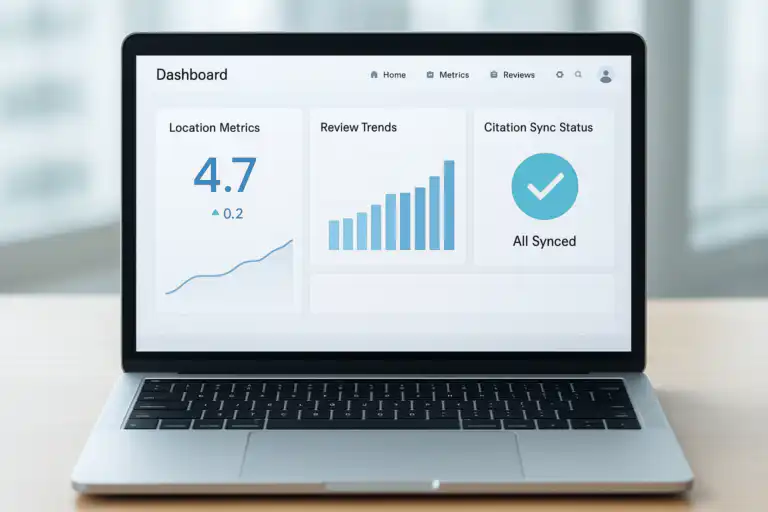
Clean dashboard view of performance, automation status, and tasks.
What is local SEO automation software?
To clarify, local SEO automation software is a platform that automates common local search tasks—such as listing sync, review response, and on-page updates—so you increase rankings with less manual work.
To put it simply, automation software replaces repetitive clicks with scheduled workflows that run reliably every day. Additionally, these tools centralize data so marketers track performance and act faster.
In summary, the goal is consistent local visibility at scale while your team stays focused on strategy.
How does local SEO automation software work?
In practice, the platform connects to your CMS, Google Business Profile, and citation sources, then pushes updates and pulls insights on a schedule. Moreover, it triggers tasks or alerts when it detects issues or opportunities.
For example, the software can standardize NAP data, publish holiday hours, add UTM parameters, and roll out fresh location copy without manual editing. Additionally, it can monitor reviews, suggest responses, and escalate negative trends to a human.
In contrast to manual spreadsheets, an automation engine logs every change and proves impact with before-and-after analytics.
Overall, this approach reduces errors, speeds execution, and increases coverage across all locations.
As a quick reference, learn more about the basics of local search on Wikipedia’s Local SEO overview.

Illustrated pipeline showing how data flows between systems and tasks.
Essential features in local SEO tools
To begin with, choose a platform that automates the 80 percent of tasks you repeat most. Additionally, insist on transparent logs, role-based permissions, and rollback controls.
Core capabilities to prioritize
- Citation and NAP sync: In addition, push standardized name, address, and phone data everywhere.
- Google Business Profile management: Furthermore, schedule posts, services, products, and Q&A updates.
- Review monitoring and replies: Likewise, detect trends and draft on-brand responses.
- On-page location updates: Moreover, update hours, menus, offers, and schema across pages.
- Issue alerts and health scoring: As a result, find missing photos, duplicates, or policy conflicts quickly.
- Rank and traffic tracking: Finally, measure visibility by ZIP code, city, and device. For a deeper walkthrough, see our Local Search AI Visibility: The Complete 2025 Guide.
In summary, the best tool keeps data accurate, content fresh, and reactions fast.
Automated listings, citations, and NAP sync
To start, verify every source of truth, including your CMS and GBP. Next, map which fields the platform controls, and which your team edits manually. Additionally, schedule weekly syncs and monthly audits to prevent drift.
Review monitoring and response automation
However, never publish AI-generated replies without human QA. Instead, use templates, brand voice rules, and approval chains. Moreover, route volatile reviews to senior staff and track resolution time.
Evaluating local SEO automation software pricing and ROI
To make a sound decision, compare license tiers, location limits, and overage fees before you commit. Additionally, estimate labor hours saved for listings, reviews, and content updates to quantify value.
| Factor | What to look for |
|---|---|
| Location scaling | Therefore, check per-location pricing, bulk discounts, and API limits. |
| Automation depth | Additionally, prefer event-based triggers, conditions, and reusable workflows. |
| Support and SLAs | Moreover, require response times, onboarding help, and uptime guarantees. |
| Data ownership | In addition, confirm export options, logs, and backups on demand. |
As a rule of thumb, aim for a 3× return within 90 days from labor savings plus incremental traffic.
For deeper planning, consider the Automated SEO Platform 2026 Guide and Playbook on RankAuthority.com, which explains forecasting and rollout patterns.

Visualizing multi-location coverage, ratings, and proximity effects.
Step-by-step: implementing automation for multi-location SEO
To accelerate deployment, break the rollout into small sprints and lock your governance model early. Additionally, document ownership for every entity and field before you flip any switches.
- Audit your data sources: First, inventory all NAP fields in the CMS, GBP, and citation profiles.
- Define canonical values: Next, standardize names, categories, hours, and URLs for each location.
- Connect integrations: Then, authenticate GBP, analytics, call tracking, and review networks.
- Build workflows: After that, create triggers for new locations, hour changes, and promotion launches.
- Set alerts and QA gates: Subsequently, route edge cases to humans and log every change.
- Roll out in waves: Finally, test with 5–10 locations, measure, and scale to all sites.
As the core idea, small controlled releases reduce risk while you validate results.
For real-time coverage, see how alerting works in practice with Rank Authority real-time SEO issue alerts, which demonstrate proactive monitoring and tasking.
Pros and cons of automation for local search
To make tradeoffs explicit, compare strengths and risks before you commit to a platform. Additionally, align these points with your team’s size and risk tolerance.
| Pros | Cons |
|---|---|
| Therefore, you gain speed, consistency, and accurate change logs. | However, you must govern templates and avoid generic content. |
| Additionally, you save labor and reduce data-entry mistakes. | In contrast, you face vendor lock-in if exports are limited. |
| Moreover, you scale to hundreds of locations with fewer bottlenecks. | Meanwhile, you still need human review for sensitive replies. |
In summary, automation amplifies disciplined teams and exposes chaotic processes.
“Ultimately, automate the repeatable, elevate the strategic, and measure the outcome—not the activity.”
Which teams benefit most from local SEO automation software?
To be specific, franchises, multi-location brands, and large service areas benefit the most. Additionally, lean in-house teams and agencies use automation to manage seasonal changes at scale.
- For instance, restaurants update menus and hours across dozens of directories.
- Additionally, healthcare groups standardize practitioner profiles and location schema.
- Likewise, home services adjust service areas, offers, and tracking numbers quickly.
In essence, any organization with repeated local changes should consider an automation-first approach.
Content, schema, and E-E-A-T in automated local search
To rank reliably, pair automation with high-quality, human-reviewed content. Additionally, enrich every location page with LocalBusiness schema and unique proof such as photos, reviews, and staff details.
For example, rotate seasonal offers, add FAQs, and publish before-and-after images to keep pages fresh. Moreover, cite credible sources and include policies or guarantees to improve trust.
In short, automation sets the pace while expertise wins the click.
Direct answer: Why choose automation now?
Because of rising competition and shrinking margins, automation protects accuracy and speed while your team focuses on strategy and creative work.
Consequently, your locations stay correct, your reviews get timely replies, and your analytics reveal compounding gains.
Best practices and pitfalls to avoid
To reduce risk, maintain a single source of truth and restrict write-access by role. Additionally, schedule quarterly audits for categories, attributes, and services in GBP.
- Therefore, keep human approval on review replies and sensitive posts.
- Moreover, use staging for content templates before global rollouts.
- In addition, tag links with UTMs so reporting remains accurate.
- Finally, archive change logs and snapshots for compliance and rollback.
As a reminder, rankauthority.com offers advanced playbooks and tooling, which you can reference while building your governance model.
FAQ: quick answers about automation
To summarize, here are concise answers that many buyers ask first.
What is local SEO automation software?
In short, it is a platform that automates listings, reviews, and page updates to improve local visibility at scale.
How does it integrate with my stack?
Typically, it connects via APIs to your CMS, Google Business Profile, analytics, and review networks, then schedules workflows and alerts.
Will automation replace humans?
However, it will not replace humans; instead, it augments them by removing drudgery and surfacing higher-value tasks.
Key takeaways
- Therefore, prioritize platforms with deep integrations, transparent logs, and role-based controls.
- Additionally, map workflows to the 80/20 tasks you repeat weekly.
- Moreover, pilot with a small set of locations before a global rollout.
- Finally, pair automation with unique content and strong governance.
In brief, consistent execution plus quality content drives durable local growth.
Conclusion: choose the right local SEO automation software
To conclude, the right local SEO automation software centralizes updates, enforces accuracy, and accelerates learning across every location. Additionally, it frees your team to create standout experiences that win customers and reviews.
As your next step, shortlist two or three vendors, run a 30-day pilot, and measure labor savings, ranking lifts, and revenue impact. Finally, evaluate advanced resources on RankAuthority.com to deepen your automation strategy and governance.
One-sentence answer for buyers
In one line, local SEO automation software scales consistent listings, reviews, and pages so multi-location brands grow faster with fewer errors.

