

The Moz keyword difficulty checker is a scoring tool inside Moz Keyword Explorer that measures how hard it would be to rank on page one of Google for any given keyword, assigning a number from 1 to 100. Because choosing the wrong keywords wastes months of content effort, understanding this score is one of the most practical skills in modern SEO. For a deeper walkthrough, see our How Does Moz Calculate Page Authority?.
In this guide, you will learn exactly how the score is calculated, what each range actually means, and how to use the tool step by step to find keywords your site can realistically win. For a deeper walkthrough, see our Moz Authority: What It Is and How to Improve It.
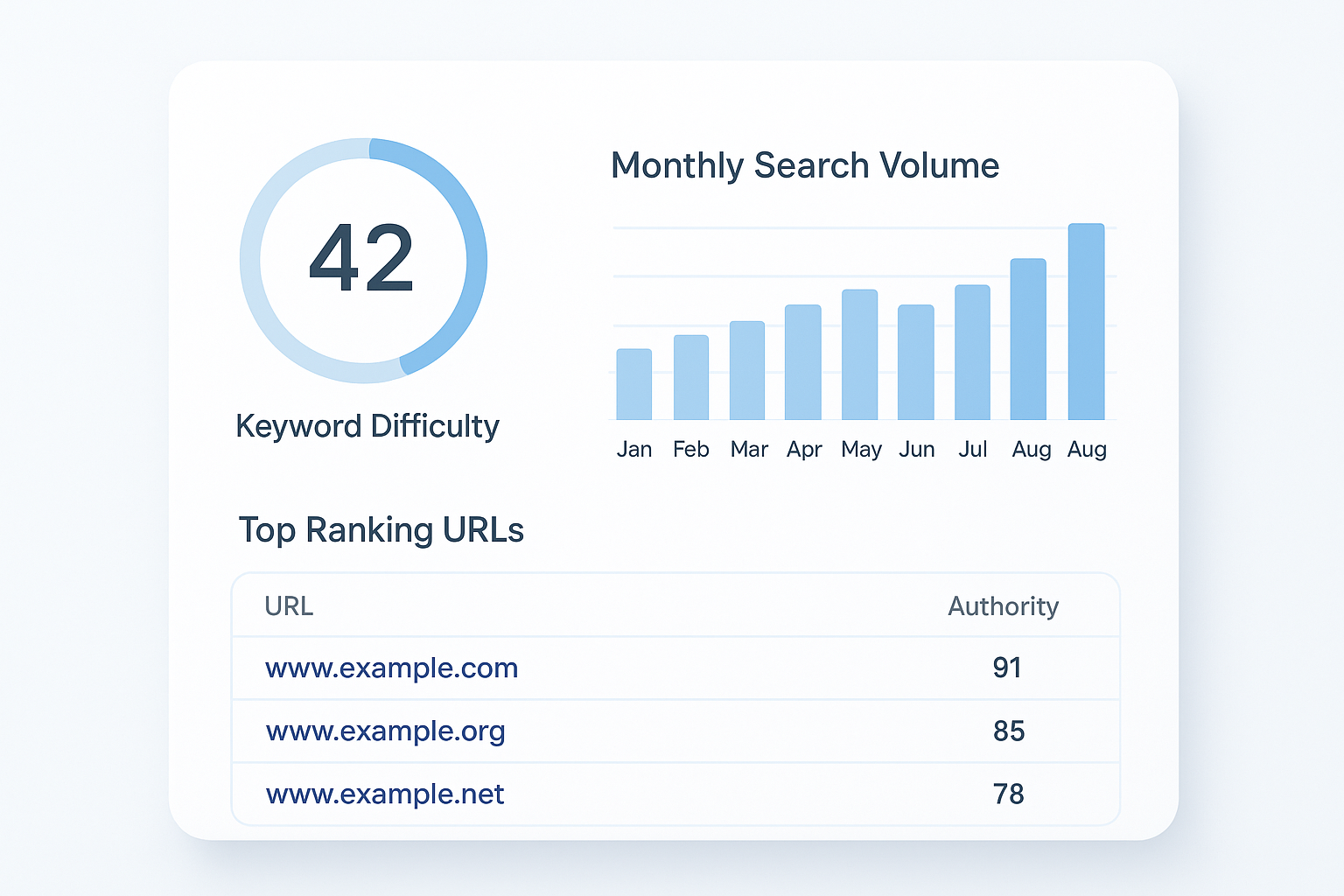
The Moz keyword difficulty checker displays a 0–100 score alongside SERP data to help you evaluate ranking competition at a glance.
How the Moz Keyword Difficulty Score Is Calculated
Moz determines keyword difficulty by examining the Page Authority (PA) scores of the URLs currently ranking on page one of Google for that keyword. Page Authority is Moz’s own metric — built on link data from the Mozscape web index — that predicts how likely a single page is to rank in search results. According to Wikipedia’s overview of SEO, link signals remain among the strongest ranking factors, which is why PA forms the backbone of this calculation. For a deeper walkthrough, see our Moz Authority: What It Is and Why It Matters for SEO.
Essentially, if the top ten results for a keyword are all held by pages with very high PA scores, the difficulty score climbs toward 100. Conversely, if several lower-authority pages appear on page one, the score drops — signaling a genuine opening for competitors.
Therefore, the score is not just a raw average. Moz weights the calculation to reflect the competitive pressure you would face, making it a practical rather than purely mathematical estimate.
What Each Score Range Means in Practice
Not all difficulty scores carry the same implications. Below is a practical breakdown of what each range signals for your content strategy.
| Score Range | Label | Who Can Compete |
|---|---|---|
| 1 – 29 | Easy | New or low-DA sites |
| 30 – 49 | Moderate | Established sites with some authority |
| 50 – 69 | Hard | Sites with strong link profiles |
| 70 – 100 | Very Hard | High-DA domains with significant resources |
However, these ranges are guidelines, not absolute rules. A site with exceptional topical authority can sometimes outrank pages on keywords above its typical range, especially if the existing results are thin or poorly optimized.
Step-by-Step: Using the Tool to Find Winnable Keywords
Finding the right keywords is a process, not a single click. Follow these five steps to get actionable results from Moz Keyword Explorer.
Enter your seed keyword
Navigate to Moz Keyword Explorer and type your topic or phrase into the search bar. Select your target country, then click Analyze. Moz will immediately return the difficulty score, search volume, and a SERP snapshot.
Review the difficulty score in context
Note the score, but also check your own site’s Domain Authority. If your DA is 25 and the keyword scores 60, that gap is significant. As a result, you should look for related keywords with lower scores before committing to a content plan.
Analyze the SERP breakdown
Scroll to the SERP analysis section. If several results show low PA scores — for example, under 30 — the keyword may be more accessible than the headline score implies. This SERP-level check is often more revealing than the aggregate number alone.
Balance difficulty against volume and CTR opportunity
A keyword with difficulty 20 and only 10 monthly searches may not be worth a full article. Meanwhile, a keyword with difficulty 35 and 2,000 monthly searches could drive meaningful traffic. Use Moz’s Priority score to weigh all three factors simultaneously.
Build and compare a keyword list
Add your best candidates to a Keyword Explorer list and use the bulk view to compare scores side by side. Pro subscribers can analyze up to 1,000 keywords at once, making this ideal for planning an entire content calendar in a single session.
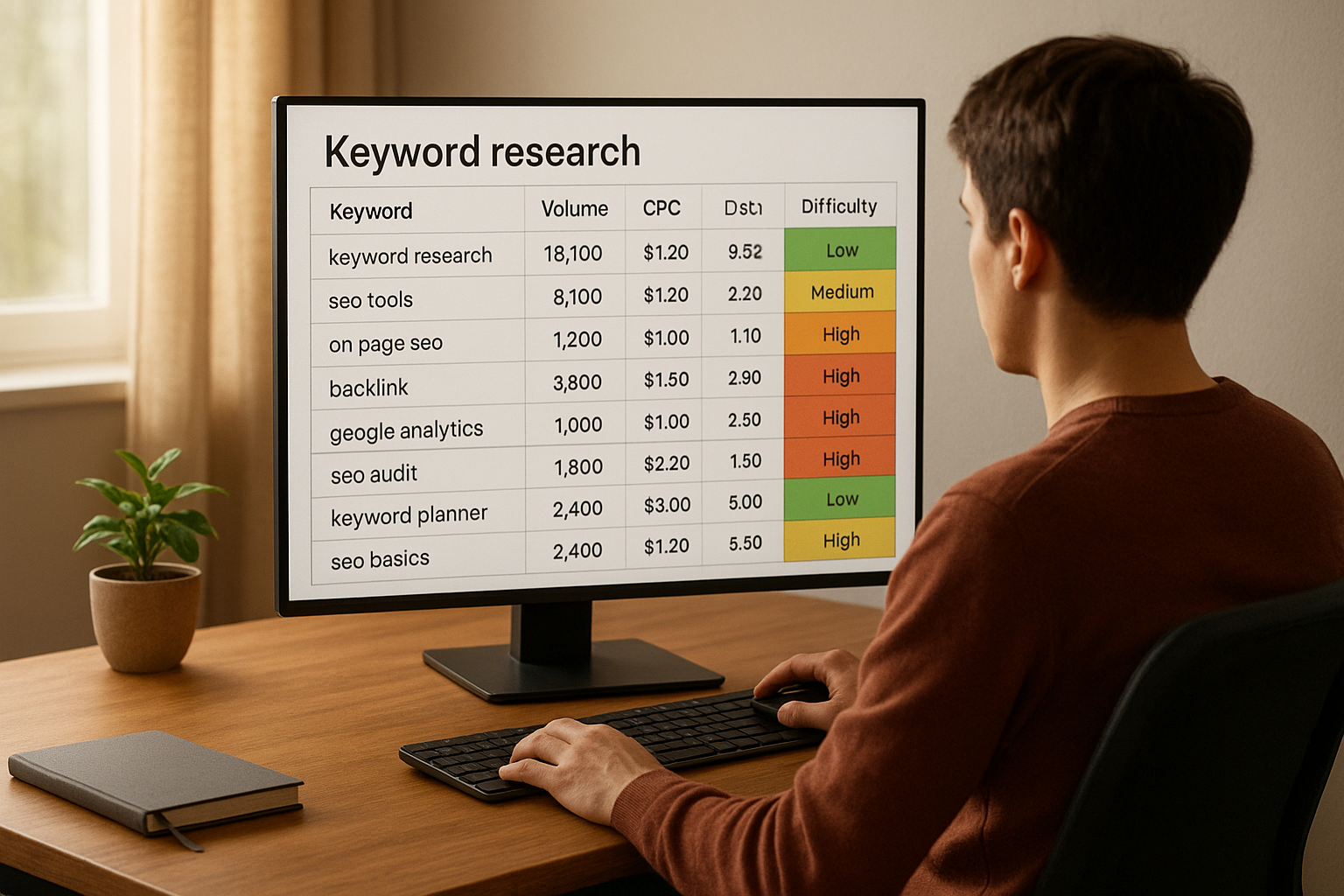
Comparing keyword difficulty scores across a list helps prioritize which topics to tackle first in your content calendar.
Common Mistakes When Interpreting Difficulty Scores
Many SEOs misuse difficulty scores in ways that cost them time and traffic. First, avoid targeting only the lowest-scoring keywords without checking volume — low competition and low demand is a dead end. Additionally, do not treat the score as a permanent barrier. Scores shift as the SERP evolves, so a keyword that scores 55 today might drop to 40 in six months if dominant pages lose backlinks.
Another frequent mistake is ignoring the SERP composition entirely. For example, if a featured snippet or a Reddit thread holds a top-three position, that signals an opportunity even when the overall difficulty score looks intimidating. In contrast, a keyword scoring 30 where all top results belong to major news brands may be harder to crack than the number suggests.
Finally, never rely on difficulty alone when building a strategy. Tools like Rank Authority can complement your Moz data by providing additional context on how to strengthen your overall SEO positioning before targeting competitive terms. For a deeper walkthrough, see our Moz DA Ranking: What It Means and How to Improve It.
Moz vs. Other Keyword Difficulty Tools
Moz, Ahrefs, and Semrush all offer keyword difficulty scoring, but their methodologies differ meaningfully. Ahrefs KD focuses on the number of referring domains pointing to top-ranking pages, which makes it particularly sensitive to link-building gaps. Semrush combines multiple on-page and off-page signals into its score.
Moz’s approach — centered on Page Authority — is arguably the most transparent, because PA is a well-documented metric with a clear link-based foundation. However, because Moz’s index is smaller than Ahrefs’ or Semrush’s, its volume estimates can sometimes be less precise for niche or long-tail keywords. Therefore, many experienced SEOs use Moz for difficulty context and cross-reference volume data with a second tool.
Putting It All Together: Your Keyword Selection Framework
The most effective keyword selection framework balances three variables: difficulty, volume, and intent alignment. First, filter your candidate keywords to those with a Moz difficulty score within 10 to 15 points of your current Domain Authority. Next, eliminate any keyword where monthly volume falls below a threshold meaningful to your business — often 100 to 500 searches depending on your niche.
Finally, confirm that the search intent behind each keyword matches what you can actually deliver. A keyword like “best CRM software” demands a comparison article, while “what is CRM” calls for an educational explainer. Matching intent correctly is ultimately what converts rankings into real traffic — and real traffic into results. For deeper guidance on building this kind of authority-first strategy, Rank Authority offers practical frameworks worth exploring.

Mapping keywords by difficulty and volume is a practical way to prioritize your content roadmap.
Conclusion
The Moz keyword difficulty checker is one of the most reliable entry points into competitive keyword research. Because it grounds its score in Page Authority data, it gives you a transparent, link-signal-based view of what you are up against in any given SERP. Used correctly — alongside volume data, SERP analysis, and intent matching — it becomes a powerful filter that keeps your content efforts focused on keywords you can actually win. Start with your seed topics, work through the five steps above, and let the data guide your editorial calendar rather than guesswork.
Frequently Asked Questions
What is the Moz keyword difficulty checker?
The Moz keyword difficulty checker is a feature inside Moz Keyword Explorer that assigns a score from 1 to 100 indicating how hard it would be to rank on page one of Google for a given keyword. Higher scores mean stronger competition and more domain authority is required to rank. For a deeper walkthrough, see our Moz Brand Authority: What It Is and Why It Matters.
What does a keyword difficulty score of 50 mean in Moz?
A score of 50 indicates moderate-to-hard competition. Sites with a Domain Authority in the mid-range can realistically compete, but ranking will require well-optimized content, quality backlinks, and consistent effort over several months.
How is Moz keyword difficulty calculated?
Moz calculates keyword difficulty by analyzing the Page Authority scores of the top-ranking URLs for that keyword in Google’s search results. The stronger the average PA of those pages, the higher the difficulty score assigned to the keyword. For a deeper walkthrough, see our Moz Domain Ranking: What It Is and Why It Matters.
Is a low Moz keyword difficulty score always better?
Not always. A low difficulty score is only valuable if the keyword also has meaningful search volume and intent that aligns with your goals. Very low-difficulty keywords sometimes have negligible traffic potential and may not justify the effort of a full article.
How many free searches does Moz Keyword Explorer allow?
Moz offers 10 free keyword queries per month without a paid account. For unlimited access and bulk analysis, a Moz Pro subscription is required, with plans starting at approximately $99 per month.
What is a good keyword difficulty score for a new website?
New websites should generally target keywords with a Moz difficulty score below 30. These lower-competition keywords give newer domains a realistic chance of ranking while building authority over time. For a deeper walkthrough, see our SEO Moz Page Authority: What It Means and How to Improve It.
How does Moz keyword difficulty compare to Ahrefs KD?
Both tools measure ranking difficulty on a 0-to-100 scale, but they use different methodologies. Ahrefs KD focuses primarily on the number of referring domains pointing to top-ranking pages, while Moz uses Page Authority as its primary signal. Neither is universally superior — using both together provides the most complete picture. For a deeper walkthrough, see our Moz Page Authority: What It Is and How to Improve It.
Can I check keyword difficulty in bulk with Moz?
Yes. Moz Pro subscribers can analyze lists of up to 1,000 keywords at once using the bulk keyword analysis feature inside Keyword Explorer. This is particularly useful for comparing difficulty scores across an entire content plan in a single session.
Does keyword difficulty alone determine whether I can rank?
No. Keyword difficulty is one signal among many. Content quality, topical authority, on-page optimization, user experience, and your site’s overall Domain Authority all play important roles in whether a page can rank for a given term. For a deeper walkthrough, see our Moz Domain Rank: What It Is and Why It Matters for SEO.
What other metrics does Moz Keyword Explorer provide alongside difficulty?
Alongside difficulty, Moz Keyword Explorer provides monthly search volume, organic click-through rate (CTR) opportunity, a Priority score, and a SERP analysis showing the top-ranking pages with their PA and DA scores.
How often does Moz update its keyword difficulty scores?
Moz updates its index and associated metrics regularly, with major refreshes typically occurring every few weeks. As a result, scores can shift as new content enters the SERPs and backlink profiles change over time.
What is the Priority score in Moz Keyword Explorer?
The Priority score combines keyword difficulty, search volume, CTR opportunity, and your site’s current ranking for that keyword into a single actionable number. It helps you quickly identify which keywords offer the best return on your SEO investment without manually cross-referencing multiple columns.

