

A robot txt file — correctly written as robots.txt — is a plain-text file placed at the root of your website that tells search engine crawlers which pages they may or may not access. It is one of the most foundational elements of technical SEO, and a single misconfiguration can silently remove your entire site from Google’s index.
According to Google Search Central, the robots.txt standard has been in use since 1994 and remains one of the most universally respected files by search engine crawlers worldwide. However, many site owners still misconfigure it — sometimes blocking their own content from Google entirely.
This guide covers everything you need: what the robot txt file does, how to write and test it correctly, every directive explained, common mistakes to avoid, how it manages crawl budget, how it handles AI crawlers in 2025, and the full best-practices checklist. Furthermore, you will find answers to the most frequently asked questions so no detail is left unclear.
What Is a Robots.txt File?
The robot txt file follows the Robots Exclusion Standard, a protocol developed in 1994 that defines how web crawlers should interact with website content. It is a voluntary standard — meaning search engines choose to respect it — but all major crawlers including Googlebot, Bingbot, and DuckDuckBot follow it reliably.
Specifically, the file contains a series of simple directives. Each directive block names a crawler (called a “User-agent”) and tells it which URL paths it is allowed or forbidden to access. The file must be saved as plain text and placed at your domain root so it is reachable at https://yourdomain.com/robots.txt.
For example, a basic robots.txt file looks like this:
User-agent: *
Disallow: /admin/
Disallow: /private/
Allow: /blog/
# Block OpenAI’s GPTBot
User-agent: GPTBot
Disallow: /
Sitemap: https://yourdomain.com/sitemap.xml
This example blocks all crawlers from the /admin/ and /private/ directories, explicitly allows the /blog/ path, blocks GPTBot entirely, and points all crawlers to the sitemap.
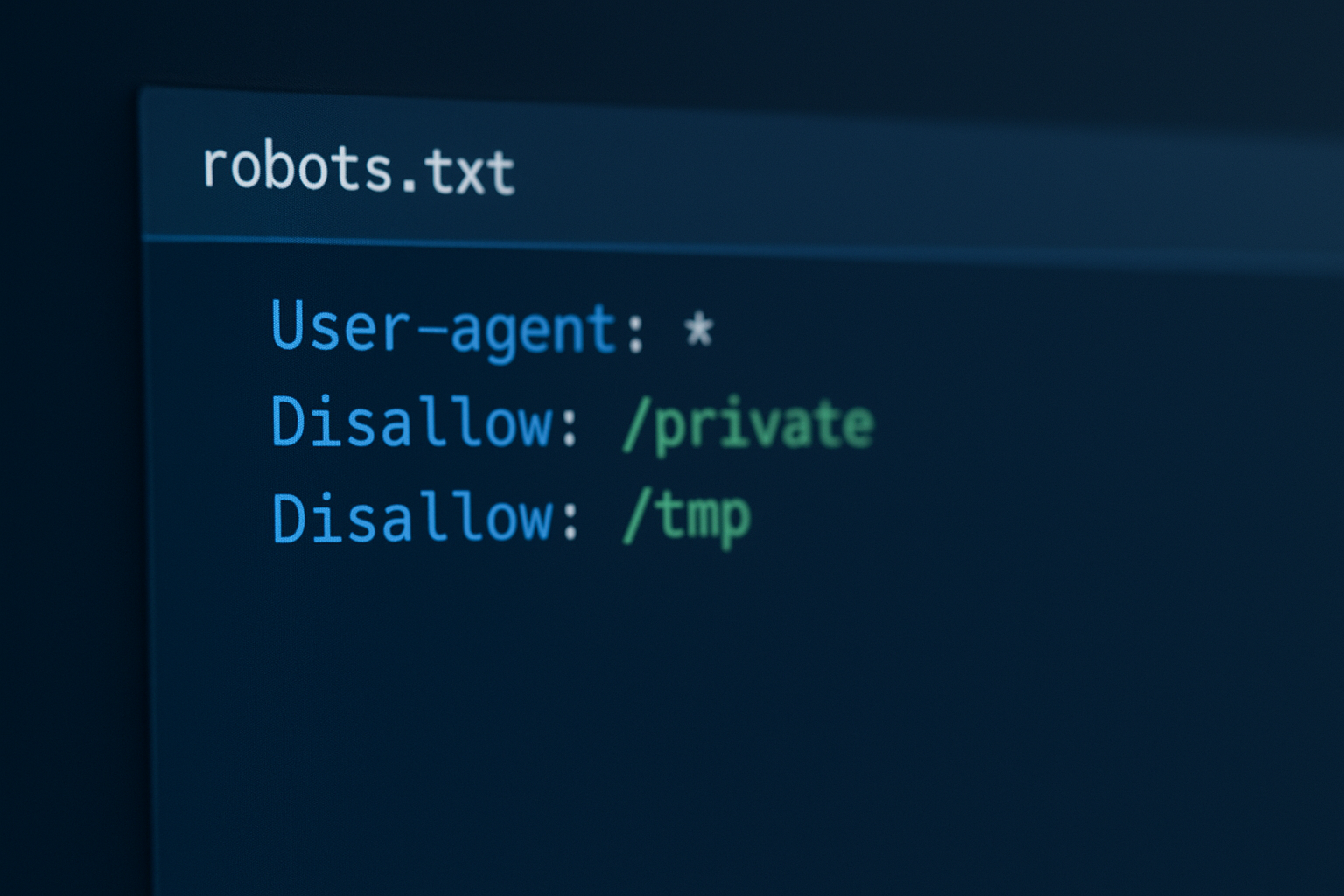
A properly formatted robot txt file uses simple directives to guide search engine crawlers efficiently.
How Search Engine Crawlers Read the Robot TXT File
When Googlebot or any other search engine crawler visits your site, the very first thing it does is check for a robots.txt file at your domain root. If the file exists, the crawler reads all applicable rules and applies them before deciding which pages to visit.
Importantly, this process affects crawling only — not indexing. A page blocked by robots.txt can still appear in search results if another site links to it. Google is able to index a URL it has never crawled based purely on external link signals.
Therefore, if your goal is to prevent a page from appearing in search results altogether, you need a <meta name="robots" content="noindex"> tag — not just a robots.txt block. Both tools serve different purposes and work best together as part of a comprehensive crawl-management strategy.
Every Robots.txt Directive Fully Explained
Understanding each directive in detail helps you avoid costly configuration errors and write rules that behave exactly as intended:
User-agent:
Identifies which crawler the following rules apply to. Use * to target all bots, or name a specific crawler such as Googlebot, Bingbot, or GPTBot. Each User-agent block applies rules only to the bots named within it. You can have as many blocks as needed in a single file.
Disallow:
Blocks a crawler from accessing a specific path or directory. For example, Disallow: /admin/ prevents crawling of all URLs under that path. An empty Disallow value — Disallow: with nothing after it — means nothing is blocked for that User-agent. Disallow: / blocks the entire site — the most dangerous misconfiguration possible.
Allow:
Explicitly permits access to a specific path, even within a broader disallowed directory. When both an Allow and Disallow directive match the same URL, Allow takes precedence. This is especially useful for allowing certain assets — such as CSS files — within a blocked directory.
Sitemap:
Points crawlers to your XML sitemap URL. For example: Sitemap: https://yourdomain.com/sitemap.xml. This directive is not part of the original 1994 standard, but it is now supported universally by Google, Bing, Yandex, and other major search engines. You can include multiple Sitemap lines if you have more than one sitemap file.
Crawl-delay:
Suggests a delay in seconds between crawler requests to reduce server load. For example: Crawl-delay: 10. However, Google does not support this directive. If you need to manage Googlebot’s crawl rate, use the crawl rate settings inside Google Search Console instead. Bing and some other crawlers do respect this directive.
Wildcard Matching with * and $
Google and Bing both support pattern matching in path rules. The * wildcard matches any sequence of characters. For example, Disallow: /*? blocks all URLs containing a query string. The $ symbol matches the end of a URL — so Disallow: /*.pdf$ blocks all PDF files. These patterns are powerful tools for e-commerce sites with faceted navigation.
How to Create and Configure a Robot TXT File: Step-by-Step
Setting up a correctly configured robots.txt file is straightforward when you follow a clear process. Here is the complete step-by-step guide to get it right the first time.
-
1
Create a plain-text file named robots.txt.
Open any plain-text editor — Notepad on Windows, TextEdit on Mac (in plain-text mode), or VS Code — and save the file as
robots.txtin lowercase. Never use Microsoft Word or any rich-text editor, as they add hidden formatting characters that will break the file and cause crawlers to misread or ignore it entirely. -
2
Add your User-agent directive blocks.
Start each rule block with a
User-agent:line. Use*to target all bots at once, or name a specific crawler likeGooglebotorGPTBotfor targeted rules. Separate each block with a blank line so crawlers can parse them correctly. -
3
Set your Disallow and Allow rules strategically.
Block admin panels, login pages, duplicate content directories, staging pages, URL parameters, and any other paths you do not want crawled. Simultaneously, use Allow directives to explicitly permit any important paths that sit inside a broader blocked directory — for example, allowing your stylesheet inside a blocked assets folder.
-
4
Add your XML sitemap reference.
At the end of the file, add a line in the format
Sitemap: https://yourdomain.com/sitemap.xml. If you have multiple sitemaps — for example, one for posts and one for products — add a separate Sitemap line for each one. This helps search engines efficiently discover all of your important indexed pages. -
5
Upload the file to your site root and test it immediately.
Upload the file so it is accessible at
https://yourdomain.com/robots.txt. Then open Google Search Console, navigate to the URL Inspection tool, and test individual URLs to verify your rules behave as expected. Google’s robots.txt Tester shows you exactly whether a given URL would be allowed or blocked under your current configuration. -
6
Schedule regular audits and keep the file updated.
Your robots.txt file should be treated as a living document. Whenever you add new content sections, restructure your URLs, or change your site architecture, revisit the file to ensure your rules still reflect your intent. For actively growing websites, a quarterly audit is the recommended minimum frequency.
For a deeper dive into advanced configurations, the complete guide to creating robots.txt files for SEO success on rankauthority.com walks through real-world examples and complex site architectures.
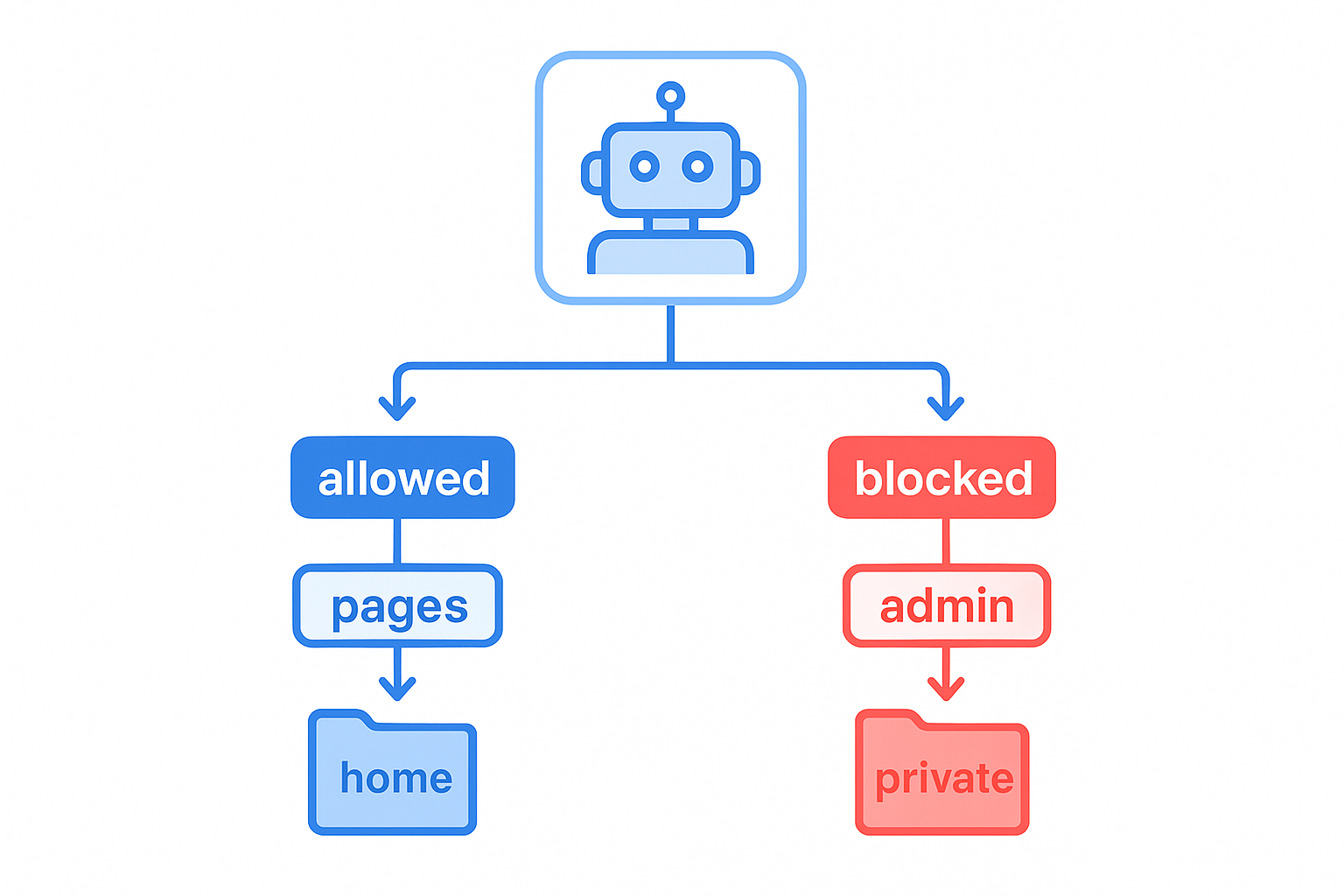
A well-structured robot txt configuration directs crawlers toward valuable content and away from low-priority pages.
Common Robot TXT Mistakes That Hurt SEO
Even experienced developers make configuration errors with serious SEO consequences. Consequently, reviewing your robots.txt file regularly is essential — especially after site rebuilds, CMS migrations, or structural URL changes.
Blocking the Entire Site with Disallow: /
A single misplaced Disallow: / under the wildcard User-agent blocks all crawlers from every page on your website. This is the most catastrophic possible misconfiguration. It can cause your entire site to disappear from search results within days — and it happens more frequently than most site owners realize, particularly during CMS migrations when a staging-site config gets pushed to production.
Blocking CSS, JavaScript, and Image Files
Search engines — particularly Google — need to render your pages fully in order to evaluate their quality. Blocking stylesheets, JavaScript bundles, or image files prevents Googlebot from seeing what your page actually looks like to a user. As a result, Google may rank your content lower because it cannot confirm whether your page delivers a good experience. Always allow access to all rendering resources.
Confusing Crawling with Indexing
This is one of the most widespread misconceptions about the robot txt file. Blocking a URL in robots.txt does not prevent it from being indexed. Google can — and does — index URLs it has never crawled if other pages link to them. Therefore, if you want to stop a page from appearing in search results, use a noindex meta tag, not just a robots.txt block.
Using Incorrect Syntax
The robots.txt format is strict and unforgiving. Directives are case-sensitive on some servers. A missing colon, extra space, or incorrect capitalization can invalidate a rule entirely, leaving your intended block or allow instruction silently ignored. Always validate your file after any edit using Google Search Console.
Forgetting the Sitemap Directive
Many site owners configure their Disallow rules carefully but forget to include the Sitemap directive. In contrast, including a Sitemap line gives crawlers an immediate, authoritative list of your most important pages. It also reduces the chance that valuable content goes undiscovered due to poor internal linking.
Placing the File in the Wrong Location
Search engines only look for robots.txt at the exact root of your domain: https://yourdomain.com/robots.txt. A file placed in a subdirectory — such as https://yourdomain.com/blog/robots.txt — will be completely ignored. Similarly, a subdomain requires its own separate robots.txt file.
How the Robot TXT File Manages Crawl Budget
Crawl budget — the total number of pages Googlebot will crawl on your site within a given period — is a resource that larger sites must manage proactively. For sites with hundreds of thousands of pages, like large e-commerce platforms or content-heavy publishers, crawl budget management directly determines whether your newest and most important content gets discovered and indexed promptly.
By using the robot txt file to block low-value pages from being crawled, you free up Googlebot’s resources for the pages that actually matter. Specifically, consider blocking the following categories of URLs:
- Faceted navigation URLs — filter and sort combinations on e-commerce sites that generate thousands of near-duplicate pages
- Internal search results pages — thin, user-generated content that has no SEO value
- Session ID parameters — dynamic URL variables that produce duplicate content
- Staging and development directories — test content that should never be indexed
- Admin and login pages — private back-end functionality with no public value
- Duplicate paginated archives — older archive pages with minimal unique content
- Print-version URLs — identical to canonical pages but formatted differently
Furthermore, pairing your robots.txt file with a well-structured XML sitemap is a proven strategy for guiding crawlers efficiently. The sitemap tells Google exactly which URLs you want crawled and indexed; the robots.txt file tells it where not to go. Together, they give you precise, two-sided control over how your site is explored.
For more advanced crawl budget management techniques, the advanced robots.txt SEO configuration guide on rankauthority.com covers complex multi-faceted scenarios in detail.
Robot TXT File Syntax: Patterns, Wildcards, and Rules That Matter
Correct syntax is the foundation of a functioning robots.txt file. Even small errors can silently invalidate your rules. Here are the key syntax conventions to follow precisely:
- Each directive must appear on its own line. There is no support for semicolons or comma-separated values.
- Directive names are case-sensitive on some servers. Write
User-agent,Disallow, andAllowwith the correct capitalization. - A colon and exactly one space follow each directive name. For example:
Disallow: /admin/ - Comments begin with # and extend to the end of the line. Use them to document your intent — for example:
# Block staging environment - Separate rule blocks with a blank line. Each User-agent block ends when a blank line is encountered.
- Paths are case-sensitive on case-sensitive servers.
Disallow: /Admin/andDisallow: /admin/are treated as different paths on Linux servers. - File encoding must be UTF-8. Save the file with UTF-8 encoding to ensure all characters are read correctly by crawlers.
Real-World Robots.txt Examples by Site Type
Different types of sites have different blocking needs. In particular, consider these common configurations:
User-agent: *
Disallow: /wp-admin/
Allow: /wp-admin/admin-ajax.php
Disallow: /wp-includes/
Disallow: /?s=
Disallow: /tag/
Sitemap: https://yourdomain.com/sitemap.xml
User-agent: *
Disallow: /*?color=
Disallow: /*?size=
Disallow: /*?sort=
Disallow: /cart/
Disallow: /checkout/
Disallow: /account/
Sitemap: https://yourdomain.com/sitemap.xml
Robot TXT File and AI Crawlers in 2025
As AI-powered search and large language models reshape how users find information, the robot txt file has taken on significant new importance. AI crawlers — such as OpenAI’s GPTBot, Google’s Google-Extended, Anthropic’s ClaudeBot, and Common Crawl’s CCBot — also read robots.txt to determine which content they are permitted to access for model training, citations, and AI-generated answers.
For example, to block OpenAI’s GPTBot specifically while allowing all other crawlers full access, you would add a dedicated block:
Disallow: /
User-agent: Google-Extended
Disallow: /
User-agent: ClaudeBot
Disallow: /
However, the decision to block or allow AI crawlers is not straightforward. If your goal is to increase your visibility in AI-generated answers and citations — for example, to appear in ChatGPT responses or Google’s AI Overviews — then blocking these crawlers works directly against that goal. Specifically, allowing Google-Extended access may improve your chances of being cited in Google’s AI-powered search features.
Understanding what AI SEO is and how it works is essential context for making this decision with a clear strategy. Similarly, if you want to appear in ChatGPT’s cited sources, your robots.txt configuration plays a direct role. The guide on how to get cited by ChatGPT explains exactly how to position your content for AI answer engines.
⚠️ Important: AI Crawler Compliance Is Not Guaranteed
Not all AI bots respect robots.txt directives. Legitimate crawlers from OpenAI, Google, and Anthropic do follow the standard. However, less scrupulous scrapers and data harvesters may ignore it entirely. For content that must not be scraped under any circumstances, additional server-level access controls are needed beyond robots.txt alone.
Platforms like rankauthority.com are specifically designed to help businesses navigate this evolving landscape — automating the technical SEO and generative engine optimization (GEO) work that ensures your site remains visible across both traditional and AI-driven search environments.
Robots.txt vs. Noindex: Understanding the Critical Difference
One of the most important distinctions in technical SEO is the difference between the robot txt file and the noindex directive. Specifically, they control two completely different parts of the crawl-and-index pipeline:
🤖 Robots.txt — Controls Crawling
Robots.txt tells crawlers which URLs to visit. It operates at the HTTP request level — the crawler never downloads pages from blocked paths. However, those pages can still be indexed based on external links. Use robots.txt to conserve crawl budget and block back-end paths.
🚫 Noindex Meta Tag — Controls Indexing
The noindex directive (<meta name="robots" content="noindex">) tells search engines not to include a page in their index, even if it is crawled. For this to work, the page must be crawlable — if you block it via robots.txt, the crawler never reads the noindex tag.
Therefore, the safest approach for pages you want to keep completely out of search results is to leave them crawlable (no robots.txt block) but add a noindex tag. For pages you simply want to deprioritize to save crawl budget — admin pages, internal tools, staging content — robots.txt is the right lever to pull.
Best Practices for Your Robot TXT File in 2025
In summary, here are the most important best practices to follow when managing your robots.txt configuration today:
- Always test your file in Google Search Console before relying on it in production. Never push unverified changes.
- Never block CSS, JavaScript, or image files that are needed for page rendering. Google needs these to evaluate page quality.
- Reference your XML sitemap at the bottom of every robots.txt file using the Sitemap directive.
- Use specific paths rather than broad wildcards wherever possible to avoid unintended collateral blocks.
- Review and update the file whenever you restructure your site, add new content sections, or change your CMS.
- Add dedicated blocks for AI crawlers based on your content strategy — whether you want to encourage or restrict AI training on your content.
- Combine robots.txt with noindex tags for comprehensive, two-layer crawl and index control.
- Use comments (#) to document your rules so future developers — or a future you — understand why each rule exists.
- Ensure each subdomain has its own robots.txt file. Rules from your main domain do not apply to subdomains automatically.
- For e-commerce sites, aggressively block faceted navigation, filter URLs, and session parameters to prevent crawl budget waste on duplicate content.
Additionally, for those managing multiple sites or complex architectures, the expert-level robots.txt configuration walkthrough available on rankauthority.com covers multi-site and enterprise-level scenarios in depth.
Frequently Asked Questions About the Robot TXT File
What is a robot txt file?
A robot txt file (robots.txt) is a plain-text file placed at the root of your website that tells search engine crawlers which pages or sections they are allowed or not allowed to access. It follows the Robots Exclusion Standard, a widely adopted web protocol established in 1994 and supported by all major search engines.
Where should the robots.txt file be located?
The robots.txt file must be placed at the root directory of your website, accessible at https://yourdomain.com/robots.txt. Search engines only check this exact location and will completely ignore files placed in subdirectories. Each subdomain also requires its own separate robots.txt file.
Does a robot txt file prevent indexing?
No — blocking a page in robots.txt does not guarantee it will not be indexed. Search engines can still index a page if other sites link to it. To prevent indexing, use a noindex meta tag on a crawlable page instead of, or in addition to, a robots.txt block. Paradoxically, if you block a page via robots.txt and add a noindex tag, Google cannot read the noindex tag and the page may still appear indexed.
What is the difference between Disallow and Allow in robots.txt?
Disallow tells crawlers not to access a specific path, while Allow explicitly permits access even within a disallowed directory. When both directives match the same URL, Allow takes precedence over Disallow. For example, you can block /wp-admin/ while simultaneously allowing /wp-admin/admin-ajax.php.
Can I have multiple User-agent entries in one robots.txt file?
Yes — you can include multiple User-agent blocks in a single robots.txt file to give different instructions to different crawlers. Separate each block with a blank line. Each block applies only to the crawlers listed in its User-agent line, allowing you to give Googlebot different instructions from GPTBot or Bingbot.
How do I test my robots.txt file?
Use Google Search Console’s robots.txt Tester to verify your rules. Enter a URL and the tool will tell you whether it is blocked or allowed under your current configuration. Additionally, you can simply visit https://yourdomain.com/robots.txt in a browser to confirm the file is live and correctly formatted.
What happens if I have no robots.txt file?
If no robots.txt file exists, search engine crawlers assume they have permission to access all pages on your site. This is generally acceptable for small sites. However, for larger sites it can waste crawl budget on low-value, duplicate, or private pages that ideally should not be crawled at all.
Should I include a sitemap in my robots.txt file?
Yes — it is a strong best practice to reference your XML sitemap using the Sitemap directive at the bottom of your robots.txt file. This helps search engines discover and efficiently crawl your most important pages. All major search engines — including Google, Bing, and Yandex — support this directive.
Can robots.txt block AI crawlers and scrapers?
Yes — you can add User-agent entries for known AI crawlers such as GPTBot (OpenAI), Google-Extended (Google), ClaudeBot (Anthropic), and CCBot (Common Crawl) to restrict their access. However, legitimate AI crawlers respect robots.txt while malicious scrapers may not. It is not a complete solution against all automated access.
What are common robots.txt mistakes that hurt SEO?
The most damaging mistakes include accidentally blocking the entire site with Disallow: /, blocking CSS and JavaScript rendering resources, using incorrect syntax, placing the file in the wrong location, and relying on robots.txt alone to prevent indexing. Always test every change before deploying to production.
How often should I update my robots.txt file?
Update your robots.txt whenever you add new sections, change your URL structure, migrate your CMS, or want to adjust crawl priorities. For growing websites, a quarterly audit is the recommended minimum. Always update the file immediately after a major site restructure or platform migration.
Does robots.txt affect crawl budget?
Yes — using robots.txt to block low-value pages conserves crawl budget, which is the number of pages a search engine will crawl within a given time frame. This allows crawlers to concentrate their resources on your most valuable content, which is especially important for large e-commerce sites and content-heavy platforms.
Does Google cache the robots.txt file?
Yes — Google caches your robots.txt file and may use a cached version for up to 24 hours before re-fetching it. Consequently, changes you make to the file will not be reflected in Googlebot’s behavior immediately. If you need to update the rules urgently — for example, to remove an accidental site-wide block — you can request a re-fetch via Google Search Console.
What is the maximum file size for robots.txt?
According to Google’s documentation, Googlebot reads only the first 500 kibibytes (approximately 512,000 characters) of a robots.txt file. Any rules written beyond this size limit are ignored. For virtually all websites, this limit is never approached. However, very large automated rule sets should be audited for redundancy to stay well within bounds.
Conclusion
The robot txt file remains one of the most powerful — and most misunderstood — tools in technical SEO. When configured correctly, it directs crawlers efficiently, conserves crawl budget, protects private pages, and ensures your most important content gets the attention it deserves from both traditional and AI-powered search engines.
However, a single misconfiguration can block your entire site from search results. Therefore, always test your file before deploying changes, keep it updated whenever your site structure changes, and combine it with noindex tags and XML sitemaps for a complete, layered crawl-management strategy.
As search continues to evolve toward AI-driven discovery, understanding how the robot txt file interacts with both traditional crawlers and AI agents becomes increasingly essential. Platforms like rankauthority.com help businesses automate and optimize these technical foundations — so you can focus on creating great content while intelligent tools handle the rest.

