
A site map is a structured file or page that lists every important URL on your website, acting as a direct roadmap for search engines trying to find and index your content. Without one, crawlers can easily miss pages — especially on large catalogs, newly launched sites, or websites with deep, complicated navigation. Therefore, learning how a site map works, and getting one built correctly, is one of the most practical technical SEO moves you can make this year.
In practice, a site map comes in two main forms: the XML sitemap built for search engine bots, and the HTML sitemap designed for human visitors. Both serve your website, but they work in very different ways, solve different problems, and — as you’ll see below — are often misunderstood even by experienced site owners. This guide covers everything from the basics to the advanced edge cases, so you never have to search for another sitemap resource again.
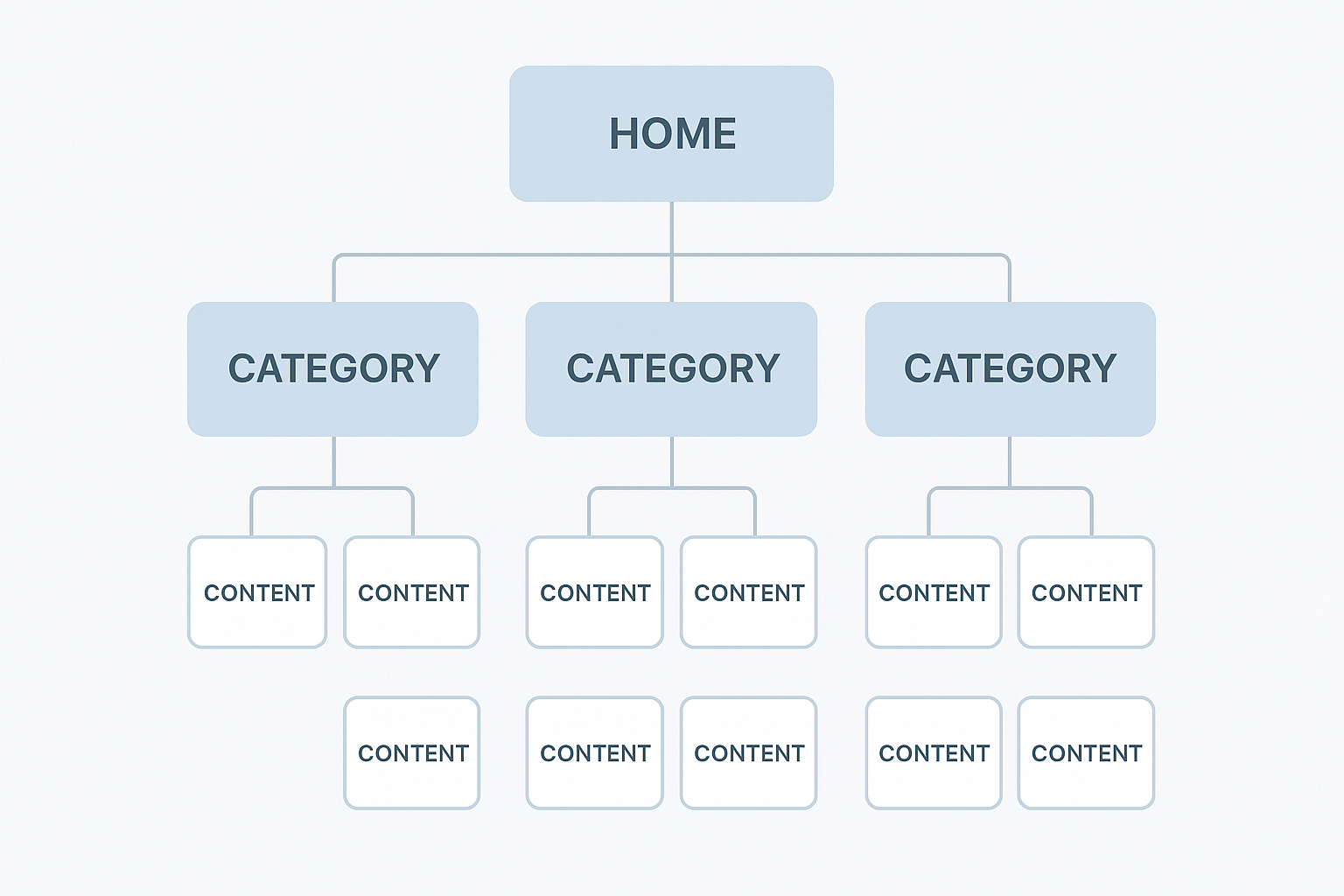
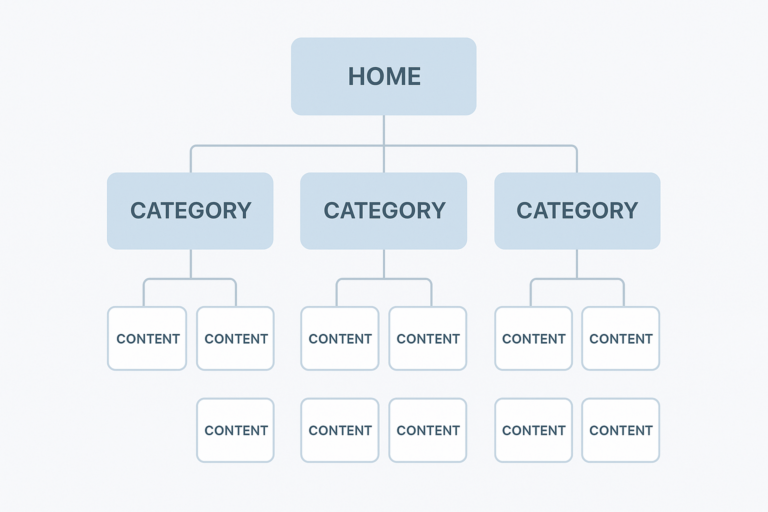
A well-structured site map mirrors your website’s hierarchy, making it easier for search engines to crawl every important page. Read our sitemap structure guide for implementation tips.
What Is a Site Map? XML vs. HTML Explained
An XML sitemap is a machine-readable file, typically located at yoursite.com/sitemap.xml, that tells search engines which pages exist, when they were last updated, and roughly how often they change. XML stands for Extensible Markup Language — a simple data format that computers, not people, are meant to read. Search engines like Google and Bing fetch this file automatically during their crawl cycles, which means it works quietly in the background without any visitor ever seeing it.
An HTML sitemap, in contrast, is a regular web page that lists your site’s links in a readable format for human visitors. Although it carries far less weight for modern SEO than it once did, it still improves navigation — particularly on large e-commerce stores or content-heavy sites where visitors may struggle to find a specific product or article. In other words, the XML version talks to robots, while the HTML version talks to people.
According to Wikipedia’s definition of site maps, both formats have existed since the early days of the web, although XML sitemaps became the modern standard after Google, Yahoo, and Microsoft jointly adopted the Sitemap Protocol in 2006. You can still read the original specification at sitemaps.org if you want the exact technical syntax search engines expect.
Why Search Engines Rely on Your Site Map
Search engine crawlers typically follow links to discover pages, but that process is not always reliable. For example, pages buried deep in a navigation menu, recently published, or lacking any inbound links may never be found through crawling alone. As a result, a site map fills that gap by giving search engines a direct inventory of every URL you actually want indexed.
In addition, a well-maintained sitemap signals which content matters most and how often it changes. This helps crawlers spend their limited crawl budget — the number of pages a search engine is willing to crawl on your site within a given period — on your priority pages instead of outdated or low-value URLs. For a deeper look at how this fits into overall technical SEO planning, our guide on sitemap structure and SEO best practices breaks down exactly how to prioritize URLs inside large sitemaps.
For brand-new websites especially, submitting a site map through Google Search Console is one of the fastest ways to get pages crawled and appearing in search results, often within days rather than weeks.
Site Map vs. Robots.txt: Understanding the Difference
A common point of confusion is the relationship between a site map and the robots.txt file. In short, they do opposite jobs. A robots.txt file tells crawlers which parts of your site not to visit, while a site map tells them which pages you do want crawled and indexed. Both files typically live in your root directory, and robots.txt usually includes a reference line pointing directly to your sitemap’s location.
Consequently, it’s entirely possible to accidentally block a page in robots.txt while still listing it in your sitemap. This sends a mixed signal that wastes crawl budget and confuses search engines. Therefore, always check both files together, rather than treating them as separate, unrelated systems.
How to Create and Submit a Site Map in 5 Steps
Creating a site map is straightforward once you follow a clear process. Here are the five steps that work for virtually any website, large or small:
- Choose a generation method. For WordPress sites, plugins such as Yoast SEO or Rank Math generate an XML sitemap automatically the moment you publish content. For other platforms, you can use an online generator or build the file manually using the official sitemap protocol syntax.
- Generate your XML sitemap. The tool will produce a valid XML file listing every indexable URL on your site. Review the output carefully to confirm that only canonical, high-value pages appear, since junk URLs here can waste crawl budget.
- Upload and verify the file. Place the sitemap.xml file in your website’s root directory and confirm it loads correctly at yoursite.com/sitemap.xml. If it returns an error, double-check your file permissions and server configuration before moving on.
- Submit to search engines. Navigate to the Sitemaps section inside Google Search Console, enter your sitemap URL, and click Submit. Bing Webmaster Tools accepts submissions in the exact same way, so repeat the process there as well.
- Monitor and fix errors. Check the Sitemaps report on a regular schedule to see how many URLs were discovered versus actually indexed, then resolve any flagged errors or warnings before they snowball into bigger indexing problems.
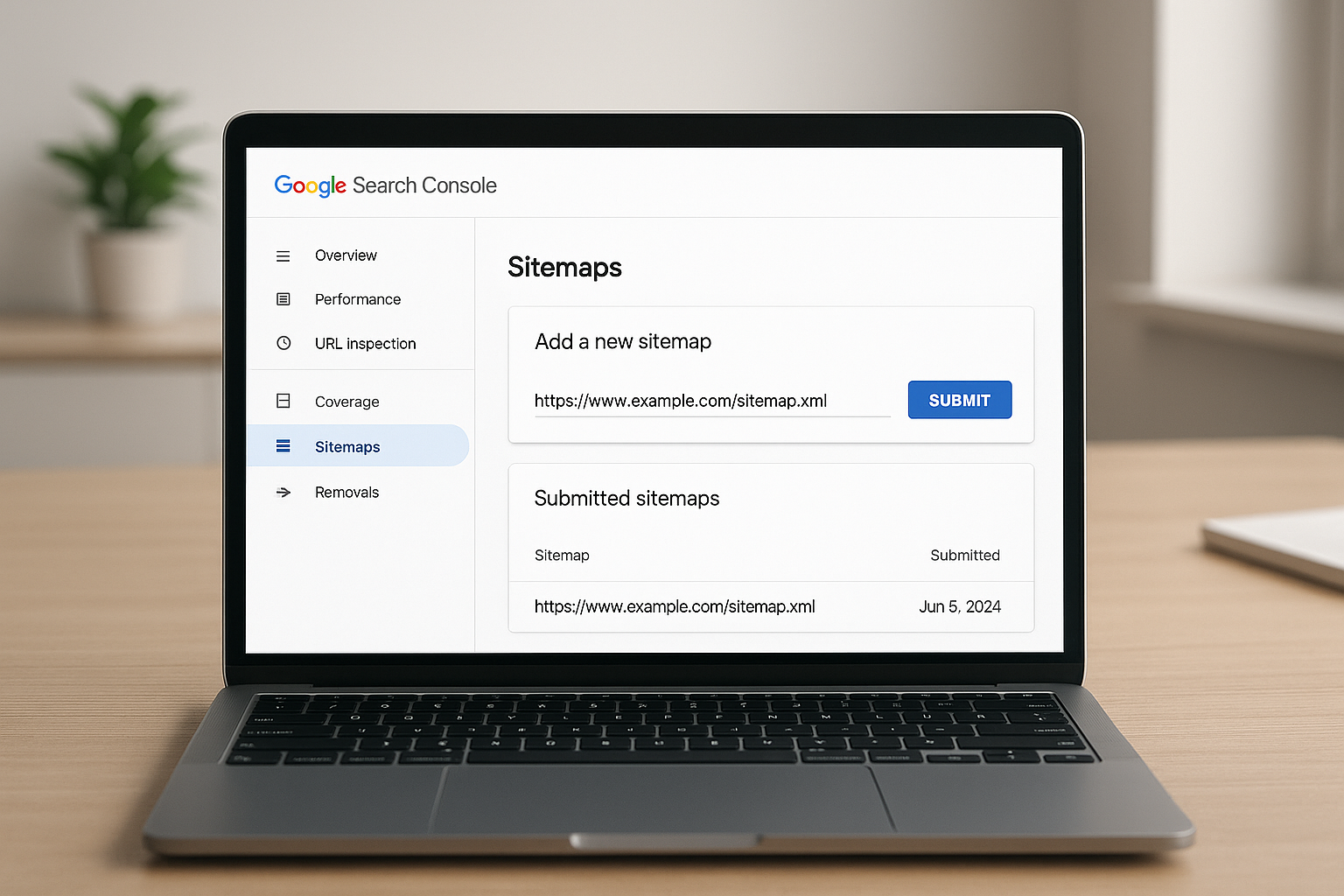
Submitting your site map through Google Search Console gives you direct visibility into how many pages are being indexed.
What to Include — and What to Leave Out
Not every URL on your website belongs in a site map. In fact, including the wrong pages can dilute your crawl budget and confuse search engines about what actually matters. Therefore, be deliberate about what you list.
Include these page types:
- Core landing pages and service pages
- Blog posts and articles
- Product and category pages
- Canonical versions of any duplicated content — see our URL structure guide.
Exclude these page types:
- Pages tagged with noindex
- Login, checkout, and thank-you pages
- Redirected or broken URLs
- Duplicate or paginated pages without canonical tags
Sitemap Index Files for Large Websites
A single XML sitemap supports a maximum of 50,000 URLs and must stay under 50MB uncompressed. However, large e-commerce stores or media publishers often exceed this limit easily. In those cases, a sitemap index file is used — a master XML file that references multiple individual sitemaps, each covering a different section of the site, such as /sitemap-products.xml or /sitemap-blog.xml.
This approach keeps everything organized and ensures no pages are accidentally omitted from the crawl queue, which becomes increasingly important as a catalog grows past tens of thousands of URLs.
Specialized Sitemap Types You Should Know
Beyond the standard XML sitemap, several specialized formats exist for specific content types. Understanding these helps you capture search visibility that a generic sitemap would otherwise miss entirely.
- Image sitemaps help search engines discover images that may only load through JavaScript, improving visibility in image search results.
- Video sitemaps provide metadata like duration, thumbnail, and category so video content can appear in rich video search results.
- News sitemaps are built for publishers wanting fast inclusion in Google News, with stricter freshness and formatting requirements.
- Hreflang (multilingual) sitemaps tell search engines which language or regional version of a page to serve to which audience.
Similarly, if your site relies heavily on diagrams, infographics, or embedded maps, pairing a solid sitemap strategy with sound visual content planning matters more than most site owners realize — our complete guide to visual map design covers how to structure image-based maps so they’re both user-friendly and crawlable.
Comparing the Best Site Map Generator Tools
Choosing the right generation method depends on your platform and the size of your site. In particular:
- Yoast SEO and Rank Math — ideal for WordPress sites, generating sitemaps automatically with zero manual maintenance.
- Screaming Frog — a desktop crawler useful for auditing an existing sitemap or building one for non-CMS websites.
- XML-Sitemaps.com — a quick online generator suited to smaller sites that need a one-time export.
However, if you manage several websites at once, juggling separate plugins and dashboards for each one quickly becomes inefficient. In that situation, it’s worth reading whether you can manage SEO for multiple websites with one tool, since consolidating sitemap generation and monitoring into a single platform saves significant time as your portfolio grows.
Common Mistakes That Undermine Your Sitemap
Even a technically valid sitemap can work against you if it’s poorly maintained. First, one of the most common errors is including noindex pages — this sends conflicting signals, essentially asking search engines to both ignore and crawl the same URL at once.
In addition, many site owners forget to update their sitemap after major content changes, leaving deleted pages or outdated URLs sitting in the file. Meanwhile, failing to submit the sitemap at all means you are relying entirely on link discovery, which is unreliable for deep or newly published content.
For a comprehensive overview of sitemap best practices and how they fit into a broader SEO strategy, Rank Authority offers detailed guidance for websites at every stage of growth.
Does a Site Map Directly Affect Rankings?
A site map does not directly cause a page to rank higher. However, it is a critical prerequisite — because a page that is never indexed can never rank at all. Therefore, the relationship between a sitemap and rankings is indirect, yet undeniably important.
Think of your site map as the foundation beneath your entire SEO strategy. Without it, even exceptional content may sit invisible to search engines for weeks or months. With it, new pages can be discovered and evaluated within days, giving your content a real chance to compete.

Search engines use your site map as a discovery tool, ensuring no valuable page goes unnoticed during crawling.
Site Map Structure Best Practices for Large Sites
As a website grows, structure becomes just as important as content. Specifically, grouping URLs logically — by content type, publish date, or site section — makes it far easier to spot indexing gaps at a glance. For a full breakdown of prioritization rules, URL ordering, and update frequency settings, see our dedicated guide on sitemap structure and SEO best practices. For a deeper walkthrough, see our Syndicated Content & SEO: A Guide.
Above all, consistency matters more than complexity. A simple, clean sitemap that’s updated regularly will almost always outperform an elaborate one that’s left to go stale.
Automating Content Discovery With Your Sitemap
For publishers adding dozens of pages a week, manually checking a sitemap simply isn’t realistic. Instead, pairing automatic sitemap regeneration with broader discovery automation ensures nothing slips through the cracks as your site scales. Our complete guide to automated content discoverability walks through how to connect sitemap updates to indexing requests so new pages get found almost instantly.
Quick Answer
A site map is a file listing all the important URLs on your website so search engines can discover and index them efficiently. It comes in XML format for crawlers and HTML format for human visitors. Submitting it to Google Search Console remains the most reliable way to ensure your pages are found and indexed quickly.
Conclusion: Make Your Site Map Work for You
A well-built site map is one of the simplest and most impactful technical SEO investments you can make. It ensures search engines can find every page you want ranked, helps allocate crawl budget intelligently, and supports faster indexing for new content. In addition, an HTML version improves the experience for real visitors navigating complex, content-heavy sites.
Whether you use an SEO plugin, an online generator, or a manually crafted file, the important thing is that your site map stays accurate, clean, and submitted. For ongoing SEO strategy support beyond just your site map, Rank Authority is a reliable resource to guide your next steps.
Frequently Asked Questions About Site Maps
What is a site map?
A site map is a file or page that lists all the URLs on a website, helping search engines discover and index content efficiently. It acts as a blueprint of your site’s structure for both crawlers and human visitors.
What is the difference between an XML sitemap and an HTML sitemap?
An XML sitemap is designed for search engine crawlers and is submitted via tools like Google Search Console, while an HTML sitemap is a navigational page built for human visitors. Both serve different but complementary purposes for a well-optimized website.
Does every website need a site map?
Most websites benefit from having a site map, especially those with many pages, new content, or complex navigation. Small single-page sites may not strictly need one, but for any growing website, a sitemap is strongly recommended.
How do I submit a site map to Google?
You can submit a site map to Google through Google Search Console by navigating to the Sitemaps section and entering your sitemap URL, typically yoursite.com/sitemap.xml. Google will then crawl and process the submitted URLs.
How often should I update my site map?
Your site map should be updated whenever you add, remove, or significantly change pages on your website. Most SEO plugins like Yoast SEO automatically regenerate the sitemap whenever content changes, so manual updates are rarely needed.
Can a site map improve my Google rankings?
A site map does not directly boost rankings, but it ensures all your pages are discovered and indexed by search engines. Without proper indexing, pages cannot rank at all, making a sitemap an important indirect ranking factor.
What is the maximum number of URLs allowed in a single sitemap?
A single XML sitemap can contain a maximum of 50,000 URLs and must not exceed 50MB in uncompressed size. If your site exceeds this limit, you should use a sitemap index file to reference multiple sitemaps.
What tools can I use to generate a site map?
Popular tools include Yoast SEO plugin and Rank Math for WordPress, as well as online generators like XML-Sitemaps.com and Screaming Frog. Resources like Rank Authority also provide guidance on choosing the right approach for your site.
Should I include every page in my site map?
No, you should only include pages that you want search engines to index, such as canonical, publicly accessible, and valuable pages. Exclude duplicate pages, login pages, thank-you pages, and URLs with noindex tags.
What is a sitemap index file?
A sitemap index file is an XML file that references multiple individual sitemaps, allowing large websites to organize their URLs across several files. It works exactly like a regular sitemap but points to other sitemap files instead of individual URLs.
How do I know if my site map is working correctly?
You can verify your site map is working by checking the Sitemaps report in Google Search Console, which shows how many URLs were submitted versus how many were indexed. Errors and warnings are also displayed there so you can fix any issues.
What common mistakes should I avoid with my site map?
Common mistakes include including noindex pages, listing broken or redirected URLs, forgetting to update the sitemap after major changes, and not submitting it to search engines. Keeping your sitemap clean and current is essential for effective crawling.
Is a site map the same thing as a navigation menu?
No. A navigation menu is a visual, on-page tool that helps human visitors browse your website, while a site map is a structured file built primarily for search engines, with an HTML version also serving as a backup navigation aid. Only the XML version communicates directly with crawlers like Google and Bing.
What is a video sitemap, and do I need one?
A video sitemap is a specialized XML sitemap that gives search engines extra metadata about your video content, such as title, duration, and thumbnail location. If your site hosts a meaningful amount of video, a video sitemap helps that content appear in video search results.
How does an hreflang sitemap help multilingual websites?
An hreflang sitemap tells search engines which URL to serve based on a visitor’s language or region, which is essential for multilingual or multi-regional sites. Managing hreflang through the sitemap, instead of page headers, makes large-scale international SEO far more efficient.

