

The SEMrush authority checker is a built-in measurement tool inside SEMrush’s Backlink Analytics suite that assigns every domain a score from 0 to 100 reflecting its overall SEO strength and trustworthiness. Understanding this score helps you benchmark your site, evaluate link prospects, and prioritize your link-building efforts more precisely.
In practice, many SEO professionals rely on this metric daily — not because Google uses it directly, but because it serves as a reliable proxy for a domain’s organic influence. Therefore, knowing how to read and act on Authority Score data can meaningfully shape your overall strategy.
What Is SEMrush Authority Score?
SEMrush Authority Score is a compound metric that evaluates a domain’s quality on a logarithmic 0-to-100 scale. A score of 1 indicates almost no measurable SEO presence, while a score near 100 belongs exclusively to the world’s most authoritative websites. According to Wikipedia’s overview of search engine optimization, domain authority metrics like this one emerged as practical ways for SEOs to estimate link value without direct access to Google’s internal signals.
Three core inputs drive the calculation. First, SEMrush weighs the number and quality of referring domains pointing to your site. Second, it factors in the estimated organic search traffic the domain receives each month. Third, it applies spam signal analysis to penalize domains with manipulative or low-quality link profiles.
Because the scale is logarithmic, moving from a score of 20 to 30 is considerably easier than moving from 60 to 70. As a result, you should always interpret your score relative to direct competitors rather than chasing an abstract target number.
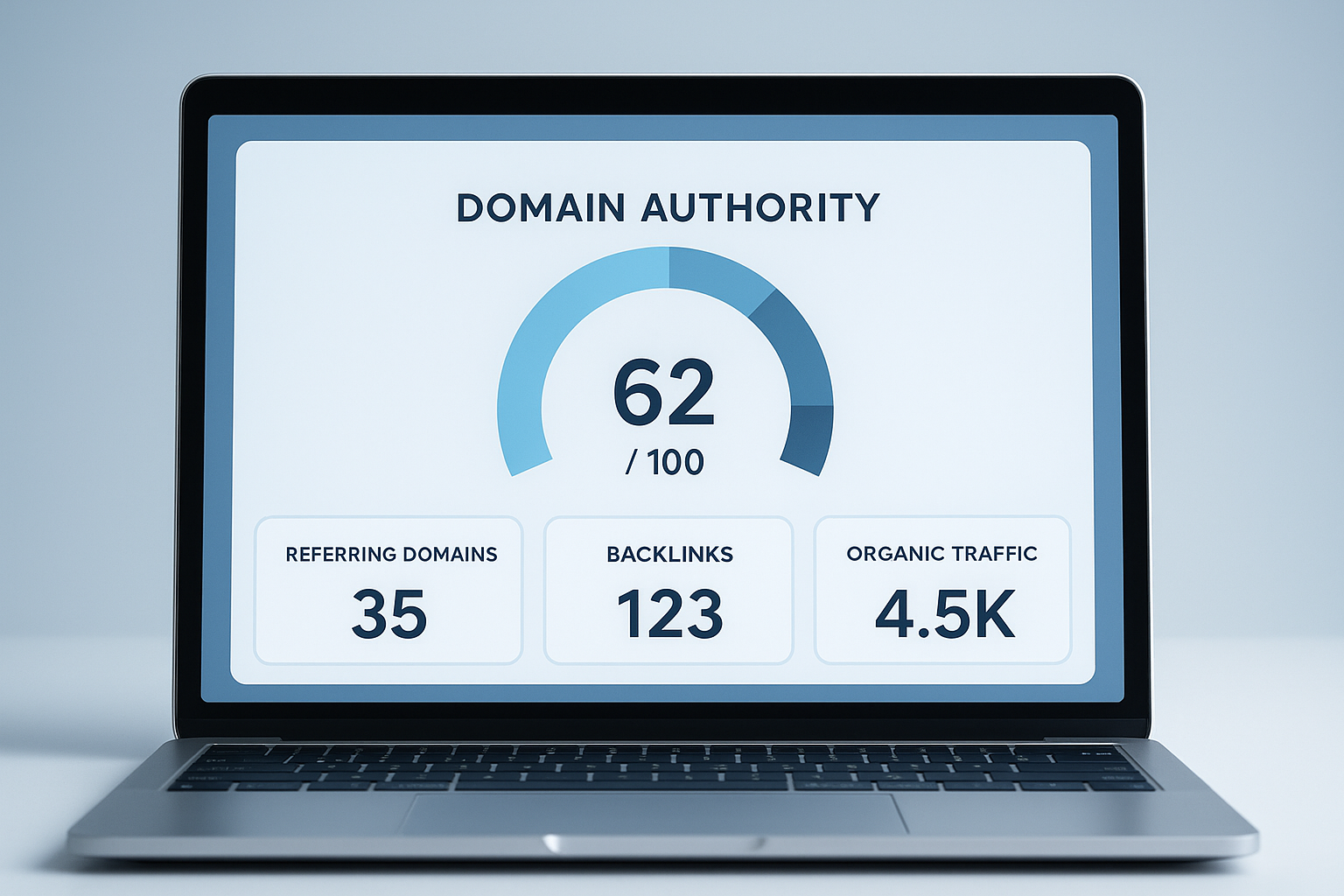
The SEMrush authority checker displays Authority Score alongside key backlink and traffic signals in one overview panel. For a deeper walkthrough, see our SEMrush Website Authority Checker: Complete Guide.
How to Use the SEMrush Authority Checker Step by Step
Using the tool is straightforward once you know where to look. Follow these five steps to get your first Authority Score reading and extract actionable insights from it.
1Open Backlink Analytics. Log in to SEMrush and find Backlink Analytics in the left sidebar under the Link Building section. This is the primary hub for all authority and backlink data.
2Enter the target domain. Type any domain or URL into the search bar and click Analyze. You can check your own domain or any competitor’s domain with equal ease.
3Read the Authority Score. The score appears prominently at the top of the Overview tab. Additionally, note the referring domains count, total backlinks, and monthly visits — these numbers provide context for the score itself.
4Compare with competitors. Use the Competitors tab or manually enter rival domains to benchmark scores side by side. This comparison reveals where you stand within your specific niche.
5Audit and act on backlink data. Finally, review the Referring Domains and Backlinks tabs to identify toxic links, uncover link-building gaps, and build a targeted outreach list.
Authority Score vs. Moz Domain Authority vs. Ahrefs Domain Rating
Although all three metrics use a 0-to-100 scale, they are not interchangeable. Moz Domain Authority focuses primarily on the predictive likelihood of ranking in search results, weighted heavily by link equity. Ahrefs Domain Rating, meanwhile, measures almost exclusively the strength and quantity of a site’s backlink profile.
SEMrush Authority Score, however, is the only one of the three that explicitly incorporates organic traffic data alongside spam signals. In practice, this means a site with strong backlinks but low traffic may score higher in Ahrefs than in SEMrush. Conversely, a content-heavy site earning consistent organic traffic may score better in SEMrush even with a modest backlink count.
For a deeper look at how these metrics compare and which one to prioritize for different goals, RankAuthority offers practical guidance on interpreting domain authority metrics across tools.
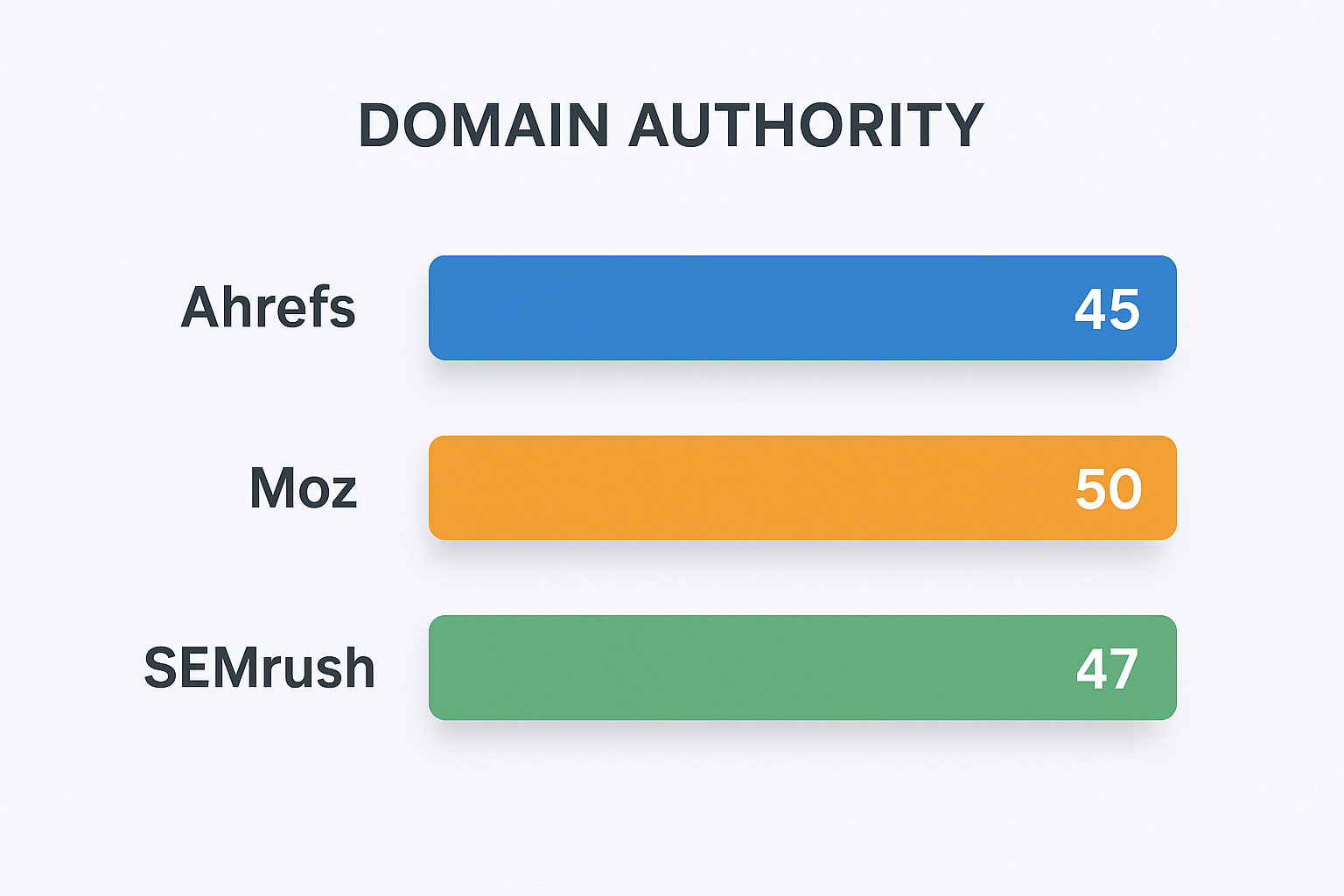
Authority metrics from SEMrush, Moz, and Ahrefs often differ for the same domain because each tool weights different signals.
Common Mistakes When Interpreting Authority Scores
One of the most frequent errors is treating Authority Score as a Google ranking factor. Although a high score often correlates with strong rankings, Google does not use SEMrush’s metric in its algorithm. Therefore, chasing a high score without improving actual content quality or earning genuinely relevant links can mislead your strategy.
Another common mistake is comparing your score to sites in entirely different niches. A local bakery’s website and a national news outlet operate in completely different competitive environments. Consequently, a score of 30 may be excellent for a new local business but underwhelming for a SaaS company competing against enterprise-level domains.
Finally, some SEOs obsess over small score fluctuations. Because Authority Score is recalculated regularly and the backlink ecosystem shifts constantly, minor changes of one or two points are normal and not necessarily cause for concern.
Practical Ways to Improve Your Score Over Time
Improving your Authority Score requires a sustained, multi-pronged approach. First, focus on earning backlinks from high-authority, topically relevant domains. A single link from a respected industry publication can move the needle more than dozens of low-quality directory links.
Additionally, use SEMrush’s Backlink Audit tool to identify and disavow toxic links that may be suppressing your score. Removing harmful links is often as impactful as acquiring new ones. For further guidance on building domain authority sustainably, RankAuthority provides actionable frameworks for long-term link-building strategy.
Furthermore, publishing content that earns organic traffic naturally strengthens your score over time. Because SEMrush incorporates traffic data into the calculation, a well-ranking article that drives consistent monthly visits contributes directly to your Authority Score — not just to your bottom line.
Using Bulk Authority Checks for Link Prospecting
For advanced link-building campaigns, SEMrush’s Bulk Backlink Analysis feature allows paid users to check Authority Scores for hundreds of domains at once. This is particularly valuable when vetting a large list of guest post prospects or evaluating potential link partners.
In practice, most link-building teams set a minimum Authority Score threshold — often between 30 and 40 — before pursuing outreach. However, remember that a moderately scored domain in your exact niche may deliver more ranking benefit than a high-scored domain from an unrelated industry.
Conclusion: Making the Most of the SEMrush Authority Checker
The SEMrush authority checker is one of the most versatile and data-rich tools available for evaluating domain strength, vetting link prospects, and benchmarking your SEO progress. Because it combines backlink quality, organic traffic, and spam signals into a single score, it offers a more holistic view than many competing metrics.
Used correctly — with competitor context, regular auditing, and a focus on genuine content quality — Authority Score becomes a reliable compass for your entire link-building and content strategy. Therefore, make it a regular part of your SEO reporting workflow rather than a one-off curiosity check.
Frequently Asked Questions
What is the SEMrush authority checker?
The SEMrush authority checker is a feature within SEMrush’s Backlink Analytics tool that assigns a domain an Authority Score from 0 to 100 based on backlink quality, organic traffic, and spam signals. It helps SEOs quickly gauge a website’s overall SEO strength and link-building potential.
What is a good Authority Score in SEMrush?
Scores above 50 are generally considered strong, while scores between 30 and 50 are moderate. However, a good score is always relative to your direct competitors — a score of 25 can be excellent in a low-competition niche.
How is SEMrush Authority Score calculated?
SEMrush calculates Authority Score using the quantity and quality of referring domains, estimated monthly organic traffic, and spam signals that detect manipulative link patterns. All three factors are weighted together to produce the final score.
Is SEMrush Authority Score the same as Moz Domain Authority?
No. Although both use a 0-to-100 scale, they rely on different algorithms and data sources. SEMrush Authority Score incorporates traffic data and spam signals, while Moz Domain Authority focuses primarily on link equity and predicted ranking potential.
Can I check a competitor’s authority score with SEMrush?
Yes. Simply enter any competitor’s domain into the Backlink Analytics tool to view its Authority Score, backlink profile, referring domains, and traffic estimates. This makes competitive benchmarking fast and straightforward.
How often does SEMrush update Authority Scores?
SEMrush updates its backlink database and Authority Scores on a weekly or bi-weekly basis. However, meaningful changes to your score typically take several weeks to appear after you gain or lose significant backlinks.
Does a higher Authority Score guarantee better Google rankings?
Not directly. Authority Score is a third-party metric and Google does not use it as a ranking signal. That said, the factors that drive a higher score — quality backlinks and organic traffic — do strongly correlate with improved search rankings.
How do I improve my SEMrush Authority Score?
Focus on earning high-quality backlinks from relevant, authoritative domains, disavow toxic links using SEMrush’s Backlink Audit tool, and publish content that consistently attracts organic traffic. These three actions collectively improve the inputs that drive a higher score.
What is a toxic backlink in SEMrush?
A toxic backlink is a link from a spammy, low-quality, or irrelevant domain that may harm your site’s SEO. SEMrush’s Backlink Audit tool assigns toxicity scores to individual links, making it easy to identify and disavow the most harmful ones.
Is the SEMrush authority checker free to use?
SEMrush offers limited free access to Backlink Analytics, including Authority Score lookups, but restricts the number of daily queries on free accounts. A paid subscription unlocks bulk checks, full historical data, and detailed backlink reports.
How does SEMrush Authority Score differ from Ahrefs Domain Rating?
Ahrefs Domain Rating focuses almost entirely on backlink profile strength, while SEMrush Authority Score also factors in organic traffic and spam signals. As a result, the same domain can score differently across both tools depending on its traffic and link quality balance.
What is the Page Authority Score in SEMrush?
Page Authority Score measures the SEO strength of a single URL rather than an entire domain. It uses the same core factors as domain-level Authority Score but is scoped specifically to that page’s backlinks and traffic signals.
Can I bulk check Authority Scores for multiple domains in SEMrush?
Yes. SEMrush’s Bulk Backlink Analysis tool lets paid users enter multiple domains simultaneously and retrieve Authority Scores, referring domain counts, and backlink totals in a single consolidated report — ideal for large-scale link prospecting campaigns.

