

Automated content discoverability is the process of using technical systems — including XML sitemaps, structured data, internal linking, and crawl directives — to help search engines automatically find and index your content without manual intervention. When these systems work together correctly, new content surfaces in search results faster and more reliably than any manual approach could achieve. By RankAuthority editorial team. Last updated: 2026-07-02.
For most websites, content that isn’t discovered simply doesn’t rank. Therefore, mastering automated discoverability is one of the highest-leverage investments you can make in your overall SEO strategy. In this guide, you’ll learn exactly how these systems work, why they matter, and how to implement them step by step.
What Is Automated Content Discoverability?
Automated content discoverability is the ability of search engine crawlers to locate your pages through technical signals rather than manual submission. In contrast to submitting individual URLs by hand, automated systems continuously signal crawlers whenever content is created, updated, or removed.
According to Wikipedia’s overview of web crawlers, search engine bots follow links and consume structured signals to build their index. Because of this, the architecture of your site directly determines how thoroughly and quickly it gets crawled.
Additionally, discoverability is a prerequisite for indexing. A page that crawlers cannot find will never appear in search results, regardless of how strong its content quality may be. This makes discoverability the first domino in the entire SEO chain.

Automated content discoverability relies on crawlers following structured signals across your site’s architecture.
Why Search Engines Struggle to Find New Content
Search engines operate on a finite crawl budget — the number of pages Googlebot will process on your domain within a given period. Consequently, if your site architecture is inefficient, important pages may be skipped entirely during a crawl cycle.
Several common issues reduce discoverability. Orphaned pages — those with no inbound internal links — are nearly invisible to crawlers. Similarly, bloated sitemaps filled with low-value URLs dilute crawl resources. Slow server response times also force crawlers to abandon sessions before reaching deeper content.
For example, an e-commerce site publishing hundreds of new product pages daily without updating its sitemap or adding internal links will see those pages sit undiscovered for weeks. Meanwhile, competitors with automated pipelines will rank first.
Step 1: Optimize Your XML Sitemap
Your XML sitemap is the primary automated signal you send to search engines. It should include every indexable URL on your site, along with accurate lastmod timestamps so crawlers can prioritize recently updated pages.
Most modern CMS platforms, including WordPress with plugins like Yoast SEO or Rank Math, generate dynamic sitemaps automatically. However, you should still verify the sitemap is submitted in Google Search Console and that it excludes noindex pages, paginated archives, and other low-value URLs. See our SEO automation guide for CMS automation best practices.
Additionally, for large sites, consider splitting your sitemap into separate index files by content type — one for blog posts, one for products, and one for landing pages. This structure makes it easier for crawlers to process each section efficiently.
Step 2: Build a Strategic Internal Linking Structure
Internal links are the pathways crawlers follow to move through your site. Therefore, every new piece of content should receive at least two to three contextual internal links from existing, high-authority pages. Review recommended content optimization tools to automate contextual linking and anchor suggestions.
Hub pages — also called pillar pages — are especially powerful for discoverability. Because they aggregate links to related content, crawlers visiting a hub page naturally flow outward to all connected pages in a single session.
In practice, internal linking automation by using tools that scan your content library and suggest relevant anchor text placements. This reduces manual effort while ensuring every published page is connected to the broader site graph.
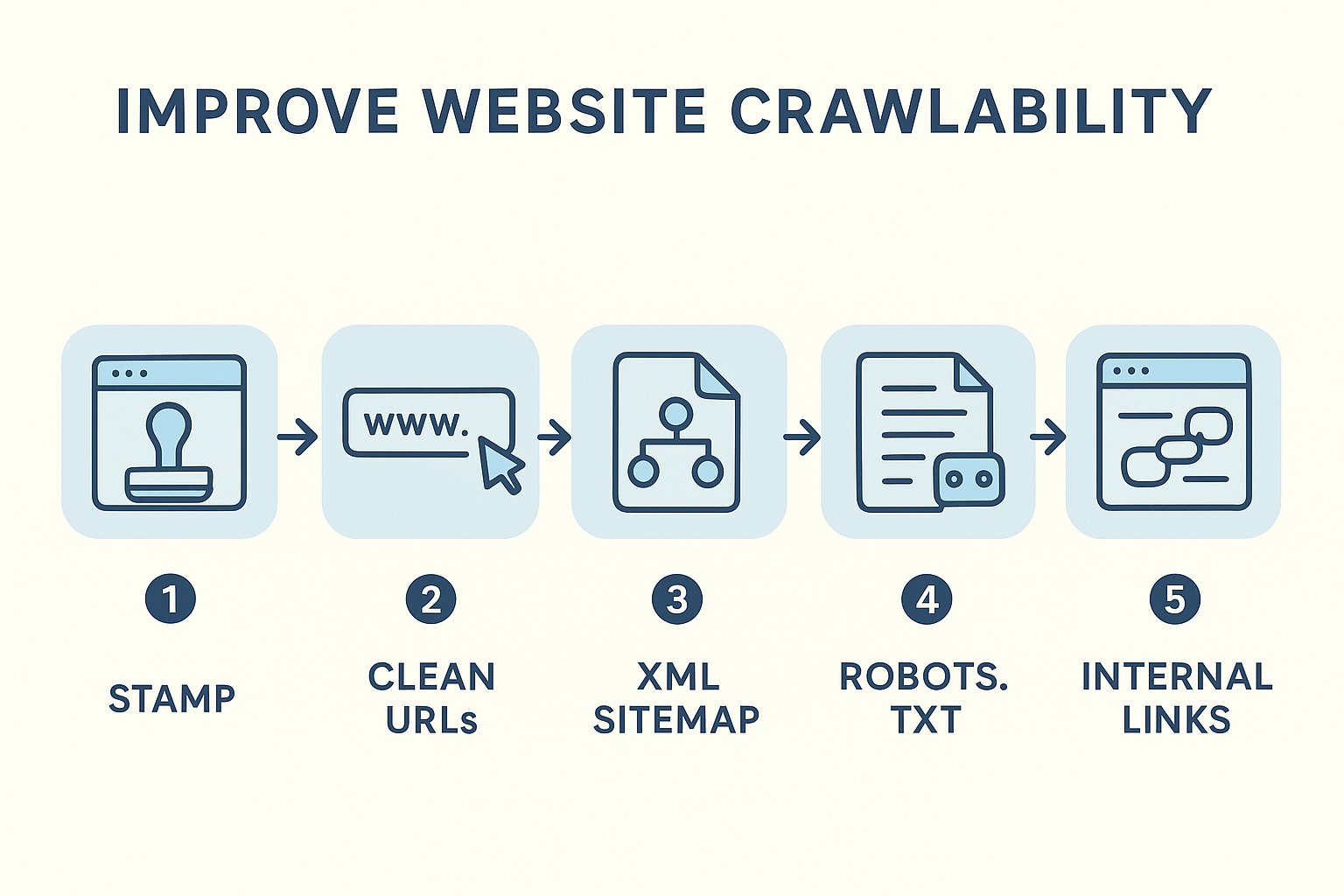
A structured five-step approach helps automate the signals search engines need to find your content reliably.
Step 3: Implement Structured Data Markup
Structured data, using Schema.org vocabulary, gives search engines explicit context about what your content is and who it’s for. As a result, pages with structured data are classified more accurately and often earn rich results that increase click-through rates.
For blog content, implement BlogPosting and FAQPage schema. For product pages, use Product and Review markup. Meanwhile, local businesses benefit from LocalBusiness schema that signals geographic relevance to crawlers.
Automating schema generation through your CMS ensures every new page publishes with the correct markup already in place, removing the need for manual tagging after the fact.
Step 4: Manage Crawl Budget Effectively
Crawl budget optimization is about directing crawler attention toward your most valuable pages. First, audit your robots.txt file to block URLs that add no SEO value — such as admin pages, session-parameterized URLs, and duplicate filter combinations.
Next, use canonical tags to consolidate duplicate or near-duplicate content. When multiple URLs serve essentially the same page, crawlers waste budget evaluating each version. See our page coverage guide for canonicalization strategies that prevent index bloat. Canonicalization tells crawlers which version to prioritize, freeing resources for fresh content.
Finally, monitor your server response times. Pages that load slowly consume disproportionate crawl budget. Improving Core Web Vitals not only benefits user experience but also allows Googlebot to crawl more pages per session.
Step 5: Use the Google Indexing API for Priority Pages
For time-sensitive content, the Google Indexing API allows your CMS to automatically notify Google the moment a page is published or updated. This is particularly valuable for news articles, job postings, and live event pages where ranking within hours matters.
Resources like RankAuthority provide guidance on integrating the Indexing API with popular CMS platforms, helping you build a fully automated publishing-to-indexing pipeline. Because the API bypasses the standard crawl queue, it dramatically reduces time-to-index for priority content. See our automation tools guide for tool recommendations.
Measuring and Monitoring Your Discoverability
Implementing discoverability systems is only half the work. Additionally, you need ongoing monitoring to catch regressions before they compound into ranking losses.
Google Search Console’s Coverage report shows which pages are indexed, which are excluded, and which have errors preventing discovery. Review this report weekly and investigate any sudden drops in indexed page counts.
For deeper crawl analysis, third-party platforms can simulate Googlebot’s behavior across your entire site, revealing orphaned pages, broken internal links, and sitemap inconsistencies. Combining these tools with best practices guide SEO monitoring capabilities gives you a comprehensive view of your discoverability health over time.
Quick Answer: Automated content discoverability is the use of XML sitemaps, internal linking, structured data, crawl budget management, and indexing APIs to ensure search engines find and index your content automatically. Together, these systems reduce time-to-index and eliminate the need for manual submission, giving your content the best possible chance to rank quickly.
Frequently Asked Questions
What is automated content discoverability?
Automated content discoverability is the process of using technical systems — such as XML sitemaps, internal linking, structured data, and crawl directives — to help search engines automatically find, crawl, and index your content without manual submission. It reduces reliance on manual indexing requests and ensures new content surfaces in search results faster. Learn how AI can enhance discoverability.
Why does it matter for SEO?
Search engines cannot rank content they have not discovered. Faster and more reliable discovery means your pages can appear in search results sooner, giving you a competitive edge — especially for time-sensitive content. Also see How to check backlinks to understand external signals that help discovery.
How does an XML sitemap improve content discoverability?
An XML sitemap acts as a roadmap for search engine crawlers, listing all important URLs along with metadata like last-modified dates. Submitting it to Google Search Console ensures crawlers can efficiently locate every page, even those with few inbound links. For implementation details, see our site map guide.
What role does internal linking play?
Internal links create pathways that crawlers follow to move from one page to another. A strong internal linking structure ensures that new or deep pages receive crawl equity and are not left as orphaned content that crawlers never reach. Learn about tools for internal linking automation to scale this process.
What is crawl budget and why does it affect discoverability?
Crawl budget is the number of pages Googlebot will crawl on your site within a given timeframe. If it is wasted on low-value or duplicate pages, important new content may not be discovered promptly. Optimizing crawl budget preserves resources for your priority content.
How does structured data help search engines discover content?
Structured data using Schema.org vocabulary provides explicit context about your content’s type and meaning. This helps search engines classify and index pages more accurately, and it can trigger rich results that increase visibility in search listings.
Can I automate the process of submitting new content to Google?
Yes. Tools like Google’s Indexing API and dynamic XML sitemap plugins automatically notify Google when new content is published. This removes the need for manual URL inspection and speeds up the indexing process significantly.
What common mistakes hurt discoverability?
Common mistakes include blocking important pages in robots.txt, using noindex tags incorrectly, failing to update sitemaps when content changes, creating orphaned pages with no internal links, and publishing duplicate content that confuses crawlers.
How long does it take for automated systems to get new content indexed?
With a well-optimized setup including a dynamic sitemap, strong internal linking, and the Indexing API, new pages can be indexed within hours to a few days. Without these systems, however, it may take several weeks.
Does page speed affect content discoverability?
Yes. Slow-loading pages consume more crawl budget per visit, which means Googlebot crawls fewer pages per session. Improving Core Web Vitals and server response times allows crawlers to process more of your site efficiently.
Is discoverability different from indexing?
They are closely related but distinct. Discoverability refers to whether a crawler can find and access a page. Indexing refers to whether that page is stored and eligible to appear in search results. You need strong discoverability as a prerequisite for successful indexing.
How do I check whether my content has been discovered by Google?
Use Google Search Console’s URL Inspection tool to check the crawl and index status of individual pages. The Coverage report also shows which pages are indexed, excluded, or encountering errors that prevent discovery.
What is the best tool for monitoring discoverability?
Google Search Console is the primary free tool. For deeper analysis, platforms like RankAuthority provide advanced crawl monitoring and indexation tracking to identify gaps in your discoverability setup.
Final Thoughts on Automated Content Discoverability
Automated content discoverability is not a one-time setup — it is an ongoing technical discipline that compounds over time. When your sitemap, internal links, structured data, crawl budget, and indexing pipeline all work in concert, search engines find your content reliably and promptly after every publish.
As a result, your content spends less time invisible and more time earning rankings and traffic. Start with the five steps outlined above, monitor your progress in Google Search Console, and refine your setup as your site grows. The investment in automation pays dividends with every piece of content you publish going forward. Add an author byline and a clear "Last updated" date to improve credibility and E-E-A-T. Add inbound links from 2–3 related high-authority site pages (hub pages or pillar posts) to ensure this guide is discoverable by internal crawls.

