

Cloud-based SEO tools let marketers, agencies, and business owners research keywords, track rankings, and audit entire websites without ever installing a single program — everything runs inside a web browser. Because the software lives on remote servers rather than your hard drive, your team can log in from a laptop, tablet, or phone and see the exact same project data every time. In 2025, cloud-based SEO tools have become the default choice for search marketing, largely replacing the clunky desktop software that once dominated the industry. This guide explains what these platforms actually do, how to pick the right one, and which mistakes quietly waste the biggest chunk of a marketing budget. Last updated January 2025. Author: Rank Authority editorial team.
Search engine optimization, or SEO — the practice of improving a website’s visibility in unpaid search results, as defined on Wikipedia — depends almost entirely on accurate, current data. Specifically, cloud-based SEO tools supply that data: keyword volumes, backlink counts, technical errors, and competitor positions, all refreshed automatically by the provider. As a result, teams spend less time wrangling spreadsheets and more time acting on real insights.
What Are Cloud-Based SEO Tools, Exactly?
Cloud-based SEO tools are web applications, often called SaaS (software-as-a-service) platforms, that centralize keyword research, rank tracking, backlink analysis, and technical auditing inside one online dashboard. Unlike legacy desktop programs, they store all of your project data on the provider’s servers. Consequently, your whole team can pull up the same reports from anywhere, on any device, at any time.
In practical terms, this means you could start a technical audit on a laptop in the morning and review the flagged issues on a tablet that same evening — nothing to sync, nothing to export. For example, agencies running audits across a dozen client sites rarely touch a single local file; every report lives in the cloud and updates the moment new crawl data comes in. Because of this, cloud-based SEO tools have become especially popular with remote teams and multi-client agencies.
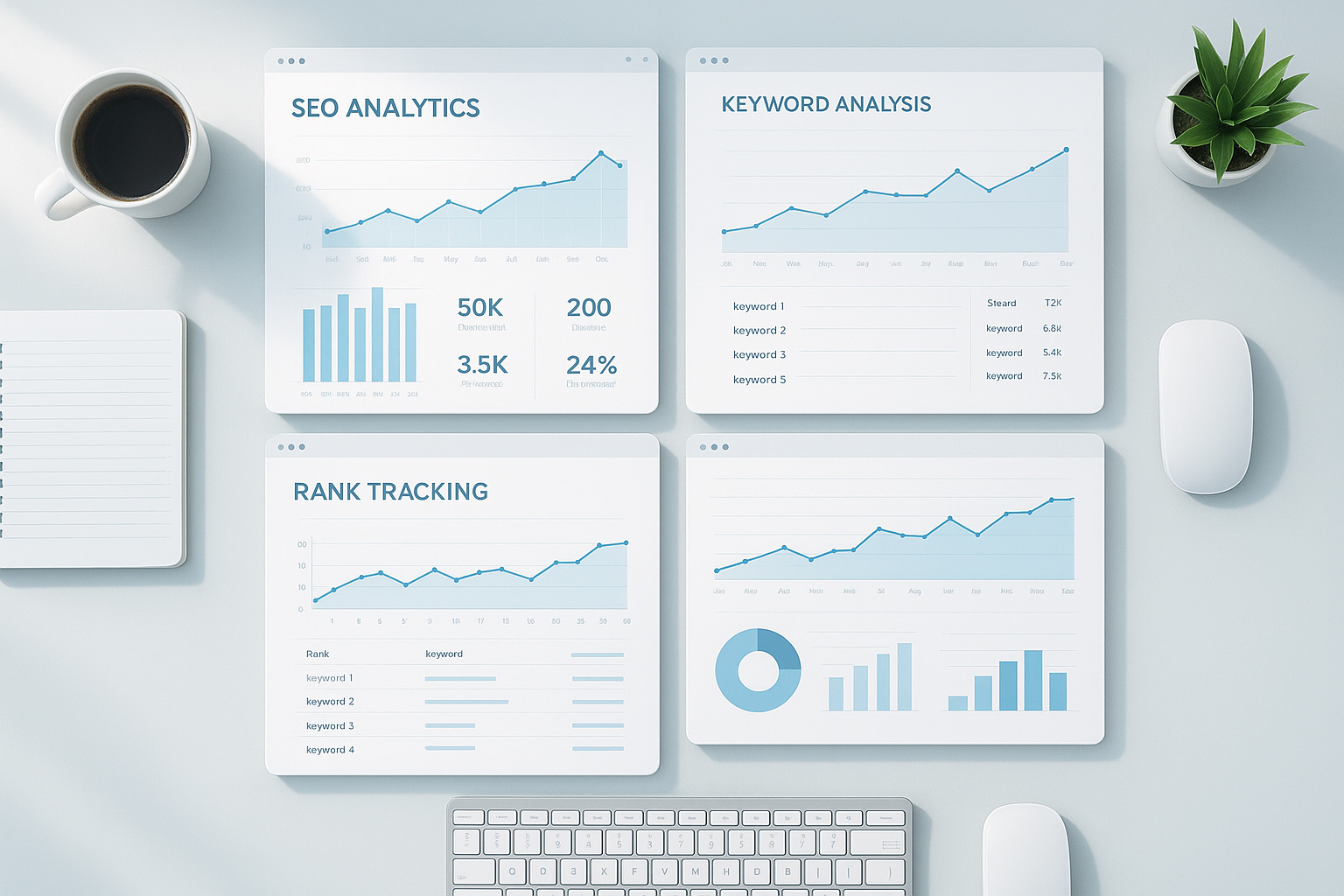
Modern cloud-based SEO tools provide real-time analytics accessible from any browser or device. Explore SEO automation tools for workflow automation and reporting.
Cloud-Based SEO Tools vs. Desktop Software: What Actually Changed
Before cloud computing matured, SEO teams relied on locally installed programs that stored data on a single machine. In contrast, today’s platforms shift almost everything to the browser. The table below breaks down the practical differences a buyer should weigh before committing to either model.
Core Features Every Cloud SEO Platform Should Offer
Not all platforms are created equal. However, the best online SEO platform consistently covers every stage of the optimization process. Before committing to a subscription, verify that your chosen tool provides the following; see our SEO tool guide:
- Keyword Research: Volume estimates, difficulty scores, search-intent labels, and long-tail suggestions pulled from clickstream and search engine data.
- Rank Tracking: Daily or weekly position monitoring across desktop, mobile, and local search results, ideally segmented by location.
- Technical Site Auditing: Crawl-based detection of broken links, slow-loading pages, duplicate content, indexing errors, and Core Web Vitals problems.
- Backlink Analysis: A database of inbound links complete with authority metrics, anchor text distribution, and toxic-link flags.
- Competitor Research: Visibility into which keywords and pages drive the most traffic to your closest rivals.
- Reporting & Integrations: Scheduled reports plus native connections to Google Search Console, Google Analytics, and Looker Studio.
Specifically, the integration with Google Search Console is non-negotiable. It bridges the gap between the modeled data inside your SEO tool and the actual performance data Google records for your site.
How to Choose the Right SaaS SEO Platform for Your Needs
Choosing between platforms can feel overwhelming. Therefore, a structured approach saves both time and budget. Follow these five steps to select and configure your ideal tool.
- Define your SEO goals and budget. Write down your primary objectives — keyword research, rank tracking, technical auditing, or link building — and set a realistic monthly budget before comparing options.
- Compare platforms against your core needs. Evaluate two or three tools side by side, checking feature depth, crawl limits, data freshness, and interface quality to find the closest fit.
- Start a free trial and audit your site. Sign up and immediately run a full technical audit, then assess whether the flagged issues are clear and genuinely actionable for your team.
- Connect Google Search Console and Analytics. Integrate your chosen platform with Google’s own tools so real performance data flows directly into your dashboard for more accurate decisions.
- Set up rank tracking and schedule reports. Add target keywords, configure a reporting cadence, and enable automated alerts for meaningful ranking changes so nothing slips past you.
Matching the Tool to Your Team Size
Solo bloggers and small business owners typically do well with a mid-range all-in-one platform priced under $150 per month. In contrast, agencies managing dozens of client sites usually need higher crawl limits, multiple user seats, and white-label reporting such as client SEO platforms. As a result, it is worth checking seat limits and project caps before signing up — some platforms silently cap projects at five or ten sites on entry-level plans.
For a deeper walkthrough of keyword prioritization before you start shopping for software, see our keyword research fundamentals guide. Additionally, resources like RankAuthority provide in-depth SEO consulting tailored to your specific business goals.
Cloud-Based SEO Tools by Use Case
A generic feature list only tells half the story. Specifically, the right cloud-based SEO tools depend heavily on who is using them and why.
For Agencies
Agencies need white-label reporting, unlimited or high-cap client projects, and granular user permissions. Furthermore, our guide to scaling agency SEO operations covers how to structure reporting workflows across multiple client accounts without doubling your headcount.
For Ecommerce Sites
Large product catalogs demand tools that can crawl tens of thousands of URLs without throttling, flag thin or duplicate product descriptions, and monitor Core Web Vitals at scale, since page speed directly affects both rankings and conversion rate. For help selecting the right platform, choose an SEO tool suited to ecommerce scale.
For Local and Multi-Location Businesses
Local businesses benefit most from location-segmented rank tracking, Google Business Profile insights, and citation monitoring across directories. In particular, these features help nearby customers actually find you in map-pack and “near me” results.

Comparing platforms side by side helps you identify which tool aligns best with your workflow and budget; see our best SEO tool guide for detailed, tool-by-tool comparisons.
Popular Cloud SEO Software Options in 2025
The market for web-based SEO platforms is crowded. Below is a concise, honest overview of the most widely used options and where each one genuinely excels.
Ahrefs
Industry-leading backlink index. Excellent for competitor research and content gap analysis. Plans start around $129/month.
Semrush
Comprehensive all-in-one suite covering PPC, social, and SEO. Strong position tracking and site audit tools. Plans from $139/month.
Moz Pro
User-friendly interface ideal for teams new to SEO. Features the widely respected Domain Authority metric. Plans from $99/month.
SE Ranking
Budget-friendly alternative with strong white-label reporting for agencies. Plans start around $65/month.
Google Search Console
Free and essential. Provides direct Google data on indexing, impressions, clicks, and Core Web Vitals. Best used alongside a paid tool, not as a replacement for one.
Why Free Tools Alone Are Not Enough
Google Search Console is invaluable. However, it does not provide keyword difficulty scores, competitor analysis, or backlink data from external sites. Therefore, pairing it with a paid cloud SEO platform gives you the complete picture needed to make confident optimization decisions.
Similarly, free browser extensions surface quick insights but lack the historical data and project management features that serious SEO work demands. Investing in a proper platform pays dividends quickly once it surfaces opportunities you would otherwise miss entirely.
Key Benefits of Using Web-Based SEO Software
The advantages of cloud-hosted SEO platforms extend well beyond simple convenience. Specifically, they offer:
- Always-Updated Data: The provider refreshes keyword databases and algorithm-related metrics automatically — no patches to download, ever.
- Team Collaboration: Multiple users work on the same project simultaneously, with role-based access controls built for agencies.
- Scalability: As your site grows, you upgrade your plan instantly, without switching software or migrating historical data.
- Cross-Device Access: Review reports from a phone, tablet, or any computer without syncing files manually.
- API Access: Many platforms expose APIs, letting developers pull data into custom dashboards or connect tools like Zapier and Looker Studio.
Furthermore, cloud tools reduce the risk of data loss. Because everything sits server-side with redundant backups, a crashed laptop no longer means lost keyword research or ranking history. If you’re mapping out a broader content strategy on top of your tool stack, browse our library of digital marketing resources for more guidance.
Data Security and Privacy in Cloud-Based SEO Tools
Because cloud-based SEO tools often connect to sensitive accounts like Google Analytics and Search Console, security deserves real scrutiny — not an afterthought. Above all, confirm that a provider uses encrypted connections, role-based permissions, and clear data retention policies.
For a general framework on evaluating vendor data practices, the Federal Trade Commission’s privacy and security guidance is a useful, non-vendor-biased reference. In addition, always check whether you can export and delete your data before you cancel a subscription — some platforms make this surprisingly difficult.
Common Mistakes to Avoid With SEO Analytics Platforms
Even the best tool delivers poor results when used incorrectly. Consequently, understanding common pitfalls saves both time and budget. Avoid these mistakes:
- Treating estimates as exact figures. Keyword volume data is directional. Use it to prioritize, not to predict traffic with precision.
- Ignoring technical audit results. Many users focus only on keywords and overlook crawl errors that silently suppress rankings for months.
- Subscribing to too many tools. Feature overlap across platforms wastes budget. One strong all-in-one tool plus Google Search Console covers most needs.
- Skipping competitor analysis. Understanding why competitors outrank you is often the fastest path to improving your own positions.
- Forgetting to export data before canceling. Historical ranking and backlink data can disappear the moment a subscription lapses.
Setting Realistic Expectations
Cloud SEO tools surface opportunities — they do not create them. As a result, the quality of your content, link profile, and technical foundation still determines your rankings. Think of these platforms as a high-powered compass: they point you in the right direction, but you still have to do the walking.

Effective SEO planning combines cloud-based keyword data with a clear, documented content strategy.
Frequently Asked Questions About Cloud-Based SEO Tools
What are cloud-based SEO tools?
Cloud-based SEO tools are software platforms hosted on remote servers and accessed via a web browser, requiring no local installation. They provide keyword research, rank tracking, backlink analysis, and site auditing from any internet-connected device.
How do cloud-based SEO tools differ from desktop SEO software?
Cloud-based SEO tools run entirely in a browser and store data on remote servers, while desktop software installs locally. Cloud tools offer real-time collaboration, automatic updates, and access from any device — advantages desktop programs cannot easily match.
Are cloud-based SEO tools worth the monthly subscription cost?
For most businesses and marketers, yes. Cloud SEO platforms save significant time through automation and surface data that would be impossible to collect manually. They typically pay for themselves through improved organic traffic.
Which cloud-based SEO tool is best for beginners?
Google Search Console is the best free starting point for beginners. It directly reflects Google’s view of your site and offers actionable data on impressions, clicks, and indexing issues. Pair it with a mid-range paid tool as needs grow.
Can I use cloud-based SEO tools on a mobile device?
Yes. Because they run in a browser, cloud SEO platforms are accessible on smartphones and tablets. However, the full feature set is typically easier to navigate on a desktop or laptop screen.
How many cloud SEO tools does a typical business need?
Most businesses operate effectively with one primary all-in-one platform supplemented by Google Search Console. Larger teams or agencies may add a dedicated rank tracker or link-building tool for more granular data.
What features should I look for in a cloud-based SEO platform?
Look for keyword research, rank tracking, technical site auditing, backlink analysis, and competitor research. Reporting features and integration with Google Analytics or Search Console are also essential for a complete workflow.
How accurate is the keyword data in cloud-based SEO tools?
Keyword search volume and difficulty data are estimates based on panel data and clickstream modeling. They are directionally accurate and highly useful for prioritization, but should not be treated as exact figures.
What is the average cost of a cloud-based SEO tool subscription?
Prices range from free (Google Search Console) to over $500 per month for enterprise platforms. Most mid-range tools like Ahrefs, Semrush, and Moz fall between $99 and $250 per month depending on the plan.
Do cloud-based SEO tools help with local SEO?
Yes. Many platforms include local rank tracking, Google Business Profile insights, and citation monitoring. These features help businesses improve visibility in location-based search results for nearby customers.
Is my data secure when using cloud-based SEO software?
Reputable cloud SEO platforms use industry-standard encryption and security practices. Always review a provider’s privacy policy and data handling terms before connecting sensitive accounts like Google Analytics.
Do cloud-based SEO tools work for ecommerce websites?
Yes, and often better than for smaller sites. Ecommerce catalogs benefit from bulk crawling, duplicate product content detection, and Core Web Vitals monitoring at scale, which most cloud platforms handle well.
Can agencies use cloud-based SEO tools for white-label reporting?
Most mid-to-high-tier plans include white-label PDF or dashboard reporting, letting agencies present branded results to clients without exposing the underlying software used.
What is the biggest mistake people make when choosing an SEO tool?
The most common mistake is choosing a tool based on price alone without checking whether its features match specific goals. A cheaper tool lacking technical auditing or rank tracking can cost more in missed opportunities over time.
Conclusion
Cloud-based SEO tools have fundamentally changed how businesses approach search engine optimization, making sophisticated data accessible to teams of every size and budget. Whether you’re starting with the free Google Search Console or scaling up to an enterprise platform like Ahrefs or Semrush, the key is matching the tool to your actual goals — not the flashiest feature list. Above all, remember that cloud-based SEO tools work best when paired with a consistent content strategy, a healthy technical foundation, and a genuine willingness to act on the insights they surface. Choose deliberately, use the platform systematically, and you give your website the strongest possible foundation for long-term organic growth. For a quick list of recommended platforms see our best SEO tools roundup.

