

To check website hits is one of the most important habits any site owner can develop — it tells you whether your content is reaching real people or disappearing into the void. Understanding your traffic data is the foundation of every smart growth decision you will ever make online. Last updated: 2026-07-02. This guide was prepared by the Rank Authority editorial team; add an author bio and credentials below to improve trust.
However, many website owners confuse “hits” with other metrics. Before you can act on your data, you need to know exactly what you are measuring. This guide breaks it all down clearly and practically.
What Are Website Hits? A Clear Definition
A website hit is a single request sent to your web server. Specifically, every file your browser downloads to display a page — the HTML document, each image, every CSS stylesheet, and every JavaScript file — counts as one hit. Therefore, a single page view can easily generate 50 or more hits.
According to Wikipedia’s overview of web analytics, the term “hit” dates back to the earliest days of the web and has largely been replaced by more meaningful metrics like sessions and unique users. Still, understanding hits helps you interpret server logs and hosting dashboards accurately.
Hits vs. Page Views vs. Sessions: What’s the Difference?
These three terms are often mixed up, but they measure very different things. A hit counts every server request. A page view counts each time a visitor loads a full page. A session groups all of a single user’s interactions within a set time window — typically 30 minutes. For practical setup steps see how to check web traffic.
In practice, sessions and unique users are far more useful for business decisions. However, raw hit counts can still reveal server load issues and help diagnose performance problems.
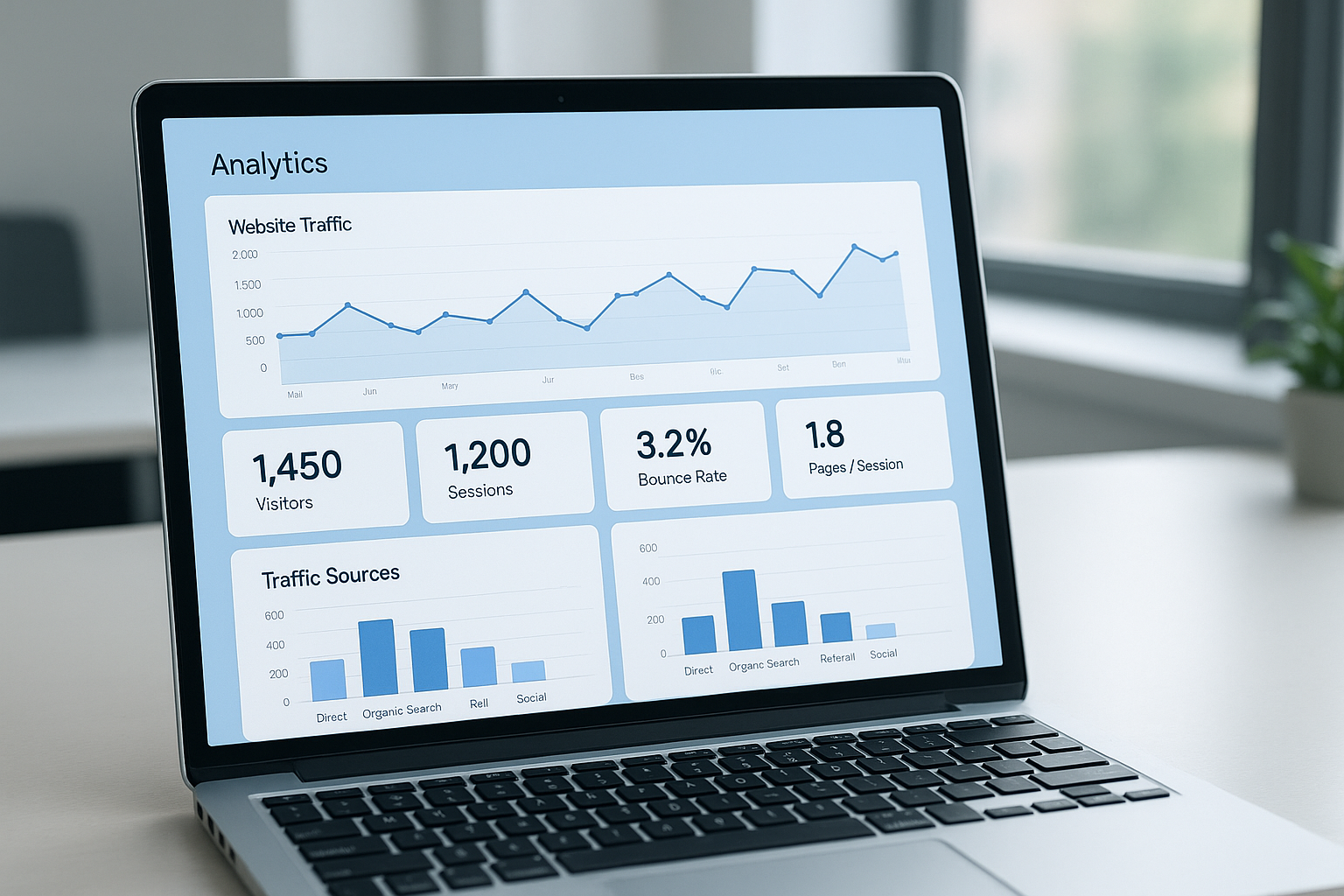
A well-configured analytics dashboard makes it easy to check web traffic and spot traffic trends at a glance.
How to Check Website Hits Step by Step
Setting up proper traffic monitoring takes less than 20 minutes. Furthermore, once it is in place, you will have access to data that can transform your content and SEO strategy.
- Create a Google Analytics account. Go to analytics.google.com and sign in with your Google account. Click “Start measuring” and follow the prompts to create an account for your site.
- Set up a property and data stream. Inside your account, create a new property. Enter your website name, time zone, and currency. Then add a Web data stream by entering your site URL to generate a Measurement ID.
- Install the tracking code on your site. Copy the provided snippet and paste it into the HTML head section of every page. Alternatively, use a tag manager or a WordPress plugin to deploy it automatically across your entire site. Learn more: how to check web traffic.
- Verify data is flowing correctly. Visit your website in a browser, then check the Realtime report in Google Analytics. If your visit appears, your tracking code is working.
- Review your traffic reports regularly. Navigate to the Reports section and review Acquisition and Engagement reports weekly. This habit reveals where visitors come from and how they behave on your pages.
Best Free Tools to Monitor Site Visitors
Several check web traffic tools are available at no cost. Each one serves a slightly different purpose, so using two or three together gives you the most complete picture.
Google Analytics 4 (GA4) is the industry standard for tracking sessions, users, page views, and conversion events. It is free and integrates with most website platforms. See our lookup website traffic guide for tools and tips.
Google Search Console focuses specifically on search performance. It shows how many times your pages appeared in Google Search (impressions) and how many clicks they received. Consequently, it is essential for understanding organic traffic.
Your hosting control panel often includes a built-in statistics tool such as AWStats or Webalizer. These tools read raw server logs and can show hit counts without requiring any JavaScript on your pages. For example, they capture traffic from bots and users who block JavaScript-based tracking.
For a deeper analysis of your site’s SEO performance alongside traffic data, Rank Authority offers actionable insights that connect your traffic metrics to your search rankings, helping you understand what is driving — or limiting — your growth.
Combining multiple tools gives you a fuller picture of your audience when you monitor site visitors over time.
What Metrics Actually Matter Beyond Raw Hit Counts
Raw hits can be misleading. In fact, a page with 10,000 hits but a 95% bounce rate is performing far worse than a page with 1,000 hits and a 20% bounce rate. Therefore, always look beyond the headline number.
Here are the metrics that tell the real story:
- Sessions: The number of distinct visits to your site, regardless of how many pages each visitor viewed.
- Unique users: The count of individual people who visited, deduplicated across sessions.
- Bounce rate: The percentage of visitors who leave after viewing only one page. A high bounce rate often signals a content or UX problem.
- Average session duration: How long visitors stay. Longer sessions generally indicate more engaged audiences.
- Conversion rate: The percentage of visitors who complete a desired action, such as signing up or making a purchase.
How Traffic Sources Shape Your Strategy
Knowing where your visitors come from is just as important as knowing how many arrive. Google Analytics segments traffic into organic search, direct, referral, social, and paid channels. As a result, you can identify which efforts are paying off and where to invest more.
For instance, if 80% of your traffic comes from a single social platform, you are vulnerable to algorithm changes. Diversifying your sources — especially building organic search traffic — creates a more stable foundation.
Common Mistakes When Tracking Website Traffic
Even experienced website owners make avoidable errors. Specifically, these mistakes lead to bad data and poor decisions.
Not filtering internal traffic. If you visit your own site frequently, your own sessions inflate your numbers. Google Analytics lets you exclude your IP address under Admin > Data Streams > Define internal traffic.
Relying on hits alone. As discussed earlier, a single page view generates many hits. Consequently, comparing hit counts across different pages or sites is almost never meaningful.
Ignoring mobile traffic. According to Statista, mobile devices account for approximately 60% of global web traffic. If you are not reviewing mobile-specific metrics, you are missing the majority of your audience.
Checking data too infrequently. Similarly, checking traffic only once a month means you miss short-lived spikes or drops that could indicate problems or opportunities.

Regularly checking website hits alongside deeper analytics helps you catch issues early and act on opportunities faster.
How to Grow Your Traffic After You Start Measuring
Measurement is only valuable when it leads to action. Once you have a baseline, use your data to prioritize improvements like view website traffic. For example, if a blog post drives 40% of your organic traffic, updating and expanding it could yield significant gains.
In addition, look at your top landing pages and identify which ones have high bounce rates. Improving those pages — with clearer calls to action, faster load times, or more relevant content — can convert more existing visitors without spending anything on ads.
Furthermore, resources like Rank Authority can help you connect your traffic data to specific SEO improvements, so you are always working on what matters most.
Frequently Asked Questions
What does it mean to check website hits?
To check website hits means to measure how many requests your server receives from visitors. Each time someone loads a page, every file on that page — images, scripts, stylesheets — counts as a separate hit.
Are website hits the same as page views?
No, hits and page views are different. A single page view can generate dozens of hits because each image, CSS file, and script on the page counts as its own server request.
What is the best free tool to check website hits?
Google Analytics is the most widely used free tool to check website hits and overall traffic. It provides detailed reports on sessions, users, page views, and user behavior.
How do I add Google Analytics to my website?
Create a Google Analytics account, set up a property for your site, and copy the tracking code. Then paste that code into your website’s HTML header or use a plugin if you run WordPress.
Can I check website hits without installing any code?
Yes. Some hosting providers include built-in analytics dashboards that log server-side hits without requiring you to add any tracking code to your pages.
How often should I check my website traffic?
For most websites, a weekly review is sufficient to spot trends. However, during campaigns or after publishing new content, daily checks help you react faster to traffic changes.
What is a good number of website hits per day?
There is no universal benchmark — it depends on your niche and goals. A new blog might target 100 sessions per day, while an established e-commerce site may aim for thousands.
Why are my website hits suddenly dropping?
Sudden drops can result from a Google algorithm update, a broken tracking code, server downtime, or seasonal changes in demand. Check Google Search Console for manual actions or crawl errors first.
What metrics matter more than raw hits?
Sessions, unique users, bounce rate, average session duration, and conversion rate are all more meaningful than raw hits. These metrics tell you not just how many people arrived but what they did.
Does checking my own website count as a hit?
Yes, unless you filter out your own IP address. Google Analytics allows you to exclude internal traffic so your own visits do not inflate your data.
How does Google Search Console differ from Google Analytics for tracking hits?
Google Search Console focuses on search performance — impressions, clicks, and rankings from Google Search. Google Analytics tracks all traffic sources and on-site behavior, making them complementary tools.
Can bots inflate my website hit count?
Yes, bots and crawlers can significantly inflate raw hit counts recorded in server logs. Modern analytics tools like Google Analytics filter out most known bots automatically.
Conclusion
Learning to check website hits is the first step toward making data-driven decisions that genuinely move the needle for your site. However, the real power comes from moving beyond raw hit counts and understanding sessions, user behavior, and traffic sources. Set up Google Analytics, connect Google Search Console, and review your reports consistently. As a result, you will always know what is working, what needs fixing, and where your next growth opportunity lies. By [Author Name], SEO specialist. Last updated: 2026-07-30. Last updated: 2026-07-02. Author: Rank Authority editorial team.

