
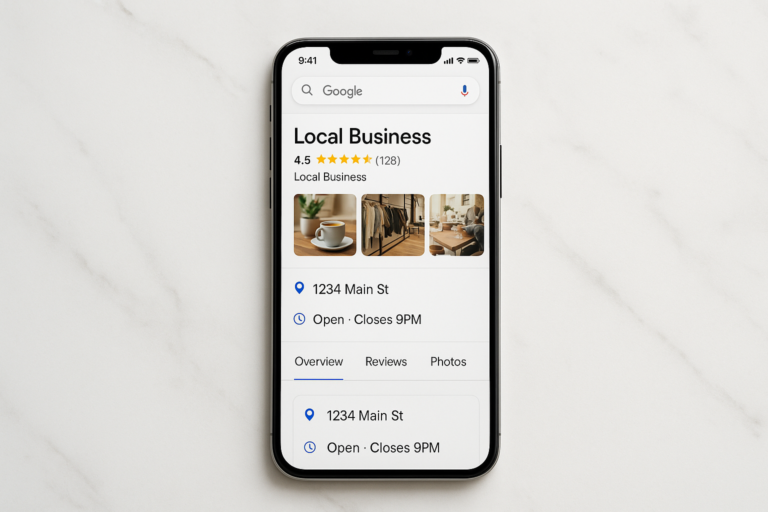
Google My Business (now officially called Google Business Profile) is a free tool from Google that lets any business control how it appears across Google Search and Google Maps. With more than 5 billion searches processed on Google every single day, a properly optimized Google My Business listing is the single highest-leverage, zero-cost marketing asset available to any local business owner. Last updated: 2026-07-30. Author: Rank Authority. Last updated June 10, 2026. Author: Rank Authority Local SEO Team.
In 2021, Google officially rebranded the platform from Google My Business to Google Business Profile. The management interface also shifted — business owners now manage their profiles directly through Google Search and Google Maps rather than a separate app. Throughout this guide, both names are used, because most business owners still search for the original term; learn about AI-driven local visibility in our Local Search AI guide.
This is the most complete Google My Business guide available. It covers everything from first-time setup and verification to advanced optimization techniques, common mistakes that kill local rankings, and how to read your performance data — so you can dominate local search results and turn more searchers into paying customers.
What Is a Business Profile?
Google My Business is a free platform that allows business owners to create, verify, and manage the business listing that appears in Google Search and Google Maps. See our local SEO guide. When a potential customer types “best pizza near me” or “emergency electrician in Austin,” Google pulls information directly from Business Profiles to populate the results they see.
Your Google My Business profile acts as a mini-website attached directly to Google’s search results. It displays your:
- Business name, address, and phone number (NAP)
- Operating hours — including special holiday hours
- Category and business description
- Customer reviews and your responses
- Photos, videos, and virtual tours
- Products, services, and pricing
- Questions and answers from customers
- Posts, offers, and upcoming events
- Direct messaging and booking links
According to Google’s own data, businesses with complete profiles are 2.7 times more likely to be considered reputable and receive 70% more location visits than businesses with incomplete listings. That is the real-world value of getting your Google My Business profile right.
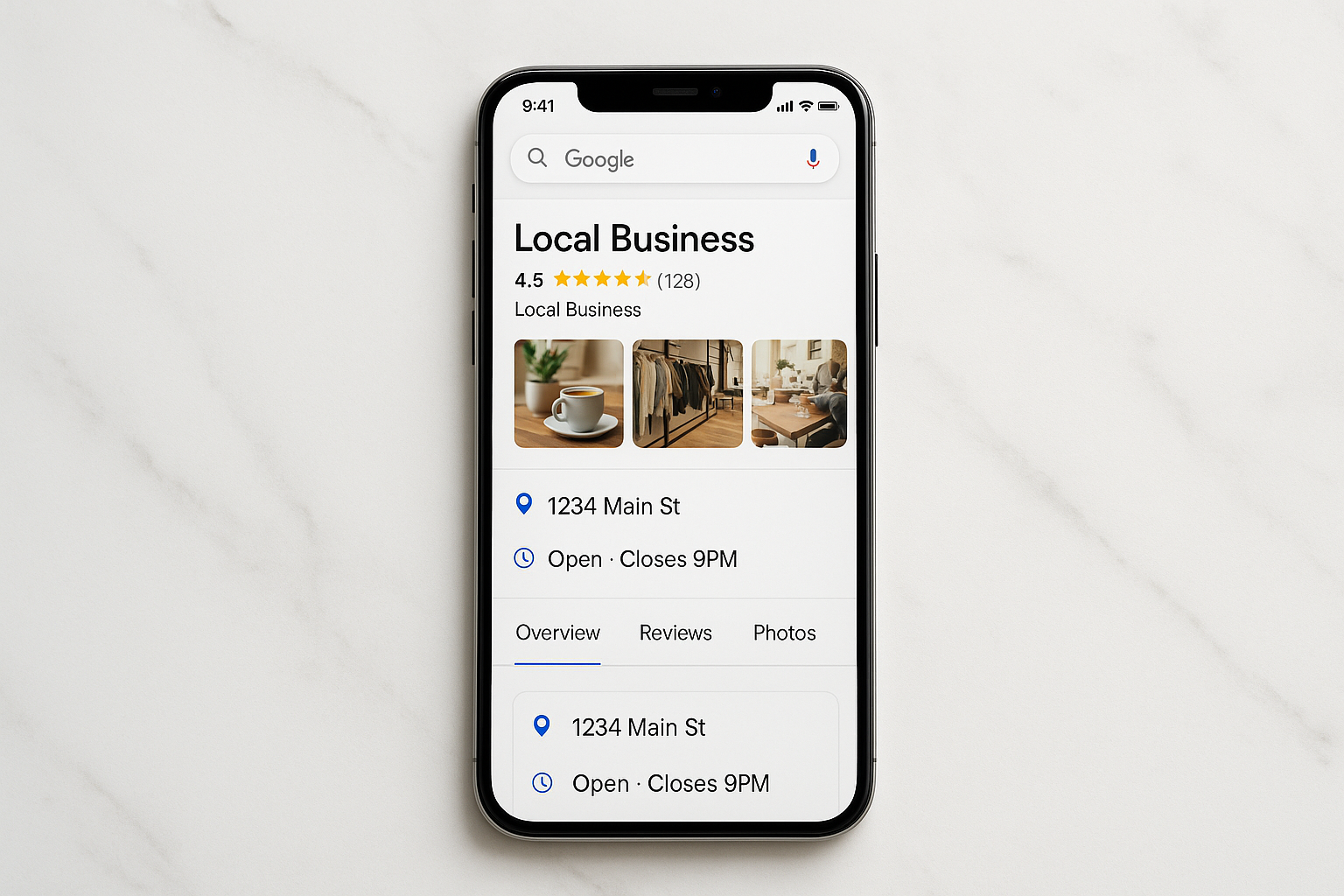
A fully optimized Google My Business profile as customers see it in Google Maps. For a deeper walkthrough, see our Image-Maps: The Complete Guide to HTML Clickable Maps.
Why Google My Business Is Critical for Local Search
The most valuable real estate in local search is the Google Local Pack — the block of three business listings accompanied by a map that appears at the very top of local search results, above all organic website results. Research consistently shows that the top three Local Pack positions capture the majority of clicks in local searches; see our local SEO guide.
Businesses without a claimed, verified, and optimized Google My Business profile simply cannot appear in the Local Pack. They are invisible to the most motivated, ready-to-buy segment of their potential customer base.
Beyond rankings, a complete Google My Business profile delivers immediate trust signals. A customer can review your hours, read dozens of reviews, view interior photos, and get directions — all without ever visiting your website. That frictionless experience converts searchers into visitors and callers at a dramatically higher rate than any other local marketing channel.
📍
46% of all Google searches
…have local intent — meaning people are looking for businesses, products, or services near them.
📱
76% of mobile searchers
…who search for something nearby visit a business within 24 hours. 28% of those result in a purchase.
⭐
2.7× more reputable
…is how customers view businesses with complete Google My Business profiles compared to those with incomplete ones.
🆓
100% free to use
Google My Business costs nothing. There are no paid tiers or required subscriptions — making it the highest-ROI local marketing tool available.
Who Can Use Google My Business?
Google My Business is available to any business that makes in-person contact with customers. This includes:
- Brick-and-mortar businesses — Restaurants, retail stores, gyms, salons, clinics, hotels, and any other business customers visit at a fixed location.
- Service-area businesses (SABs) — Plumbers, electricians, landscapers, cleaners, and other businesses that travel to serve customers. SABs can hide their physical address and define service zones instead.
- Hybrid businesses — Businesses that serve customers both at a location and within a service area (e.g., a restaurant that also delivers).
Purely online businesses with no customer-facing location are not eligible for Google My Business listings. Google requires some form of in-person customer interaction.
How Google Ranks Google My Business Listings
Google determines which business profiles appear in the Local Pack and where they rank using three primary algorithmic signals. Understanding all three is essential before you start optimizing. For geo-targeting tactics and service-area recommendations, read our GEO optimization services guide.
1. Relevance
How well your profile matches the user’s search query and intent. This is improved through accurate category selection, keyword-rich descriptions, complete products and services listings, and a thorough Q&A section.
2. Distance
How far your business is from the searcher’s current location or the location specified in their query. You have limited direct control over this signal — but service-area businesses can expand their reach by defining larger service zones.
3. Prominence
How well-known and trusted your business is, both online and offline. Prominence is driven by the quantity and quality of reviews, inbound links to your website, citations across directories, engagement with your profile, and your overall online reputation.
While you cannot move your business closer to every searcher, you have enormous control over relevance and prominence. The step-by-step optimization process below directly addresses both — start by using tools to check your Google rankings and identify gaps.
How to Set Up and Optimize Google My Business: Step-by-Step
Step 1 — Create or Claim Your Google My Business Listing
Go to business.google.com and sign in with a Google account. Search for your business name. If a listing already exists (Google sometimes auto-generates profiles), click Claim this business. If nothing comes up, select Add your business to Google and complete the setup form.
Important: Use a Google account you own and control — not a personal Gmail shared with others. You will also want to add trusted team members as profile managers once setup is complete, but the primary owner account should always be yours.
Step 2 — Verify Your Business with Google
Google requires verification before your listing goes live and before you can edit it. Verification methods vary by business type and history:
- Postcard by mail: Google mails a card with a 5-digit verification code to your business address. Arrival typically takes 5–14 business days. This is the most common method for new listings.
- Phone or text: Available for some business types — Google calls or texts a code to your registered number. Completes in minutes.
- Email verification: Google sends a code to a verified email address. Also completes within minutes when available.
- Video verification: A newer method where you record a short video showing your business location and signage. Google reviews the video and verifies your listing manually.
- Instant verification via Google Search Console: If your website is already verified in Google Search Console under the same Google account, you may qualify for instant, automated verification.
Do not make major edits to your listing while verification is pending — doing so can restart the verification clock or cause your request to be flagged for manual review.
Step 3 — Complete Every Field in Your Profile
Google rewards completeness with higher rankings. A fully filled-out profile gives Google more data to match your listing to relevant searches. Work through every available field:
- Business name: Use your exact legal or trading name. Do not add keywords, taglines, or location modifiers — Google’s guidelines prohibit this and it can result in suspension.
- Address: Enter your precise street address. For service-area businesses, hide the address and define your service areas by city, region, or postal code instead.
- Phone number: Use a local phone number rather than a toll-free number when possible — local numbers are a minor but real trust and relevance signal.
- Website URL: Link to your homepage or, when relevant, a specific landing page for local customers.
- Business hours: Set your regular hours and use the special hours feature for holidays, seasonal changes, and temporary closures. Inaccurate hours are one of the most common reasons customers leave negative reviews.
- Business description: Write a compelling 750-character description that naturally incorporates your primary keyword and describes what makes your business unique. Focus on benefits, not just features.
- Attributes: Mark applicable attributes like “Women-owned,” “Wheelchair accessible,” “Free Wi-Fi,” “Outdoor seating,” etc. Attributes filter into search results and help match your listing to specific user queries.
- Opening date: Adding your official opening date can improve credibility and is displayed on your profile.
NAP consistency is critical. Your Name, Address, and Phone number must be identical across your website, Google My Business profile, and every online directory where your business appears. Even small formatting differences (e.g., “Street” vs. “St.”) can weaken your local authority signals.
Step 4 — Select the Right Business Categories
Your primary category is the single most important relevance signal in your entire Google My Business profile. Google uses it to decide which searches your listing qualifies to appear in. Choose the most specific category that accurately describes what your business primarily does.
For example:
- Choose “Italian Restaurant” instead of the generic “Restaurant”
- Choose “Emergency Plumber” instead of just “Plumber” if emergency service is your primary offer
- Choose “Personal Injury Attorney” instead of “Lawyer” if that is your legal specialty
Beyond your primary category, add up to nine secondary categories for other genuine services you offer. However, do not add categories that do not apply to your business — this can cause Google to show your listing to irrelevant searchers and harm your relevance score.
Pro tip: Research what categories your top local competitors are using. You can see a competitor’s primary category on their live Google listing. If they are outranking you and your core offering is identical, category mismatch could be a factor.
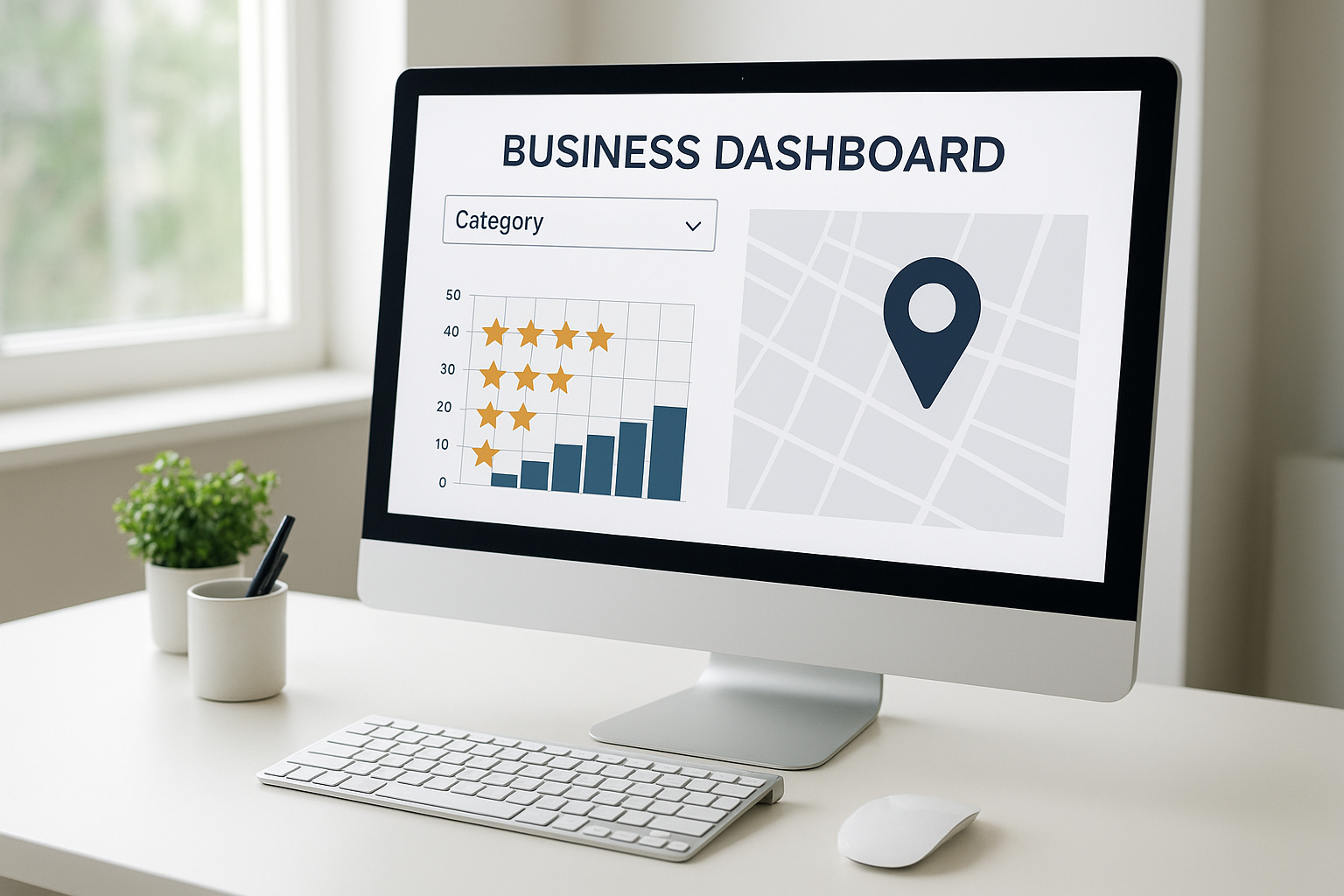
Selecting the most specific primary category is one of the highest-impact optimizations in any Google My Business profile.
Step 5 — Add Products and Services
The Products and Services sections are heavily underused by most businesses — which is exactly why they represent a significant competitive opportunity. Each product or service you add creates additional keyword-rich content that Google can match to relevant searches.
For each entry, include:
- A specific, descriptive name (not just “Service 1”)
- A detailed description that naturally incorporates relevant keywords
- Pricing information where applicable
- A photo for each product or service
Service-area businesses like HVAC companies, cleaning services, or law firms benefit most from this section — it allows them to target high-value service keywords beyond their primary category.
Step 6 — Upload High-Quality Photos and Videos
Photos are one of the most influential elements of a Google My Business profile. Listings with photos receive significantly more clicks, direction requests, and phone calls than those without. Google’s own research indicates businesses with photos get 42% more requests for driving directions and 35% more website clicks.
Build your photo library with these essential categories:
- Cover photo: A high-quality image that represents your brand — typically your storefront, product, or team. Displays prominently on your profile.
- Logo: Ensure your logo is current, clean, and properly sized (250×250 px minimum).
- Exterior photos: At least 3 images of your building exterior from different angles and times of day so customers can identify you when arriving.
- Interior photos: At least 3 images showing your interior environment, atmosphere, and layout.
- Product/service photos: Clear, well-lit images of what you sell or what your team does.
- Team photos: Images of your staff help humanize your business and build trust before the first visit.
- Videos: Short videos (up to 30 seconds, under 75 MB) showing your business in action. Video content dramatically increases engagement on your profile.
Photo quality standards: Minimum resolution of 720×720 pixels, JPG or PNG format, and authentic photography (not stock images). Google and customers alike can tell the difference. Refresh your photo library at minimum once per month to show active engagement.
Step 7 — Generate and Manage Google Reviews
Google reviews are a confirmed direct ranking factor for local search. They also serve as social proof that converts uncertain searchers into confident customers. Businesses with a higher quantity of recent, positive reviews consistently outrank competitors with older or fewer reviews.
How to get more Google reviews:
- Create a direct review link: In your Business Profile dashboard, find the “Get more reviews” section and copy your unique review shortlink. Share it via email, SMS, receipts, and your website.
- Ask at the right moment: The best time to ask for a review is immediately after a positive interaction — at checkout, post-service, or after resolving a support issue successfully.
- Follow up by email: A brief follow-up email 24–48 hours after service with your review link is one of the highest-converting review generation tactics available.
- Add a QR code to physical materials: Place a review QR code on receipts, business cards, packaging, and in-store signage.
- Never offer incentives for reviews: Google explicitly prohibits incentivized reviews. Violations can result in review removal or profile suspension.
How to respond to Google reviews:
- Respond to every review — positive and negative. Google monitors owner engagement, and active response patterns contribute to your prominence score.
- Positive reviews: Thank the reviewer, mention something specific from their experience, and naturally incorporate your business name and location (“Thank you for visiting [Business] in [City]…”). This adds keyword-rich content to your profile.
- Negative reviews: Respond calmly and professionally. Acknowledge the issue, offer to resolve it offline, and provide a contact method. Never argue publicly. A measured, helpful response to a bad review often impresses prospective customers more than a page of five-star reviews.
- Flag fake reviews: If you receive a review that violates Google’s policies (fake, spam, or from a competitor), use the flag function in your dashboard to report it for removal.
Step 8 — Use Google Posts to Keep Your Listing Active
Google Posts are short, social-media-style updates that appear directly on your Google My Business listing in both Search and Maps. They give you a free, high-visibility content channel with zero advertising spend required.
There are four types of Google Posts:
- Updates (What’s New): General announcements, news, or content about your business. Expire after 7 days unless you re-post.
- Events: Promote upcoming events with a title, start/end date, and description. Remain visible until the event ends.
- Offers: Highlight promotions, discounts, or deals with an optional coupon code and redemption link. Highly effective for driving foot traffic.
- Products: Showcase individual products with images, descriptions, and pricing — pulls from your Products section or can be added separately.
Best practice: Post at minimum once per week. Consistent posting signals ongoing engagement to Google’s algorithm and increases the freshness score of your listing. Always include a clear call-to-action (Call now, Learn more, Book, Order online) and a relevant image in every post.
Step 9 — Optimize the Questions & Answers Section
The Q&A section of your Google My Business profile is publicly editable — any Google user can post a question, and any Google user can post an answer. This means if you are not actively managing it, customers (or worse, competitors) may be answering questions about your business inaccurately.
Proactively seed your Q&A section with the most common questions customers ask — parking, payment methods, accessibility, service area, warranties, turnaround time — and provide authoritative answers yourself. This:
- Reduces friction in the customer decision process
- Adds keyword-rich content to your profile
- Controls the narrative before someone else does
- Can earn featured placement inside your listing for voice search results
Set up notifications for new Q&A activity in your dashboard so you can respond quickly to any question posted by a customer.
Step 10 — Enable and Manage Google Messaging
Google My Business includes a built-in messaging feature that allows customers to send you a direct message right from your search listing. Enabling messaging removes a major friction point — customers who are ready to buy but not ready to call can reach you instantly.
Messaging tips:
- Set a custom welcome message that confirms you have received their inquiry and sets response time expectations.
- Google tracks your average response time and displays it publicly. Aim for a response within the hour.
- If you cannot maintain a timely response, turn messaging off rather than letting inquiries go unanswered — slow responses can hurt your listing’s visibility.
Advanced Google My Business Optimization Strategies
Build Local Citations for Stronger Prominence
A citation is any online mention of your business name, address, and phone number — whether on Yelp, TripAdvisor, Facebook, YellowPages, industry directories, or local chamber websites. Citations are a significant component of the prominence signal Google uses for ranking.
Build citations on the major general directories first (Yelp, Bing Places, Apple Maps, Facebook Business, YellowPages), then target industry-specific directories relevant to your niche. Ensure your NAP information is identical across every platform — even minor inconsistencies can weaken your authority signals.
Optimize Your Website for Local SEO Alignment
Your Google My Business profile and your website work together — Google cross-references them to verify and reinforce your local authority. See GEO Optimization Services for local businesses. Ensure your website includes:
- Your full NAP in the footer of every page
- An embedded Google Map on your contact page
- LocalBusiness schema markup (structured data)
- Location-specific landing pages if you serve multiple areas
- Locally relevant keyword content throughout your pages
Leverage Google’s Booking and Appointment Features
Many business categories — including salons, medical offices, restaurants, and fitness studios — can integrate third-party booking systems directly into their Google My Business profile. When enabled, a “Book” or “Reserve” button appears prominently on your listing, allowing customers to schedule without ever leaving Google.
This feature reduces the steps between discovery and conversion, which improves both your booking rate and Google’s engagement signals for your profile. Check your profile dashboard under “Bookings” to see which integrated scheduling partners are available for your category.
Manage Multiple Locations at Scale
If your business has more than one physical location, you can manage all profiles from a single Google Business Profile account using location groups. Businesses with 10 or more locations can apply for bulk verification, which allows you to verify all locations simultaneously via a spreadsheet upload rather than individually.
Each location should have its own unique profile with location-specific photos, hours, and descriptions. Do not use identical boilerplate content across all locations — Google treats duplicate content signals negatively, and local searchers benefit from location-specific information.
Common Google My Business Mistakes That Kill Local Rankings
Even experienced business owners make avoidable errors that suppress their visibility in local search. These are the most damaging mistakes — and how to fix each one.
- Keyword stuffing in the business name field: Adding descriptors or keywords to your registered name (e.g., “Joe’s Plumbing — Best Plumber in Dallas — 24/7 Emergency”) violates Google’s guidelines and is a verified cause of listing suspension. Use your real business name only.
- Choosing the wrong primary category: An overly broad or inaccurate category dramatically reduces your ranking in the most relevant searches. Re-evaluate your primary category quarterly against your top competitors.
- Leaving the Q&A section unmanaged: Without active management, the Q&A section fills with unanswered questions or inaccurate community answers. Check it weekly and respond to all questions yourself.
- Inconsistent NAP data across directories: Every discrepancy in your name, address, or phone number across different platforms dilutes your local authority signals. Audit your citations regularly using a tool like BrightLocal or Moz Local.
- Failing to update business hours: Outdated hours — especially during holidays or after a move — are a top driver of negative reviews and lead to Google displaying a “Usually open” warning on your listing, which damages trust.
- Ignoring the Products and Services sections: These keyword-rich sections are skipped by a majority of businesses. Each listing here directly expands your relevance footprint at no cost.
- Not responding to negative reviews: Ignoring negative reviews signals to potential customers that you do not care about feedback. A professional, measured response — even to an unfair review — frequently wins back trust.
- Using stock photos: Google’s systems and customers both recognize stock images. They reduce engagement and can hurt the perceived authenticity of your profile. Always use original photography.
- Letting your listing go dormant: Profiles with no posts, no new photos, and no recent review responses rank lower than actively maintained profiles. Treat your Google My Business listing like a living marketing asset — not a one-time setup task.
- Creating duplicate listings: Multiple listings for the same business at the same address confuse Google’s algorithm and split your ranking authority. If you find duplicates, report them for removal in the dashboard.
How to Track Performance in Google My Business
Google provides built-in analytics through the Performance section of your Business Profile dashboard (formerly called “Insights”). These metrics are essential for understanding what is working and where to focus your optimization efforts.
Key metrics to review monthly:
- Search queries: The exact terms people typed to find your profile. Identifies which keywords are driving discovery and reveals new keyword opportunities for your website content.
- How customers find your listing — Discovery vs. Direct: Discovery searches (category/keyword) indicate ranking strength. Direct searches (by your business name) reflect brand awareness. A healthy profile should be growing both over time.
- Customer actions: Phone calls placed, website visits, direction requests, and messages initiated — all tracked directly from your listing. These are the conversion metrics that matter most for ROI measurement.
- Photo performance: How many times your photos have been viewed compared to photos on similar businesses in your category. Low photo views relative to competitors signal an opportunity to add more compelling imagery.
- Google Post performance: Views and clicks on each post you publish. Use this data to identify which post types and topics resonate most with your audience.
- Review metrics: Average star rating over time, total review count, and the frequency of new reviews. Monitor trends — a sudden drop in average rating can signal a service issue worth addressing.
For deeper competitive intelligence — including local rank tracking, citation monitoring, and review management at scale — platforms like Rank Authority provide the data layer that Google’s native analytics cannot. These third-party tools show you exactly where you rank relative to competitors for specific local search queries, by neighborhood or zip code.
Google My Business vs. Google Ads: What’s the Difference?
Many business owners confuse Google My Business with Google Ads. They are separate products that work in different ways:
The smartest approach is to use both together. A fully optimized Google My Business profile provides organic, zero-cost local visibility as a foundation, while Google Ads can accelerate traffic for time-sensitive promotions or highly competitive keywords where organic ranking takes longer to achieve.
Getting Professional Help With Google My Business and Local SEO
For business owners who want to accelerate their local search performance beyond what a self-managed profile can achieve, working with a dedicated local SEO specialist delivers measurably faster results. The compounding technical work — citation building, review strategy, competitor analysis, rank tracking, and ongoing profile maintenance — is time-intensive to execute properly while running a business; read our 2025 SEO guide for advanced tactics.
Platforms like Rank Authority offer dedicated local SEO services that go far beyond basic profile setup — including citation audits, review generation systems, competitor gap analysis, and granular local rank tracking tailored to your specific market and competitive landscape.
An optimized Google My Business profile bridges the gap between your physical storefront and local online discoverability. — By Rank Authority. Last updated: 2026-07-02.
Final Thoughts: Treat Google My Business as a Living Asset
Google My Business is the most cost-effective local marketing tool available to any business with a physical presence or defined service area. It is free, directly connected to the world’s most-used search engine and mapping application, and it compounds in value the more consistently you maintain and optimize it.
The businesses that consistently dominate local search results are not necessarily the biggest or the best-funded — they are the ones that treat their Google My Business profile as a living, active marketing asset. They claim and verify promptly, complete every field, upload fresh photos regularly, respond to every review, seed the Q&A proactively, post weekly, and track their performance data monthly.
Start with Step 1 today, work through each optimization systematically, and return to refine as your market and competition evolve. The result is a profile that earns trust, ranks higher, and turns more nearby searchers into real, paying customers. Add an author byline and a visible "Last updated" date (for example: "By [Author Name], Local SEO Specialist — Last updated: 2026-08-14"). Also consult our 2025 local SEO guide for cross-channel tactics.
Frequently Asked Questions About Google My Business
What is Google My Business and what is it used for?
Google My Business (now Google Business Profile) is a free tool from Google that allows business owners to manage how their business appears in Google Search and Google Maps. It is used to display your business name, location, hours, photos, reviews, and services to local customers searching for what you offer.
Is Google My Business completely free?
Yes, Google My Business is entirely free to create and manage. There are no paid tiers, subscription fees, or required upgrades. Any eligible business can use the full feature set at no cost, making it one of the highest-ROI marketing tools in local SEO.
How do I set up Google My Business for the first time?
Go to business.google.com, sign in with a Google account, and search for your business name. If it already exists, claim it. If not, select “Add your business to Google” and follow the setup prompts. You will then need to verify ownership through one of Google’s available methods (postcard, phone, email, video, or Search Console).
How long does Google My Business verification take?
Verification time depends on the method. Postcard verification takes 5–14 business days for the card to arrive. Phone, email, and Search Console verification can complete in minutes. Video verification is reviewed manually by Google and typically takes a few days.
What are the three factors Google uses to rank My Business listings?
Google ranks Google My Business profiles based on three factors: Relevance (how well your profile matches the search query), Distance (how close your business is to the searcher), and Prominence (how well-known and authoritative your business is online, based on reviews, citations, and engagement).
Can a service-area business use Google My Business without listing a physical address?
Yes. Service-area businesses (plumbers, cleaners, electricians, etc.) can hide their physical address and define their service area by city, region, or postal code. Google will still show their listing to relevant local searchers within those defined zones.
How do Google reviews affect my Google My Business ranking?
Google reviews are a confirmed local ranking signal. A higher volume of recent, positive reviews boosts your prominence score and improves click-through rates from the Local Pack. Responding to reviews also signals active engagement, which contributes positively to your profile’s standing in Google’s algorithm.
What is the Google Local Pack and how do I get in it?
The Google Local Pack is the block of three business listings (with a map) that appears at the top of local search results. To appear in it, you need a verified and fully optimized Google My Business profile with a relevant category, strong reviews, consistent NAP data, and an active posting and photo strategy.
How many photos should I add to my Google My Business profile?
At minimum, upload 3 exterior photos, 3 interior photos, your cover photo, and your logo, plus product or service images. In practice, profiles with more than 10 high-quality, authentic photos receive significantly more clicks and direction requests. Add new photos at least once per month.
What are Google Posts and how often should I use them?
Google Posts are short updates (offers, events, news, products) that appear directly on your listing in Search and Maps. Post at minimum once per week to signal active engagement to Google’s algorithm. Each post should include a relevant image and a clear call-to-action. “What’s New” posts expire after 7 days.
What is the difference between Google My Business and Google Maps?
Google Maps is the mapping application where customers find, navigate to, and review local businesses. Google My Business (Google Business Profile) is the management dashboard that business owners use to control the information that appears on Google Maps and in Google Search results.
Can I manage my Google My Business profile from my phone?
Yes. You can manage your Google My Business profile through the Google Maps app on Android or iOS, or via a mobile browser at business.google.com. The mobile interface supports posts, photo uploads, review responses, Q&A management, and messaging.
What is NAP consistency and why does it matter for Google My Business?
NAP stands for Name, Address, and Phone number. NAP consistency means your business information is identical across your Google My Business profile, your website, and every online directory where your business is listed. Inconsistencies — even minor formatting differences — weaken the authority signals Google uses to rank local listings.
What is the difference between Google My Business and Google Ads?
Google My Business generates organic, free visibility in local search results and Google Maps. Google Ads is a paid advertising platform where you pay per click for placement above organic results. Both can work together — Google My Business provides a free always-on local presence while Google Ads can deliver faster results for competitive keywords or time-sensitive promotions.
Why was Google My Business renamed Google Business Profile?
In 2021, Google rebranded Google My Business to Google Business Profile to simplify the product name and shift management directly into Google Search and Google Maps rather than a separate standalone app. The core functionality remains the same — the platform is still free and allows businesses to manage their presence across Google’s products.


One Response
It’s fascinating to see how AI-driven search strategies are reshaping digital marketing priorities. Thinking about content in terms of answers rather than just links really changes the way we approach optimization. I’m curious to see how this will influence content planning in the next few years.