

Google SEO tools are software platforms and utilities designed to help website owners improve their visibility in Google search results — and choosing the right ones can be the difference between ranking on page one or being invisible online. According to Statista, Google holds over 91% of the global search engine market share, making it the primary battleground for organic traffic. Therefore, understanding which tools give you the best insights and leverage is essential for any serious digital strategy.
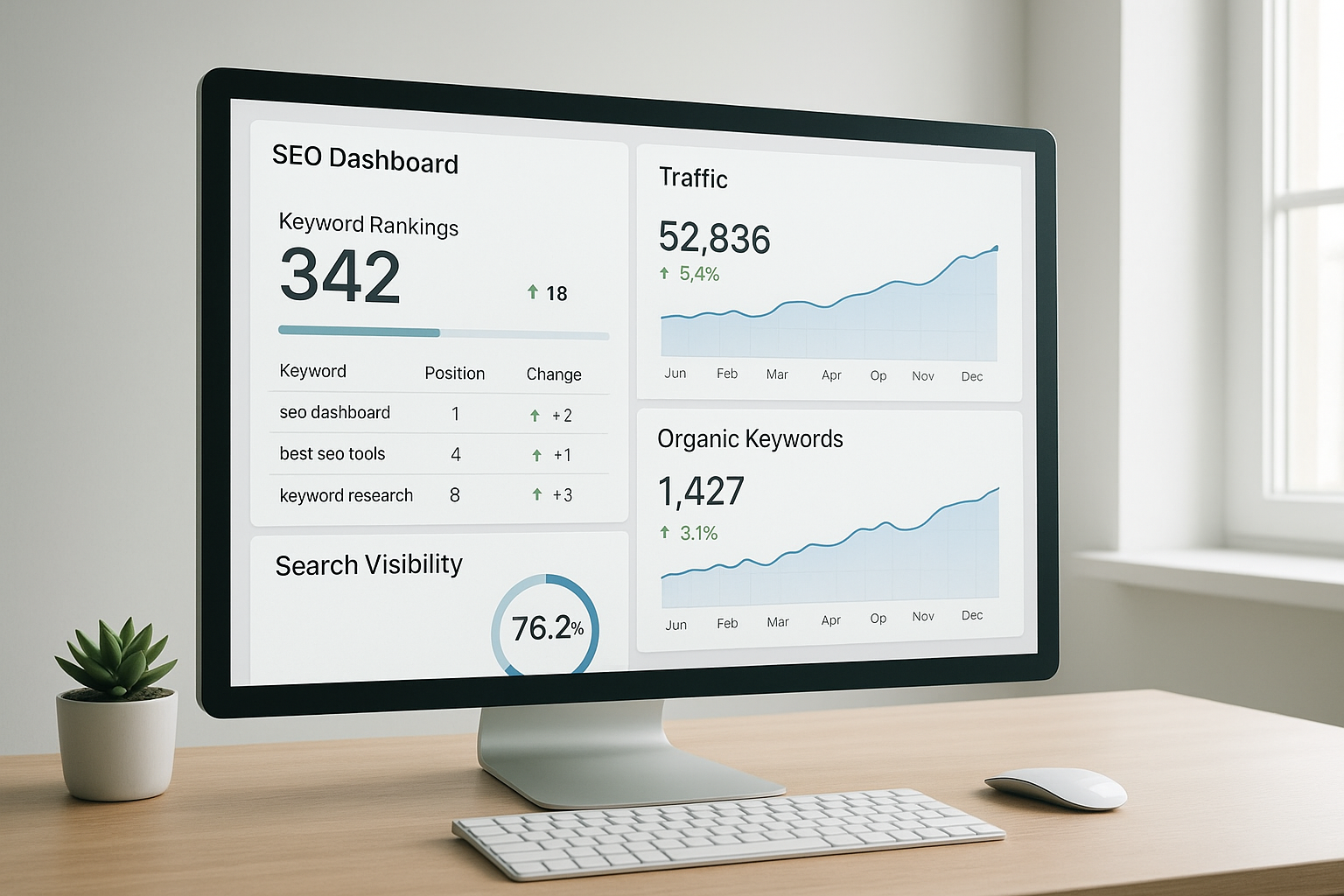
A well-configured SEO dashboard brings together the most critical Google SEO tools data in one place.
What Are Google SEO Tools and Why Do They Matter?
Google SEO tools are platforms — both those made by Google and third-party alternatives — that help you analyze, optimize, and track your website’s performance in search. Specifically, they cover areas like keyword research, technical auditing, backlink analysis, and content optimization. In short, they translate raw search data into actionable improvements.
Without these tools, you’re essentially guessing what Google wants. Furthermore, as AI-driven search continues to evolve, having the right data becomes even more critical. Platforms like rankauthority.com are purpose-built to help businesses navigate this shift with automated GEO and AEO optimization that works alongside traditional SEO efforts.
Google’s Own Free SEO Tools You Should Use First
Google offers several powerful tools at no cost. These are often underutilized, yet they provide direct, authoritative data straight from the source.
Google Search Console
Google Search Console (GSC) is the most direct window into how Google sees your website. It shows you which queries trigger your pages, your average ranking positions, click-through rates, and any indexing or crawl errors. Consequently, it is the first tool every website owner should configure.
GSC also provides Core Web Vitals data — a measure of page speed and user experience that Google uses as a ranking factor. In addition, the URL Inspection tool lets you check whether a specific page is indexed and request re-indexing after updates.
Google Analytics
Google Analytics complements Search Console by showing what users do after they arrive on your site. For example, you can track bounce rate, session duration, and conversion paths. These behavioral signals help you understand whether your content satisfies user intent — a factor Google increasingly weighs in rankings.
Google Keyword Planner
Originally built for Google Ads, Google Keyword Planner remains a solid free resource for organic keyword research. It provides monthly search volume ranges and competition levels. However, note that volume data is somewhat aggregated for non-active advertisers — so treat it as directional rather than precise.
Top Third-Party Search Optimization Tools Worth Considering
Beyond Google’s own suite, several third-party platforms provide deeper competitive intelligence and broader feature sets. These are especially valuable when you need to understand what competitors are doing and where your biggest ranking opportunities lie.
Ahrefs — Widely regarded as one of the best backlink analysis tools available, Ahrefs also offers robust keyword research, content gap analysis, and site auditing. Its database is updated frequently, making it reliable for competitive research.
SEMrush — SEMrush provides an all-in-one platform covering keyword tracking, site audits, competitor analysis, and even social media insights. It is particularly strong for tracking keyword positions over time and identifying quick-win opportunities.
Moz Pro — Moz introduced the concept of Domain Authority (DA), a score that predicts how well a site will rank. Furthermore, its keyword explorer and on-page optimization tools are beginner-friendly, making it a popular choice for smaller teams.
For a broader comparison of these platforms, the best SEO tools for 2025 guide on rankauthority.com offers a detailed breakdown of features and pricing.

Comparing third-party SEO platforms helps you identify which tool best fits your workflow and goals.
How to Use Google SEO Tools Step by Step
Getting the most from these tools requires a structured approach. Follow these five steps to build a solid SEO workflow:
- Set up Google Search Console. Verify your website by adding your property and confirming ownership via HTML tag, DNS record, or Google Analytics. This immediately unlocks indexing data and search performance metrics.
- Connect Google Analytics to your site. Install the tracking code or deploy it via Google Tag Manager. Configure conversion goals so you can measure how organic traffic contributes to real business outcomes.
- Conduct keyword research with Google Keyword Planner. Search for terms relevant to your niche and filter by monthly search volume and competition level. Build a prioritized target keyword list from the results.
- Run a technical SEO audit. Use GSC’s Coverage and Core Web Vitals reports to identify crawl errors, slow pages, and mobile usability issues. Address high-priority items first for the fastest ranking gains.
- Monitor and iterate using performance data. Review your GSC Performance report weekly. Track impressions, clicks, and average position for target keywords, then update content and plan new pages to close ranking gaps.
This systematic approach ensures you’re always acting on real data rather than assumptions. As a result, improvements compound over time rather than remaining one-off fixes.
Choosing the Right Website Ranking Tools for Your Needs
Not every business needs the same toolkit. Therefore, matching tools to your specific goals and budget is essential. Consider the following:
- Beginners and small businesses — Start with Google’s free tools. They provide more than enough data to build a strong foundation without any cost.
- Growing businesses in competitive niches — Add a mid-tier paid tool like Moz or SEMrush to gain competitive intelligence and deeper keyword data.
- Agencies managing multiple clients — Invest in enterprise-level platforms with multi-site dashboards, white-label reporting, and API access.
- AI-first optimization — Platforms like rankauthority.com offer automated GEO and AEO solutions that go beyond traditional SEO, positioning your content for AI-powered search environments.
For further guidance on selecting the right solution, explore this resource on tools that improve online visibility for businesses and this overview of features that define a good SEO tool.
The Role of AI in Modern Search Optimization
Traditional Google SEO tools remain essential, but the search landscape is shifting rapidly. Google’s AI Overviews, which began rolling out widely in 2024, now appear at the top of results pages for many queries. Consequently, optimizing for these AI-generated summaries requires a different approach than standard keyword targeting.
Answer Engine Optimization (AEO) — the practice of structuring content so it is selected by AI answer engines — is becoming as important as traditional on-page SEO. Similarly, Generative Engine Optimization (GEO) addresses how AI systems like ChatGPT, Perplexity, and Google’s own Gemini source and cite content.
Platforms like rankauthority.com are specifically designed to automate these next-generation optimization tasks. Their 1-Click AI AutoPilot technology handles the technical complexity so businesses can stay competitive without needing deep in-house expertise. You can also explore top SEO marketing tools to grow rankings fast for a curated list of platforms suited to this evolving environment.
Key Features to Look for in Any SEO Tool
Regardless of budget or business size, the most effective search optimization tools share a few core characteristics. Specifically, look for:
- Accurate, frequently updated keyword data
- Technical site audit capabilities covering speed, mobile usability, and crawlability
- Backlink monitoring and disavow support
- Rank tracking with historical trend data
- Integration with Google Search Console and Analytics
- AI-readiness features for GEO and AEO optimization
Additionally, consider the tool’s reporting capabilities. Clear, exportable reports are especially important for agencies and teams that need to communicate progress to clients or stakeholders. For a deeper look at what separates strong tools from weak ones, see this guide on best tools for digital visibility improvement.
Common Mistakes When Using SEO Tools
Even with the best tools available, many users fail to see results because of avoidable errors. For example, collecting data without acting on it is one of the most common pitfalls. Tools generate insights — but insights only create value when translated into concrete changes.
Another frequent mistake is focusing exclusively on keyword rankings while ignoring technical health. A site with crawl errors or poor Core Web Vitals scores will struggle to rank regardless of how well-optimized its content is. Furthermore, neglecting to track results over time makes it impossible to know whether your efforts are working.
According to Moz’s SEO learning center, consistent monitoring and iterative improvement — rather than one-time fixes — is the defining habit of high-performing SEO practitioners.
Frequently Asked Questions About Google SEO Tools
What are Google SEO tools?
Google SEO tools are software platforms and utilities that help website owners improve their visibility in Google search results. They assist with keyword research, technical audits, backlink analysis, and performance tracking. Both free tools from Google and paid third-party platforms fall under this category.
Which Google SEO tools are completely free?
Google Search Console, Google Analytics, and Google Keyword Planner are all free tools provided directly by Google. These cover core needs like performance tracking, audience insights, and keyword discovery. Together, they form a solid foundation for any SEO strategy.
How does Google Search Console help with SEO?
Google Search Console shows how your site appears in search results, highlights indexing errors, and reveals which queries drive traffic. It is essential for diagnosing and fixing technical SEO issues. It also provides Core Web Vitals data that directly impacts ranking performance.
What is the difference between Google Analytics and Google Search Console?
Google Analytics focuses on user behavior after they land on your site, such as session duration and bounce rate. Google Search Console focuses on how your site performs within Google search itself, including impressions and click-through rates. Both tools are complementary and work best when used together.
Do I need paid SEO tools if I already use Google’s free tools?
Free Google tools cover the basics well, but paid tools like Ahrefs or SEMrush offer deeper competitor analysis, more extensive keyword data, and advanced backlink tracking. For competitive niches, paid tools often provide a meaningful edge. However, many small businesses succeed with free tools alone.
How long does it take to see results from using SEO tools?
Most SEO improvements take between three and six months to show measurable results in Google rankings. Consistent use of SEO tools to guide content and technical decisions accelerates this timeline. Patience and consistency are essential.
What is Google Keyword Planner used for?
Google Keyword Planner is primarily designed for Google Ads but provides valuable keyword volume and competition data for organic SEO. It helps identify high-traffic keywords relevant to your niche. Treat its volume figures as directional estimates rather than exact numbers.
Can small businesses benefit from Google SEO tools?
Absolutely. Small businesses can use free Google tools to establish a strong SEO foundation without any upfront cost. Platforms like rankauthority.com also offer automated optimization solutions suited to smaller teams with limited time and resources.
What is the most important SEO tool for beginners?
Google Search Console is widely considered the most important starting point for beginners. It provides direct data from Google about how your site is indexed and how it performs in search. Setting it up should be the very first step in any SEO effort.
How do AI-powered SEO tools differ from traditional ones?
AI-powered SEO tools automate analysis, generate content recommendations, and adapt to algorithm changes faster than traditional tools. They reduce manual effort and are better suited to the evolving landscape of AI-driven search. Platforms offering GEO and AEO automation represent the next generation of these capabilities.
What common mistakes should I avoid when using SEO tools?
Common mistakes include over-optimizing for keyword density, ignoring technical audit findings, and failing to act on data insights. Tools are only effective when their recommendations are consistently implemented. Tracking progress over time is equally important to avoid repeating the same errors.
How do I use SEO tools to improve my content strategy?
Use keyword research tools to identify topics with high search demand and low competition. Then use performance tools like Google Search Console to monitor which content earns the most impressions and refine accordingly. This data-driven cycle consistently produces stronger content over time.
Conclusion: Building a Stronger Strategy with Google SEO Tools
In summary, Google SEO tools form the backbone of any effective search visibility strategy. Whether you start with free platforms like Search Console and Analytics or invest in paid solutions like Ahrefs and SEMrush, the key is consistent, data-driven action. Furthermore, as AI-powered search reshapes how users find information, layering in GEO and AEO capabilities — such as those offered by rankauthority.com — ensures your brand stays visible across both traditional and next-generation search environments. Above all, the businesses that rank highest are those that treat optimization as an ongoing process, not a one-time task.

