Unicode Characters: The Complete Guide to Every Symbol, Script, and Special Character
Unicode characters form the backbone of modern digital text. From the Latin letters you’re reading right now to Arabic calligraphy, mathematical operators, emoji, currency symbols, and ancient scripts — every character on every screen in every language traces back to the Unicode standard. This guide covers what unicode characters are, how the Unicode system works, how to find and use any character, and how they apply to SEO, web development, and everyday writing. Whether you’re a developer, designer, content creator, or just curious, this is the only unicode character reference you’ll need.

What Are Unicode Characters?
Unicode characters are the standardized set of text symbols defined by the Unicode Standard — a universal encoding system maintained by the Unicode Consortium. The goal of Unicode is simple but revolutionary: assign a unique code point to every character used in every writing system in the world, past and present, so that any device, browser, or operating system can correctly display and exchange that text.
Before Unicode existed, hundreds of incompatible encoding systems were in use. ASCII handled English text. ISO-8859 variants covered Western European languages. Shift-JIS handled Japanese. When systems using different encodings tried to share text, the result was garbled characters — the phenomenon known as mojibake. Unicode solved this by creating a single, unified code space large enough to represent every human language simultaneously.
As of Unicode 15.1 (the most recent major release), the standard defines over 149,000 characters across 161 scripts. These include:
- Letters and alphabets — Latin, Cyrillic, Greek, Arabic, Hebrew, Chinese, Japanese, Korean, Thai, and dozens more
- Digits and numerals — including full-width digits, superscript numbers, and numeric systems from other cultures
- Punctuation and symbols — standard and specialized punctuation from all writing traditions
- Mathematical and technical symbols — operators, arrows, geometric shapes, and logic symbols
- Currency symbols — $, €, £, ¥, ₹, ₿, and many more
- Emoji — all standardized emoji are Unicode characters
- Historic and ancient scripts — Egyptian hieroglyphs, Linear B, Cuneiform, and others
- Control characters and formatting marks — including zero-width joiners, directional controls, and byte order marks
How Unicode Code Points Work
Every unicode character is assigned a code point — a unique number written in the format U+XXXX. For example:
U+0041 → A (Latin Capital Letter A)U+00A9 → © (Copyright Sign)U+20AC → € (Euro Sign)U+2764 → ❤ (Heavy Black Heart)U+1F600 → 😀 (Grinning Face emoji)U+4E2D → 中 (CJK Unified Ideograph, meaning “middle/China”)
Code points are organized into 17 planes, each containing 65,536 positions. The first plane — the Basic Multilingual Plane (BMP), covering U+0000 through U+FFFF — contains almost all commonly used modern characters. The remaining 16 planes are called supplementary planes and contain historic scripts, specialized symbols, and most emoji.
Unicode Encoding: UTF-8, UTF-16, and UTF-32 Explained
A Unicode encoding is the method by which code points are converted into actual bytes stored in a file or transmitted over a network. There are three main encodings, and understanding which to use — and why — matters for every developer and content creator working with unicode characters.
UTF-8: The Web Standard
UTF-8 (Unicode Transformation Format – 8-bit) is the dominant encoding for web content and is the recommended encoding for all HTML documents, APIs, and databases. It uses 1 to 4 bytes per character, making it highly efficient for text that is primarily ASCII (such as English) while still able to represent every unicode character.
- ASCII characters (U+0000–U+007F): 1 byte each
- Extended Latin, Greek, Arabic, Hebrew (U+0080–U+07FF): 2 bytes each
- CJK characters, most symbols (U+0800–U+FFFF): 3 bytes each
- Emoji and supplementary planes (U+10000–U+10FFFF): 4 bytes each
Over 98% of all web pages use UTF-8. Google and all major search engines default to UTF-8 interpretation. Your HTML should declare it explicitly:
UTF-16: Used Internally by Many Systems
UTF-16 uses 2 bytes for most characters and 4 bytes for supplementary characters. It is used internally by JavaScript, Java, Windows, and many operating systems. When JavaScript reports the .length of a string, it counts UTF-16 code units — which is why some emoji appear to have a length of 2 even though they are a single character.
UTF-32: Fixed-Width, Rarely Used on the Web
UTF-32 uses exactly 4 bytes per character, making it simple to process but memory-intensive. It is rarely used for web content but may appear in certain databases or specialized applications that need fast random access to characters.
Complete Unicode Character Categories and Blocks
Unicode organizes characters into blocks — contiguous ranges of code points assigned to a specific script or category. Knowing these blocks helps you quickly find the unicode characters relevant to your needs.
Common Latin and Extended Characters (U+0000–U+024F)
This range covers all standard ASCII characters plus extended Latin characters used in European languages. Common unicode characters in this range include accented letters (é, ñ, ü), ligatures (æ, œ), and characters for Scandinavian, Icelandic, and Eastern European languages.
Greek and Coptic (U+0370–U+03FF)
Contains all classical and modern Greek letters (α, β, γ, Δ, Ω) plus letters from Coptic script. These unicode characters are widely used in mathematics, science, and academic writing.
Cyrillic (U+0400–U+04FF)
Covers Russian, Ukrainian, Bulgarian, Serbian, and other Slavic languages. Extended Cyrillic blocks continue into higher ranges for minority languages.
Arabic and Hebrew (U+0590–U+06FF)
Right-to-left scripts with complex shaping requirements. These unicode characters require special rendering support including bidirectional text algorithms.
CJK Unified Ideographs (U+4E00–U+9FFF and extended blocks)
The single largest block, containing over 20,000 Chinese, Japanese, and Korean characters. These are the most space-intensive unicode characters in UTF-8 (3 bytes each) and dominate the BMP by sheer count.
General Punctuation and Symbols (U+2000–U+27FF)
This is one of the richest areas of the Unicode standard for everyday use. It includes:
- General Punctuation (U+2000–U+206F): em dashes —, en dashes –, ellipses …, typographic quotes “”, and zero-width spaces
- Superscripts and Subscripts (U+2070–U+209F): ² ³ ₁ ₂
- Currency Symbols (U+20A0–U+20CF): ₿ ₹ ₩ ₪
- Letterlike Symbols (U+2100–U+214F): ™ © ® ℅ ℓ
- Number Forms (U+2150–U+218F): ½ ¼ ¾ Ⅷ
- Arrows (U+2190–U+21FF): ← → ↑ ↓ ⇒ ⇔
- Mathematical Operators (U+2200–U+22FF): ∞ ∑ √ ≠ ≤ ≥ ∈ ∩ ∪
- Geometric Shapes (U+25A0–U+25FF): ■ ▲ ● ◆ ○ □
- Miscellaneous Symbols (U+2600–U+26FF): ☀ ☁ ★ ☆ ♠ ♣ ♥ ♦ ☎ ✉
- Dingbats (U+2700–U+27BF): ✓ ✗ ✈ ✂ ✎ ❤ ✦
Emoji and Supplementary Symbols (U+1F300–U+1FAFF)
Emoji are fully standardized unicode characters in the supplementary planes. The emoji blocks include Miscellaneous Symbols and Pictographs, Emoticons, Transport and Map Symbols, and more. These are 4-byte characters in UTF-8 and require surrogate pairs in UTF-16.
How to Search for and Find Any Unicode Character
Finding a specific unicode character used to require memorizing code points or scrolling through massive tables. Today there are far better methods — from keyword-based search tools to operating system utilities to developer commands.
Searching by Keyword (Character Name)
Every unicode character has an official name defined by the Unicode Consortium. You can search for characters by their name using tools like:
- unicode.org Character Database — the official authoritative source, searchable by name, code point, or property
- amp-what.com — a fast search tool that returns matching unicode characters by keyword
- fileformat.info — detailed lookup with character properties, encodings, and rendering previews
- compart.com — another excellent browser-based unicode character finder with copy functionality
For example, searching “heart” in any of these tools returns not just ❤ (U+2764, Heavy Black Heart) but also ♥ (U+2665, Black Heart Suit), 💕 (U+1F495, Two Hearts), 💙 (U+1F499, Blue Heart), and dozens of related characters — because Unicode includes many variations of similar symbols.
Searching by Code Point
If you know the code point of a unicode character, you can look it up directly. Enter the hex value (e.g., U+2665) into any unicode lookup tool to retrieve the full character information including its official name, block, category, HTML entity, and all encoding forms.
Searching by Number (Decimal)
Unicode code points can also be expressed as decimal numbers. The code point U+0041 (Latin Capital A) has the decimal value 65. This is the basis for HTML numeric entities like A and is the value returned by programming language functions like Python’s ord() or JavaScript’s charCodeAt().
OS-Level Unicode Character Maps
- Windows: Search for “Character Map” (charmap.exe) — browse by font and copy any character to clipboard
- macOS: Press
Control + Command + Space to open the Character Viewer — searchable by name with emoji and symbol categories
- Linux: GNOME Character Map (gucharmap) provides a full browsable unicode database
How to Use Unicode Characters in HTML
There are three primary methods to insert a unicode character into HTML. Each has its use case, and understanding all three makes you a more effective web developer or content creator.
Method 1: Direct UTF-8 Insertion
If your HTML file is saved in UTF-8 and you have declared
Method 2: HTML Named Entities
HTML defines named entities for hundreds of frequently used unicode characters. These are always safe, encoding-independent, and immediately recognizable to other developers:
© → © (Copyright)® → ® (Registered Trademark)™ → ™ (Trademark)€ → € (Euro)— → — (Em Dash)… → … (Ellipsis)× → × (Multiplication Sign) → (Non-Breaking Space)
Method 3: HTML Numeric Character References
Any unicode character can be referenced using its code point in either decimal or hexadecimal format:
- Decimal:
© → © (decimal 169 = U+00A9)
- Hexadecimal:
© → © (hex A9 = U+00A9)
- Emoji example:
😀 → 😀
This method works for every single unicode character regardless of whether a named entity exists, making it the most universally applicable approach.
How to Use Unicode Characters in CSS
CSS has its own method for referencing unicode characters, primarily used in pseudo-elements and content properties:
- Use the format
XXXX inside CSS string values: content: "2764" inserts ❤
- For supplementary characters use 6-digit hex:
content: "1F600" inserts 😀
- The
unicode-range descriptor in @font-face rules lets you specify exactly which unicode character ranges a custom font covers
How to Use Unicode Characters in Programming Languages
Working with unicode characters in code requires understanding how each language handles encoding, string storage, and character operations. Here is a practical reference by language.
Python
Python 3 strings are Unicode by default. You can include unicode characters using uXXXX (BMP) or UXXXXXXXX (full range) escape sequences. The ord() function returns the code point of a character; chr() does the reverse. The unicodedata module provides name lookup, category classification, and normalization.
JavaScript
JavaScript strings are stored internally as UTF-16. Use uXXXX for BMP characters and u{XXXXX} (ES6+) for supplementary characters. The String.fromCodePoint() method correctly handles characters above U+FFFF, unlike the older String.fromCharCode().
Java and C#
Both Java and C# store strings as UTF-16 sequences. Use uXXXX escape sequences in string literals for BMP characters. Supplementary characters require surrogate pairs or code point methods (e.g., Java’s Character.toChars(int codePoint)).
SQL and Databases
When storing unicode characters in a database, ensure your character set and collation support Unicode. In MySQL, use utf8mb4 (not just utf8) — MySQL’s utf8 only supports 3-byte characters and will silently strip emoji and other 4-byte characters. PostgreSQL’s native UTF8 encoding handles all unicode correctly.
Unicode Character Properties and Categories
Every unicode character carries a rich set of properties defined by the Unicode Standard. These properties control how characters behave in sorting, searching, text rendering, and programming.
General Category
The most fundamental property. Every unicode character belongs to one of the following major categories:
- L (Letter): Lu (Uppercase), Ll (Lowercase), Lt (Titlecase), Lm (Modifier), Lo (Other)
- N (Number): Nd (Decimal Digit), Nl (Letter Number), No (Other Number)
- P (Punctuation): Pc, Pd, Ps, Pe, Pi, Pf, Po
- S (Symbol): Sm (Math), Sc (Currency), Sk (Modifier), So (Other)
- Z (Separator): Zs (Space), Zl (Line), Zp (Paragraph)
- C (Control/Other): Cc (Control), Cf (Format), Cs (Surrogate), Co (Private Use), Cn (Unassigned)
- M (Mark): Combining characters that attach to base letters (diacritics, vowel signs)
Bidirectional Class
Determines how a character is rendered in bidirectional text (mixing left-to-right and right-to-left content). The Unicode Bidirectional Algorithm uses these classes to correctly display mixed-direction text without requiring explicit directional markup.
Unicode Normalization Forms
Some characters can be represented in multiple ways. For example, é can be a single precomposed character (U+00E9) or a combination of e (U+0065) + combining acute accent (U+0301). Unicode defines four normalization forms:
- NFC (Canonical Decomposition, followed by Canonical Composition) — preferred for web content
- NFD (Canonical Decomposition) — decomposes precomposed characters into base + combining marks
- NFKC (Compatibility Decomposition + Composition) — also normalizes compatibility variants (e.g., fi ligature → fi)
- NFKD (Compatibility Decomposition) — the most aggressive decomposition form
Always normalize to NFC before storing or comparing unicode strings in web applications to avoid subtle bugs where visually identical strings fail equality checks.
Unicode Characters and SEO: Everything You Need to Know
Unicode characters in SEO is a topic with significant depth that goes far beyond simply dropping a star or checkmark into a meta description. Understanding how search engines process, index, and evaluate pages containing unicode characters is fundamental to using them effectively.
How Google Handles Unicode Characters
Google’s crawler (Googlebot) fully supports UTF-8 encoding and indexes unicode characters as part of your page content. Key behaviors:
- Google indexes pages in multiple languages simultaneously and uses unicode-based text analysis for all of them
- Unicode symbols and emoji in page titles may appear in SERPs if Google deems them relevant, but Google may strip them if they appear spammy
- Unicode characters in meta descriptions are displayed as-is in SERPs for supported symbols; unsupported characters may show as boxes or question marks
- URLs containing unicode characters (internationalized domain names and paths) must be percent-encoded for technical compatibility, though modern browsers display the decoded form
- Google treats canonicalization of unicode text using NFD/NFC normalization — ensuring é and e+combining accent are treated as the same keyword
Unicode Characters in Meta Descriptions
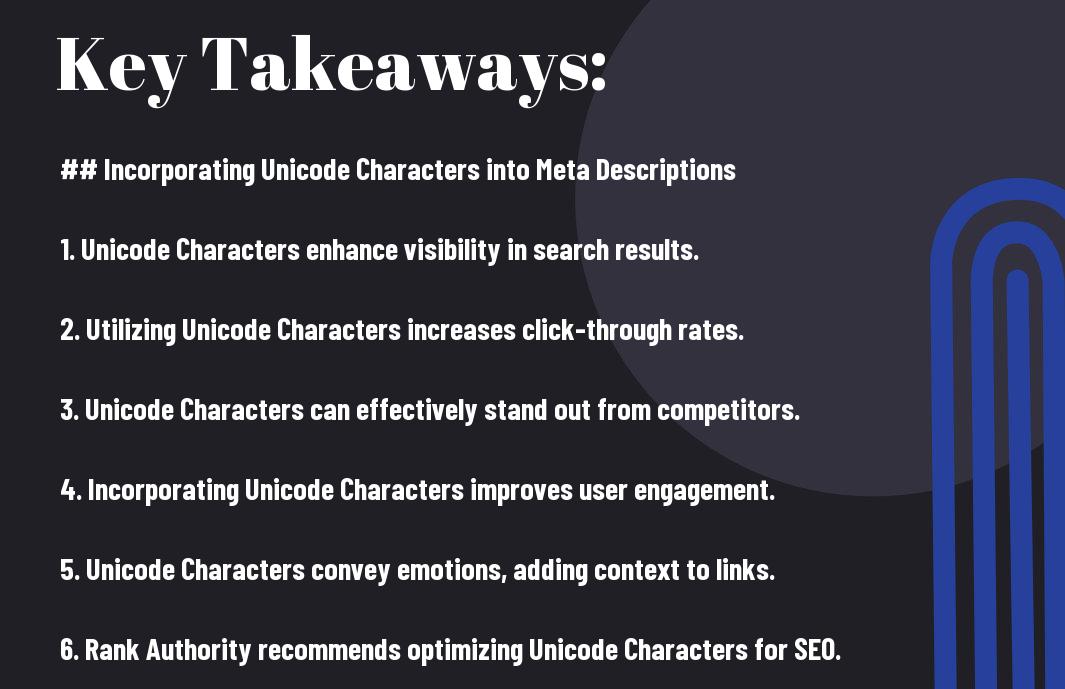
Using unicode characters in meta descriptions is one of the most well-established applications in SEO practice. When implemented correctly, specific unicode characters increase the visual distinctiveness of your search listing and can improve click-through rates. The most effective characters for this purpose include: For a deeper walkthrough, see our How Can I Use AI to Improve SEO? The Complete 2025 Guide.
- ★ ☆ (U+2605, U+2606) — Star ratings, review signals
- ✓ ✔ (U+2713, U+2714) — Confirming features or benefits
- → ► (U+2192, U+25BA) — Directional calls to action
- ❤ ♥ (U+2764, U+2665) — Emotional appeal
- ⚡ 🔥 — Urgency and energy (note: emoji render inconsistently across devices)
- • ▸ (U+2022, U+25B8) — Bullet structuring within descriptions
- © ® ™ — Brand authority signals
Critical limitation: Google rewrites meta descriptions about 70% of the time. When Google rewrites your description, your carefully placed unicode characters may be stripped. The underlying page content quality and relevance still determines ranking — unicode characters in meta descriptions affect click-through rate, not ranking position directly.
Unicode Characters in Page Titles and Headings
Unicode characters in </code> tags and heading elements are indexed normally by search engines. Using non-standard characters sparingly in these locations can differentiate your brand. Avoid overuse — Google may normalize or replace unusual characters in the title tag it shows in SERPs with a version it deems more readable.</p>
<h3 style="font-family: 'Trebuchet MS', sans-serif;font-size: 1.3em;color: #b05a00;margin-top: 28px;margin-bottom: 10px">International SEO and Unicode</h3>
<p style="font-size: 1.02em;color: #2c2c2c;line-height: 1.85;margin-bottom: 16px">For international websites, unicode is not optional — it is foundational. Properly encoding content in non-Latin scripts, using <code style="background:#f0e6d0;padding: 2px 6px;border-radius: 3px;font-family: monospace;color: #333">hreflang</code> attributes, and ensuring your server sends the correct <code style="background:#f0e6d0;padding: 2px 6px;border-radius: 3px;font-family: monospace;color: #333">Content-Type: text/html; charset=utf-8</code> header are all essential practices. Search engines use unicode text analysis to determine a page’s language and serve it to the appropriate audience.</p>
<p><img decoding="async" src="https://rankauthority.com/wp-content/uploads/2025/02/incorporating-unicode-characters-into-meta-descriptions-lwx.jpg" style="width: 100%;border-radius: 8px;margin: 28px 0" /></p>
<hr style="border: none;border-top: 2px solid #e8a020;margin: 32px 0" />
<h2 style="font-family: 'Trebuchet MS', sans-serif;font-size: 1.75em;color: #0d1b4b;margin-top: 36px;margin-bottom: 14px;padding-bottom: 6px;border-bottom: 2px solid #f0e6d0">Step-by-Step: How to Find and Use Any Unicode Character</h2>
<p style="font-size: 1.02em;color: #2c2c2c;line-height: 1.85;margin-bottom: 20px">Follow these steps to locate, verify, and correctly insert any unicode character into your web content or code.</p>
<ol style="padding-left: 24px;margin-bottom: 24px;line-height: 1.9;color: #2c2c2c">
<li id="step-1" style="margin-bottom: 16px"><strong style="color: #0d1b4b">Step 1 — Identify what you need.</strong> Decide whether you need a specific symbol, a character from a particular script, or a character with a specific function. Think about its name or visual appearance.</li>
<li id="step-2" style="margin-bottom: 16px"><strong style="color: #0d1b4b">Step 2 — Search a unicode character database.</strong> Use unicode.org’s Character Database, amp-what.com, or fileformat.info. Enter a keyword (e.g., “check mark”, “arrow right”, “heart”) and browse results. Note the official character name and code point (e.g., U+2713).</li>
<li id="step-3" style="margin-bottom: 16px"><strong style="color: #0d1b4b">Step 3 — Verify rendering across platforms.</strong> Copy the character and paste it into a plain-text preview across different browsers, operating systems, and mobile devices. Confirm it renders as expected in all target environments.</li>
<li id="step-4" style="margin-bottom: 16px"><strong style="color: #0d1b4b">Step 4 — Choose your insertion method.</strong> For direct HTML: paste the character directly (ensure UTF-8 is declared). For maximum compatibility: use the HTML numeric entity (<code style="background:#f0e6d0;padding: 2px 6px;border-radius: 3px;font-family: monospace;color: #333">✓</code> for ✓). For CSS content properties: use the CSS escape format (<code style="background:#f0e6d0;padding: 2px 6px;border-radius: 3px;font-family: monospace;color: #333">2713</code>).</li>
<li id="step-5" style="margin-bottom: 16px"><strong style="color: #0d1b4b">Step 5 — Ensure your page declares UTF-8.</strong> Add <code style="background:#f0e6d0;padding: 2px 6px;border-radius: 3px;font-family: monospace;color: #333"><meta charset="UTF-8"></code> as the first element inside <code style="background:#f0e6d0;padding: 2px 6px;border-radius: 3px;font-family: monospace;color: #333"><head></code>. Ensure your web server sends <code style="background:#f0e6d0;padding: 2px 6px;border-radius: 3px;font-family: monospace;color: #333">Content-Type: text/html; charset=utf-8</code>.</li>
<li id="step-6" style="margin-bottom: 16px"><strong style="color: #0d1b4b">Step 6 — Test with Google’s Rich Results tool.</strong> If using unicode characters in meta descriptions or structured data, run the URL through Google Search Console’s URL Inspection or the Rich Results Test to confirm rendering.</li>
<li id="step-7" style="margin-bottom: 16px"><strong style="color: #0d1b4b">Step 7 — Monitor performance.</strong> After publishing, track click-through rates in Google Search Console. If specific unicode characters in titles or descriptions correlate with CTR improvements, document and replicate the approach.</li>
</ol>
<hr style="border: none;border-top: 2px solid #e8a020;margin: 32px 0" />
<h2 style="font-family: 'Trebuchet MS', sans-serif;font-size: 1.75em;color: #0d1b4b;margin-top: 36px;margin-bottom: 14px;padding-bottom: 6px;border-bottom: 2px solid #f0e6d0">Unicode Characters by Use Case: Quick Reference Tables</h2>
<p style="font-size: 1.02em;color: #2c2c2c;line-height: 1.85;margin-bottom: 16px">The following reference sections organize the most practically useful unicode characters by use case, with their code points and HTML entities for quick lookup and insertion.</p>
<h3 style="font-family: 'Trebuchet MS', sans-serif;font-size: 1.3em;color: #b05a00;margin-top: 28px;margin-bottom: 10px">Arrows and Directional Symbols</h3>
<ul style="padding-left: 24px;margin-bottom: 20px;line-height: 2.0;color: #2c2c2c;background: #f9f5ee;border-left: 4px solid #e8a020;padding-top: 12px;padding-bottom: 12px;border-radius: 0 6px 6px 0">
<li style="margin-bottom: 6px"><strong>←</strong> U+2190 — Leftwards Arrow — <code style="background:#f0e6d0;padding: 1px 5px;border-radius: 3px;font-family: monospace;color: #333">←</code></li>
<li style="margin-bottom: 6px"><strong>→</strong> U+2192 — Rightwards Arrow — <code style="background:#f0e6d0;padding: 1px 5px;border-radius: 3px;font-family: monospace;color: #333">→</code></li>
<li style="margin-bottom: 6px"><strong>↑</strong> U+2191 — Upwards Arrow — <code style="background:#f0e6d0;padding: 1px 5px;border-radius: 3px;font-family: monospace;color: #333">↑</code></li>
<li style="margin-bottom: 6px"><strong>↓</strong> U+2193 — Downwards Arrow — <code style="background:#f0e6d0;padding: 1px 5px;border-radius: 3px;font-family: monospace;color: #333">↓</code></li>
<li style="margin-bottom: 6px"><strong>⇒</strong> U+21D2 — Rightwards Double Arrow — <code style="background:#f0e6d0;padding: 1px 5px;border-radius: 3px;font-family: monospace;color: #333">⇒</code></li>
<li style="margin-bottom: 6px"><strong>⇔</strong> U+21D4 — Left Right Double Arrow — <code style="background:#f0e6d0;padding: 1px 5px;border-radius: 3px;font-family: monospace;color: #333">⇔</code></li>
<li style="margin-bottom: 6px"><strong>►</strong> U+25BA — Black Right-Pointing Pointer — <code style="background:#f0e6d0;padding: 1px 5px;border-radius: 3px;font-family: monospace;color: #333">►</code></li>
</ul>
<h3 style="font-family: 'Trebuchet MS', sans-serif;font-size: 1.3em;color: #b05a00;margin-top: 28px;margin-bottom: 10px">Check Marks and Cross Marks</h3>
<ul style="padding-left: 24px;margin-bottom: 20px;line-height: 2.0;color: #2c2c2c;background: #f9f5ee;border-left: 4px solid #e8a020;padding-top: 12px;padding-bottom: 12px;border-radius: 0 6px 6px 0">
<li style="margin-bottom: 6px"><strong>✓</strong> U+2713 — Check Mark — <code style="background:#f0e6d0;padding: 1px 5px;border-radius: 3px;font-family: monospace;color: #333">✓</code></li>
<li style="margin-bottom: 6px"><strong>✔</strong> U+2714 — Heavy Check Mark — <code style="background:#f0e6d0;padding: 1px 5px;border-radius: 3px;font-family: monospace;color: #333">✔</code></li>
<li style="margin-bottom: 6px"><strong>✅</strong> U+2705 — White Heavy Check Mark (emoji) — <code style="background:#f0e6d0;padding: 1px 5px;border-radius: 3px;font-family: monospace;color: #333">✅</code></li>
<li style="margin-bottom: 6px"><strong>✗</strong> U+2717 — Ballot X — <code style="background:#f0e6d0;padding: 1px 5px;border-radius: 3px;font-family: monospace;color: #333">✗</code></li>
<li style="margin-bottom: 6px"><strong>✘</strong> U+2718 — Heavy Ballot X — <code style="background:#f0e6d0;padding: 1px 5px;border-radius: 3px;font-family: monospace;color: #333">✘</code></li>
<li style="margin-bottom: 6px"><strong>❌</strong> U+274C — Cross Mark (emoji) — <code style="background:#f0e6d0;padding: 1px 5px;border-radius: 3px;font-family: monospace;color: #333">❌</code></li>
</ul>
<h3 style="font-family: 'Trebuchet MS', sans-serif;font-size: 1.3em;color: #b05a00;margin-top: 28px;margin-bottom: 10px">Stars and Ratings</h3>
<ul style="padding-left: 24px;margin-bottom: 20px;line-height: 2.0;color: #2c2c2c;background: #f9f5ee;border-left: 4px solid #e8a020;padding-top: 12px;padding-bottom: 12px;border-radius: 0 6px 6px 0">
<li style="margin-bottom: 6px"><strong>★</strong> U+2605 — Black Star — <code style="background:#f0e6d0;padding: 1px 5px;border-radius: 3px;font-family: monospace;color: #333">★</code></li>
<li style="margin-bottom: 6px"><strong>☆</strong> U+2606 — White Star — <code style="background:#f0e6d0;padding: 1px 5px;border-radius: 3px;font-family: monospace;color: #333">☆</code></li>
<li style="margin-bottom: 6px"><strong>⭐</strong> U+2B50 — White Medium Star (emoji) — <code style="background:#f0e6d0;padding: 1px 5px;border-radius: 3px;font-family: monospace;color: #333">⭐</code></li>
<li style="margin-bottom: 6px"><strong>✦</strong> U+2726 — Black Four Pointed Star — <code style="background:#f0e6d0;padding: 1px 5px;border-radius: 3px;font-family: monospace;color: #333">✦</code></li>
</ul>
<h3 style="font-family: 'Trebuchet MS', sans-serif;font-size: 1.3em;color: #b05a00;margin-top: 28px;margin-bottom: 10px">Mathematical and Scientific Symbols</h3>
<ul style="padding-left: 24px;margin-bottom: 20px;line-height: 2.0;color: #2c2c2c;background: #f9f5ee;border-left: 4px solid #e8a020;padding-top: 12px;padding-bottom: 12px;border-radius: 0 6px 6px 0">
<li style="margin-bottom: 6px"><strong>∞</strong> U+221E — Infinity — <code style="background:#f0e6d0;padding: 1px 5px;border-radius: 3px;font-family: monospace;color: #333">∞</code></li>
<li style="margin-bottom: 6px"><strong>∑</strong> U+2211 — N-Ary Summation — <code style="background:#f0e6d0;padding: 1px 5px;border-radius: 3px;font-family: monospace;color: #333">∑</code></li>
<li style="margin-bottom: 6px"><strong>√</strong> U+221A — Square Root — <code style="background:#f0e6d0;padding: 1px 5px;border-radius: 3px;font-family: monospace;color: #333">√</code></li>
<li style="margin-bottom: 6px"><strong>≠</strong> U+2260 — Not Equal To — <code style="background:#f0e6d0;padding: 1px 5px;border-radius: 3px;font-family: monospace;color: #333">≠</code></li>
<li style="margin-bottom: 6px"><strong>≤</strong> U+2264 — Less-Than or Equal To — <code style="background:#f0e6d0;padding: 1px 5px;border-radius: 3px;font-family: monospace;color: #333">≤</code></li>
<li style="margin-bottom: 6px"><strong>≥</strong> U+2265 — Greater-Than or Equal To — <code style="background:#f0e6d0;padding: 1px 5px;border-radius: 3px;font-family: monospace;color: #333">≥</code></li>
<li style="margin-bottom: 6px"><strong>π</strong> U+03C0 — Greek Small Letter Pi — <code style="background:#f0e6d0;padding: 1px 5px;border-radius: 3px;font-family: monospace;color: #333">π</code></li>
<li style="margin-bottom: 6px"><strong>±</strong> U+00B1 — Plus-Minus Sign — <code style="background:#f0e6d0;padding: 1px 5px;border-radius: 3px;font-family: monospace;color: #333">±</code></li>
</ul>
<h3 style="font-family: 'Trebuchet MS', sans-serif;font-size: 1.3em;color: #b05a00;margin-top: 28px;margin-bottom: 10px">Currency Symbols</h3>
<ul style="padding-left: 24px;margin-bottom: 20px;line-height: 2.0;color: #2c2c2c;background: #f9f5ee;border-left: 4px solid #e8a020;padding-top: 12px;padding-bottom: 12px;border-radius: 0 6px 6px 0">
<li style="margin-bottom: 6px"><strong>$</strong> U+0024 — Dollar Sign — <code style="background:#f0e6d0;padding: 1px 5px;border-radius: 3px;font-family: monospace;color: #333">$</code></li>
<li style="margin-bottom: 6px"><strong>€</strong> U+20AC — Euro Sign — <code style="background:#f0e6d0;padding: 1px 5px;border-radius: 3px;font-family: monospace;color: #333">€</code></li>
<li style="margin-bottom: 6px"><strong>£</strong> U+00A3 — Pound Sign — <code style="background:#f0e6d0;padding: 1px 5px;border-radius: 3px;font-family: monospace;color: #333">£</code></li>
<li style="margin-bottom: 6px"><strong>¥</strong> U+00A5 — Yen Sign — <code style="background:#f0e6d0;padding: 1px 5px;border-radius: 3px;font-family: monospace;color: #333">¥</code></li>
<li style="margin-bottom: 6px"><strong>₹</strong> U+20B9 — Indian Rupee Sign — <code style="background:#f0e6d0;padding: 1px 5px;border-radius: 3px;font-family: monospace;color: #333">₹</code></li>
<li style="margin-bottom: 6px"><strong>₩</strong> U+20A9 — Won Sign — <code style="background:#f0e6d0;padding: 1px 5px;border-radius: 3px;font-family: monospace;color: #333">₩</code></li>
<li style="margin-bottom: 6px"><strong>₿</strong> U+20BF — Bitcoin Sign — <code style="background:#f0e6d0;padding: 1px 5px;border-radius: 3px;font-family: monospace;color: #333">₿</code></li>
</ul>
<hr style="border: none;border-top: 2px solid #e8a020;margin: 32px 0" />
<h2 style="font-family: 'Trebuchet MS', sans-serif;font-size: 1.75em;color: #0d1b4b;margin-top: 36px;margin-bottom: 14px;padding-bottom: 6px;border-bottom: 2px solid #f0e6d0">Special Unicode Characters: Invisible and Formatting Characters</h2>
<p style="font-size: 1.02em;color: #2c2c2c;line-height: 1.85;margin-bottom: 16px">Not all unicode characters are visible. A category of <strong style="color: #0d1b4b">formatting and control characters</strong> shapes how text behaves without rendering anything visible. These are critical for developers to understand.</p>
<ul style="padding-left: 24px;margin-bottom: 20px;line-height: 1.9;color: #2c2c2c">
<li style="margin-bottom: 10px"><strong>U+00A0 — Non-Breaking Space (NBSP):</strong> Prevents a line break between words. Used between numbers and their units (10 km, $5 off). Different from a regular space in HTML behavior.</li>
<li style="margin-bottom: 10px"><strong>U+200B — Zero Width Space:</strong> Allows line breaking without visible space. Used in URLs and long compound words in Asian languages.</li>
<li style="margin-bottom: 10px"><strong>U+200C — Zero Width Non-Joiner (ZWNJ):</strong> Prevents two characters from joining into a ligature in cursive scripts.</li>
<li style="margin-bottom: 10px"><strong>U+200D — Zero Width Joiner (ZWJ):</strong> Causes adjacent characters to join or form a ligature. Used extensively in emoji sequences — the family emoji 👨👩👧 is composed of four individual emoji joined by ZWJ characters.</li>
<li style="margin-bottom: 10px"><strong>U+FEFF — Byte Order Mark (BOM):</strong> Appears at the start of a UTF-8 or UTF-16 file to indicate encoding and byte order. Can cause issues if not stripped from API responses or HTML content.</li>
<li style="margin-bottom: 10px"><strong>U+202F — Narrow No-Break Space:</strong> Used before certain punctuation marks in French typography (! ? ; 🙂 and in numeric formatting.</li>
<li style="margin-bottom: 10px"><strong>U+2028 — Line Separator / U+2029 — Paragraph Separator:</strong> Unicode’s own line and paragraph break characters, distinct from n (U+000A). Important in JavaScript because these characters are valid inside string literals in some contexts but cause syntax errors in others.</li>
</ul>
<hr style="border: none;border-top: 2px solid #e8a020;margin: 32px 0" />
<h2 style="font-family: 'Trebuchet MS', sans-serif;font-size: 1.75em;color: #0d1b4b;margin-top: 36px;margin-bottom: 14px;padding-bottom: 6px;border-bottom: 2px solid #f0e6d0">Common Problems with Unicode Characters (and How to Fix Them)</h2>
<p style="font-size: 1.02em;color: #2c2c2c;line-height: 1.85;margin-bottom: 16px">Even experienced developers and content creators encounter problems when working with unicode characters. Here are the most common issues and their solutions.</p>
<h3 style="font-family: 'Trebuchet MS', sans-serif;font-size: 1.3em;color: #b05a00;margin-top: 28px;margin-bottom: 10px">Problem: Characters Display as □ or ?</h3>
<p style="font-size: 1.02em;color: #2c2c2c;line-height: 1.85;margin-bottom: 16px"><strong style="color: #0d1b4b">Cause:</strong> The font being used does not include a glyph for that unicode character, or the browser/OS does not have fallback font coverage. <strong>Solution:</strong> Use web-safe unicode characters in the BMP (U+0000–U+FFFF), or specify a font stack with broad unicode coverage such as Noto fonts (designed specifically to cover all of Unicode).</p>
<h3 style="font-family: 'Trebuchet MS', sans-serif;font-size: 1.3em;color: #b05a00;margin-top: 28px;margin-bottom: 10px">Problem: Garbled Text (Mojibake)</h3>
<p style="font-size: 1.02em;color: #2c2c2c;line-height: 1.85;margin-bottom: 16px"><strong style="color: #0d1b4b">Cause:</strong> A mismatch between the actual encoding of the file and the declared or assumed encoding. A UTF-8 file interpreted as ISO-8859-1 produces garbled output. <strong>Solution:</strong> Always declare <code style="background:#f0e6d0;padding: 2px 6px;border-radius: 3px;font-family: monospace;color: #333"><meta charset="UTF-8"></code> explicitly and ensure your editor, server, and database all agree on UTF-8.</p>
<h3 style="font-family: 'Trebuchet MS', sans-serif;font-size: 1.3em;color: #b05a00;margin-top: 28px;margin-bottom: 10px">Problem: String Length Errors with Emoji</h3>
<p style="font-size: 1.02em;color: #2c2c2c;line-height: 1.85;margin-bottom: 16px"><strong style="color: #0d1b4b">Cause:</strong> Many programming environments (JavaScript, Java) report string length in UTF-16 code units, where emoji and supplementary characters count as 2. So <code style="background:#f0e6d0;padding: 2px 6px;border-radius: 3px;font-family: monospace;color: #333">"😀".length === 2</code> in JavaScript. <strong>Solution:</strong> Use code-point-aware string methods: <code style="background:#f0e6d0;padding: 2px 6px;border-radius: 3px;font-family: monospace;color: #333">[..."😀"].length === 1</code> in JavaScript (ES6 spread operator iterates by code points).</p>
<h3 style="font-family: 'Trebuchet MS', sans-serif;font-size: 1.3em;color: #b05a00;margin-top: 28px;margin-bottom: 10px">Problem: MySQL Silently Dropping Emoji</h3>
<p style="font-size: 1.02em;color: #2c2c2c;line-height: 1.85;margin-bottom: 16px"><strong style="color: #0d1b4b">Cause:</strong> MySQL’s <code style="background:#f0e6d0;padding: 2px 6px;border-radius: 3px;font-family: monospace;color: #333">utf8</code> charset only supports up to 3-byte characters (U+0000–U+FFFF). Emoji are 4-byte supplementary characters and are silently truncated or cause an error. <strong>Solution:</strong> Use <code style="background:#f0e6d0;padding: 2px 6px;border-radius: 3px;font-family: monospace;color: #333">utf8mb4</code> as your column, table, and connection charset. This is always the correct choice for modern MySQL databases that handle any user-generated content.</p>
<h3 style="font-family: 'Trebuchet MS', sans-serif;font-size: 1.3em;color: #b05a00;margin-top: 28px;margin-bottom: 10px">Problem: Unicode Characters Stripped from URLs</h3>
<p style="font-size: 1.02em;color: #2c2c2c;line-height: 1.85;margin-bottom: 16px"><strong style="color: #0d1b4b">Cause:</strong> URLs technically only support ASCII characters. Non-ASCII unicode characters in URLs must be percent-encoded. <strong>Solution:</strong> Use <code style="background:#f0e6d0;padding: 2px 6px;border-radius: 3px;font-family: monospace;color: #333">encodeURIComponent()</code> in JavaScript or equivalent functions to safely encode unicode characters in URL components before use in network requests.</p>
<p><img decoding="async" src="https://rankauthority.com/wp-content/uploads/2025/02/incorporating-unicode-characters-into-meta-descriptions-tii.jpg" style="width: 100%;border-radius: 8px;margin: 28px 0" /></p>
<hr style="border: none;border-top: 2px solid #e8a020;margin: 32px 0" />
<h2 style="font-family: 'Trebuchet MS', sans-serif;font-size: 1.75em;color: #0d1b4b;margin-top: 36px;margin-bottom: 14px;padding-bottom: 6px;border-bottom: 2px solid #f0e6d0">Tools for Working with Unicode Characters</h2>
<p style="font-size: 1.02em;color: #2c2c2c;line-height: 1.85;margin-bottom: 16px">Whether you need to look up a character, convert encodings, or debug text rendering, these tools are essential for anyone working with unicode characters regularly.</p>
<h3 style="font-family: 'Trebuchet MS', sans-serif;font-size: 1.3em;color: #b05a00;margin-top: 28px;margin-bottom: 10px">Lookup and Search Tools</h3>
<ul style="padding-left: 24px;margin-bottom: 20px;line-height: 1.9;color: #2c2c2c">
<li style="margin-bottom: 8px"><strong>unicode.org/charts</strong> — The official Unicode Consortium character charts, organized by block. The authoritative reference.</li>
<li style="margin-bottom: 8px"><strong>unicode.org/cldr</strong> — The Common Locale Data Repository, essential for internationalization data.</li>
<li style="margin-bottom: 8px"><strong>amp-what.com</strong> — Fast keyword-based character search with HTML entity codes. Excellent for SEO practitioners.</li>
<li style="margin-bottom: 8px"><strong>fileformat.info/info/unicode</strong> — Detailed per-character data including all encoding forms, font rendering previews, and character properties.</li>
<li style="margin-bottom: 8px"><strong>compart.com/en/unicode</strong> — Clean, browsable Unicode database with copy-to-clipboard functionality.</li>
<li style="margin-bottom: 8px"><strong>emojipedia.org</strong> — The definitive reference for emoji unicode characters, including platform rendering comparisons across iOS, Android, Windows, and more.</li>
</ul>
<h3 style="font-family: 'Trebuchet MS', sans-serif;font-size: 1.3em;color: #b05a00;margin-top: 28px;margin-bottom: 10px">Encoding Converters</h3>
<ul style="padding-left: 24px;margin-bottom: 20px;line-height: 1.9;color: #2c2c2c">
<li style="margin-bottom: 8px"><strong>onlineutf8tools.com</strong> — Convert between UTF-8, UTF-16, UTF-32, HTML entities, and other formats instantly</li>
<li style="margin-bottom: 8px"><strong>mothereff.in/utf-8</strong> — Shows the UTF-8 byte sequence for any input</li>
<li style="margin-bottom: 8px"><strong>convertstring.com</strong> — Multi-format text encoding converter including Base64, URL encoding, and HTML entities</li>
</ul>
<h3 style="font-family: 'Trebuchet MS', sans-serif;font-size: 1.3em;color: #b05a00;margin-top: 28px;margin-bottom: 10px">Browser Extensions for Unicode</h3>
<ul style="padding-left: 24px;margin-bottom: 20px;line-height: 1.9;color: #2c2c2c">
<li style="margin-bottom: 8px"><strong>Unicode Character Picker</strong> — Available for Chrome and Firefox; provides searchable character insertion directly in the browser toolbar</li>
<li style="margin-bottom: 8px"><strong>Special Characters</strong> — A browser extension enabling quick access to frequently used unicode characters organized by category</li>
<li style="margin-bottom: 8px">Always download extensions from the official Chrome Web Store or Firefox Add-ons marketplace, and verify publisher reputation before installing — malicious extensions can compromise browser security</li>
</ul>
<h3 style="font-family: 'Trebuchet MS', sans-serif;font-size: 1.3em;color: #b05a00;margin-top: 28px;margin-bottom: 10px">Developer Tools and Libraries</h3>
<ul style="padding-left: 24px;margin-bottom: 20px;line-height: 1.9;color: #2c2c2c">
<li style="margin-bottom: 8px"><strong>Python unicodedata module</strong> — Built-in standard library for unicode character properties, normalization, and name lookup</li>
<li style="margin-bottom: 8px"><strong>ICU (International Components for Unicode)</strong> — The most comprehensive open-source library for unicode support in C++, Java, and other languages</li>
<li style="margin-bottom: 8px"><strong>iconv</strong> — Command-line and library tool for converting between character encodings</li>
<li style="margin-bottom: 8px"><strong>Google’s Noto Fonts</strong> — A font family designed to cover all of Unicode with consistent visual style, eliminating missing-glyph boxes</li>
</ul>
<hr style="border: none;border-top: 2px solid #e8a020;margin: 32px 0" />
<h2 style="font-family: 'Trebuchet MS', sans-serif;font-size: 1.75em;color: #0d1b4b;margin-top: 36px;margin-bottom: 14px;padding-bottom: 6px;border-bottom: 2px solid #f0e6d0">Frequently Asked Questions About Unicode Characters</h2>
<h3 style="font-family: 'Trebuchet MS', sans-serif;font-size: 1.2em;color: #b05a00;margin-top: 24px;margin-bottom: 8px">What is the difference between Unicode and ASCII?</h3>
<p style="font-size: 1.02em;color: #2c2c2c;line-height: 1.85;margin-bottom: 16px"><strong style="color: #0d1b4b">ASCII</strong> (American Standard Code for Information Interchange) defines only 128 characters — English letters, digits, and basic punctuation, all representable with 7 bits. <strong>Unicode</strong> is a strict superset of ASCII that includes every ASCII character at the same code point positions, but extends coverage to over 149,000 characters across all human writing systems. UTF-8, the most common Unicode encoding, is backward-compatible with ASCII for all characters in the U+0000–U+007F range.</p>
<h3 style="font-family: 'Trebuchet MS', sans-serif;font-size: 1.2em;color: #b05a00;margin-top: 24px;margin-bottom: 8px">How many unicode characters are there?</h3>
<p style="font-size: 1.02em;color: #2c2c2c;line-height: 1.85;margin-bottom: 16px">As of Unicode 15.1, there are <strong style="color: #0d1b4b">149,813 assigned characters</strong> across 161 scripts. The Unicode code space has capacity for 1,114,112 possible code points (from U+0000 to U+10FFFF), so the vast majority remain unassigned. New characters — including new emoji, historic script additions, and expanded CJK characters — are added in each annual Unicode release.</p>
<h3 style="font-family: 'Trebuchet MS', sans-serif;font-size: 1.2em;color: #b05a00;margin-top: 24px;margin-bottom: 8px">What is a unicode code point?</h3>
<p style="font-size: 1.02em;color: #2c2c2c;line-height: 1.85;margin-bottom: 16px">A <strong style="color: #0d1b4b">unicode code point</strong> is the unique numeric identifier assigned to each unicode character in the Unicode standard. Code points are written in the format <code style="background:#f0e6d0;padding: 2px 6px;border-radius: 3px;font-family: monospace;color: #333">U+XXXX</code> where XXXX is a hexadecimal number. The code point is abstract — the actual bytes used to represent it in a file or stream depend on the chosen encoding (UTF-8, UTF-16, or UTF-32).</p>
<h3 style="font-family: 'Trebuchet MS', sans-serif;font-size: 1.2em;color: #b05a00;margin-top: 24px;margin-bottom: 8px">Are emoji unicode characters?</h3>
<p style="font-size: 1.02em;color: #2c2c2c;line-height: 1.85;margin-bottom: 16px">Yes. All standardized <strong style="color: #0d1b4b">emoji are unicode characters</strong>, assigned code points in the Unicode standard. The Unicode Consortium’s Emoji Subcommittee manages emoji additions and the official emoji specification. Each emoji has a specific code point or code point sequence (for complex emoji using ZWJ or modifier characters). Emoji are submitted for inclusion through a formal proposal process.</p>
<h3 style="font-family: 'Trebuchet MS', sans-serif;font-size: 1.2em;color: #b05a00;margin-top: 24px;margin-bottom: 8px">What unicode characters work best in meta descriptions for SEO?</h3>
<p style="font-size: 1.02em;color: #2c2c2c;line-height: 1.85;margin-bottom: 16px">The most effective <strong style="color: #0d1b4b">unicode characters for meta descriptions</strong> are those with high cross-platform rendering consistency and clear semantic meaning. Best performers include: ★ (Black Star, U+2605), ✓ (Check Mark, U+2713), → (Rightwards Arrow, U+2192), ® (Registered Sign, U+00AE), © (Copyright Sign, U+00A9), and — (Em Dash, U+2014). Emoji can work but render inconsistently across devices and may be stripped by Google’s SERP generation algorithm.</p>
<h3 style="font-family: 'Trebuchet MS', sans-serif;font-size: 1.2em;color: #b05a00;margin-top: 24px;margin-bottom: 8px">What is UTF-8 and why does it matter?</h3>
<p style="font-size: 1.02em;color: #2c2c2c;line-height: 1.85;margin-bottom: 16px"><strong style="color: #0d1b4b">UTF-8</strong> is the dominant encoding for web content, used by over 98% of websites. It encodes every unicode character using 1 to 4 bytes, is backward-compatible with ASCII, and is the default encoding for HTML5, JSON, and XML. Declaring <code style="background:#f0e6d0;padding: 2px 6px;border-radius: 3px;font-family: monospace;color: #333"><meta charset="UTF-8"></code> in your HTML is essential for ensuring unicode characters display correctly across all browsers and devices.</p>
<h3 style="font-family: 'Trebuchet MS', sans-serif;font-size: 1.2em;color: #b05a00;margin-top: 24px;margin-bottom: 8px">How do I type unicode characters on my keyboard?</h3>
<p style="font-size: 1.02em;color: #2c2c2c;line-height: 1.85;margin-bottom: 16px">On <strong>Windows</strong>, hold <code style="background:#f0e6d0;padding: 2px 6px;border-radius: 3px;font-family: monospace;color: #333">Alt</code> and type the decimal code point on the numeric keypad (for codes under 256). For any unicode character, type the hex code point in a Microsoft Office document then press <code style="background:#f0e6d0;padding: 2px 6px;border-radius: 3px;font-family: monospace;color: #333">Alt+X</code>. On <strong>macOS</strong>, use the Character Viewer (<code style="background:#f0e6d0;padding: 2px 6px;border-radius: 3px;font-family: monospace;color: #333">Ctrl+Cmd+Space</code>) to search and insert any character. On <strong>Linux</strong>, press <code style="background:#f0e6d0;padding: 2px 6px;border-radius: 3px;font-family: monospace;color: #333">Ctrl+Shift+U</code> followed by the hex code point in many GTK applications.</p>
<hr style="border: none;border-top: 2px solid #e8a020;margin: 32px 0" />
<h2 style="font-family: 'Trebuchet MS', sans-serif;font-size: 1.75em;color: #0d1b4b;margin-top: 36px;margin-bottom: 14px;padding-bottom: 6px;border-bottom: 2px solid #f0e6d0">Conclusion: Why Unicode Characters Matter to Everyone</h2>
<p style="font-size: 1.02em;color: #2c2c2c;line-height: 1.85;margin-bottom: 16px"><strong style="color: #0d1b4b">Unicode characters</strong> are not a niche concern for linguists or internationalization engineers. They are the fundamental fabric of digital text. Every website, every database, every API, and every piece of content you create operates on the Unicode standard — whether you think about it consciously or not.</p>
<p style="font-size: 1.02em;color: #2c2c2c;line-height: 1.85;margin-bottom: 16px">For <strong>web developers</strong>, understanding unicode character encoding, normalization, and handling prevents entire categories of bugs, data loss, and security vulnerabilities. For <strong>content creators and SEO professionals</strong>, strategic use of unicode symbols in meta descriptions, titles, and headings can meaningfully improve click-through rates from search results. For <strong>international businesses</strong>, proper unicode implementation is prerequisite to reaching global audiences in their native scripts.</p>
<p style="font-size: 1.02em;color: #2c2c2c;line-height: 1.85;margin-bottom: 16px">The practical takeaways from this guide:</p>
<ul style="padding-left: 24px;margin-bottom: 20px;line-height: 1.9;color: #2c2c2c">
<li style="margin-bottom: 8px">Always use <strong>UTF-8 encoding</strong> and declare it explicitly in your HTML and server headers</li>
<li style="margin-bottom: 8px">Use <strong>utf8mb4</strong> (not utf8) in MySQL to safely store emoji and all supplementary unicode characters</li>
<li style="margin-bottom: 8px">Normalize unicode strings to <strong>NFC</strong> before storing or comparing in your application</li>
<li style="margin-bottom: 8px">Choose unicode characters for meta descriptions based on <strong>rendering consistency</strong> across target devices, not just visual appeal</li>
<li style="margin-bottom: 8px">Use code-point-aware string methods when processing unicode text in JavaScript or other languages</li>
<li style="margin-bottom: 8px">Reference <strong>unicode.org</strong> as the authoritative source for any character’s properties, name, and standard</li>
</ul>
<p style="font-size: 1.02em;color: #2c2c2c;line-height: 1.85;margin-bottom: 24px">At Rank Authority, we help businesses apply these principles not just technically but strategically — using unicode characters, encoding best practices, and content optimization together to build web presences that rank, convert, and scale. The web is built on Unicode. Master it, and you master the medium.</p>
</div>
</div>
</div>
<div class="elementor-element elementor-element-6ff4d52e elementor-post-navigation-borders-yes elementor-widget elementor-widget-post-navigation" data-id="6ff4d52e" data-element_type="widget" data-e-type="widget" data-widget_type="post-navigation.default">
<div class="elementor-widget-container">
<div class="elementor-post-navigation" role="navigation" aria-label="Post Navigation">
<div class="elementor-post-navigation__prev elementor-post-navigation__link">
<a href="https://rankauthority.com/conducting-a-competitive-analysis-step-by-step-guide/" rel="prev"><span class="post-navigation__arrow-wrapper post-navigation__arrow-prev"><i aria-hidden="true" class="fas fa-angle-left"></i><span class="elementor-screen-only">Prev</span></span><span class="elementor-post-navigation__link__prev"><span class="post-navigation__prev--label">Previous</span><span class="post-navigation__prev--title">Conducting a Competitive Analysis: Step-by-Step Guide</span></span></a> </div>
<div class="elementor-post-navigation__separator-wrapper">
<div class="elementor-post-navigation__separator"></div>
</div>
<div class="elementor-post-navigation__next elementor-post-navigation__link">
<a href="https://rankauthority.com/choosing-the-best-banner-ad-sizes-for-campaigns/" rel="next"><span class="elementor-post-navigation__link__next"><span class="post-navigation__next--label">Next</span><span class="post-navigation__next--title">Banner Ad Sizes for Your Campaign: Selecting the Right!</span></span><span class="post-navigation__arrow-wrapper post-navigation__arrow-next"><i aria-hidden="true" class="fas fa-angle-right"></i><span class="elementor-screen-only">Next</span></span></a> </div>
</div>
</div>
</div>
</div>
<div class="elementor-element elementor-element-6135f05c e-con-full e-flex e-con e-child" data-id="6135f05c" data-element_type="container" data-e-type="container">
<div class="elementor-element elementor-element-adcc0c3 elementor-widget elementor-widget-search" data-id="adcc0c3" data-element_type="widget" data-e-type="widget" data-settings="{"submit_trigger":"click_submit","pagination_type_options":"none"}" data-widget_type="search.default">
<div class="elementor-widget-container">
<search class="e-search hidden" role="search">
<form class="e-search-form" action="https://rankauthority.com" method="get">
<label class="e-search-label" for="search-adcc0c3">
<span class="elementor-screen-only">
Search </span>
</label>
<div class="e-search-input-wrapper">
<input id="search-adcc0c3" placeholder="Search ..." class="e-search-input" type="search" name="s" value="" autocomplete="off" role="combobox" aria-autocomplete="list" aria-expanded="false" aria-controls="results-adcc0c3" aria-haspopup="listbox">
<i aria-hidden="true" class="fas fa-times"></i> <output id="results-adcc0c3" class="e-search-results-container hide-loader" aria-live="polite" aria-atomic="true" aria-label="Results for search" tabindex="0">
<div class="e-search-results"></div>
</output>
</div>
<button class="e-search-submit " type="submit">
<span class="">
Search </span>
</button>
<input type="hidden" name="e_search_props" value="adcc0c3-2362">
</form>
</search>
</div>
</div>
<div class="elementor-element elementor-element-51439ab elementor-widget elementor-widget-heading" data-id="51439ab" data-element_type="widget" data-e-type="widget" data-widget_type="heading.default">
<div class="elementor-widget-container">
<h2 class="elementor-heading-title elementor-size-default">Featured Posts</h2> </div>
</div>
<div class="elementor-element elementor-element-779fd5b elementor-widget elementor-widget-heading" data-id="779fd5b" data-element_type="widget" data-e-type="widget" data-widget_type="heading.default">
<div class="elementor-widget-container">
<h2 class="elementor-heading-title elementor-size-default">Categories</h2> </div>
</div>
</div>
</div>
</div>
</div>
<footer data-elementor-type="footer" data-elementor-id="1194" class="elementor elementor-1194 elementor-location-footer" data-elementor-post-type="elementor_library">
<div class="elementor-element elementor-element-6d18f0e2 e-con-full e-flex e-con e-parent" data-id="6d18f0e2" data-element_type="container" data-e-type="container" data-settings="{"background_background":"classic"}">
<div class="elementor-element elementor-element-4fab0286 e-con-full e-flex e-con e-child" data-id="4fab0286" data-element_type="container" data-e-type="container">
<div class="elementor-element elementor-element-43b86029 elementor-widget__width-initial elementor-position-top elementor-widget elementor-widget-image-box" data-id="43b86029" data-element_type="widget" data-e-type="widget" data-widget_type="image-box.default">
<div class="elementor-widget-container">
<div class="elementor-image-box-wrapper"><figure class="elementor-image-box-img"><img width="2196" height="328" src="https://rankauthority.com/wp-content/uploads/2026/07/rank_authority_horizontal_transparent_TM.webp" class="attachment-full size-full wp-image-19372" alt="" /></figure><div class="elementor-image-box-content"><p class="elementor-image-box-description">Rank Authority is the AI-powered platform that automates your entire SEO, GEO, and AEO strategy. AI Autopilot scans your site and fixes issues with one-click approval, generates schema markup automatically, builds topical link architecture, tracks AI Visibility across all 9 major AI platforms, rewrites competitor pages with RankFast, and creates AI-optimized content with Blog Builder, all running in the background while you focus on your business.</p></div></div> </div>
</div>
<div class="elementor-element elementor-element-23bb36f e-grid-align-left elementor-shape-rounded elementor-grid-0 elementor-widget elementor-widget-social-icons" data-id="23bb36f" data-element_type="widget" data-e-type="widget" data-widget_type="social-icons.default">
<div class="elementor-widget-container">
<div class="elementor-social-icons-wrapper elementor-grid" role="list">
<span class="elementor-grid-item" role="listitem">
<a class="elementor-icon elementor-social-icon elementor-social-icon-facebook-f elementor-repeater-item-3f1b7ac" href="https://www.facebook.com/profile.php?id=61572529156363" target="_blank">
<span class="elementor-screen-only">Facebook-f</span>
<i aria-hidden="true" class="fab fa-facebook-f"></i> </a>
</span>
<span class="elementor-grid-item" role="listitem">
<a class="elementor-icon elementor-social-icon elementor-social-icon-instagram elementor-repeater-item-04f2c85" href="https://www.instagram.com/rankauthority/" target="_blank">
<span class="elementor-screen-only">Instagram</span>
<i aria-hidden="true" class="fab fa-instagram"></i> </a>
</span>
<span class="elementor-grid-item" role="listitem">
<a class="elementor-icon elementor-social-icon elementor-social-icon-x-twitter-square elementor-repeater-item-828f132" href="https://x.com/RankAuthority" target="_blank">
<span class="elementor-screen-only">X-twitter-square</span>
<i aria-hidden="true" class="fab fa-x-twitter-square"></i> </a>
</span>
<span class="elementor-grid-item" role="listitem">
<a class="elementor-icon elementor-social-icon elementor-social-icon-youtube elementor-repeater-item-5c0ce3c" href="https://www.youtube.com/@RankAuthority1" target="_blank">
<span class="elementor-screen-only">Youtube</span>
<i aria-hidden="true" class="fab fa-youtube"></i> </a>
</span>
</div>
</div>
</div>
<div class="elementor-element elementor-element-63ef303 elementor-widget elementor-widget-heading" data-id="63ef303" data-element_type="widget" data-e-type="widget" data-widget_type="heading.default">
<div class="elementor-widget-container">
<h6 class="elementor-heading-title elementor-size-default">Join the Newsletter</h6> </div>
</div>
<div class="elementor-element elementor-element-e1fd647 elementor-widget elementor-widget-text-editor" data-id="e1fd647" data-element_type="widget" data-e-type="widget" data-widget_type="text-editor.default">
<div class="elementor-widget-container">
<p>Subscribe for GEO, AEO & SEO tips. Learn how our One-Click fully automated AI solution can boost your rankings effortlessly!</p> </div>
</div>
<div class="elementor-element elementor-element-b822095 elementor-widget elementor-widget-html" data-id="b822095" data-element_type="widget" data-e-type="widget" data-widget_type="html.default">
<div class="elementor-widget-container">
<iframe
src="https://api.leadconnectorhq.com/widget/form/e81fEQh1og4g6cwdWChv"
style="width:100%;height:100%;border:none;border-radius:8px"
id="inline-e81fEQh1og4g6cwdWChv"
data-layout="{'id':'INLINE'}"
data-trigger-type="alwaysShow"
data-trigger-value=""
data-activation-type="alwaysActivated"
data-activation-value=""
data-deactivation-type="neverDeactivate"
data-deactivation-value=""
data-form-name="Footer Newsletter"
data-height="434"
data-layout-iframe-id="inline-e81fEQh1og4g6cwdWChv"
data-form-id="e81fEQh1og4g6cwdWChv"
title="Footer Newsletter"
>
</iframe>
<script src="https://link.msgsndr.com/js/form_embed.js"></script> </div>
</div>
</div>
<div class="elementor-element elementor-element-33450715 e-con-full e-flex e-con e-child" data-id="33450715" data-element_type="container" data-e-type="container">
<div class="elementor-element elementor-element-756a3ba1 elementor-widget elementor-widget-heading" data-id="756a3ba1" data-element_type="widget" data-e-type="widget" data-widget_type="heading.default">
<div class="elementor-widget-container">
<h6 class="elementor-heading-title elementor-size-default">Menu</h6> </div>
</div>
<div class="elementor-element elementor-element-693f5f68 elementor-icon-list--layout-traditional elementor-list-item-link-full_width elementor-widget elementor-widget-icon-list" data-id="693f5f68" data-element_type="widget" data-e-type="widget" data-widget_type="icon-list.default">
<div class="elementor-widget-container">
<ul class="elementor-icon-list-items">
<li class="elementor-icon-list-item">
<a href="https://rankauthority.com/">
<span class="elementor-icon-list-text">Home</span>
</a>
</li>
<li class="elementor-icon-list-item">
<a href="https://rankauthority.com/about/">
<span class="elementor-icon-list-text">About Us</span>
</a>
</li>
<li class="elementor-icon-list-item">
<a href="https://rankauthority.com/features">
<span class="elementor-icon-list-text">Features</span>
</a>
</li>
<li class="elementor-icon-list-item">
<a href="https://rankauthority.com/pricing/">
<span class="elementor-icon-list-text">Pricing</span>
</a>
</li>
<li class="elementor-icon-list-item">
<a href="https://rankauthority.com/blog/">
<span class="elementor-icon-list-text">Blog</span>
</a>
</li>
<li class="elementor-icon-list-item">
<span class="elementor-icon-list-text"></span>
</li>
</ul>
</div>
</div>
<div class="elementor-element elementor-element-4664a34 elementor-widget elementor-widget-heading" data-id="4664a34" data-element_type="widget" data-e-type="widget" data-widget_type="heading.default">
<div class="elementor-widget-container">
<h6 class="elementor-heading-title elementor-size-default">Alternatives</h6> </div>
</div>
<div class="elementor-element elementor-element-7d53fab elementor-icon-list--layout-traditional elementor-list-item-link-full_width elementor-widget elementor-widget-icon-list" data-id="7d53fab" data-element_type="widget" data-e-type="widget" data-widget_type="icon-list.default">
<div class="elementor-widget-container">
<ul class="elementor-icon-list-items">
<li class="elementor-icon-list-item">
<a href="/rank-authority-vs-alli-ai/">
<span class="elementor-icon-list-text">Alli Ai vs. RA</span>
</a>
</li>
<li class="elementor-icon-list-item">
<a href="/seo-juice-vs-rank-authority-the-right-choice-clear/">
<span class="elementor-icon-list-text">SEO Juice vs. RA</span>
</a>
</li>
<li class="elementor-icon-list-item">
<a href="/rankmath-vs-rank-authority-what-do-i-do/">
<span class="elementor-icon-list-text">RankMath vs. RA</span>
</a>
</li>
<li class="elementor-icon-list-item">
<a href="/semrush-vs-rank-authority-which-one-is-best/">
<span class="elementor-icon-list-text">Semrush vs. RA</span>
</a>
</li>
<li class="elementor-icon-list-item">
<a href="/ahrefs-vs-rank-authority-its-a-clear-picture/">
<span class="elementor-icon-list-text">Ahrefs vs. RA</span>
</a>
</li>
<li class="elementor-icon-list-item">
<a href="/moz-vs-rank-authority-simplicity-over-complexity/">
<span class="elementor-icon-list-text">Moz vs. RA</span>
</a>
</li>
<li class="elementor-icon-list-item">
<span class="elementor-icon-list-text"></span>
</li>
</ul>
</div>
</div>
<div class="elementor-element elementor-element-9394459 elementor-widget elementor-widget-heading" data-id="9394459" data-element_type="widget" data-e-type="widget" data-widget_type="heading.default">
<div class="elementor-widget-container">
<h6 class="elementor-heading-title elementor-size-default">Why RA?</h6> </div>
</div>
<div class="elementor-element elementor-element-d9193a5 elementor-icon-list--layout-traditional elementor-list-item-link-full_width elementor-widget elementor-widget-icon-list" data-id="d9193a5" data-element_type="widget" data-e-type="widget" data-widget_type="icon-list.default">
<div class="elementor-widget-container">
<ul class="elementor-icon-list-items">
<li class="elementor-icon-list-item">
<a href="/rank-authority-automated-seo/">
<span class="elementor-icon-list-text">Automated SEO</span>
</a>
</li>
<li class="elementor-icon-list-item">
<a href="/in-the-spotlight/">
<span class="elementor-icon-list-text">In the spotlight</span>
</a>
</li>
<li class="elementor-icon-list-item">
<a href="/what-is-geo/">
<span class="elementor-icon-list-text">What is GEO?</span>
</a>
</li>
<li class="elementor-icon-list-item">
<a href="/what-is-aeo/">
<span class="elementor-icon-list-text">What is AEO?</span>
</a>
</li>
<li class="elementor-icon-list-item">
<a href="/what-is-ai-visibility/">
<span class="elementor-icon-list-text">What is AI Visibility</span>
</a>
</li>
<li class="elementor-icon-list-item">
<a href="/seo-vs-geo-vs-aeo/">
<span class="elementor-icon-list-text">SEO vs GEO vs AEO</span>
</a>
</li>
</ul>
</div>
</div>
</div>
<div class="elementor-element elementor-element-753b64cf e-con-full e-flex e-con e-child" data-id="753b64cf" data-element_type="container" data-e-type="container">
<div class="elementor-element elementor-element-50e1ee7c elementor-widget elementor-widget-heading" data-id="50e1ee7c" data-element_type="widget" data-e-type="widget" data-widget_type="heading.default">
<div class="elementor-widget-container">
<h6 class="elementor-heading-title elementor-size-default">Quick Links</h6> </div>
</div>
<div class="elementor-element elementor-element-508bd38a elementor-nav-menu--dropdown-none elementor-widget elementor-widget-nav-menu" data-id="508bd38a" data-element_type="widget" data-e-type="widget" data-settings="{"layout":"vertical","submenu_icon":{"value":"<i class=\"fas fa-caret-down\" aria-hidden=\"true\"><\/i>","library":"fa-solid"}}" data-widget_type="nav-menu.default">
<div class="elementor-widget-container">
<nav aria-label="Menu" class="elementor-nav-menu--main elementor-nav-menu__container elementor-nav-menu--layout-vertical e--pointer-none">
<ul id="menu-1-508bd38a" class="elementor-nav-menu sm-vertical"><li class="menu-item menu-item-type-post_type menu-item-object-page menu-item-1858"><a href="https://rankauthority.com/contact-us/" class="elementor-item">Contact Us</a></li>
<li class="menu-item menu-item-type-post_type menu-item-object-page menu-item-1734"><a href="https://rankauthority.com/faq/" class="elementor-item">FAQ</a></li>
<li class="menu-item menu-item-type-post_type menu-item-object-page menu-item-1201"><a href="https://rankauthority.com/privacy-policy/" class="elementor-item">Privacy Policy</a></li>
<li class="menu-item menu-item-type-post_type menu-item-object-page menu-item-2856"><a href="https://rankauthority.com/terms-of-service/" class="elementor-item">Terms of Service</a></li>
<li class="menu-item menu-item-type-post_type menu-item-object-page menu-item-3082"><a href="https://rankauthority.com/cookie-policy/" class="elementor-item">Cookie Policy</a></li>
<li class="menu-item menu-item-type-post_type menu-item-object-page menu-item-13585"><a href="https://rankauthority.com/legal-disclaimer/" class="elementor-item">Legal Disclaimer</a></li>
</ul> </nav>
<nav class="elementor-nav-menu--dropdown elementor-nav-menu__container" aria-hidden="true">
<ul id="menu-2-508bd38a" class="elementor-nav-menu sm-vertical"><li class="menu-item menu-item-type-post_type menu-item-object-page menu-item-1858"><a href="https://rankauthority.com/contact-us/" class="elementor-item" tabindex="-1">Contact Us</a></li>
<li class="menu-item menu-item-type-post_type menu-item-object-page menu-item-1734"><a href="https://rankauthority.com/faq/" class="elementor-item" tabindex="-1">FAQ</a></li>
<li class="menu-item menu-item-type-post_type menu-item-object-page menu-item-1201"><a href="https://rankauthority.com/privacy-policy/" class="elementor-item" tabindex="-1">Privacy Policy</a></li>
<li class="menu-item menu-item-type-post_type menu-item-object-page menu-item-2856"><a href="https://rankauthority.com/terms-of-service/" class="elementor-item" tabindex="-1">Terms of Service</a></li>
<li class="menu-item menu-item-type-post_type menu-item-object-page menu-item-3082"><a href="https://rankauthority.com/cookie-policy/" class="elementor-item" tabindex="-1">Cookie Policy</a></li>
<li class="menu-item menu-item-type-post_type menu-item-object-page menu-item-13585"><a href="https://rankauthority.com/legal-disclaimer/" class="elementor-item" tabindex="-1">Legal Disclaimer</a></li>
</ul> </nav>
</div>
</div>
<div class="elementor-element elementor-element-4d522dd elementor-widget elementor-widget-spacer" data-id="4d522dd" data-element_type="widget" data-e-type="widget" data-widget_type="spacer.default">
<div class="elementor-widget-container">
<div class="elementor-spacer">
<div class="elementor-spacer-inner"></div>
</div>
</div>
</div>
<div class="elementor-element elementor-element-6878ef2 elementor-widget elementor-widget-heading" data-id="6878ef2" data-element_type="widget" data-e-type="widget" data-widget_type="heading.default">
<div class="elementor-widget-container">
<h6 class="elementor-heading-title elementor-size-default">Free Tools</h6> </div>
</div>
<div class="elementor-element elementor-element-9c3e10f elementor-icon-list--layout-traditional elementor-list-item-link-full_width elementor-widget elementor-widget-icon-list" data-id="9c3e10f" data-element_type="widget" data-e-type="widget" data-widget_type="icon-list.default">
<div class="elementor-widget-container">
<ul class="elementor-icon-list-items">
<li class="elementor-icon-list-item">
<a href="/rank-authority-score/">
<span class="elementor-icon-list-text">Rank Authority Checker (RA)</span>
</a>
</li>
<li class="elementor-icon-list-item">
<span class="elementor-icon-list-text">Site Audit Checker</span>
</li>
<li class="elementor-icon-list-item">
<a href="https://rankauthority.com/ai-visibility-checker/">
<span class="elementor-icon-list-text">AI Visibility Checker</span>
</a>
</li>
<li class="elementor-icon-list-item">
<a href="/backlink-checker">
<span class="elementor-icon-list-text">Backlink Checker</span>
</a>
</li>
<li class="elementor-icon-list-item">
<a href="/keyword-checker">
<span class="elementor-icon-list-text">Keyword Checker</span>
</a>
</li>
<li class="elementor-icon-list-item">
<a href="/broken-link-checker/">
<span class="elementor-icon-list-text">Broken Link Checker</span>
</a>
</li>
<li class="elementor-icon-list-item">
<a href="/free-da-checker/">
<span class="elementor-icon-list-text">Domain Authority Checker</span>
</a>
</li>
<li class="elementor-icon-list-item">
<a href="/page-speed-analyzer/">
<span class="elementor-icon-list-text">Page Speed Analyzer</span>
</a>
</li>
<li class="elementor-icon-list-item">
<a href="/schema-markup-generator/">
<span class="elementor-icon-list-text">Schema Markup Generator</span>
</a>
</li>
<li class="elementor-icon-list-item">
<span class="elementor-icon-list-text"></span>
</li>
<li class="elementor-icon-list-item">
<a href="/the-ultimate-guide-to-seo">
<span class="elementor-icon-list-text">Ultimate Guide to SEO</span>
</a>
</li>
</ul>
</div>
</div>
</div>
<div class="elementor-element elementor-element-60450b28 e-con-full e-flex e-con e-child" data-id="60450b28" data-element_type="container" data-e-type="container">
<div class="elementor-element elementor-element-426fb48e elementor-widget elementor-widget-heading" data-id="426fb48e" data-element_type="widget" data-e-type="widget" data-widget_type="heading.default">
<div class="elementor-widget-container">
<h6 class="elementor-heading-title elementor-size-default">Get In Touch</h6> </div>
</div>
<div class="elementor-element elementor-element-7e4c47c elementor-widget elementor-widget-text-editor" data-id="7e4c47c" data-element_type="widget" data-e-type="widget" data-widget_type="text-editor.default">
<div class="elementor-widget-container">
<div>Rank Authority, Inc.</div><div>12377 S. Lewis St., Suite 205</div><div>Garden Grove, CA 92840, USA</div><div> </div> </div>
</div>
<div class="elementor-element elementor-element-635659b9 elementor-icon-list--layout-traditional elementor-list-item-link-full_width elementor-widget elementor-widget-icon-list" data-id="635659b9" data-element_type="widget" data-e-type="widget" data-widget_type="icon-list.default">
<div class="elementor-widget-container">
<ul class="elementor-icon-list-items">
<li class="elementor-icon-list-item">
<a href="mailto:info@rankauthority.com">
<span class="elementor-icon-list-icon">
<i aria-hidden="true" class="fas fa-envelope"></i> </span>
<span class="elementor-icon-list-text">info@rankauthority.com</span>
</a>
</li>
<li class="elementor-icon-list-item">
<a href="tel:(800)%20395-9488">
<span class="elementor-icon-list-icon">
<i aria-hidden="true" class="fas fa-phone-alt"></i> </span>
<span class="elementor-icon-list-text">(800) 395-9488</span>
</a>
</li>
<li class="elementor-icon-list-item">
<span class="elementor-icon-list-icon">
<i aria-hidden="true" class="fas fa-clock"></i> </span>
<span class="elementor-icon-list-text">Mon-Fri 8:00AM - 6:00PM PST</span>
</li>
</ul>
</div>
</div>
<div class="elementor-element elementor-element-56e0817 elementor-widget elementor-widget-html" data-id="56e0817" data-element_type="widget" data-e-type="widget" data-widget_type="html.default">
<div class="elementor-widget-container">
<a href="#" class="termly-display-preferences">Consent Preferences</a>
<style>
.termly-display-preferences{
color: #324A6D;
font-family: "Poppins", Sans-serif;
font-size: 16px;
font-weight: 300;
text-transform: none;
font-style: normal;
text-decoration: none;
line-height: 1.5em;
letter-spacing: 0px;
}
.termly-display-preferences:hover{
color: #C8D5DC;
font-family: "Poppins", Sans-serif;
font-size: 16px;
font-weight: 300;
text-transform: none;
font-style: normal;
text-decoration: none;
line-height: 1.5em;
letter-spacing: 0px;
}
</style> </div>
</div>
<div class="elementor-element elementor-element-826bd10 elementor-widget elementor-widget-spacer" data-id="826bd10" data-element_type="widget" data-e-type="widget" data-widget_type="spacer.default">
<div class="elementor-widget-container">
<div class="elementor-spacer">
<div class="elementor-spacer-inner"></div>
</div>
</div>
</div>
<div class="elementor-element elementor-element-5353b93 elementor-widget elementor-widget-heading" data-id="5353b93" data-element_type="widget" data-e-type="widget" data-widget_type="heading.default">
<div class="elementor-widget-container">
<h6 class="elementor-heading-title elementor-size-default">Speak To Our Experts</h6> </div>
</div>
<div class="elementor-element elementor-element-64c10e2 elementor-widget elementor-widget-text-editor" data-id="64c10e2" data-element_type="widget" data-e-type="widget" data-widget_type="text-editor.default">
<div class="elementor-widget-container">
<div>Give us a call and learn how Rank Authority can help you out rank your COMPETITORS!</div> </div>
</div>
<div class="elementor-element elementor-element-0721016 elementor-widget elementor-widget-button" data-id="0721016" data-element_type="widget" data-e-type="widget" data-widget_type="button.default">
<div class="elementor-widget-container">
<div class="elementor-button-wrapper">
<a class="elementor-button elementor-button-link elementor-size-sm" href="tel:800-395-9488">
<span class="elementor-button-content-wrapper">
<span class="elementor-button-icon">
<i aria-hidden="true" class="fas fa-phone-alt"></i> </span>
<span class="elementor-button-text">Call Us Now!</span>
</span>
</a>
</div>
</div>
</div>
</div>
</div>
<div class="elementor-element elementor-element-1d6ec511 e-flex e-con-boxed e-con e-parent" data-id="1d6ec511" data-element_type="container" data-e-type="container" data-settings="{"background_background":"classic"}">
<div class="e-con-inner">
<div class="elementor-element elementor-element-76b692ea elementor-widget elementor-widget-heading" data-id="76b692ea" data-element_type="widget" data-e-type="widget" data-widget_type="heading.default">
<div class="elementor-widget-container">
<p class="elementor-heading-title elementor-size-default">© 2026 All Rights Reserved.</p> </div>
</div>
<div class="elementor-element elementor-element-37a6172 elementor-widget elementor-widget-html" data-id="37a6172" data-element_type="widget" data-e-type="widget" data-widget_type="html.default">
<div class="elementor-widget-container">
<script src="https://link.msgsndr.com/js/form_embed.js"></script>
</div>
</div>
</div>
</div>
</footer>
<script type="speculationrules">
{"prefetch":[{"source":"document","where":{"and":[{"href_matches":"/*"},{"not":{"href_matches":["/wp-*.php","/wp-admin/*","/wp-content/uploads/*","/wp-content/*","/wp-content/plugins/*","/wp-content/themes/hello-elementor-child/*","/wp-content/themes/hello-elementor/*","/*\\?(.+)"]}},{"not":{"selector_matches":"a[rel~=\"nofollow\"]"}},{"not":{"selector_matches":".no-prefetch, .no-prefetch a"}}]},"eagerness":"conservative"}]}
</script>
<script>
jQuery(document).ready(function($){
jQuery('#wpcs_tab_7565').click(function($){
if( ! (jQuery('#wpcs_content_main_7565').hasClass('is_open')) ){
// Open slider
wpcs_open_slider_7565();
} else {
// close slider
wpcs_close_slider_7565();
}
});
jQuery("#wpcs_overlay_7565, #wpcs_close_slider_7565").click(function(){
wpcs_close_slider_7565();
});
});
function wpcs_open_slider_7565(do_repeat){
do_repeat = typeof do_repeat !== 'undefined' ? do_repeat : 0 ;
if( do_repeat !== 0 ){
jQuery('#wpcs_content_main_7565').addClass('do_repeat');
jQuery( "#wpcs_content_main_7565" ).data( "interval", do_repeat );
}
if( ! (jQuery('#wpcs_content_main_7565').hasClass('is_open')) && !(jQuery('#wpcs_content_main_7565').hasClass('is_opening')) ){
// hide tap
jQuery('#wpcs_tab_7565,.wpcs_tab').fadeTo("slow", 0);
jQuery('#wpcs_content_main_7565').addClass('is_opening');
jQuery("#wpcs_overlay_7565").addClass('wpcs_overlay_display_cross');
jQuery( "#wpcs_overlay_7565").fadeIn('fast');
// PRO FEATURE - PUSH BODY
jQuery('#wpcs_content_main_7565').addClass('is_open');
jQuery( "#wpcs_content_main_7565" ).animate({
opacity: 1,
right: "+=720"
}, 250 , function() {
// hide tap
jQuery('#wpcs_tab_7565,.wpcs_tab').fadeTo("slow", 0);
// Trigger some thing here once completely open
jQuery( "#wpcs_content_inner_7565").fadeTo("slow" , 1);
// Remove is_opening class
jQuery('#wpcs_content_main_7565').removeClass('is_opening');
});
}
}
function wpcs_close_slider_7565(){
if( (jQuery('#wpcs_content_main_7565').hasClass('is_open')) && !(jQuery('#wpcs_content_main_7565').hasClass('is_closing')) ) {
jQuery("#wpcs_overlay_7565").removeClass('wpcs_overlay_display_cross');
jQuery('#wpcs_content_main_7565').addClass('is_closing');
jQuery("#wpcs_content_main_7565").animate({
right:
"-=720"
}
, 250 ,
function () {
// Trigger some thing here once completely close
jQuery("#wpcs_content_main_7565").fadeTo("fast", 0);
jQuery("#wpcs_content_inner_7565").slideUp('fast');
jQuery("#wpcs_overlay_7565").fadeOut('slow');
jQuery('body').removeClass('fixed-body');
// Removing is_open class in the end to avoid any confliction
jQuery('#wpcs_content_main_7565').removeClass('is_open');
jQuery('#wpcs_content_main_7565').removeClass('is_closing');
// display tap
jQuery('#wpcs_tab_7565,.wpcs_tab').fadeTo("slow", 1);
});
if( (jQuery('#wpcs_content_main_7565').hasClass('do_repeat')) ) {
setTimeout(function () {
wpcs_open_slider_7565(0);
}, 0 );
}
}
}
</script>
<style>
.fixed-body{
position: relative;
right: 0px;
}
div#wpcs_tab_7565 {
border: 1px solid #1f2979;
border-bottom:none;
cursor: pointer;
width: 170px;
height: 34px;
overflow: hidden;
background: #1f2979;
color: #ffffff;
padding: 2px 0px 2px 0px;
position: fixed;
top: 200px;
right: -68px;
text-align: center;
-webkit-transform: rotate(-90deg);
-moz-transform: rotate(-90deg);
-ms-transform: rotate(-90deg);
-o-transform: rotate(-90deg);
transform: rotate(-90deg);
z-index: 9999999;
font-size: 18px;
}
div#wpcs_content_main_7565 {
opacity:0;
position: fixed;
overflow-y: scroll;
width: 720px;
max-width: 100%;
height: 100%;
background: #ffffff;
color: black;
top: 0px;
right: -720px;
padding: 0px;
margin: 0px;
z-index: 9999999;
}
#wpcs_close_slider_7565 img {
max-width: 100%;
}
div#wpcs_content_inner_7565 {
display: none;
max-width: 100%;
min-height: 100%;
background: #fcfcfc;
padding: 20px 20px 20px 20px;
margin: 60px 40px 60px 40px;
color: #0c0000;
border: 1px solid #0c0000;
}
div#wpcs_content_inner_7565 label{
color: #0c0000;
}
div#wpcs_overlay_7565{
/*cursor: url(https://rankauthority.com/wp-content/plugins/wp-contact-slider/img/cursor_close.png), auto;*/
display: none;
width: 100%;
height: 100%;
position: fixed;
top: 0px;
left: 0px;
z-index: 999999;
background: rgba(49, 49, 49, 0.65);
}
.wpcs_overlay_display_cross{
cursor: url(https://rankauthority.com/wp-content/plugins/wp-contact-slider/img/cursor_close.png), auto;
}
/* To display scroll bar in slider conditionally */
#wpcs_content_main_7565::-webkit-scrollbar {
display: none;
}
div#wpcs_close_slider_7565 {
top: 0px;
left: 0px;
position: absolute;
bottom: 0px;
width: 32px;
height: 32px;
cursor: pointer;
background: #0000007a;
padding: 0px;
overflow: hidden;
}
.wpcs-cf7, .wpcs-gf, .wpcs-wp-form, .wpcs-caldera-form, .wpcs-constant-forms, .wpcs-constant-forms,
.wpcs-pirate-forms, .wpcs-si-contact-form, .wpcs-formidable, .wpcs-form-maker, .wpcs-form-craft,
.visual-form-builde {
overflow: hidden;
}
/***** WPCS Media Query ****/
</style>
<!-- WP Contact Slider -- start -->
<div id="wpcs_tab_7565" class="wpcs_tab " aria-label="contact us" >contact us</div>
<div id="wpcs_content_main_7565" class="wpcs_content_main">
<div id="wpcs_close_slider_7565" aria-label="close slider" class="wpcs_close_slider_icon" ><img alt="close slider" src="https://rankauthority.com/wp-content/plugins/wp-contact-slider/img/delete-sign.png"></div>
<div id="wpcs_content_inner_7565" class="wpcs_content_inner" >
<style>
:root{<br />
--navy:#0D1B3E;--steel:#2563EB;--steel-mid:#1E4FBF;--steel-lt:#EEF3FF;<br />
--amber:#F59E0B;--white:#FFFFFF;--gray-50:#F8FAFC;--gray-200:#E2E8F0;<br />
--gray-400:#94A3B8;--gray-600:#475569;--gray-800:#1E293B;<br />
--btn:#4f72a5;--btn-dark:#3a5a8a;<br />
--font-main:"Plus Jakarta Sans",sans-serif;--font-body:"DM Sans",sans-serif;--text-1: #1A1A19;<br />
--text-2: #4A4A48;<br />
--text-3: #8A8A88;<br />
}<br />
.panel-header{<br />
background:linear-gradient(135deg,var(#0D1B3E) 0%,#1a306b 100%);<br />
padding:32px 28px 0px;position:relative;overflow:hidden;flex-shrink:0;<br />
}</style>
<div class="panel-header">
<div class="header-top">
<div class="header-logo">
<img class="logo-img" src="/wp-content/uploads/2021/10/ra-logo2-300x192-1.png" style="height:40px" alt="Rank Authority"><br />
<span class="logo-text">Rank Authority</span>
</div>
</p>
</div>
<h2 class="header-title">Let’s <span>Talk</span> AI Search</h2>
<p class="header-subtitle" style="margin-top:10px">We typically respond within the hour.</p>
</p>
</div>
<h3 class="form-card-label">Send a Message</h3>
<p class="form-card-sub">We’ll get back to you as soon as possible.</p>
<p><iframe src="https://api.leadconnectorhq.com/widget/form/bVm8ZtPysW6oenhlBPeO" style="width:100%;height:500px;border:none;border-radius:3px" id="inline-bVm8ZtPysW6oenhlBPeO" title="Sidebar Form 1.0"><br />
</iframe> </p>
</div>
</div>
<!-- WP Contact Slider -- end -->
<div id="wpcs_overlay_7565"></div>
<script id='kirki-viewport-lists'>var kirkiViewports = {"md":{"value":1200,"scale":1,"minWidth":1200,"maxWidth":1200,"title":"Desktop","icon":"desktop","activeIcon":"desktop-hover","id":"md","type":"max"},"tablet":{"value":991,"scale":1,"minWidth":991,"maxWidth":991,"title":"Tablet","icon":"tablet-default","activeIcon":"tablet-hover","type":"max","id":"tablet"},"mobileLandscape":{"value":767,"scale":1,"minWidth":767,"maxWidth":767,"title":"Landscape","icon":"phone-hr-default","activeIcon":"phone-hr-hover","type":"max","id":"mobileLandscape"},"mobile":{"value":575,"scale":1,"minWidth":575,"maxWidth":575,"title":"Mobile","icon":"phone-vr-default","activeIcon":"phone-vr-hover","type":"max","id":"mobile"}};</script><script id='kirki-variable-lists'>var kirkiCSSVariable = {"data":[{"title":"Colors","key":"color","modes":[{"title":"Default","key":"default"}],"variables":[]},{"title":"Numbers","key":"size","modes":[{"title":"Default","key":"default"}],"variables":[]},{"title":"Text Styles","key":"text-style","modes":[{"title":"Default","key":"default"}],"variables":[]},{"title":"Font Family","key":"font-family","modes":[{"title":"Default","key":"default"}],"variables":[]}]};</script><script id="kirki-api-and-nonce">
window.wp_kirki = {
ajaxUrl: "https://rankauthority.com/wp-admin/admin-ajax.php",
restUrl: "https://rankauthority.com/wp-json/",
siteUrl: "https://rankauthority.com",
apiVersion: "v1",
postId: "4019",
nonce: "efdaead562",
call_from: "",
templateId: "",
context: {"id":4019,"type":"post"}
};
</script> <script>
const lazyloadRunObserver = () => {
const lazyloadBackgrounds = document.querySelectorAll( `.e-con.e-parent:not(.e-lazyloaded)` );
const lazyloadBackgroundObserver = new IntersectionObserver( ( entries ) => {
entries.forEach( ( entry ) => {
if ( entry.isIntersecting ) {
let lazyloadBackground = entry.target;
if( lazyloadBackground ) {
lazyloadBackground.classList.add( 'e-lazyloaded' );
}
lazyloadBackgroundObserver.unobserve( entry.target );
}
});
}, { rootMargin: '200px 0px 200px 0px' } );
lazyloadBackgrounds.forEach( ( lazyloadBackground ) => {
lazyloadBackgroundObserver.observe( lazyloadBackground );
} );
};
const events = [
'DOMContentLoaded',
'elementor/lazyload/observe',
];
events.forEach( ( event ) => {
document.addEventListener( event, lazyloadRunObserver );
} );
</script>
<!-- Sign in with Google button added by Site Kit -->
<style>
.googlesitekit-sign-in-with-google__frontend-output-button{max-width:320px}
.interim-login #login>.googlesitekit-sign-in-with-google__frontend-output-button{margin-bottom:16px}
</style>
<script src="https://accounts.google.com/gsi/client"></script>
<script data-siwg-config="{"clientID":"537787926887-kap65h92smt36160mmibq7167lv87tm8.apps.googleusercontent.com","defaultButtonOptions":{"theme":"outline","text":"signin_with","shape":"rectangular"},"loginURI":"https:\/\/rankauthority.com\/wp-login.php?action=googlesitekit_auth","isUserLoggedIn":false,"isWPLogin":false,"isPreview":false,"isWooCommerce":false,"isExistingUserFlow":false,"connectNonce":"","followsPostRedirect":false,"redirectTo":"","redirectCookieName":"googlesitekit_auth_redirect_to","redirectCookiePath":"\/","redirectCookieTTL":0,"shouldShowOneTapPrompt":false}" src="https://rankauthority.com/wp-content/plugins/google-site-kit/dist/assets/js/sign-in-with-google-15a07dd57b5f79886b45.js"></script>
<!-- End Sign in with Google button added by Site Kit -->
<script id="coblocks-animation-js" src="https://rankauthority.com/wp-content/plugins/coblocks/dist/js/coblocks-animation.js?ver=3.1.17"></script>
<script id="coblocks-tiny-swiper-js" src="https://rankauthority.com/wp-content/plugins/coblocks/dist/js/vendors/tiny-swiper.js?ver=3.1.17"></script>
<script id="coblocks-tinyswiper-initializer-js-extra">
var coblocksTinyswiper = {"carouselPrevButtonAriaLabel":"Previous","carouselNextButtonAriaLabel":"Next","sliderImageAriaLabel":"Image"};
//# sourceURL=coblocks-tinyswiper-initializer-js-extra
</script>
<script id="coblocks-tinyswiper-initializer-js" src="https://rankauthority.com/wp-content/plugins/coblocks/dist/js/coblocks-tinyswiper-initializer.js?ver=3.1.17"></script>
<script id="ra-fomo-widget-js-before">
window.RAFomoConfig = {"position":"bottom-left","displayDuration":6500,"interval":4000,"animationSpeed":300,"initialDelay":2500,"showClose":true,"showVerified":true,"verifiedLabel":"Verified by Rank Authority","hideOnMobile":false,"eventTypes":["signup","scan_detail","audit","blog","citation","comparison"],"notifications":[{"type":"signup","city":"Minneapolis, MN","plan":"Pro","count":0,"count2":0,"label":"","period":""},{"type":"signup","city":"Seattle, WA","plan":"Growth","count":0,"count2":0,"label":"","period":""},{"type":"signup","city":"Miami, FL","plan":"Enterprise","count":0,"count2":0,"label":"","period":""},{"type":"signup","city":"Chicago, IL","plan":"Starter","count":0,"count2":0,"label":"","period":""},{"type":"signup","city":"San Diego, CA","plan":"Launch","count":0,"count2":0,"label":"","period":""},{"type":"signup","city":"Charlotte, NC","plan":"Pro","count":0,"count2":0,"label":"","period":""},{"type":"signup","city":"Columbus, OH","plan":"Growth","count":0,"count2":0,"label":"","period":""},{"type":"signup","city":"Salt Lake City, UT","plan":"Starter","count":0,"count2":0,"label":"","period":""},{"type":"signup","city":"Tampa, FL","plan":"Pro","count":0,"count2":0,"label":"","period":""},{"type":"signup","city":"Indianapolis, IN","plan":"Launch","count":0,"count2":0,"label":"","period":""},{"type":"signup","city":"Richmond, VA","plan":"Growth","count":0,"count2":0,"label":"","period":""},{"type":"signup","city":"Milwaukee, WI","plan":"Starter","count":0,"count2":0,"label":"","period":""},{"type":"signup","city":"Las Vegas, NV","plan":"Pro","count":0,"count2":0,"label":"","period":""},{"type":"signup","city":"Oklahoma City, OK","plan":"Enterprise","count":0,"count2":0,"label":"","period":""},{"type":"signup","city":"Albuquerque, NM","plan":"Growth","count":0,"count2":0,"label":"","period":""},{"type":"scan_detail","city":"Atlanta, GA","plan":"","count":28,"count2":64,"label":"","period":""},{"type":"scan_detail","city":"Austin, TX","plan":"","count":847,"count2":2108,"label":"","period":""},{"type":"scan_detail","city":"Phoenix, AZ","plan":"","count":512,"count2":3388,"label":"","period":""},{"type":"scan_detail","city":"Dallas, TX","plan":"","count":2294,"count2":5741,"label":"","period":""},{"type":"scan_detail","city":"Portland, OR","plan":"","count":418,"count2":1256,"label":"","period":""},{"type":"scan_detail","city":"Boise, ID","plan":"","count":47,"count2":189,"label":"","period":""},{"type":"scan_detail","city":"Tucson, AZ","plan":"","count":112,"count2":438,"label":"","period":""},{"type":"scan_detail","city":"Des Moines, IA","plan":"","count":231,"count2":672,"label":"","period":""},{"type":"scan_detail","city":"Chattanooga, TN","plan":"","count":89,"count2":317,"label":"","period":""},{"type":"scan_detail","city":"Spokane, WA","plan":"","count":372,"count2":1048,"label":"","period":""},{"type":"blog","city":"Jacksonville, FL","plan":"","count":47,"count2":0,"label":"","period":""},{"type":"blog","city":"Brooklyn, NY","plan":"","count":61,"count2":0,"label":"","period":""},{"type":"blog","city":"Nashville, TN","plan":"","count":23,"count2":0,"label":"","period":""},{"type":"blog","city":"Denver, CO","plan":"","count":38,"count2":0,"label":"","period":""},{"type":"blog","city":"Madison, WI","plan":"","count":3,"count2":0,"label":"","period":""},{"type":"blog","city":"Burlington, VT","plan":"","count":9,"count2":0,"label":"","period":""},{"type":"blog","city":"Asheville, NC","plan":"","count":11,"count2":0,"label":"","period":""},{"type":"blog","city":"Savannah, GA","plan":"","count":19,"count2":0,"label":"","period":""},{"type":"audit","city":"Boston, MA","plan":"","count":0,"count2":0,"label":"","period":""},{"type":"audit","city":"Raleigh, NC","plan":"","count":0,"count2":0,"label":"","period":""},{"type":"audit","city":"Kansas City, MO","plan":"","count":0,"count2":0,"label":"","period":""},{"type":"audit","city":"Sacramento, CA","plan":"","count":0,"count2":0,"label":"","period":""},{"type":"audit","city":"Pittsburgh, PA","plan":"","count":0,"count2":0,"label":"","period":""},{"type":"audit","city":"Cincinnati, OH","plan":"","count":0,"count2":0,"label":"","period":""},{"type":"audit","city":"St. Louis, MO","plan":"","count":0,"count2":0,"label":"","period":""},{"type":"audit","city":"Orlando, FL","plan":"","count":0,"count2":0,"label":"","period":""},{"type":"audit","city":"Omaha, NE","plan":"","count":0,"count2":0,"label":"","period":""},{"type":"audit","city":"Louisville, KY","plan":"","count":0,"count2":0,"label":"","period":""},{"type":"citation","city":"New Orleans, LA","plan":"","count":43,"count2":0,"label":"","period":""},{"type":"citation","city":"Hartford, CT","plan":"","count":7,"count2":0,"label":"","period":""},{"type":"citation","city":"Fresno, CA","plan":"","count":88,"count2":0,"label":"","period":""},{"type":"citation","city":"Birmingham, AL","plan":"","count":21,"count2":0,"label":"","period":""},{"type":"citation","city":"Little Rock, AR","plan":"","count":113,"count2":0,"label":"","period":""},{"type":"citation","city":"Fort Wayne, IN","plan":"","count":12,"count2":0,"label":"","period":""},{"type":"citation","city":"Greenville, SC","plan":"","count":67,"count2":0,"label":"","period":""},{"type":"citation","city":"Anchorage, AK","plan":"","count":3,"count2":0,"label":"","period":""},{"type":"citation","city":"Providence, RI","plan":"","count":34,"count2":0,"label":"","period":""},{"type":"citation","city":"Lexington, KY","plan":"","count":95,"count2":0,"label":"","period":""},{"type":"comparison","city":"Buffalo, NY","plan":"","count":8,"count2":0,"label":"","period":""},{"type":"comparison","city":"Honolulu, HI","plan":"","count":4,"count2":0,"label":"","period":""},{"type":"comparison","city":"Wichita, KS","plan":"","count":12,"count2":0,"label":"","period":""},{"type":"comparison","city":"El Paso, TX","plan":"","count":3,"count2":0,"label":"","period":""},{"type":"comparison","city":"Boulder, CO","plan":"","count":15,"count2":0,"label":"","period":""},{"type":"comparison","city":"Jackson, MS","plan":"","count":6,"count2":0,"label":"","period":""},{"type":"comparison","city":"Reno, NV","plan":"","count":18,"count2":0,"label":"","period":""},{"type":"comparison","city":"Mobile, AL","plan":"","count":5,"count2":0,"label":"","period":""},{"type":"comparison","city":"Lincoln, NE","plan":"","count":10,"count2":0,"label":"","period":""},{"type":"comparison","city":"Norfolk, VA","plan":"","count":22,"count2":0,"label":"","period":""}]};window.RAFomoStyle = {"widgetWidth":340,"fontSize":13,"borderRadius":14,"colorCard":"#ffffff","colorText":"#1a2744","colorAccent":"#4A6FA5","colorAmber":"#e0a458","planGrowth":"#4A6FA5","planPro":"#c98a3a","planAuthority":"#6b4a8a","planEnterprise":"#1a2744"};
//# sourceURL=ra-fomo-widget-js-before
</script>
<script id="ra-fomo-widget-js" src="https://rankauthority.com/wp-content/plugins/rankauthority-fomo-5/assets/widget.js?ver=1777276027"></script>
<script id="ra-fomo-widget-js-after">
document.addEventListener("DOMContentLoaded",function(){ if(window.raFomo && window.RAFomoConfig){ if(window.RAFomoStyle) raFomo.applyStyle(window.RAFomoStyle); raFomo.init(window.RAFomoConfig); } });
//# sourceURL=ra-fomo-widget-js-after
</script>
<script id="hello-theme-frontend-js" src="https://rankauthority.com/wp-content/themes/hello-elementor/assets/js/hello-frontend.js?ver=3.4.7"></script>
<script id="elementor-webpack-runtime-js" src="https://rankauthority.com/wp-content/plugins/elementor/assets/js/webpack.runtime.min.js?ver=4.1.4"></script>
<script id="elementor-frontend-modules-js" src="https://rankauthority.com/wp-content/plugins/elementor/assets/js/frontend-modules.min.js?ver=4.1.4"></script>
<script id="jquery-ui-core-js" src="https://rankauthority.com/wp-includes/js/jquery/ui/core.min.js?ver=1.13.3"></script>
<script id="elementor-frontend-js-extra">
var PremiumSettings = {"ajaxurl":"https://rankauthority.com/wp-admin/admin-ajax.php","nonce":"a0269c396c"};
//# sourceURL=elementor-frontend-js-extra
</script>
<script id="elementor-frontend-js-before">
var elementorFrontendConfig = {"environmentMode":{"edit":false,"wpPreview":false,"isScriptDebug":false},"i18n":{"shareOnFacebook":"Share on Facebook","shareOnTwitter":"Share on Twitter","pinIt":"Pin it","download":"Download","downloadImage":"Download image","fullscreen":"Fullscreen","zoom":"Zoom","share":"Share","playVideo":"Play Video","previous":"Previous","next":"Next","close":"Close","a11yCarouselPrevSlideMessage":"Previous slide","a11yCarouselNextSlideMessage":"Next slide","a11yCarouselFirstSlideMessage":"This is the first slide","a11yCarouselLastSlideMessage":"This is the last slide","a11yCarouselPaginationBulletMessage":"Go to slide"},"is_rtl":false,"breakpoints":{"xs":0,"sm":480,"md":768,"lg":1025,"xl":1440,"xxl":1600},"responsive":{"breakpoints":{"mobile":{"label":"Mobile Portrait","value":767,"default_value":767,"direction":"max","is_enabled":true},"mobile_extra":{"label":"Mobile Landscape","value":880,"default_value":880,"direction":"max","is_enabled":false},"tablet":{"label":"Tablet Portrait","value":1024,"default_value":1024,"direction":"max","is_enabled":true},"tablet_extra":{"label":"Tablet Landscape","value":1200,"default_value":1200,"direction":"max","is_enabled":false},"laptop":{"label":"Laptop","value":1366,"default_value":1366,"direction":"max","is_enabled":false},"widescreen":{"label":"Widescreen","value":2400,"default_value":2400,"direction":"min","is_enabled":false}},
"hasCustomBreakpoints":false},"version":"4.1.4","is_static":false,"experimentalFeatures":{"additional_custom_breakpoints":true,"container":true,"e_panel_promotions":true,"theme_builder_v2":true,"hello-theme-header-footer":true,"nested-elements":true,"global_classes_should_enforce_capabilities":true,"e_variables":true,"e_opt_in_v4_page":true,"e_components":true,"e_interactions":true,"e_widget_creation":true,"import-export-customization":true,"e_pro_variables":true},"urls":{"assets":"https:\/\/rankauthority.com\/wp-content\/plugins\/elementor\/assets\/","ajaxurl":"https:\/\/rankauthority.com\/wp-admin\/admin-ajax.php","uploadUrl":"https:\/\/rankauthority.com\/wp-content\/uploads"},"nonces":{"floatingButtonsClickTracking":"a9d78c188c","atomicFormsSendForm":"24a46d0847"},"swiperClass":"swiper","settings":{"page":[],"editorPreferences":[]},"kit":{"active_breakpoints":["viewport_mobile","viewport_tablet"],"global_image_lightbox":"yes","lightbox_enable_counter":"yes","lightbox_enable_fullscreen":"yes","lightbox_enable_zoom":"yes","lightbox_enable_share":"yes","lightbox_title_src":"title","lightbox_description_src":"description","hello_header_logo_type":"logo","hello_header_menu_layout":"horizontal","hello_footer_logo_type":"logo"},"post":{"id":4019,"title":"Incorporating%20Unicode%20Characters%20into%20Meta%20Descriptions%20-%20Rank%20Authority","excerpt":"","featuredImage":"https:\/\/rankauthority.com\/wp-content\/uploads\/2025\/02\/incorporating-unicode-characters-into-meta-descriptions-ahg-1024x701.webp"}};
//# sourceURL=elementor-frontend-js-before
</script>
<script id="elementor-frontend-js" src="https://rankauthority.com/wp-content/plugins/elementor/assets/js/frontend.min.js?ver=4.1.4"></script>
<script id="smartmenus-js" src="https://rankauthority.com/wp-content/plugins/elementor-pro/assets/lib/smartmenus/jquery.smartmenus.min.js?ver=1.2.1"></script>
<script id="jquery-bind-first-js" defer src="https://rankauthority.com/wp-content/plugins/pixelyoursite/dist/scripts/jquery.bind-first-0.2.3.min.js?ver=0.2.3"></script>
<script id="js-cookie-pys-js" defer src="https://rankauthority.com/wp-content/plugins/pixelyoursite/dist/scripts/js.cookie-2.1.3.min.js?ver=2.1.3"></script>
<script id="js-tld-js" defer src="https://rankauthority.com/wp-content/plugins/pixelyoursite/dist/scripts/tld.min.js?ver=2.3.1"></script>
<script id="pys-js-extra">
var pysOptions = {"staticEvents":[],"dynamicEvents":[],"triggerEvents":[],"triggerEventTypes":[],"debug":"","siteUrl":"https://rankauthority.com","ajaxUrl":"https://rankauthority.com/wp-admin/admin-ajax.php","ajax_event":"148605e7be","enable_remove_download_url_param":"1","cookie_duration":"7","last_visit_duration":"60","enable_success_send_form":"","ajaxForServerEvent":"1","ajaxForServerStaticEvent":"1","useSendBeacon":"1","send_external_id":"1","external_id_expire":"180","track_cookie_for_subdomains":"1","google_consent_mode":"1","gdpr":{"ajax_enabled":false,"all_disabled_by_api":false,"facebook_disabled_by_api":false,"analytics_disabled_by_api":false,"google_ads_disabled_by_api":false,"pinterest_disabled_by_api":false,"bing_disabled_by_api":false,"reddit_disabled_by_api":false,"externalID_disabled_by_api":false,"facebook_prior_consent_enabled":true,"analytics_prior_consent_enabled":true,"google_ads_prior_consent_enabled":null,"pinterest_prior_consent_enabled":true,"bing_prior_consent_enabled":true,"cookiebot_integration_enabled":false,"cookiebot_facebook_consent_category":"marketing","cookiebot_analytics_consent_category":"statistics","cookiebot_tiktok_consent_category":"marketing","cookiebot_google_ads_consent_category":"marketing","cookiebot_pinterest_consent_category":"marketing","cookiebot_bing_consent_category":"marketing","consent_magic_integration_enabled":false,"real_cookie_banner_integration_enabled":false,"cookie_notice_integration_enabled":false,"cookie_law_info_integration_enabled":false,"analytics_storage":{"enabled":true,"value":"granted","filter":false},"ad_storage":{"enabled":true,"value":"granted","filter":false},"ad_user_data":{"enabled":true,"value":"granted","filter":false},"ad_personalization":{"enabled":true,"value":"granted","filter":false}},"cookie":{"disabled_all_cookie":false,"disabled_start_session_cookie":false,"disabled_advanced_form_data_cookie":false,"disabled_landing_page_cookie":false,"disabled_first_visit_cookie":false,"disabled_trafficsource_cookie":false,"disabled_utmTerms_cookie":false,"disabled_utmId_cookie":false},"tracking_analytics":{"TrafficLanding":"https://rankauthority.com/incorporating-unicode-characters-into-meta-descriptions/","TrafficUtms":[],"TrafficUtmsId":[]},"GATags":{"ga_datalayer_type":"default","ga_datalayer_name":"dataLayerPYS"},"woo":{"enabled":false},"edd":{"enabled":false},"cache_bypass":"1785635528"};
//# sourceURL=pys-js-extra
</script>
<script id="pys-js" defer src="https://rankauthority.com/wp-content/plugins/pixelyoursite/dist/scripts/public.js?ver=11.2.0.7"></script>
<script id="pa-elements-handler-js" src="https://rankauthority.com/wp-content/plugins/premium-addons-for-elementor/assets/frontend/min-js/elements-handler.min.js?ver=4.11.82"></script>
<script id="elementor-pro-webpack-runtime-js" src="https://rankauthority.com/wp-content/plugins/elementor-pro/assets/js/webpack-pro.runtime.min.js?ver=3.33.2"></script>
<script id="wp-hooks-js" src="https://rankauthority.com/wp-includes/js/dist/hooks.min.js?ver=7496969728ca0f95732d"></script>
<script id="wp-i18n-js" src="https://rankauthority.com/wp-includes/js/dist/i18n.min.js?ver=781d11515ad3d91786ec"></script>
<script id="wp-i18n-js-after">
wp.i18n.setLocaleData( { 'text direction\u0004ltr': [ 'ltr' ] } );
//# sourceURL=wp-i18n-js-after
</script>
<script id="elementor-pro-frontend-js-before">
var ElementorProFrontendConfig = {"ajaxurl":"https:\/\/rankauthority.com\/wp-admin\/admin-ajax.php","nonce":"7c9bae80f6","urls":{"assets":"https:\/\/rankauthority.com\/wp-content\/plugins\/elementor-pro\/assets\/","rest":"https:\/\/rankauthority.com\/wp-json\/"},"settings":{"lazy_load_background_images":true},"popup":{"hasPopUps":true},"shareButtonsNetworks":{"facebook":{"title":"Facebook","has_counter":true},"twitter":{"title":"Twitter"},"linkedin":{"title":"LinkedIn","has_counter":true},"pinterest":{"title":"Pinterest","has_counter":true},"reddit":{"title":"Reddit","has_counter":true},"vk":{"title":"VK","has_counter":true},"odnoklassniki":{"title":"OK","has_counter":true},"tumblr":{"title":"Tumblr"},"digg":{"title":"Digg"},"skype":{"title":"Skype"},"stumbleupon":{"title":"StumbleUpon","has_counter":true},"mix":{"title":"Mix"},"telegram":{"title":"Telegram"},"pocket":{"title":"Pocket","has_counter":true},"xing":{"title":"XING","has_counter":true},"whatsapp":{"title":"WhatsApp"},"email":{"title":"Email"},"print":{"title":"Print"},"x-twitter":{"title":"X"},"threads":{"title":"Threads"}},
"facebook_sdk":{"lang":"en_US","app_id":""},"lottie":{"defaultAnimationUrl":"https:\/\/rankauthority.com\/wp-content\/plugins\/elementor-pro\/modules\/lottie\/assets\/animations\/default.json"}};
//# sourceURL=elementor-pro-frontend-js-before
</script>
<script id="elementor-pro-frontend-js" src="https://rankauthority.com/wp-content/plugins/elementor-pro/assets/js/frontend.min.js?ver=3.33.2"></script>
<script id="pro-elements-handlers-js" src="https://rankauthority.com/wp-content/plugins/elementor-pro/assets/js/elements-handlers.min.js?ver=3.33.2"></script>
<script id="wp-emoji-settings" type="application/json">
{"baseUrl":"https://s.w.org/images/core/emoji/17.0.2/72x72/","ext":".png","svgUrl":"https://s.w.org/images/core/emoji/17.0.2/svg/","svgExt":".svg","source":{"concatemoji":"https://rankauthority.com/wp-includes/js/wp-emoji-release.min.js?ver=7.0.2"}}
</script>
<script type="module">
/*! This file is auto-generated */
const a=JSON.parse(document.getElementById("wp-emoji-settings").textContent),o=(window._wpemojiSettings=a,"wpEmojiSettingsSupports"),s=["flag","emoji"];function i(e){try{var t={supportTests:e,timestamp:(new Date).valueOf()};sessionStorage.setItem(o,JSON.stringify(t))}catch(e){}}function c(e,t,n){e.clearRect(0,0,e.canvas.width,e.canvas.height),e.fillText(t,0,0);t=new Uint32Array(e.getImageData(0,0,e.canvas.width,e.canvas.height).data);e.clearRect(0,0,e.canvas.width,e.canvas.height),e.fillText(n,0,0);const a=new Uint32Array(e.getImageData(0,0,e.canvas.width,e.canvas.height).data);return t.every((e,t)=>e===a[t])}function p(e,t){e.clearRect(0,0,e.canvas.width,e.canvas.height),e.fillText(t,0,0);var n=e.getImageData(16,16,1,1);for(let e=0;e<n.data.length;e++)if(0!==n.data[e])return!1;return!0}function u(e,t,n,a){switch(t){case"flag":return n(e,"\ud83c\udff3\ufe0f\u200d\u26a7\ufe0f","\ud83c\udff3\ufe0f\u200b\u26a7\ufe0f")?!1:!n(e,"\ud83c\udde8\ud83c\uddf6","\ud83c\udde8\u200b\ud83c\uddf6")&&!n(e,"\ud83c\udff4\udb40\udc67\udb40\udc62\udb40\udc65\udb40\udc6e\udb40\udc67\udb40\udc7f","\ud83c\udff4\u200b\udb40\udc67\u200b\udb40\udc62\u200b\udb40\udc65\u200b\udb40\udc6e\u200b\udb40\udc67\u200b\udb40\udc7f");case"emoji":return!a(e,"\ud83e\u1fac8")}return!1}function f(e,t,n,a){let r;const o=(r="undefined"!=typeof WorkerGlobalScope&&self instanceof WorkerGlobalScope?new OffscreenCanvas(300,150):document.createElement("canvas")).getContext("2d",{willReadFrequently:!0}),s=(o.textBaseline="top",o.font="600 32px Arial",{});return e.forEach(e=>{s[e]=t(o,e,n,a)}),s}function r(e){var t=document.createElement("script");t.src=e,t.defer=!0,document.head.appendChild(t)}a.supports={everything:!0,everythingExceptFlag:!0},new Promise(t=>{let n=function(){try{var e=JSON.parse(sessionStorage.getItem(o));if("object"==typeof e&&"number"==typeof e.timestamp&&(new Date).valueOf()<e.timestamp+604800&&"object"==typeof e.supportTests)return e.supportTests}catch(e){}return null}();if(!n){if("undefined"!=typeof Worker&&"undefined"!=typeof OffscreenCanvas&&"undefined"!=typeof URL&&URL.createObjectURL&&"undefined"!=typeof Blob)try{var e="postMessage("+f.toString()+"("+[JSON.stringify(s),u.toString(),c.toString(),p.toString()].join(",")+"));",a=new Blob([e],{type:"text/javascript"});const r=new Worker(URL.createObjectURL(a),{name:"wpTestEmojiSupports"});return void(r.onmessage=e=>{i(n=e.data),r.terminate(),t(n)})}catch(e){}i(n=f(s,u,c,p))}t(n)}).then(e=>{for(const n in e)a.supports[n]=e[n],a.supports.everything=a.supports.everything&&a.supports[n],"flag"!==n&&(a.supports.everythingExceptFlag=a.supports.everythingExceptFlag&&a.supports[n]);var t;a.supports.everythingExceptFlag=a.supports.everythingExceptFlag&&!a.supports.flag,a.supports.everything||((t=a.source||{}).concatemoji?r(t.concatemoji):t.wpemoji&&t.twemoji&&(r(t.twemoji),r(t.wpemoji)))});
//# sourceURL=https://rankauthority.com/wp-includes/js/wp-emoji-loader.min.js
</script>
<script defer>
(function() {
const navLinks = document.querySelectorAll('.ra-nav-links .ra-nav-link');
const mobileNavLinks = document.querySelectorAll('.ra-mobile-nav-link');
const geoBtn = document.getElementById('geoButton');
const featuresBtn = document.getElementById('featuresButton');
const toolsBtn = document.getElementById('toolsButton');
const geoDropdown = document.getElementById('geoDropdown');
const featuresDropdown = document.getElementById('featuresDropdown');
const toolsDropdown = document.getElementById('toolsDropdown');
const path = window.location.pathname;
let matchedSubItem = false;
let matchedParent = false;
function getSlug(p){
return p.replace(/^\/|\/$/g,'').split('/').pop();
}
function urlMatches(href){
if(!href) return false;
try{
const linkPath = new URL(href, location.origin).pathname;
/* homepage */
if(linkPath === '/'){
return path === '/';
}
const currentSlug = getSlug(path);
const linkSlug = getSlug(linkPath);
return currentSlug === linkSlug;
}catch(e){}
return false;
}
/* GEO dropdown */
if(geoDropdown){
geoDropdown.querySelectorAll('a.ra-tool-item').forEach(item=>{
const href = item.getAttribute('href');
if(urlMatches(href)){
item.classList.add('active');
matchedSubItem = true;
if(geoBtn){
geoBtn.classList.add('active');
matchedParent = true;
}
}
});
}
/* FEATURES dropdown */
if(featuresDropdown){
featuresDropdown.querySelectorAll('a.ra-tool-item').forEach(item=>{
const href = item.getAttribute('href');
if(urlMatches(href)){
item.classList.add('active');
matchedSubItem = true;
if(featuresBtn){
featuresBtn.classList.add('active');
matchedParent = true;
}
}
});
}
/* TOOLS dropdown */
if(toolsDropdown){
toolsDropdown.querySelectorAll('a.ra-tool-item').forEach(item=>{
const href = item.getAttribute('href');
if(urlMatches(href)){
item.classList.add('active');
matchedSubItem = true;
if(toolsBtn){
toolsBtn.classList.add('active');
matchedParent = true;
}
}
});
}
/* MAIN NAV LINKS */
if(!matchedSubItem){
navLinks.forEach(link=>{
const href = link.getAttribute('href');
if(!href) return;
if(urlMatches(href)){
link.classList.add('active');
matchedParent = true;
}
});
mobileNavLinks.forEach(link=>{
const href = link.getAttribute('href');
if(!href) return;
if(urlMatches(href)){
link.classList.add('active');
matchedParent = true;
}
});
}
})();
</script>
<script>'undefined'=== typeof _trfq || (window._trfq = []);'undefined'=== typeof _trfd && (window._trfd=[]),
_trfd.push({'tccl.baseHost':'secureserver.net'}),
_trfd.push({'ap':'wpaas_v2'},
{'server':'731811b2fdc3'},
{'pod':'c12-prod-p3-us-west-2'},
{'xid':'46257835'},
{'wp':'7.0.2'},
{'php':'8.1.34.15'},
{'loggedin':'0'},
{'cdn':'1'},
{'builder':'wp-classic-editor'},
{'theme':'hello-elementor'},
{'wds':'0'},
{'wp_alloptions_count':'647'},
{'wp_alloptions_bytes':'184547'},
{'gdl_coming_soon_page':'0'}
, {'appid':'1190081'} );
var trafficScript = document.createElement('script'); trafficScript.src = 'https://img1.wsimg.com/signals/js/clients/scc-c2/scc-c2.min.js'; window.document.head.appendChild(trafficScript);</script>
<script>window.addEventListener('click', function (elem) { var _elem$target, _elem$target$dataset, _window, _window$_trfq; return (elem === null || elem === void 0 ? void 0 : (_elem$target = elem.target) === null || _elem$target === void 0 ? void 0 : (_elem$target$dataset = _elem$target.dataset) === null || _elem$target$dataset === void 0 ? void 0 : _elem$target$dataset.eid) && ((_window = window) === null || _window === void 0 ? void 0 : (_window$_trfq = _window._trfq) === null || _window$_trfq === void 0 ? void 0 : _window$_trfq.push(["cmdLogEvent", "click", elem.target.dataset.eid]));});</script>
<script src='https://img1.wsimg.com/traffic-assets/js/tccl-tti.min.js' onload="window.tti.calculateTTI()"></script>
</body>
</html>