

Microsoft Bing search is a full-featured web search engine built and operated by Microsoft that lets users find web pages, images, videos, news, maps, shopping listings, and AI-generated answers — all from a single, unified platform. Launched in June 2009, Bing has grown into the world’s second-largest search engine, processing billions of queries monthly across Windows devices, Microsoft Edge, Xbox, and dozens of third-party integrations worldwide. Author: add author name, short bio, and credentials. Last updated: add date near the top.
What Is Microsoft Bing Search? A Complete Overview
Microsoft Bing search is a proprietary search engine that crawls the public web using automated indexing robots known as Bingbot. These crawlers systematically visit and catalog billions of web pages, building an index that Bing queries in milliseconds whenever a user submits a search. The engine then applies a multi-signal ranking algorithm to surface the most relevant, authoritative results at the top.
Bing organizes its results into clearly defined vertical search categories: web, images, videos, news, maps, and shopping. Each vertical has its own dedicated interface and filtering tools, so users can immediately narrow their search to the content type they need without wading through unrelated results.
Bing was originally developed as a direct successor to Microsoft’s earlier search products — including Live Search, Windows Live Search, and MSN Search — which Microsoft had operated in various forms since the late 1990s. The Bing brand was introduced under CEO Steve Ballmer in 2009 as a repositioned “decision engine,” emphasizing its ability to help users make informed decisions rather than just return a list of links.
Today, Bing powers not only its own homepage at bing.com but also the default search functionality in Microsoft Edge, Cortana, Windows Search, and the AI-powered Microsoft Copilot. It also supplies results to Yahoo Search and other third-party search partners, extending its footprint well beyond its own branded properties.
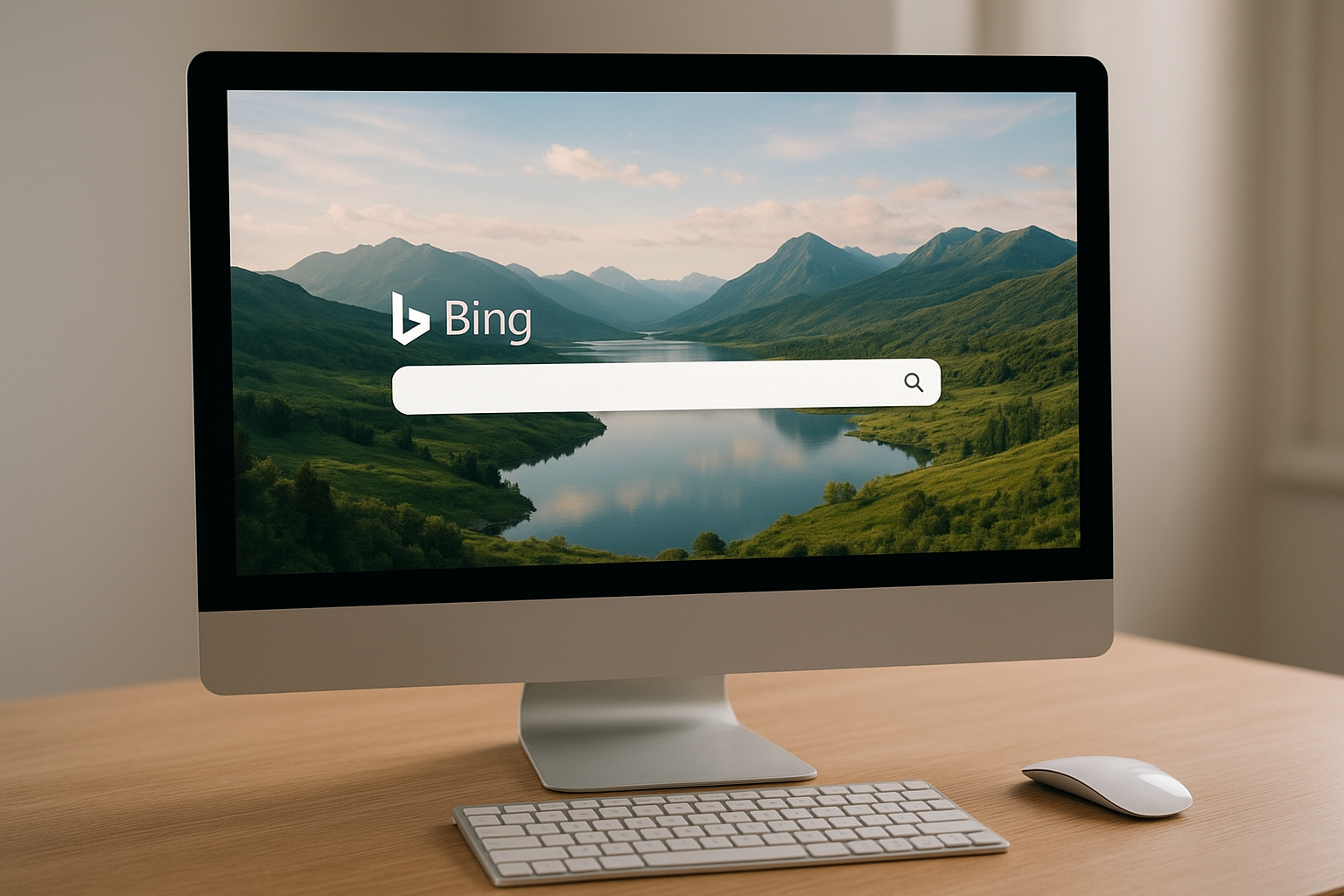
The Microsoft Bing search homepage features a new high-resolution background photograph every day alongside its central search bar and quick-access navigation.
The Full History of Microsoft Bing Search
Understanding how Microsoft Bing search reached its current form requires looking back at Microsoft’s long history in search. Microsoft first launched MSN Search in 1998 as a directory-powered service. It transitioned to its own crawl-based index in 2004, then rebranded as Windows Live Search in 2006, and again as Live Search in 2007, before the Bing brand finally debuted on June 3, 2009.
In October 2009, Microsoft signed a landmark ten-year partnership with Yahoo, through which Bing’s technology would power Yahoo Search results. This deal immediately expanded Bing’s effective query volume and market relevance overnight.
Key milestones in Bing’s evolution include:
- 2011: Bing integrated Facebook social data into search results, an early experiment with social signals.
- 2013: Bing launched “Snapshot” and “Sidebar” panels to provide structured, entity-based knowledge alongside web results.
- 2016: Bing surpassed 20% of the US desktop search market share for the first time.
- 2021: Microsoft rebranded its paid search platform from Bing Ads to Microsoft Advertising.
- 2023: Microsoft launched the AI-powered New Bing in partnership with OpenAI, integrating a GPT-4-based conversational AI directly into the search interface — one of the most significant upgrades in the engine’s history.
- 2024: Bing’s AI capabilities were unified under the Microsoft Copilot brand, making Bing the intelligence layer behind Microsoft’s broader AI ecosystem.
Key Features That Set Microsoft Bing Search Apart
Microsoft Bing search offers a wide range of features that go well beyond basic web search. Here is a comprehensive breakdown of what makes Bing distinctive: See our AI content optimization guide for tactics to make content AI-ready.
Daily Background Images and Trivia
Bing’s homepage displays a new professional-quality background photograph every day, curated from natural wonders, wildlife, architecture, and cultural landmarks around the world. Each image is accompanied by interactive hotspots with contextual trivia, turning a routine search visit into a mini-discovery experience. This design has been a consistent differentiator since Bing’s launch and remains one of its most recognized features.
Best-in-Class Image Search
Bing’s image search is widely considered one of its strongest capabilities. The interface uses an infinite scroll layout that loads results continuously without pagination. Users can filter images by size, color, type, layout, people, and license type. The visual search feature allows users to upload an image, photograph something with their camera, or paste an image URL to find visually similar results — useful for shopping, identifying objects, and reverse image lookup.
Video Search With In-Page Previews
Bing’s video search surfaces results from YouTube, Vimeo, Dailymotion, and other major platforms. A standout feature is the ability to hover over a video thumbnail to watch a short preview clip directly inside the search results page — without clicking through to the video platform. This saves time when scanning multiple options.
Shopping Search and Price Comparison
Bing’s shopping vertical aggregates product listings, prices, and reviews from hundreds of retailers. When you search for a product, Bing surfaces a comparison grid showing options from different sellers, their prices, shipping details, and user ratings — all without leaving the results page. This makes Microsoft Bing search one of the most practical tools for consumer purchase research.
Microsoft Rewards Integration
Microsoft Rewards is a loyalty program built directly into Bing. Every search you perform earns redeemable points that can be converted into Microsoft Store credit, Xbox Game Pass subscriptions, gift cards to major retailers, and sweepstakes entries. No other major search engine offers a comparable rewards system, making this a genuine and unique incentive for regular use.
Maps and Local Search
Bing Maps powers the engine’s local search results, providing driving directions, satellite imagery, street-level photography, and business listings. Bing’s local pack results display business hours, reviews, ratings, and contact information directly in the search results, making it convenient for users to find and evaluate local businesses without additional clicks.
News Search and Trending Topics
Bing News aggregates headlines from thousands of news publishers worldwide, organizing stories by topic, category, and region. The Bing homepage also features a curated news feed beneath the search bar, surfacing trending stories based on the user’s location and interests.
Microsoft Bing Search AI: Copilot Integration and Conversational Answers
The most transformative development in Bing’s history is its 2023 integration of OpenAI’s GPT-4-based large language model directly into the search interface. This partnership created what Microsoft called the “New Bing” — and it fundamentally changed what a search engine can do. See our AI for search rankings guide.
Rather than returning a simple list of ten blue links, Bing’s AI can now synthesize information from multiple web sources into a single, coherent, conversational answer with clearly cited sources. Users can ask complex, multi-part questions and receive structured responses that include summaries, comparisons, recommendations, and step-by-step guidance. See our AI-powered search guide.
What Bing’s AI Chat Can Do
- Answer complex research questions with cited, synthesized responses
- Generate drafts of emails, essays, or creative writing on request
- Translate text between languages
- Summarize long articles or documents
- Help plan trips, make comparisons, and perform calculations
- Engage in multi-turn conversation with follow-up questions and clarifications
- Generate images using the integrated DALL-E-powered image creator
Microsoft Copilot: Bing Intelligence Beyond the Search Page
In 2024, Microsoft unified its AI search capabilities under the Microsoft Copilot brand. This means the same AI intelligence powering Bing’s chat feature is also accessible through the Microsoft Edge sidebar, the standalone Copilot.microsoft.com website, and directly within Windows 11 — turning every browsing and computing session into a potential AI-assisted experience.
This integration means Bing’s AI isn’t limited to the search homepage. While reading an article in Edge, for example, you can open the Copilot sidebar and ask it to summarize the page, explain specific terms, or find related sources — all powered by the same Bing search intelligence underneath.
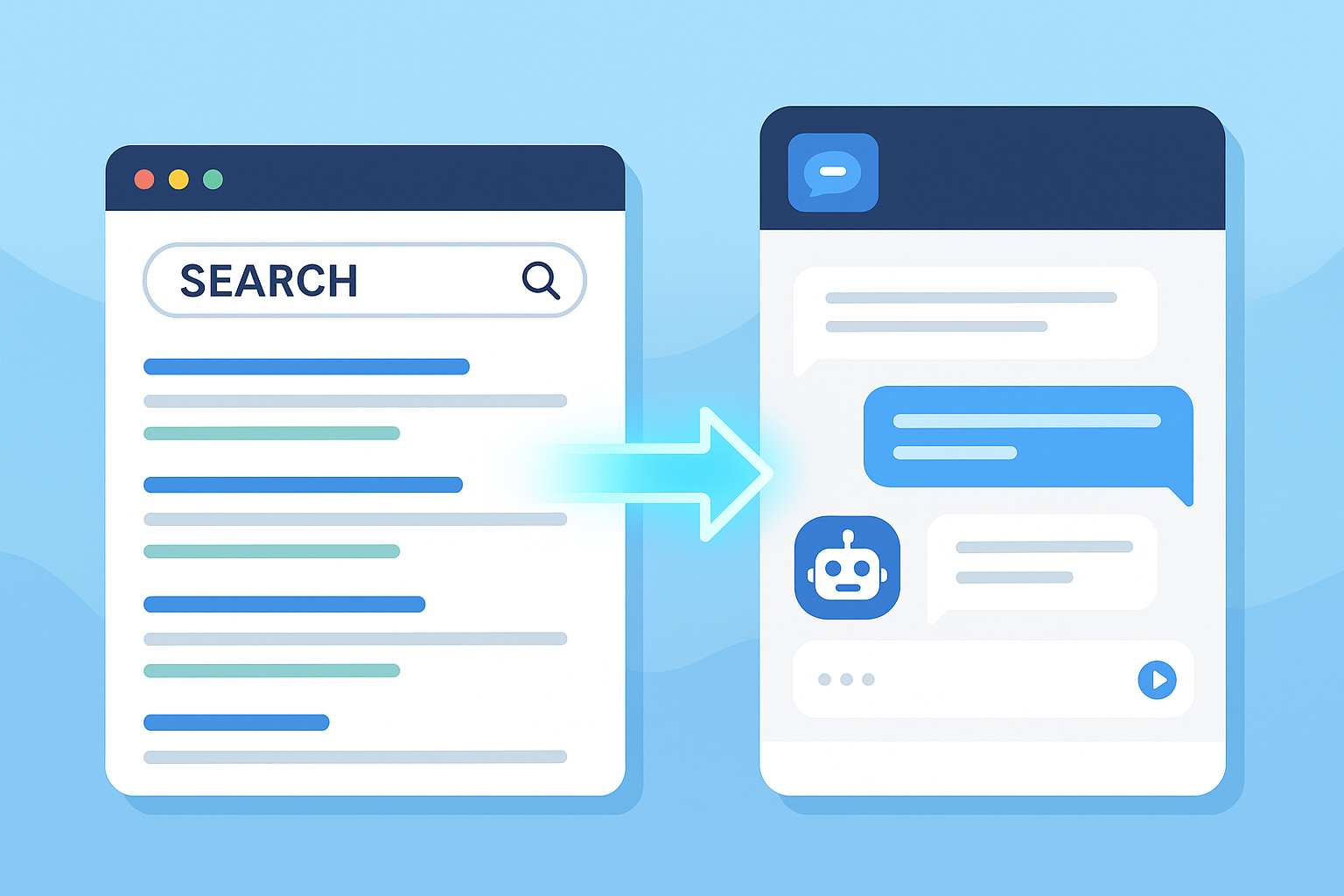
Bing’s AI chat integration delivers synthesized, cited answers alongside traditional web results — making complex research dramatically faster. Learn how to optimize content for AI to increase visibility in AI-powered results.
How Microsoft Bing Search Ranks Web Pages
Bing’s ranking algorithm considers dozens of signals, several of which differ meaningfully from Google’s approach. Understanding these distinctions is essential for anyone optimizing content to perform well in Microsoft Bing search. See our AI-driven ranking guide.
Social Signals
Bing places notably higher weight on social signals than Google. Pages and content that receive strong engagement on platforms like LinkedIn, Twitter/X, Facebook, and Pinterest may rank higher in Bing’s results. Brands with active, engaged social media presences tend to benefit disproportionately in Bing rankings.
Domain Age and Authority
Bing places more weight on domain age and established history than Google typically does. Older, well-established domains tend to rank more reliably on Bing, while newer domains may need more time to build trust in Bing’s index — even with strong backlink profiles.
Exact-Match Keywords and On-Page Optimization
Bing’s algorithm responds more strongly to explicit on-page keyword signals than Google’s. Exact-match keyword usage in title tags, H1 headings, body copy, and meta descriptions carries more weight in Bing rankings. This means Bing still rewards traditional on-page SEO practices that Google has somewhat de-emphasized in recent years. See our Keyword SEO Guide for step-by-step keyword research tips.
Multimedia Content Quality
Pages that include well-optimized images (with descriptive alt text and appropriate file names), video embeds, and structured data markup tend to perform better in Bing’s results. Bing’s own strong image and video search capabilities make it natural that it would reward pages that invest in multimedia quality.
Exact-Match Domain Names
Bing still awards ranking advantages to exact-match domains (EMDs) more consistently than Google. A domain like “bestrunningshoes.com” targeting the keyword “best running shoes” is more likely to receive an EMD boost on Bing than it would on Google in the current search landscape.
Backlinks and Link Quality
While backlinks matter to both Google and Bing, Bing appears to place greater value on the quality and topical relevance of linking domains over sheer quantity. A small number of highly authoritative, thematically relevant links may outperform a large volume of generic links in Bing’s ranking calculations.
Bing Webmaster Tools: The Complete Guide for Website Owners
Bing Webmaster Tools is a free platform that allows website owners to monitor, manage, and optimize their presence in Microsoft Bing search. It is the Bing equivalent of Google Search Console and provides data and tools that are essential for any serious SEO strategy targeting Bing.
Core Capabilities of Bing Webmaster Tools
- Sitemap submission: Submit XML sitemaps to ensure Bing can find and crawl all of your pages efficiently.
- URL submission and recrawl requests: Manually submit new or updated URLs for Bing to index without waiting for the next scheduled crawl.
- Crawl reports: View detailed data on how Bingbot is crawling your site, including crawl errors, blocked URLs, and crawl frequency.
- Keyword performance data: Analyze which queries are driving impressions and clicks from Bing, along with average position data.
- Backlink data: Review the inbound links Bing has discovered pointing to your site.
- AI-driven SEO tools: Run an on-page SEO audit on individual URLs to identify technical and content issues that may be limiting your Bing performance.
- IndexNow integration: Bing co-developed the IndexNow protocol, which allows websites to instantly notify Bing (and other participating search engines) of new or updated content — eliminating crawl delays.
Because Bing also powers Yahoo Search results, optimizing your site through Bing Webmaster Tools effectively extends your visibility across both search engines simultaneously — a two-for-one benefit that makes the platform doubly valuable. For advanced Bing and Google optimization strategies, Rank Authority provides comprehensive, actionable SEO guidance. For a deeper walkthrough, see our What Is Moz Rank? A Complete SEO Guide (2024).
How to Use Microsoft Bing Search: Step-by-Step Guide for Better Results
Getting the most from Microsoft Bing search goes beyond simply typing a query and pressing Enter. Here is a structured walkthrough of how to use Bing’s full feature set for better, faster results: See our keyword SEO guide for research best practices.
- Navigate to bing.com or open Microsoft Edge. Bing is the default search engine in Microsoft Edge and is pre-installed on all Windows devices. You can also access it directly at bing.com from any browser.
- Enter your search query in natural language or with keywords. Bing handles both natural language questions (“What is the best way to cook salmon?”) and traditional keyword-style queries (“salmon recipe oven”) equally well. For the most relevant results, be as specific as possible.
- Select the appropriate vertical tab. After your initial results load, look at the top navigation tabs — All, Images, Videos, News, Maps, Shopping — and click the one that matches your content type. This switches to the specialized interface for that category.
- Apply filters to refine your results. Each vertical offers specific filters. In web search, you can filter by date (past 24 hours, past week, etc.). In image search, filter by size, color, type, and license. In shopping, filter by price range and retailer.
- Use advanced search operators for precision. Type operators like site:, filetype:, intitle:, or quotation marks directly into the search bar to dramatically narrow your results. See the full operator guide in the next section.
- Activate Bing AI chat for complex questions. For multi-part research questions, click the “Chat” tab at the top of Bing’s results page to switch to the Copilot-powered conversational interface. Type your full question and Bing will synthesize an answer with cited sources. For auditing AI visibility, see the AI visibility audit.
- Sign in with a Microsoft account to earn Rewards points. If you have a Microsoft account, sign in at the top right of the Bing homepage. Every search you perform while signed in earns Microsoft Rewards points that accumulate toward redeemable prizes.
Advanced Bing Search Operators: The Complete Reference
Power users can dramatically improve their results in Microsoft Bing search by using advanced search operators — special commands typed directly into the search bar that filter, restrict, or modify results in precise ways. Here is the complete reference:
| Operator | What It Does | Example |
|---|---|---|
| site: | Restricts results to a specific domain | site:nytimes.com climate |
| filetype: | Returns only files of a specific format | annual report filetype:pdf |
| intitle: | Finds pages with the keyword in the page title | intitle:”SEO guide” 2024 |
| “phrase” | Returns only results containing the exact phrase | “machine learning tutorial” |
| -word | Excludes a specific word from results | jaguar -car |
| related: | Finds websites similar to the specified URL | related:wikipedia.org |
| inbody: | Finds pages where the keyword appears in the body text | inbody:”content strategy” |
| inanchor: | Finds pages with the term in inbound anchor text | inanchor:”buy running shoes” |
| contains: | Finds pages that link to a specific file type | data contains:xls |
| OR | Returns results containing either term | cats OR dogs as pets |

Advanced search operators help power users extract highly targeted results from Microsoft Bing search with minimal effort.
Microsoft Bing Search vs. Google: A Detailed Comparison
Many users default to Google without considering whether Microsoft Bing search might serve their needs equally well or better in specific scenarios. Here is an honest, detailed comparison across the key dimensions that matter most:
| Feature / Dimension | Microsoft Bing | |
|---|---|---|
| Global market share | ~3–4% globally | ~90% globally |
| AI integration | GPT-4 via Copilot (deep integration) | Gemini AI (integrated into Search) |
| Image search quality | Excellent — infinite scroll, visual search | Strong — also with reverse image search |
| Rewards program | Yes — Microsoft Rewards | No |
| Video previews in results | Yes — hover to preview | Limited |
| Ranking weight: social signals | High | Low |
| Ranking weight: backlinks | Moderate | Very high |
| Advertising platform | Microsoft Advertising | Google Ads |
| Webmaster tools | Bing Webmaster Tools (free) | Google Search Console (free) |
| Default on Windows/Edge | Yes | No (requires manual setup) |
Advertising on Bing With Microsoft Advertising
Businesses wanting to reach Bing’s audience can do so through Microsoft Advertising (formerly Bing Ads), the platform’s comprehensive paid search system. Here is what advertisers need to know:
Ad Formats Available
- Search ads: Pay-per-click text ads that appear at the top and bottom of Bing’s search results pages.
- Product listing ads (Shopping campaigns): Visual product ads with images, prices, and retailer names displayed in the shopping results.
- Audience ads: Display advertising targeted to specific audience segments based on demographics, interests, and browsing behavior across the Microsoft Audience Network.
- Responsive search ads: Ads that automatically test multiple headline and description combinations to find the best-performing variation.
Why Bing’s Audience Is Valuable for Advertisers
Bing’s user base tends to skew toward older, more affluent demographics compared to Google’s broader audience. Studies have shown that Bing users have higher average household incomes and are more likely to be homeowners. This makes Bing particularly effective for industries including:
- Financial services and insurance
- Healthcare and pharmaceuticals
- Legal services
- Home improvement and real estate
- B2B professional services
- Travel and luxury goods
Google Ads Import and Lower CPCs
Microsoft Advertising allows advertisers to import campaigns directly from Google Ads with just a few clicks, dramatically reducing the time needed to launch on Bing. In many verticals, Bing’s cost-per-click (CPC) rates are significantly lower than equivalent Google Ads campaigns — often by 20 to 35% — due to lower competition for the same keywords, giving advertisers better margins on equivalent spend.
Microsoft Bing Search and Privacy: What You Need to Know
Like all major search engines, Microsoft Bing search collects user data to personalize results and serve targeted advertising. Understanding what data Bing collects — and your options for managing it — is important for privacy-conscious users.
Data Bing Collects
- Search queries and the results you click on
- Location data (if granted)
- Device type and browser information
- Microsoft account information (when signed in)
- Cookie-based browsing behavior across websites
How to Manage Bing Privacy Settings
Users can access their Bing privacy dashboard by visiting the Microsoft Privacy Dashboard at account.microsoft.com/privacy. From here, you can view and clear your Bing search history, manage personalization settings, and control how your data is used for ad targeting.
For users who prefer not to share any data, privacy-focused alternatives like DuckDuckGo collect significantly less. However, DuckDuckGo itself partially sources its results from Bing’s index — meaning Bing’s search technology reaches even privacy-focused search users indirectly.
How to Set Microsoft Bing Search as Your Default Search Engine
If you want to make Microsoft Bing search your primary search engine, the process varies slightly by browser. Here are the exact steps for the most common browsers:
Microsoft Edge
Bing is already the default search engine in Microsoft Edge. If it has been changed, go to Settings → Privacy, search, and services → Address bar and search → Search engine used in the address bar, and select Bing.
Google Chrome
Go to Chrome Menu → Settings → Search engine → Manage search engines. Find Bing in the list (or add it manually as https://www.bing.com/search?q=%s) and click “Make default.”
Mozilla Firefox
Go to Firefox Menu → Settings → Search → Default Search Engine and select Bing from the dropdown menu. Bing is typically already listed as an available option in Firefox’s default engine list.
Conclusion: Why Microsoft Bing Search Deserves a Serious Look
Microsoft Bing search has evolved far beyond its reputation as simply an alternative to Google. With a GPT-4-powered AI chat that delivers synthesized, cited answers; best-in-class image and video search verticals; a genuinely rewarding loyalty program; a free and feature-rich webmaster platform; and an advertiser-friendly ecosystem with lower CPCs and direct Google Ads import — Bing offers compelling value for everyday users, content creators, SEO professionals, and businesses alike. Whether you are looking to optimize a website for broader search visibility, discover a smarter daily search experience, or run more cost-effective paid campaigns, Microsoft Bing search is a platform worth understanding deeply and using strategically. Author: Rank Authority Editorial Team. Last updated: 2026-08-14.
Frequently Asked Questions About Microsoft Bing Search
What is Microsoft Bing search and how does it work?
Microsoft Bing search is a web search engine developed and operated by Microsoft. It works by sending automated bots called Bingbot to crawl and index billions of web pages, then applying a proprietary ranking algorithm to return the most relevant results when a user submits a query. Bing also includes AI-powered chat via Microsoft Copilot, powered by OpenAI’s GPT-4 model.
When was Microsoft Bing search launched?
Microsoft Bing search was officially launched on June 3, 2009. It replaced Microsoft’s earlier search products, including Live Search and MSN Search, and was positioned as a “decision engine” designed to help users make informed decisions rather than just returning lists of links.
How does Bing’s AI chat feature work?
Bing’s AI chat feature, powered by Microsoft Copilot and OpenAI’s GPT-4 model, provides synthesized conversational answers to complex questions directly within the search results. Users can ask multi-part follow-up questions and receive responses with clearly cited sources — rather than just a list of links — making complex research significantly faster.
Is Microsoft Bing search free to use?
Yes, Microsoft Bing search is entirely free. You can access it at bing.com from any browser, or through the Bing app on mobile devices, without any subscription or payment. The AI chat feature through Microsoft Copilot is also free, with enhanced access available through Microsoft 365 subscriptions.
How does Bing compare to Google in search market share?
Google holds approximately 90% of the global search market, while Microsoft Bing search holds around 3 to 4% globally. However, Bing is the default search engine on all Windows devices and in Microsoft Edge, giving it a significant and loyal desktop user base — particularly in markets where Windows PCs dominate.
Can I use Bing to search for images and find similar pictures?
Yes. Bing’s image search is one of its strongest features, offering an infinite scroll interface, advanced filtering by size, color, type, and license, and a visual search tool. You can upload an image, photograph something with your camera, or paste an image URL to find visually similar results — ideal for reverse image lookups and product identification.
Does Microsoft Bing offer a rewards or loyalty program?
Yes. Microsoft Rewards is a loyalty program built into Bing that lets you earn redeemable points for every search you perform while signed into a Microsoft account. Points can be redeemed for Microsoft Store credit, Xbox Game Pass, gift cards from major retailers, and sweepstakes entries. No other major search engine offers a comparable program.
What are the most useful Microsoft Bing search operators?
Bing supports several powerful search operators: site: restricts results to a specific domain; filetype: returns only specified file formats; intitle: finds pages with your keyword in the title; inbody: finds pages with your keyword in the body text; related: finds sites similar to a given URL; and quotation marks enforce exact phrase matching.
How do I set Microsoft Bing as my default search engine?
In Microsoft Edge, Bing is already the default. In Chrome, go to Settings → Search Engine → Manage search engines and select Bing. In Firefox, go to Settings → Search → Default Search Engine and choose Bing from the dropdown. Bing is listed as a pre-installed option in most major browsers.
Does Bing rank pages differently from Google?
Yes, significantly. Microsoft Bing search places more weight on social signals, exact-match keywords in page titles and body text, domain age, and multimedia content quality. Google places greater emphasis on backlink authority and user engagement signals. SEO strategies optimized purely for Google may underperform on Bing and vice versa.
What is Bing Webmaster Tools and why should I use it?
Bing Webmaster Tools is a free platform at bing.com/webmasters that lets website owners submit sitemaps, monitor Bingbot crawl activity, analyze keyword performance, review backlink data, and run on-page SEO audits. Because Bing also powers Yahoo Search, optimizing through Bing Webmaster Tools improves your visibility across both engines simultaneously.
How does Bing handle user privacy?
Microsoft Bing search collects search queries, click data, location, and device information to personalize results and serve ads. Users can manage and delete their data through the Microsoft Privacy Dashboard at account.microsoft.com/privacy. For those who prefer minimal data collection, note that DuckDuckGo — a popular privacy-focused alternative — actually sources some of its results from Bing’s index.
Can businesses advertise on Microsoft Bing search?
Yes. Businesses can run paid ads through Microsoft Advertising, supporting search ads, shopping ads, audience ads, and responsive search ads. Bing’s audience skews older and more affluent than Google’s, making it highly effective for finance, healthcare, legal, and B2B sectors. CPCs on Bing are often 20–35% lower than equivalent Google Ads campaigns, and campaigns can be imported directly from Google Ads.

