

A robots txt file generator is one of the most practical technical SEO tools available — it creates a properly formatted robots.txt file automatically, removing every risk of syntax error. Without this file, search engine crawlers have no guidance on which pages to prioritize, which to skip, and how to spend their limited crawl budget on your site.
According to Google’s official crawling documentation, the robots.txt standard has existed since 1994 and remains the primary protocol that bots follow when visiting any website. However, even experienced developers frequently introduce errors that silently damage rankings.
This guide covers everything: what a robots txt file generator does, which directives matter most, how to build your file step by step, mistakes to avoid, and how your robots.txt now affects AI-powered search visibility. Let’s get started.
What Is a Robots TXT File Generator?
A robots txt file generator is an online or software-based tool that builds a valid, standards-compliant robots.txt file through a guided form interface. Instead of writing raw text directives by hand, you fill in fields — such as which bots to target and which paths to block — and the generator outputs a ready-to-upload file instantly.
The Robots Exclusion Standard defines the precise syntax these files must follow. Specifically, even a missing space after a colon or an incorrect line break can cause major crawlers to ignore your rules entirely. A generator eliminates that risk completely by handling every formatting detail automatically.
In short, these tools democratize technical SEO. You do not need to be a developer to produce a clean, effective robots.txt file. Furthermore, the best generators include built-in validation, so errors are caught before you ever upload the file.
How Does a Robots.txt File Actually Work?
When a crawler visits your website, its very first request is to https://yourdomain.com/robots.txt. The crawler reads that file and applies its rules before visiting any other page. Therefore, the file acts as a gatekeeper for your entire site.
If no robots.txt file exists, most well-behaved crawlers proceed to crawl everything. That might sound harmless, but it means bots can waste time on admin pages, checkout flows, duplicate content, and internal search results — pages that provide no SEO value whatsoever.
Consequently, a properly generated robots.txt file does two things at once: it protects low-value pages from crawling, and it signals to bots where your most important content lives.
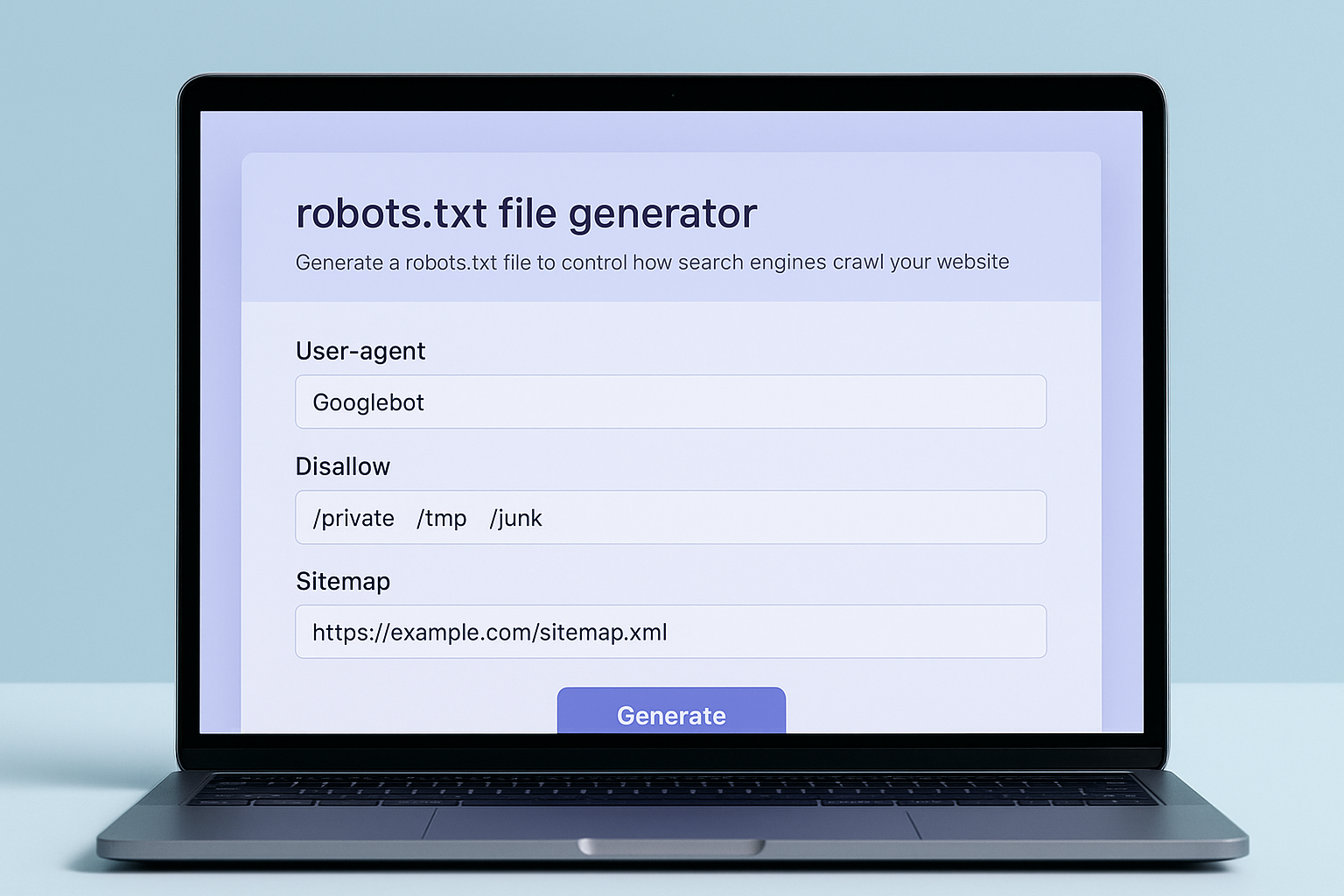
A robots txt file generator simplifies the creation of accurate crawl directives through a guided, error-free interface.
Why Your Robots.txt File Matters for SEO
Search engines allocate a limited crawl budget — the number of pages a bot will process during a given visit — to each website. For large sites, this budget is critical. Wasting it on admin panels, duplicate pages, or filtered URL parameters directly reduces how quickly your valuable pages get indexed.
A well-configured robots.txt file, generated correctly from the start, guides bots toward your most valuable pages. As a result, your key landing pages, blog posts, and product pages get crawled and indexed faster. For a complete strategic framework, the guide to creating robots.txt files for SEO success on RankAuthority covers every configuration scenario.
Furthermore, AI-powered crawlers — including those powering Google’s AI Overviews, OpenAI’s GPTBot, and Anthropic’s ClaudeBot — also respect robots.txt rules. Blocking these bots unintentionally can reduce your content’s visibility in AI-generated answers, which is increasingly where search traffic originates.
Core Robots.txt Directives Every Generator Should Support
Understanding the core directives helps you make smarter choices inside any generator tool. Here are the five essential directives, explained clearly:
- User-agent: Specifies which crawler the following rules apply to. Use
*as a wildcard for all bots, or name a specific crawler likeGooglebot. - Disallow: Blocks a crawler from accessing a specific path or directory. For example,
Disallow: /wp-admin/prevents access to WordPress admin pages. - Allow: Explicitly permits access to a path, even within a disallowed directory. This is particularly useful for carving exceptions out of broad Disallow rules.
- Sitemap: Points crawlers directly to your XML sitemap URL, enabling full page discovery even for deeply nested content.
- Crawl-delay: Requests a pause between requests to reduce server load. Note that Google does not support this directive, but Bingbot and others do.
Most quality generators present these as simple form fields. Therefore, you never need to memorize exact syntax — the tool handles formatting automatically.
Understanding User-Agent Targeting in Depth
Not all crawlers behave the same way. For example, Googlebot has separate agents for mobile (Googlebot-Mobile), images (Googlebot-Image), and news (Googlebot-News). AI crawlers have their own agents entirely — OpenAI uses GPTBot, and Anthropic uses ClaudeBot.
A good robots txt file generator lets you define separate rule blocks for each named agent. Consequently, you can allow Googlebot full access while restricting scrapers or SEO audit bots from certain directories.
⚠ Important: The Wildcard Rule
Rules in a User-agent: * block apply to all crawlers that do not have their own specific block. Specific bot rules always take precedence over wildcard rules for that particular bot.
How to Use a Robots TXT File Generator: Step-by-Step
Follow these steps to produce a clean, tested robots.txt file in under ten minutes. Each step builds on the previous one, so work through them in order.
-
Step 1 — Choose a Reliable Robots TXT File Generator
Select a reputable generator that supports multiple User-agent blocks, both Allow and Disallow entries, a dedicated Sitemap field, and ideally a live preview of the output. Avoid tools that produce outdated syntax or lack any validation features. Free options are widely available; prioritize ones that are actively maintained.
-
Step 2 — Define Your User-Agent Targets
Start with a wildcard (
*) block that applies universal rules to all crawlers. Then add specific blocks for bots like Googlebot or Bingbot if you need tailored rules — for example, allowing Googlebot-Image to crawl your media library while restricting a scraper. -
Step 3 — Set Your Allow and Disallow Directives
Block paths such as
/wp-admin/,/cart/,/checkout/,/search/, and URL parameter pages like/?s=. Use Allow rules to carve out exceptions within broader blocked directories. Importantly, never block your CSS, JavaScript, or font directories — Google needs these to render and evaluate your pages accurately. -
Step 4 — Add Your XML Sitemap URL
Include your XML sitemap at the end of the file using the Sitemap directive:
Sitemap: https://yourdomain.com/sitemap.xml. This helps crawlers discover all important pages efficiently, including those buried deep in your site structure. If you have multiple sitemaps — such as a news sitemap or image sitemap — list each one on its own Sitemap line. -
Step 5 — Validate the Generated Output
Before uploading, paste your generated file into a robots.txt validator. Google Search Console includes a built-in tester that shows precisely which URLs are blocked or accessible under your current rules. Fix any issues flagged before proceeding.
-
Step 6 — Upload to Your Domain Root
Upload the validated file directly to your domain’s root directory so it is accessible at
https://yourdomain.com/robots.txt. Placing it anywhere else — such as a subdirectory — will cause crawlers to ignore it entirely. After upload, confirm access by visiting the URL in a browser.
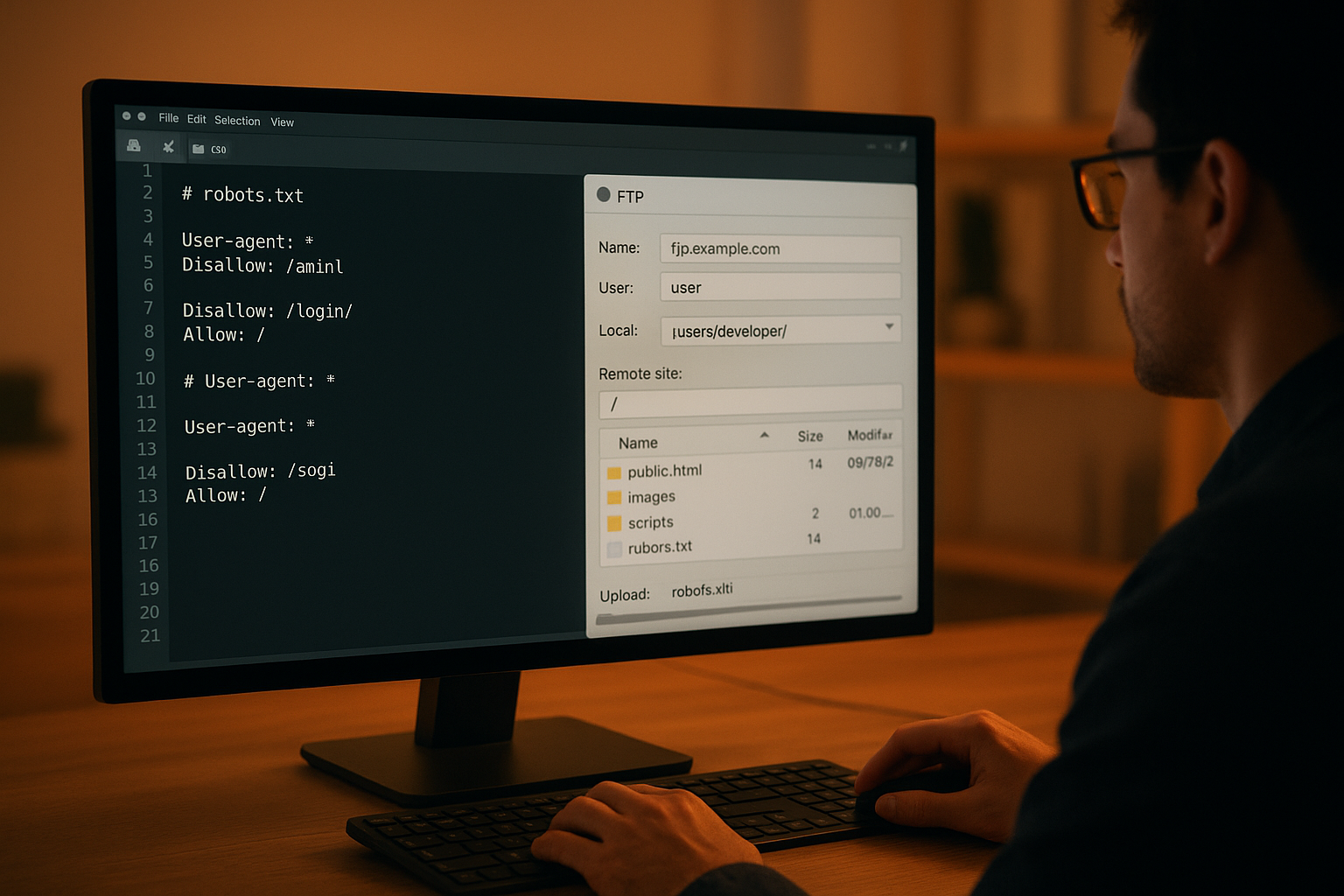
After generating your robots.txt file, upload it directly to your domain’s root directory for immediate effect. For full instructions see the robot txt file guide.
What to Block and What to Allow: A Practical Reference
One of the most common questions when using a robots txt file generator is: which paths should actually be blocked? The answer depends on your platform, but the following reference covers the most universally applicable rules.
Paths You Should Almost Always Block
/wp-admin/— WordPress admin panel; no crawling benefit, high security risk if exposed./wp-login.php— Login page; nothing for search engines to index here./cart/and/checkout/— E-commerce transaction pages; crawling these wastes budget./?s=— Internal search result URLs; these produce thin, duplicate content./tag/and/author/(situational) — Archive pages that can create duplicate content issues./cgi-bin/— Server-side scripts with no indexable value.
Paths You Should Never Block
/wp-content/themes/— CSS and theme files Google needs to render your pages./wp-content/plugins/— Plugin assets that affect how your pages look and function./wp-content/uploads/— Your images and media files; blocking this harms image search visibility.- Your sitemap file itself — Never block
/sitemap.xmlor any sitemap index URL.
For a deeper look at configuring these rules across different CMS platforms, the advanced robots.txt configuration guide on RankAuthority provides detailed examples and platform-specific edge cases.
Common Mistakes When Generating a Robots.txt File
Even with a generator, certain errors are surprisingly common. Knowing them in advance saves you from costly ranking drops. Here are the most dangerous mistakes and how to avoid each one.
Blocking Your Entire Site by Accident
The single most dangerous mistake is using Disallow: / under a wildcard User-agent block. This tells every crawler to stay away from every page. Consequently, your entire site can disappear from search results within days. Always double-check the Disallow field before saving, especially if you are copying rules from another source.
Blocking CSS, JavaScript, and Font Files
Google’s crawler renders pages similarly to a modern browser. Therefore, blocking your CSS or JavaScript directories prevents Googlebot from understanding how your pages look and function. This directly impacts your Core Web Vitals scores, mobile usability ratings, and overall ranking signals. Google’s robots.txt specification documentation explicitly warns against this error.
Using Robots.txt Alone to Hide Sensitive Pages
A disallowed URL is not hidden — it is simply not crawled by compliant bots. However, if another site links to that URL, Google can still discover and index the page without ever crawling it directly. For genuinely private pages, therefore, you must combine robots.txt with a noindex meta tag or password protection.
Forgetting to Update After Site Restructures
Your robots.txt file is not a set-and-forget document. When you add new sections, change URL structures, or migrate platforms, old Disallow rules can block important new pages. Similarly, rules written for a previous site architecture may no longer apply — and could silently prevent crawling of content you actually want indexed.
Omitting the Sitemap Directive
Many generators allow you to skip the Sitemap field, and many users do. This is a missed opportunity. Including your sitemap URL directly in robots.txt ensures that every crawler — including newer AI bots — can immediately locate all your indexable content, even pages with few or no inbound links.
Robots.txt and AI Search Crawlers: What’s Changing
The rise of AI-powered search has introduced an entirely new category of crawlers. Google’s AI Overviews, OpenAI’s GPTBot, and Anthropic’s ClaudeBot all send their own bots to gather content for AI-generated responses. Each of these respects the robots.txt standard, meaning your directives directly determine whether your content appears in AI answers.
According to research cited by the Wikipedia article on the Robots Exclusion Standard, over 40% of websites block at least one major crawler unintentionally. As AI search grows, that unintentional blocking increasingly means lost visibility in the answers users receive from ChatGPT, Gemini, and Perplexity.
AI Crawler User-Agent Strings to Know
If you want to control AI crawler access, you need to know their specific User-agent strings. Here are the most important ones currently active:
GPTBot— OpenAI’s web crawler for training data and AI responses.ClaudeBot— Anthropic’s crawler for Claude AI products.Google-Extended— Google’s opt-out agent for Bard/Gemini training (separate from standard Googlebot).PerplexityBot— Perplexity AI’s research crawler.Applebot-Extended— Apple’s crawler for Apple Intelligence features.
If you want your content cited in AI-generated responses, review these agent strings carefully when configuring your robots txt file generator. The complete guide to getting cited by ChatGPT on RankAuthority covers exactly how robots.txt intersects with AI search visibility strategy.
Furthermore, platforms like RankAuthority offer automated GEO and AEO optimization tools that work alongside your technical SEO setup — including robots.txt management — to maximize visibility across both traditional and AI-powered search environments simultaneously.
Robots.txt Best Practices for Maximum SEO Performance
In addition to avoiding mistakes, applying these best practices ensures your generated robots.txt file actively supports your SEO strategy rather than simply avoiding harm.
- Always include your sitemap URL. It helps every crawler — including AI bots — find pages they might otherwise miss. Include multiple sitemap lines if you have separate sitemaps for images, video, or news.
- Keep the file concise and readable. Google processes up to 500 KiB, but a shorter, well-organized file is easier to audit, debug, and maintain over time.
- Use specific paths, not broad wildcards. Block
/wp-admin/rather than something as broad as/wp-, which could catch valuable plugin assets. - Audit after every major site change. Add a robots.txt review to your launch checklist whenever you restructure URLs, migrate platforms, or add new content sections.
- Test after every change, no exceptions. Use Google Search Console’s URL Inspection tool and the robots.txt tester to verify that critical pages remain accessible before and after any edit.
- Order rules from specific to general. More specific User-agent blocks should appear before the wildcard block. Within a block, more specific Allow rules should precede broader Disallow rules.
- Add comments for documentation. Use the
#character to add comments explaining why each rule exists. This helps future team members understand your configuration instantly.
Sample Robots.txt Output From a Generator
Here is an example of clean, well-structured robots.txt output that a quality generator might produce for a WordPress-based website:
# General rules for all crawlers
User-agent: *
Disallow: /wp-admin/
Disallow: /wp-login.php
Disallow: /cart/
Disallow: /checkout/
Disallow: /?s=
Disallow: /search/
Allow: /wp-admin/admin-ajax.php

# Allow all Google crawlers full access
User-agent: Googlebot
Allow: /

# OpenAI crawler — allow for AI Overview visibility
User-agent: GPTBot
Allow: /

# Sitemap locations
Sitemap: https://yourdomain.com/sitemap.xml
Sitemap: https://yourdomain.com/sitemap-images.xml
Similarly, if you use AI-generated content on your site, consider how crawlers evaluate that content quality. The guide to detecting AI-generated content on RankAuthority explains how detection tools work and why content quality signals matter to both traditional and AI-powered crawlers.
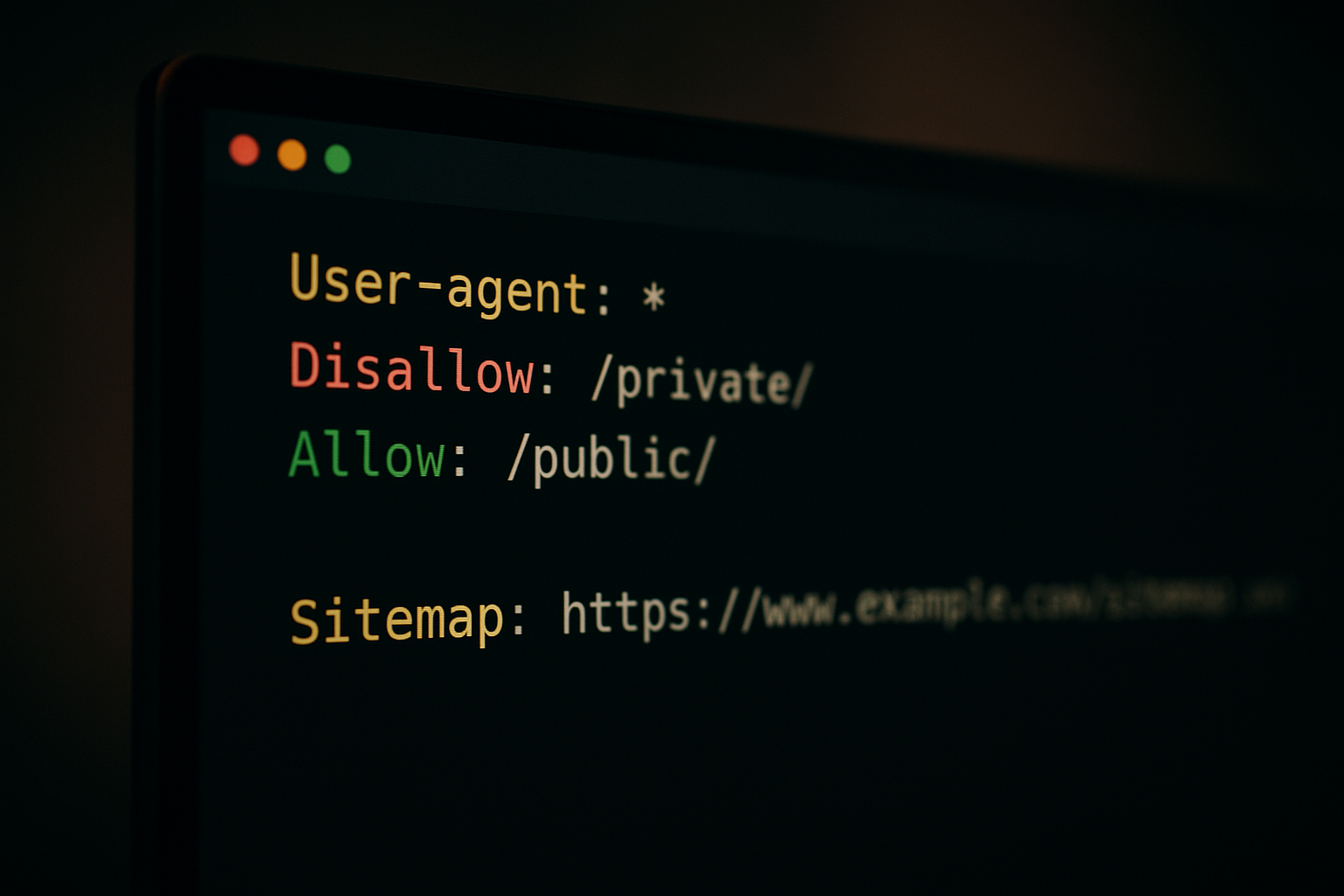
A well-structured robots.txt file uses clear, commented directives that search engine crawlers can parse instantly.
Robots.txt Syntax Rules: A Complete Reference
Even when using a robots txt file generator, understanding the underlying syntax rules helps you verify the output is correct. Here are the rules that govern how robots.txt files must be written.
Formatting Rules Every File Must Follow
- Each directive must be on its own line. You cannot combine
User-agentandDisallowon the same line. - There must be exactly one space after the colon in each directive:
Disallow: /path/— notDisallow:/path/. - A blank line separates distinct User-agent blocks. Do not place a blank line in the middle of one block’s rules.
- The Sitemap directive is not part of any User-agent block. Place all Sitemap lines after the last rule block.
- Paths in Disallow and Allow directives are case-sensitive.
/Admin/and/admin/are treated as different paths. - The file must be encoded as UTF-8 and saved as plain text — not as a Word document or rich text format.
In addition, note that wildcard characters (*) and end-of-string anchors ($) are supported by Googlebot but are not part of the original standard. Use them only if you have confirmed your target crawlers support these extensions.
Frequently Asked Questions About Robots TXT File Generator
What is a robots txt file generator?
A robots txt file generator is a tool that creates a properly formatted robots.txt file for your website automatically. It guides you through setting User-agent rules, Disallow and Allow directives, and your sitemap URL — without requiring any manual coding knowledge. The output is immediately ready to upload to your domain root.
Why does every website need a robots.txt file?
A robots.txt file tells search engine crawlers which pages to access and which to skip. Without one, bots may waste crawl budget on low-value pages — like admin panels and search result URLs — reducing how quickly your important content gets indexed and ranked.
Does a robots.txt file block pages from Google’s index?
No — disallowing a URL in robots.txt prevents crawling, but it does not guarantee removal from the index. If other sites link to a disallowed URL, Google can still index it without crawling the page itself. For guaranteed exclusion, use a noindex meta tag or the X-Robots-Tag HTTP header instead.
How do I add a sitemap to my robots.txt file?
Add a Sitemap directive at the bottom of your file: Sitemap: https://yourdomain.com/sitemap.xml. You can include multiple Sitemap lines for separate sitemap files. Most robots txt file generators include this field automatically and allow you to enter multiple sitemap URLs.
What is the difference between Allow and Disallow in robots.txt?
Disallow prevents a crawler from accessing a specified path, while Allow explicitly grants access to a path even within a disallowed directory. When two rules conflict, the more specific rule wins. For example, if you disallow /wp-admin/ but allow /wp-admin/admin-ajax.php, crawlers can access that specific file.
Can I block specific bots with a robots.txt file?
Yes. Create a separate User-agent block naming the specific bot — such as Bingbot, AhrefsBot, or GPTBot — followed by your desired Disallow rules. Different bots can receive entirely different instructions. Note that this only works for bots that honor robots.txt; malicious scrapers often ignore it.
How large can a robots.txt file be?
Google supports robots.txt files up to 500 kibibytes (KiB) in size. Rules beyond that size limit are ignored entirely. In practice, well-written files are usually under 5 KiB. If your file exceeds a few hundred lines, consider whether all rules are still necessary.
Where should the robots.txt file be placed?
The robots.txt file must be placed in the root directory of your domain, accessible at https://yourdomain.com/robots.txt. Placing it in a subdirectory will not work — crawlers always look for it specifically at the root. Each subdomain also requires its own separate robots.txt file.
What common mistakes should I avoid in a robots.txt file?
The most critical mistakes are: accidentally using Disallow: / to block your entire site, blocking CSS and JavaScript files that Google needs for rendering, omitting your sitemap URL, and failing to update the file after major site restructures. Always test with Google Search Console after any changes.
How can I test my robots.txt file for errors?
Google Search Console includes a robots.txt tester that shows exactly which URLs are blocked or allowed under your current rules. You can enter any URL and immediately see whether a specific crawler can access it. Additionally, third-party validators can check syntax before you publish to your live server.
Does robots.txt affect AI crawlers and answer engines?
Yes — AI crawlers like GPTBot, ClaudeBot, and Google-Extended all respect robots.txt directives. Blocking them unintentionally prevents your content from appearing in AI-generated answers from tools like ChatGPT, Gemini, and Perplexity. Review your User-agent rules specifically for these newer bots whenever you update your robots.txt file.
How often should I update my robots.txt file?
Update your robots.txt file whenever your site structure changes significantly — when you add new content sections, change URL patterns, or migrate platforms. Additionally, conduct a routine audit every three to six months. Use a robots txt file generator to rebuild the file from scratch if many rules have accumulated over time.
Does each subdomain need its own robots.txt file?
Yes — robots.txt rules only apply to the specific domain or subdomain where the file lives. Your main domain’s robots.txt file at yourdomain.com/robots.txt does not control crawlers visiting blog.yourdomain.com or shop.yourdomain.com. Each requires its own file.
Conclusion: Use a Robots TXT File Generator the Right Way
Using a robots txt file generator is the fastest, most reliable way to produce a crawl directive file that genuinely supports your SEO goals. Rather than risking syntax errors or accidentally blocking critical pages, a quality generator walks you through every decision and outputs clean, valid code in seconds.
In summary, the key takeaways are: place your file in the root directory, always include your sitemap URL, never block CSS or JavaScript, test before uploading, and revisit your configuration whenever your site structure changes. Furthermore, as AI search engines grow in importance, your robots.txt file now directly shapes whether your content appears in ChatGPT, Gemini, and Perplexity answers — not just traditional search results.
For a complete optimization strategy that goes beyond a robots txt file generator — covering AI search visibility, answer engine optimization, and automated technical SEO — explore what RankAuthority offers through its 1-Click AI AutoPilot platform. Technical foundations like a well-crafted robots.txt file, combined with intelligent automation, give your site the best possible chance of ranking in every search environment — traditional and AI-powered alike.

