
Technical SEO Guide — By Rank Authority editorial team. Last updated: 2026-08-14. — By Rank Authority · Last updated: 2026-07-02
Duplicate Title Tags SEO: The Complete Fix & Prevention Guide — Eliminating duplicate title tags
“A silent ranking killer affecting thousands of sites — here is exactly how to find it, fix it, and stop it from coming back.” Last updated: 2026-07-30 Add an author byline and a visible "Last updated" date below the article to strengthen experience and trust signals. Add an author byline and short bio plus a clear "Last updated" date below the title to improve E‑E‑A‑T and user trust.
Direct Answer — keyword in title tag
Duplicate title tags SEO is a technical issue where two or more pages share identical or near-identical <title> elements, forcing search engines to decide which page to rank — often suppressing both. The fix is to audit your site, rewrite every page with a unique descriptive title, apply canonical tags where structural duplicates are unavoidable, and update your CMS templates to prevent the problem from recurring.
Duplicate title tags in SEO represent one of the most common — and most damaging — technical issues a website can have. Specifically, a duplicate title tag occurs when multiple pages on the same domain share an identical or near-identical <title> element, confusing search engines about which page deserves to rank for a given keyword. If your site has more than a few dozen pages, there is a strong chance this problem already exists — and it may be quietly suppressing your rankings right now.
What Are Duplicate Title Tags in SEO?
A title tag is the HTML element — <title> — that defines a page’s name as it appears in browser tabs and search engine results pages (SERPs). It is arguably the single most important on-page SEO signal. Search engines use it to understand what a page is about and match it to relevant user queries. According to Wikipedia’s overview of meta elements, the title tag is one of the most fundamental metadata signals in existence.
A duplicate title tag, therefore, is when two or more pages on your website carry the same — or nearly the same — title text. For example, if your homepage, your blog index, and a category page all display “Welcome | Brand Name” as their title, all three are competing against each other for the same keyword space. Consequently, search engines face an immediate dilemma about which page is the authoritative source.
It is important to distinguish between exact duplicates (byte-for-byte identical titles) and near-duplicates (titles that differ only by a number or minor word, such as paginated pages). Both types cause problems, though exact duplicates are generally more harmful. Furthermore, this issue is entirely separate from — though often confused with — duplicate meta descriptions, which is a related but distinct problem covered later in this guide. See duplicate content for related implications on rankings.

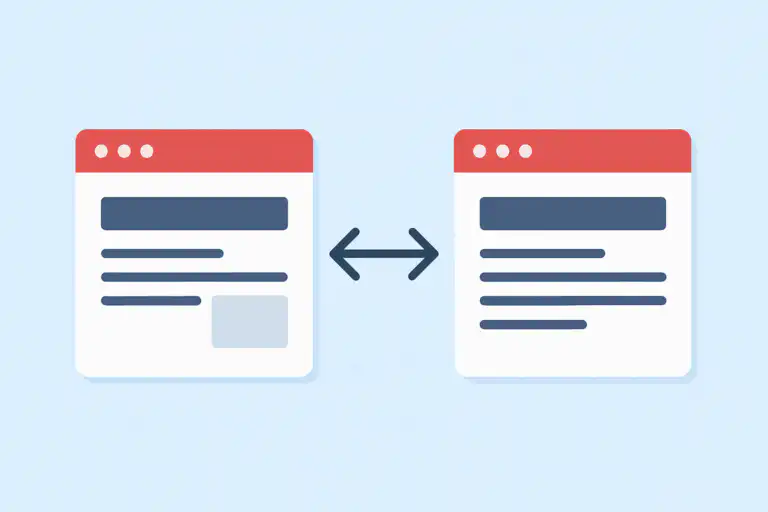
Duplicate title tags SEO issues arise when multiple pages compete with identical titles, confusing search engine crawlers.
Why Duplicate Title Tags Hurt SEO Rankings
The damage caused by duplicate titles does not always appear immediately. However, it compounds over time in ways that are measurable and sometimes severe. Below are the core mechanisms through which this issue undermines your SEO performance.
When multiple pages target the same title keyword, they compete against each other in search results (duplicate content impact). Google is forced to pick a winner — and it may not choose the page you want ranking. As a result, your best page gets undermined by your own site.
📉 Reduced Click-Through Rates
Generic or repeated titles are less compelling in SERPs. Users are far less likely to click a result that looks vague or indistinguishable from other listings. Consequently, your click-through rate (CTR) — the percentage of impressions that turn into visits — drops.
🔄 Google Title Rewrites
Google frequently rewrites title tags it considers unhelpful, duplicated, or mismatched with page content. These rewrites are often less keyword-rich than what you would have written yourself, directly reducing your targeting precision.
🕷️ Crawl Budget Waste
For large websites, duplicate titles signal redundant content to crawlers. This wastes crawl budget — the number of pages Googlebot will crawl in a given timeframe — potentially leaving important pages under-crawled or under-indexed.
🧩 Diluted Link Equity
When external sites link to different pages that share the same title — and therefore appear to cover the same topic — link equity (ranking power passed through backlinks) gets split across multiple URLs instead of consolidating on one authoritative page.
📊 Poor User Experience Signals
When users see identically-titled pages in search results, they may feel misled if the content is different from what the title implies. This leads to higher bounce rates and shorter dwell time — both signals Google may factor into rankings.
Common Causes of Duplicate Title Tags
Understanding the root causes is essential — not just for fixing current duplicates, but for preventing them from returning. In most cases, duplicate titles are not the result of careless writing. Rather, they emerge from systemic issues in how a CMS or site architecture generates page metadata.
- CMS auto-generation: Platforms like WordPress, Shopify, and Magento can generate identical titles across category pages, tag archives, author pages, and paginated pages if SEO settings are not configured correctly. For example, WordPress may default to using the site name for untitled pages.
- Faceted navigation: E-commerce sites with product filters (color, size, price range) often create hundreds of near-identical URLs with the same title tag. Specifically, a page for “Blue Running Shoes” filtered by size and a page filtered by color may both carry the same title.
- Boilerplate titles: Using only the site name — for example, “Home | Brand Name” — across multiple pages creates instant duplicates that give Google no useful differentiation signal.
- Staging or migrated content: Pages copied from staging environments or migrated from old domains sometimes carry over their original titles verbatim, introducing duplicates at scale.
- Thin content pages: Pages with little unique content — such as tag pages or date-based archives — often receive generic, templated titles that inevitably match other pages.
- Developer oversights: During site builds or redesigns, developers sometimes hardcode a single title tag value across all page templates as a placeholder, forgetting to make it dynamic before launch.
- Print-friendly or alternate page versions: Some sites serve separate print or AMP versions of pages without adjusting the title tag, creating exact duplicates across two URLs for the same content.

A site audit often reveals clusters of pages with identical title tags, particularly in e-commerce and CMS-driven architectures.
How to Find Duplicate Title Tags on Your Website
Before you can fix anything, you need a complete picture of where the problem exists. Fortunately, several tools make this process straightforward — ranging from free options suitable for small sites to enterprise-grade platforms for large-scale audits.
Free Tools
Google Search Console
Navigate to Pages > Why pages aren’t indexed, or use the HTML Improvements report (in legacy Search Console) to surface duplicate title warnings directly from Google’s index. This is the most authoritative source because it reflects what Google has actually seen when crawling your site. However, it only shows pages Google has indexed — it will not reveal duplicates on pages that haven’t been crawled yet.
Freemium Tools
Screaming Frog SEO Spider
Screaming Frog crawls up to 500 URLs for free and provides a dedicated “Duplicate Titles” filter under the Page Titles tab. For sites larger than 500 pages, the paid licence (around £149/year) removes the crawl limit. This is considered the industry standard for technical on-page audits. After crawling, export to a spreadsheet and sort by title to group all duplicates at a glance.
Sitebulb
Sitebulb is a desktop crawler with an excellent visual audit interface. It highlights duplicate title issues with severity scores and provides actionable hints alongside each warning, making it particularly useful if you are less experienced with technical SEO.
Paid / Enterprise Tools
Ahrefs Site Audit & Semrush Site Audit
Both platforms provide detailed duplicate title reports with severity scoring. In addition, they cross-reference duplicate title issues against organic traffic data, helping you prioritize which pages to fix first based on actual ranking impact rather than guesswork. Semrush also flags near-duplicate titles that Screaming Frog might miss.
Lumar (formerly DeepCrawl)
Lumar is built for enterprise-level sites with hundreds of thousands of pages. It offers scheduled crawls, so you can track duplicate title trends over time and receive alerts when new duplicates appear — particularly useful after site migrations or major content updates.
How to Fix Duplicate Title Tags: Step-by-Step
Fixing duplicate title tags requires a systematic approach. Rushing through it without a clear plan often results in new duplicates being introduced while the old ones are removed. Therefore, follow these steps in order for a durable, long-lasting resolution.
Export Your Full Title Tag Audit
Run a full site crawl using Screaming Frog, Sitebulb, or your preferred audit tool. Export the results to a spreadsheet and sort by title tag to group identical values together. Specifically, look for columns showing URL, title text, and status code — filter out any 301 redirects and 404 errors before analyzing, since those pages are not actively competing, and consult our guide on fixing broken links when resolving URL issues discovered during the crawl.
Categorize and Prioritize the Duplicates
Separate true content pages from system-generated pages (archives, tags, pagination, filtered URLs). Content pages need unique rewritten titles. System pages, on the other hand, may be better resolved with canonicalization or a noindex directive rather than a new title. Furthermore, prioritize high-traffic and high-value pages first — cross-reference your duplicate list against Google Search Console performance data to see which duplicates are costing you the most clicks.
Write Unique, Descriptive Titles for Every Content Page
Each content page needs a title that accurately and uniquely reflects its subject. Follow these best practices when writing:
- Keep titles between 50–60 characters (Google typically truncates beyond 60). Also learn about numbers in title tags and when they boost CTR.
- Lead with the primary keyword for that page — do not bury it at the end. See the keyword prominence guide for examples and templates.
- Make the title accurately descriptive of the page’s specific content — not the category it belongs to.
- Avoid keyword stuffing — one or two precise keywords are more effective than a pile of terms.
- Include a brand suffix where appropriate: “Primary Keyword — Brand Name”.
For deeper guidance on keyword placement within titles, see this resource on keywords in title tags.
For faceted navigation or paginated content where duplicate titles are structurally unavoidable, use a canonical tag — see our rel=canonical guide — — to point to the preferred version. This consolidates ranking signals without requiring you to delete useful pages. However, note that canonical tags are a hint, not a directive — Google may choose to ignore them if it disagrees with your canonicalization decision. Therefore, canonical tags are best used alongside — not instead of — unique titles wherever possible.
Apply Noindex to Non-Essential Duplicate Pages
For system-generated pages that serve no meaningful SEO purpose — such as tag archives, author pages, date-based archives, and utility pages — apply a noindex directive using <meta name="robots" content="noindex">. This removes these pages from Google’s index entirely, which is often a cleaner solution than canonical tags for pages that serve a user function but have no unique ranking value.
Update CMS Templates to Prevent Recurrence
Fixing individual pages without addressing the root cause means the problem will return. Therefore, update your theme or SEO plugin settings to use dynamic variables that pull unique page data into each title automatically and consider an meta tag optimizer. In WordPress, configure Yoast SEO or RankMath to use variables like %%title%%, %%category%%, or %%sitename%% in a meaningful structure. In Shopify, ensure each collection and product template appends the specific product or collection name rather than a static string.
Verify Fixes and Monitor for New Duplicates
After implementing your fixes, re-crawl your site within 48–72 hours to confirm the changes are live. Submit an updated sitemap in Google Search Console to accelerate re-indexing. Subsequently, schedule monthly crawls to catch any new duplicates introduced by content updates, plugin changes, or site migrations. Set up a Google Search Console review reminder for the HTML Improvements section as an additional safety net.
For a comprehensive walkthrough of the elimination process — including advanced scenarios for e-commerce platforms and multi-language sites — Rank Authority’s guide to eliminating duplicate title tags provides detailed platform-specific instructions.
For a deeper walkthrough, see our Disavow: The Complete Guide to Removing Toxic Links.
Duplicate Title Tags vs. Duplicate Meta Descriptions
These two issues are frequently confused and often occur together — but they are technically distinct and have different SEO implications.
In practice, if you are fixing duplicate title tags across your site, it is worth addressing duplicate meta descriptions at the same time. Similarly, the same CMS template changes that resolve title duplicates will often resolve description duplicates in one pass. However, always prioritize title tags — they have a direct, confirmed impact on rankings, whereas meta descriptions affect CTR indirectly.
Fixing Duplicate Titles on Specific Platforms
The general fix process is the same across all platforms, but the implementation details differ. Below are platform-specific instructions for the most common CMS environments.
WordPress
WordPress is the most common source of duplicate title tags at scale. Specifically, the following areas require attention:
- Yoast SEO or RankMath: In your SEO plugin’s settings, set up title templates for each content type (Posts, Pages, Products, Categories, Tags). Use dynamic variables to ensure every template produces a unique output. For example, a post template might be: %%title%% | %%sitename%%.
- Archive pages: Tag archives and author archives frequently duplicate the titles of their associated content. Either noindex them or configure unique archive title templates using your SEO plugin.
- WooCommerce product variations: If your shop uses product variations on separate URLs, ensure each variation page has a unique title that includes the variation attribute (e.g., “Blue Running Shoes — Size 10 | Brand Name”).
Shopify
Shopify generates title tags from your theme’s Liquid templates. Therefore, the fix involves editing those templates directly:
- Ensure your
layout/theme.liquidfile uses{{ page_title }}as the title source rather than a hardcoded string. - For collection pages, append the collection name and optionally the page number to prevent pagination duplicates.
- Use Shopify’s built-in SEO fields for each product and collection to set custom titles — these override the template defaults.
Magento
Magento’s category and product title structures are configurable in the admin panel under Stores > Configuration > Catalog > Search Engine Optimization. In particular, ensure that product title suffixes (e.g., “| Store Name”) are applied correctly and that category page titles include the full category name. Furthermore, Magento’s layered navigation (faceted filtering) is a major source of duplicate titles — configure canonical tags for all filtered URLs through the SEO settings or a third-party SEO extension.
Best Practices to Prevent Duplicate Title Tags
Prevention is far less costly than remediation. Building the right habits and systems into your content and technical workflows means you will rarely need to run emergency duplicate audits again. Specifically, the following practices should become standard operating procedure for any website team.
- Create a title tag template system for your CMS that uses dynamic page-level variables (post name, category, product name) rather than static text. This is the single most effective prevention measure for CMS-driven sites.
- Include title tag review as a mandatory step in your content publishing checklist — before any page goes live. A simple check against existing titles takes less than 60 seconds and prevents the problem entirely.
- Run monthly crawls using Screaming Frog or a similar tool to catch new duplicates introduced by content updates, plugin changes, or site migrations. Set a recurring calendar reminder.
- Monitor Google Search Console regularly — specifically the Pages report and any HTML Improvements warnings — for new duplicate title alerts from Google’s own index data.
- Noindex or canonicalize system-generated pages (tag archives, author pages, date archives, filtered URLs) that cannot realistically carry unique titles.
- Conduct a title tag audit before every site migration. Migrations are the single most common event that introduces mass duplicate title issues at scale. Audit the staging environment before go-live, not after.
- Document your title tag conventions in a shared style guide so that every team member — developers, content writers, and SEO managers — follows the same rules consistently.

Replacing duplicate title tags with unique, descriptive alternatives consistently improves SERP visibility and click-through rates.
Frequently Asked Questions About Duplicate Title Tags SEO
Conclusion
Addressing duplicate title tags SEO issues is one of the highest-return technical fixes available to any website owner. The investment is modest — an audit, a round of targeted rewrites, canonical tag implementation where needed, and a template update — but the compounding benefits to rankings, click-through rates, and crawl efficiency are substantial and long-lasting. Start with a full site crawl today. Prioritize your highest-traffic and highest-value pages first. Then build a system — through dynamic CMS templates, monthly monitoring, and a pre-publish checklist — that stops duplicate title tags from returning. Your search visibility will reflect the effort. Last updated: 2026-06-10. Author: Rank Authority.

