
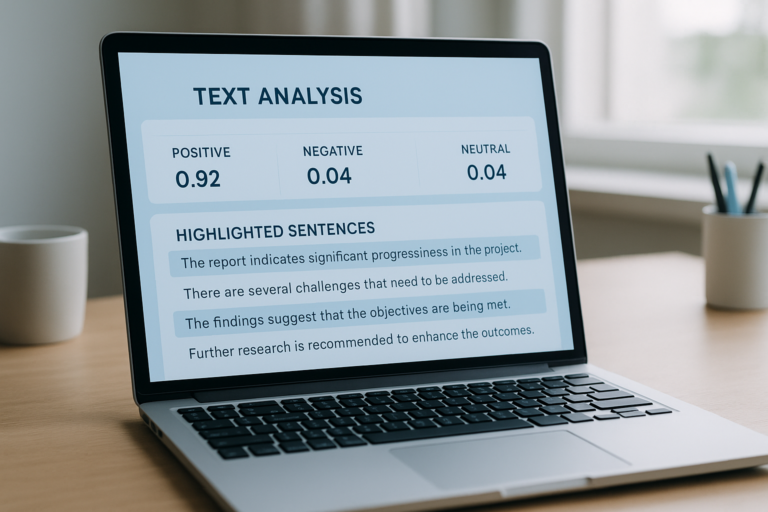
An AI checker is the fastest way to find out whether a piece of text was written by a human being or produced by an artificial intelligence model such as ChatGPT, GPT-4, Gemini, or Claude. Because AI writing tools are now used everywhere — from classrooms to newsrooms to SEO agencies — knowing how an AI checker actually works, how accurate it really is, and how to read its results correctly has become a core professional skill. This guide goes far beyond a basic overview. It covers the science behind detection, a step-by-step walkthrough for running your first scan, an honest comparison of the leading tools, and the mistakes that cause even experienced teams to misread their results.
Why an AI Checker Matters More Than Ever in 2025
The amount of AI-generated text online has grown dramatically since large language models became publicly available. As a result, platforms, schools, and publishers all need a reliable way to tell machine output apart from genuine human writing. Publishers want to protect editorial trust. Teachers need to uphold academic standards. In addition, SEO teams must prove their content clears quality bars that search engines increasingly enforce.
Furthermore, search engines now reward content that is original, well-researched, and genuinely helpful — not just well-formatted. Since AI tools can generate polished but generic text at scale, the ability to run an AI content detector before publishing has shifted from a nice-to-have to a standard part of quality control. In short, an AI checker is no longer optional for anyone who publishes at volume.
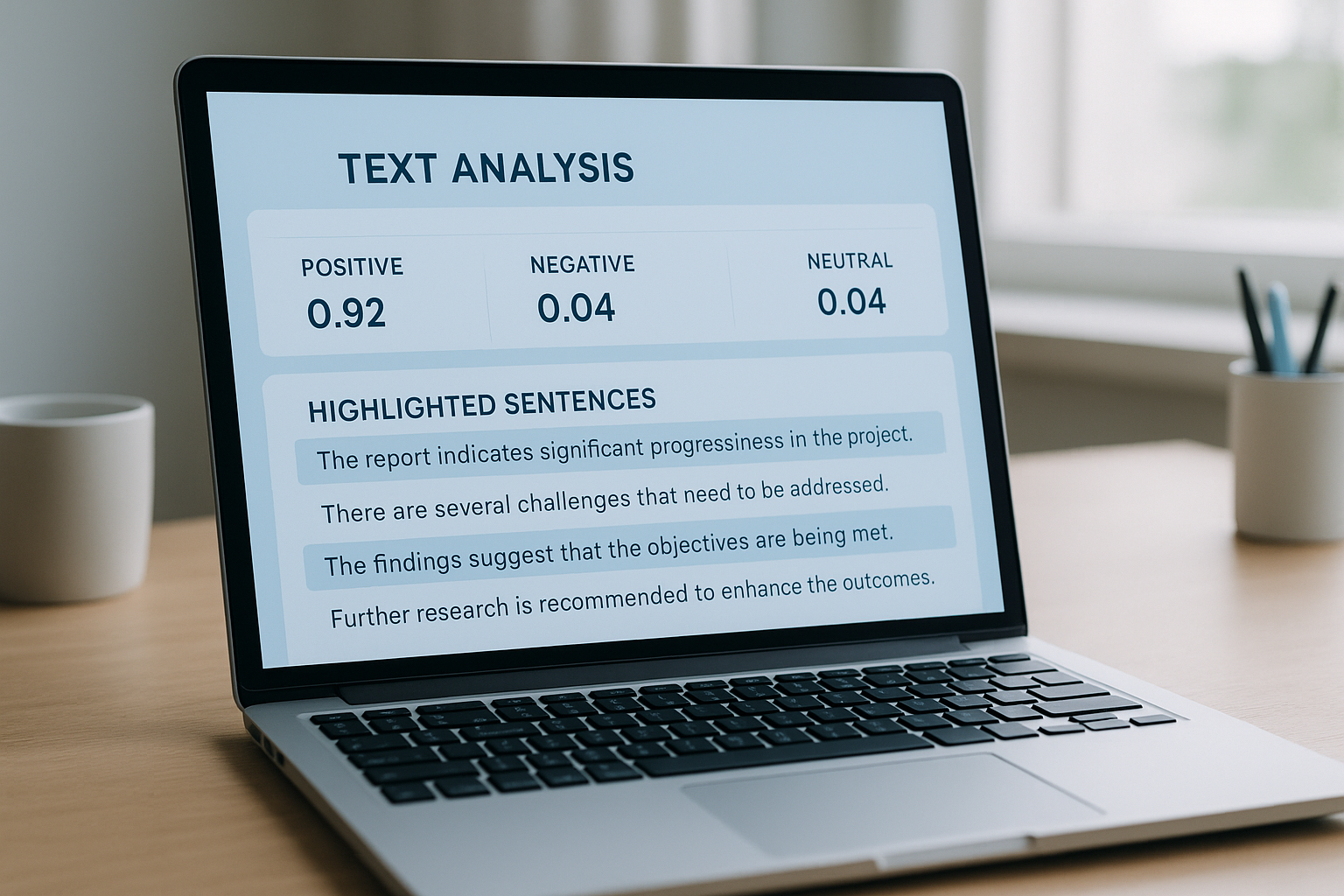
An AI checker dashboard highlights the linguistic patterns that separate machine-generated text from human writing.
How Does an AI Checker Actually Work?
At its core, an AI checker measures two linguistic properties: perplexity and burstiness. Understanding both terms makes the rest of this guide much easier to follow. For a deeper walkthrough, see our AI Citation Score Checker: The Complete 2025 Guide.
Perplexity: How Predictable Is the Word Choice?
Perplexity is simply a measure of how surprising or predictable a sequence of words is. In plain language, it asks: “Could you have guessed the next word easily?” Human writers tend to make unexpected word choices, which produces higher perplexity. AI models, in contrast, favor statistically likely word sequences, which produces lower perplexity. Therefore, a passage with unusually low perplexity is one of the first signals an AI checker flags.
Burstiness: Rhythm and Sentence Variation
Burstiness describes variation in sentence length and complexity across a document. Humans naturally mix short, punchy sentences with longer, winding ones. AI-generated text, however, tends to maintain a more uniform rhythm from sentence to sentence. Consequently, detection models that measure burstiness alongside perplexity can identify machine writing with much higher confidence than either signal alone.
Neural Classifiers and the Role of Training Data
Modern AI checkers go beyond perplexity and burstiness by using neural classifiers — machine learning models trained on huge datasets of both human-written and AI-generated text. These classifiers learn subtle stylistic fingerprints that simple word-frequency counting would miss entirely. For a deeper technical explanation of how these underlying language models actually generate text, Wikipedia’s article on large language models provides excellent foundational context.
That said, the accuracy of any AI checker depends heavily on how recent and diverse its training data is. Tools trained on a narrow slice of AI output can struggle with newer models or niche, domain-specific writing styles. As a result, the strongest detectors are retrained continuously as new AI models are released. In practice, leading tools such as GPTZero, Originality.ai, and Turnitin report accuracy rates between 85% and 98% under controlled conditions. However, those numbers can drop noticeably once content has been heavily paraphrased or manually edited after generation.
How to Use an AI Checker in 4 Simple Steps
Running your first scan takes less than a minute. Follow this process every time to get consistent, trustworthy results.
- Paste the full document, not a snippet. Copy the entire piece of writing into the AI checker’s input box, aiming for at least 300 words so the tool has enough statistical pattern to analyze accurately.
- Run the scan and wait for processing. Click the analyze or scan button and allow a few seconds for the tool to calculate perplexity, burstiness, and classifier-based probability scores across the entire text.
- Review the probability score and highlighted sentences. Examine which specific sentences or paragraphs were flagged as likely AI-generated, since sentence-level detail is far more useful than a single overall percentage.
- Cross-reference with a second tool before acting. Run the same text through a different AI checker, especially when the first result lands in the ambiguous 40% to 60% range, then apply human judgment to the final decision.
Who Should Use an AI Checker — and Why
Different audiences rely on AI detection for different reasons. Understanding your own use case helps you choose the right tool and interpret results correctly.
Educators and academic institutions
Teachers and professors use an AI checker to flag student submissions that may violate academic integrity policies. Tools like Turnitin have folded AI detection directly into existing plagiarism workflows, which makes adoption straightforward.
Content publishers and editors
Editorial teams use detection to verify that freelance submissions are authentically human-written. This protects brand reputation and keeps reader trust intact.
SEO professionals and digital marketers
For SEO teams, content quality is tied directly to rankings. Running an AI checker before publishing ensures content meets originality standards and avoids possible algorithmic penalties.
Hiring managers and recruiters
As AI writing tools become accessible to job applicants, some employers use an AI detection tool to evaluate whether cover letters and writing samples reflect genuine candidate ability.

Teams across education, publishing, and SEO use an AI checker to maintain content standards and authenticity.
AI Checker Accuracy: What the Data Really Shows
No AI checker is perfect, and understanding its limits is just as important as understanding how it works. Accuracy figures of 85% to 98% sound impressive, but they are typically measured under controlled lab conditions using unedited AI output. Real-world text rarely looks that clean.
In particular, false positives remain a real risk. Highly formal, repetitive, or technical human writing can sometimes trigger a high AI probability score even when no AI was involved. For this reason, organizations such as the U.S. National Institute of Standards and Technology have published guidance on managing risk in AI systems — including the limitations of automated classification — through the NIST AI Risk Management Framework, which is a useful reference point for anyone building detection into a formal policy.
What to Do When Detection Results Are Unclear
When an AI checker returns a borderline result — say, 40% to 60% AI probability — context becomes critical. Consider the source, the writer’s history, and whether the style matches their previous work. In academic settings specifically, a short follow-up conversation or oral discussion clarifies authorship far more reliably than any automated score alone.
5 Mistakes to Avoid When Using an AI Checker
- Treating a score as an absolute verdict. A high AI probability score should prompt further review, not automatic punishment or rejection.
- Scanning only a short excerpt. An AI checker performs far more reliably on passages of 300 words or more, so always submit the full document when possible.
- Relying on a single tool. Different detectors use different training data, so cross-referencing two or three tools gives a more balanced picture. Resources like RankAuthority offer guidance on folding AI detection into broader content quality workflows for SEO teams.
- Ignoring sentence-level detail. An overall percentage is less useful than seeing exactly which sentences were flagged, since that detail guides a smarter manual review.
- Skipping human context entirely. Writer history, assignment type, and prior writing samples all matter far more than a lone automated score.
Comparing the Top AI Checker Tools in 2025
The market for AI detection tools has expanded quickly, and each platform has distinct strengths. Below is a practical, side-by-side comparison of the most widely used options.
Ultimately, the right choice depends on your volume, budget, and whether you need detection alone or a combined detection-and-plagiarism workflow. For teams managing large content pipelines, a paid tool with API access is usually worth the cost.
AI Checker vs. Plagiarism Checker: What’s the Difference?
These two tools solve different problems, yet they are frequently confused. A plagiarism checker compares text against a database of existing published sources to find copied content. An AI detection tool, in contrast, analyzes linguistic patterns — perplexity, burstiness, and classifier signals — to estimate whether text was machine-generated, regardless of whether it matches any existing source.
In fact, text can be 100% original and still be flagged as AI-written, since originality and authorship are entirely separate questions. For this reason, the strongest editorial workflows run both checks together rather than treating either one as a complete solution on its own.
Does Google Penalize Content Flagged by an AI Checker?
This is one of the most common questions SEO professionals ask, and the honest answer is nuanced. Google’s own search guidance focuses on content quality and helpfulness rather than the method of creation — a position confirmed in Google Search Central’s guidance on AI-generated content. However, low-quality, mass-produced AI content that lacks original value can still be penalized under Google’s spam and helpful-content systems, regardless of what tool produced it.
In other words, an AI checker score is not a ranking factor by itself. Instead, it functions as an early-warning signal that helps editorial teams catch thin or generic drafts before they go live, which is precisely why pairing it with other SEO diagnostics produces the best outcomes.
AI Checker Best Practices for SEO Teams
For SEO professionals, an AI checker works best as one input among several. Specifically, pair detection results with the broader signals that actually drive rankings. For example, before publishing, many teams also review their keyword difficulty to confirm the topic is realistically winnable, then verify page-level authority with a free DA checker tool before deciding how aggressively to target a term.
Similarly, once content passes an AI detection scan, it’s worth auditing the surrounding link profile. A quick look at your backlinks checker report shows whether a page needs additional authority signals to rank, while teams still building their site’s profile can find out where to get a free DA checker without paying for enterprise software. Above all, no single metric — AI probability included — should be the sole gatekeeper for publishing decisions.
The Future of AI Detection: Watermarking and Provenance
AI detection is an ongoing arms race. As language models grow more sophisticated, they produce text that becomes harder to distinguish from human writing using statistical methods alone. In response, detection technology is evolving beyond perplexity and burstiness toward watermarking — embedding invisible statistical signatures directly into AI-generated text at the moment of creation.
Researchers at institutions such as Stanford’s Institute for Human-Centered AI are also exploring provenance-based approaches, where content carries cryptographic metadata describing its origin. Although these systems remain in early development, they represent a promising long-term path beyond purely probabilistic detection. In the meantime, the most practical approach is to combine AI checker results with human editorial judgment — no automated tool should be the sole arbiter of content authenticity. You can explore additional strategies for content quality assurance through RankAuthority’s SEO content resources.
Conclusion: Getting the Most from an AI Checker
An AI checker is one of the most practical tools available for anyone who cares about content authenticity, academic integrity, or SEO quality. However, it works best as part of a layered strategy, not as a standalone judge. Use detection scores as a starting point for deeper review, cross-reference multiple tools when the stakes are high, and always apply human context to borderline results. As AI writing technology keeps evolving, staying informed about what an AI checker can and cannot tell you will remain a critical skill for anyone whose work depends on authentic, original content.
Frequently Asked Questions About AI Checkers
What is an AI checker?
An AI checker is a software tool that analyzes text to determine whether it was written by a human or generated by an AI model such as ChatGPT or GPT-4. It uses statistical and linguistic signals to assign a probability score indicating the likelihood of AI authorship.
How accurate are AI checkers?
Accuracy varies by tool, but leading AI checkers typically report 85% to 98% accuracy under ideal conditions. However, heavily edited or paraphrased AI content can reduce detection rates significantly.
Can an AI checker detect ChatGPT content?
Yes, most modern AI checkers are trained specifically to detect output from large language models including ChatGPT, GPT-4, Claude, and Gemini. Detection quality depends on how much the content has been edited after generation.
Do AI checkers produce false positives?
Yes, false positives can occur, especially with highly formal or repetitive human writing styles. Therefore, AI checker results should be treated as probabilistic signals rather than definitive verdicts.
What signals does an AI checker look for?
AI checkers analyze perplexity (how unpredictable the word choices are) and burstiness (variation in sentence length and complexity). Low perplexity and low burstiness are strong indicators of machine-generated text.
Is using an AI checker free?
Many AI checkers offer a free tier with limited word counts per scan, while premium plans unlock bulk scanning, API access, and plagiarism checks. GPTZero offers free basic access, whereas Originality.ai operates on a credit-based paid model.
Which AI checker is best for SEO teams?
For SEO teams, tools that combine AI detection with plagiarism checking and bulk URL scanning are most valuable. Originality.ai and content quality resources from RankAuthority are frequently recommended for professional content workflows.
Can AI checkers be fooled by paraphrasing tools?
Paraphrasing tools can reduce detection scores on some AI checkers, but advanced detectors that analyze deep semantic patterns are harder to bypass. The gap between detection and evasion continues to narrow as models improve.
Should educators rely solely on AI checkers for academic integrity?
No, educators should use AI checkers as one layer of a broader academic integrity strategy. Combining detection tools with assignment design, oral discussions, and process portfolios produces more reliable results.
How does an AI checker differ from a plagiarism checker?
A plagiarism checker compares text against a database of existing sources to find copied content, while an AI checker analyzes linguistic patterns to detect machine-generated writing. They solve different problems and are most powerful when used together.
Does Google penalize AI-generated content?
Google’s guidelines focus on content quality and helpfulness rather than the method of creation. However, low-quality, mass-produced AI content that lacks original value can be penalized under Google’s spam and helpful content systems.
How long does it take to run an AI checker scan?
Most AI checker tools return results within seconds for standard article lengths. Bulk scanning of multiple documents may take a few minutes depending on the platform and file size.
Does an AI checker work on non-English content?
Some tools, such as Copyleaks, support multi-language detection, while others are optimized primarily for English. Consequently, non-English teams should verify language support before committing to a single platform.
What file formats can I upload to an AI checker?
Most AI checkers accept plain text, pasted content, Word documents, and PDFs, while some also support direct URL scanning for published web pages.
Can an AI checker help me improve content, not just flag it?
Yes. Beyond flagging risk, sentence-level feedback from an AI checker shows exactly where writing feels formulaic, which helps writers revise for more natural rhythm and genuinely original phrasing.

