

AMP for SEO remains one of the most debated mobile optimization strategies in search marketing today, and understanding exactly how it works can mean the difference between a fast, high-ranking site and one that lags behind competitors. Accelerated Mobile Pages, better known as AMP, strip away unnecessary code so your content loads almost instantly on smartphones. As a result, visitors stay longer, and search engines take notice. In this guide, you’ll learn exactly what AMP for SEO does, whether Google still rewards it, how it compares to traditional HTML and Progressive Web Apps, and the precise steps to implement it correctly. Rank Authority’s AI-driven strategies pair naturally with these techniques to strengthen your visibility online.

Understanding AMP for SEO: What Accelerated Mobile Pages Actually Do
Before you implement anything, it helps to understand the mechanics behind AMP for SEO. AMP is an open-source framework, originally built by Google, that creates stripped-down versions of your web pages specifically for mobile browsing. Consequently, these pages load in a fraction of the time it takes a standard page to render.
What Is AMP, Exactly?
In practical terms, AMP consists of three core parts: AMP HTML (a restricted subset of standard HTML), AMP JS (a library that manages resource loading), and the AMP Cache (a content delivery network that serves your pages instantly). Together, these three components remove render-blocking scripts, enforce inline CSS with strict size limits, and require images to declare their dimensions upfront. For a full technical breakdown of the specification, the official AMP Project documentation is the most authoritative reference available. Similarly, Wikipedia’s overview of the AMP Project offers helpful historical context on why Google introduced the framework in 2015.
Does AMP Still Matter for SEO in 2025?
Here’s something many guides leave out: Google no longer requires AMP for placement in the Top Stories carousel. Back in 2021, Google officially removed that requirement, shifting its ranking emphasis toward page experience signals that apply to every page format, not just AMP. You can read the details directly in Google’s official announcement on the topic. Therefore, AMP is no longer a mandatory ranking factor. However, it can still be a valuable performance tool, particularly for publishers, news sites, and content-heavy blogs that need to shave every possible millisecond off load time. In short, AMP for SEO today is optional but still useful when applied strategically rather than blindly.
The Real Benefits and Drawbacks of AMP for SEO
Every AMP conversation tends to focus only on the upside. In contrast, a genuinely useful decision requires weighing both sides honestly.
Key Benefits of Using AMP for SEO
- Near-instant load times — AMP pages typically render in under one second, well ahead of most traditional pages.
- Lower bounce rates — faster pages keep visitors engaged instead of abandoning the site before it finishes loading.
- Improved mobile UX — simplified layouts remove clutter and distractions on smaller screens.
- Cache-powered delivery — pages served from a nearby cache load faster regardless of a visitor’s connection speed.
The Drawbacks Most Guides Leave Out
On the other hand, AMP comes with real trade-offs that deserve equal attention. Specifically, AMP restricts custom JavaScript, which limits interactive features like dynamic filters or live chat widgets. In addition, maintaining a separate AMP version of every page adds ongoing development overhead, since you’re effectively managing two versions of the same content. Analytics tracking can also become fragmented if your AMP and non-AMP pages aren’t configured to report consistently. Finally, some publishers have reported lower ad revenue on AMP pages due to restricted ad formats. Above all, these drawbacks don’t disqualify AMP — they simply mean it should be applied selectively rather than site-wide.

AMP vs. Traditional HTML vs. Progressive Web Apps
Unlike traditional HTML pages, AMP delivers optimized, faster-loading experiences by simplifying code and assets. Meanwhile, Progressive Web Apps (PWAs) — websites that behave like native mobile apps, complete with offline access and push notifications — offer a third option many teams overlook entirely. Consequently, choosing the right approach depends on what your site actually needs.
Performance Metrics at a Glance
| Metric | AMP | Traditional HTML | PWA |
|---|---|---|---|
| Loading Time | Under 1 second | 2–4 seconds | 1–2 seconds (cached) |
| Offline Access | No | No | Yes |
| Design Flexibility | Limited | Full control | Full control |
| Development Cost | Low–moderate | Low | High |
When Traditional HTML or a PWA Might Beat AMP
That said, AMP isn’t always the right tool. For example, e-commerce sites with dynamic shopping carts often need custom JavaScript that AMP restricts. Similarly, apps that rely on offline functionality or push notifications are far better served by a PWA. In contrast, blogs, news articles, and static informational pages tend to benefit the most from AMP’s simplicity.
How to Implement AMP for SEO: A Step-by-Step Guide
Now that you understand the trade-offs, here’s exactly how to put AMP for SEO into practice without wasting development time.
- Audit your traffic first. Identify which pages receive the most mobile visits, since these will benefit most from faster loading times.
- Install the AMP HTML boilerplate. Start each page with the required AMP boilerplate code, which tells browsers to treat it as a valid AMP document.
- Inline and limit your CSS. Move all styling into a single inline stylesheet capped at 75 kilobytes, since external stylesheets are not permitted.
- Replace standard tags with AMP components. Swap elements like <img> and <video> for their AMP equivalents, such as amp-img and amp-video, to maintain compatibility.
- Add canonical and amphtml link tags. Link your AMP page back to its standard version and vice versa so search engines understand the relationship between both URLs.
- Validate using Google’s AMP Validator. Run every page through the validator tool to catch markup errors before publishing them live.
- Monitor results in Search Console. Track indexing status, loading speed, and click-through rates weekly to confirm your AMP pages are performing as expected.
Common AMP Implementation Mistakes That Tank Rankings
Unfortunately, even well-intentioned implementations go wrong in predictable ways. Invalid AMP markup is the most frequent culprit, since a single unsupported tag can cause validation to fail entirely. In addition, unoptimized images slow load times even on AMP pages, defeating the purpose of the framework. Furthermore, forgetting analytics tracking makes it impossible to measure whether your changes actually helped. Lastly, incorrect canonical linking confuses search engines about which version of a page should rank, which can quietly sabotage your SEO efforts. If your site also relies on expandable sections or hidden content, it’s worth reviewing how supplementary content interacts with AMP before you publish, since certain content types behave differently once rendered through the AMP framework.

Real-World AMP for SEO Case Studies and Proven Results
Numbers tell the story better than theory ever could. Here are documented results from businesses that adopted AMP during its peak adoption years:
- eBay: reported a 15% increase in conversions after implementing AMP.
- San Francisco Chronicle: saw a 60% improvement in page load times and a 50% decrease in bounce rates.
- The Washington Post: achieved a 23% increase in mobile page views per session.
- Alibaba: reported a 76% increase in mobile conversion rates following AMP adoption.
It’s worth noting, however, that several publishers have since scaled back their AMP usage after Google removed the Top Stories requirement in 2021. Consequently, the businesses still benefiting most today tend to be those using AMP specifically for speed gains rather than for carousel visibility alone.
Best Practices for Optimizing AMP Pages
Designing for Speed and Usability
Designing your AMP pages requires balancing speed with usability. Therefore, prioritize a clean layout, minimal imagery, and efficient multimedia usage. Above all, treat load time as a design constraint, not an afterthought, so visitors stay engaged rather than bouncing before content even appears.
Monitoring AMP Performance with Search Console and Analytics
Once your pages are live, monitoring becomes essential. Google Search Console and Analytics both provide insight into loading speed, engagement, and bounce rates. Regularly reviewing these metrics helps you catch issues early, before they affect rankings. As a result, staying proactive keeps your AMP for SEO strategy performing at its best over time.
AMP for SEO vs. Core Web Vitals: What’s the Difference?
This is where many articles fall short, so let’s clear it up. Core Web Vitals are Google’s official page experience metrics, measuring things like Largest Contentful Paint (how quickly your main content appears), Interaction to Next Paint (how responsive your page feels), and Cumulative Layout Shift (how much your layout jumps around while loading). You can review the full technical criteria on Google’s Core Web Vitals documentation. Importantly, these metrics apply to every page, AMP or not. In other words, you don’t need AMP to satisfy Core Web Vitals — you simply need a fast, stable, well-coded page. However, AMP remains one of the quickest paths to hitting those targets without a complete rebuild, which is exactly why it still matters for many sites pursuing AMP for SEO gains today.
The Future of AMP for SEO in a Post-Mandate World
Trends Shaping Mobile SEO
Looking ahead, mobile-first strategies remain vital, since most search traffic now originates from smartphones. In addition, search engines increasingly weigh overall page experience rather than any single framework. As a result, businesses that combine speed, structured data, and strong content tend to outperform those relying on any one tactic alone. It’s also worth understanding how emerging answer-focused search behavior is changing optimization priorities — our comparison of AEO vs. SEO and what to prioritize breaks down where mobile speed fits into that bigger picture.
Integrating AMP with a Broader SEO Strategy
Ultimately, AMP should never operate in isolation. Instead, combine it with optimized content, solid metadata, and a strong keyword strategy to capture and retain user interest. For a deeper look at building that foundation, see our guide on how to improve online visibility with proven SEO strategies. Similarly, if you’re curious how automation fits into modern optimization, our breakdown of what AI-driven SEO does for your site explains how machine-assisted tools can handle much of this heavy lifting for you. At Rank Authority, we help you merge these elements into one cohesive, AI-driven strategy.
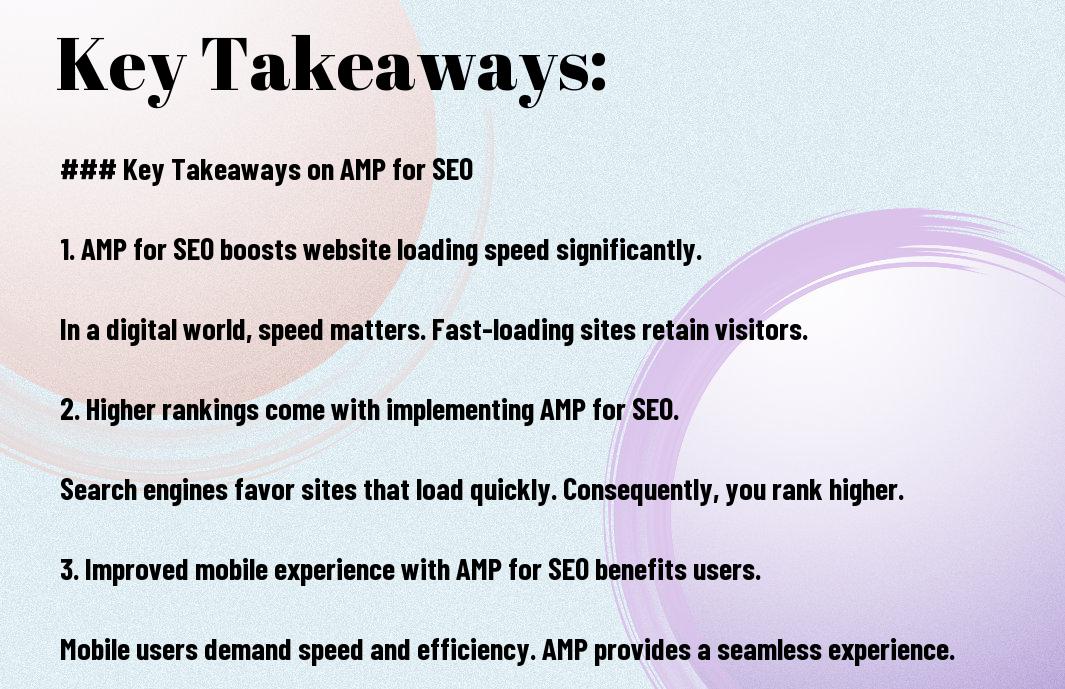
Frequently Asked Questions About AMP for SEO
What does AMP stand for in SEO?
AMP stands for Accelerated Mobile Pages, an open-source framework that creates lightweight, fast-loading versions of web pages specifically for mobile devices.
Does Google still support AMP for SEO rankings in 2025?
Google no longer requires AMP for special search features like the Top Stories carousel, a requirement it removed in 2021. However, AMP still supports SEO indirectly by improving page speed, which remains a ranking factor.
Is AMP for SEO worth implementing today?
It depends on your site. Publishers and content-heavy blogs often still benefit from AMP for SEO, while e-commerce or app-like sites may get better results from optimizing Core Web Vitals directly or building a Progressive Web App instead.
What is the difference between AMP and a Progressive Web App?
AMP focuses purely on fast-loading static content, while a Progressive Web App behaves like a native mobile app, offering offline access and push notifications at a higher development cost.
How do I validate my AMP pages?
Use Google’s free AMP Validator tool to scan your markup for errors before publishing, and recheck after any template or plugin update.
Can AMP hurt my SEO if implemented incorrectly?
Yes. Invalid markup, missing canonical tags, or broken analytics tracking can all undermine your results and waste the speed advantage AMP is supposed to deliver.
Ready to Put AMP for SEO to Work for Your Site?
Rank Authority combines AI-driven optimization with proven mobile speed strategies to get real results, fast. SIGN UP for a free, one-click SEO audit — no coding and no credit card required.
Questions first? Reach our team directly at info@rankauthority.com or call (800) 300-8699.
Conclusion: Making AMP for SEO Work in Your Favor
In the end, AMP for SEO isn’t a magic ranking switch, but it remains one of the fastest ways to strip friction from the mobile experience. As you’ve seen, success depends on knowing when to use AMP, how to implement it correctly, and how it fits alongside Core Web Vitals and your broader SEO strategy. Consequently, a faster, more efficient site leads to stronger engagement, better rankings, and ultimately more conversions. Rank Authority is here to help you apply AMP for SEO strategically, using AI-driven insights that keep your site ahead of the competition.

