
Automated performance analysis is the process of using software tools to continuously collect, evaluate, and report on website performance metrics — including speed, search rankings, Core Web Vitals, and crawl health — without requiring manual effort for each check. Because search engines reward fast, technically sound websites, understanding and implementing this approach is one of the highest-leverage actions any site owner can take. Learn how to track SEO performance.
In practice, most website owners still rely on occasional manual audits that leave long gaps between reviews. However, performance issues can appear overnight — a plugin update, a server configuration change, or a sudden traffic spike can all cause measurable ranking drops. Therefore, automation closes that gap by watching your site around the clock. Learn how to track SEO performance effectively.
Why Automated Performance Analysis Outperforms Manual Audits
Manual SEO audits are valuable, but they are inherently reactive. By the time you schedule and complete an audit, a performance regression may have already cost you ranking positions. Automated performance analysis, in contrast, is proactive — it catches issues the moment they surface.
Additionally, consistency is a major advantage. Automated systems apply the same measurement methodology every single time, which means your trend data is reliable. Manual processes, meanwhile, can vary based on who runs the audit, what device they use, and how much time they allocate. See how to measure SEO effectiveness.
For example, a site that experiences a sudden increase in Cumulative Layout Shift (CLS) after a design update will be flagged immediately by an automated monitor. Without automation, that issue might go unnoticed for weeks — long enough for Google to re-evaluate the page’s quality score. See our Technical SEO guide for monitoring examples and alerts.
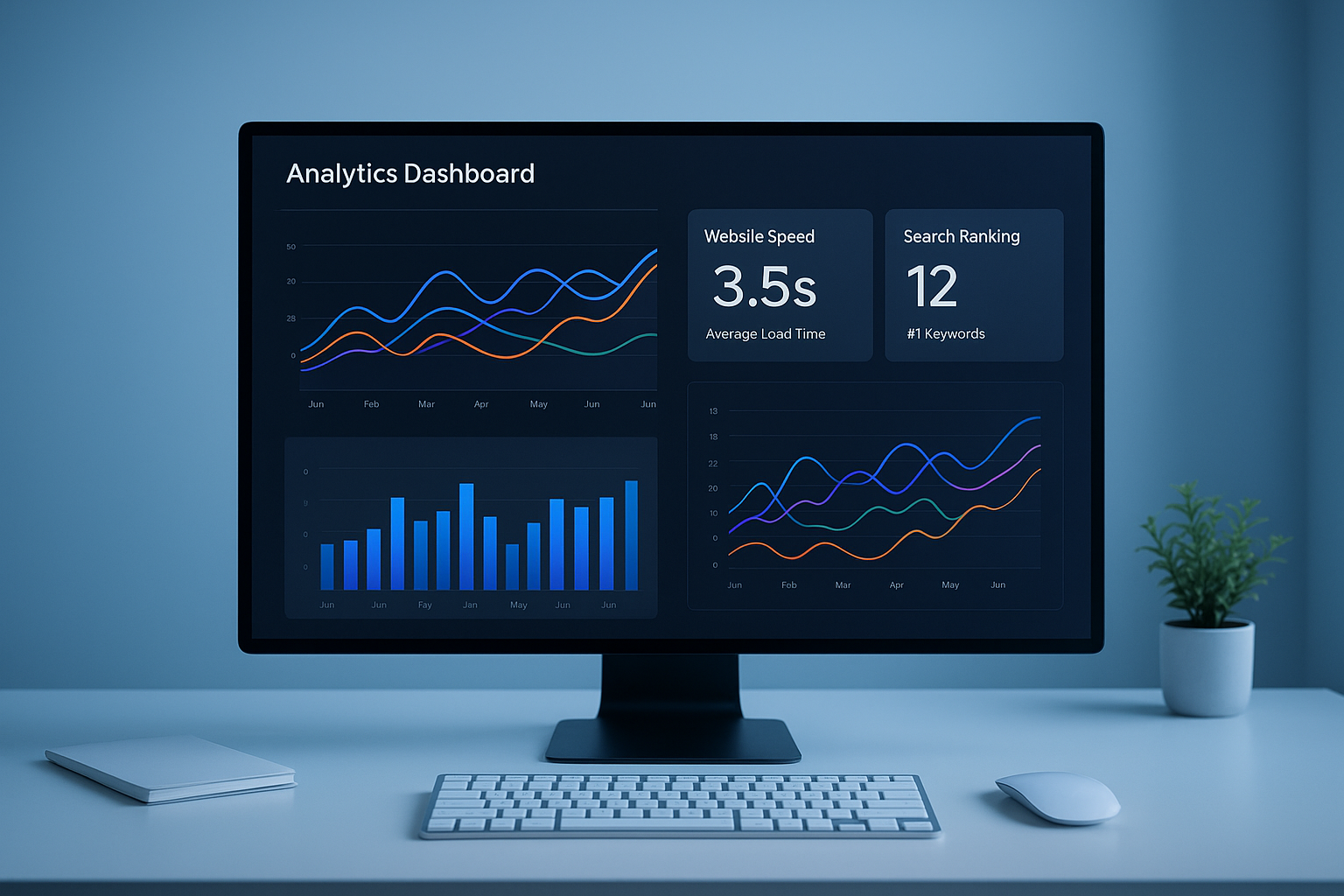
A centralized dashboard is the foundation of effective automated performance analysis, consolidating speed, rankings, and crawl data in one place.
Core Metrics Every Automated System Should Track
Not all metrics are equally important. Therefore, a well-designed automated system focuses on the signals that directly influence search rankings and user experience. According to web performance principles, the most impactful categories include: See how to automate ecommerce SEO.
- Core Web Vitals: Largest Contentful Paint (LCP), First Input Delay (FID), and Cumulative Layout Shift (CLS)
- Time to First Byte (TTFB): A direct indicator of server responsiveness
- Crawl errors and broken links: Issues that prevent search engines from indexing your content
- Keyword ranking positions: Movement in organic search results for target terms
- Organic traffic trends: Changes in sessions and impressions from search
- Backlink profile health: New or lost links that affect domain authority
Because these metrics interact with each other, monitoring them together gives you a far more complete picture than tracking any single signal in isolation.
How to Implement Automated Performance Analysis in 5 Steps
Setting up a robust automated monitoring system does not need to be complex. In fact, following a structured process ensures you cover every critical area without creating alert fatigue. See how to measure SEO performance over time with sample schedules and thresholds.
1Define your core KPIs. First, identify the specific metrics tied to your business goals. For an e-commerce site, conversion-impacting metrics like LCP and TTFB take priority. For a content publisher, keyword rankings and organic traffic are paramount. For planning your automation rollout, see starting SEO automation.
2Select your monitoring tools. Next, choose tools that cover speed, crawl health, and ranking data. Consolidating signals into a single platform — such as Rank Authority — reduces context-switching and makes trend analysis far easier. Also consider competitor tracking tools.
3Configure alerts and thresholds. Then set threshold-based alerts for each metric. For instance, trigger a notification if LCP exceeds 2.5 seconds or if a top-10 keyword drops more than five positions in a single day.
4Build a response workflow. Alerts are only useful if someone acts on them. Therefore, document who owns each alert type and what the corrective action should be, along with a resolution timeframe.
5Review and refine monthly. Finally, audit your thresholds and KPI list every month. As your site grows, the metrics that matter most will shift, and your automated system should evolve accordingly.
Reviewing automated reports regularly ensures your response workflows stay aligned with your site’s evolving performance goals.
Common Mistakes That Undermine Performance Monitoring
Even with the right tools in place, several common errors can reduce the effectiveness of your setup. Recognizing these pitfalls early saves significant time and prevents missed opportunities.
Tracking too many metrics at once is the most frequent mistake. When every metric triggers an alert, teams become desensitized and start ignoring notifications. As a result, critical issues get buried in noise. Focus on five to eight core KPIs initially and expand only when your workflow can handle the volume.
Failing to establish baselines is another common error. Without a documented baseline, you cannot determine whether a metric is genuinely problematic or simply within normal fluctuation. Therefore, always record your starting values before configuring thresholds.
Ignoring mobile performance is increasingly costly. Because Google uses mobile-first indexing, your automated checks must include mobile-specific speed and usability metrics — not just desktop scores.
Connecting Performance Data to Search Rankings
One of the most powerful aspects of automated monitoring is the ability to correlate performance changes with ranking fluctuations. For example, if your LCP score improves from 3.2 seconds to 1.8 seconds and your target keyword climbs from position 14 to position 7 over the following three weeks, you have strong evidence that speed optimization drove the ranking gain. Learn how to track SEO performance.
Platforms like Rank Authority are built to surface exactly these kinds of connections, helping teams prioritize the fixes that produce the greatest ranking impact. Additionally, connecting your performance data to Google Search Console provides impression and click data that adds another layer of context to your automated reports.
In practice, the sites that improve fastest are those that treat performance data as a feedback loop — not just a report card. Each automated insight feeds directly into the next round of development priorities.
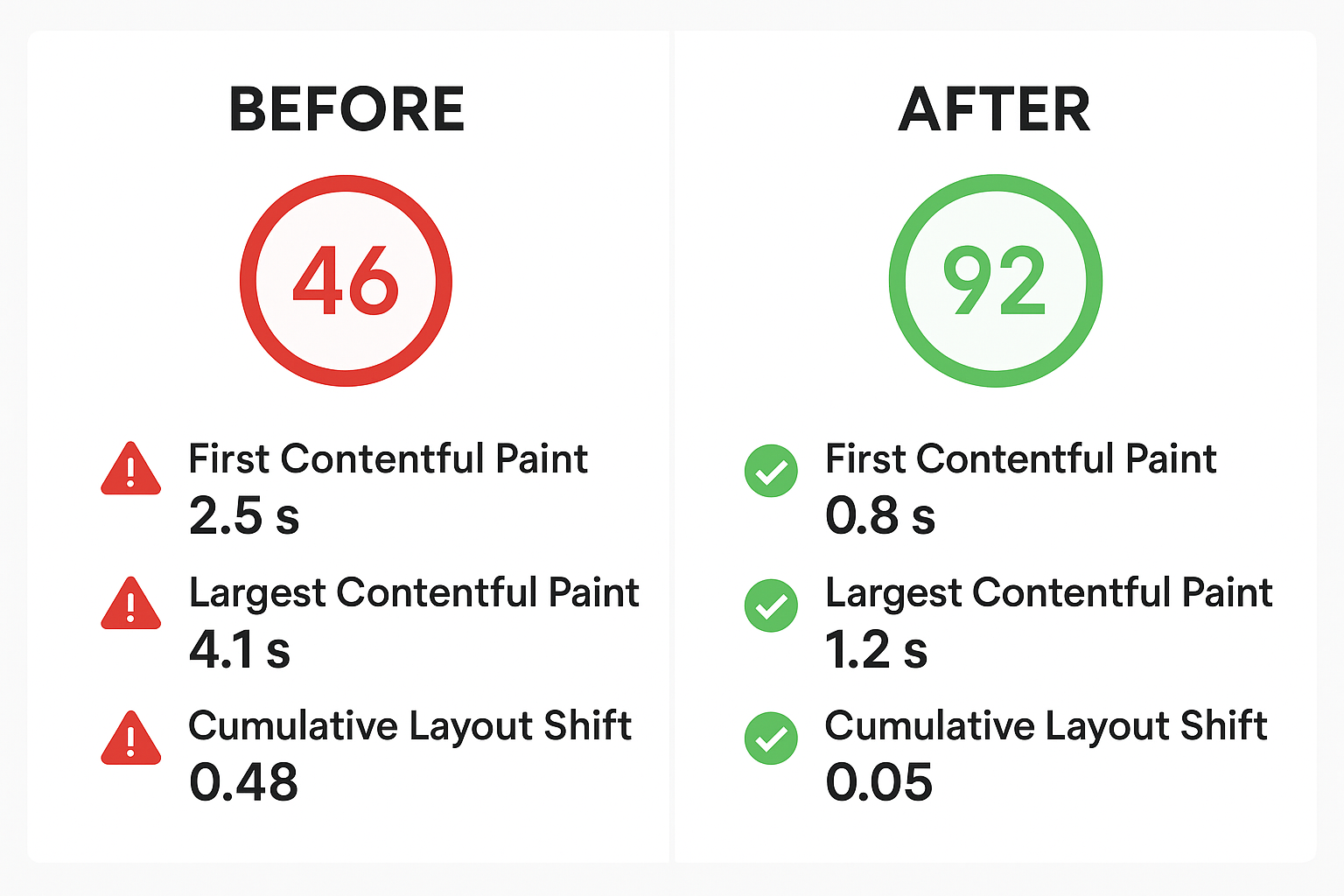
Automated monitoring makes before-and-after performance comparisons straightforward, turning data into actionable SEO decisions.
Choosing the Right Tools for Your Needs
The market for performance monitoring tools is broad. However, the best choice depends on your site’s size, technical complexity, and budget. Below is a practical framework for evaluating options. Compare consolidated solutions like Automated Analytics for SEO for integrated ranking and performance data.
Free Tools
Google Search Console, Lighthouse, and PageSpeed Insights provide solid baseline monitoring at no cost. They are ideal for small sites or as a starting point. Learn how to track SEO performance effectively.
Mid-Tier Platforms
Tools in the $50–$200/month range typically add automated rank tracking, crawl scheduling, and alert systems that go well beyond what free tools offer.
Enterprise Solutions
Large-scale platforms offer API access, custom dashboards, competitor intelligence, and dedicated support for complex multi-site environments. If you operate an online store, see automate ecommerce SEO for specific ecommerce workflows.
Consolidated Platforms
All-in-one platforms that combine speed, SEO, and ranking data reduce tool sprawl and make cross-metric correlation significantly easier to achieve.
Conclusion: Make Automated Performance Analysis a Permanent Practice
Automated performance analysis is not a one-time setup task — it is an ongoing practice that compounds in value over time. The longer your automated system runs, the richer your historical data becomes, and therefore the more accurately you can predict how performance changes will affect your rankings.
Start with a focused set of core KPIs, configure meaningful alerts, and build a response workflow your team will actually follow. Then refine the system each month as you learn which metrics have the greatest influence on your specific goals. In doing so, you transform performance data from a passive report into an active competitive advantage. Author: Rank Authority. Last updated: 2026-07-02. Last updated: 2026-06-10. Author: Rank Authority (SEO and performance specialists).
Frequently Asked Questions
What is automated performance analysis?
Automated performance analysis is the use of software to continuously collect and evaluate website metrics — such as speed, Core Web Vitals, and search rankings — without manual effort. It replaces periodic human audits with real-time or scheduled monitoring, ensuring issues are caught immediately. Last updated: 2026-07-02. Author: Rank Authority editorial team (add author bio and credentials on the article page).
How does automated performance analysis differ from manual auditing?
Manual auditing requires a person to run tests and interpret results on a set schedule, which creates gaps in coverage. Automated analysis runs continuously, flags issues instantly, and delivers consistent data without human effort between sessions.
Why is automated performance analysis important for SEO?
Google uses page speed, Core Web Vitals, and crawlability as ranking signals. Automated monitoring ensures these signals stay in the optimal range at all times, so performance regressions are corrected before they damage rankings.
What metrics should automated performance analysis track?
Key metrics include LCP, FID, CLS, TTFB, page load time, crawl errors, broken links, keyword rankings, and organic traffic trends. Monitoring them together provides a complete picture of site health.
How often should automated performance checks run?
For most sites, daily checks are sufficient for SEO metrics. Uptime and server response monitoring, however, should run every one to five minutes. High-traffic and e-commerce sites benefit from the most frequent intervals.
What tools are commonly used for automated performance analysis?
Popular options include Google Search Console, Lighthouse, SEMrush, Ahrefs, and consolidated platforms like Rank Authority. The best choice depends on your site’s size, goals, and budget.
Can automated performance analysis detect competitor changes?
Yes. Advanced platforms track competitor keyword rankings, backlink profiles, and content changes. This enables strategic responses when a competitor gains or loses ground in search results.
Is automated performance analysis suitable for small websites?
Absolutely. Small sites benefit greatly because they often lack resources for regular manual audits. Automated tools provide continuous oversight at a fraction of the time cost, keeping small site owners competitive.
What is the biggest mistake when setting up automated performance analysis?
Tracking too many metrics without a clear action plan for each alert is the most common error. Effective automated analysis focuses on a core set of KPIs and defines specific response workflows for every alert type.
How does Core Web Vitals monitoring fit into automated performance analysis?
Core Web Vitals — LCP, FID, and CLS — are direct Google ranking factors. Automated monitoring ensures these scores stay in the “Good” range and alerts you immediately if a code change or server issue causes a regression.
How long does it take to see SEO improvements after fixing issues found by automated analysis?
Minor technical fixes like speed improvements can show ranking gains within days to a few weeks as Google recrawls the page. Larger structural changes may take four to twelve weeks to fully reflect in search results.
What is the cost of automated performance analysis tools?
Costs range from free tools like Google Search Console and Lighthouse to enterprise platforms costing hundreds of dollars per month. Most small to mid-sized businesses find plans in the $50 to $200 per month range sufficient for comprehensive monitoring.

