
A 404 error — formally known as HTTP 404 Not Found — is a standard response code indicating that a web server cannot locate the resource at the requested URL. In practice, it means a visitor or search engine crawler followed a link to a page that no longer exists, was moved, or was never created in the first place. Understanding what triggers a 404, how it affects your site’s SEO, and how to resolve it efficiently can protect both your rankings and your users’ experience. Byline: Rank Authority editorial team. Last updated: 2026-07-02. Last updated: 2026-06-10. Author: Rank Authority editorial team.
What Exactly Is a 404 Error?
According to the HTTP 404 Wikipedia entry, the status code is part of the 4xx class of client-side errors defined in the HTTP protocol. When a browser requests a URL, the server responds with a three-digit status code. A code in the 200 range means success, while a 404 specifically signals that the server understood the request but found nothing at that address.
Therefore, the error is not a server crash or an outage — it is a deliberate, informational response. The server is working correctly; it simply cannot find the file or page you asked for. This distinction matters because it changes how you diagnose and fix the problem.
A 404 error page appears in the browser whenever a requested URL cannot be found on the server.
Common Causes of 404 Errors
Several situations routinely trigger 404 responses on websites. First, pages that are deleted without a redirect will immediately begin returning 404s to anyone who visits the old URL. Additionally, restructuring a site’s URL pattern — for example, changing from /blog/post-name to /articles/post-name — breaks every existing link unless redirects are in place. See our URL structure guide.
Other frequent causes include:
- Mistyped URLs in internal links or navigation menus
- Expired product pages, event listings, or temporary landing pages
- External websites linking to an old URL that no longer exists
- CMS migrations where slug formats change automatically
- Manually entered URLs with capitalization or spacing errors
Because many of these causes originate outside your direct control — for instance, when another website links incorrectly — routine monitoring is essential rather than optional.
How 404 Errors Affect Your SEO
Google’s official guidance states that a small number of 404s is completely normal and does not trigger penalties. However, a large accumulation of broken URLs creates real, measurable problems for site performance. For example, crawl budget — the number of pages Googlebot will crawl within a given period — can be wasted on dead-end URLs instead of indexing valuable content.
More critically, every backlink pointing to a 404 URL represents lost link equity. When an authoritative external site links to one of your pages and that page returns a 404, the ranking power of that backlink evaporates entirely. In competitive niches, this kind of link equity loss can measurably suppress rankings over time.
Furthermore, user experience suffers directly. Visitors who land on a broken page typically leave immediately, which increases bounce rate and reduces time-on-site signals. For sites focused on conversion, even a single high-traffic 404 can have a tangible revenue impact.

Monitoring 404 errors through an analytics or SEO dashboard helps prioritize which broken pages to fix first.
How to Find 404 Errors on Your Website
The most accessible starting point is Google Search Console. Navigate to Indexing → Pages and filter by “Not found (404)” to see every URL Google has attempted to crawl and found missing. This report updates regularly, so it reflects your current state accurately.
Alternatively, crawling tools such as Broken Links Test can scan your entire site and flag every internal link that returns a 404 status. Server access logs provide another layer of visibility, recording every request and response code in real time — including 404s triggered by bots, social media links, and direct traffic.
For a complete picture, combine all three sources: Search Console for Google’s perspective, a crawler for internal link audits, and log files for raw traffic data. Resources like Rank Authority offer practical SEO guidance on integrating these tools into a regular audit workflow.
Step-by-Step: How to Fix 404 Errors
Once you have identified your broken URLs, the following process will resolve them systematically and protect your SEO in the process.
Step 1 — Find All 404 Errors
Export the full list of 404 URLs from Google Search Console. Additionally, run a Screaming Frog crawl to catch any broken internal links that Google may not have reported yet. You can also use Dead Links Finder to automate discovery.
Step 2 — Prioritize by Backlink Value
Cross-reference your 404 list with backlink data from a tool like Ahrefs or Semrush. URLs with strong external backlinks pointing to them should be addressed first, because fixing them recovers the most link equity (see our fixing broken links guide).
Step 3 — Set Up 301 Redirects
For each priority URL, implement a 301 redirect pointing to the most topically relevant live page. In WordPress, a redirect plugin handles this without touching server files. For non-CMS environments, add redirect rules directly to the .htaccess file (Apache) or the server configuration (Nginx). See our detailed guide on how to Set up 301 redirects and preserve link equity.
Step 4 — Update Internal Links
After setting redirects, search your CMS for any internal links still pointing to the old broken URLs. Updating them directly removes unnecessary redirect hops and improves crawl efficiency (see our Broken Link Testing guide).
Step 5 — Design a Helpful Custom 404 Page
Not every 404 can be redirected — some URLs were simply wrong from the start. For those cases, a well-designed custom 404 page keeps users on your site. Include a search bar, links to your most popular content, and a friendly message that acknowledges the error without frustrating the visitor.
Step 6 — Monitor Monthly
Finally, schedule a recurring monthly audit. New 404s appear constantly as content is updated, products expire, and external sites link incorrectly. Catching them early prevents compounding SEO damage.
Hard 404 vs. Soft 404 — Why the Difference Matters
A hard 404 returns the correct HTTP 404 status code, clearly signaling to search engines that the page does not exist. In contrast, a soft 404 returns a 200 OK status while displaying a “page not found” message to the user — effectively lying to the crawler.
Soft 404s are particularly problematic because Google may continue indexing the error page as if it were real content. As a result, it can appear in search results, confuse users, and dilute your site’s overall quality signals. Always ensure your error pages return a genuine 404 or 410 status code rather than a misleading 200.
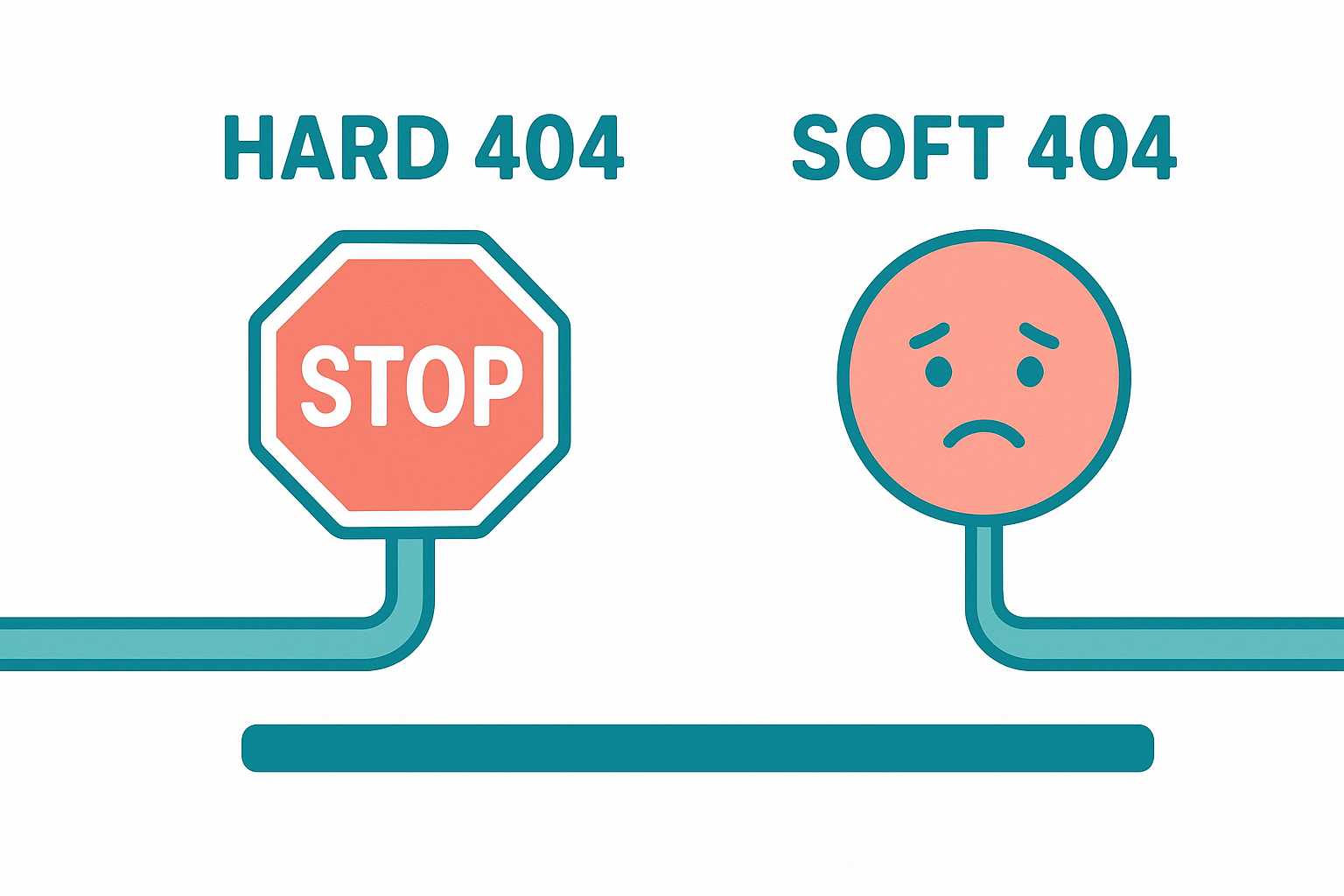
Understanding the difference between a hard 404 and a soft 404 is essential for accurate SEO diagnostics.
Building a 404-Resistant Site Structure
Prevention is always more efficient than repair. Several structural habits significantly reduce the frequency of 404 errors over time. First, establish a stable URL naming convention before publishing content and stick to it — changing slugs later requires redirects that compound over time. Read more about common SEO mistakes to improve your publishing workflow.
Additionally, before deleting any page, check whether it has backlinks or internal links pointing to it. If it does, set up the redirect before removing the page rather than after. This proactive approach means the 404 never actually occurs in the first place.
For e-commerce sites, expired product pages are a persistent source of 404s. Rather than deleting sold-out product pages, consider replacing the content with a “currently unavailable” notice or redirecting to a related product category. This preserves both the URL’s link equity and the user’s browsing session.
Resources like Rank Authority provide deeper guidance on building technically sound site architectures that minimize broken link accumulation over the long term.
Conclusion: Taking Control of 404 Errors
A 404 error is one of the most common and fixable issues in web management, yet it is also one of the most frequently neglected. By understanding what causes these broken responses, monitoring for them regularly, and resolving them with targeted 301 redirects and a well-designed custom error page, you protect both your search rankings and your visitors’ experience. Therefore, treating 404 management as an ongoing maintenance task — rather than a one-time fix — is the most reliable path to a technically healthy, high-performing website. Please add author attribution (name and short bio) and a visible "Last updated" date below the article to strengthen E‑E‑A‑T and user trust. Last updated: 2026-07-02. Author: Rank Authority Editorial Team.
Frequently Asked Questions About 404 Errors
What does a 404 error mean?
A 404 error is an HTTP status code meaning the server could not find the requested page. It indicates the URL is valid but the specific resource at that path is missing or has been deleted. The server itself is functioning normally — it simply has nothing to return at that address.
Does a 404 error hurt SEO?
Occasional 404 errors are normal and Google does not penalize sites for a small number of them. However, a large volume of broken links can waste crawl budget, damage user experience, and cause ranking drops if high-value pages are affected.
How do I find 404 errors on my website?
Use Google Search Console under Indexing → Pages and filter by “Not found (404).” Additionally, crawling tools like Screaming Frog will identify broken internal links, and server access logs record every 404 response in real time.
What is the difference between a soft 404 and a hard 404?
A hard 404 returns an actual HTTP 404 status code to browsers and crawlers. A soft 404 returns a 200 OK status but displays a “page not found” message, which confuses search engines and can lead to error pages being indexed as real content.
How do I fix a 404 error?
The best fix is a 301 redirect from the broken URL to the most relevant live page. If no closely related page exists, redirect to a relevant category page rather than the homepage. Also update any internal links pointing to the old URL directly.
Should I redirect all 404 pages to the homepage?
Redirecting every 404 to the homepage is not recommended. Google treats mass homepage redirects as soft 404s, which can dilute link equity. Instead, redirect each broken URL to the most topically relevant live page available.
What causes 404 errors?
Common causes include deleted pages, changed URL structures, mistyped links, moved content without redirects, and expired product or event pages. External sites linking to old URLs are also a frequent and unavoidable source.
How long does it take Google to stop crawling a 404 URL?
Google typically stops crawling a URL after it has consistently returned a 404 status for several months — often around six months. During that window it may still appear in the Search Console Coverage report.
What is a custom 404 page and why does it matter?
A custom 404 page is a branded error page that guides users back to working content instead of showing a generic server message. It reduces bounce rate, improves user experience, and keeps visitors engaged with your site even when they land on a broken URL.
Can a 404 error cause you to lose link equity?
Yes. If external websites link to a URL that now returns a 404, all the link equity carried by those backlinks is lost. Setting up a 301 redirect recovers most of that equity and passes it to the destination page.
What HTTP status code should a permanently deleted page return?
A permanently deleted page should return a 410 Gone status code. Unlike a 404, a 410 explicitly tells search engines the resource has been removed forever, which typically speeds up de-indexing compared to a standard 404 response.
Is a 404 error the same as a 410 error?
No. A 404 means the page is not found but may return in the future. A 410 Gone status explicitly signals permanent removal, prompting faster de-indexing by search engines. Use 410 when content is intentionally and permanently deleted.

