

SEO Tools & Strategy
Backlink Rank Checker: The Complete Guide to Finding, Auditing, and Leveraging Every Link
A backlink rank checker is a tool that identifies every external link pointing to your website, scores each link’s quality and authority, and reveals exactly how those links are shaping your position in search results. Without this visibility, every SEO decision you make is based on guesswork — and your competitors are not guessing.
Backlinks remain one of Google’s strongest confirmed ranking signals. But the relationship between links and rankings is not simple: the wrong links can actively suppress your site, and even good links can lose value if you are not monitoring them. A reliable backlink rank checker turns raw link data into actionable intelligence you can use every single week.
This guide covers everything — from understanding what these tools actually measure, to running a complete audit step by step, to using competitor backlink data to find link-building opportunities no one else on your team has thought of yet.
What Is a Backlink Rank Checker and How Does It Work?
A backlink rank checker works by crawling billions of web pages and building an index of every hyperlink it discovers. When you enter your domain, the tool cross-references that index to surface every external site linking to you — along with structured data about each link’s quality, relevance, and likely impact on your rankings.
The best tools go well beyond a simple list. They track your link profile over time, flag newly acquired links and recently lost ones, score the authority and trustworthiness of every linking domain, and alert you when something changes unexpectedly. This continuous monitoring is what separates a meaningful SEO workflow from a one-time snapshot that is outdated before you finish reading it.
According to Wikipedia’s overview of search engine optimization, inbound link analysis has been a core component of SEO practice since the late 1990s — and it remains one of the few ranking factors Google has publicly acknowledged as highly influential.
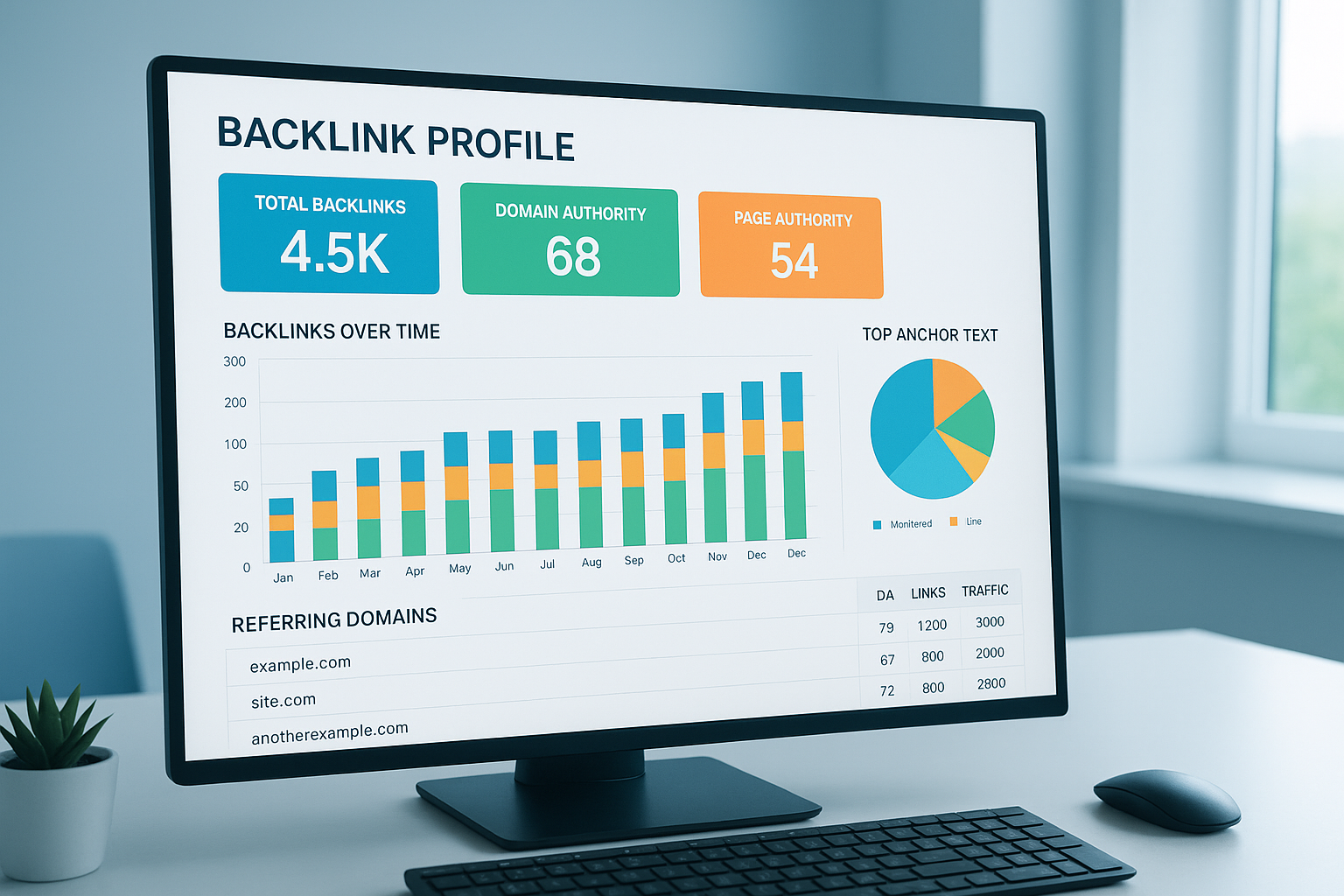
A backlink rank checker dashboard gives you a complete view of your link profile, including domain authority, referring domain totals, and link velocity trends. For a deeper walkthrough, see our Backlink Authority Checker: The Complete 2024 Guide.
Why Backlinks Still Drive Search Rankings in 2025
Despite constant algorithm updates, backlinks have never lost their central role in how Google evaluates pages. The underlying logic has not changed: when authoritative, relevant websites link to your content, they are effectively vouching for it. Google interprets that vote of confidence as a signal that your page deserves to rank.
What has changed is how Google evaluates link quality. A single backlink from a trusted, topically relevant domain now carries more weight than hundreds of low-quality directory links. This shift makes a backlink rank checker even more critical — because raw link counts are increasingly meaningless without quality context.
Why Link Quality Beats Link Quantity Every Time
- One link from a domain with a Domain Rating of 80+ can move rankings faster than 100 low-DA links
- Topical relevance — a link from a site in your exact niche — amplifies authority transfer
- Link diversity across many unique root domains signals organic, trust-worthy growth to Google
- A sudden spike in low-quality links can trigger algorithmic filters even if you did not build them
- Lost links from high-authority pages can cause measurable ranking drops within days
Every Key Metric a Backlink Rank Checker Should Show You
Not all backlink tools surface the same data, and understanding what each metric actually means determines how well you can act on the results. Below are the metrics that matter most — and what to do with each one.
Domain Rating and Domain Authority
Domain Rating (DR) and Domain Authority (DA) are proprietary scores from Ahrefs and Moz respectively, both measuring a domain’s overall link-based strength on a 0–100 scale. Higher scores generally mean the linking domain passes more ranking equity to your pages. Focus your outreach on earning links from domains scoring above 50 for the most measurable SEO impact.
URL Rating (UR) and Page-Level Authority
Beyond domain-level authority, the specific page linking to you matters enormously. A link from a high-DR domain’s deeply buried page with no internal links pointing to it passes far less value than a link from a well-linked resource page on the same domain. URL Rating tells you the authority of the exact page — not just the domain.
Anchor Text Distribution
Anchor text is the clickable wording used in a hyperlink. When too many of your backlinks use identical keyword-rich anchor text, Google may interpret that pattern as manipulative link building. A healthy anchor text profile is diverse: branded anchors, generic phrases (“click here,” “read more”), partial-match keywords, and bare URLs should all appear in your distribution alongside exact-match terms.
Dofollow vs. Nofollow vs. Sponsored vs. UGC
Google introduced additional link attribute values beyond the original dofollow/nofollow split. Sponsored links are paid relationships; UGC links come from user-generated content like forums. A natural backlink profile contains all these types. If 100% of your backlinks are dofollow, that can itself be a red flag — organic link profiles always include a mix.
Unique Referring Domains
Google places far more weight on links from many distinct domains than on hundreds of links from the same source. A site with 10,000 backlinks all from one domain is weaker than a site with 1,000 backlinks spread across 800 unique referring domains. Always prioritize growing the number of unique root domains pointing to your site.
Link Velocity and Historical Trends
Link velocity measures the rate at which your site gains or loses backlinks over time. Sudden, unnatural spikes — especially from low-quality sources — can trigger algorithmic scrutiny. Steady, gradual link growth is the safest pattern. Your backlink rank checker should chart this trend so you can identify both organic growth opportunities and potential negative SEO attacks.
Spam Score and Toxicity Indicators
Spam scores flag links from sources that exhibit patterns common to manipulative link schemes: excessive outbound links, thin content, unrelated niches, or networks of domains registered in bulk. Links scoring above 30% on spam metrics warrant manual review. Above 60%, consider adding them to a disavow file.
Complete Backlink Metrics Reference
- Domain Rating (DR) / Domain Authority (DA): Predicts how much ranking equity the linking domain can pass
- URL Rating (UR): Measures the authority of the specific linking page, not just the domain
- Anchor Text Distribution: Reveals whether your profile looks natural or over-optimized
- Dofollow / Nofollow / Sponsored / UGC Split: Shows the diversity of link attribute types in your profile
- Unique Referring Domains: Diversity of linking sites, not just raw link volume
- Link Velocity: Rate of link acquisition — sudden spikes may signal manipulation or negative SEO
- Spam Score / Toxicity Score: Flags links from low-quality or manipulative sources
- Linked Pages (Top Pages): Which of your pages attract the most backlinks — and which are neglected
- Link Type (Text / Image / Redirect): Image links pass authority but no anchor text; redirect links may dilute equity
- HTTP Status of Linking Pages: Links from 404 pages or redirects pass reduced or no value
How to Run a Complete Backlink Audit Step by Step
A full backlink rank checker audit takes less than an hour when you follow a structured process. Here is a repeatable workflow you can use for your own site and for clients.
- Enter your root domain and pull the complete backlink report. Always start with the root domain (example.com) rather than a specific URL so you capture links to every subpage. Note the total number of backlinks and unique referring domains before filtering anything.
- Segment links by Domain Rating or Domain Authority. Sort your results from highest to lowest DR/DA. Review your top 50 highest-authority links first — these are your most valuable assets and should be tracked closely for any changes.
- Audit your anchor text distribution. Export your full anchor text report and categorize each anchor as branded, generic, exact-match keyword, partial-match keyword, or URL-only. If exact-match keywords represent more than 20–30% of your total anchors, your profile may be over-optimized.
- Flag and review all high-spam-score links. Filter for links with spam scores above 30%. For each flagged link, manually visit the source page. Look for thin content, hundreds of outbound links, unrelated niche topics, or foreign-language spam. Confirmed toxic links go into your disavow list.
- Identify lost and broken backlinks. Filter your report for recently lost links. For any lost link from a domain with DR 40+, attempt outreach to reclaim it. For broken links (404 pages that still receive inbound links), set up a redirect to the most relevant live page on your site.
- Review your linked pages report to find equity gaps. Identify which pages on your site attract the most backlinks. Then identify important pages that have strong content but few inbound links — these are prime candidates for an internal linking push or targeted outreach campaign.
- Compile and submit your disavow file. After manually reviewing all flagged links, compile confirmed toxic domains into a disavow file formatted per Google’s specifications. Submit it through Google Search Console’s Disavow Tool. Only disavow domains you have reviewed manually — never auto-disavow based on scores alone.
- Set up ongoing monitoring and alerts. Configure your backlink rank checker to send alerts for new links, lost links, and significant changes in referring domain count. Weekly monitoring catches problems early; monthly reports give you trend-level visibility for strategy decisions.
For ongoing management and tool comparison resources, Rank Authority provides detailed reviews to help you match the right checker to your site size and budget.
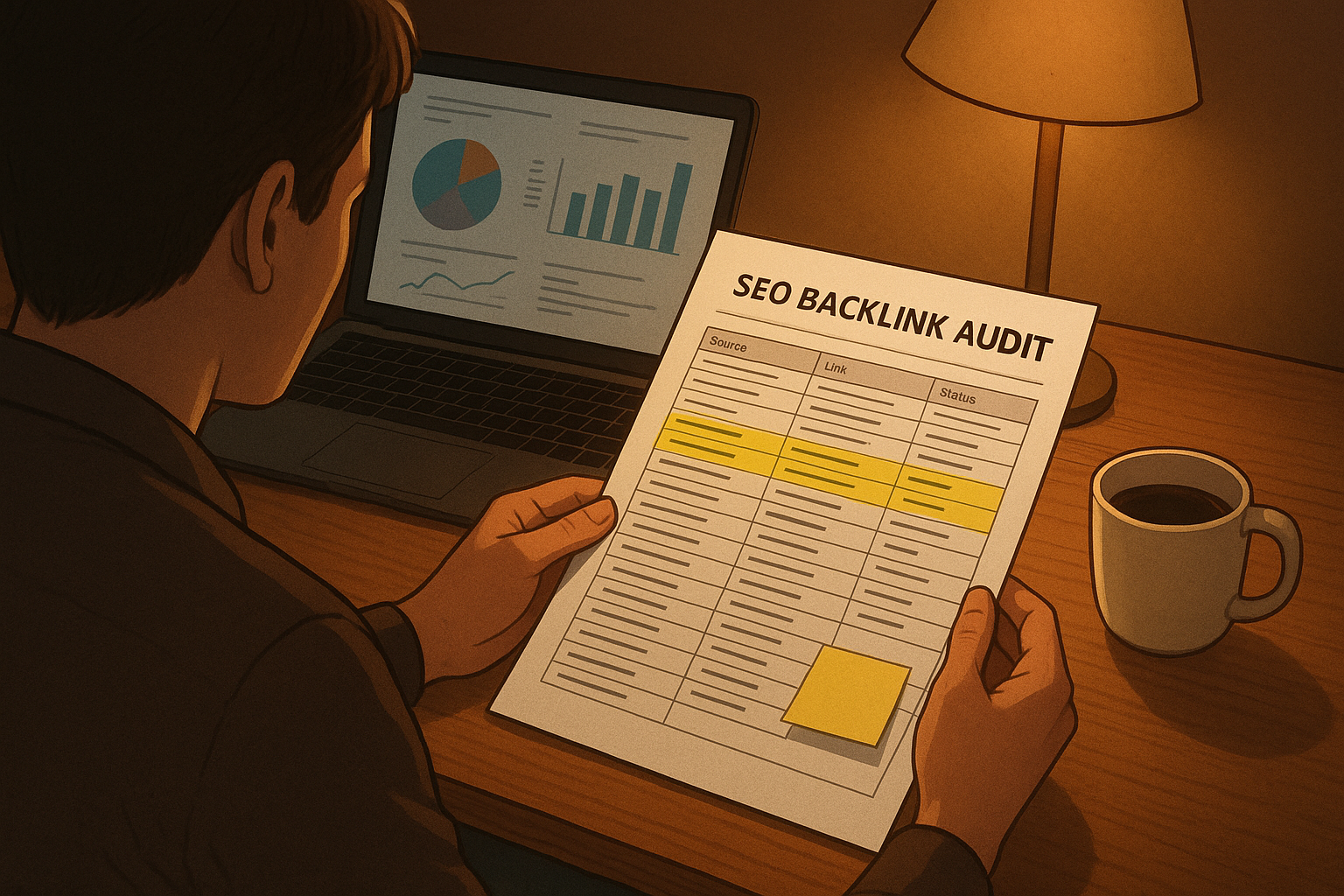
Reviewing your backlink audit report regularly helps you act on new opportunities and remove harmful links before they affect rankings.
How to Identify and Remove Toxic Backlinks
Toxic backlinks originate from spammy directories, link farms, private blog networks (PBNs), hacked sites, and irrelevant foreign-language pages. While Google’s algorithms now ignore many of these automatically, a high concentration of bad links still poses real risk — both to algorithmic performance and to triggering a manual review action.
Red Flags That Signal a Toxic Link Source
- Page contains 50+ outbound links with no obvious editorial reason
- Linking domain was registered very recently (less than 6 months ago)
- Domain has no organic traffic according to third-party tools
- Content is thin, auto-generated, or in an unrelated language or niche
- Domain exists in a known link network or was flagged by previous penalties
- The anchor text used is exact-match keyword with no contextual relevance to the linking page
- Linking page returns a non-200 HTTP status, reducing any value it might pass
The Right Way to Disavow: A Restrained Approach
The disavow tool is not a cleanup button — it is a precision instrument. Disavowing links too broadly, including borderline or legitimate links, reduces your overall link equity and can cause measurable ranking drops. Only use it for confirmed manipulative links that you cannot get removed through direct outreach.
Before submitting a disavow file, attempt to contact the linking webmaster and request removal for clearly harmful links. Document those outreach attempts. If removal is not possible within two to four weeks, proceed with the disavow. Google explicitly recommends this two-step process in its own documentation.
Important: Do Not Over-Disavow
Many SEOs mistakenly disavow all low-DA or nofollow links as “toxic.” This is wrong. Low-authority links from legitimate, relevant sites are harmless — and nofollow links from high-traffic pages still deliver real referral visitors. Disavow only confirmed manipulative links with clear red flags.
Using Competitor Backlink Data to Uncover Link Opportunities
Competitive backlink analysis is one of the highest-ROI features built into any serious backlink rank checker. By analyzing the link profiles of your top-ranking competitors, you transform cold outreach into warm prospecting — targeting sites already proven to link to content like yours.
Link Intersection Analysis
Enter two or three competitor domains simultaneously and use the link intersection feature to find sites that link to all of them — but not to you. These domains are your highest-priority outreach targets. They link to multiple competitors, which proves they actively curate links in your space and are responsive to outreach requests.
Skyscraper Opportunities via Competitor Top Pages
Review your competitor’s most-linked pages. If a competitor’s resource guide on a topic in your niche has 200 backlinks, that is clear market evidence that people in your industry actively link to comprehensive guides on that subject. Create a definitively better version of that content, then reach out to everyone linking to the original.
Anchor Text Mirroring (Without Copying)
Study the anchor text distribution of your best-ranking competitors. If their links use a high proportion of branded anchors and topical phrases — rather than exact-match keywords — that is a signal your own strategy should mirror. Do not replicate their exact anchors; understand the pattern and build your own natural version of it.
Brand Mention Gap Analysis
Use your checker to look for referring domains that mention your competitor by name but link to them from pages that are contextually relevant to your business too. These are warm outreach opportunities where you can offer your product, tool, or content as an additional or alternative resource.
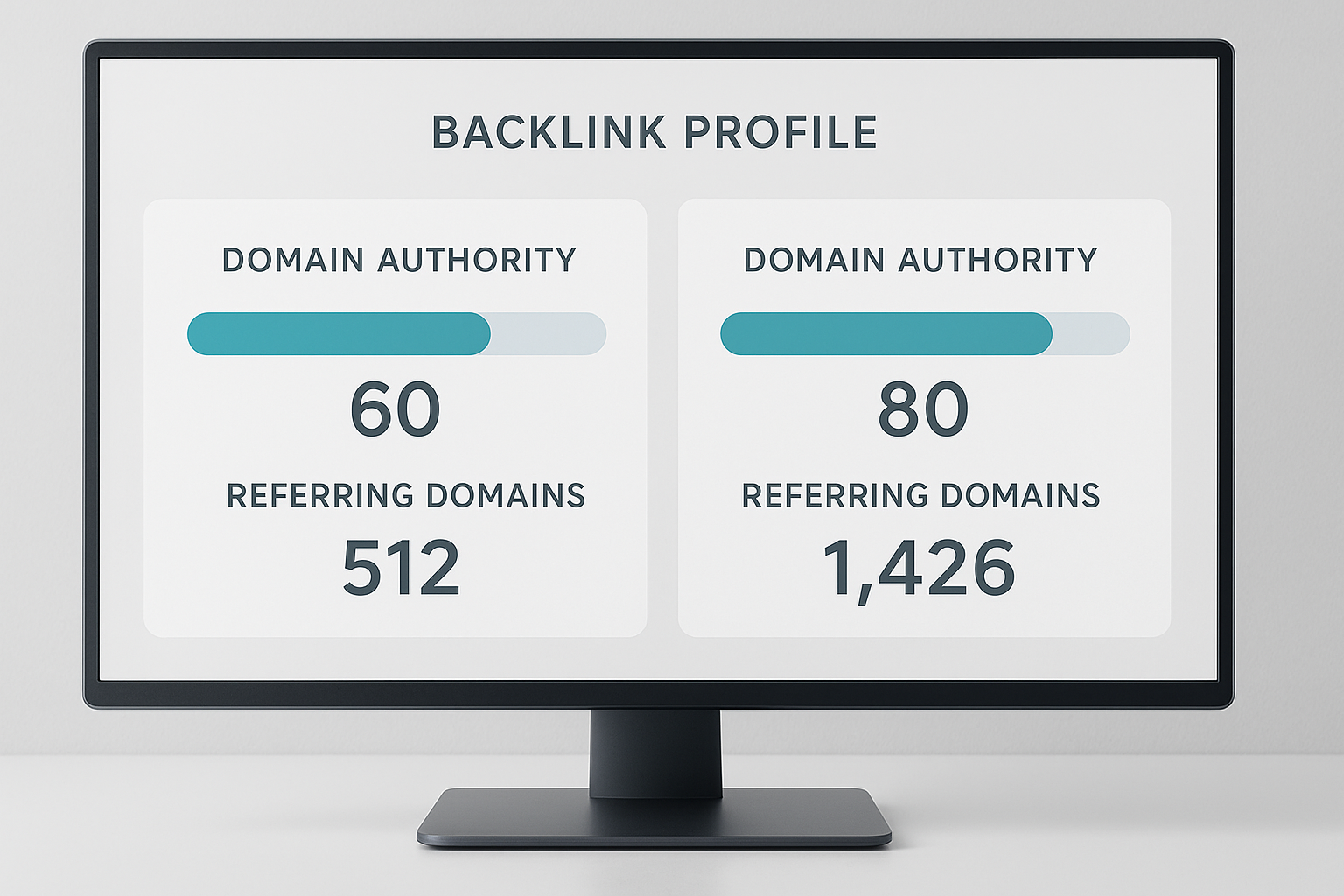
Comparing your backlink profile against competitors reveals link-building gaps and high-priority outreach targets you would never discover otherwise.
Free vs. Paid Backlink Rank Checkers: What You Actually Get
The gap between free and paid backlink rank checker tools is significant — not just in results volume, but in data freshness, accuracy, and the analytical depth that determines how useful the information is for real SEO decisions.
What Free Tools Give You
- A sample of backlinks — typically capped at 100 to 500 results per query
- Limited or no historical data — only a current snapshot
- Infrequent index updates, often lagging by weeks or months
- Basic domain authority estimates without page-level metrics
- No competitor comparison features or link gap analysis
- No alert system for lost or new links
What Paid and Freemium Tools Give You
- Full backlink indexes with billions of links, refreshed continuously
- Historical link data showing profile growth and changes over months or years
- URL-level authority metrics (UR/PA) alongside domain-level scores
- Competitor link gap reports identifying exact outreach targets
- Broken link detection and lost link recovery workflows
- Configurable alerts for new, lost, and changed links
- Disavow file management tools built directly into the interface
- API access for integrating link data into custom dashboards or reports
When a Free Tool Is Enough
For brand-new websites or quick one-off checks on a single domain, free tools provide enough data to get started. However, once your site has more than a few hundred pages, is in a competitive niche, or you need to monitor changes over time, the limitations of free tools become an active liability — not just an inconvenience.
Rank Authority provides independent comparisons of leading backlink checker tools across different price points and site sizes, so you can choose the right one without paying for features you will never use.
Advanced Backlink Strategies Most SEOs Overlook
Once you have the basics covered, a backlink rank checker enables a range of advanced strategies that go far beyond basic auditing. These are the techniques that separate sites that grow their rankings slowly from sites that compound authority month over month.
Internal Link Equity Distribution
Your backlink checker’s “top pages” report shows which pages on your site attract the most inbound links. These pages are your highest-equity assets. Use this data to build deliberate internal links from these high-equity pages to your most commercially valuable pages — effectively channeling external authority to the pages that matter most for conversions and rankings.
Broken Link Building at Scale
Find pages in your niche that have significant inbound link counts but return 404 errors. Use your checker to identify who is linking to those dead pages. Then reach out to those linking sites with a relevant replacement page on your own site — offering a working resource in exchange for updating their broken link. This approach has exceptionally high acceptance rates because you are genuinely helping the linking webmaster fix a problem.
Reclaiming Unlinked Brand Mentions
Use a combination of your backlink checker and a content mention monitoring tool to find websites that mention your brand, product, or content by name without linking to you. These are among the easiest link-building wins available — the writer already thinks highly enough of you to mention you. A simple, personalized outreach email asking them to add a link converts at a very high rate.
Tracking Link Building Campaign ROI
One of the most underused applications of a backlink rank checker is measuring the actual ranking and traffic impact of specific link-building campaigns. By tagging outreach campaigns with start dates and monitoring the links that go live afterward, you can correlate link acquisition with ranking changes for specific target keywords — turning link building from an activity into a measurable investment.
Negative SEO Detection and Defense
Negative SEO — the practice of deliberately pointing toxic links at a competitor’s site — is rare but real. Monitoring your link velocity with a backlink rank checker helps you detect an unexpected spike of low-quality links early. If you identify a negative SEO attack in progress, disavowing those links before they are crawled en masse limits the potential algorithmic impact.
Common Mistakes When Analyzing Backlink Data
Even experienced SEOs consistently make avoidable errors when interpreting backlink reports. Understanding these mistakes ahead of time saves you from drawing wrong conclusions and making decisions that actively damage your rankings.
Mistake 1: Optimizing for Link Count Instead of Referring Domain Count
Total backlink count is a vanity metric. A site with 50,000 links from 10 domains is far weaker than a site with 5,000 links from 4,000 unique domains. Always optimize for the number of unique referring root domains — that is the metric most correlated with actual ranking ability.
Mistake 2: Ignoring Nofollow Links Entirely
Nofollow links do not pass direct ranking equity, but they still drive real referral traffic, contribute to brand visibility, and — as of Google’s 2019 update treating nofollow as a “hint” — may carry some indirect influence. A major editorial publication linking to you with nofollow still matters. Never deprioritize a high-authority link opportunity solely because it will be nofollow.
Mistake 3: Running a Single Audit and Never Returning
Link profiles change constantly. Sites delete pages, change linking policies, get hacked, or lose domain authority over time. A backlink audit performed once and never revisited is worth very little six months later. Set a recurring calendar reminder for weekly link monitoring and monthly full-profile reviews.
Mistake 4: Disavowing Based on Score Alone Without Manual Review
Spam scores and toxicity metrics are calculated models, not perfect judgments. Automatically disavowing every link above a certain score — without visiting the actual page — frequently results in disavowing legitimate, valuable links. Always manually inspect before disavowing. The few minutes this takes will protect link equity you have worked hard to earn.
Mistake 5: Comparing Raw DR/DA Numbers Across Different Tools
Ahrefs’ Domain Rating and Moz’s Domain Authority use different methodologies, different crawl indexes, and different scoring algorithms. A DR of 60 from Ahrefs and a DA of 60 from Moz are not equivalent. When comparing sites or tracking progress, always use the same tool and the same metric consistently across every measurement.
Backlink Rank Checker: Frequently Asked Questions
What is a backlink rank checker?
A backlink rank checker is a tool that identifies every external link pointing to a website, evaluates each link’s quality and authority, and shows how those links collectively influence the site’s search engine rankings. It helps SEOs discover valuable links, flag toxic ones, track profile changes over time, and benchmark against competitors.
How does a backlink rank checker determine link quality?
Quality is evaluated using multiple signals: the domain authority of the linking site, the page-level authority of the specific linking page, the relevance of the linking site’s topic to yours, the anchor text used, the link’s HTTP status, and spam indicators like excessive outbound links or thin content. Better tools combine all of these signals into a composite quality score.
Why are backlinks important for SEO rankings?
Backlinks act as editorial votes of confidence from other websites. When authoritative, relevant sites link to your content, Google interprets those links as evidence that your page is trustworthy and valuable. High-quality backlinks from relevant domains are one of the strongest confirmed positive ranking signals in Google’s algorithm.
How often should I run a backlink rank check?
Most websites benefit from weekly monitoring using automated alerts, combined with a full manual audit once per month. Highly competitive sites or those actively building links should consider daily alerts. The goal is to catch lost links, new toxic links, and link velocity spikes early enough to respond before they affect rankings.
What is the difference between total backlinks and unique referring domains?
Total backlinks counts every individual link pointing to your site, including multiple links from the same domain. Unique referring domains counts the number of distinct websites linking to you. Unique referring domains is the more meaningful metric because Google assigns diminishing value to additional links from the same domain — diversity of linking sites matters far more than raw link volume.
What metrics should I focus on in a backlink rank checker?
Prioritize Domain Rating (DR) or Domain Authority (DA), URL Rating for page-level authority, anchor text distribution, dofollow/nofollow/sponsored ratios, unique referring domains, link velocity trends, and spam score. Monitoring these metrics together — rather than individually — gives you the most accurate and actionable picture of your link profile’s health.
Can a backlink rank checker identify toxic or harmful links?
Yes. Most backlink rank checkers flag potentially toxic links based on spam scores, low or zero domain authority, suspicious anchor text patterns, and known link scheme signals. However, automated scores are not perfect — always manually review flagged links before disavowing them to avoid accidentally removing legitimate link equity.
Is Google Search Console an adequate backlink rank checker?
Google Search Console provides a free, authoritative list of links Google has discovered for your site, but it lacks critical analytical features: no domain authority scores, no spam detection, no competitor comparison, no anchor text analysis, and no link velocity tracking. Use it as a supplementary data source alongside a dedicated backlink rank checker tool for thorough analysis.
What is the difference between dofollow and nofollow backlinks?
Dofollow links pass link equity (PageRank) to your site and directly influence search rankings. Nofollow links include a rel=”nofollow” attribute that historically told search engines not to pass ranking credit. Since 2019, Google treats nofollow as a “hint” rather than a directive, meaning some nofollow links may carry indirect ranking influence. Both types contribute to brand visibility and referral traffic, so neither should be ignored in a comprehensive link strategy.
How do I disavow toxic backlinks found by a checker?
First, attempt to contact the linking site and request manual removal. If that fails after two to four weeks, compile confirmed toxic domains into a plain-text disavow file following Google’s format specifications. Submit the file through Google Search Console’s Disavow Tool. Google will then exclude those links when evaluating your site’s authority. Resubmit an updated file whenever you identify new toxic links.
Can I check a competitor’s backlinks with these tools?
Yes. Most backlink rank checkers allow you to enter any domain — not just your own — and analyze its complete backlink profile. This competitive analysis reveals which sites link to your competitors but not to you, what anchor text strategies they use, and which of their pages earn the most links. This data is the foundation of an effective link-building outreach strategy.
What is anchor text and why does it matter in backlink analysis?
Anchor text is the visible, clickable wording used in a hyperlink. Google uses anchor text as a relevance signal — it helps confirm what the linked page is about. A natural, varied anchor text profile includes branded terms, generic phrases, partial-match keywords, exact-match keywords, and bare URLs. Over-optimizing for a single exact-match keyword in anchor text can trigger Penguin-style algorithmic penalties.
Are free backlink rank checkers accurate enough for real SEO work?
Free tools are sufficient for basic one-off checks and brand-new sites with small link profiles. For active SEO work — especially auditing, competitive analysis, or ongoing monitoring — their limitations (capped results, outdated indexes, missing page-level metrics) make them inadequate. A paid or freemium tool with a large, frequently updated index is strongly recommended for any serious SEO effort.
What is link velocity and why does it matter?
Link velocity is the rate at which your site gains or loses backlinks over a given period. A steady, gradual increase signals natural, organic link growth. An unnatural spike — especially in low-quality links — can trigger algorithmic scrutiny or indicate a negative SEO attack. Monitoring link velocity through your backlink rank checker helps you detect and respond to both scenarios before they affect rankings.
Building a Sustainable Backlink Strategy Around Your Checker Data
A backlink rank checker is the starting point — not the ending point — of an effective link strategy. The sites that build lasting search authority are those that integrate link data into a repeatable, improving cycle rather than treating audits as isolated events.
Establish a rhythm: weekly alerts for immediate changes, monthly full-profile audits for trend analysis, and quarterly competitor benchmarking to ensure you are closing any authority gap. Each cycle generates a prioritized action list — links to reclaim, targets to pursue, toxic links to remove, and internal equity to redistribute.
The most durable backlink profiles are built by creating content that earns links organically — data studies, original research, definitive guides, and free tools that people in your industry reference repeatedly. Your backlink rank checker tells you which content is already doing this and which pages need help getting there.
Search algorithms will continue evolving, but the fundamental principle — that links from authoritative, relevant websites signal trustworthiness — is structural to how the web works. The sites that rank consistently and defend their positions are those treating link management not as a campaign but as an ongoing operational discipline. The right backlink rank checker, used correctly and consistently, is one of the highest-leverage tools in your entire SEO stack.

