

Technical SEO · Site Health · Broken Links
Dead Links Finder: The Complete 2025 Guide to Finding and Fixing Broken Links
Every broken link on your site silently drains rankings, wastes crawl budget, and drives visitors away. This guide gives you every tool, tactic, and step you need to eliminate dead links for good. For a deeper walkthrough, see our Disavow: The Complete Guide to Removing Toxic Links.
Direct Answer
A dead links finder is a tool that crawls your website and identifies every URL returning an error — most commonly a 404 Not Found — so you can fix them before they damage your SEO or frustrate your users. To fix dead links: update the URL to a live destination, apply a 301 permanent redirect, or remove the link entirely. Running this audit monthly is best practice for any site that wants to protect its search rankings.
What Is a Dead Links Finder?
A dead links finder is the most reliable way to detect link rot before it compounds into a serious SEO problem. Specifically, it is a software tool — available as a desktop application, a web-based service, or a developer API — that systematically requests every URL on your website and records the HTTP response code each URL returns. When a URL responds with a 4xx or 5xx status code instead of the expected 200 OK, the tool flags it as broken or dead and logs the page on which that link was found.
In other words, a dead links finder is your automated quality-control layer for all hyperlinks across your site. Without one, broken links accumulate invisibly. According to Wikipedia’s research on link rot, a significant percentage of hyperlinks become invalid within just a few years — even on well-maintained websites. Therefore, no matter how carefully you publish content, external URLs change, pages get deleted, and domains expire without warning.
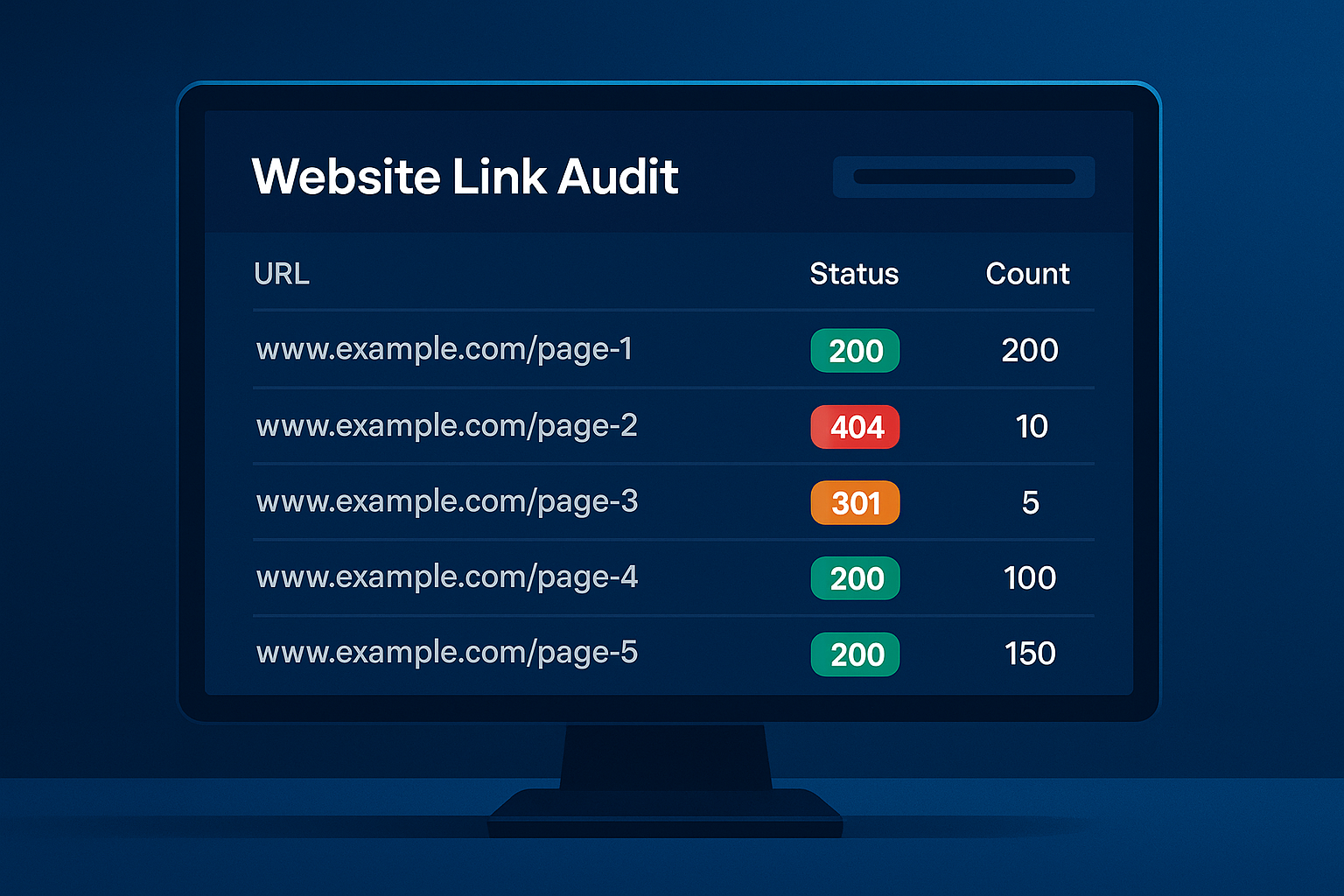
A dead links finder dashboard gives you a color-coded, exportable view of every broken URL across your entire site.
What HTTP Status Codes Does a Dead Links Finder Detect?
Understanding the error codes your dead links finder reports is essential for prioritising fixes correctly. Here are the most common ones:
- 404 Not Found — The URL no longer exists at its current address. This is the most common dead link error and should be fixed with a redirect or content update.
- 410 Gone — The resource has been intentionally and permanently removed. Unlike a 404, a 410 tells crawlers to de-index the URL immediately.
- 500 Internal Server Error — The server encountered an unexpected condition. These are often temporary but require investigation if they persist.
- 503 Service Unavailable — The server is temporarily unable to handle the request. Repeated 503s on the same URL signal a deeper hosting or configuration issue.
- 301/302 Redirect Chains — Not dead links in the strict sense, but chains of multiple redirects before reaching a final URL. Most dead links finder tools flag these because they dilute PageRank and slow page load times.
Why Dead Links Seriously Damage Your SEO Rankings
Search engines like Google send crawl bots to index your site on a regular schedule. Each visit consumes a portion of your site’s crawl budget — essentially, the number of pages Googlebot will request within a set timeframe. Consequently, when bots encounter dead links and receive repeated 404 responses, they waste that budget on URLs returning no usable content. As a result, important and recently updated pages may get crawled less frequently, delaying their appearance in search results.
Furthermore, dead links interrupt the flow of PageRank through your internal link architecture. Internal links transfer ranking authority from high-value pages to supporting pages. A broken internal link completely severs that transfer, leaving target pages without the authority they should be accumulating. For competitive keywords, even a modest loss of internal PageRank can directly suppress your position in search results.
Beyond the technical impact, broken links visibly damage user trust. A visitor who clicks a link and lands on a 404 page is significantly more likely to leave your site immediately, increasing your bounce rate. Higher bounce rates, in turn, send negative engagement signals to search engines. Therefore, using a dead links finder is not merely a technical hygiene task — it is a direct investment in rankings, revenue, and reputation.
SEO Impact of Dead Links
- Wasted crawl budget
- Lost internal PageRank
- Slower indexing of new pages
- Lower rankings for competitive terms
UX Impact of Dead Links
- Higher bounce rates
- Reduced conversions
- Damaged brand credibility
- Poor accessibility for users
Link Building Impact
- Broken backlinks lose value
- Missed reclamation opportunities
- External authority leaks
- Weaker domain profile overall
The Best Dead Links Finder Tools in 2025
Not all broken link checkers deliver the same results. In particular, the best dead links finder for your situation depends on your site’s size, technical requirements, and budget. Below are the most effective tools available today — each evaluated on depth of crawl, reporting quality, and practical ease of use.
Dead links sever the connection between pages — a dead links finder maps these breaks so you can repair them systematically.
How to Find and Fix Dead Links: Step-by-Step Process
Follow these five steps to run a complete dead link audit and resolve every broken URL on your site. Specifically, this process applies whether you are running a dead links finder for the first time or formalising an existing ad hoc routine.
Choose the Right Dead Links Finder for Your Site
First, select a tool suited to your site’s size and technical complexity. For sites under 500 pages, start with Google Search Console combined with Screaming Frog’s free tier. For larger or enterprise-level sites, invest in Ahrefs Site Audit or Semrush, both of which support unlimited crawls and scheduled monitoring. Specifically, avoid relying on a single tool — combining Google Search Console data with a dedicated crawler gives you the most complete picture.
Configure and Run a Full Site Crawl
Enter your root domain and configure the tool to check both internal links (pages within your domain) and external links (outbound URLs pointing to other websites). Additionally, enable JavaScript rendering if your site uses React, Vue, or any other JS framework — otherwise the crawler may miss links injected dynamically. For large sites, schedule crawls during off-peak hours to avoid impacting server performance for real users.
Export and Prioritise the Broken Links Report
Filter your dead links finder results to show only 4xx client errors and 5xx server errors. Export the list to a spreadsheet and add columns for: the broken URL, the source page containing the link, the error code, and your proposed fix. Subsequently, sort by the number of internal links pointing to each broken URL — broken pages with many internal links pointing to them represent the highest-priority fixes because the most PageRank is being lost. Additionally, flag any broken links appearing on your highest-traffic landing pages as urgent.
Fix, Redirect, or Remove Each Dead Link
For each broken link, you have exactly three options. Choose the one that best preserves SEO equity:
- Update the link — Replace the dead URL with a live, relevant alternative. This is the preferred option for internal broken links and for external links where an equivalent live resource exists.
- Implement a 301 redirect — A 301 (permanent redirect) tells both users and search engines that the resource has permanently moved. It transfers the majority of PageRank from the old URL to the new destination. Use this when the content has moved rather than been removed.
- Remove the link entirely — If no suitable replacement exists and the link adds no value, delete it. This is particularly appropriate for outdated external references to defunct domains.
Re-Crawl, Verify, and Schedule Regular Audits
After implementing fixes, run your dead links finder again immediately to confirm that all broken URLs have been resolved. Additionally, request re-indexing of affected pages through Google Search Console to accelerate the recovery of any lost rankings. From this point forward, treat link auditing as scheduled maintenance rather than a reactive task. Most sites benefit from a monthly dead link audit; high-traffic or frequently updated sites should run scans weekly.
Dead Links vs. Redirect Chains: Understanding the Difference
A dead link returns a hard error code — 404 or 410 — and passes zero PageRank to any destination. A redirect chain, however, is a sequence of multiple redirects that a browser or crawler must follow before reaching the final URL. For example: Page A → Page B (301) → Page C (301) → Page D (final destination). Both problems erode site performance, but in different ways.
Redirect chains are slower for users, consume additional crawl budget at each hop, and dilute PageRank slightly with each redirect step. Consequently, even though they do not produce a hard error, most dead links finder tools flag redirect chains separately so you can collapse them into single direct redirects. The fix is straightforward: update the original link or redirect to point directly to the final destination URL, eliminating all intermediate hops.
What About Soft 404s?
A soft 404 is a page that returns a 200 OK HTTP status code — meaning it technically “exists” — but contains little or no meaningful content. Search engines treat soft 404s similarly to genuine 404s because they provide no value to users. Soft 404s are commonly created when a CMS generates empty category pages, search results with no matches, or user-account pages that display “no content found” messages. Your dead links finder may surface these indirectly; however, Google Search Console will report them explicitly in the Coverage report. Address them by either adding substantive content or returning a proper 404 or 410 status code.
How to Reclaim Lost Link Equity from Broken Backlinks
Broken backlinks — external links from other websites pointing to dead pages on your domain — represent one of the most overlooked opportunities in SEO. When another site links to a URL on your domain that no longer exists, that link’s PageRank is effectively lost. However, with the right dead links finder, you can reclaim it.
The process is simple. Use Ahrefs or Semrush to identify all external URLs pointing to 404 pages on your domain. Then, implement a 301 redirect from each dead URL to the most relevant live page on your site. As a result, the external PageRank that was previously being lost is immediately redirected to a live destination, often producing a measurable uplift in that page’s rankings within weeks.
This tactic is sometimes called broken link reclamation or link rescue. It is one of the highest-ROI link building activities available because it costs nothing beyond the time to identify and implement the redirects — and the link already exists, requiring no outreach.
Broken Link Building: Turning Competitor Dead Links into Your Links
A related tactic is broken link building — using your dead links finder to identify broken external links on other websites, then contacting those site owners to suggest your own content as a replacement. Specifically, you use Screaming Frog or Ahrefs to crawl competitor or niche-relevant sites, find their dead outbound links, and reach out with a relevant live replacement. Because you are helping the site owner fix a problem they may not know exists, the success rate is significantly higher than cold outreach.
Dead Links Finder for WordPress: Plugins and Built-in Options
WordPress is the world’s most widely used CMS, and consequently it has a strong ecosystem of dead link detection plugins. These are particularly useful for non-technical users who want automated background monitoring without logging into a separate tool.
Top Dead Links Finder Plugins for WordPress
- Broken Link Checker by WPMU DEV — Continuously monitors your WordPress site for broken links and missing images in the background. It highlights broken links within the post editor and allows one-click fixes without leaving WordPress admin. However, note that running it continuously on large sites can increase server load, so configure it to scan during low-traffic periods.
- Link Whisper — Primarily an internal linking tool, but it includes a dead links finder feature that surfaces broken internal links with suggested replacements. It is particularly useful for content-heavy sites with large archives where internal link management is complex.
- Rank Math SEO — Rank Math’s 404 Monitor tracks every 404 error encountered by real visitors and bots on your site. In addition, its Redirections module allows you to create 301 redirects directly from the 404 log — making the identify-and-fix workflow seamless without requiring any additional tools.
- Yoast SEO (Premium) — Includes a redirect manager that triggers automatically when you change a post’s URL, preventing accidental dead links during content updates. This is particularly valuable for editorial teams who regularly rename or restructure content.
How Often Should You Run a Dead Links Finder?
The right audit frequency depends on your site’s size, update cadence, and the volume of external links you maintain. As a general rule, the following schedule works well for most sites:
| Site Type | Recommended Frequency | Best Tool |
|---|---|---|
| Small blog (under 100 pages) | Quarterly | Google Search Console / W3C |
| Medium site (100–1,000 pages) | Monthly | Screaming Frog |
| Large site (1,000–10,000 pages) | Bi-weekly | Ahrefs / Semrush Site Audit |
| Enterprise / eCommerce (10,000+ pages) | Weekly or continuous | Ahrefs / Semrush + WordPress plugin |
Above all, the most important principle is consistency. A single annual audit is far less effective than consistent monthly checks, because broken links compound over time. External sites change their URL structures, pages get deleted, and third-party services shut down — all without any notification to your site. Therefore, regular use of a dead links finder is the only reliable way to stay ahead of this entropy.
Frequently Asked Questions About Dead Links Finders
What is a dead links finder?
A dead links finder is a tool or software that crawls your website and identifies every URL returning an error — most commonly a 404 Not Found. It reports the broken URL, the source page where the link appears, and the HTTP error code, so you can fix or remove the link before it damages your SEO performance or user experience.
How often should I run a dead links finder?
For most websites, running a dead links finder monthly is sufficient. However, high-traffic or frequently updated sites — particularly eCommerce stores with large product catalogues — should run scans weekly to catch broken links before search engines and visitors encounter them.
Does having dead links hurt my SEO rankings?
Yes, significantly. Dead links waste crawl budget, signal poor site quality to search engines, interrupt PageRank flow through your internal link structure, and increase user bounce rates. Consistently using a dead links finder and fixing broken URLs protects and progressively improves your search rankings over time.
What is the best free dead links finder?
Google Search Console is the best free dead links finder for most website owners. It shows you exactly which URLs Google has flagged as 404 errors — directly reflecting what the most important search engine sees. For a more granular crawl, Screaming Frog’s free tier (up to 500 URLs) is also excellent. Additionally, the W3C Link Checker is useful for quick page-level spot-checks at no cost.
What is the difference between a dead link and a redirect chain?
A dead link returns a hard error code (404 or 410) and passes zero PageRank. A redirect chain is a series of multiple redirects that must be followed before reaching a live page — for example, A → B → C → D. Both issues reduce crawl efficiency and dilute PageRank, but a dead link is more severe. Most dead links finder tools report both problems so you can address them in the same audit process.
Can a dead links finder check external links too?
Yes. Tools like Screaming Frog, Ahrefs, and Semrush all check outbound external links in addition to internal links. This is important because external dead links — links from your pages to other sites that have since gone dead — also damage user experience and signal poor content quality to search engines. Checking external links is therefore a recommended part of every full dead link audit.
Make Dead Link Audits a Core Part of Your SEO Routine
Using a dead links finder consistently is one of the highest-ROI maintenance tasks available in technical SEO. For most sites, a complete audit takes less than an hour per month. However, the cumulative benefit — preserved crawl budget, intact PageRank flow, improved user engagement, and recovered external link equity — compounds significantly over time. Specifically, the sites that consistently outrank their competitors are rarely those with the most content alone. They are the ones whose technical foundations are actively and regularly maintained.
In addition to running regular dead link audits, consider integrating broken link detection into your content publishing workflow. For example, before publishing any new article that includes external links, verify each outbound URL is live and resolves correctly. Similarly, whenever you migrate content, restructure your URL architecture, or update a page’s permalink, immediately check for any internal links that reference the old URL and redirect or update them accordingly.
For expert guidance on building a comprehensive SEO strategy that goes beyond broken link detection — covering technical audits, content strategy, and sustainable authority building — the team at Rank Authority provides full-service support for businesses that want to compete and win in organic search.
Conclusion
A reliable dead links finder is not optional for any site that takes SEO seriously — it is essential. Run a full audit at least monthly, fix every broken URL you identify by updating, redirecting, or removing the link, and integrate link health checks into your ongoing publishing workflow. Furthermore, use broken backlink data to reclaim lost external authority through strategic 301 redirects. Consistent link hygiene, maintained with the right dead links finder tools, protects your rankings, preserves your crawl budget, and ensures every visitor who arrives on your site has a seamless, trust-building experience. Pair this with a broader SEO strategy through Rank Authority to maximise your site’s long-term organic growth.

