

Hidden content is any text, link, image, or other on-page element that a human visitor cannot see but that search engine crawlers can still read in the underlying HTML. Because Googlebot reads source code rather than a rendered screenshot, it can encounter elements your audience never scrolls past. Consequently, hidden content sits at the crossroads of technical SEO, user experience design, and Google’s quality guidelines — and getting it wrong can quietly tank an otherwise healthy site.
Not every instance of hidden content is harmful. In fact, modern web design depends on conditionally visible elements — tabs, accordions, mobile menus — that genuinely improve usability. However, when hidden content is used to stuff keywords or mislead crawlers, Google treats it as a manipulation tactic that can trigger real penalties. Therefore, this guide walks through every angle: what hidden content is, how it’s detected, which uses are safe, and exactly how to audit your own site for problems before they cost you rankings.
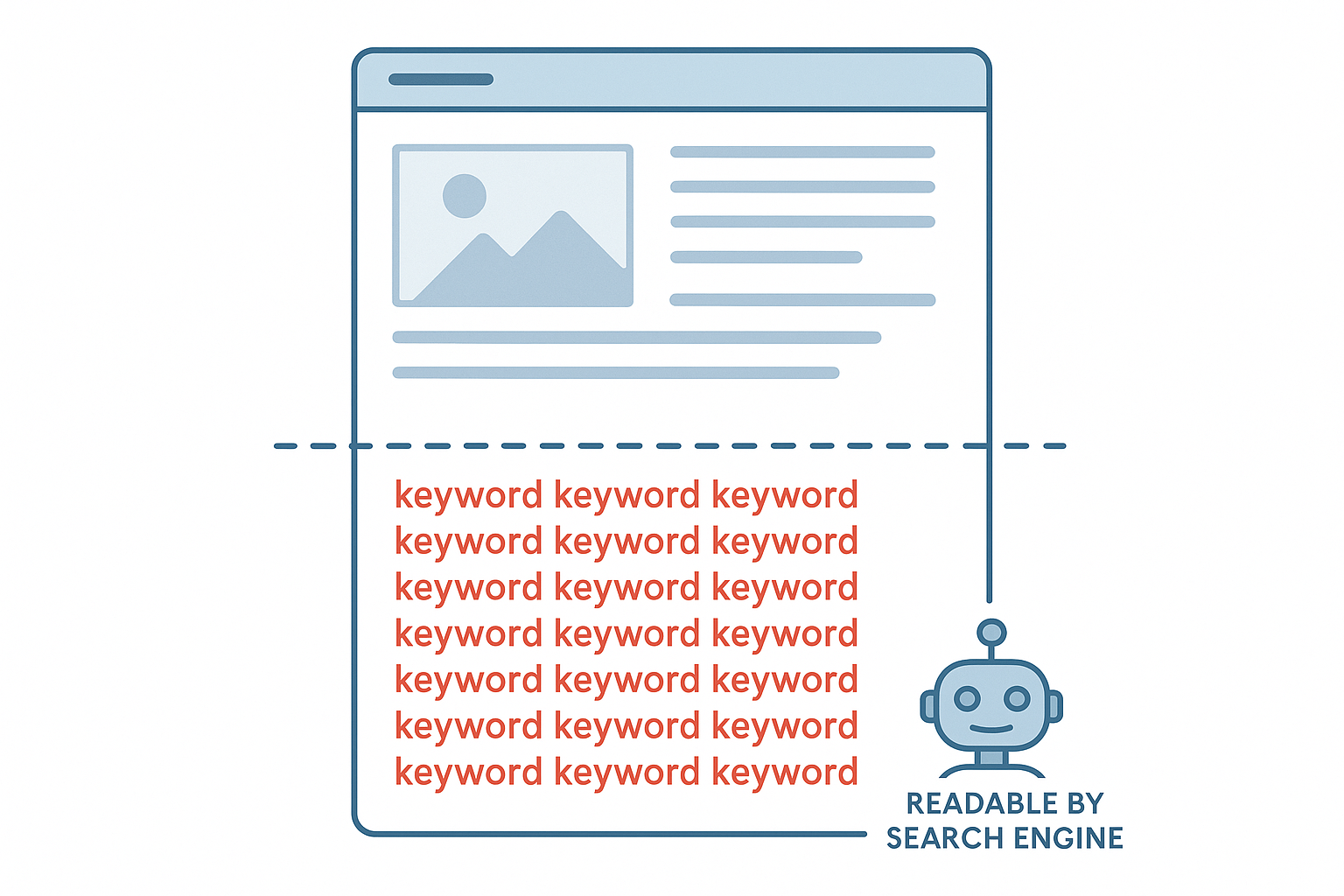
A visual breakdown of hidden content — elements invisible to users but potentially readable by crawlers.
Understanding Concealed Page Elements — A Precise Definition
In technical terms, hidden content is any page element a developer or SEO practitioner has made invisible to the human eye — intentionally or not — while it remains present in the HTML source. Because search crawlers parse that raw code, they frequently “see” content long after a visitor’s browser has rendered the page without it.
This definition spans a wide spectrum. On one end sit deliberate black-hat tactics, such as white text on a white background. On the other end sit entirely legitimate patterns, like navigation drawers, modal windows, and accordion FAQ sections. As a result, intent and context — not the mere presence of hidden markup — determine whether a given instance helps or harms a site’s search performance.
Hidden Content vs. Invisible Text: Are They the Same?
“Invisible text” is usually a narrower term describing one specific tactic — font-color matching or zero-size text — while hidden content is the umbrella category that also includes off-screen elements, collapsed accordions, and server-side cloaking. In other words, every invisible-text trick is a form of hidden content, but not every hidden content element is invisible text.
Common Techniques Used to Hide Content
Over the years, webmasters have engineered numerous methods to conceal text and links from visitors while leaving them readable to crawlers. The most frequently detected techniques include:
- White text on white backgrounds — keyword-stuffed text rendered invisible by matching font color to the page background.
- CSS display:none or visibility:hidden — properties that remove elements from visual rendering while leaving them in the DOM. You can confirm how these properties behave in MDN’s CSS display documentation. For a deeper walkthrough, see our How Can I Improve My Online Visibility Using AI?.
- Off-screen positioning — using negative margins or absolute positioning to push content far outside the visible viewport.
- Zero or microscopic font sizes — shrinking text to 0px or 1px so no human visitor can read it.
- Hidden links in punctuation or special characters — embedding links inside a single period or comma so they are functionally invisible.
Google’s algorithms and manual review teams are specifically trained to detect each of these patterns. Furthermore, because Googlebot renders JavaScript before indexing, even dynamically injected hidden content is increasingly easy for the system to flag.
Legitimate Uses of Hidden Content That Are Not SEO Violations
Not every hidden element is a red flag. In practice, many modern design patterns rely on conditionally visible content that serves a genuine user purpose. Google has explicitly acknowledged this distinction in its Search Central documentation.
Examples of accepted hidden content patterns include:
- Tabbed content panels — users click a tab to reveal relevant information without cluttering the layout.
- Accordion FAQ sections — questions expand on click, improving readability on long pages.
- Off-canvas navigation menus — mobile menus that slide in from the side when triggered.
- Modal dialogs — popup windows that appear only when a user takes a specific action.
Even so, these legitimate patterns carry a nuance worth remembering. Google has indicated that content visible by default tends to receive slightly more indexing weight than content hidden behind a user interaction. For that reason, your most important content should always be visible without requiring a click. If you want a deeper walkthrough of these interaction patterns, this guide to understanding hidden content breaks down each pattern with real examples.

Legitimate UI patterns like accordions differ fundamentally from deceptive hidden text tactics.
Hidden Content vs. Boilerplate Content: Why the Distinction Matters
Site owners often confuse hidden content with boilerplate content, but the two create different SEO risks. Boilerplate content — repeated headers, footers, sidebar widgets, and templated disclaimers — is fully visible but can dilute the uniqueness of a page’s main text. Hidden content, in contrast, is invisible by design. Consequently, a page can suffer from both problems simultaneously: boilerplate bloat diluting the visible text ratio, while hidden elements add an additional layer of crawler-only content underneath.
If you’re auditing a template-driven site, it’s worth reviewing how boilerplate content impacts SEO performance alongside any hidden content findings, since the two issues often compound each other on large, templated websites.
Hidden Content and Multimedia SEO
Images, video transcripts, and audio captions introduce a lesser-known variant of hidden content. For example, a transcript block placed behind a “show more” toggle is technically hidden, yet it’s often essential for indexing video content properly. Similarly, alt text and captions that are never rendered visually still count as crawlable, which means they must accurately describe the media rather than serve as a dumping ground for keywords.
For a complete look at how images, video, and hidden transcripts interact with search visibility, see this guide on multimedia and SEO. It pairs well with this article because multimedia elements are among the most common places accidental hidden content violations occur.
How Google Detects and Responds to Deceptive Hidden Text
Google relies on both algorithmic signals and human quality raters to identify deceptive hidden content. Algorithmically, Googlebot compares what it reads in the source code against what its rendering engine displays visually. When a significant discrepancy appears — particularly around keyword density — the system flags the page for further review.
According to Wikipedia’s overview of SEO practices, hidden text has been a recognized manipulation technique since the earliest days of search engine optimization. Because of this long history, Google’s detection methods are mature, well-tested, and highly reliable today.
When deceptive hidden content is confirmed, Google can respond in several escalating ways. First, it may algorithmically suppress the page’s rankings without any formal notice. Second, a manual action may be applied to the entire domain, which requires a formal reconsideration request to lift. In the most severe cases, the site may be removed from the index entirely — a consequence that can take months to reverse.
Cloaking: The Most Serious Form of Hidden Content
Cloaking is the most severe variation of hidden content, where the server deliberately delivers different content to Googlebot than it delivers to human visitors. For example, a page might show a crawler a wall of keyword-rich text while showing users an unrelated product page. This practice directly violates Google’s core quality guidelines.
Unlike simple CSS-based hiding, cloaking requires server-side logic that detects the user agent and serves alternate content accordingly. As a result, it is considered one of the most intentional and egregious black-hat SEO tactics in existence. Sites caught cloaking typically receive the harshest available penalties, including full de-indexing. For deeper guidance on auditing your site for these issues, resources like Rank Authority provide practical frameworks for identifying and resolving hidden content violations before they escalate into penalties.
Hidden Content on Mobile Devices and Mobile-First Indexing
Since Google switched to mobile-first indexing, the mobile version of a page is now the primary basis for crawling and ranking. This shift has serious implications for hidden content. Specifically, content that is visible on desktop but hidden on mobile may receive reduced weight in the index, even if it remains fully crawlable in the HTML.
Additionally, responsive design frameworks sometimes use CSS media queries to hide certain content blocks on smaller screens. While this is a legitimate design choice in many cases, key information — such as product descriptions or core value propositions — should never be hidden exclusively on mobile. Otherwise, that content may effectively be invisible to Google’s primary crawl, regardless of how complete the desktop version looks.
For a dedicated breakdown of how responsive breakpoints, collapsed menus, and viewport-based hiding affect rankings, review this guide to hidden content on mobile devices, which covers device-specific testing in more depth than a general overview can.
How to Audit Your Site for Hidden Content Problems
Conducting a hidden content audit does not require expensive tools. Follow these steps in order to systematically identify and resolve issues:
- Use Google Search Console’s URL Inspection tool — render any page exactly as Googlebot sees it, then compare the rendered HTML side-by-side with what users see in their browser.
- Run a full site crawl — crawling tools can flag pages with a high ratio of crawled text to visible text, which is a common and reliable indicator of hidden content.
- Inspect CSS properties manually — in your browser’s developer tools, search specifically for display:none, visibility:hidden, opacity:0, and color values that match the page background exactly.
- Review inherited or third-party code — plugins, themes, and injected scripts can introduce hidden elements without your knowledge, so audit all third-party code carefully before publishing.
- Check your mobile rendering separately — use Google’s Mobile-Friendly Test to confirm that critical content is genuinely visible on small-screen devices, not just desktop.
After identifying any problematic hidden content, remove it immediately and ensure all keyword-relevant text is genuinely visible to users. Furthermore, if your site has already received a manual action, submit a reconsideration request through Search Console only once every issue has been fully resolved.
Quick Answer
Hidden content is any webpage element — text, links, or media — that is invisible to human visitors but present in the HTML source. It becomes an SEO risk when used to deceive search engines rather than enhance user experience. Google can detect hidden content algorithmically and may penalize individual pages or entire domains when it is used manipulatively.
Best Practices for Keeping Hidden Content Safe and Visible
The safest approach is simple: ensure that any content you want Google to index is also clearly visible to your users. If you rely on tabs or accordions for genuine UX reasons, that remains acceptable — but never use those patterns as a workaround to stuff keywords that would look unnatural if displayed openly on the page.
Additionally, avoid using CSS or JavaScript to hide entire paragraphs of keyword-dense text that aren’t part of the genuine user journey. Instead, focus on writing content that is genuinely useful, naturally incorporates relevant keywords, and remains fully visible without requiring any interaction at all.
For ongoing monitoring, Rank Authority offers resources that help site owners stay aligned with Google’s evolving content quality standards. In conclusion, understanding hidden content and managing it proactively is one of the most straightforward ways to protect your domain’s long-term search performance.
Frequently Asked Questions About Hidden Content
Final Takeaway on Hidden Content and SEO
In short, hidden content isn’t inherently dangerous — intent and transparency are what separate a helpful accordion from a manual penalty. By auditing your CSS, testing mobile rendering, and keeping every meaningful word genuinely visible to users, you protect your site from the exact tactics Google’s algorithms are built to catch. Treat this guide as your ongoing checklist, and revisit it whenever you redesign a template, migrate a theme, or add new interactive UI patterns to your pages.

