Technical SEO Guide
Precision crawling strategies for SEO professionals who need targeted data fast
List crawls — a targeted crawl mode where you supply a predefined set of specific URLs for an SEO crawler to analyze rather than letting it spider an entire website — represent one of the most powerful and underused techniques in a technical SEO professional’s toolkit. Whether you are auditing a freshly migrated section of a site, validating recently published content, or investigating a specific set of pages flagged in Google Search Console, understanding how list crawls work gives you a decisive edge in both speed and precision.
What Are List Crawls?
Direct Answer
List crawls are a specialized crawl mode in SEO tools where the crawler visits only the exact URLs you provide, rather than discovering new pages by following internal links. This method gives SEO professionals complete control over which pages are analyzed, making audits faster, cheaper on server resources, and far more precise.
In a standard or full site crawl, a crawler starts at a root URL — usually your homepage — and recursively follows every link it finds until it has mapped the entire site. This approach is comprehensive but inherently broad. You get data on every page the crawler can reach, including pages you may not care about at that moment.
List crawls invert that model entirely. You bring the URL list. The crawler simply fetches and analyzes each URL you specify, nothing more. According to Wikipedia’s overview of web crawlers, the fundamental difference between a broad-crawl and a focused-crawl lies in how the seed URL set is defined and constrained — list crawls are the most extreme form of focused crawling, where the seed set is also the complete crawl set.
Tools like Screaming Frog SEO Spider call this “List Mode.” Sitebulb and similar platforms offer equivalent functionality under slightly different names. The underlying mechanism is the same: you supply the URLs, the tool fetches them, and you receive a structured report on their SEO properties.

List crawls allow SEO professionals to target only the URLs that matter, eliminating noise from large-scale full-site crawls.
List Crawls vs. Full Site Crawls: Key Differences
Understanding when to use each crawl type is as important as knowing how to run them. Here is a direct comparison of the two approaches across the dimensions that matter most to SEO practitioners:
One often-overlooked advantage of list crawls is their ability to surface orphan pages — pages that exist on your server but have no internal links pointing to them. A standard crawl will never find these because it relies on link discovery. If you export all indexed URLs from Google Search Console and run a list crawl against them, you can cross-reference the results with your internal link data to identify orphans instantly.
When to Use List Crawls: 7 High-Value Scenarios
Experienced SEOs reach for list crawls in situations where precision matters more than breadth. Here are the most impactful use cases:
Scenario 01
Post-Migration Validation
After a site migration, run a list crawl against your complete redirect map to verify every old URL returns the correct 301 status and resolves to the right destination. Catching errors here prevents ranking loss.
Scenario 02
Google Search Console Coverage Audits
Export URLs from the Coverage or Performance report in GSC and run them through a list crawl to check title tags, canonical tags, meta robots directives, and response codes all at once.
Scenario 03
Content Refresh Verification
After updating a batch of blog posts or landing pages, use a list crawl to confirm that new title tags, meta descriptions, and structured data are live and rendering correctly before the next Googlebot visit.
Scenario 04
Competitor Gap Analysis
Compile a list of competitor URLs from a backlink tool or keyword research platform and run a list crawl to analyze their on-page structure, heading hierarchy, schema usage, and page speed signals.
Scenario 05
Backlink Landing Page Audits
Export your top linked-to pages from a backlink analysis tool and run a list crawl to ensure these high-authority pages are healthy, fast, and not accidentally returning error codes.
Scenario 06
E-Commerce Product Page Monitoring
For large e-commerce sites with thousands of product pages, schedule recurring list crawls against your top-revenue URLs to monitor for accidental noindex tags, missing structured data, or broken images.
Scenario 07
Sitemap Validation
Extract all URLs from your XML sitemap and run a list crawl to confirm every submitted URL returns a 200 status, is indexable, and has a canonical tag pointing to itself.

Preparing a clean URL list is the critical first step before running any list crawl — quality in, quality out.
How to Run List Crawls Step by Step
The following process applies primarily to Screaming Frog SEO Spider in List Mode, but the logic transfers to any crawler that supports targeted URL input.
Export Your Target URLs
Gather the specific URLs you want to audit from Google Search Console, your CMS sitemap, an analytics export, or a backlink tool. Save them as a plain text file or CSV with one URL per line. Clean the list — remove duplicates, trailing spaces, and any non-URL data.
Switch to List Mode
Open Screaming Frog SEO Spider. Navigate to Mode → List in the top menu bar. The interface will change to show an upload prompt rather than a URL input field. This is your signal that list crawl mode is active.
Upload or Paste Your URL List
Click Upload to import your CSV or text file, or use the Paste option to enter URLs directly. Screaming Frog will queue only those URLs. For very large lists (10,000+ URLs), uploading a file is more reliable than pasting.
Configure Your Crawl Settings
In Configuration settings, decide whether you want Screaming Frog to follow links found within those pages (which would expand the crawl beyond your list) or stay strictly to your supplied URLs. For pure list crawls, disable link following. Set an appropriate crawl speed to avoid overloading the server.
Run the Crawl and Analyze Results
Click Start. Once the list crawl completes, review the results across the standard tabs: status codes, page titles, meta descriptions, H1 tags, canonical URLs, response times, and any custom extraction data you configured. Export the full report as a CSV for further analysis in Excel or Google Sheets.
Best Practices for List Crawls
Running list crawls effectively requires more than just knowing the mechanics. These practices separate competent auditors from exceptional ones:
-
✦
Normalize your URLs before uploading.
Ensure consistent use of trailing slashes, HTTPS vs HTTP, and www vs non-www. Inconsistencies create duplicate rows in your results and skew your analysis. -
✦
Segment your URL lists by page type.
Run separate list crawls for blog posts, product pages, category pages, and landing pages. Segmented audits produce cleaner, more actionable reports than mixed-type crawls. -
✦
Schedule recurring list crawls for critical pages.
Your top 50 revenue-driving pages should be crawled weekly or bi-weekly. Automated scheduling in tools like Screaming Frog’s API mode or cloud-based crawlers makes this effortless. -
✦
Combine with rendering for JavaScript-heavy sites.
If your site relies heavily on JavaScript for content rendering, enable JavaScript rendering in your crawler settings when running list crawls. Otherwise, you may miss dynamically generated content that Googlebot sees. -
✦
Cross-reference with log file data.
The most powerful list crawl workflows combine your URL list with server log file analysis. Pages that Googlebot visits frequently but that are not in your sitemap are prime candidates for your next targeted audit.
For deeper strategic guidance on integrating list crawls into a comprehensive SEO workflow, Rank Authority offers detailed technical SEO resources and auditing frameworks that complement the tactics covered here.
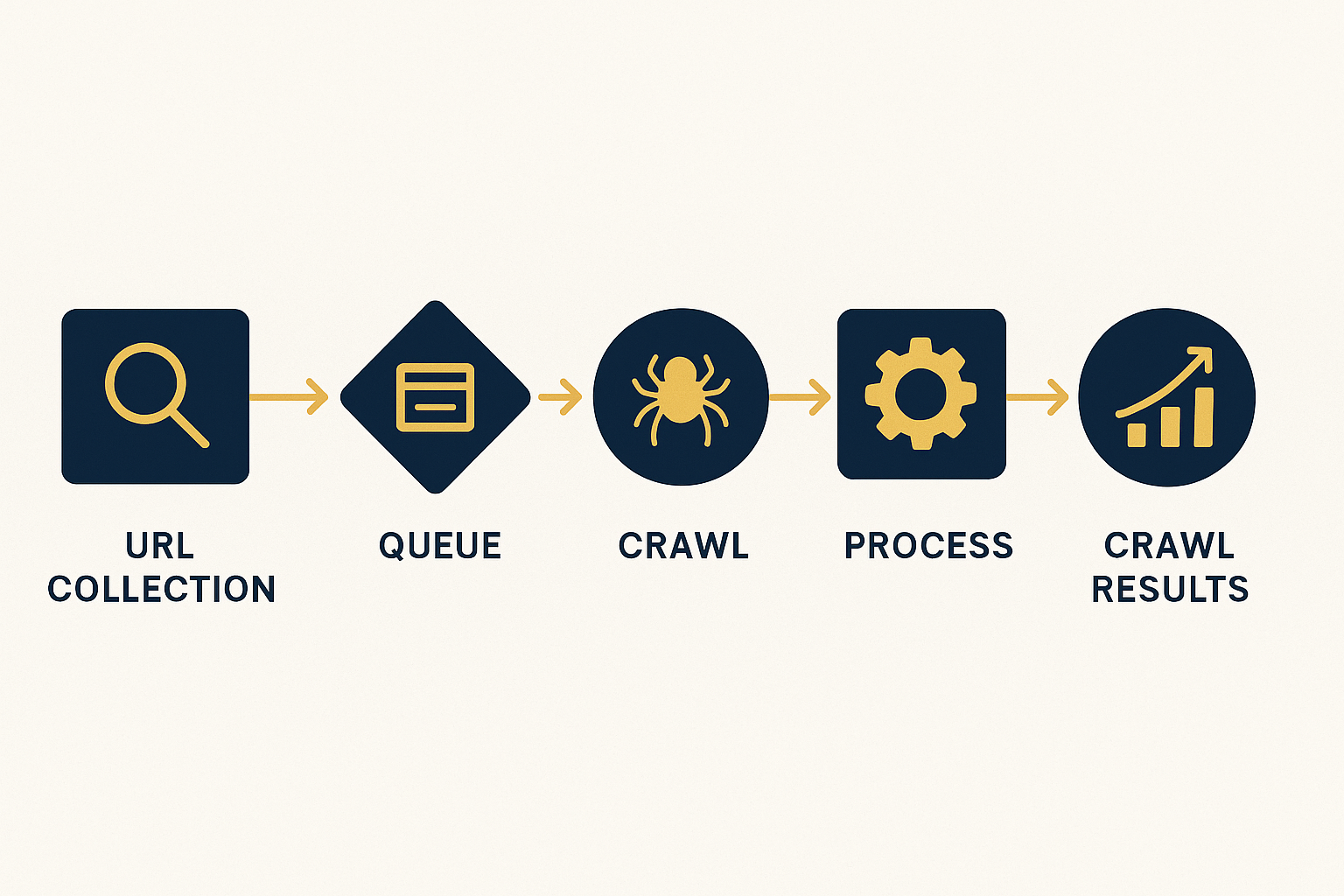
A structured workflow ensures your list crawl produces consistent, repeatable results across every audit cycle.
Frequently Asked Questions About List Crawls
Conclusion
List Crawls Are the Precision Tool Every SEO Needs
List crawls give technical SEO professionals the ability to work with surgical precision — auditing exactly the pages that matter, when they matter, without wasting time or server resources on irrelevant content. Whether you are validating a post-migration redirect map, monitoring your top revenue pages weekly, or cross-checking GSC coverage data, mastering list crawls dramatically improves the quality and speed of your SEO audits.
The most effective SEO professionals combine list crawls with full-site crawls strategically — using full crawls for discovery and baseline audits, then relying on list crawls for ongoing monitoring, targeted investigations, and rapid validation cycles. For more advanced SEO auditing strategies that build on targeted crawling techniques, visit Rank Authority for expert-level guidance and frameworks.