

Technical SEO Guide
List Crawls: The Complete Guide to Targeted SEO Crawling
Everything SEO professionals need to run faster, smarter, and more precise targeted crawl audits.
Direct Answer
List crawls are a targeted crawl mode in SEO tools where you supply a predefined set of specific URLs for the crawler to analyze — instead of letting it spider an entire website by following links. This gives you surgical control over which pages are audited, making your technical SEO work faster, cheaper on server resources, and far more precise than a full-site crawl.
List crawls represent one of the most powerful yet underused techniques in a technical SEO professional’s toolkit. Whether you are auditing a freshly migrated section of a site, validating recently published content, or investigating a specific set of pages flagged in Google Search Console, mastering list crawls gives you a decisive edge in both speed and precision. In this guide, you will find every scenario, step, tool, and best practice you need to run list crawls with confidence.
What Are List Crawls?
In a standard full-site crawl, an SEO crawler starts at a root URL — typically the homepage — and recursively follows every internal link it discovers until it maps the entire site. This approach is comprehensive. However, it is also inherently broad. As a result, you receive data on every reachable page, including many pages you do not need to analyze at that moment.
List crawls invert that model entirely. You bring the URL list. The crawler fetches and analyzes only those exact URLs — nothing more. According to Wikipedia’s overview of web crawlers, the fundamental distinction between a broad crawl and a focused crawl lies in how the seed URL set is defined and constrained. List crawls represent the most extreme form of focused crawling — where the seed set is also the complete crawl set.
Tools like Screaming Frog SEO Spider refer to this as “List Mode.” Sitebulb, Botify, and Lumar (formerly DeepCrawl) offer equivalent functionality under slightly different names. In all cases, the underlying mechanism is identical: you supply the URLs, the tool fetches them, and you receive a structured report on their SEO properties.
Furthermore, list crawls are not just a convenience feature. They are a fundamentally different crawl philosophy — one that prioritises precision over breadth. For SEO professionals working on large, complex websites, this distinction is critical.
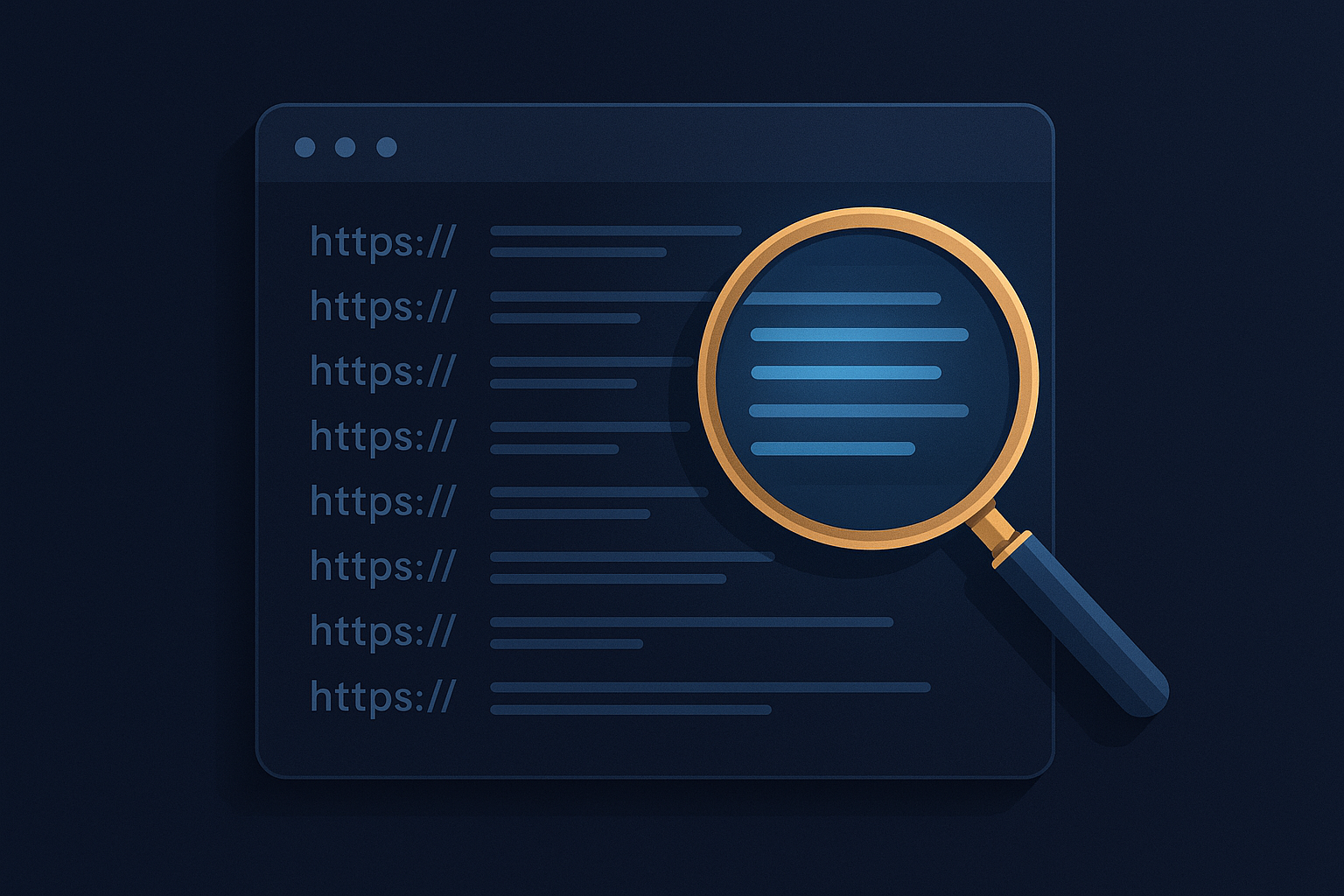
List crawls allow SEO professionals to target only the URLs that matter, eliminating noise from large-scale full-site crawls.
How List Crawls Work — The Technical Mechanism
Understanding the technical mechanics of list crawls helps you configure them correctly and interpret results accurately. Specifically, there are three core components to understand: URL ingestion, request behaviour, and result scope.
URL Ingestion
When you run a list crawl, the crawler reads your input file — typically a plain-text file or CSV with one URL per line — and loads each URL into a crawl queue. It does not perform any link discovery beforehand. Consequently, the queue is fixed at the size of your input list. No new URLs are added unless you explicitly configure the crawler to follow outbound links found on those pages.
Request Behaviour and Response Handling
For each URL in the queue, the crawler sends an HTTP GET request and reads the full server response. This includes the HTTP status code (200, 301, 302, 404, 500, etc.), response headers, and — where applicable — the full HTML body. The crawler then parses the HTML to extract on-page data: title tags, meta descriptions, heading structure, canonical tags, meta robots directives, structured data, and internal link counts.
In addition, if JavaScript rendering is enabled, the crawler will execute scripts and wait for the DOM to fully render before extracting data. This is particularly important for React, Angular, or Vue-based sites where content is generated client-side.
Result Scope and Data Output
The output of a list crawl is a structured dataset containing one row per URL. Each row includes all extracted SEO signals for that page. Therefore, results are directly comparable across every URL in your list — making pattern identification and bulk issue detection straightforward. Most tools let you export this dataset as a CSV for further analysis in Excel, Google Sheets, or a BI platform.
List Crawls vs. Full Site Crawls: Key Differences
Choosing the right crawl type is as important as knowing how to run one. Here is a direct comparison across the dimensions that matter most to SEO practitioners:
The Orphan Page Advantage
One often-overlooked advantage of list crawls is their ability to surface orphan pages — pages that exist on your server but have no internal links pointing to them. A standard full-site crawl will never find these, because it relies entirely on link discovery. However, if you export all indexed URLs from Google Search Console and run a list crawl against them, you can cross-reference the results with your internal link data to identify orphan pages instantly.
Similarly, list crawls are the only reliable way to audit pages that are intentionally blocked from internal linking — such as paid landing pages, test pages, or campaign-specific URLs — without needing to restructure your site architecture first.
When to Use List Crawls: 9 High-Value Scenarios
Experienced SEO professionals reach for list crawls whenever precision matters more than breadth. In particular, these nine scenarios represent the highest-value use cases for targeted URL crawling:
Scenario 01
Post-Migration Validation
After a site migration, run a list crawl against your complete redirect map to verify every old URL returns the correct 301 status and resolves to the right destination. Catching errors here prevents ranking loss before Googlebot discovers them independently.
Scenario 02
Google Search Console Coverage Audits
Export URLs from the Coverage or Performance report in GSC and run them through a list crawl to check title tags, canonical tags, meta robots directives, and response codes — all at once. This workflow quickly surfaces indexation conflicts that GSC alone does not explain.
Scenario 03
Content Refresh Verification
After updating a batch of blog posts or landing pages, use a list crawl to confirm that new title tags, meta descriptions, and structured data are live and rendering correctly — before the next Googlebot visit processes those changes.
Scenario 04
Competitor Gap Analysis
Compile a list of competitor URLs from a backlink tool or keyword research platform and run a list crawl to analyze their on-page structure, heading hierarchy, schema markup usage, and page speed signals. Specifically, this approach lets you benchmark competitor content at scale without manual review.
Scenario 05
Backlink Landing Page Audits
Export your top linked-to pages from a backlink analysis tool and run a list crawl to ensure these high-authority pages are healthy, fast, and not accidentally returning error codes. Broken high-authority pages represent a direct and avoidable loss of link equity.
Scenario 06
E-Commerce Product Page Monitoring
For large e-commerce sites with thousands of product pages, schedule recurring list crawls against your top-revenue URLs to monitor for accidental noindex tags, missing structured data, broken images, or degraded page speed — before these issues affect rankings.
Scenario 07
XML Sitemap Validation
Extract all URLs from your XML sitemap and run a list crawl to confirm every submitted URL returns a 200 status, is indexable, and has a canonical tag pointing to itself. Submitting non-indexable or redirecting URLs in your sitemap wastes crawl budget and signals poor site hygiene to Google.
Scenario 08
Orphan Page Discovery
Combine your GSC index report with a full crawl export, then identify URLs present in GSC but absent from the crawl. Feed those URLs into a list crawl to confirm they are live and assess whether they lack internal links. Orphan pages often hold significant SEO value that is going unrealised.
Scenario 09
Core Web Vitals Monitoring for Key Pages
Combined with performance APIs or integrated tools like Screaming Frog’s PageSpeed Insights integration, list crawls let you pull Core Web Vitals data for a specific set of priority pages. Consequently, you can track CWV trends over time without running full-site performance audits repeatedly.

Preparing a clean, well-segmented URL list is the most critical first step before running any list crawl — quality in, quality out.
Tools That Support List Crawls
Several professional SEO crawlers support list crawl functionality. Each tool has different strengths, URL limits, and feature sets. Below is a detailed breakdown of the most widely used options:
Screaming Frog SEO Spider (List Mode)
Screaming Frog is the most widely used desktop crawler for SEO professionals, and its List Mode is the most common implementation of list crawls in the industry. You switch to List Mode via Mode → List in the top menu. The free version caps all crawls at 500 URLs. However, the paid licence (£199/year) removes this restriction and supports crawl lists of hundreds of thousands of URLs. Screaming Frog also offers a command-line API mode that enables automated scheduled list crawls — a powerful option for ongoing monitoring workflows.
Sitebulb
Sitebulb offers targeted URL crawling with a particularly strong visual reporting interface. It is well-suited for audit presentations and client-facing reports. Furthermore, Sitebulb provides built-in hints and prioritised recommendations, which can accelerate issue triage after a list crawl completes.
Botify and Lumar (DeepCrawl)
Enterprise-grade cloud platforms like Botify and Lumar (formerly DeepCrawl) support targeted URL crawl configurations at scale. These tools are specifically designed for sites with millions of pages, where running even a targeted list crawl in a desktop tool would be impractical. In addition, they offer deeper log file integration and crawl budget analysis — useful for combining list crawl data with Googlebot behaviour insights.
Ahrefs Site Audit and Semrush Site Audit
Both Ahrefs and Semrush offer cloud-based site audit tools that allow URL-scoped crawls. However, these are generally less flexible than dedicated crawlers for precise list-based auditing. They are most useful for teams that already use these platforms and want to run targeted re-crawls without switching tools.
How to Run List Crawls Step by Step
The following process applies primarily to Screaming Frog SEO Spider in List Mode, but the logic transfers directly to any crawler that supports targeted URL input. Follow each step carefully to ensure clean, reliable results.
Export and Clean Your Target URLs
Gather the specific URLs you want to audit from Google Search Console, your CMS sitemap, an analytics export, or a backlink tool. Save them as a plain-text file or CSV with one URL per line. Clean the list thoroughly — remove duplicates, trailing spaces, mixed protocols, and any non-URL data. Specifically, ensure consistent use of HTTPS and trailing slashes across all entries. A dirty URL list produces misleading results.
Switch to List Mode in Screaming Frog
Open Screaming Frog SEO Spider. Navigate to Mode → List in the top menu bar. The interface will change to display an upload prompt rather than a standard URL input field. This visual change confirms that list crawl mode is active and no link-following discovery will occur by default.
Upload or Paste Your URL List
Click Upload to import your CSV or text file, or use the Paste option to enter URLs directly. Screaming Frog will queue only those URLs. For large lists — specifically 10,000 URLs or more — uploading a file is significantly more reliable than pasting. The tool will display the total URL count loaded so you can confirm the list imported correctly.
Configure Your Crawl Settings
In Configuration settings, decide whether you want Screaming Frog to follow links found within those pages — which would expand the crawl beyond your defined list — or remain strictly limited to your supplied URLs. For a pure list crawl, disable link following. Additionally, set an appropriate crawl speed (crawl delay) to avoid overloading the target server, particularly for production sites with heavy traffic. If you need JavaScript-rendered content, enable rendering mode here as well.
Run the Crawl
Click Start. Screaming Frog will process each URL sequentially and populate the results in real time. You can watch for errors as they appear rather than waiting for the full crawl to finish. Consequently, if a large cluster of 404 errors appears early, you can pause and investigate before the full run completes.
Analyze and Export Results
Once the list crawl completes, review results across the standard tabs: status codes, page titles, meta descriptions, H1 tags, canonical URLs, response times, and any custom extraction data you configured. Export the full report as a CSV for further analysis in Excel, Google Sheets, or a BI platform. Furthermore, save the crawl file locally — Screaming Frog’s .seospider format lets you reopen and filter results without re-crawling.
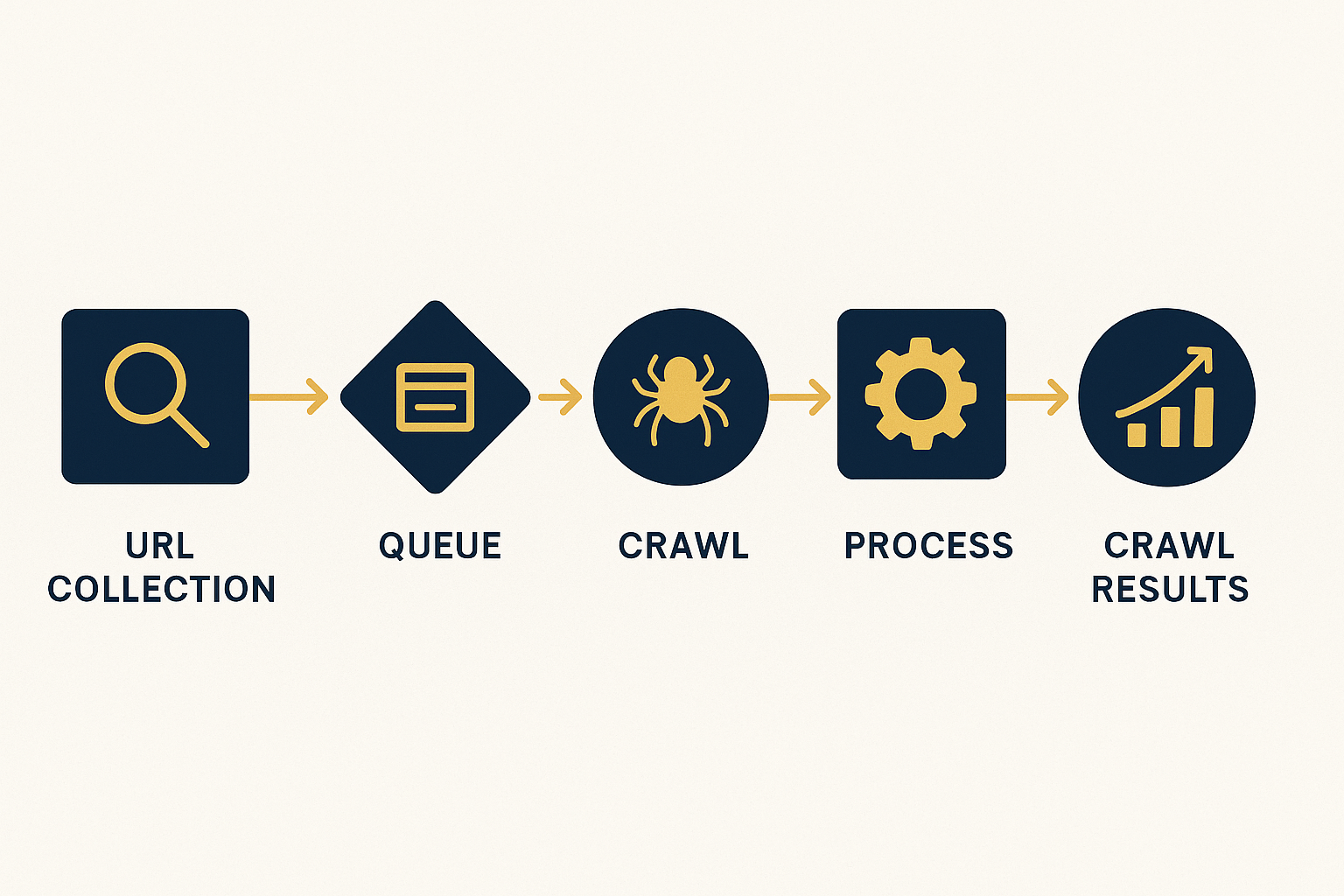
A structured, repeatable workflow ensures every list crawl produces consistent, actionable results across every audit cycle.
Best Practices for List Crawls
Running list crawls effectively requires more than knowing the mechanics. Specifically, these practices separate competent auditors from exceptional ones:
-
✦ Normalise your URLs before uploading.
Ensure consistent use of trailing slashes, HTTPS vs. HTTP, and www vs. non-www. Inconsistencies create duplicate rows in your results and skew your analysis. A simple deduplication pass in Google Sheets takes two minutes and prevents hours of confusion later. -
✦ Segment your URL lists by page type.
Run separate list crawls for blog posts, product pages, category pages, and landing pages. Segmented audits produce cleaner, more actionable reports than mixed-type crawls. Furthermore, segmented crawls make it easier to assign issues to the right team members based on page ownership. -
✦ Schedule recurring list crawls for critical pages.
Your top 50 revenue-driving pages should be crawled weekly or bi-weekly. As a result, any accidental noindex tag, canonical error, or page speed regression is caught within days rather than weeks. Automated scheduling via Screaming Frog’s API mode or a cloud-based crawler makes this effortless. -
✦ Enable JavaScript rendering for JS-heavy sites.
If your site relies heavily on JavaScript for content rendering, enable JavaScript rendering in your crawler settings when running list crawls. Otherwise, you may miss dynamically generated content that Googlebot sees — leading to false positives in your audit data. This is specifically critical for single-page applications built on React or Vue. -
✦ Cross-reference with server log file data.
The most powerful list crawl workflows combine your URL list with server log file analysis. Pages that Googlebot visits frequently but that are not in your sitemap are prime candidates for your next targeted audit. Conversely, pages in your sitemap that Googlebot never visits may indicate crawl budget waste. -
✦ Version-control your URL lists.
Store each URL list you use in a version-controlled location — a shared drive, a Git repository, or a project management tool. This practice lets you track which pages were audited, when, and what the results were — building an audit history that is invaluable during rankings investigations.
For deeper strategic guidance on integrating list crawls into a comprehensive SEO workflow, Rank Authority offers detailed technical SEO resources and auditing frameworks that complement the tactics covered here.
Advanced List Crawl Workflows
Beyond standard use cases, list crawls can be combined with other data sources and tools to create powerful, automated SEO monitoring pipelines. Here are three advanced workflows worth implementing:
Workflow 1 — GSC + List Crawl Indexation Reconciliation
Export your full indexed URL set from Google Search Console’s Performance report (all pages, filtered to the last 16 months). Run a list crawl against this set. Compare the crawl’s canonical tags and meta robots directives against the GSC indexed status. Specifically, look for pages where GSC reports the page as indexed but your crawl shows a noindex directive — this discrepancy indicates a caching or deployment issue that requires immediate investigation.
Workflow 2 — Automated Post-Deploy Crawl via API
Screaming Frog’s command-line interface allows you to trigger list crawls programmatically. As a result, you can integrate a targeted crawl directly into your CI/CD deployment pipeline. After each production deploy, your pipeline automatically feeds the list of modified URLs into Screaming Frog, runs a list crawl, and alerts your team if any page returns a non-200 status, gains an unintended noindex tag, or loses its canonical. This is particularly valuable for large development teams where accidental SEO regressions are a constant risk.
Workflow 3 — Competitor Monitoring at Scale
Build a master list of your top competitors’ highest-ranking pages using Ahrefs or Semrush’s organic pages report. Run a monthly list crawl against this set to monitor changes in their title tags, heading structures, schema markup, and canonical configurations. Over time, this workflow reveals patterns in how competitors optimise pages after a ranking shift — providing actionable intelligence you can apply to your own content strategy.
Frequently Asked Questions About List Crawls
Conclusion
List Crawls Are the Precision Tool Every SEO Professional Needs
List crawls give technical SEO professionals the ability to work with surgical precision — auditing exactly the pages that matter, when they matter, without wasting time or server resources on irrelevant content. Specifically, whether you are validating a post-migration redirect map, monitoring your top revenue pages on a weekly schedule, discovering orphan pages, or cross-checking GSC coverage data, mastering list crawls dramatically improves the quality and speed of every SEO audit you run.
The most effective SEO professionals combine list crawls with full-site crawls strategically — using full crawls for initial discovery and baseline audits, then relying on list crawls for ongoing monitoring, targeted investigations, and rapid post-deploy validation cycles. Furthermore, the advanced workflows covered in this guide — from automated API-triggered crawls to competitor monitoring pipelines — show that list crawls are not just a spot-audit tool. They are the backbone of a mature, scalable technical SEO monitoring programme.
For more advanced SEO auditing strategies that build on targeted crawling, visit Rank Authority for expert-level guidance and frameworks. For a deeper walkthrough, see our Local Search AI Visibility: The Complete 2025 Guide.

