
Website SEO Health Checker: Diagnose, Fix, and Grow Fast
/website-seo-health-checker
To begin with, a website SEO health checker gives you a fast, structured way to find what holds your rankings back and what to fix first. Therefore, you can move from guesswork to data-driven action in minutes.
Why this guide matters
- Because of this tool, you catch issues before they cost traffic.
- In addition, you get clear steps and quick wins for growth.
- Ultimately, you build durable visibility and faster pages.

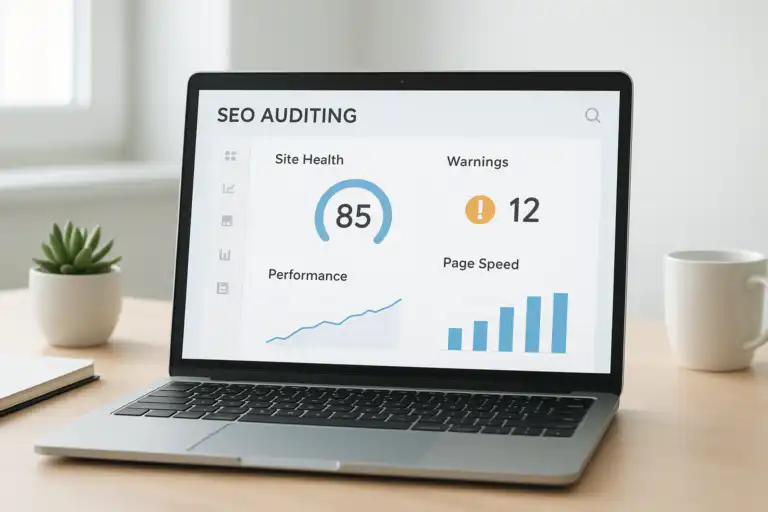
A visual dashboard helps you understand the website SEO health checker results at a glance.
What is website SEO health checker?
Direct answer: A website SEO health checker is a tool that scans your site for technical errors, on‑page gaps, and performance issues that limit organic visibility. In short, it turns complex SEO signals into a simple fix list.
To clarify, “SEO health” describes how ready a site is to rank and to be crawled, indexed, and served quickly. Additionally, this includes performance, metadata, links, structured data, and mobile usability. For reference, search engine optimization covers these fundamentals in practice.
Overall, the goal is speed and clarity: you run a scan, review priorities, and implement fixes that measurably improve traffic.
Section summary: An SEO health checker defines what to fix first so rankings can grow faster.
How does a website SEO health checker work?
Direct answer: The tool crawls your pages like a search bot, measures speed, validates metadata, and evaluates indexability. Consequently, it compiles issues and scores your overall health.
To begin with, a crawler maps your URLs and collects status codes, canonical tags, robots directives, and sitemaps. Next, a speed engine benchmarks Core Web Vitals and flags render‑blocking assets. Then, content checks look for missing titles, duplicate H1s, thin pages, and broken internal links. Finally, the report ranks problems by impact, difficulty, and potential gains.
In practice, fix what helps the most users with the least engineering friction, then iterate each week for compounding wins.
Section summary: The checker crawls, measures, and prioritizes your fixes automatically.
Step‑by‑step: Run your first SEO health check
To get momentum, follow this quick process and track wins from day one.
- To begin with, crawl your domain and subdomains with your chosen website SEO health checker.
- Next, review the health score and open the “Critical” issues list.
- Then, fix indexation blockers first: noindex mistakes, robots.txt rules, and 404 or 500 chains.
- After that, optimize speed by compressing images, deferring non‑critical JS, and enabling HTTP/2.
- Additionally, repair internal links and add descriptive anchor text to key pages.
- In addition, rewrite missing or duplicate titles and meta descriptions for primary templates.
- Finally, re‑crawl and confirm the fixes reduced errors and improved Web Vitals.
For convenience, you can kick off a fast snapshot using Rank Authority’s free SEO analysis, then schedule deeper crawls as your content grows. For a deeper walkthrough, see our Website Backlinks Analysis: A Complete SEO Guide.
Section summary: Start with a crawl, fix blockers, improve speed and metadata, then verify.

This simple workflow shows the order of tasks in a solid SEO health audit.
Key checks every site SEO checker should include
To prioritize well, focus on checks that change outcomes, not just scores.
- First, indexability: robots rules, noindex tags, canonical logic, and sitemap coverage.
- Second, crawl efficiency: internal link depth, redirect chains, and orphaned URLs.
- Third, Core Web Vitals: LCP, INP, and CLS benchmarks from field and lab data. For deeper guidance, see Google’s Core Web Vitals documentation.
- Additionally, metadata: titles, meta descriptions, H1 usage, and schema validity.
- Moreover, content quality: thin templates, duplicate near‑content, and intent alignment.
- Also, links: broken links, 404 patterns, and risky external redirects.
- Finally, security and UX: HTTPS, mixed content, mobile layout shifts, and accessibility basics.
Direct answer for quick copy
In short, the most important SEO health checks cover indexability, speed, metadata, internal links, and content quality.
Section summary: Concentrate on indexability, speed, metadata, links, and content quality.
Manual audit vs. website SEO health checker
For clarity, this comparison frames when to automate and when to analyze by hand.
| Approach | Strengths | Limitations | Best use |
|---|---|---|---|
| Manual audit | Deep context, nuanced recommendations | Slower, limited coverage, subjective | Complex sites, strategy, edge cases |
| Website SEO health checker | Fast, repeatable, complete coverage | Less nuance, needs human review | Regular monitoring, quick triage |
Section summary: Use automation for breadth and speed, and use manual work for depth.
When should you run a website SEO health checker?
To stay proactive, run scans weekly for active content sites and monthly for small catalogs. Additionally, run an immediate check after launches, migrations, or CMS updates. Because of this cadence, you catch regressions early and protect revenue.
For real‑time coverage, consider enabling alerts so you respond the day an issue appears. For instance, Rank Authority explains how automated notices work in its guide on real‑time SEO issue alerts.
Section summary: Scan weekly or monthly, and add alerts for instant detection.
Choosing the best website SEO health checker
To decide well, match the tool to your stack, team, and goals. Therefore, look for flexible crawling, accurate Web Vitals, simple reporting, and integrations.
- First, check crawl scale: millions of URLs vs. small sites.
- Next, validate data trust: verified status codes and consistent canonical logic.
- Additionally, require clear prioritization: impact, effort, and business value tags.
- Moreover, confirm collaboration: assignments, comments, and sprint exports.
- Finally, ensure integrations: analytics, logs, and data warehouse syncs.
In short, the best choice blends accurate diagnostics with smooth workflows your team will actually use.
Section summary: Choose accuracy, prioritization, collaboration, and integrations.
Pros and cons of automated SEO health checks
To balance trade‑offs, consider these quick lists.
- Pros: speed, coverage, repeatability, early warnings, and measurable progress.
- Cons: limited context, false positives at times, and dependence on good configuration.
Overall, automation wins for monitoring, while expert reviews win for strategy.

This contrast view highlights why both automation and human insight matter.
Common issues a website SEO health checker will find
To save time, address these frequent blockers first because they move the needle fastest.
- Incorrect noindex rules or blocked resources that stop crawling and indexing.
- Long server response times that hurt LCP and drain conversions.
- JavaScript rendering problems that hide content from bots.
- Duplicate titles, duplicated H1s, and thin product variants.
- Broken internal links and messy redirect chains that waste crawl budget.
- Missing or invalid structured data that reduces rich‑result eligibility.
As a result, fixing these problems often yields quick traffic lifts within a few recrawls.
Section summary: Tackle indexing, speed, rendering, duplication, links, and schema first.
Optimization playbook: Fixes that compound over time
To compound gains, invest in fixes that strengthen both UX and SEO.
- Therefore, compress and properly size images for faster LCP.
- Additionally, defer non‑critical scripts and preload above‑the‑fold assets.
- Moreover, consolidate duplicate templates and add unique helpful content.
- In addition, enforce canonical rules and remove redundant parameters.
- Finally, build topic‑driven internal links to surface your best pages.
In short, speed plus clarity plus internal relevance creates durable ranking power.
Section summary: Improve speed, deduplicate content, and strengthen internal links.
FAQ: Simple answers for quick decisions
How does a website SEO health checker differ from analytics?
To put it simply, analytics measures outcomes, while a checker finds causes. Consequently, you fix causes to change future outcomes.
How often should I run a website SEO health checker?
Typically, you should run it weekly for active sites and monthly for smaller ones. Additionally, enable alerts to act the day issues surface.
What budget do I need to start?
Usually, you can begin with a free crawl, validate wins, and then upgrade for scale and automation.
Section summary: Use the checker to find causes, run it weekly or monthly, and scale after proof.
Key takeaways
- In short, a website SEO health checker finds and prioritizes ranking blockers.
- Additionally, weekly scans and alerts prevent costly regressions.
- Moreover, speed, indexability, metadata, and links deliver the biggest gains.
- Finally, combine automation with expert judgment for best results.
Section summary: Monitor continuously, fix high‑impact issues, and iterate.
Get started with a website SEO health checker
To move today, start with a quick scan and a short fix sprint. Then, schedule recurring crawls and turn on notifications so nothing slips through. For example, you can try a snapshot on Rank Authority’s free SEO analysis and add alerts as described in their real‑time SEO issue alerts resource.
Ultimately, consistent use of a website SEO health checker builds a faster, clearer, and more discoverable site. Therefore, run your audit now, fix the highest‑impact items, and watch organic growth compound over the next few weeks.
Section summary: Run a scan now, fix high‑impact tasks, and automate monitoring.
Glossary: Simple definitions you can reuse
- Website SEO health checker: a tool that scans a site for technical and on‑page issues, then prioritizes fixes.
- Indexability: the ability for search engines to crawl and store your pages.
- Core Web Vitals: user‑centric speed metrics (LCP, INP, CLS) that reflect loading, interactivity, and visual stability.
- Crawl budget: the number of URLs search bots will fetch in a given period.
Quick troubleshooting tips
- Firstly, verify robots.txt and meta robots if traffic suddenly drops.
- Secondly, check server errors and redirect chains after deployments.
- Thirdly, compare field vs. lab Web Vitals before prioritizing changes.
- Finally, re‑crawl to confirm every fix closed the issue class, not just one URL.

